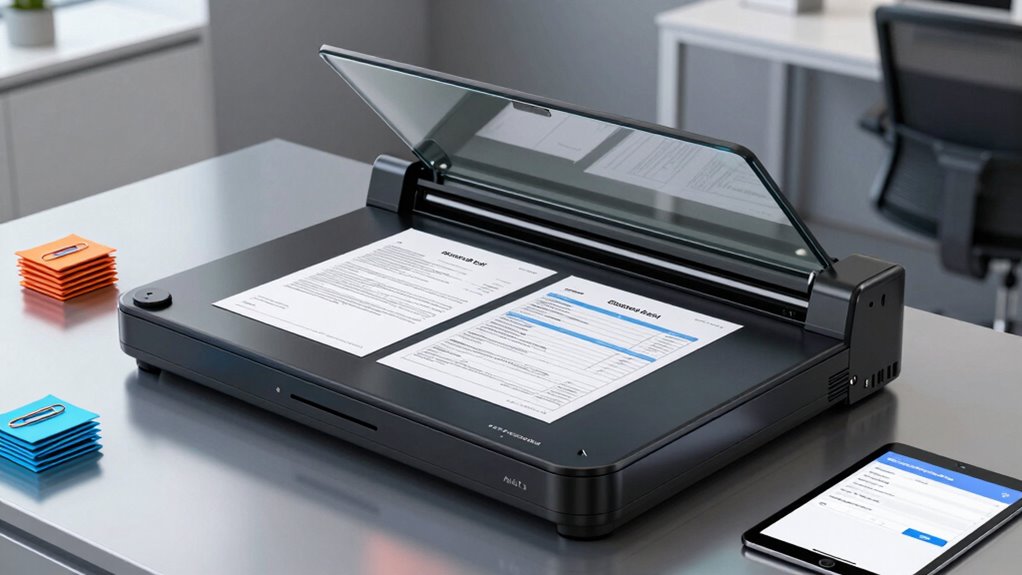

If you need a high-speed document scanner for contracts and invoices on Amazon, I’d start with the Epson WorkForce ES-580W for its wireless duplex desktop workflow. The Epson ES-400 II is a strong alternative for a straightforward computer-connected office setup, while the ScanSnap iX2500 suits buyers who want a more premium connected scanner. The main tradeoff is between an automatic document feeder for batches and a portable scanner that saves desk space but may require more hands-on feeding. I also compare how each option handles double-sided pages, connectivity, and everyday office routines. Continue reading for the full breakdown and a guide to matching a scanner to your workload.

Get tech for your team delivered free — and shop member deals
- Fast, free delivery on millions of items
- Access to Prime Big Deal Days deals on October 6–7
- Prime Video, Amazon Music and more included
Key Takeaways
- The ES-580W is the strongest all-around office fit in this lineup because it combines duplex batch scanning with wireless workflow options; the ES-400 II is a better match if you prefer a simpler desktop setup.
- Desktop scanners are the practical choice for recurring invoice batches. Models such as the ES-580W, ES-400 II, Canon R40II, and Plustek PS186 have feeders, while compact mobile models are better for occasional pages.
- Portable does not always mean batch-ready. The Canon R10 adds a document feeder and duplex scanning in a portable design, while options such as the Brother DS-640 and Epson ES-50 favor compact, manually managed scanning.
- Connectivity separates the ScanSnap and Epson choices. Wireless models like the ES-580W, ES-60W, and ScanSnap iX1300 can suit shared or flexible workspaces; USB models keep the workflow more direct.
- Model names deserve a close check when shopping. The list includes two iX1300 color variants and two HP portable scanners, so I’d verify the exact model and included connection features rather than assuming similar names mean identical bundles.
| Brother DS-640 Compact Mobile Document Scanner |  | Best USB-Powered Portable | Model: DS-640 | Scan speed: 16 ppm, color and black-and-white | Weight: 1.5 lbs | VIEW ON AMAZON | See Our Full Breakdown |
| ScanSnap iX1300 Wireless/USB Double-Sided Color Document Scanner – White |  | Best Compact Duplex | Scanning speed: Up to 30 pages per minute (duplex) | Connectivity: USB, Wi-Fi | Supported media: Documents, photos, cards, thick items, plastic cards | VIEW ON AMAZON | See Our Full Breakdown |
| Canon imageFORMULA R40II Office Document Scanner |  | Best for Fast Batch Jobs | Scanning speed: 45 pages per minute (duplex, color) | Automatic feeder capacity: 60 sheets | Display: Monochrome LCD | VIEW ON AMAZON | See Our Full Breakdown |
| Epson Workforce ES-400 II High-Speed Color Duplex Desktop Document Scanner |  | Best for Workflow Compatibility | ADF capacity: 50 sheets | Duplex scanning: Yes | OCR: Searchable PDFs supported | VIEW ON AMAZON | See Our Full Breakdown |
| Epson WorkForce ES-60W Wireless Compact Mobile Document Scanner |  | Best Wireless Single-Page Scanner | Scan speed: Single page in approximately 4 seconds | Resolution: 300 dpi at 8.5 × 11 inches | Maximum document size: 8.5 × 72 inches | VIEW ON AMAZON | See Our Full Breakdown |
| Epson Workforce ES-580W Wireless Color Duplex Desktop Document Scanner |  | Best Overall | Scanning speed: Up to 35 pages per minute at 300 dpi | ADF capacity: 100 sheets | Duplex scanning: Yes | VIEW ON AMAZON | See Our Full Breakdown |
| Plustek PS186 Desktop Document Scanner with 50-Page Auto Document Feeder (ADF) for Windows 7/8/10/11 (Intel/AMD) |  | Best for Windows Filing Workflows | Scanner type: Document | Connection: USB | Resolution: 600 dpi | VIEW ON AMAZON | See Our Full Breakdown |
| Epson WorkForce ES-50 Compact Mobile Document Scanner |  | Best Compact Scanner | Connectivity: USB 2.0 | Power source: USB-powered | Maximum scan size: 8.5 x 72 inches | VIEW ON AMAZON | See Our Full Breakdown |
| IRIScan Express 4 Portable USB Document Scanner |  | Best Portable OCR Pick for Windows | Scan speed: Up to 8 pages per minute, simplex | Resolution: 300 dpi | Connectivity: USB 2.0 | VIEW ON AMAZON | See Our Full Breakdown |
| HP PS100W Portable Document Scanner with Wi-Fi Direct (Legal Size) |  | Best for Mobile Legal-Size Scanning | Scan speed: 15 pages per minute | Maximum scan size: 8.5 x 14 inches | Connectivity: Wi-Fi Direct | VIEW ON AMAZON | See Our Full Breakdown |
| ScanSnap iX2400 High-Speed One-Touch Color Document Scanner – Black |  | Best High-Volume USB Pick | Scanning speed: 45 pages per minute | Feeder capacity: 100 sheets | Connection: Wired USB | VIEW ON AMAZON | See Our Full Breakdown |
| Fujitsu ScanSnap iX1300 Wireless/USB Double-Sided Color Document Scanner – Black |  | Best Compact Wireless Duplex Pick | Scanning speed: 30 pages per minute duplex | Connectivity: USB and Wi-Fi | Color scanning: Yes | VIEW ON AMAZON | See Our Full Breakdown |
| ScanSnap iX2500 Wireless or USB High-Speed Document Scanner |  | Best Connected Workflow Upgrade | Model: iX2500 | Scan speed: 45 pages per minute, double-sided | Document feeder capacity: 100 sheets | VIEW ON AMAZON | See Our Full Breakdown |
| Canon imageFORMULA R10 Portable Document Scanner, USB Powered, Duplex Scanning, Document Feeder, White |  | Best for Mobile Duplex Scanning | Scan speed: 12 pages per minute | Scanning: Duplex | Automatic document feeder: 20 sheets | VIEW ON AMAZON | See Our Full Breakdown |
| HP HPPS100 Portable USB Document & Photo Scanner |  | Best Portable Detail Scanner | Model: HPPS100 | Scan type: Simplex, one-sided | Resolution: 1200 dpi | VIEW ON AMAZON | See Our Full Breakdown |
| high speed document scanner for contracts and invoices on amazon | Connectivity | Scan speed |
|---|---|---|
| Brother DS-640 Compact Mobile | — | 16 ppm, color and black-and-white |
| ScanSnap iX1300 Wireless/USB D | USB, Wi-Fi | — |
| Canon imageFORMULA R40II Offic | USB-C cable | — |
| Epson Workforce ES-400 II High | — | — |
| Epson WorkForce ES-60W Wireles | USB, Wi-Fi, battery-powered wireless | Single page in approximately 4 seconds |
| Epson Workforce ES-580W Wirele | Wi-Fi, USB | — |
| Plustek PS186 Desktop Document | — | — |
| Epson WorkForce ES-50 Compact | USB 2.0 | 5.5 seconds per page |
| IRIScan Express 4 Portable USB | USB 2.0 | Up to 8 pages per minute, simplex |
| HP PS100W Portable Document Sc | Wi-Fi Direct | 15 pages per minute |
| ScanSnap iX2400 High-Speed One | — | — |
| Fujitsu ScanSnap iX1300 Wirele | USB and Wi-Fi | — |
| ScanSnap iX2500 Wireless or US | Wi-Fi 6 and USB-C | 45 pages per minute, double-sided |
| Canon imageFORMULA R10 Portabl | — | 12 pages per minute |
| HP HPPS100 Portable USB Docume | USB 2.0 | 15 pages per minute |
More Details on Our Top Picks
Brother DS-640 Compact Mobile Document Scanner
For contracts and invoices that need to be scanned away from a desk, the Brother DS-640 pairs a compact 1.5-pound body with USB-powered operation, so it does not need a separate power outlet. Its 16-page-per-minute rate applies to both color and black-and-white documents, making it a practical fit for occasional paperwork rather than a large daily batch. Compared with the ScanSnap iX1300, it gives up duplex scanning and wireless connections, but is lighter and supports Windows, Mac, and Linux. OCR and automatic image adjustments can help turn paper records into searchable files. The tradeoff is that it must stay connected to a computer, and some image features are PC-only; skip it if you need hands-free multi-page feeding.
Pros:- Lightweight 1.5-pound design is easy to carry.
- Scans color and monochrome pages at up to 16 ppm.
- Micro USB 3.0 power avoids the need for an outlet.
- OCR and automatic image features support searchable, cleaner files.
Cons:- Requires a computer connection and has no standalone mode.
- Some advanced image features, including image rotation, are PC-only.
Best for: Mobile professionals and small-business owners who scan occasional contracts or invoices from a laptop, including Linux users.
Not ideal for: People processing stacks of two-sided paperwork or scanning without a computer; it lacks duplex scanning and standalone operation.
- Model:DS-640
- Scan speed:16 ppm, color and black-and-white
- Weight:1.5 lbs
- Power source:Micro USB 3.0
- Compatibility:Windows, Mac, Linux
- Drivers:TWAIN/WIA (PC), ICA (Mac), SANE (Linux)
- Features:Automatic color detection, image rotation, bleed-through prevention, OCR
Our verdict“Choose the DS-640 for portable, computer-connected scanning across major operating systems, not for high-volume duplex batches.”
ScanSnap iX1300 Wireless/USB Double-Sided Color Document Scanner – White
The ScanSnap iX1300 is a strong match for a small office that needs to digitize contracts and invoices without giving up much desk space. Its 30 ppm duplex scanning captures both sides in one pass, while automatic de-skew and blank-page removal cut down on cleanup after a batch. USB and Wi-Fi connections make it more flexible than the computer-tethered Brother DS-640, and ScanSnap Home helps organize the resulting files. It also handles photos, cards, and thick items, which suits mixed household or business paperwork. The compromise is capacity for sustained work: its stated speed is below larger office models such as the Canon imageFORMULA R40II. Choose this for compactness and convenient everyday batches, not continuous high-volume scanning.
Pros:- Compact body fits small desks.
- Duplex scanning reaches up to 30 ppm.
- USB and Wi-Fi connect to computers, mobile devices, and cloud services.
- Automatic de-skew and blank-page removal reduce file cleanup.
Cons:- Its scanning speed is limited compared with high-volume office scanners.
- Multiple connection options and software may be more than users needing only simple, occasional scans require.
Best for: Home-office users and independent professionals who scan two-sided contracts and invoices in modest batches and need a small footprint.
Not ideal for: Teams with large, continuous scanning queues that need the throughput of a larger office scanner.
- Scanning speed:Up to 30 pages per minute (duplex)
- Connectivity:USB, Wi-Fi
- Supported media:Documents, photos, cards, thick items, plastic cards
- Software:ScanSnap Home
- Color scanning:Yes
- Image features:Automatic de-skew, color optimization, blank-page removal
Our verdict“Pick the iX1300 when compact size, duplex scanning, and wireless flexibility matter more than maximum batch throughput.”
Canon imageFORMULA R40II Office Document Scanner
When speed and batch capacity lead the decision, the Canon imageFORMULA R40II stands out with 45 ppm color duplex scanning and a 60-sheet automatic feeder. That combination can move a stack of two-sided contracts or invoices through in fewer passes than the compact ScanSnap iX1300, whose stated duplex rate is 30 ppm. One-touch operation, a monochrome LCD, and bundled CaptureOnTouch software keep the workflow approachable, while support for receipts, business cards, and thick reports adds flexibility. The main limitation is software compatibility: Canon lists CaptureOnTouch only, with no TWAIN or ISIS drivers. By comparison, the Epson WorkForce ES-400 II includes TWAIN integration, which may fit existing document systems better. Choose Canon for fast standalone-style batch handling through its supported software, not for driver flexibility.
Pros:- Scans both sides in color at up to 45 ppm.
- 60-sheet automatic feeder supports substantial batches.
- Handles receipts, business cards, and thick reports.
- Includes USB-C connectivity, CaptureOnTouch, and a monochrome LCD.
Cons:- Does not support standard TWAIN or ISIS drivers.
- CaptureOnTouch-only support can restrict integration with existing workflows.
Best for: Small offices that scan frequent, mixed-format batches and can work within Canon CaptureOnTouch.
Not ideal for: Businesses whose existing document-management system depends on TWAIN or ISIS drivers.
- Scanning speed:45 pages per minute (duplex, color)
- Automatic feeder capacity:60 sheets
- Display:Monochrome LCD
- Connectivity:USB-C cable
- Supported drivers:Canon CaptureOnTouch only; no TWAIN/ISIS
- Warranty:1 year
- Software included:Canon CaptureOnTouch
Our verdict“Choose the R40II for fast, varied office batches if CaptureOnTouch meets your software needs.”
Epson Workforce ES-400 II High-Speed Color Duplex Desktop Document Scanner
The Epson WorkForce ES-400 II is aimed at offices that need fast two-sided scanning to feed into an established filing process. Its 50-sheet feeder and duplex capability suit routine invoice and contract batches, while ScanSmart OCR can create searchable PDFs and support automatic file naming and cloud or email export. The included TWAIN driver is a practical distinction from the Canon imageFORMULA R40II, which is limited to CaptureOnTouch and lacks TWAIN/ISIS support. Epson also lists ultrasonic double-feed detection with dynamic skew correction, helping catch problems during a batch. The tradeoff is that there is no built-in preview screen, so scans must be checked on a connected computer. This is a desktop workflow tool, not the portable choice the Brother DS-640 represents.
Pros:- 50-sheet feeder supports batch scanning.
- Duplex scanning captures two-sided paperwork in one pass.
- ScanSmart provides OCR, automatic file naming, and cloud or email export.
- TWAIN integration supports use with document-management workflows.
Cons:- No built-in preview screen; scans need to be viewed on a connected computer.
- Desktop form and feeder setup are less suited to mobile scanning.
Best for: Small offices that process recurring invoice and contract batches and need OCR, file export, and TWAIN integration.
Not ideal for: People who need a portable scanner or want to review scans on a built-in display rather than a connected computer.
- ADF capacity:50 sheets
- Duplex scanning:Yes
- OCR:Searchable PDFs supported
- Image adjustments:Auto crop and background removal
- Double-feed detection:Ultrasonic with dynamic skew correction
- Software:Epson ScanSmart
- Driver integration:TWAIN
Our verdict“Pick the ES-400 II for a computer-based office workflow that benefits from OCR, batch feeding, and TWAIN support.”
Epson WorkForce ES-60W Wireless Compact Mobile Document Scanner
The Epson WorkForce ES-60W suits people who scan a page here and there while moving between offices, client sites, or home. At about four seconds per page, it can handle an individual signed contract or invoice quickly, and Wi-Fi supports scanning to PCs, Macs, iOS, and Android devices. Nuance OCR and ScanSmart add a route to searchable PDFs and editable Office files, with cloud uploads available through the software. Compared with the Brother DS-640, the ES-60W adds wireless and battery-powered operation, while the Brother supports Linux and scans at a stated 16 ppm. The Epson’s key sacrifice is batch convenience: it feeds one sheet at a time and has no automatic document feeder. Skip it for stacks of paperwork; choose it for mobile, occasional pages.
Pros:- Scans a single page in about four seconds.
- Compact design supports on-the-go use.
- Wireless scanning supports PCs, Macs, iOS, and Android devices.
- Nuance OCR supports searchable PDFs and editable Office files.
Cons:- Single-sheet feeding slows multi-page jobs and there is no ADF.
- Battery life is not specified.
- Full functionality requires Epson ScanSmart software.
Best for: Mobile professionals who need wireless scans of individual contracts, receipts, or invoices and value phone or tablet support.
Not ideal for: Users who regularly scan multi-page stacks; the single-sheet feed makes batch work manual, and battery life is not specified.
- Scan speed:Single page in approximately 4 seconds
- Resolution:300 dpi at 8.5 × 11 inches
- Maximum document size:8.5 × 72 inches
- Connectivity:USB, Wi-Fi, battery-powered wireless
- OCR software:Nuance OCR with Epson ScanSmart
- Operating temperature:-41°F to 95°F (-5°C to 35°C)
- Feeding:Single-sheet
Our verdict“Choose the ES-60W for quick, wireless scans of individual pages, but use a feeder-based scanner for recurring batches.”
Epson Workforce ES-580W Wireless Color Duplex Desktop Document Scanner
For recurring batches of contracts and invoices, the Epson WorkForce ES-580W offers the strongest mix of speed, capacity, and flexible filing in this group. Its 100-sheet feeder and duplex scanning up to 35 pages per minute can handle a substantial stack of two-sided paperwork with less page-by-page attention than the mobile Epson ES-50 or IRIScan Express 4. The touchscreen and Wi-Fi also let you send scans to supported cloud services or mobile devices without keeping a computer beside the scanner. OCR adds searchable PDFs and editable Office files, useful when you need to find a clause or invoice later. The tradeoff is its desktop footprint, and cloud scanning depends on an internet connection. Choose a portable model instead if your scanning happens mostly on the road.
Pros:- 100-sheet ADF reduces interruptions when scanning sizable document batches.
- Duplex speed of up to 35 pages per minute suits two-sided contracts and invoice packets.
- Wi-Fi supports scanning to mobile devices and cloud services without a computer connection.
- OCR can create searchable PDFs and editable Word or Excel files.
Cons:- Cloud scanning features require an internet connection.
- Desktop format is less convenient to carry than compact single-sheet scanners.
Best for: Small offices and independent professionals who regularly scan large, mixed stacks of contracts and invoices and want duplex, OCR, and wireless filing.
Not ideal for: Traveling users or occasional scanners who need a lightweight device; this desktop model is less portable than the ES-50 or HP PS100W.
- Scanning speed:Up to 35 pages per minute at 300 dpi
- ADF capacity:100 sheets
- Duplex scanning:Yes
- Connectivity:Wi-Fi, USB
- Touchscreen:4.3 inches
- Resolution:1200 dpi
- Supported formats:PDF, Word, Excel, searchable OCR PDFs
- Cloud services:Dropbox, Evernote, Google Drive, OneDrive
Our verdict“Pick the ES-580W for frequent office batches where fast duplex scanning and flexible digital filing matter more than portability.”
Plustek PS186 Desktop Document Scanner with 50-Page Auto Document Feeder (ADF) for Windows 7/8/10/11 (Intel/AMD)
The Plustek PS186 is a good fit for Windows users who need repeatable document processing rather than the wireless convenience of the Epson ES-580W. Its 50-page feeder and up to 255 customizable scan settings let you set up recurring jobs for different invoice or contract types, while barcode recognition can help sort documents into a filing workflow. OCR and automatic image adjustments such as deskew and blank-page removal cut down on cleanup after a batch. It can also send files to FTP servers or a personal NAS, a useful route for office storage. The main limitation is platform support: it works with Windows, not macOS or Linux. Its feeder is half the ES-580W’s capacity, and the supplied data does not specify a scan speed, so buyers prioritizing confirmed throughput may prefer the Epson.
Pros:- 50-page ADF supports batch scanning of invoices and contract paperwork.
- Up to 255 customizable settings can support repeatable document workflows.
- OCR and barcode recognition help with search and document sorting.
- Auto-rotate, crop, deskew, and blank-page removal reduce manual cleanup.
Cons:- Driver support is limited to Windows; macOS and Linux are not supported.
- Its 50-page feeder holds fewer sheets than the Epson ES-580W’s 100-sheet ADF.
- The supplied product data does not state a scanning speed.
Best for: Windows-based small businesses that scan recurring document types and can use barcode recognition, custom settings, or network storage.
Not ideal for: Mac or Linux users, and buyers who need a stated high pages-per-minute speed or a larger feeder for heavy batches.
- Scanner type:Document
- Connection:USB
- Resolution:600 dpi
- ADF capacity:50 pages
- Color depth:24 bpp
- Optical sensor:CIS
- Supported formats:PDF, JPEG, TIFF, PNG
- Compatibility:Windows 7, 8, 10, and 11
Our verdict“Choose the PS186 if your office runs Windows and values customizable, barcode-aware filing more than wireless access or a published speed figure.”
Epson WorkForce ES-50 Compact Mobile Document Scanner
When contracts and receipts need to be digitized away from an office, the Epson WorkForce ES-50 keeps the kit simple: it is lightweight, connects by USB, and draws power from that connection. Its single-sheet feed makes sense for occasional forms, signed pages, or a few invoices, not for clearing a thick stack. That distinction puts it well behind the desktop ES-580W for batch work, but makes it easier to pack and set up between locations. ScanSmart and Nuance OCR support searchable or editable files, while the long-document capacity reaches 72 inches for lengthy pages. The 5.5-second-per-page scan time is useful for individual documents, though manual feeding limits pace across a batch. It also needs a connected computer, unlike the ES-580W’s wireless-to-mobile workflow.
Pros:- Lightweight design is easy to carry between work locations.
- USB power avoids the need for batteries or a separate power adapter.
- 5.5-second-per-page scan time suits individual documents.
- OCR software supports searchable and editable files.
Cons:- Single-sheet feeding is inefficient for large invoice or contract batches.
- Requires a computer connection and has no standalone memory card slot.
Best for: Mobile professionals who need to scan occasional contracts, receipts, or long pages at a desk with a Windows or Mac computer nearby.
Not ideal for: Bookkeepers or office teams processing frequent multi-page stacks; single-sheet feeding is slower and less hands-off than the ES-580W’s ADF.
- Connectivity:USB 2.0
- Power source:USB-powered
- Maximum scan size:8.5 x 72 inches
- Scan speed:5.5 seconds per page
- Software:Epson ScanSmart, Nuance OCR
- Compatibility:Windows, Mac
Our verdict“Pick the ES-50 for portable, occasional scanning with a computer, not for high-volume office batches.”
IRIScan Express 4 Portable USB Document Scanner
The IRIScan Express 4 is aimed at Windows users who want a small USB scanner with document-conversion tools, rather than a desktop machine for unattended batches. It scans single-sided pages at up to 8 pages per minute and includes Readiris OCR and PDF editing software, which can turn contract pages or receipts into editable Word, Excel, and PDF files. Compared with the Epson ES-50, it has a stated pages-per-minute rate and a broader included software package; the ES-50, by contrast, supports Mac as well as Windows and lists long-document handling. The Express 4’s simplex-only feed means double-sided contracts require a separate pass, so it is not a replacement for the ES-580W’s duplex feeder. Its Windows-only compatibility also rules it out for Mac users.
Pros:- Portable, USB-powered design does not need a separate AC adapter.
- Scans at up to 8 pages per minute for single-sided documents.
- Readiris OCR supports conversion to editable Word, Excel, and PDF files.
- Handles documents, business cards, photos, and receipts.
Cons:- Windows 7 and later only; macOS is not supported.
- Simplex scanning requires a separate pass for the back of a page.
- Its portable feed is less suitable for large batches than the ES-580W’s ADF.
Best for: Windows users who travel with a lightweight scanner and want OCR and PDF editing for occasional receipts, business cards, and contract pages.
Not ideal for: Mac users or anyone digitizing frequent two-sided contract batches; it scans simplex only and lacks an automatic duplex feeder.
- Scan speed:Up to 8 pages per minute, simplex
- Resolution:300 dpi
- Connectivity:USB 2.0
- Power source:USB-powered
- Color depth:24 bits
- Weight:0.5 kg
- Compatibility:Windows 7 and later
- Included software:Readiris OCR, Readiris PDF Editor
Our verdict“Choose the Express 4 for portable Windows-based OCR work on mostly single-sided pages, not for duplex batch scanning.”
HP PS100W Portable Document Scanner with Wi-Fi Direct (Legal Size)
For mobile work that includes full-length legal pages, the HP PS100W has a focused advantage: it supports scans up to 8.5 by 14 inches and uses Wi-Fi Direct, so a router is not required. Its briefcase-friendly size and Mac/Windows compatibility make it more flexible to carry between client sites than the desktop Epson ES-580W. The listed speed is 15 pages per minute, but this is not an ADF model; each page must be fed manually. That makes it less suited to a stack of invoices or a thick contract packet than the ES-580W, which has a 100-sheet feeder and duplex scanning. Choose the HP when portability, legal-size pages, and router-free wireless access are the priorities. Skip it if hands-off batch feeding matters more than travel convenience.
Pros:- Wi-Fi Direct enables connection without a network router.
- Scans legal-size pages up to 8.5 x 14 inches.
- Compact design fits in a briefcase for mobile work.
- Works with both Mac and Windows computers.
Cons:- No automatic document feeder; pages must be fed manually.
- Listed speed of 15 pages per minute is below the ES-580W’s 35-page-per-minute rate.
- Manual feeding is less convenient for large or double-sided document batches.
Best for: Mobile professionals and students who need to scan legal-size paperwork at different locations and want router-free wireless connection.
Not ideal for: Office users processing stacks of contracts or invoices; manual page feeding and the lack of an ADF make batch work less convenient than on the ES-580W.
- Scan speed:15 pages per minute
- Maximum scan size:8.5 x 14 inches
- Connectivity:Wi-Fi Direct
- Compatibility:Mac, Windows
- Portability:Fits in a briefcase
- Automatic document feeder:No
Our verdict“Pick the PS100W for portable, legal-size scanning without a router, but choose a desktop ADF scanner for repeated batch jobs.”
ScanSnap iX2400 High-Speed One-Touch Color Document Scanner – Black
For a desk where contracts and invoice batches arrive daily, I’d favor the 45-page-per-minute speed and 100-sheet feeder of the iX2400. Its one-touch operation and automatic cleanup— including blank-page removal, de-skewing, rotation, and streak removal—help turn a stack into cleaner files with less manual sorting. Compared with the wireless iX2500, this model gives up touchscreen and Wi-Fi workflows but keeps the same stated scan speed and feeder capacity. That makes it a strong fit when a scanner can stay connected to one computer by USB. The tradeoff is real: it is less flexible for shared or mobile setups, and its desktop footprint may be a drawback in a tight workspace. I’d skip it if wireless access is part of the daily routine.
Pros:- Scans up to 45 pages per minute for fast batch processing.
- 100-sheet automatic feeder reduces repeated loading.
- One-touch operation simplifies routine scanning.
- Automatic image cleanup removes blank pages, streaks, skew, and incorrect rotation.
Cons:- USB-only connectivity limits shared and wireless workflows.
- Its desktop size may be a poor fit for compact work areas.
Best for: Small offices that scan frequent contract and invoice batches from a dedicated computer and want a large feeder with minimal manual cleanup.
Not ideal for: Teams that need Wi-Fi or mobile scanning, or buyers with very limited desk space.
- Scanning speed:45 pages per minute
- Feeder capacity:100 sheets
- Connection:Wired USB
- Document size detection:Automatic
- Color depth detection:Automatic
- Blank-page removal:Automatic
- Image correction:Streak removal, de-skew, and rotation
Our verdict“Choose the iX2400 for fast, high-volume contract and invoice scanning at a dedicated USB-connected desk.”
Fujitsu ScanSnap iX1300 Wireless/USB Double-Sided Color Document Scanner – Black
The iX1300 is the lineup’s space-conscious choice for people who still need duplex scanning for multi-page agreements and invoices. It handles up to 30 pages per minute and connects by either Wi-Fi or USB, so it is more adaptable than the USB-only iX2400 when the scanner must fit a small desk or work away from a fixed computer. Automatic de-skew, color optimization, and blank-page removal can reduce cleanup after a batch. The compromise is speed: the iX2400 and iX2500 reach 45 pages per minute, making them better for heavier daily workloads. The iX1300 also relies on ScanSnap Home for its full feature set and lacks built-in OCR, so buyers who need searchable text should account for that software dependency.
Pros:- Compact design suits small workspaces.
- Scans both sides at up to 30 pages per minute.
- Offers both USB and Wi-Fi connectivity.
- Automatic de-skew, color optimization, and blank-page removal reduce manual corrections.
Cons:- Slower than the iX2400 and iX2500 for large batches.
- Full functionality depends on ScanSnap Home.
- No built-in OCR; text recognition depends on accompanying software.
Best for: Home-office professionals and small teams who scan two-sided paperwork, need Wi-Fi flexibility, and have limited desk space.
Not ideal for: High-volume offices seeking the fastest batches, or buyers who need built-in OCR without relying on accompanying software.
- Scanning speed:30 pages per minute duplex
- Connectivity:USB and Wi-Fi
- Color scanning:Yes
- Supported media:Documents, photos, business cards, thick items, and plastic cards
- Software:ScanSnap Home
- Automatic features:De-skew, color optimization, and blank-page removal
Our verdict“Pick the iX1300 if desk space and wireless duplex scanning matter more than maximum batch speed.”
ScanSnap iX2500 Wireless or USB High-Speed Document Scanner
The iX2500 is the most workflow-focused pick here: it pairs 45-page-per-minute duplex scanning with a 100-sheet feeder, Wi-Fi 6, USB-C, and a touchscreen for profiles and quick menus. For teams that route contracts and invoices to cloud services or mobile devices, those controls can make repeat jobs easier to launch than on the USB-only iX2400. Its anti-jam paper handling also speaks to longer batches where interruptions cost time. The iX1300 is smaller and supports wireless scanning too, but it runs at 30 pages per minute and has a more space-saving design. The iX2500’s tradeoff is setup: configuring profiles and cloud destinations takes attention before the workflow feels streamlined. I’d choose it for a connected desk, not for someone who wants the simplest plug-in scanner.
Pros:- Scans double-sided pages at up to 45 pages per minute.
- 100-sheet feeder supports longer batches.
- Wi-Fi 6 and USB-C offer flexible connection options.
- Touchscreen profiles and anti-jam features support repeatable workflows.
Cons:- Initial setup for cloud services and profiles takes time.
- Its advanced controls may be unnecessary for occasional scanning.
Best for: Small business teams that scan frequent two-sided paperwork and want touchscreen controls plus wireless or cloud-based routing.
Not ideal for: Occasional scanners who want a compact, simple setup or do not need wireless profiles and cloud workflows.
- Model:iX2500
- Scan speed:45 pages per minute, double-sided
- Document feeder capacity:100 sheets
- Connectivity:Wi-Fi 6 and USB-C
- Display:Touchscreen
- Cloud support:Yes
- Paper handling:Anti-jam system
- Color:Black
Our verdict“Choose the iX2500 when fast duplex batches and configurable wireless workflows justify a more involved setup.”
Canon imageFORMULA R10 Portable Document Scanner, USB Powered, Duplex Scanning, Document Feeder, White
The Canon R10 suits a mobile professional who needs to capture signed agreements or invoice pages away from a full office setup. It scans both sides at up to 12 pages per minute, and its 20-sheet feeder handles a modest stack without requiring a large desktop unit. Built-in software that needs no installation is a practical contrast with the iX1300, whose full feature set depends on ScanSnap Home. The R10 also uses little power, which fits a portable workstation. Its pace and feeder capacity are well below the 45-page-per-minute iX2400 and iX2500, so I wouldn’t pick it for regular high-volume batches. It is also not designed for photographic media and has no wireless connection listed, making it a focused document tool rather than a flexible shared scanner.
Pros:- Portable design and USB power suit mobile workspaces.
- Duplex scanning captures both sides of paperwork.
- 20-sheet feeder supports small batches.
- Built-in software works without installation and supports Windows and Mac.
Cons:- 12-page-per-minute speed is far below the iX2400 and iX2500.
- 20-sheet capacity requires frequent reloading for larger batches.
- No wireless connection is listed, and photographic media is unsupported.
Best for: Traveling professionals and small offices that need occasional two-sided contract or invoice scanning without installing software.
Not ideal for: Teams processing large daily batches, buyers who need wireless scanning, or anyone digitizing photographs.
- Scan speed:12 pages per minute
- Scanning:Duplex
- Automatic document feeder:20 sheets
- Suggested daily volume:500 scans
- Power consumption:2.5 W
- Energy-saving mode:0.7 W
- Compatibility:Windows and Mac
- Built-in software:Yes; no installation required
Our verdict“Choose the R10 for portable, low-volume duplex document scanning when installation-free operation matters more than speed.”
HP HPPS100 Portable USB Document & Photo Scanner
The HP HPPS100 is a portable option for buyers who value scan detail and easy transport more than two-sided throughput. Its 1200 dpi resolution can capture fine text and small document details, while the stated 15-page-per-minute rate is quicker than the Canon R10’s 12 pages per minute. But the HP scans one side at a time, so multi-page contracts with printing on both sides require extra handling; the R10 is the better fit for duplex work. USB 2.0 connection keeps the setup straightforward, though it also ties scanning to a computer. The 2-by-2.9-inch to 8.5-by-14-inch paper range covers small items through legal-size pages. I’d choose it for occasional portable jobs, not office-scale invoice processing.
Pros:- Portable, lightweight design is easy to carry.
- 1200 dpi resolution supports detailed scans.
- 15-page-per-minute speed exceeds the Canon R10’s stated rate.
- Works with PC and Mac over USB.
Cons:- Simplex scanning requires separate passes for two-sided documents.
- Requires a computer connection and has no standalone operation.
- USB-only connectivity does not support wireless placement.
Best for: Mobile workers who scan mixed-size paperwork or photos occasionally and value high stated resolution in a lightweight USB model.
Not ideal for: People digitizing two-sided contracts or processing frequent invoice batches without manual page turning.
- Model:HPPS100
- Scan type:Simplex, one-sided
- Resolution:1200 dpi
- Scan speed:15 pages per minute
- Connectivity:USB 2.0
- Compatibility:PC and Mac
- Paper size range:2 × 2.9 inches to 8.5 × 14 inches
- Software:HP WorkScan
Our verdict“Pick the HP HPPS100 for portable, detailed one-sided scanning, but choose a duplex model for contracts printed on both sides.”

How We Picked
I ranked these scanners around the actual contract-and-invoice workload: how readily they handle multi-page batches, whether they scan both sides, and how naturally they fit a desk, shared office, or mobile routine. I also weighed feeder capacity and design, connection options, setup demands, and the practical difference between a desktop unit and a compact single-page scanner. Those factors matter more for this use case than a long feature list alone.
The order favors models that combine batch handling with useful duplex and workflow features, which puts the Epson ES-580W first and other capable desktop options near the top. I placed compact and mobile units lower for sustained office batches, while recognizing their value for occasional scanning away from a desk. Within similar designs, I distinguish models by their connectivity and intended workflow; the matching black and white ScanSnap iX1300 versions are treated as color variants, not as separate performance classes.
Factors to Consider When Choosing High Speed Document Scanner For Contracts And Invoices On Amazon
For contract and invoice work, I’d choose around the documents you scan in a typical week, not the largest batch you can imagine. The right fit depends on more than advertised speed: page handling, duplex workflow, file quality, and where the scanner will live can shape the daily experience.
Match the Feeder to Your Typical Batch
Estimate how many pages you scan at a time, including attachments and double-sided forms. An automatic document feeder can turn a stack into one task, while a mobile scanner that accepts pages one at a time needs more attention during larger jobs. A feeder’s stated capacity is a ceiling, not a measure of how reliably every paper type will feed. Mixed batches with receipts, thin pages, or folded corners may need sorting even with a desktop model. I’d choose a feeder that fits your regular work rather than buying for a rare large archive. If your workload is usually a handful of pages, a compact model may be easier to keep at hand.
Treat Duplex Scanning as a Workflow Feature
Contracts often have print on both sides, and missing a reverse side can leave a file incomplete. Duplex scanning captures both sides in one pass on supported models, reducing the need to flip pages and reassemble files. Check whether duplex is available on the exact model and document path you plan to use, especially when comparing compact scanners. Blank-page removal can help with forms that have unused backs, but review the resulting file before sending or archiving it. One common mistake is focusing on pages per minute while overlooking the extra handling required by one-sided scanning. If double-sided paperwork is routine, prioritize duplex before chasing a small speed difference.
Choose Connectivity Around Who Scans
A USB connection often makes sense when one person scans at a fixed workstation and wants a direct setup. Wireless scanning can offer more placement freedom or make a scanner easier to share, but it adds network setup and may rely on compatible apps or devices. Think about where the documents need to land: a computer folder, a mobile device, or a shared office workflow. Before buying, check operating-system and software compatibility for each computer that will use the scanner. Avoid paying attention to wireless capability alone if your office network or document process does not support it. A dependable, familiar connection can be more useful than extra flexibility you rarely use.
Plan for Searchable, Legible Records
A scanned image is not automatically a searchable document. Optical character recognition can make names, dates, and invoice numbers easier to find, but results depend on software support and the clarity of the original page. Check which apps or bundled tools are included and whether they work with your computer before relying on a specific filing process. Small text, stamps, faint print, and handwritten notes may need a careful visual check even after recognition. For accounting records, consistency in file names and folders can save more time than a high scan rate. I’d test your own document types with available software before sending important records into an unattended workflow.
Balance Portability Against Office Throughput
A portable scanner is easier to store or carry, but smaller designs may trade away feeder capacity, desk controls, or a less hands-on workflow. A desktop unit takes up permanent space, yet its feeder and one-touch controls can make repeated batches less tedious. USB-powered designs also reduce the need for a separate power adapter, though they still depend on a suitable connected device. Consider whether you will scan away from your desk often enough to justify a mobile model. For regular office batches, portability should not outweigh the convenience of an ADF. For occasional field paperwork, a lighter scanner can be the more practical tool.
Frequently Asked Questions
Do I need duplex scanning for contracts and invoices?
If your contracts or invoices sometimes have information on both sides, duplex scanning can save handling and reduce the chance of missing a page. It captures both sides during the same feed operation on models that support it. If nearly all your documents are single-sided, the feature may matter less than feeder design or software compatibility. Check how the scanner handles mixed single- and double-sided batches before relying on automatic processing. I’d still inspect final files for skipped pages before sending or archiving important paperwork.
Is a portable scanner fast enough for a small business?
It can be, if your normal workload is a few pages at a time and portability matters more than batch automation. A compact model that feeds pages individually can feel slow when you need to process a stack of invoices or long contracts. Portable choices with a feeder, such as the Canon R10, bridge some of that gap, though they remain smaller than desktop office units. Think about your busiest ordinary day rather than an occasional document. For repeated batches, a desktop ADF scanner is usually the more comfortable fit.
Should I choose a wireless scanner or a USB model?
Choose wireless if scanner placement, multiple users, or scanning from compatible devices is part of your routine. USB is often simpler when one computer handles all scanning and the scanner stays beside it. Wireless features do not automatically mean every user or application can access the same saved files, so check the supported software and device requirements. Also factor in your office network and who will handle setup. If network flexibility will go unused, a direct USB connection may be the cleaner choice.
Can these scanners make contracts and invoices searchable?
Some scanning workflows include optical character recognition, which can convert printed text into searchable text in a file. The scanner itself may capture the page while included or compatible software handles recognition, so check the software details for the exact model. Recognition can be less reliable with faint printing, small type, unusual layouts, or handwriting. For legal or accounting records, retain the scanned image and verify critical names, totals, and dates. Searchable files improve retrieval, but they do not replace checking the original information.
How can I avoid buying the wrong version on Amazon?
Compare the full model number, not just the family name or product photo. This roundup includes black and white versions of the ScanSnap iX1300 and two differently named HP portable scanners, so confirm the exact connection options and included accessories in the listing. Check the manufacturer’s compatibility details for your computer and operating system as well. Read the listing carefully for feeder, duplex, and wireless capabilities, since nearby versions can have different workflows. If any specification conflicts across the listing, the manufacturer’s page is a useful cross-check before ordering.
Conclusion
For most offices scanning contracts and invoice batches, I’d choose the Epson WorkForce ES-580W as best overall for its desktop duplex workflow and wireless flexibility. The Epson ES-400 II is my best value pick for buyers who want batch scanning without making wireless features central to the setup, while the ScanSnap iX2500 is the best premium option for a connected, higher-end workflow. For beginners who want a straightforward one-touch approach, I’d look at the ScanSnap iX2400; for occasional scanning away from a desk, the Canon R10 or a compact Epson mobile model makes more sense. Choose by workload: a feeder for recurring stacks, duplex for two-sided paperwork, and a portable unit when space or travel matters most.
Halloween Picks
halloween
As an affiliate, we earn on qualifying purchases.