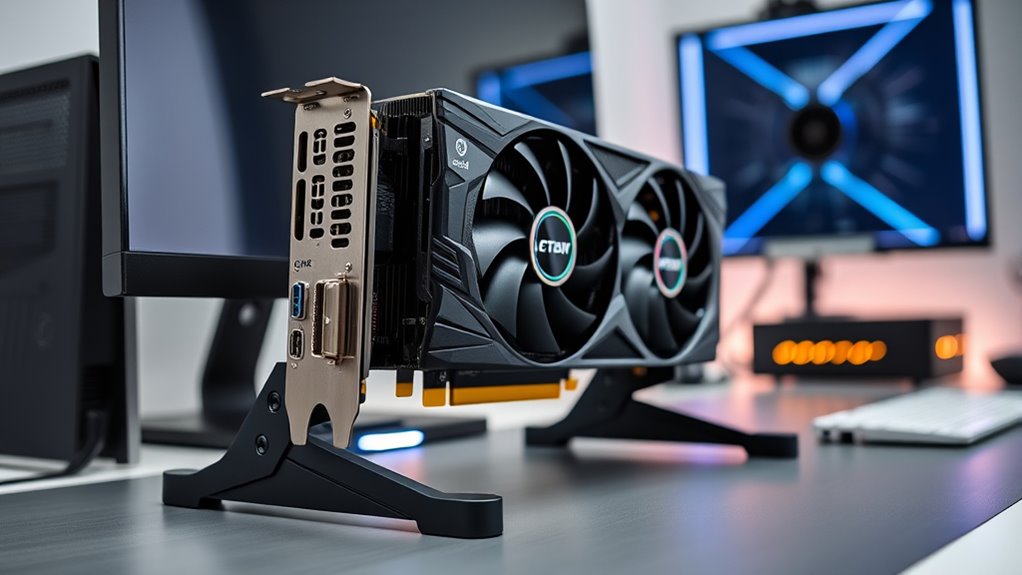

GPU support brackets help limit graphics-card sag, but the right choice depends on your case clearance, GPU height, and preferred mounting style. My best overall pick is the Aivalas Adjustable GPU Support Bracket, which pairs adjustable height with a magnetic base for flexible placement. For a fan-mounted setup, the JOYJOM bracket for 120 mm fans offers a different approach, while the Nkomax aluminum bracket suits builders who want a larger support range. The main tradeoffs are simple placement versus fan compatibility, compact fit versus greater height adjustment, and plain support versus added lighting. Read on for the full breakdown and advice on choosing a bracket that fits your build.

Get business pricing on tech for your team
- Business-only prices and quantity discounts
- Tax-exempt purchasing
- Multiple users, one account, clear invoices
Key Takeaways
- Adjustable magnetic-base designs lead the general-purpose group: Aivalas and Uyubao offer placement flexibility, but the case floor still needs a suitable magnetic surface.
- Fan compatibility changes the installation choice: The JOYJOM 120 mm and OwlTree 120/140 mm options are worth comparing if you want support mounted around a case fan rather than placed independently.
- Height ranges are not interchangeable: Acer’s 25–50 mm model favors tighter spaces, while its 70–120 mm version and the Nkomax 74–120 mm bracket suit taller clearance needs.
- Aluminum models put the focus on material and reach: JOYJOM’s 19 cm option and California JOS’s large models offer alternatives to small, low-profile posts, but require a case with room for their dimensions.
- Lighting and color are secondary to fit: The upHere G276ARGB adds addressable RGB, while the white G276WT and white California JOS model provide color choices; none removes the need to check GPU and case clearance.




| gpu support bracket | Material | Brand | Warranty |
|---|---|---|---|
| Aivalas Adjustable GPU Support | Aluminum | Aivalas | — |
| TEAMOLA Adjustable Tall GPU Su | Aluminum | TEAMOLA | — |
| JOYJOM Adjustable Aluminum GPU | Hard-anodized aluminum alloy | JOYJOM | — |
| JOYJOM Adjustable GPU Support | Aluminum | — | 2 years |
| upHere G276ARGB Adjustable GPU | Iron | — | 12 months |
| Uyubao Adjustable GPU Support | Aluminum alloy | Uyubao | 2 years |
| JOYJOM Adjustable GPU Support | Alloy steel | JOYJOM | — |
| OwlTree Adjustable GPU Support | All metal | — | 1 year |
| California JOS Adjustable Alum | Aluminum alloy | California JOS | — |
| Acer Adjustable GPU Support Br | Aluminum alloy | Acer | 1 year |
| Nkomax Aluminum GPU Support Br | Aluminum | Nkomax | 1 year |
| upHere G276WT Adjustable White | Iron | upHere | 12 months |
| Acer Adjustable GPU Support Br | Aluminum alloy | Acer | 1 year |
| EZDIY-FAB 309EZ GPU Support Br | Aluminum alloy | EZDIY-FAB | — |
| California JOS Adjustable Alum | Aluminum alloy | California JOS | — |
More Details on Our Top Picks
Aivalas Adjustable GPU Support Bracket with Magnetic Base, Black
The Aivalas adjustable bracket is a straightforward choice when the gap beneath a graphics card is modest. Its 2⅞–4¾-inch adjustment range suits many compact builds, while the magnetic base and rubber ends help it stay planted and cushion contact with the card. Compared with the taller TEAMOLA bracket, Aivalas is better suited to shorter clearance; it cannot reach as high for layouts with a large gap. Its aluminum construction keeps the support simple and light, but the narrow height range means measuring your case before buying matters. Unlike the JOYJOM model with a mini bubble level, this one keeps the setup uncomplicated and offers no leveling accessory. Choose it for a basic, low-profile support where its stated range fits.
Pros:- Adjustable height accommodates several compact case layouts.
- Magnetic base helps hold position on a compatible metal case surface.
- Rubber ends add grip and soften contact with components.
- Aluminum construction provides a light support post.
Cons:- The 2⅞–4¾-inch range will not fit every case or card position.
- Unlike the JOYJOM 19 cm bracket, it does not include a bubble level for setup.
Best for: Builders with a compact ATX, M-ATX, or ITX case who have measured a support gap between 2⅞ and 4¾ inches.
Not ideal for: Owners of tall cases or unusual GPU layouts whose support gap falls outside the bracket’s limited height range.
- Brand:Aivalas
- Material:Aluminum
- Color:Black
- Height range:2⅞–4¾ inches
- Dimensions:0.51 × 0.51 × 4.72 inches
- Weight:0.03 kg
- Base:Magnetic with rubber ends
- Case compatibility:ATX, M-ATX, and ITX cases
Our verdict“Pick the Aivalas when your measured clearance is short and you want a light magnetic support without extra setup accessories.”
TEAMOLA Adjustable Tall GPU Support Bracket
When a standard short support post cannot reach the underside of a card, the TEAMOLA tall bracket offers a higher adjustment span: 4.53–8.27 inches. That makes it a distinct alternative to the compact Aivalas, whose maximum height is 4¾ inches. The tool-free adjustment is useful for dialing in a fit without adding another tool to a build, and its magnetic base can help keep the corner-mounted post in place on a suitable metal surface. The tradeoff is that its greater reach does not guarantee compatibility: case floor shape, nearby components, and available clearance still determine whether it can sit securely. Compared with the JOYJOM 19 cm model, TEAMOLA covers a tall range but provides fewer listed setup details and no included bubble level.
Pros:- 4.53–8.27-inch height range reaches higher than the Aivalas bracket.
- Tool-free adjustment makes repositioning simple during installation.
- Magnetic base can help stabilize the bracket on a compatible metal surface.
- Aluminum construction keeps the support post relatively light.
Cons:- Its tall profile may not fit compact cases or low-clearance layouts.
- Compatibility depends on case geometry and available corner space.
Best for: PC builders with a tall GPU-to-case-floor gap who want a manually adjustable support that does not require tools.
Not ideal for: Owners of compact cases with limited vertical clearance, or cases whose floor layout leaves no suitable corner mounting position.
- Brand:TEAMOLA
- Material:Aluminum
- Color:Black
- Height range:4.53–8.27 inches (11.5–21 cm)
- Mounting type:Corner
- Item weight:0.06 kg
- Unit count:1
Our verdict“Choose TEAMOLA over shorter posts when your measured GPU clearance is tall and your case has a suitable corner mounting area.”
JOYJOM Adjustable Aluminum GPU Support Bracket, 19 cm
The JOYJOM 19 cm bracket has the broadest stated adjustment span among the magnetic posts here, from 10 to 190 mm, making it a flexible pick when a case’s support height is hard to predict. Its hidden magnet and non-slip rubber pads pair stability with protection against scratches, while the included mini bubble level gives builders a practical aid for checking alignment. Compared with the Aivalas, it reaches much higher and lower, though that extra range may be unnecessary for a simple compact build. Its 19 cm length and 60 mm depth also make it a larger, heavier option than the TEAMOLA post. Buyers still need to verify that the chosen position is supported by a magnetic surface and falls within the full adjustment range.
Pros:- 10–190 mm adjustment range covers a broad set of support heights.
- Hidden magnet helps anchor the bottom mount on compatible metal surfaces.
- Rubber pads help reduce slipping and protect contact points from scratches.
- Included mini bubble level assists with alignment.
Cons:- Its 0.2 kg weight and 19 cm length make it bulkier than the Aivalas or TEAMOLA posts.
- The broad range still requires checking the actual gap and mounting surface before purchase.
Best for: Builders who want wide height flexibility, a leveling aid, and a magnetic bottom mount for a varied case layout.
Not ideal for: Buyers seeking the lightest, simplest support post, or anyone whose case surface is not suitable for magnetic mounting.
- Brand:JOYJOM
- Material:Hard-anodized aluminum alloy
- Adjustable height:10–190 mm
- Length:19 cm
- Color:Black
- Mounting type:Bottom mount
- Base and pads:Hidden magnet and non-slip rubber
- Item depth and weight:60 mm; 0.2 kg
- Included accessory:Mini bubble level
Our verdict“Choose this JOYJOM model when broad adjustment and an included bubble level matter more than keeping the support especially small and light.”
JOYJOM Adjustable GPU Support Bracket for 120 mm Fans
This JOYJOM fan-mounted support is the specialist option in this group: it attaches to a compatible 120 mm fan mount rather than relying on the magnetic floor base used by the Aivalas and TEAMOLA brackets. That mounting approach can suit layouts where a floor-standing post is awkward, and its 0.63–6.3-inch adjustment range gives room to adapt to different card positions. The CNC-machined aluminum body and rubber pads provide a sturdy contact point, while detachable sections help adapt the assembly. It installs without additional tools and includes a two-year warranty. The main compromise is fit dependence: without a compatible 120 mm mount, its central advantage disappears. Check the mount location and height before choosing it over a simpler magnetic post.
Pros:- Fan-mount design offers an alternative to floor-standing magnetic posts.
- 0.63–6.3-inch adjustment range supports varied card positions.
- CNC-machined aluminum construction provides a solid support structure.
- Rubber pads help grip the card and protect its surface.
Cons:- Requires a compatible 120 mm fan mount in a useful position.
- Mounting location and adjustable height need checking against the case layout.
Best for: Builders whose case has an accessible 120 mm fan mount positioned to support the graphics card.
Not ideal for: Anyone without a compatible 120 mm fan mounting point or who wants a bracket that can stand on a magnetic case floor.
- Brand and model:JOYJOM BT230aUS
- Material:Aluminum
- Color:Black
- Mounting type:Pole mount
- Fan compatibility:120 mm
- Adjustable height:0.63–6.3 inches
- Item weight and depth:0.17 kg; 12 cm
- Warranty:2 years
Our verdict“Pick this JOYJOM model if your case’s 120 mm fan mount is the right place to brace the GPU and a magnetic floor post is inconvenient.”
upHere G276ARGB Adjustable GPU Support Bracket with 5V Addressable RGB
The upHere G276ARGB is the lighting-focused pick: it combines adjustable GPU support with a built-in addressable RGB strip that can synchronize through a compatible 5V 3-pin motherboard header. That makes it a better match for a coordinated lighting build than the plain black Aivalas or TEAMOLA posts, which focus solely on support. Its adjustable length and height offer flexibility around different card sizes and support positions, while the iron construction gives it a more substantial material profile than the aluminum posts in this roundup. The tradeoff is added wiring and a strict header requirement: connecting the strip to a 12V 4-pin RGB header can damage it. Skip this model if you do not need lighting or cannot confirm the correct motherboard connection.
Pros:- Built-in addressable RGB can synchronize with a compatible 5V 3-pin header.
- Adjustable length and height accommodate different support positions.
- Iron construction provides a sturdy bracket body.
- Adds lighting while serving as a GPU support.
Cons:- Requires a compatible 5V 3-pin ARGB connection.
- Connecting to a 12V 4-pin RGB header can damage the LED strip.
- Lighting adds wiring and compatibility checks that plain brackets such as Aivalas avoid.
Best for: Builders who want adjustable GPU support that can join a motherboard-controlled 5V 3-pin ARGB lighting setup.
Not ideal for: Buyers who prefer a simple, wire-free support, or whose motherboard only has a 12V 4-pin RGB header available.
- Brand and model:upHere G276ARGB
- Material:Iron
- Lighting:5V 3-pin addressable RGB
- Adjustment:Adjustable length and height
- Item weight:0.2 kg
- Warranty:12 months
Our verdict“Choose the G276ARGB when synchronized lighting is part of your build and you can confirm a compatible 5V 3-pin header.”
Uyubao Adjustable GPU Support Bracket with Magnetic Non-Slip Base
This bracket stands out for its compact footprint, making it a strong choice for builds where floor space is limited. Unlike the JOYJOM Adjustable GPU Support Bracket, which requires a larger vertical range, the Uyubao adjusts from 7.4 to 12 cm, fitting neatly in tighter chassis without obstructing airflow. The magnetic non-slip base is a practical touch, keeping the unit stationary even when the case is moved. However, the aluminum alloy construction, while lightweight, may feel less robust than steel alternatives when supporting the heaviest triple-fan cards. It is a tidy solution for mid-range GPUs, but those with massive cards might find the stability margin thinner compared to bulkier, heavier-duty options.Pros:- Compact height range fits low-profile chassis designs
- Magnetic base prevents sliding during case movement
- Lightweight aluminum alloy does not add significant weight
- Includes a small level for precise alignment
Cons:- Limited height range may not suit tall cards in deep cases
- Aluminum construction may flex under extreme GPU weight
Best for: Builders using compact ATX or M-ATX cases with limited vertical clearance who need a discreet, space-saving support solution.
Not ideal for: Users with extremely heavy GPUs (like the RTX 4090) who require the absolute maximum rigidity and height range offered by steel-based brackets.
- Brand:Uyubao
- Material:Aluminum alloy
- Adjustable Height:7.4–12 cm (2.92–4.72 in)
- Base Type:Magnetic, non-slip
- Compatibility:ATX, M-ATX, and ITX chassis
- Weight:0.03 kg
- Warranty:2 years
Our verdict“Choose this if your priority is a compact, magnetic mount that stays put in smaller cases.”
JOYJOM Adjustable GPU Support Bracket, 35–120 mm
The JOYJOM bracket is engineered for maximum load-bearing capability, utilizing alloy steel rather than the aluminum found in the Uyubao. This material choice provides superior rigidity, making it ideal for preventing sag in massive, multi-slot GPUs. Its 35–120 mm adjustment range offers significant flexibility, accommodating both slim and thick cards. However, the reliance on a double-sided adhesive base presents a tradeoff: while it leaves minimal residue, it lacks the instant repositioning ease of magnetic bases. This model is better suited to users who prioritize structural integrity over quick adjustments, ensuring that even the heaviest cards remain perfectly level over time.Pros:- Alloy steel construction offers superior rigidity for heavy cards
- Wide 35–120 mm height adjustment fits diverse setups
- Supports both horizontal and vertical installation
- Adhesive base designed to leave minimal residue
Cons:- Adhesive mounting is less convenient than magnetic bases
- Steel construction is heavier and may scratch surfaces if not careful
Best for: Enthusiasts with high-end, heavy GPUs (such as triple-slot cards) who need the strongest possible support to prevent motherboard strain.
Not ideal for: Users who frequently change their GPU or case layout, as the adhesive mounting is less convenient than magnetic or screw-based systems.
- Brand:JOYJOM
- Material:Alloy steel
- Adjustment Range:35–120 mm
- Max GPU Thickness:75 mm
- Mounting Method:Double-sided adhesive base
- Orientation:Horizontal or vertical
- Weight:0.12 kg
Our verdict“This is the go-to choice for heavy GPUs where steel rigidity is non-negotiable.”
OwlTree Adjustable GPU Support Bracket with 120 mm and 140 mm Fan Compatibility
The OwlTree bracket distinguishes itself by explicitly accounting for 120 mm and 140 mm fan compatibility, a critical feature for airflow-focused builds. Unlike the Acer model, which uses a magnetic base that might interfere with certain fan placements, the OwlTree includes mounting screws and a mini bubble level for a fixed, secure position. Its all-metal construction ensures durability, while the wide adjustment range (0.24–4.92 inches) provides ample room for clearance. The tradeoff is a more involved installation process compared to tool-free magnetic options. This pick makes the most sense for builders who have bottom-mounted intakes and need a support bracket that integrates seamlessly without blocking airflow or causing vibration issues.Pros:- Explicit compatibility with 120 mm and 140 mm fans
- All-metal construction ensures long-term durability
- Includes mounting screws for a permanent, vibration-free fit
- Mini bubble level aids in precise alignment
Cons:- Screw-based installation is slower than magnetic or adhesive options
- Compatibility is broad but not universal for all case layouts
Best for: Builders with bottom-mounted intake fans who need a screw-mounted bracket that won’t obstruct airflow or vibrate against fan blades.
Not ideal for: Users seeking a quick, tool-free installation, as the screw-based mounting requires more effort than magnetic alternatives.
- Material:All metal
- Adjustable Height:0.24–4.92 inches
- Fan Compatibility:120 mm and 140 mm
- Interface:PCI Express x16
- Warranty:1 year
- Included Accessories:Bubble level, screws, non-slip pads
Our verdict“Ideal for airflow-optimized builds where fan clearance and secure mounting are priorities.”
California JOS Adjustable Aluminum GPU Support Bracket, White, Large
Aesthetic consistency is often overlooked in PC building, but the California JOS bracket addresses this with its white powder-coated finish. While the JOYJOM offers superior strength with steel, this aluminum option prioritizes visual harmony for white-themed setups. It features tool-free installation and a stable base, making it easy to set up without fuss. The tradeoff is that aluminum, while sufficient for most cards, may not provide the same level of rigidity as steel for the absolute heaviest GPUs. This model is better suited to users who value design cohesion and ease of use over maximum load-bearing capacity, offering a clean look that blends into premium white chassis designs.Pros:- White powder-coated finish matches white-themed builds
- Tool-free installation for quick setup
- Aluminum alloy construction is lightweight and corrosion-resistant
- Stable base design prevents slipping
Cons:- Aluminum construction is less rigid than steel options
- Color-specific design limits versatility for other color schemes
Best for: Builders creating white-themed PC setups who want a support bracket that matches their case aesthetics without compromising basic stability.
Not ideal for: Users with extremely heavy GPUs who need the maximum rigidity of steel brackets, or those who prefer black/dark-themed components.
- Brand:California JOS
- Material:Aluminum alloy
- Color:White
- Finish:Powder coated
- Dimensions:6 x 4 x 0.6 inches
- Compatibility:ATX, M-ATX, and ITX
- Installation:Tool-free
Our verdict“The perfect choice for white-themed builds where aesthetics matter as much as function.”
Acer Adjustable GPU Support Bracket with Magnetic Non-Slip Base, 25–50 mm
The Acer bracket excels in micro-adjustability, offering 0.5 mm increments for a perfect fit. This level of precision is rare and allows for exact alignment, unlike the broader ranges of the OwlTree. The magnetic base with silicone pads ensures it stays put while protecting the case surface. However, its limited height range (25–50 mm) is a significant constraint, making it unsuitable for cases with deep floors or tall cards that require more clearance. This option stands out for users who need exact alignment and have compatible case geometries, but it lacks the versatility of brackets with wider adjustment ranges.Pros:- 0.5 mm adjustment increments allow for precise alignment
- Magnetic base with silicone pads protects the case surface
- Anodized finish resists wear and corrosion
- Tool-free installation for easy setup
Cons:- Limited height range (25–50 mm) restricts compatibility
- May not fit cases with deep floor panels or tall cards
Best for: Users with specific case geometries who require precise, fine-tuned height adjustments to eliminate GPU sag perfectly.
Not ideal for: Builders with deep cases or varying GPU sizes, as the 25–50 mm range is too narrow for many standard configurations.
- Brand:Acer
- Material:Aluminum alloy
- Height Range:25–50 mm
- Adjustment Increments:0.5 mm
- Base:Magnetic with silicone pad
- Finish:Anodized
- Warranty:1 year
Our verdict“Best for those who need micro-precision in a compatible case, not for general-purpose use.”
Nkomax Aluminum GPU Support Bracket, Large (74–120 mm)
The Nkomax stands out for its hidden magnetic base, which offers a cleaner aesthetic than brackets that rely solely on friction or screws. This magnetic attachment is particularly useful in cases with metal chassis, as it holds the bracket firmly in place without needing adhesive residue. Compared to the upHere G276WT, which uses a sliding iron mechanism, the Nkomax feels more refined and less prone to accidental shifting during cable management. However, its height range is capped at 120 mm, meaning users with massive coolers or specific motherboard layouts might find it too short. While the aluminum construction is lightweight and durable, the narrow adjustment window requires precise measurement before installation. It is an excellent choice for those prioritizing a sleek look and secure mounting in standard mid-tower cases.Pros:- Magnetic base provides strong, residue-free adhesion to metal chassis
- Anodized aluminum finish resists scratches and corrosion
- Cushioning pad protects delicate GPU shrouds from damage
- Tool-free design allows for quick repositioning
Cons:- Limited height range (74–120 mm) excludes some high-profile cards
- Magnetic base requires a ferromagnetic surface to function effectively
Best for: Users with standard mid-tower cases who prefer a sleek, magnetic mounting solution over screw-based or friction-based alternatives.
Not ideal for: Builders with very tall graphics cards or custom water-cooling loops that exceed 120 mm of vertical clearance.
- Brand:Nkomax
- Material:Aluminum
- Height Range:74–120 mm
- Base Type:Hidden Magnet
- Installation:Tool-free
- Color:Black
- Weight:0.03 kg
- Warranty:1 year
Our verdict“This bracket is the ideal pick for builders who want a secure, invisible mounting solution in a standard metal case.”
upHere G276WT Adjustable White GPU Support Bracket
The upHere G276WT is one of the few options available in pure white, making it a rare find for builders constructing all-white PC setups. Its iron construction provides significant weight and rigidity, which helps prevent flex under the weight of heavy GPUs like the RTX 4090. Unlike the Acer Adjustable GPU Support Bracket, which uses aluminum, this iron build feels more industrial and robust, though it is heavier. The two-way adjustment allows for both length and height changes, offering flexibility for non-standard motherboard layouts. However, the lack of specific dimension data in the specs means you must measure your case carefully. Assembly is required, which adds a slight barrier for beginners compared to the tool-free Nkomax. It’s a functional, sturdy choice for those who prioritize color matching and raw strength over minimalism.Pros:- Pure white finish matches popular white-themed PC builds
- Sturdy iron construction handles heavy graphics cards without bending
- Two-way adjustment offers flexible positioning for various cases
- Wide compatibility with most standard desktop configurations
Cons:- Requires assembly, unlike many tool-free competitors
- Lacks specific dimensional data for precise compatibility checking
Best for: Enthusiasts building all-white PC cases who need a sturdy, adjustable bracket that matches their aesthetic theme.
Not ideal for: Builders who prefer tool-free installation or those who want a lightweight, minimalist support solution.
- Brand:upHere
- Model:G276WT
- Material:Iron
- Color:White
- Adjustability:Two-way length and height
- Warranty:12 months
- Compatible Devices:Desktop GPUs, motherboards, cases
Our verdict“This is the go-to choice for white-themed builds where aesthetic consistency and structural rigidity are the top priorities.”
Acer Adjustable GPU Support Bracket with Magnetic Non-Slip Base, 70–120 mm
The Acer bracket distinguishes itself with 0.5 mm height increments, allowing for incredibly precise leveling of the graphics card. This level of granularity is superior to the broader adjustments found on the upHere G276WT, making it ideal for perfectionists who want their GPU perfectly parallel to the motherboard. The magnetic non-slip base combines the security of magnets with the stability of silicone pads, offering a dual-layer grip that outperforms simple friction bases. While the anodized aluminum alloy is lightweight, it feels premium and durable. The 70–120 mm range is similar to the Nkomax, but the finer adjustment control gives this model an edge in usability. However, its reliance on both magnetism and silicone means it may not stick well to textured or non-metal chassis surfaces. It is a thoughtful design for users who value exact positioning and high-quality materials.Pros:- 0.5 mm adjustment increments allow for perfect GPU leveling
- Magnetic base with silicone pads offers superior dual-layer stability
- Anodized aluminum alloy is lightweight yet durable
- Tool-free design simplifies installation and removal
Cons:- Performance relies on smooth, flat chassis surfaces for magnetic grip
- Height range may be insufficient for extremely tall custom coolers
Best for: Detail-oriented builders who require precise GPU leveling and appreciate high-quality anodized aluminum finishes.
Not ideal for: Users with textured or non-magnetic case interiors where the magnetic base may fail to adhere securely.
- Brand:Acer
- Material:Aluminum alloy
- Finish:Anodized
- Height Range:70–120 mm
- Adjustment Increments:0.5 mm
- Base Type:Magnetic with silicone pads
- Installation:Tool-free
- Warranty:1 year
Our verdict“This bracket is designed for the perfectionist who demands exact alignment and premium build quality in a compact package.”
EZDIY-FAB 309EZ GPU Support Bracket, Black
The EZDIY-FAB 309EZ is engineered specifically for high-end graphics cards, with explicit compatibility for massive GPUs like the RTX 3090 and RX 6900 XT. Its chassis mount design attaches directly to the expansion slots, providing rigid support that reduces strain on the PCIe slot more effectively than free-standing magnetic bases like the Acer model. The aluminum alloy arm is lightweight but strong, and the included rubber pads ensure no damage to the GPU cooler. However, this mounting method requires a case with seven or more PCI expansion slots, limiting its use in compact or older chassis. Unlike the Nkomax, which relies on friction and magnets, this bracket is screwed in, offering zero movement once installed. It is the most robust solution for heavy cards, but it demands specific case compatibility and a bit more installation effort.Pros:- Specifically designed to support heavy high-end GPUs without sagging
- Rigid chassis mount eliminates movement and reduces PCIe stress
- Lightweight aluminum alloy construction maintains a clean look
- Includes rubber pads to protect GPU coolers from scratches
Cons:- Requires a case with at least seven PCI expansion slots
- Installation involves screws, making it less convenient than magnetic options
Best for: Owners of heavy, high-end GPUs like the RTX 3090 or RX 6900 XT who have modern cases with ample expansion slots.
Not ideal for: Builders using compact cases with fewer than seven PCI slots or those who prefer tool-free, non-permanent mounting.
- Brand:EZDIY-FAB
- Model:YIHPI309-17
- Material:Aluminum alloy
- Mounting Type:Chassis mount
- Compatible GPUs:RTX 3090, RTX 3080, RX 6900 XT, etc.
- Case Compatibility:Cases with 7+ PCI slots
- Weight:4.8 ounces
- Included:Two rubber support pads
Our verdict“This is the most secure option for heavy graphics cards, provided your case has enough expansion slots for the chassis mount.”
California JOS Adjustable Aluminum GPU Support Bracket, Large, Black
The California JOS bracket is designed for maximum versatility, claiming compatibility with ATX, M-ATX, and ITX cases. Its large size and height adjustability make it a safe bet for builders with uncertain dimensions or mixed-component systems. Compared to the EZDIY-FAB, which requires specific slot counts, this free-standing design adapts to more varied case layouts. The aluminum alloy construction is durable and lightweight, matching the premium feel of the Acer model without the complex magnetic base. However, the broad compatibility claims come with a lack of specific GPU model guarantees, meaning users must visually verify fitment. It includes only one stand, which is standard, but the generic nature means it lacks the specialized features of competitors. This is a practical, no-nonsense solution for those who want a simple, reliable support stand that fits almost anywhere.Pros:- Compatible with a wide range of case sizes including ITX and ATX
- Simple height adjustment accommodates various GPU thicknesses
- Durable aluminum alloy construction is lightweight and rust-resistant
- Tool-free installation makes setup quick and easy
Cons:- Broad compatibility claims lack specific GPU model validation
- Generic design offers fewer specialized features than niche competitors
Best for: Builders with varied case sizes (ATX, M-ATX, ITX) who want a simple, universal support stand without complex mounting requirements.
Not ideal for: Users who need guaranteed compatibility with specific high-end GPUs or prefer magnetic mounting systems.
- Brand:California JOS
- Material:Aluminum alloy
- Compatibility:ATX, M-ATX, ITX cases
- Adjustability:Height adjustable
- Dimensions:6 x 4 x 0.6 inches
- Weight:0.03 kg
- Included Components:1 GPU stand
- Installation:Tool-free
Our verdict“This bracket is the most flexible option for builders with diverse case configurations who prioritize universal fit over specialized features.”

How We Picked
I ranked these GPU support brackets by how clearly their designs address different build needs: adjustable height, placement method, material, footprint, and compatibility with fans or lighting setups. I gave preference to options whose stated dimensions or mounting features help buyers judge fit before purchase, while treating unspecified details as unknown rather than assuming universal compatibility.
The order reflects usefulness across a broad range of builds, not a claim that one bracket suits every graphics card. General-purpose adjustable supports rank ahead of more specialized choices, while fan-mounted, narrow-range, tall, and lighting-focused designs appear where their particular tradeoffs make sense. I also weighed ease of choosing the right size: a bracket with a clearly stated range can be a better pick than a less clearly specified model when case clearance is tight.
| gpu support bracket | Material |
|---|---|
| Aivalas Adjustable GPU Support | Aluminum |
| TEAMOLA Adjustable Tall GPU Su | Aluminum |
| JOYJOM Adjustable Aluminum GPU | Hard-anodized aluminum alloy |
| JOYJOM Adjustable GPU Support | Aluminum |
| upHere G276ARGB Adjustable GPU | Iron |
| Uyubao Adjustable GPU Support | Aluminum alloy |
| JOYJOM Adjustable GPU Support | Alloy steel |
| OwlTree Adjustable GPU Support | All metal |
| California JOS Adjustable Alum | Aluminum alloy |
| Acer Adjustable GPU Support Br | Aluminum alloy |
| Nkomax Aluminum GPU Support Br | Aluminum |
| upHere G276WT Adjustable White | Iron |
| Acer Adjustable GPU Support Br | Aluminum alloy |
| EZDIY-FAB 309EZ GPU Support Br | Aluminum alloy |
| California JOS Adjustable Alum | Aluminum alloy |
Factors to Consider When Choosing Gpu Support Brackets
Before choosing among these GPU support brackets, treat fit and contact points as a compatibility check, not an afterthought. A support should meet a sturdy part of the graphics card without pressing on fans, cables, or delicate components. These broader checks can help you avoid buying a bracket that has the right general idea but does not suit your case.
Measure the Clearance at the Support Point
Measure the vertical gap between the case floor or mounting point and a suitable, solid area under the graphics card. Do this near the intended support location, since the gap can differ from one end of the card to the other. Compare your measurement with the bracket’s stated adjustment range, leaving room to position it without forcing the card upward. A support that reaches the right height only at its limit may be awkward to install or adjust. Also check for floor panels, shrouds, and nearby case features that could obstruct the base. This is where short-range models and taller adjustable designs serve different builds rather than competing as interchangeable parts.
Choose a Base That Suits Your Case
A magnetic base can make placement and repositioning convenient, but it needs a surface that the magnet can hold securely. Some case floors use materials or covers that do not provide a suitable magnetic attachment point, so check your chassis rather than assuming the base will grip. A non-slip pad may help with contact, but it cannot compensate for a surface that is sloped, flexible, or obstructed. Fan-mounted supports avoid relying on a free-standing base, though they require a compatible fan position and installation space. Decide whether you value easy repositioning or a defined mounting location before choosing between these formats. The most convenient design is the one your case can actually support.
Make Sure the Contact Point Is Safe
The bracket should support a sturdy portion of the graphics card’s underside, not a fan blade, exposed connector, or thin cable. Before tightening or raising a support, identify where the card’s cooler or frame can safely bear contact. Apply only enough height to steady the card; lifting it too far can put strain on the slot or alter the card’s alignment. If the card has an unusual cooler shape, a backplate, or a low-hanging fan, inspect the intended contact area closely. A small adjustable support can be easier to position around those features than a wide contact surface. When in doubt, consult the graphics-card maker’s guidance on support points.
Treat Fan Compatibility as a Separate Fit Check
A bracket advertised for a 120 mm or 140 mm fan is not automatically compatible with every case fan installation. Check the fan’s actual mounting position, surrounding frame, and available clearance, along with whether the bracket’s design leaves airflow unobstructed. If the fan is near the graphics card, make sure the support will not touch its blades or interfere with service access. Fan-mounted options can be useful when the case floor is unsuitable for a magnetic base, but they narrow your placement choices. A free-standing support is usually easier to move during maintenance. Choose the fan route only when the mounting arrangement is clear and the added structure does not complicate cooling or cleaning.
Pay for the Feature You Will Use
For a straightforward sag-support job, height adjustment and stable placement matter more than decorative lighting or a particular finish. RGB can suit a coordinated build, but it adds wiring and depends on the appropriate lighting connection and control setup. A white or black finish may help the bracket blend into the case, yet color cannot make an incompatible size fit. Larger aluminum supports may suit builds that need more reach, while a compact model can be easier to place in a cramped interior. Compare the bracket’s actual dimensions and installation needs before paying attention to appearance. Spend extra attention on fit when the case layout is unusual; skip features that do not solve a problem in your build.
Plan for Access and Future Changes
A bracket can sit securely and still make routine maintenance harder if it blocks a fan, dust filter, or access to nearby components. Think about how you will remove the graphics card, clean the case, or change a fan after installation. Magnetic supports can be repositioned easily on a compatible surface, while a fan-mounted design may involve more steps when that fan needs service. If you expect to change graphics cards, a broad adjustment range can offer more flexibility, but the next card must still have a safe contact point. Keep the support clear of cables that may need to be rerouted. A little planning can prevent the bracket from solving sag while creating a new access problem.
Frequently Asked Questions
How do I know whether a GPU support bracket will fit my graphics card and case?
Measure the gap from the case floor or mounting location to a safe support point beneath the graphics card. Compare that measurement with the bracket’s stated height range, then check the bracket’s footprint against nearby fans, covers, and cables. Confirm that the graphics card has a solid area for contact and that the support will not touch its fans. If the product listing does not give enough dimensions to verify fit, seek those details before choosing it. Case and card layouts vary, so a general description such as “adjustable” is not a substitute for a measurement.
Will a magnetic GPU support bracket work with any PC case?
No. A magnetic base needs a case surface that can hold it, and some chassis floors have non-magnetic materials, covers, or shapes that make placement unreliable. Even on a compatible surface, check that the base sits flat and cannot slide into a fan or obstruct a filter. A fan-mounted option may suit a case where a magnetic base has nowhere secure to attach, provided the fan size and mounting arrangement match. If neither mounting method fits your case, look for a design with a suitable alternative attachment rather than relying on an unstable position.
Should I choose a fan-mounted support or a free-standing bracket?
Choose based on your case layout and how much placement freedom you need. A free-standing bracket is often simpler to position and move, but its base needs a stable area under the graphics card. A fan-mounted design can make sense when the case floor is unsuitable for a magnetic base and the bracket matches a fan location. It may reduce your options for moving the support and can add work when you service that fan. Check clearance around the fan and graphics card before deciding; neither format is a universal fit.
Is a taller adjustment range always better?
No. A taller range helps only if your graphics card sits high enough to need it and your case has room for the bracket. In a compact build, a shorter model may fit more cleanly and be easier to position. A bracket adjusted to its extreme may also leave little room for fine alignment, so compare your measured gap with the whole range rather than only its maximum. Choose the range that covers your actual installation height with some adjustment room. That approach can help avoid buying a support that is too short or unnecessarily bulky.
Does an RGB GPU support bracket need a particular motherboard or controller?
Lighting compatibility depends on the bracket’s connector and the control hardware available in your build. For the upHere G276ARGB, check the product details for its 5V addressable RGB connection and confirm your motherboard or controller supports that connection before purchase. Do not assume that a 5V addressable connector is compatible with a different lighting standard. If your priority is card support rather than synchronized lighting, a non-RGB model avoids that extra compatibility check and cabling. The support’s dimensions and contact point still matter regardless of its lighting features.
Conclusion
For a broad range of builds, I’d choose the Aivalas Adjustable GPU Support Bracket as best overall because its adjustable design and magnetic base make it a flexible starting point, subject to case-surface compatibility. For a value-minded choice, compare the Uyubao magnetic-base bracket and the straightforward adjustable models, then pick the one whose dimensions best match your measured clearance. Beginners should favor a clearly adjustable free-standing support with a suitable case surface, rather than adding fan-mounting or lighting requirements. For a premium-style, material-led option, consider the larger aluminum choices from Nkomax, JOYJOM, or California JOS when their size and reach suit your case. Builders with a compatible fan setup can shortlist the JOYJOM 120 mm or OwlTree 120/140 mm models; choose the upHere G276ARGB if addressable lighting is part of the goal, or the shorter Acer model for tighter clearance. Measure first, then let mounting style and actual range make the final call.
Fall Picks
fall essentials
As an affiliate, we earn on qualifying purchases.