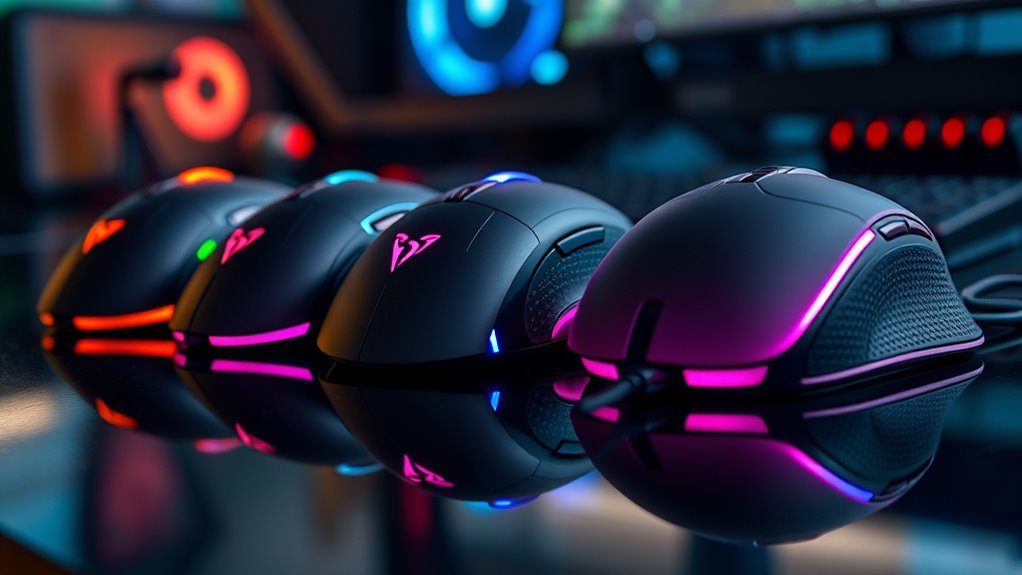

If you’re serious about gaming in 2025, these five mice stand out for unmatched precision and comfort. I recommend the RisoPhy Wireless with customizable buttons, the sleek RedThunder 60% combo, the highly responsive Razer DeathAdder, Logitech G305 LIGHTSPEED for wireless agility, and the BENGOO wired variant with RGB and adjustable DPI. Each offers advanced sensors, personalized lighting, and ergonomic designs that keep gameplay sharp and comfortable—if you want to know more about each, keep exploring what makes these options top-tier.
Key Takeaways
- Supports high-precision optical sensors with DPI up to 12,000 for accurate, jitter-free tracking during intense gaming.
- Offers customizable RGB lighting, programmable buttons, and macros to enhance in-game efficiency and personalization.
- Features ergonomic designs with adjustable components, lightweight builds, and textured grips for all-day comfort.
- Provides versatile connectivity options including wireless, Bluetooth, and wired USB-C with low latency and stable signals.
- Includes long-lasting rechargeable batteries with smart power-saving modes for uninterrupted play.
RisoPhy Wireless Gaming Mouse with 8 Programmable Buttons

If you’re a serious gamer looking for precise control, the RisoPhy Wireless Gaming Mouse with 8 programmable buttons is an excellent choice. It offers versatile connectivity with 2.4G wireless, Bluetooth, and wired USB-C options, letting you switch effortlessly between modes. You can connect up to three devices simultaneously, perfect for multi-tasking across laptops, PCs, or Macs. The mouse features immersive RGB lighting with 16.8 million colors and customizable effects, which you can tailor via dedicated software. With a DPI range up to 10,000 and quick fire buttons, it provides both high accuracy and rapid response, making it ideal for competitive gaming and productivity.
Best For: gamers and professionals seeking a versatile, high-precision wireless mouse with customizable lighting and multiple device connectivity.
Pros:
- Supports three connection modes (2.4G wireless, Bluetooth, wired USB-C) for flexible use.
- 8 programmable buttons with macro support, ideal for gaming and productivity.
- Immersive RGB lighting with customizable effects and color options.
Cons:
- Macro editing is only available on Windows, limiting customization for Mac users.
- The mouse may be designed for medium to large hands, potentially less comfortable for smaller hands.
- Advanced features and software might require additional setup and learning curve.
RedThunder 60% Wireless Gaming Keyboard and Mouse Combo
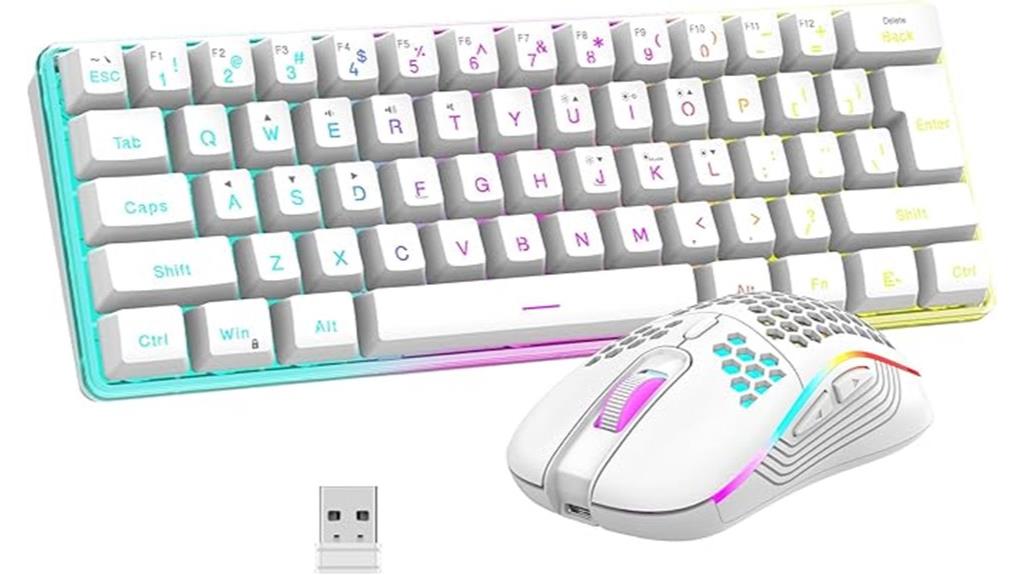
The RedThunder 60% Wireless Gaming Keyboard and Mouse Combo is an excellent choice for serious gamers who need high performance without sacrificing desk space. The set features a compact, RGB mechanical feel keyboard with durable ABS keycaps and a lightweight honeycomb shell mouse that weighs around 65 grams, designed for ergonomic comfort. Both devices use stable 2.4G wireless transmission, with long-lasting rechargeable batteries—8 hours of use with lighting on—and smart power-saving modes. Setup is simple with a single USB receiver, and compatibility is wide-ranging. The sleek, backlit design enhances visibility, making this combo perfect for intense gaming sessions or focused work.
Best For: gamers and professionals seeking a space-saving, high-performance wireless keyboard and mouse combo with customizable lighting and ergonomic design.
Pros:
- Compact 60% layout maximizes desk space and enhances portability.
- Reliable 2.4G wireless connection with long battery life and smart power-saving features.
- Durable ABS keycaps with RGB lighting and multiple modes for an immersive experience.
Cons:
- Lacks a numeric keypad, which may be inconvenient for data entry or extensive spreadsheets.
- RGB lighting customization options are limited compared to larger keyboards.
- The lightweight honeycomb mouse, while ergonomic, may feel less sturdy for some users.
Razer DeathAdder Essential Gaming Mouse

Looking for a gaming mouse that balances precision and durability? The Razer DeathAdder Essential is a solid choice. It features a high-precision 6,400 DPI optical sensor with on-the-fly sensitivity adjustment, and reprogrammable DPI buttons for versatile use. Built with durable mechanical switches supporting up to 10 million clicks, it’s backed by a 2-year warranty. Its ergonomic design, rubber side grips, and tactile scroll wheel ensure comfort and accuracy during long gaming sessions. Plus, five programmable buttons let you customize macros via Razer Synapse. Compatible with Windows, macOS, and Linux, this mouse combines performance, comfort, and reliability at a great price point.
Best For: gamers and creative professionals seeking a reliable, ergonomic mouse with high precision and customizable features.
Pros:
- High-precision 6,400 DPI optical sensor with on-the-fly sensitivity adjustment
- Durable mechanical switches supporting up to 10 million clicks backed by a 2-year warranty
- Ergonomic design with rubber side grips and a tactile scroll wheel for comfort and accuracy during extended use
Cons:
- Requires a 1 AA battery for operation, adding to ongoing maintenance
- Limited to corded connection, which may restrict movement for some users
- Only offers five programmable buttons, which might be less customizable for advanced users
Logitech G305 LIGHTSPEED Wireless Gaming Mouse
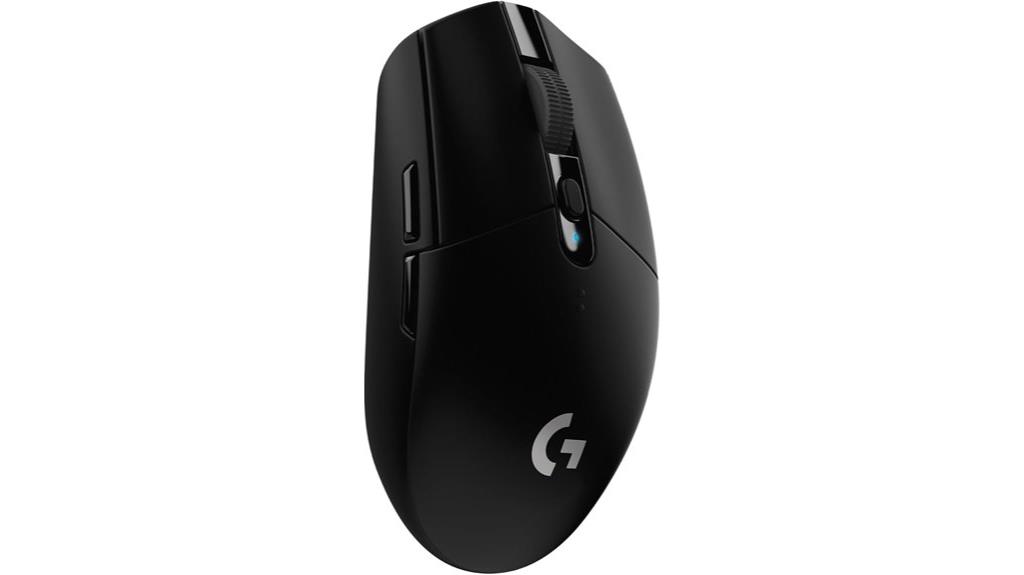
For serious gamers demanding top-tier responsiveness and precision, the Logitech G305 LIGHTSPEED Wireless Gaming Mouse stands out as an excellent choice. Weighing just 99 grams, it offers high maneuverability thanks to its lightweight, compact design, and built-in storage for the USB receiver makes it portable. Its ultra-fast LIGHTSPEED wireless tech with a 1ms report rate ensures lag-free gameplay, while the HERO 12K sensor provides up to 12,000 DPI for pinpoint accuracy. With six programmable buttons and up to 250 hours of battery life, it combines customization and endurance. Compatible with PC and Mac, this mouse delivers professional-level performance in a sleek, wireless package.
Best For: serious gamers who seek a lightweight, highly responsive wireless mouse with customizable features and long battery life.
Pros:
- Ultra-fast LIGHTSPEED wireless technology with 1ms report rate ensures lag-free responsiveness.
- Lightweight design at only 99 grams enhances maneuverability during intense gameplay.
- Long battery life of up to 250 hours reduces the need for frequent replacements.
Cons:
- Discontinued by the manufacturer, which may affect long-term availability and support.
- No wired connection option, which could be a limitation if wireless connectivity issues occur.
- Limited to six programmable buttons, which might not suffice for highly complex gaming setups.
BENGOO Wired Gaming Mouse with RGB Backlit and Adjustable DPI

If you’re serious about gaming, the BENGOO Wired Gaming Mouse stands out with its customizable DPI and vibrant RGB backlit, giving you precise control and an immersive experience. Its ergonomic design fits comfortably in your hand, reducing fatigue during long sessions. The optical sensor guarantees accurate tracking, while the six programmable buttons let you personalize commands for different games. With four adjustable DPI settings (1200-3600), you can fine-tune sensitivity on the fly. Plug-and-play compatibility means no drivers are needed, and the multi-color lighting creates a dynamic gaming atmosphere. Despite being discontinued, it remains a reliable choice for gamers seeking affordability and performance.
Best For: gamers seeking a reliable, customizable wired mouse with RGB lighting for immersive and precise gameplay.
Pros:
- Ergonomic design reduces fatigue during long gaming sessions.
- Adjustable DPI settings (1200-3600) for customized sensitivity.
- Six programmable buttons for personalized controls.
Cons:
- Discontinued by the manufacturer, which may affect availability and support.
- No wireless option; requires a wired connection.
- Lacks advanced features like customizable RGB effects or onboard memory.
Factors to Consider When Choosing Gaming Mice for Serious Gamers
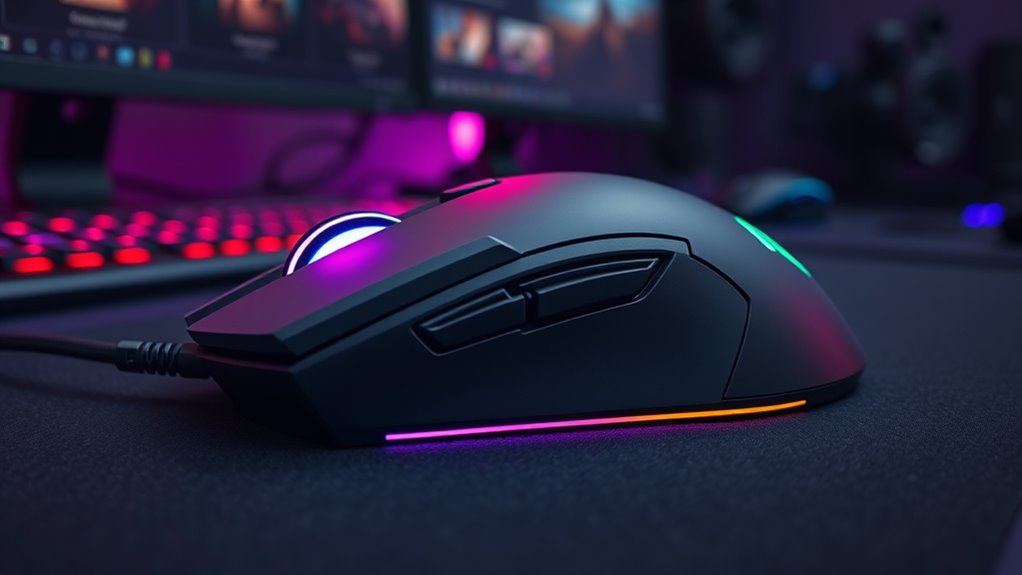
When choosing a gaming mouse, I look closely at sensor precision and DPI to guarantee accuracy during fast-paced gameplay. I also consider customizable buttons and macros for added versatility, along with connection stability and comfort for long sessions. Finally, I pay attention to lighting and aesthetic features that match my style without sacrificing performance.
Sensor Precision and DPI
Choosing the right gaming mouse hinges heavily on sensor precision and DPI capabilities, as these features determine how accurately and smoothly your movements translate on screen. Higher DPI settings, like 10,000 DPI, allow for more precise cursor control, ideal for competitive gaming. Optical sensors generally offer better tracking and less cursor jitter compared to laser sensors, ensuring reliable performance during fast-paced moments. The ability to adjust DPI levels on-the-fly is essential, letting you switch sensitivity quickly for different scenarios. A high-quality sensor maintains its accuracy even at maximum DPI, minimizing errors during intense gameplay. Overall, a precise sensor with adjustable DPI ensures consistent, reliable performance, giving you the edge needed for precision-dependent genres. It’s a key factor in choosing a gaming mouse that can keep up with your skills.
Customizable Buttons and Macros
Customizable buttons and macros critically boost a gamer’s efficiency by allowing quick access to essential commands and complex sequences. Assigning specific functions to buttons saves valuable in-game seconds and streamlines gameplay. Programmable macros enable executing intricate command sequences with a single press, which is a huge advantage in fast-paced genres like FPS, MOBA, and RTS. The number of programmable buttons varies, with high-end mice offering up to eight or more, providing greater versatility. Software support is vital for configuring these functions, though it’s often limited to Windows platforms. Properly mapped buttons can markedly improve reaction times and gameplay flow, giving serious gamers a competitive edge. When choosing a mouse, consider how many programmable options it offers and the ease of customizing macros for your preferred gaming style.
Connection Stability & Range
A stable and responsive connection is vital for serious gamers to perform at their best. Low-latency wireless options, like a 1ms report rate, help minimize lag during fast-paced gameplay, giving you instant responsiveness. A connection range of at least 10 meters ensures you can move freely without signal drops, essential in large gaming setups. Dual connectivity options, such as Bluetooth and 2.4G wireless, offer versatility, allowing seamless integration with different devices and setups. Reliable connection stability reduces dropouts and disconnections, maintaining consistent performance during intense moments. For the most stable experience, wired mice eliminate latency issues altogether, providing the utmost responsiveness needed for competitive gaming. Ultimately, choosing a mouse with strong connection stability and adequate range enhances your gameplay and confidence.
Ergonomic Comfort Design
Since prolonged gaming sessions can strain your hand and wrist, prioritizing ergonomic comfort design is vital. A good gaming mouse should match the natural shape of your hand, reducing fatigue over time. Features like rest areas for fingers and textured grips boost comfort and control, especially during long play sessions. A well-designed ergonomic mouse minimizes wrist and arm strain, helping prevent repetitive strain injuries. The materials matter too—matte or sweat-proof textures ensure a secure grip without slipping. Adjustable elements, like thumb rests or customizable button placement, let you tailor the mouse to fit your unique ergonomic needs. Ultimately, choosing a mouse with thoughtful ergonomic features keeps you comfortable and focused, giving you the edge over the competition.
Lighting and Aesthetic Features
Lighting and aesthetic features do more than just make your gaming mouse look cool—they can substantially enhance your overall gaming experience. Customizable RGB lighting with millions of colors lets you personalize your setup, matching your mood or team colors. Multiple effects like streamer, neon, or solid colors add dynamic visual flair, creating an immersive environment. You can often adjust brightness or turn off lights to minimize distractions or conserve power during intense moments. Aesthetic touches like luminous keycaps and glowing accents add a premium feel and boost immersion. Many mice let you sync lighting with other peripherals via software, creating a cohesive visual setup. These features not only elevate your setup’s look but also help you stay focused and in the zone during gameplay.
Battery Life & Power Use
Long battery life is essential for serious gamers who want uninterrupted play sessions, whether they’re competing in tournaments or grinding through their favorite titles. A mouse with extended battery life means fewer pauses for recharging or battery swaps, keeping you in the zone longer. Power-efficient mice with automatic sleep modes can dramatically prolong usage without sacrificing performance. Using rechargeable batteries not only reduces waste but also saves money over time. Be mindful that high DPI and customizable polling rates can increase power consumption, potentially draining batteries faster during intense gaming. Wireless mice with fast-charging features and battery indicators make it easier to manage power during marathon sessions. Overall, choosing a mouse with smart power use ensures consistent performance without interruptions.
Software Compatibility & Ease
Choosing a gaming mouse that offers seamless software compatibility is essential for maximizing your control and customization. I look for software that matches my operating system, whether Windows, macOS, or Linux, to unlock full features. The software should let me program and remap buttons, create macros, and manage DPI profiles effortlessly, so I can tailor the mouse to my gaming style. Real-time lighting customization, including RGB effects and brightness, adds a personalized touch. I also prioritize an intuitive interface that makes setup quick and simple, avoiding unnecessary complexity. Additionally, I check if the manufacturer provides regular updates and support, ensuring the software stays compatible with system updates and new game demands. Good software compatibility makes my gaming experience smoother and more responsive.
Build Durability & Materials
Durability is a essential factor when selecting a gaming mouse, especially for serious gamers who put their gear through intense use. I look for models with reinforced switches rated for at least 10 million clicks, ensuring they’ll withstand heavy clicking without failure. The materials matter too—high-quality plastics and rubberized grips boost longevity and provide a firm, comfortable hold. Metal components or reinforced frames, especially around the chassis and scroll wheel, add structural strength, making the mouse more resistant to damage. Water-resistant or sweat-proof coatings are a big plus, protecting internal parts during long gaming sessions. Additionally, I prefer mice with replaceable parts like customizable feet or switch modules, so I can extend their lifespan and maintain peak performance over time.
Frequently Asked Questions
How Do Gaming Mice Impact Overall Gaming Performance?
Gaming mice substantially impact my overall performance by providing precise control and reducing latency, which helps me react faster in competitive situations. The ergonomic design keeps me comfortable during long gaming sessions, preventing fatigue. Customizable buttons allow quick access to key commands, improving efficiency. Ultimately, a high-quality gaming mouse enhances accuracy, speed, and comfort, giving me a real edge in gameplay and making my gaming experience more enjoyable and effective.
What Customization Options Are Available for Advanced Gamers?
Did you know that 78% of competitive gamers customize their mice? I love that advanced gamers can tweak everything—from DPI settings and button remapping to adjustable weights and RGB lighting. These options let me personalize my setup for ideal comfort and performance. Customization truly elevates my gaming experience, making every match more precise and enjoyable. If you’re serious about gaming, exploring these features can give you a real edge.
Are There Specific Mice Better for FPS or MMO Games?
Yes, I’ve found that specific mice excel for different game types. For FPS games, I recommend mice with high precision sensors, lightweight design, and customizable buttons, like the Logitech G Pro X Superlight. For MMO games, a mouse with numerous programmable buttons, ergonomic design, and customizable weights works best, such as the Razer Naga V2 Pro. Choosing the right mouse depends on your gameplay style and comfort preferences.
How Important Is Weight in Gaming Mouse Selection?
Weight is super important in choosing a gaming mouse because it directly affects your control and speed. A lightweight mouse feels like a feather in my hand, allowing me to move quickly and stay agile in fast-paced games. Conversely, a heavier mouse can provide stability and precision for some players. I recommend trying different weights to find your perfect balance—it’s like customizing your weapon for ultimate performance.
What Maintenance Tips Ensure Longevity and Optimal Performance?
To keep my gaming mouse performing at its best, I regularly clean the sensor and scroll wheel with a soft brush to remove dust and debris. I also check the cable for wear and keep the feet smooth for better glide. Using a microfiber cloth to wipe down the surface prevents grime buildup. Ultimately, I avoid eating near my setup to prevent accidental spills that could damage the device.
Conclusion
Choosing the right gaming mouse is like finding your perfect weapon in a digital battlefield. It’s about precision, comfort, and feeling in control—arming you for victory. Whether you prefer wireless agility or wired reliability, each of these mice is a trusted sidekick ready to elevate your game. So, pick the one that feels like an extension of your arm, and get ready to conquer every challenge that comes your way. Your ultimate gaming journey starts here.