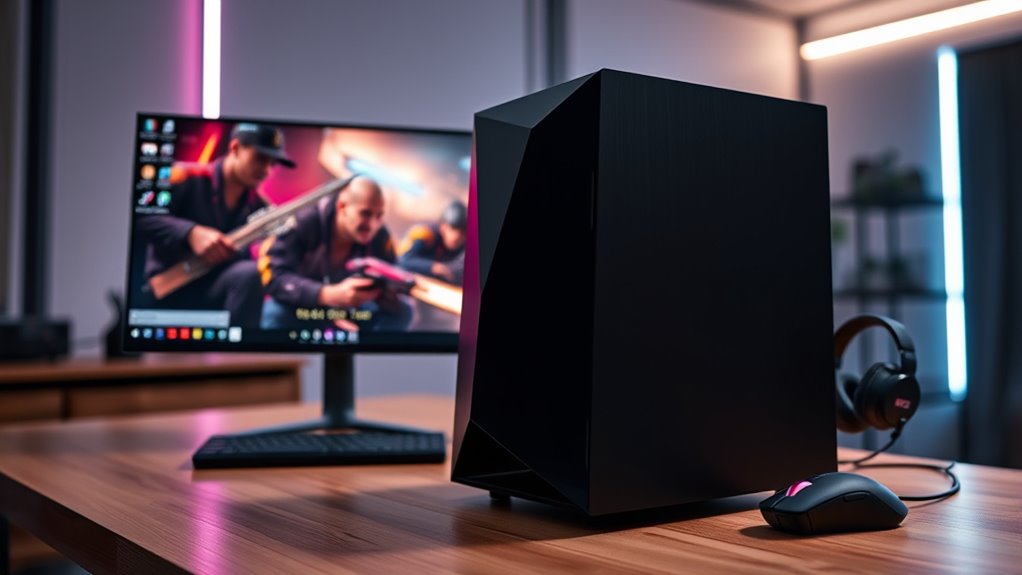

For a compact gaming PC that pairs high-end components with a small footprint, I’d start with the TOPGRO T1-MAX, while the ASUS ROG GR70 is a stronger fit for buyers seeking newer premium hardware. The ROG NUC (2025) with RTX 5060 Mobile offers another path for shoppers who want a purpose-built mini gaming system. The main tradeoff is that tiny machines can save desk space but may limit cooling, upgrades, or graphics performance compared with larger desktops. This roundup also includes compact-ready desktops, so the best choice depends on whether you value size, gaming power, or flexibility most. Read on for the full comparison and recommendations by buyer type.

Get business pricing on tech for your team
- Business-only prices and quantity discounts
- Tax-exempt purchasing
- Multiple users, one account, clear invoices
Key Takeaways
- The TOPGRO T1-MAX leads the small-form-factor picks on listed graphics hardware: its RTX 4070 and 32GB of DDR5 give it a clear gaming focus, though buyers should check its chassis dimensions and cooling details.
- The ROG NUC models show how much performance can fit in a mini PC: the RTX 5060 Mobile version is a more restrained option, while the Ultra 9/RTX 5070 and RTX 5080 models target buyers willing to prioritize premium performance.
- Integrated Radeon graphics are a different tier from discrete GPUs: the ACEMAGIC X3, ACEMAGICIAN S3A, KAMRUI E3B, and GMKtec M6 Ultra suit lighter gaming and everyday work better than demanding new releases.
- Compact desktops can offer more room to grow than mini PCs: the MSI Codex Z2, Alienware Aurora, and other tower-style systems bring discrete graphics, but their larger cases do not suit every desk.
- Memory and storage vary as much as graphics: the MSI Codex Z2 lists 32GB RAM and a 2TB SSD, while several lower-power mini PCs start at 16GB and 512GB, affecting multitasking and game-library space.
| TOPGRO T1-MAX Mini Gaming PC with Intel Core i9-13900HX, GeForce RTX 4070, 32GB DDR5, 1TB SSD |  | Best Compact Gaming Power | Processor: Intel Core i9-13900HX, 24 cores and 32 threads, up to 5.4GHz | Graphics: NVIDIA GeForce RTX 4070 with 8GB GDDR6 | Memory: 32GB DDR5, expandable up to 96GB | VIEW ON AMAZON | See Our Full Breakdown |
| ACEMAGIC X3 Mini PC with Ryzen 7 H 255, Radeon 780M, 16GB RAM, 1TB SSD, Windows 11 Pro |  | Best for Light Gaming and Multi-Display Desks | Processor: AMD Ryzen 7 H 255, 8 cores and 16 threads, up to 4.9GHz | Graphics: AMD Radeon 780M integrated graphics | Memory: 16GB LPDDR5 6400MT/s, soldered and not upgradeable | VIEW ON AMAZON | See Our Full Breakdown |
| ZOTAC MEK Gaming Desktop with Ryzen 5 5500 and GeForce RTX 5050 |  | Best Small-Tower Gaming Pick | Processor: AMD Ryzen 5 5500, 6 cores and 12 threads, up to 4.2GHz | Graphics: NVIDIA GeForce RTX 5050 with 8GB | Memory: 16GB DDR4-3200 | VIEW ON AMAZON | See Our Full Breakdown |
| KAMRUI E3B Mini PC with AMD Ryzen 7 7730U, 16GB RAM, 512GB SSD |  | Best for Basic Gaming and Three-Display Work | Processor: AMD Ryzen 7 7730U, 8 cores and 16 threads, up to 4.5GHz | Graphics: Integrated AMD Radeon Graphics | Memory: 16GB LPDDR4X, 3200MHz | VIEW ON AMAZON | See Our Full Breakdown |
| ASUS ROG GR70 Gaming Mini PC with Ryzen 9 9955HX and RTX 5070 |  | Best Premium Compact Gaming PC | Processor: AMD Ryzen 9 9955HX | Graphics: NVIDIA GeForce RTX 5070 Mobile GPU | Memory: 32GB DDR5-5600, maximum 48GB | VIEW ON AMAZON | See Our Full Breakdown |
| ACEMAGICIAN S3A Gaming Mini PC, AMD Ryzen 7 H 255, 16GB RAM, 512GB SSD |  | Best for Compact Everyday Gaming | Processor: AMD Ryzen 7 H 255, 8 cores/16 threads, up to 4.9GHz | Graphics: AMD Radeon 780M, 12 cores, 2600MHz | Memory: 16GB LPDDR5, 6400MT/s; not expandable | VIEW ON AMAZON | See Our Full Breakdown |
| ROG NUC (2025) Gaming Mini PC, Intel Core Ultra 7 255HX, RTX 5060 Mobile, 32GB DDR5, 1TB NVMe SSD |  | Best Overall Compact Gaming PC | Processor: Intel Core Ultra 7 255HX | Graphics: NVIDIA GeForce RTX 5060 Mobile, 8GB | Memory: 32GB DDR5-6400 | VIEW ON AMAZON | See Our Full Breakdown |
| Alienware Aurora Gaming Desktop, RTX 5070, Intel Core Ultra 7 265F, 32GB DDR5, 1TB SSD |  | Best for Desktop Graphics in This Group | Processor: Intel Core Ultra 7 265F | Graphics: NVIDIA GeForce RTX 5070, 12GB GDDR7 | Memory: 32GB DDR5 | VIEW ON AMAZON | See Our Full Breakdown |
| ROG NUC (2025) Gaming Mini PC with Intel Core Ultra 9 and NVIDIA GeForce RTX 5070 | | Best Premium Compact Gaming PC | Processor: Intel Core Ultra 9 275HX (Series 2) | Graphics: NVIDIA GeForce RTX 5070 Mobile GPU | Memory: 32GB DDR5-6400; maximum 48GB | VIEW ON AMAZON | See Our Full Breakdown |
| YAWYORE Gaming Desktop with AMD Ryzen 7 5700X and GeForce RTX 5060 |  | Best for a Desktop-Style Gaming Setup | Processor: AMD Ryzen 7 5700X, 8 cores/16 threads, up to 4.6GHz | Motherboard: MSI B550M-A PRO | Graphics: GeForce RTX 5060, 8GB GDDR7 | VIEW ON AMAZON | See Our Full Breakdown |
| MSI Codex Z2 Gaming Desktop, Ryzen 7 8700F, GeForce RTX 5070, 32GB DDR5, 2TB SSD |  | Best for Full-Size Tower Power | Processor: AMD Ryzen 7 8700F, 8 cores and 16 threads, up to 5.0 GHz | Graphics: NVIDIA GeForce RTX 5070 | Memory: 32GB DDR5, 6000 MHz; maximum 96GB | VIEW ON AMAZON | See Our Full Breakdown |
| Olialia Gaming Desktop PC with Ryzen 5 5600GT, 16GB RAM, 1TB SSD, and Windows 11 Home |  | Best Entry-Level Everyday Desktop | Processor: AMD Ryzen 5 5600GT, 6 cores, 3.6 GHz base and up to 4.6 GHz | Graphics: Integrated Radeon graphics | Memory: 16GB DDR4 RAM; maximum 32GB | VIEW ON AMAZON | See Our Full Breakdown |
| ROG NUC 16 Gaming Mini PC with Intel Core Ultra 9 290HX Plus and NVIDIA GeForce RTX 5080 |  | Best Premium Mini PC | Processor: Intel Core Ultra 9 290HX Plus | Graphics: NVIDIA GeForce RTX 5080 mobile GPU | Memory: 64GB DDR5-5600 | VIEW ON AMAZON | See Our Full Breakdown |
| KOTIN Gaming Desktop PC with Ryzen 7 8700F and RTX 5060 Ti |  | Best Upgrade-Friendly Gaming Tower | Processor: AMD Ryzen 7 8700F | Graphics: GeForce RTX 5060 Ti 8GB | Memory: 16GB DDR5; four DIMM slots | VIEW ON AMAZON | See Our Full Breakdown |
| GMKtec M6 Ultra Mini PC with Ryzen 5 7640HS, 32GB DDR5 RAM, and 1TB SSD |  | Best Compact Everyday Gaming PC | Processor: AMD Ryzen 5 7640HS, 6 cores and 12 threads, up to 5.0 GHz | Graphics: AMD Radeon 760M integrated graphics | Memory: 32GB dual-channel DDR5-4800 | VIEW ON AMAZON | See Our Full Breakdown |
| compact gaming pc | Processor | Graphics | Memory | Storage |
|---|---|---|---|---|
| TOPGRO T1-MAX Mini Gaming PC w | Intel Core i9-13900HX, 24 cores and 32 threads, up to 5.4GHz | NVIDIA GeForce RTX 4070 with 8GB GDDR6 | 32GB DDR5, expandable up to 96GB | 1TB PCIe 4.0 NVMe SSD, supports up to 8TB |
| ACEMAGIC X3 Mini PC with Ryzen | AMD Ryzen 7 H 255, 8 cores and 16 threads, up to 4.9GHz | AMD Radeon 780M integrated graphics | 16GB LPDDR5 6400MT/s, soldered and not upgradeable | 1TB NVMe PCIe 4.0 SSD, expandable up to 4TB |
| ZOTAC MEK Gaming Desktop with | AMD Ryzen 5 5500, 6 cores and 12 threads, up to 4.2GHz | NVIDIA GeForce RTX 5050 with 8GB | 16GB DDR4-3200 | 1TB NVMe M.2 SSD |
| KAMRUI E3B Mini PC with AMD Ry | AMD Ryzen 7 7730U, 8 cores and 16 threads, up to 4.5GHz | Integrated AMD Radeon Graphics | 16GB LPDDR4X, 3200MHz | 512GB PCIe SSD |
| ASUS ROG GR70 Gaming Mini PC w | AMD Ryzen 9 9955HX | NVIDIA GeForce RTX 5070 Mobile GPU | 32GB DDR5-5600, maximum 48GB | 2TB SSD |
| ACEMAGICIAN S3A Gaming Mini PC | AMD Ryzen 7 H 255, 8 cores/16 threads, up to 4.9GHz | AMD Radeon 780M, 12 cores, 2600MHz | 16GB LPDDR5, 6400MT/s; not expandable | 512GB PCIe 4.0 NVMe SSD; expandable up to 4TB |
| ROG NUC | Intel Core Ultra 7 255HX | NVIDIA GeForce RTX 5060 Mobile, 8GB | 32GB DDR5-6400 | 1TB NVMe SSD |
| Alienware Aurora Gaming Deskto | Intel Core Ultra 7 265F | NVIDIA GeForce RTX 5070, 12GB GDDR7 | 32GB DDR5 | 1TB SSD |
| ROG NUC | Intel Core Ultra 9 275HX (Series 2) | NVIDIA GeForce RTX 5070 Mobile GPU | 32GB DDR5-6400; maximum 48GB | 1TB NVMe SSD |
| YAWYORE Gaming Desktop with AM | AMD Ryzen 7 5700X, 8 cores/16 threads, up to 4.6GHz | GeForce RTX 5060, 8GB GDDR7 | 32GB DDR4 3200MHz (2 x 16GB) | 1TB M.2 NVMe PCIe SSD |
| MSI Codex Z2 Gaming Desktop | AMD Ryzen 7 8700F, 8 cores and 16 threads, up to 5.0 GHz | NVIDIA GeForce RTX 5070 | 32GB DDR5, 6000 MHz; maximum 96GB | 2TB M.2 NVMe SSD |
| Olialia Gaming Desktop PC with | AMD Ryzen 5 5600GT, 6 cores, 3.6 GHz base and up to 4.6 GHz | Integrated Radeon graphics | 16GB DDR4 RAM; maximum 32GB | 1TB PCIe SSD |
| ROG NUC 16 Gaming Mini PC with | Intel Core Ultra 9 290HX Plus | NVIDIA GeForce RTX 5080 mobile GPU | 64GB DDR5-5600 | 2TB SSD |
| KOTIN Gaming Desktop PC with R | AMD Ryzen 7 8700F | GeForce RTX 5060 Ti 8GB | 16GB DDR5; four DIMM slots | 1TB PCIe Gen4 NVMe SSD; three M.2 slots |
| GMKtec M6 Ultra Mini PC with R | AMD Ryzen 5 7640HS, 6 cores and 12 threads, up to 5.0 GHz | AMD Radeon 760M integrated graphics | 32GB dual-channel DDR5-4800 | 1TB M.2 PCIe SSD |
More Details on Our Top Picks
TOPGRO T1-MAX Mini Gaming PC with Intel Core i9-13900HX, GeForce RTX 4070, 32GB DDR5, 1TB SSD
The TOPGRO T1-MAX stands out among these compact gaming PCs because it combines a dedicated RTX 4070 with a 24-core Core i9 processor, 32GB of DDR5, and a 1TB PCIe 4.0 SSD. That combination gives it a stronger gaming foundation than the ACEMAGIC X3 and KAMRUI E3B, whose integrated graphics are better suited to lighter games than demanding 3D workloads. Its compact footprint, Wi-Fi 6E, 2.5GbE, and dual-display support also make it a capable desk-centered system for gaming and creative work.
The tradeoff is cooling and future flexibility: sustained heavy loads can call for the fan’s full-speed setting, and the listed graphics remain the fixed part of the system. The ASUS ROG GR70 brings an RTX 5070 Mobile GPU and a larger SSD, while the TOPGRO offers a compelling dedicated-GPU option without that higher-tier configuration. I’d choose it for compact, serious gaming, not for a silent setup under prolonged load.
Pros:- Dedicated GeForce RTX 4070 graphics with 8GB GDDR6
- Core i9-13900HX and 32GB DDR5 suit gaming and demanding multitasking
- 1TB PCIe 4.0 SSD with stated expansion support up to 8TB
- Wi-Fi 6E, 2.5GbE, and dual 4K display support
Cons:- Heavy workloads may require the adjustable fan to run at full speed
- The listed RTX 4070 is a fixed graphics solution rather than a conventional desktop card upgrade
- The power plug is listed as Type B for North America
Best for: PC gamers who want dedicated RTX graphics and a fast processor in a compact system, with enough memory for gaming and creative multitasking.
Not ideal for: Buyers prioritizing quiet operation during long, demanding sessions or a system whose graphics hardware can be upgraded later.
- Processor:Intel Core i9-13900HX, 24 cores and 32 threads, up to 5.4GHz
- Graphics:NVIDIA GeForce RTX 4070 with 8GB GDDR6
- Memory:32GB DDR5, expandable up to 96GB
- Storage:1TB PCIe 4.0 NVMe SSD, supports up to 8TB
- Operating system:Windows 11 Pro
- Display outputs:HDMI 2.0 and DisplayPort 1.4; dual 4K at 60Hz
- Connectivity:Wi-Fi 6E, Bluetooth 5.3, and 2.5GbE
- Dimensions and weight:10.24 x 1.57 x 11.81 inches; 1.4 kg
Our verdict“Choose the TOPGRO if you want dedicated RTX 4070 gaming in a compact enclosure and can accept active cooling under heavy loads.”
ACEMAGIC X3 Mini PC with Ryzen 7 H 255, Radeon 780M, 16GB RAM, 1TB SSD, Windows 11 Pro
The ACEMAGIC X3 is a better fit for a small, flexible desk setup than for a dedicated high-end gaming rig. Its Radeon 780M integrated graphics can handle lighter gaming, while the Ryzen 7 H 255, 1TB PCIe 4.0 SSD, USB4, and support for three displays make it useful for everyday work and occasional play. Compared with the KAMRUI E3B, it offers faster listed memory, a larger SSD, and newer connectivity; compared with the TOPGRO T1-MAX, it gives up dedicated graphics and is not the choice for demanding AAA gaming.
The most limiting detail is its soldered 16GB memory: buyers cannot add RAM later, so workloads that grow may outlast this configuration. Storage can expand to 4TB, which helps with a growing game and media library, but it does not solve the memory ceiling. I’d pick the X3 for a compact all-purpose PC that also plays lighter games, rather than as a substitute for the ASUS ROG GR70 or another dedicated-GPU system.
Pros:- Radeon 780M integrated graphics support light gaming without a separate graphics card
- 1TB PCIe 4.0 SSD with storage expansion up to 4TB
- USB4 and support for three displays add desk and peripheral flexibility
- Includes a stated two-year warranty
Cons:- Soldered 16GB memory cannot be upgraded
- Integrated graphics are not suited to demanding AAA gaming
- Less gaming headroom than dedicated-GPU options such as the TOPGRO T1-MAX
Best for: Students, home-office users, and casual gamers who want a compact Windows PC for everyday tasks, lighter games, and up to three displays.
Not ideal for: AAA-focused gamers or buyers who want to upgrade memory as their games and creative workloads demand more.
- Processor:AMD Ryzen 7 H 255, 8 cores and 16 threads, up to 4.9GHz
- Graphics:AMD Radeon 780M integrated graphics
- Memory:16GB LPDDR5 6400MT/s, soldered and not upgradeable
- Storage:1TB NVMe PCIe 4.0 SSD, expandable up to 4TB
- Operating system:Windows 11 Pro
- Display support:DisplayPort 2.0, HDMI 2.1, and USB4 Type-C; up to three displays
- Connectivity:Wi-Fi 6E, Bluetooth 5.2, and 2.5Gbps Ethernet
- Ports:USB4 Type-C, six USB-A 3.2 Gen ports, and 3.5mm audio jack
Our verdict“Pick the ACEMAGIC X3 for everyday computing and lighter gaming in a small multi-display setup, not for graphics-heavy gaming.”
ZOTAC MEK Gaming Desktop with Ryzen 5 5500 and GeForce RTX 5050
The ZOTAC MEK takes a different route from the mini PCs here: it is a compact-case desktop with a GeForce RTX 5050 8GB, rather than integrated graphics or a listed mobile GPU. That makes it a more direct fit for 1080p gaming than the ACEMAGIC X3 or KAMRUI E3B, and its 650W 80+ Gold power supply gives the system a conventional desktop foundation. A 1TB NVMe SSD and Wi-Fi 6E mean it is ready for a straightforward gaming setup, while the tempered-glass case, RGB fans, and magnetic dust grill add visible case features.
Its Ryzen 5 5500 and 16GB of DDR4 are more modest than the TOPGRO T1-MAX’s Core i9 and 32GB DDR5, so I’d favor the TOPGRO for heavier multitasking or creative work. The MEK is the better choice for someone who wants a small tower rather than a mini-PC format. The listed warranty includes one year for the complete system and three years for the GPU, but return shipping service is limited to U.S. addresses.
Pros:- Dedicated GeForce RTX 5050 with 8GB for 1080p gaming
- Includes 16GB DDR4 memory and a 1TB NVMe SSD
- 650W 80+ Gold power supply provides a desktop-class power foundation
- Wi-Fi 6E and a magnetic dust grill add practical convenience
Cons:- Ryzen 5 5500 and 16GB DDR4 are less capable on paper than the TOPGRO T1-MAX’s processor and memory configuration
- Larger case format than the mini-PC options in this roundup
- Warranty return-shipping service is available only for U.S. addresses
Best for: 1080p gamers who want a compact-case desktop with dedicated graphics, standard desktop components, and a 1TB SSD.
Not ideal for: Buyers seeking the smallest possible mini PC, more than 16GB of included memory, or warranty return-shipping service outside the U.S.
- Processor:AMD Ryzen 5 5500, 6 cores and 12 threads, up to 4.2GHz
- Graphics:NVIDIA GeForce RTX 5050 with 8GB
- Memory:16GB DDR4-3200
- Storage:1TB NVMe M.2 SSD
- Operating system:Windows 11 Home
- Power supply:650W, 80+ Gold
- Connectivity:Wi-Fi 6E and Bluetooth 5.2
- Case and cooling features:Tempered glass panel, front 120mm RGB fans, and magnetic dust grill
Our verdict“Choose the ZOTAC MEK if you want a compact small-tower desktop for 1080p gaming and prefer dedicated graphics over an ultra-small mini-PC design.”
KAMRUI E3B Mini PC with AMD Ryzen 7 7730U, 16GB RAM, 512GB SSD
The KAMRUI E3B earns its place as a compact desktop for lighter gaming and everyday multitasking, not as a match for the dedicated graphics in the TOPGRO T1-MAX or ZOTAC MEK. Its eight-core Ryzen 7 7730U and integrated Radeon graphics can serve casual play and general use, while support for three 4K displays gives it a clear desk-work angle. Six USB ports, Wi-Fi 6, and Bluetooth 5.2 also make it practical when a small PC needs to connect several peripherals.
Its 16GB of LPDDR4X memory and 512GB SSD are the main limits beside the ACEMAGIC X3, which supplies a 1TB drive and faster listed memory. The KAMRUI’s operating system is not specified in the product data, so buyers should confirm what software setup is included before choosing it. I’d shortlist it for a compact, multi-display home or office PC that also handles casual games, but skip it for graphics-heavy play or a large installed game library.
Pros:- Eight-core, 16-thread Ryzen 7 processor suits everyday multitasking
- Supports up to three 4K displays
- Six USB ports plus Wi-Fi 6 and Bluetooth 5.2
- Compact 1.25 kg design
Cons:- Integrated Radeon graphics are a poor fit for demanding modern games
- 16GB LPDDR4X memory limits headroom compared with 32GB configurations such as the TOPGRO T1-MAX
- 512GB SSD offers less listed storage than the ACEMAGIC X3’s 1TB drive
- Operating system is not specified
Best for: Home-office users and casual gamers who want a small PC for everyday tasks, several displays, and light gaming.
Not ideal for: Gamers seeking dedicated graphics, buyers with large game libraries, or anyone who needs a clearly specified operating system in the listing.
- Processor:AMD Ryzen 7 7730U, 8 cores and 16 threads, up to 4.5GHz
- Graphics:Integrated AMD Radeon Graphics
- Memory:16GB LPDDR4X, 3200MHz
- Storage:512GB PCIe SSD
- Display support:Up to three 4K displays
- Wireless:Wi-Fi 6 and Bluetooth 5.2
- Ports:Six USB ports and one HDMI port
- Weight:1.25 kg
Our verdict“Pick the KAMRUI E3B for basic gaming and multi-display everyday computing, but choose a dedicated-GPU PC for demanding games.”
ASUS ROG GR70 Gaming Mini PC with Ryzen 9 9955HX and RTX 5070
The ASUS ROG GR70 is the premium performance choice in this group, pairing a Ryzen 9 9955HX with an RTX 5070 Mobile GPU, 32GB of DDR5, and a 2TB SSD in a compact chassis. That gives it more listed graphics and storage headroom than the TOPGRO T1-MAX, while leaving integrated-graphics options such as the ACEMAGIC X3 and KAMRUI E3B in a different class for demanding games. Wi-Fi 7, eight USB ports, and support for up to five 4K displays add flexibility beyond a single gaming monitor.
The tradeoffs are meaningful: its 330W power consumption and triple-fan cooling make it a performance-focused system rather than a low-power desk companion. Memory is installed at 32GB but has a stated maximum of 48GB, which limits expansion compared with the TOPGRO’s listed 96GB ceiling. I’d choose the GR70 for buyers who want strong gaming hardware and a small footprint, and skip it if low power use or extensive memory expansion matters more than graphics capability.
Pros:- Ryzen 9 9955HX and RTX 5070 Mobile GPU deliver the strongest listed gaming configuration in this group
- 32GB DDR5 memory and a 2TB SSD provide generous starting capacity
- Supports up to five 4K displays and includes eight USB ports
- Wi-Fi 7 and Bluetooth 5.4 offer current wireless connectivity
Cons:- 330W power consumption is high for a compact PC
- Memory expansion is capped at a stated 48GB, below the TOPGRO T1-MAX’s listed 96GB maximum
- Triple-fan cooling favors performance over a minimal-cooling design
Best for: Gamers and creators who want high-end dedicated graphics, a 2TB SSD, and extensive display support in a compact system.
Not ideal for: Buyers prioritizing low power consumption, quiet operation, or memory expansion beyond the stated 48GB maximum.
- Processor:AMD Ryzen 9 9955HX
- Graphics:NVIDIA GeForce RTX 5070 Mobile GPU
- Memory:32GB DDR5-5600, maximum 48GB
- Storage:2TB SSD
- Operating system:Windows 11 Home
- Cooling:Triple-fan QuietFlow
- Wireless:Wi-Fi 7 and Bluetooth 5.4
- Display and ports:Up to five 4K displays; eight USB ports and two HDMI ports
- Power and dimensions:330W; 2.22 × 11.12 × 7.39 inches; 6.1 pounds
Our verdict“Choose the ASUS ROG GR70 if you want the most capable listed compact gaming configuration here and can accept its higher power draw and limited memory ceiling.”
ACEMAGICIAN S3A Gaming Mini PC, AMD Ryzen 7 H 255, 16GB RAM, 512GB SSD
The ACEMAGICIAN S3A is the smallest-footprint choice here, measuring just 5.31 x 2.83 x 6.41 inches. Its Ryzen 7 processor and Radeon 780M integrated graphics suit casual games alongside office work, programming, and media, but this is not a substitute for the dedicated graphics in the ROG NUC (2025) with RTX 5060 Mobile. That model is a better fit when demanding games matter more than size and power draw.
The S3A’s three performance modes let buyers favor quieter operation or higher power, and support for three 4K displays gives it flexibility as a compact workstation. The main compromises are its fixed 16GB of RAM and integrated graphics, which limit headroom for newer, graphics-heavy games. I’d choose it for a small, versatile desk setup, not as a primary high-end gaming machine.
Pros:- Very compact 5.31 x 2.83 x 6.41-inch chassis
- Supports up to three 4K displays
- PCIe 4.0 SSD storage can be expanded up to 4TB
- Three power modes and dual-fan cooling allow performance and noise preferences
Cons:- Radeon 780M integrated graphics are less suited to demanding games than the dedicated GPUs in the ROG NUC models
- Installed 16GB of LPDDR5 memory cannot be expanded
- 512GB SSD may fill quickly with a large game library
Best for: Buyers who need a very small PC for everyday work, multi-monitor use, and casual gaming without a separate graphics card.
Not ideal for: Players targeting demanding games or buyers who want to upgrade memory later; the integrated graphics and non-expandable 16GB RAM are limiting.
- Processor:AMD Ryzen 7 H 255, 8 cores/16 threads, up to 4.9GHz
- Graphics:AMD Radeon 780M, 12 cores, 2600MHz
- Memory:16GB LPDDR5, 6400MT/s; not expandable
- Storage:512GB PCIe 4.0 NVMe SSD; expandable up to 4TB
- Display support:Up to three 4K displays
- Cooling and modes:Dual-fan air cooling; Silent, Auto, and Performance modes
- Operating system:Windows 11 Pro
- Dimensions:5.31 x 2.83 x 6.41 inches
Our verdict“Choose the S3A for a genuinely small work-and-casual-gaming PC, but pick a dedicated-GPU model for more demanding play.”
ROG NUC (2025) Gaming Mini PC, Intel Core Ultra 7 255HX, RTX 5060 Mobile, 32GB DDR5, 1TB NVMe SSD
This ROG NUC is the most balanced pick in this group for buyers who want actual gaming capability without a conventional tower. The RTX 5060 Mobile gives it a clear gaming advantage over the ACEMAGICIAN S3A’s integrated Radeon graphics, while 32GB of DDR5 memory and a 1TB SSD provide room for multitasking and a useful game library from the outset. Its 3L chassis remains compact enough to fit on a crowded desk.
Triple-fan cooling and dual vapor chambers are built to manage heat in that small enclosure, and accessible memory and storage make upgrades more practical than on the S3A. The tradeoff is that the 330-watt system needs more power than an integrated-graphics mini PC, while its upgrade options still fall short of a full desktop such as the Alienware Aurora. I’d rank it first for buyers prioritizing compact gaming with some room to grow.
Pros:- RTX 5060 Mobile graphics with DLSS support
- 32GB DDR5-6400 memory and 1TB NVMe SSD
- Accessible memory and storage upgrades
- Triple-fan cooling with dual vapor chambers and support for up to five 4K displays
Cons:- 330-watt power consumption is high for a mini PC
- Compact chassis restricts upgrades compared with a full-size desktop
- Larger than the very small ACEMAGICIAN S3A
Best for: PC gamers who want dedicated RTX graphics, 32GB memory, and upgrade access in a compact 3L system.
Not ideal for: Buyers focused on the smallest possible footprint, low power use, or full-size desktop upgrade flexibility.
- Processor:Intel Core Ultra 7 255HX
- Graphics:NVIDIA GeForce RTX 5060 Mobile, 8GB
- Memory:32GB DDR5-6400
- Storage:1TB NVMe SSD
- Form factor:3L mini PC
- Cooling:Triple-fan air cooling with dual vapor chamber
- Display support:Up to five 4K displays
- Ports:7 USB ports, 2 HDMI ports, 1 Thunderbolt 4 port
- Power and weight:330 watts; 6.9 pounds
Our verdict“Pick this ROG NUC if you want a strong balance of compact size, dedicated gaming graphics, and practical upgrade access.”
Alienware Aurora Gaming Desktop, RTX 5070, Intel Core Ultra 7 265F, 32GB DDR5, 1TB SSD
The Alienware Aurora offers the strongest stated graphics hardware among these five products: its desktop RTX 5070 with 12GB GDDR7 is a substantial step away from the mobile RTX 5060 and RTX 5070 options in the ROG NUC systems. For buyers who value a conventional desktop gaming setup more than a tiny footprint, that GPU and the eight expansion slots offer a different kind of headroom than the compact machines.
That performance-oriented form comes with a direct size penalty. At 33.9 pounds and over 18 inches tall, the Aurora is not compact in the same sense as either ROG NUC, and its 450-watt power use reflects its desktop-class configuration. Air cooling and a one-year onsite-service warranty are listed, but buyers seeking a mini PC’s easy placement should choose the ROG NUC instead. I’d include this only when gaming capability outranks compactness.
Pros:- Desktop GeForce RTX 5070 with 12GB GDDR7
- 32GB DDR5 memory and 1TB SSD
- Eight expansion slots offer more room for additions than the ROG NUC mini PCs
- Wi-Fi 7, Bluetooth, and Killer 2.5Gb Ethernet
Cons:- 33.9-pound, 18-inch-class chassis is much larger than the compact ROG NUC systems
- 450-watt power consumption
- Air cooling may not suit buyers seeking a liquid-cooled system
Best for: Gamers who want a desktop RTX 5070 and expansion slots, and have room for a full-size tower.
Not ideal for: Buyers with limited desk or floor space, or anyone specifically seeking a lightweight compact gaming PC.
- Processor:Intel Core Ultra 7 265F
- Graphics:NVIDIA GeForce RTX 5070, 12GB GDDR7
- Memory:32GB DDR5
- Storage:1TB SSD
- Cooling:Air cooled
- Connectivity:Wi-Fi 7, Bluetooth, Killer 2.5Gb Ethernet
- Expansion:8 expansion slots
- Power consumption:450 watts
- Dimensions and weight:18.05 x 7.76 x 16.46 inches; 33.9 pounds
Our verdict“Choose the Aurora for desktop RTX 5070 graphics and expansion room only if its full-size tower footprint fits your setup.”
ROG NUC (2025) Gaming Mini PC with Intel Core Ultra 9 and NVIDIA GeForce RTX 5070
This ROG NUC is the premium compact option for buyers who want a faster stated processor and RTX 5070 Mobile graphics in the same 3L-class footprint as the RTX 5060 ROG NUC. Both machines list 32GB of DDR5, a 1TB NVMe SSD, triple-fan cooling, and support for up to five 4K displays. The distinguishing appeal here is the Core Ultra 9 275HX and RTX 5070 pairing, not a larger chassis or expanded base memory.
Compared with the desktop Alienware Aurora’s RTX 5070, this model keeps the package far smaller, though its mobile GPU and 330-watt power draw make it a different class of system. Memory tops out at 48GB, which limits its appeal for unusually heavy workstation workloads. I’d favor it over the RTX 5060 ROG NUC when the stronger listed graphics and processor matter, while buyers who do not need that step-up can opt for the less ambitious mini PC.
Pros:- Core Ultra 9 275HX processor paired with RTX 5070 Mobile graphics
- Compact 7.39 x 2.22 x 11.12-inch chassis
- Triple-fan cooling with dual vapor chambers
- Thunderbolt 4, Wi-Fi 7, and support for up to five 4K displays
Cons:- Memory capacity is limited to a maximum of 48GB
- 330-watt power consumption is considerable for a compact PC
- Mobile RTX 5070 is not the same configuration as the desktop RTX 5070 in the Alienware Aurora
Best for: Gamers seeking a premium, space-conscious system with an RTX 5070 Mobile GPU and Core Ultra 9 processor.
Not ideal for: Buyers who need more than 48GB of memory or want the broader expansion potential of a full-size desktop.
- Processor:Intel Core Ultra 9 275HX (Series 2)
- Graphics:NVIDIA GeForce RTX 5070 Mobile GPU
- Memory:32GB DDR5-6400; maximum 48GB
- Storage:1TB NVMe SSD
- Cooling:Triple-fan cooling with dual vapor chamber
- Display support:Up to five 4K displays
- Connectivity:Wi-Fi 7, Bluetooth, Ethernet, HDMI, Thunderbolt 4
- Power and weight:330 watts; 6.9 pounds
- Dimensions:7.39 x 2.22 x 11.12 inches
Our verdict“Choose this ROG NUC for the RTX 5070 Mobile and Core Ultra 9 in a compact enclosure, provided 48GB maximum memory is enough.”
YAWYORE Gaming Desktop with AMD Ryzen 7 5700X and GeForce RTX 5060
The YAWYORE pairs a desktop Ryzen 7 5700X with an RTX 5060, 32GB of DDR4, and a 1TB NVMe SSD. That gives it a conventional desktop component mix, but it is a less natural match for a compact-PC roundup: at 11.32kg, it is far heavier than either ROG NUC and takes a larger, less portable approach. Its 650W power supply and standard motherboard also distinguish it from the tightly integrated mini systems.
Against the ROG NUC with RTX 5060 Mobile, the YAWYORE trades compactness for desktop parts and an included 650W supply; the supplied information does not establish a gaming-performance advantage, so I would not assume one. The listed maximum display resolution of 1920 x 1080 is also a constraint for buyers planning higher-resolution output. I’d consider it only if a desktop form factor is acceptable and the stated display limit suits your setup.
Pros:- Ryzen 7 5700X with 8 cores and 16 threads
- GeForce RTX 5060 with 8GB GDDR7
- 32GB DDR4 memory and 1TB NVMe SSD
- Built-in Wi-Fi and Bluetooth
Cons:- At 11.32kg, it is substantially heavier than the ROG NUC mini PCs
- Listed maximum display resolution is 1920 x 1080
- Graphics card brand may vary
Best for: Buyers who want a desktop-style system with a Ryzen 7 processor, RTX 5060, 32GB RAM, and 1TB SSD, and do not need mini-PC dimensions.
Not ideal for: Shoppers prioritizing a small desk footprint, easy portability, or display output above the listed 1920 x 1080 maximum.
- Processor:AMD Ryzen 7 5700X, 8 cores/16 threads, up to 4.6GHz
- Motherboard:MSI B550M-A PRO
- Graphics:GeForce RTX 5060, 8GB GDDR7
- Memory:32GB DDR4 3200MHz (2 x 16GB)
- Storage:1TB M.2 NVMe PCIe SSD
- Power supply:650W, 80 Plus Bronze
- Connectivity:Wi-Fi and Bluetooth
- Maximum display resolution:1920 x 1080
- Weight:11.32kg
Our verdict“Pick the YAWYORE only if you want its desktop-style component mix and can accept its heavier chassis and stated 1080p display limit.”
MSI Codex Z2 Gaming Desktop, Ryzen 7 8700F, GeForce RTX 5070, 32GB DDR5, 2TB SSD
The MSI Codex Z2 pairs an RTX 5070 with a Ryzen 7 8700F, 32GB of DDR5 memory, and a roomy 2TB SSD, so it suits buyers who want a ready-to-game tower with space for a substantial library. Compared with the ROG NUC 16, it gives up the 3-liter footprint for a larger conventional desktop, while its four-fan air cooling and upgradeable memory offer a more familiar tower setup. That makes it a better fit for a desk with room to spare than for a shelf or travel setup. The tradeoff is clear: at 16 x 8.38 x 19 inches, this is the largest kind of compact option in this group, not a mini PC. Buyers seeking a genuinely tiny system should look at the ROG NUC 16 or GMKtec M6 Ultra instead.
Pros:- RTX 5070 graphics support demanding games and ray tracing
- Ryzen 7 8700F offers 8 cores and 16 threads for gaming and multitasking
- 32GB DDR5 memory and a 2TB NVMe SSD provide generous starting capacity
- Four system fans and customizable RGB lighting are included
Cons:- The 16 x 8.38 x 19-inch tower is bulky beside mini PCs in this roundup
- Air cooling and four fans take up more physical space than the ROG NUC 16’s 3-liter design
Best for: Desktop gamers who want an RTX 5070, generous memory, and 2TB of storage in a conventional tower that still takes up less space than many oversized gaming rigs.
Not ideal for: Buyers with limited desk space or anyone who needs a truly mini PC; its 19-inch height and tower format are much less compact than the ROG NUC 16.
- Processor:AMD Ryzen 7 8700F, 8 cores and 16 threads, up to 5.0 GHz
- Graphics:NVIDIA GeForce RTX 5070
- Memory:32GB DDR5, 6000 MHz; maximum 96GB
- Storage:2TB M.2 NVMe SSD
- Cooling:Air cooling with four system fans
- Wireless:Wi-Fi 802.11ax and Bluetooth
- Ports:DisplayPort, HDMI, Ethernet, USB Type-C, USB 3.2 Gen 1 and Gen 2
- Dimensions and weight:16 x 8.38 x 19 inches; 21.3 pounds
Our verdict“Choose the Codex Z2 if you want RTX 5070 gaming and ample storage in a conventional tower, not if the smallest possible footprint is your priority.”
Olialia Gaming Desktop PC with Ryzen 5 5600GT, 16GB RAM, 1TB SSD, and Windows 11 Home
The Olialia Gaming Desktop is the approachable pick for buyers who want one machine for home-office work, everyday computing, and lighter gaming. Its Ryzen 5 5600GT has six cores, but the integrated Radeon graphics are the key limitation: unlike the MSI Codex Z2 or KOTIN desktop, it does not include a separate graphics card for more demanding games. The 16GB of DDR4 memory and 1TB SSD make a practical starting setup, while Wi-Fi 6, Bluetooth, Ethernet, HDMI, and VGA simplify connection to home peripherals and older displays. The listing specifies a 600W Bronze power supply, but does not describe a dedicated GPU or provide a memory ceiling above 32GB. I’d treat this as an everyday desktop that can handle modest gaming, rather than a gaming-first compact PC.
Pros:- Six-core Ryzen 5 5600GT suits general computing and multitasking
- 16GB DDR4 RAM and a 1TB PCIe SSD are included
- Wi-Fi 6, Bluetooth, Ethernet, HDMI, and VGA cover common connections
- Windows 11 Home is included
Cons:- Integrated Radeon graphics are a major gaming limitation compared with the MSI Codex Z2 and KOTIN
- Listed maximum memory is 32GB, limiting headroom for heavier multitasking
- Tower format is less compact than mini PCs such as the GMKtec M6 Ultra
Best for: First-time PC buyers and home-office users who want a Windows desktop for everyday tasks and lighter gaming without requiring a discrete graphics card.
Not ideal for: Players targeting demanding modern games or buyers who want to add extensive memory; integrated graphics and the stated 32GB maximum trail the dedicated-GPU systems in this roundup.
- Processor:AMD Ryzen 5 5600GT, 6 cores, 3.6 GHz base and up to 4.6 GHz
- Graphics:Integrated Radeon graphics
- Memory:16GB DDR4 RAM; maximum 32GB
- Storage:1TB PCIe SSD
- Operating system:Windows 11 Home
- Wireless:Wi-Fi 6 and Bluetooth
- Video outputs:HDMI and VGA
- Power supply:600W, 80 PLUS Bronze
Our verdict“Pick the Olialia for everyday desktop tasks and modest gaming, but choose a discrete-GPU model if gaming performance is the main goal.”
ROG NUC 16 Gaming Mini PC with Intel Core Ultra 9 290HX Plus and NVIDIA GeForce RTX 5080
The ROG NUC 16 is the performance-first choice for buyers who need serious graphics capability in a genuinely small chassis. Its 3-liter body measures just 11.12 x 7.46 x 2.22 inches and can sit vertically or horizontally, a very different proposition from the MSI Codex Z2 tower. The RTX 5080 mobile GPU, Core Ultra 9 processor, and 64GB of DDR5 give it a stronger gaming and creator-workload profile than the more modest GMKtec M6 Ultra, whose integrated Radeon 760M is aimed at moderate gaming. Triple fans and dual vapor chambers help manage the compact system’s components, but this level of hardware brings a 380W power draw. Tool-free memory and storage access are useful for upgrades, though the listing’s conflicting memory-capacity information is worth checking before purchase.
Pros:- RTX 5080 mobile graphics and Core Ultra 9 target demanding gaming and creator workloads
- 3-liter chassis supports vertical or horizontal placement
- 64GB DDR5 memory and 2TB SSD are listed as included
- Tool-free memory and storage access supports easier upgrades
Cons:- The listed 380W power consumption is substantial for a mini PC
- Memory capacity details are inconsistent in the product information
- Compact high-performance cooling relies on triple fans and dual vapor chambers
Best for: Space-conscious enthusiasts and creators who want high-end dedicated graphics, substantial memory, and a compact system that can sit beside a monitor or entertainment setup.
Not ideal for: Buyers focused on low power use, quiet simplicity, or value-oriented everyday gaming; the 380W system and premium-class hardware may be more than they need.
- Processor:Intel Core Ultra 9 290HX Plus
- Graphics:NVIDIA GeForce RTX 5080 mobile GPU
- Memory:64GB DDR5-5600
- Storage:2TB SSD
- Chassis volume:3 liters
- Cooling:Triple fans and dual vapor chambers
- Wireless:Wi-Fi 7 and Bluetooth 5.4
- Ports:7 USB ports, 2 HDMI ports, and 1 Thunderbolt 4 port
- Dimensions and weight:11.12 x 7.46 x 2.22 inches; 7.1 pounds
Our verdict“Choose the ROG NUC 16 when compact dimensions and high-end graphics matter more than low power draw or simple, budget-focused gaming.”
KOTIN Gaming Desktop PC with Ryzen 7 8700F and RTX 5060 Ti
The KOTIN Gaming Desktop balances a dedicated RTX 5060 Ti with a Ryzen 7 8700F, making it a sensible choice for gaming, streaming, and creative work without stepping up to the RTX 5070 class of the MSI Codex Z2. Its 16GB of DDR5 and 1TB Gen4 NVMe SSD are a more modest starting point than MSI’s 32GB and 2TB, but four memory slots and three M.2 slots leave room to add capacity later. The five 120mm ARGB fans and six-heat-pipe CPU cooler point to a full-size, airflow-focused tower rather than a truly compact mini PC. Wi-Fi 7 and a 650W Gold power supply round out the setup. Buyers with VGA or DVI monitors will need an adapter, and the listed memory may warrant an upgrade for heavy multitasking.
Pros:- Dedicated RTX 5060 Ti 8GB graphics supports ray tracing and DLSS 4
- Ryzen 7 8700F offers 8 cores and 16 threads
- Four DDR5 DIMM slots and three M.2 slots provide upgrade options
- Wi-Fi 7, Bluetooth, and a 650W 80 PLUS Gold power supply are included
Cons:- 16GB of DDR5 may constrain demanding multitasking compared with the MSI Codex Z2’s 32GB
- The tower and five-fan cooling setup are not as compact as mini PCs
- VGA or DVI displays require an HDMI or DisplayPort adapter
Best for: PC gamers who want a dedicated RTX 5060 Ti system with clear memory and storage upgrade paths, and who have room for a conventional tower.
Not ideal for: Buyers seeking a tiny desktop, a ready-made 32GB memory setup, or direct VGA/DVI monitor connections.
- Processor:AMD Ryzen 7 8700F
- Graphics:GeForce RTX 5060 Ti 8GB
- Memory:16GB DDR5; four DIMM slots
- Storage:1TB PCIe Gen4 NVMe SSD; three M.2 slots
- Operating system:Windows 11 Home
- Wireless:Wi-Fi 7 and Bluetooth
- Power supply:650W, 80 PLUS Gold
- Cooling:Air cooler with six copper heat pipes and five 120mm ARGB fans
- Warranty:1-year limited warranty
Our verdict“Choose the KOTIN if you want a dedicated-GPU tower with room to upgrade, and favor the MSI Codex Z2 if you want more memory and storage out of the box.”
GMKtec M6 Ultra Mini PC with Ryzen 5 7640HS, 32GB DDR5 RAM, and 1TB SSD
The GMKtec M6 Ultra is the smallest-footprint pick here for buyers whose gaming needs are moderate and whose desk also has to support everyday work. The Ryzen 5 7640HS, 32GB of dual-channel DDR5, and Radeon 760M integrated graphics make it better suited to lighter games and multitasking than to graphics-heavy play. That distinction separates it from the ROG NUC 16, which adds a discrete RTX 5080 for demanding gaming but occupies more space and draws substantially more power. GMKtec’s three-display support, USB4, and dual 2.5GbE LAN ports also make it flexible as a compact work-and-play hub. The tradeoff is the integrated GPU, which cannot match the dedicated cards in the MSI Codex Z2 or KOTIN. Memory expansion details conflict in the listing, so check capacity requirements before relying on an upgrade.
Pros:- Compact mini PC format is easier to fit on a crowded desk than the MSI Codex Z2 tower
- 32GB dual-channel DDR5 and a 1TB PCIe SSD are included
- Supports up to three displays, including USB4 display output
- Dual 2.5GbE LAN, Wi-Fi 6, and Bluetooth 5.2 provide flexible connectivity
Cons:- Integrated Radeon 760M graphics are not a substitute for the discrete GPUs in the MSI Codex Z2 or ROG NUC 16
- Listed maximum memory capacity is inconsistent across product information
- Storage expansion is described, but additional drives are not included
Best for: Small-desk users who want a mini PC for everyday multitasking, several displays, and moderate gaming without a separate graphics card.
Not ideal for: Players seeking demanding AAA gaming or a dedicated GPU; the Radeon 760M is integrated and trails the RTX graphics in the ROG NUC 16 and tower options.
- Processor:AMD Ryzen 5 7640HS, 6 cores and 12 threads, up to 5.0 GHz
- Graphics:AMD Radeon 760M integrated graphics
- Memory:32GB dual-channel DDR5-4800
- Storage:1TB M.2 PCIe SSD
- Operating system:Windows 11 Pro
- Display support:Up to three displays; USB4 supports up to 8K at 60Hz
- Networking:Wi-Fi 6, Bluetooth 5.2, and dual 2.5GbE LAN
- Ports:USB 3.2 Gen 2, USB 2.0, USB4, HDMI 2.0, DisplayPort, and 3.5mm audio
- Warranty:1-year limited warranty
Our verdict“Choose the M6 Ultra for a small everyday PC that can handle moderate gaming, but pick a discrete-GPU system for graphics-heavy play.”

How We Picked
I ranked these systems around what matters most when a buyer searches for compact gaming PCs: gaming capability, physical footprint, cooling and noise implications, memory and storage, and practical flexibility. A discrete GPU generally earns a higher place for gaming than integrated graphics, but a powerful component list does not automatically make a system compact or easy to maintain. I also separated true mini PCs from small-form-factor and conventional desktop towers, since the latter may deliver more room for upgrades but take up more space.
The order reflects the balance between gaming potential and compact suitability, not a claim that every product has the same dimensions or has been tested side by side. I gave weight to clear specifications, such as the TOPGRO’s RTX 4070 and the ROG NUC range’s mobile GPUs, while noting where model details leave questions about cooling, upgrade access, or exact size. Buyers should verify the specific configuration and chassis before ordering, especially when space is the main reason for choosing a compact system.
| compact gaming pc | Operating system |
|---|---|
| TOPGRO T1-MAX Mini Gaming PC w | Windows 11 Pro |
| ACEMAGIC X3 Mini PC with Ryzen | Windows 11 Pro |
| ZOTAC MEK Gaming Desktop with | Windows 11 Home |
| KAMRUI E3B Mini PC with AMD Ry | — |
| ASUS ROG GR70 Gaming Mini PC w | Windows 11 Home |
| ACEMAGICIAN S3A Gaming Mini PC | Windows 11 Pro |
| ROG NUC | — |
| Alienware Aurora Gaming Deskto | — |
| ROG NUC | — |
| YAWYORE Gaming Desktop with AM | — |
| MSI Codex Z2 Gaming Desktop | — |
| Olialia Gaming Desktop PC with | Windows 11 Home |
| ROG NUC 16 Gaming Mini PC with | — |
| KOTIN Gaming Desktop PC with R | Windows 11 Home |
| GMKtec M6 Ultra Mini PC with R | Windows 11 Pro |
Factors to Consider When Choosing Compact Gaming Pcs
Compact gaming PCs are not one uniform category: a mini PC with integrated graphics and a small desktop with a discrete GPU solve different problems. I’d settle the space, game, and upgrade questions first, then compare components. These checks can help avoid paying for performance your setup cannot use—or choosing a tiny system that cannot handle the games you want to play.
Match the GPU to the games and resolution
Start with the games you play, their graphics demands, and your monitor’s resolution; the processor name alone cannot predict gaming performance. Systems with a discrete GPU, such as the RTX-equipped TOPGRO, ROG NUC, or MSI Codex Z2, are the more suitable starting point for demanding 3D games. Integrated Radeon graphics in models like the ACEMAGIC X3 and GMKtec M6 Ultra are better matched to lighter games, older titles, or lower settings. A mobile GPU and a desktop GPU with a similar label can perform differently because power limits and cooling vary. Avoid paying for a high-end graphics tier if you mostly play games that run comfortably on integrated graphics. Check independent performance results for the exact configuration before making a final call.
Check the full footprint, not just the product label
“Mini” and “compact” do not give you a reliable measurement of how a system will fit. Check the case width, height, depth, power supply, and the clearance needed for cables and ventilation. A compact tower may occupy less floor space than a full-size desktop while still taking more room than a mini PC beside a monitor. Remember that a small box can also need space around its vents, so wedging it into a cabinet may cause heat and noise problems. If the PC must fit on a particular shelf or behind a display, measure that spot before choosing a configuration. Include the power adapter or external brick in your space plan.
Treat cooling and noise as part of gaming performance
Compact cases have less room to move heat away from the CPU and GPU, so cooling can shape sustained performance as well as fan noise. Powerful components packed into a small chassis may need louder fans or reduce their speed during long gaming sessions. Look for information about airflow, fan layout, heat exhaust direction, and real-world noise under load rather than relying on a processor or graphics label. Give the system open space around its vents, especially if it will sit on a desk or shelf. A larger desktop such as the Codex Z2 may be easier to cool and service, but it gives up some of the space advantage of a mini PC. Consider your tolerance for fan noise alongside frame-rate expectations.
Plan memory and storage around your library
Memory and storage affect how comfortably a compact PC handles multitasking and a growing set of games. The 16GB configurations listed here can suit everyday use and lighter gaming, while 32GB options leave more breathing room for demanding games and other active applications. A 512GB SSD can fill quickly once a few large titles, updates, and media files accumulate. Check whether the system has an accessible second storage slot or replaceable memory before treating a small starting configuration as an easy upgrade. Some mini PCs use components or layouts that make service less straightforward than in a desktop. Match the included capacity to how much you want to manage future upgrades.
Decide how much upgrade access you need
Mini PCs save space partly by packaging components tightly, which can limit the parts you can replace later. Memory and SSD access varies, and many compact systems do not allow a desktop-style graphics card upgrade. A small tower may offer a better compromise if you want discrete graphics now and room for future storage or component changes. Before buying, check which parts are replaceable, whether proprietary power or motherboard designs restrict upgrades, and how easy the case is to open. If you prefer a system that works as delivered and plan to replace it as a whole, limited access may matter less. Buyers who like to extend a PC’s life should favor documented upgrade paths over assumptions.
Count the ports and setup constraints
A compact PC can sit neatly on a desk yet still fall short if it lacks the connections your setup needs. Count the ports for monitors, controllers, external storage, wired networking, and audio before you buy, then check whether the display outputs suit your screen’s resolution and refresh rate. Some mini PCs rely on adapters or docks when several peripherals are connected, adding cost and clutter. Wireless connectivity may be convenient, but a wired network connection can help if your setup and games benefit from a stable link. Check whether a keyboard, mouse, or operating system is included instead of assuming the product name covers a complete setup. These practical details can make a smaller system easier—or harder—to live with every day.
Frequently Asked Questions
Is a mini PC with integrated graphics enough for modern gaming?
It can be enough for lighter games, older releases, and some competitive titles, particularly if you are comfortable lowering graphics settings. Integrated Radeon systems in this roundup are not the same kind of gaming choice as the RTX-equipped models. If demanding new games or higher resolutions are a priority, a discrete GPU is the safer direction. Check performance for your specific games and the exact system configuration, since cooling and power limits can affect results. Also consider whether you would rather accept lower settings than give up the smaller footprint.
Should I choose a mini PC or a compact desktop tower?
Choose a mini PC when minimizing desk space is your leading goal and you are comfortable with less room for upgrades. A compact tower is a better match if you want a discrete GPU, easier access to components, or more scope to add storage later. This roundup includes both types, so compare their actual dimensions instead of assuming a desktop labeled compact will fit where a mini PC would. Towers can also provide more cooling space, though they take up more room. Your choice comes down to how much you value footprint against flexibility and sustained gaming performance.
Can I upgrade the graphics card in a compact gaming PC later?
Do not assume you can. Many mini PCs use mobile graphics or integrated graphics built into the system, so their GPUs are not replaceable like a desktop graphics card. Some small desktops support card swaps, but the case dimensions, power supply, and cooling can limit which cards fit. Check the manufacturer’s upgrade documentation for the exact model and configuration before buying. If future graphics upgrades are part of your plan, a small tower with a standard expansion slot is generally a more suitable format.
Is 16GB of RAM enough, or should I choose 32GB?
For lighter gaming and everyday use, 16GB may be adequate, but it leaves less room for demanding games, background applications, and heavier multitasking. A 32GB configuration offers more headroom, particularly if you keep many programs open while gaming. The listed configurations in this roundup range from 16GB to 32GB, so the right choice depends on the games and tasks you run. Check whether memory is upgradeable before choosing a lower-capacity version. If it is soldered or difficult to access, selecting enough memory at purchase matters more.
What should I verify before buying a compact PC for a high-refresh monitor?
Check that the system’s graphics hardware can run your games at the monitor’s resolution and desired frame rate; a high-refresh display does not make a slower GPU faster. Confirm which video outputs are available and whether they support the monitor’s resolution and refresh rate. Look for independent performance data for demanding games rather than relying on the processor name or GPU family alone. Compact cooling and power limits can affect sustained performance, so results from a larger system with similar components may not match. Also make sure the PC has the right cable or port for your monitor.
Conclusion
For the best overall balance among the mini-PC picks, I’d start with the TOPGRO T1-MAX, whose RTX 4070 and 32GB RAM make it a clear gaming-focused option; verify its measurements and cooling before buying. For a best-value direction, consider the ACEMAGIC X3 or GMKtec M6 Ultra if your games are lighter and you value a capable everyday mini PC over discrete graphics. The best premium choices are the ROG NUC models, with the RTX 5080 version aimed at buyers prioritizing performance and the RTX 5060 Mobile version offering a more restrained configuration. For beginners, the ACEMAGIC X3’s 1TB SSD and Windows 11 Pro make a straightforward starting point, provided its integrated graphics fit your games. If you need more room for storage or desktop-style flexibility, look at a compact tower such as the MSI Codex Z2; for the smallest footprint, favor a true mini PC and check its exact dimensions. The right pick depends on whether your first priority is gaming power, upgrade access, or saving desk space.
Halloween Picks
halloween
As an affiliate, we earn on qualifying purchases.