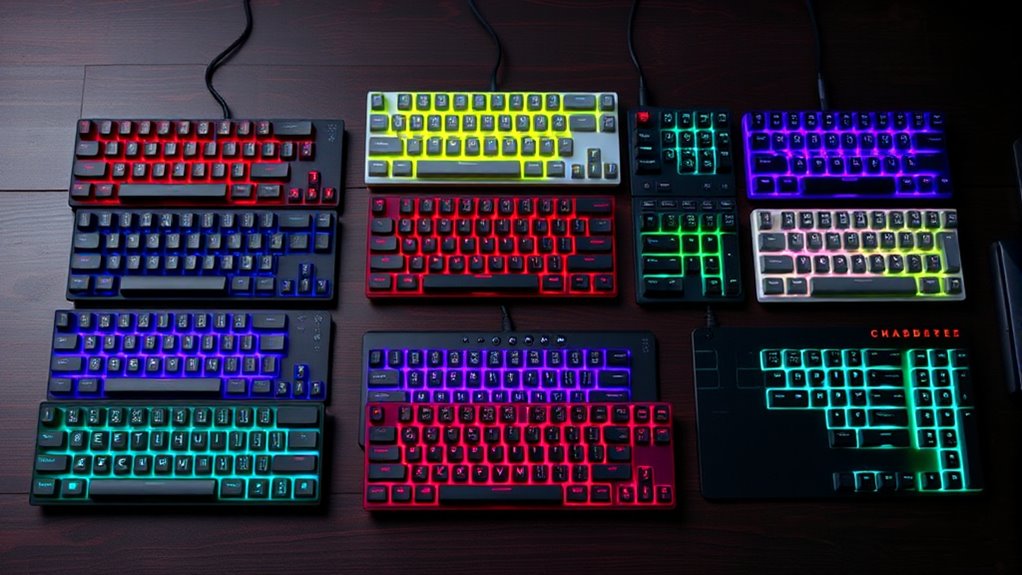

75% compact mechanical keyboards hit a sweet spot: they keep the arrow keys and function row that tenkeyless boards offer, but shave off the wasted space so your mouse sits closer. After comparing 14 of the most popular options, the AULA F75 Pro stands out as the best overall pick thanks to its gasket-mounted build, tri-mode wireless, and hot-swappable switches at a mid-range price. The Womier DK75 is the stronger choice if you want a screen-equipped knob board for customization, while the AJAZZ AK820 makes the most sense for buyers who want hot-swap flexibility without paying for wireless. The main tradeoff in this category is between budget wired boards with loud, non-swappable switches (like the MageGee lineup) and pricier wireless models with gasket mounts and dampened typing. Read on for the full ranked breakdown.
Key Takeaways
- Wireless tri-mode connectivity (Bluetooth, 2.4GHz, USB-C) is now standard on mid-range 75% boards like the AULA F75 Pro, Womier DK75, and Klymra DK75 — paying less usually means giving it up entirely.
- Hot-swappable switches are the single biggest value divider: the AJAZZ AK820 and AULA models let you change switches later, while the MageGee and Newmen budget boards lock you into your original switch choice.
- Gasket mounting (AULA F75 Pro, Redragon K673 Pro) delivers a noticeably softer, quieter typing feel than the tray-mounted budget boards, which matters more for long typing sessions than for gaming.
- Duplicate listings skew this category — the Newmen GM326, Womier DK75, and MageGee blue-switch models each appear twice in different configurations, so compare switch type and backlight color before buying.
- The Kisnt KN85’s retro beige aesthetic and the Wegear GK470’s pink colorway show that style-focused buyers have real options here, but both make compromises on features compared to the neutral-colored leaders.
| Newmen GM326 75% Wired Mechanical Gaming Keyboard |  | Best Value Pick | Layout: 75% | Connection: Wired, detachable USB-C | Switches: Red linear, hot-swappable 3-pin | VIEW ON AMAZON | See Our Full Breakdown |
| Womier DK75 75% Wireless Gaming Keyboard |  | Best for Quiet, Multi-Device Setups | Layout: 75% (84 keys) | Connectivity: Bluetooth 5.0, 2.4GHz wireless, USB-C wired | Switch Type: Silent membrane | VIEW ON AMAZON | See Our Full Breakdown |
| MageGee 75% Mechanical Gaming Keyboard with Blue Switches and LED Backlight |  | Best for Tactile Feedback on a Budget | Layout: 75%, 87 keys | Switch Type: Blue mechanical, clicky | Backlight: Blue LED, approximately 19 modes | VIEW ON AMAZON | See Our Full Breakdown |
| MageGee 75% Mechanical Gaming Keyboard, Red Switch, LED Blue Backlit, 87 Keys Compact TKL Wired |  | Best Basic Linear Pick | Layout: 87 keys, tenkeyless/75% | Switch Type: Red linear | Backlight: Blue LED, 16 modes | VIEW ON AMAZON | See Our Full Breakdown |
| AJAZZ AK820 Mechanical Gaming Keyboard 75% Wired Hot Swappable |  | Best Sound and Build Quality | Layout: 75% (82 keys) | Connectivity: Wired USB-C | Switch Type: Linear red, hot-swappable 3-pin and 5-pin | VIEW ON AMAZON | See Our Full Breakdown |
| Newmen GM326 75% Mechanical Gaming Keyboard |  | Best Budget Hot-Swap Entry Point | Layout: 75% | Switch Type: Linear Red (Hot-Swappable) | Connection: Wired (Detachable USB-C) | VIEW ON AMAZON | See Our Full Breakdown |
| Womier DK75 75% Wireless Gaming Keyboard – Green |  | Best for Quiet Shared Workspaces | Layout: 75% QWERTY, 77 keys | Switch Type: Silent Membrane | Connectivity: Bluetooth 5.0, 2.4GHz Wireless, USB-C Wired | VIEW ON AMAZON | See Our Full Breakdown |
| MageGee 75% Mechanical Gaming Keyboard, Blue Switch, Blue LED Backlit |  | Best Classic Clicky Feel on a Budget | Switch Type: Blue (Clicky) | Key Count: 87 Keys | Layout: 75% Compact TKL | VIEW ON AMAZON | See Our Full Breakdown |
| wegear GK470 75% Compact Mechanical Keyboard with Knob, Pink |  | Best Battery Life and Acoustic Comfort | Layout: 75%, 79 keys, QWERTY | Switch Type: Linear, Hot-Swappable | Connectivity: USB-C Wired, 2.4GHz Wireless, Bluetooth (3 devices) | VIEW ON AMAZON | See Our Full Breakdown |
| Klymra DK75 75% Wireless Gaming Keyboard |  | Best Multi-Device Everyday Companion | Layout: 75% QWERTY | Switch Type: Quiet Membrane | Connectivity: Bluetooth 5.0, 2.4GHz Wireless, USB-C Wired | VIEW ON AMAZON | See Our Full Breakdown |
| Redragon K673 PRO Wireless 81-Key RGB Gasket Gaming Keyboard |  | Best Budget Gasket Pick | Layout: 81-Key (80% Compact) | Connectivity: Tri-Mode (USB-C, Bluetooth, 2.4GHz) | Switch Type: Linear (Redragon Red) | VIEW ON AMAZON | See Our Full Breakdown |
| Kisnt KN85 Wireless Mechanical Keyboard, 75% Layout (Retro Beige) |  | Best for Home Office Aesthetics | Layout: 75% (85 Keys) | Connectivity: Bluetooth 5.0, 2.4GHz, USB-C Wired | Switch Type: Pre-lubed Linear (45-50gf) | VIEW ON AMAZON | See Our Full Breakdown |
| AULA F75 Pro Wireless Mechanical Keyboard |  | Best Overall Sound and Feel | Layout: 75% (81 Keys) | Connectivity: Bluetooth 5.0, 2.4GHz, USB-C Wired | Switches: LEOBOG Reaper (Pre-lubed Linear, Hot-swappable) | VIEW ON AMAZON | See Our Full Breakdown |
| AULA F75 75% Wireless Mechanical Keyboard (White & Brown) |  | Best Value Tri-Mode Board | Layout: 75% (81 Keys) | Connectivity: Bluetooth 5.0, 2.4GHz, USB-C Wired | Switches: Pre-lubed Linear (Hot-swappable 3-pin/5-pin) | VIEW ON AMAZON | See Our Full Breakdown |
| compact mechanical keyboard | Layout | Switch Type | Backlighting | Compatibility |
|---|---|---|---|---|
| Newmen GM326 75% Wired Mechani | 75% | — | Rainbow LED, 6 colors, 20 modes | Windows 7/8/10/11, Mac OS 10.10+ |
| Womier DK75 75% Wireless Gamin | 75% (84 keys) | Silent membrane | RGB, 15 effects, 7 colors | Windows, Mac, tablets, laptops |
| MageGee 75% Mechanical Gaming | 75%, 87 keys | Blue mechanical, clicky | — | Windows, Linux, Mac |
| MageGee 75% Mechanical Gaming | 87 keys, tenkeyless/75% | Red linear | — | Windows, macOS, Linux |
| AJAZZ AK820 Mechanical Gaming | 75% (82 keys) | Linear red, hot-swappable 3-pin and 5-pin | — | Windows, Mac OS, Android |
| Newmen GM326 75% Mechanical Ga | 75% | Linear Red (Hot-Swappable) | Rainbow LED, 6 Colors, 20 Modes | Windows 7-11, Mac OS 10.10+ |
| Womier DK75 75% Wireless Gamin | 75% QWERTY, 77 keys | Silent Membrane | RGB (15 Effects, 7 Colors) | — |
| MageGee 75% Mechanical Gaming | 75% Compact TKL | Blue (Clicky) | — | Windows, Linux, Mac |
| wegear GK470 75% Compact Mecha | 75%, 79 keys, QWERTY | Linear, Hot-Swappable | RGB, 16.8 million colors, 12 preset modes | — |
| Klymra DK75 75% Wireless Gamin | 75% QWERTY | Quiet Membrane | RGB; 15 effects and 7 colors | — |
| Redragon K673 PRO Wireless 81- | 81-Key (80% Compact) | Linear (Redragon Red) | RGB | — |
| Kisnt KN85 Wireless Mechanical | 75% (85 Keys) | Pre-lubed Linear (45-50gf) | RGB | Windows, macOS, Android, Linux, iOS |
| AULA F75 Pro Wireless Mechanic | 75% (81 Keys) | — | RGB (16.8 Million Colors) | PC, Laptop, Tablet, Smartphone, PS, Xbox |
| AULA F75 75% Wireless Mechanic | 75% (81 Keys) | — | 16.8 Million RGB | PC, Laptop, Tablet, Smartphone, PS, Xbox |
More Details on Our Top Picks
Newmen GM326 75% Wired Mechanical Gaming Keyboard
The Newmen GM326 makes the most sense for buyers who want the core 75% mechanical experience — hot-swappable switches, a volume knob, and full-key anti-ghosting — without paying enthusiast prices. Compared with the MageGee models in this lineup, the GM326’s hot-swap support is the standout difference: it lets you replace the stock red switches later instead of buying a whole new board. The rainbow backlighting offers six colors and 20 modes, which is more variety than the MageGee’s single-color blue LED, though it still falls short of full per-key RGB like the Womier DK75. The tradeoff is simplicity — wired USB-C only, ABS keycaps that will shine over time, and linear switches with no tactile bump for typists who want feedback.
Pros:- Hot-swappable sockets let you change switches without soldering
- Volume knob adds quick media control rarely found at this price
- Full-key anti-ghosting handles simultaneous gaming inputs
- Detachable USB-C cable and adjustable tilt legs add flexibility
Cons:- ABS keycaps wear shiny faster than PBT alternatives
- Wired-only connection limits desk placement options
- Red linear switches offer no tactile feedback for precision typists
Best for: Budget-conscious gamers and first-time mechanical keyboard buyers who want hot-swappability as a future upgrade path
Not ideal for: Anyone wanting wireless multi-device use or tactile feedback — this is a wired board with linear switches only
- Layout:75%
- Connection:Wired, detachable USB-C
- Switches:Red linear, hot-swappable 3-pin
- Backlighting:Rainbow LED, 6 colors, 20 modes
- Controls:Multifunction volume knob
- Anti-ghosting:Full-key
- Compatibility:Windows 7/8/10/11, Mac OS 10.10+
Our verdict“The smartest entry point in this roundup for buyers who want customization headroom at a low cost.”
Womier DK75 75% Wireless Gaming Keyboard
The Womier DK75 is the most flexible keyboard in this batch thanks to triple-mode connectivity — Bluetooth 5.0, 2.4GHz wireless, and USB-C — letting you jump between a desktop, laptop, and tablet without replugging. Its OLED display and rotary knob are genuinely useful for monitoring connection status and battery life, a step up from the simple knobs on the Newmen GM326 or AJAZZ AK820. The PBT keycaps also outclass the ABS caps on every MageGee and Newmen option here. The catch: this is technically a membrane board, so despite the marketing, you give up the crisp actuation and hot-swap potential that define true mechanical models like the AK820. If silence and device-switching matter more than switch feel, that trade is reasonable; switch enthusiasts should look elsewhere.
Pros:- Triple-mode connectivity pairs across three device types
- PBT keycaps resist the oil shine that plagues ABS caps
- 4000mAh battery supports long wireless sessions
- OLED screen displays battery and connection status at a glance
Cons:- Membrane switches lack the tactile definition of true mechanical switches
- Plastic enclosure feels less premium than metal-built competitors
- RGB options are limited to preset effects rather than per-key control
Best for: Office workers and students in shared or quiet spaces who juggle multiple devices and value near-silent typing
Not ideal for: Mechanical keyboard enthusiasts — the membrane switches lack the distinct actuation and hot-swappability of boards like the AJAZZ AK820
- Layout:75% (84 keys)
- Connectivity:Bluetooth 5.0, 2.4GHz wireless, USB-C wired
- Switch Type:Silent membrane
- Backlighting:RGB, 15 effects, 7 colors
- Battery:4000mAh rechargeable
- Keycaps:PBT, oil and wear resistant
- Extra Features:OLED display, rotary knob, anti-ghosting
- Compatibility:Windows, Mac, tablets, laptops
Our verdict“A strong pick for quiet, multi-device workflows — as long as you accept that it isn’t a true mechanical board.”
MageGee 75% Mechanical Gaming Keyboard with Blue Switches and LED Backlight
Among the budget boards in this roundup, the MageGee blue-switch model is the one to pick if you genuinely miss the click. Its clicky blue switches give audible, tactile confirmation on every keystroke — the exact opposite of the red-switch MageGee MK-STAR, which is near-silent but feedback-free. That makes this board better for typists who count on that click to build rhythm, and worse for anyone sharing a room. The 16 spare red keycaps included in the box are a nice touch for highlighting WASD and gaming keys, something no other product in this batch offers. You still get the usual budget compromises: blue-only LED lighting rather than RGB, a fixed USB 2.0 cable, and ABS keycaps. The splash-resistant design adds modest spill insurance for desk-snackers.
Pros:- Clicky blue switches deliver unmistakable tactile and audible feedback
- Includes 16 extra red keycaps for gaming-key customization
- Splash-resistant design offers basic spill protection
- 12 multimedia keys plus full anti-ghosting at a low price point
Cons:- Blue switches are among the loudest switch types available
- Wired USB 2.0 only, with no hot-swap support
- Single-color blue LED is far less flexible than RGB
Best for: Typists and gamers who want loud, tactile blue switches and don’t mind (or enjoy) the clicking sound
Not ideal for: Anyone in a shared office, dorm, or streaming setup — blue switches are audibly disruptive
- Layout:75%, 87 keys
- Switch Type:Blue mechanical, clicky
- Backlight:Blue LED, approximately 19 modes
- Anti-ghosting:All keys
- Multimedia Keys:12
- Connection:Wired USB 2.0
- Compatibility:Windows, Linux, Mac
- Extras:16 spare red keycaps, adjustable feet
Our verdict“The budget choice for people who specifically want clicky, tactile switches rather than smooth linear ones.”
MageGee 75% Mechanical Gaming Keyboard, Red Switch, LED Blue Backlit, 87 Keys Compact TKL Wired
The MageGee MK-STAR is the no-frills option in this roundup: plug it in via USB, get smooth linear red switches, full N-key rollover, and start typing. There’s no software to install and nothing to configure, which is simpler than the driver-dependent backlighting on the AJAZZ AK820. Compared with its blue-switch MageGee sibling, this model trades clicky feedback for quieter, faster-feeling keystrokes — the better choice for late-night gaming sessions. Its 16-mode blue LED adds some visual flair, though buyers wanting rainbow or per-key lighting should step up to the Newmen GM326 instead. The honest tradeoff is upgrade potential: with no hot-swap sockets, the switches you buy are the switches you keep. For buyers who just want a dependable, quiet mechanical board at the lowest possible complexity, that limitation hardly matters.
Pros:- True plug-and-play operation with no drivers or software
- Linear red switches keep gaming sessions quiet and smooth
- Full anti-ghosting and N-key rollover for accurate multi-key inputs
- Compact tenkeyless layout frees desk space for mouse movement
Cons:- No hot-swap support, so switches can’t be changed
- Blue-only backlighting limits aesthetic customization
- Hardwired cable reduces portability versus wireless rivals
Best for: Gamers and typists who want a plug-and-play linear board with zero setup or software fuss
Not ideal for: Tinkerers planning to swap switches later — the soldered design offers no upgrade path
- Layout:87 keys, tenkeyless/75%
- Switch Type:Red linear
- Backlight:Blue LED, 16 modes
- Connection:Wired USB
- Rollover:Full anti-ghosting, N-key rollover
- Compatibility:Windows, macOS, Linux
- Design:Black/grey, ABS keycaps, adjustable kickstands
Our verdict“A straightforward, quiet workhorse for buyers who value simplicity over customization.”
AJAZZ AK820 Mechanical Gaming Keyboard 75% Wired Hot Swappable
The AJAZZ AK820 sits at the enthusiast end of this batch, and its gasket mount with five layers of sound-dampening foam is why. Where the Newmen GM326 and both MageGee boards produce the hollow, clacky report typical of budget trays, the AK820 delivers a noticeably softer, more refined sound signature. Add pre-lubed red switches and support for both 3-pin and 5-pin replacements, and this board has the strongest customization foundation here — 5-pin compatibility opens the door to a far wider switch market than the GM326’s 3-pin sockets. The CNC-machined aluminum knob also feels more substantial than the plastic knobs on cheaper models. The compromises are real, though: wired USB-C only, and single-color white LED instead of the RGB effects on the Womier DK75. This pick suits sound-focused typists more than lighting-focused gamers.
Pros:- Gasket mount and 5-layer foam produce a premium, muted typing sound
- Hot-swap sockets accept both 3-pin and 5-pin switches
- Pre-lubed red switches feel smooth out of the box
- CNC machined aluminum knob offers precise volume control
Cons:- Wired-only connectivity limits placement and portability
- Single-color white LED lacks RGB customization
- ABS enclosure falls short of full aluminum-case rivals
Best for: Buyers who care about typing sound and feel, and who plan to experiment with aftermarket switches
Not ideal for: Wireless-first users or RGB enthusiasts — the wired-only connection and white-only backlighting limit both
- Layout:75% (82 keys)
- Connectivity:Wired USB-C
- Switch Type:Linear red, hot-swappable 3-pin and 5-pin
- Backlight:White LED, software-customizable effects
- Mount Structure:Gasket mount with 5-layer sound foam
- Plate Material:PC
- Keycaps:OEM profile
- Compatibility:Windows, Mac OS, Android
Our verdict“The best-sounding, most upgrade-ready board in this batch for enthusiasts who prioritize acoustics over wireless convenience.”
Newmen GM326 75% Mechanical Gaming Keyboard
The Newmen GM326 earns its place by putting hot-swappable switches into an entry-level package, which is rare at this tier. That single feature changes the ownership experience: if the stock linear reds feel too bland after a few months, swapping in a set of tactiles costs far less than replacing the board. Compared with the MageGee blue-switch model, which locks you into one loud clicky feel forever, the GM326 is the more future-proof choice. The tradeoffs are real, though. ABS keycaps will develop shine faster than the PBT caps on the Womier DK75, and the rainbow backlight only cycles six colors in preset zones rather than offering true per-key RGB like the wegear GK470. The detachable USB-C cable and volume knob are welcome touches that cheaper wired boards often omit.
Pros:- Hot-swappable sockets let you change switch feel without soldering
- Multi-function volume knob for quick audio control
- Detachable USB-C cable makes travel and cable replacement easy
- Full-key anti-ghosting handles simultaneous gaming inputs reliably
Cons:- ABS keycaps will shine and wear smooth faster than PBT options
- Rainbow backlighting is preset-only, far less customizable than per-key RGB
Best for: First-time mechanical keyboard buyers who want to experiment with switch swapping without spending much
Not ideal for: Quiet-environment typists — linear reds are quiet, but anyone wanting per-key RGB and premium keycaps should look at PBT-equipped alternatives
- Layout:75%
- Switch Type:Linear Red (Hot-Swappable)
- Connection:Wired (Detachable USB-C)
- Backlighting:Rainbow LED, 6 Colors, 20 Modes
- Compatibility:Windows 7-11, Mac OS 10.10+
- Keycap Material:ABS
- Extra Features:Volume knob, anti-ghosting, adjustable tilt legs
Our verdict“A sensible first mechanical board for gamers who want the flexibility to change switches later and can live with basic lighting.”
Womier DK75 75% Wireless Gaming Keyboard – Green
The Womier DK75 takes a different path from most boards in this lineup: it swaps true mechanical switches for silent membrane switches, making it the pick for open offices, libraries, and shared bedrooms where a MageGee blue-switch board would clear the room. Its PBT keycaps outclass the ABS caps on the Newmen GM326 and will resist oil and wear for years. The triple-mode connectivity (Bluetooth 5.0, 2.4GHz, USB-C) plus a 4000mAh battery means it can hop between a work laptop, tablet, and desktop all day. The retro green styling and smart screen display give it personality the plainer Klymra DK75 lacks. The honest caveat: if you specifically want the crisp tactile feedback that defines mechanical keyboards, this membrane design will disappoint — it feels soft and muted by comparison.
Pros:- Silent membrane switches suit noise-sensitive environments
- PBT keycaps resist oil and wear far better than ABS
- Triple-mode connectivity pairs across computers, tablets, and phones
- Smart screen and rotary knob add useful at-a-glance status control
Cons:- Membrane switches lack the tactile feedback mechanical buyers expect
- No water resistance, so spills are a genuine risk
Best for: Office workers and students who need near-silent typing and multi-device Bluetooth switching in a shared space
Not ideal for: Enthusiasts chasing an authentic mechanical typing feel — the membrane switches lack the tactile snap of the Newmen GM326’s reds
- Layout:75% QWERTY, 77 keys
- Switch Type:Silent Membrane
- Connectivity:Bluetooth 5.0, 2.4GHz Wireless, USB-C Wired
- Battery:4000mAh Rechargeable
- Keycaps:PBT (Oil & Wear Resistant)
- Backlighting:RGB (15 Effects, 7 Colors)
- Compatible OS:Windows, Mac, Tablets
- Color:Green (Retro)
Our verdict“Choose this if silence and multi-device versatility matter more to you than a true mechanical keyfeel.”
MageGee 75% Mechanical Gaming Keyboard, Blue Switch, Blue LED Backlit
This MageGee board is here for one reason: the blue clicky switch experience at a rock-bottom price. The loud, crisp feedback that clicky fans chase is fully present, and the metal top panel gives it a rigidity the all-plastic wegear GK470 can’t match. It’s also the only board in this batch with splash-proofing, a practical perk for desks that double as snack stations. Compared with the Newmen GM326, you trade hot-swappability and a volume knob for a tougher chassis and bundled extra purple keycaps for customization. Know what you’re signing up for, though: blue switches are genuinely loud — this is the wrong board for anyone sharing a room — and the single-color blue LED backlight looks dated next to the full RGB on the Womier DK75. It’s wired-only USB 2.0, so there’s no wireless flexibility either.
Pros:- Metal panel construction resists scratches and adds chassis rigidity
- Splash-proof design tolerates accidental minor spills
- Extra purple keycaps included for a custom accent look
- Plug-and-play across Windows, Mac, and Linux with no drivers
Cons:- Blue switches are very loud for offices or shared rooms
- Single-color backlighting is far less customizable than RGB rivals
Best for: Clicky-switch loyalists on a tight budget who game or type alone and want a sturdy, no-frills wired board
Not ideal for: Anyone in a shared or quiet space — the blue-switch click is loud enough to bother nearby people
- Switch Type:Blue (Clicky)
- Key Count:87 Keys
- Layout:75% Compact TKL
- Backlight:Blue LED (19 Modes)
- Connectivity:USB 2.0 Wired
- Compatibility:Windows, Linux, Mac
- Material:Metal Panel, Double-shot Injection Keycaps
- Dimensions:13.98″ L x 5.04″ W x 1.4″ H
Our verdict“A rugged, affordable clicky board for solo users who love loud tactile feedback and nothing else.”
wegear GK470 75% Compact Mechanical Keyboard with Knob, Pink
The wegear GK470 stands out in this lineup for two things rivals can’t touch: a 5000mAh battery rated for up to 3700 hours with RGB off, and a gasket mount with layered noise-dampening padding that gives typing a softer, more muted sound than the MageGee’s hollow click or the Klymra’s membrane thud. It’s also one of the few boards here offering true per-key RGB with 16.8 million colors, unlike the Newmen GM326’s preset rainbow zones. Hot-swappable linear switches keep customization open, and tri-mode connectivity with three Bluetooth device slots handles multi-platform workflows across Windows, macOS, iOS, and Android. The compromises: legends are not shine-through, so the lighting looks great around the keys but the legends themselves stay dark at night, and the plastic case feels lighter and less substantial than metal-panel boards in this guide.
Pros:- Gasket mount with noise-absorbing padding softens typing sound
- Massive 5000mAh battery rated up to 3700 hours with RGB off
- Per-key RGB with 16.8 million colors beats preset rainbow lighting
- Hot-swappable switches plus tri-mode connectivity with 3-device Bluetooth switching
Cons:- Key legends are not shine-through and stay dark at night
- Plastic enclosure feels less premium than metal-panel rivals
Best for: Wireless-first users who want weeks of untethered runtime, quiet gasket-mounted typing, and full RGB customization
Not ideal for: Anyone who types in the dark and depends on lit key legends — the non-shine-through legends stay invisible with RGB on
- Layout:75%, 79 keys, QWERTY
- Switch Type:Linear, Hot-Swappable
- Connectivity:USB-C Wired, 2.4GHz Wireless, Bluetooth (3 devices)
- Battery:Rechargeable 5000 mAh
- Battery Runtime:Up to 3700 hours (Bluetooth, RGB off)
- Backlighting:RGB, 16.8 million colors, 12 preset modes
- Keycaps:Double-shot ABS
- Dimensions:12.6 × 5.9 × 1.65 in
- Warranty:1 year
Our verdict“The strongest pick here for long-battery wireless use and quiet, cushioned typing — as long as you don’t need glowing legends.”
Klymra DK75 75% Wireless Gaming Keyboard
The Klymra DK75 is nearly identical in concept to the Womier DK75 — quiet membrane switches, PBT keycaps, a display-and-knob combo, and the same 4000mAh battery — but it reframes the package for everyday multi-device use rather than retro styling. Where the Womier leans into a green vintage aesthetic, the Klymra’s black-and-blue look blends into any desk, and its compatibility list stretches from PCs and consoles to tablets and smartphones. That breadth, plus tri-mode connectivity, makes it the pick if one keyboard needs to follow you from a desktop to a phone. Compared with the wegear GK470, you give up hot-swap sockets and the gasket-mounted feel, but you gain PBT keycaps that outlast the wegear’s ABS set. As with the Womier, the membrane switches are the core tradeoff: buyers specifically wanting a mechanical keyfeel should steer toward the Newmen GM326 instead.
Pros:- Works across consoles, PCs, laptops, tablets, and smartphones
- PBT keycaps hold up against oil and long-term wear
- Quiet switches and ergonomic tilt suit all-day shared-space typing
- Rotary knob and display simplify volume and lighting adjustments
Cons:- Membrane switches miss the mechanical typing feel entirely
- RGB limited to 15 preset effects and 7 colors rather than per-key control
Best for: Productivity users juggling a PC, tablet, and phone who want one quiet, neutral-looking keyboard for everything
Not ideal for: Mechanical keyboard purists — the membrane switches won’t deliver the tactile feedback they’re shopping for
- Layout:75% QWERTY
- Switch Type:Quiet Membrane
- Connectivity:Bluetooth 5.0, 2.4GHz Wireless, USB-C Wired
- Battery:4000 mAh Rechargeable
- Backlighting:RGB; 15 effects and 7 colors
- Keycap Material:PBT
- Compatible Devices:Gaming console, laptop, PC, smartphone, tablet
- Enclosure:Plastic (Black and Blue)
Our verdict“A sensible do-everything wireless board for quiet, multi-device productivity — just don’t buy it expecting a mechanical feel.”
Redragon K673 PRO Wireless 81-Key RGB Gasket Gaming Keyboard
Redragon’s K673 PRO is the entry point into the gasket-mount experience without paying enthusiast prices. The 5-layer noise dampening and silicone enclosure deliver a softer, quieter stroke than the MageGee 75% boards elsewhere in this lineup, which use more traditional rigid mounts. Compared with the AULA F75 Pro, the K673 PRO holds its own on fundamentals — tri-mode connectivity, hot-swap sockets, and a scroll knob — but its linear Redragon reds lack the pre-lubed refinement of the LEOBOG Reapers, so the out-of-box sound is good rather than great. The Abyssal Blue chassis also gives it a distinctive look among the sea of white-and-beige boards here. The tradeoff is unpolished details: battery life isn’t clearly specified, and the 80% layout drops keys in places that may trip up full-size converts.
Pros:- Gasket mount with 5-layer dampening gives a soft, muted feel rarely found at entry pricing
- Tri-mode connectivity switches between PC, laptop, and tablet without re-pairing
- Multi-function scroll knob handles volume and lighting intuitively
- Hot-swappable sockets accept both 3-pin and 5-pin switches for later upgrades
Cons:- Stock linear switches aren’t pre-lubed, so sound and feel lag behind rivals like the AULA F75 Pro
- Battery life figures aren’t clearly published, making wireless reliability hard to gauge
Best for: Budget-conscious gamers who want a gasket-mounted feel and wireless flexibility without spending on enthusiast switches
Not ideal for: Typists who want a refined, creamy sound out of the box — the stock red switches need tuning or swapping to match the Kisnt KN85
- Layout:81-Key (80% Compact)
- Connectivity:Tri-Mode (USB-C, Bluetooth, 2.4GHz)
- Switch Type:Linear (Redragon Red)
- Mount Type:Gasket Mounted
- Backlighting:RGB
- Hot-Swap:Yes (3-pin and 5-pin)
- Color:Abyssal Blue
Our verdict“A smart buy for anyone who wants gasket-mount comfort and tri-mode wireless on a tight budget and is willing to upgrade switches later.”
Kisnt KN85 Wireless Mechanical Keyboard, 75% Layout (Retro Beige)
The Kisnt KN85 distinguishes itself in a roundup full of gaming-styled boards with a Retro Beige colorway that belongs on a desk next to a monitor arm rather than a gaming rig. Its pre-lubed linear switches (45-50gf actuation) arrive smooth and quiet from the box — a step up from the Redragon K673 PRO’s unlubed reds — and the gasket mount reinforces that creamy character. Its 4000mAh battery matches the AULA F75 Pro’s capacity, and a two-year warranty adds peace of mind the others don’t advertise. The real weakness is software: key remapping and macros are Windows-only, so Mac and Linux users get hardware but no configuration tools. If you live in RGB animation mode, expect battery life to shrink considerably too.
Pros:- Pre-lubed linear switches feel smooth and sound creamy without any tuning
- Retro Beige design fits professional desks better than gamer-focused alternatives
- 4000mAh battery comfortably outlasts smaller compact boards
- Two-year warranty offers longer coverage than most rivals here
Cons:- Configuration software is Windows-only, leaving Mac and Linux users without remapping tools
- Heavy RGB animation use drains the battery noticeably faster
Best for: Professionals and minimalists who want a subdued, retro-styled board with polished out-of-box switches and cross-platform hardware support
Not ideal for: Mac and Linux power users who need remapping and macro software — the companion app only runs on Windows
- Layout:75% (85 Keys)
- Connectivity:Bluetooth 5.0, 2.4GHz, USB-C Wired
- Switch Type:Pre-lubed Linear (45-50gf)
- Hot-Swap:Yes (3-pin and 5-pin)
- Battery:4000mAh Rechargeable
- Backlighting:RGB
- Compatibility:Windows, macOS, Android, Linux, iOS
- Warranty:2 Years
Our verdict“The pick for style-conscious office users who value switch refinement and battery capacity over deep software control.”
AULA F75 Pro Wireless Mechanical Keyboard
AULA’s F75 Pro is the most complete package in this batch. Its LEOBOG Reaper switches come pre-lubed and paired with five layers of silencing foam, producing the thocky, solid sound profile that the plastic-bodied standard AULA F75 only approximates. The side-printed PBT keycaps are a genuine upgrade over the ABS caps common at this tier — they won’t shine or wear their legends away — though the unconventional legend placement demands a learning period. Connectivity is generous: tri-mode with up to five paired devices, plus console compatibility with PlayStation and Xbox. Compared with the Kisnt KN85, the F75 Pro trades the retro aesthetic for better acoustics and console support, but it leans on proprietary driver software for macros and lighting, which adds friction for anyone outside the Windows ecosystem.
Pros:- Pre-lubed LEOBOG Reaper switches with five layers of foam deliver the best stock acoustics in this batch
- Side-printed PBT keycaps resist shine and keep legends crisp long-term
- Tri-mode connectivity pairs with up to five devices, including PlayStation and Xbox
- Multi-function knob and large 4000mAh battery round out the feature set
Cons:- Full macro and lighting customization requires proprietary driver software
- Side-printed legends slow down typists used to top-printed keycaps
Best for: Enthusiasts and gamers who prioritize out-of-box acoustics, durable PBT keycaps, and multi-device or console versatility
Not ideal for: Touch typists who rely on glancing at key legends — side-printed caps take real adjustment
- Layout:75% (81 Keys)
- Connectivity:Bluetooth 5.0, 2.4GHz, USB-C Wired
- Switches:LEOBOG Reaper (Pre-lubed Linear, Hot-swappable)
- Keycaps:Side-printed PBT
- Battery:4000mAh Rechargeable
- Backlighting:RGB (16.8 Million Colors)
- Compatibility:PC, Laptop, Tablet, Smartphone, PS, Xbox
Our verdict“The strongest all-rounder here for buyers who want enthusiast-grade sound, durable keycaps, and broad device support in one board.”
AULA F75 75% Wireless Mechanical Keyboard (White & Brown)
The standard AULA F75 proves you don’t need the Pro badge to get a well-rounded 75% board. It keeps the core formula — pre-lubed hot-swappable linears, a multi-function knob, the 4000mAh battery, and five-device tri-mode pairing — while landing at a friendlier price than its sibling. The gap against the F75 Pro comes down to materials: side-printed PBT gives way to standard keycaps, and the sound-dampening structure sounds good but not as deep or thocky as the Pro’s five-layer foam stack. Against the Redragon K673 PRO, the F75 counters with clearer battery specs and a warmer, creamier stock sound. The plastic enclosure is the honest compromise — it flexes and resonates more than metal-bodied boards — and macro or lighting customization still requires AULA’s driver software.
Pros:- Matches the F75 Pro’s core features: tri-mode, five-device pairing, knob, and 4000mAh battery
- Pre-lubed linear switches sound smooth and creamy without tuning
- Hot-swappable sockets support both 3-pin and 5-pin replacement switches
- Console-compatible, working with PlayStation and Xbox alongside PCs and mobile devices
Cons:- Plastic enclosure feels less premium and resonates more than metal or higher-end builds
- Driver software is required to unlock full macro and lighting customization
Best for: Buyers who want the F75 Pro’s feature set — wireless, knob, hot-swap, big battery — at a lower price and can accept plastic construction
Not ideal for: Anyone chasing maximum acoustic refinement — the F75 Pro’s foam stack and PBT caps justify the step up
- Layout:75% (81 Keys)
- Connectivity:Bluetooth 5.0, 2.4GHz, USB-C Wired
- Switches:Pre-lubed Linear (Hot-swappable 3-pin/5-pin)
- Battery:4000mAh Rechargeable
- Backlighting:16.8 Million RGB
- Color:White & Brown
- Compatibility:PC, Laptop, Tablet, Smartphone, PS, Xbox
Our verdict“The value play of this lineup — nearly everything the F75 Pro offers, trimmed just enough in materials to save money.”

How We Picked
I ranked these 14 keyboards on five buyer-relevant factors: typing feel and sound (gasket mount vs. tray mount, switch type, case dampening), connectivity flexibility (wired-only vs. tri-mode wireless), long-term upgradability (hot-swappable sockets and software support), build quality (case material, stabilizers, keycap quality), and value for money within each feature tier. Boards that combine gasket mounting, wireless, and hot-swap earned the top spots because they protect the buyer’s investment as preferences change over time.
Budget wired models like the MageGee and Newmen boards ranked lower not because they are bad keyboards, but because their fixed switches and tray-mounted cases limit what a buyer can do if the stock typing feel disappoints. Duplicate listings were compared directly on switch type and backlight configuration, and I kept only the more compelling variant higher in the ranking. Style-focused boards like the Kisnt KN85 and Wegear GK470 were judged on whether their design comes at too steep a feature cost.
| compact mechanical keyboard | Connectivity |
|---|---|
| Newmen GM326 75% Wired Mechani | — |
| Womier DK75 75% Wireless Gamin | Bluetooth 5.0, 2.4GHz wireless, USB-C wired |
| MageGee 75% Mechanical Gaming | — |
| MageGee 75% Mechanical Gaming | — |
| AJAZZ AK820 Mechanical Gaming | Wired USB-C |
| Newmen GM326 75% Mechanical Ga | — |
| Womier DK75 75% Wireless Gamin | Bluetooth 5.0, 2.4GHz Wireless, USB-C Wired |
| MageGee 75% Mechanical Gaming | USB 2.0 Wired |
| wegear GK470 75% Compact Mecha | USB-C Wired, 2.4GHz Wireless, Bluetooth (3 devices) |
| Klymra DK75 75% Wireless Gamin | Bluetooth 5.0, 2.4GHz Wireless, USB-C Wired |
| Redragon K673 PRO Wireless 81- | Tri-Mode (USB-C, Bluetooth, 2.4GHz) |
| Kisnt KN85 Wireless Mechanical | Bluetooth 5.0, 2.4GHz, USB-C Wired |
| AULA F75 Pro Wireless Mechanic | Bluetooth 5.0, 2.4GHz, USB-C Wired |
| AULA F75 75% Wireless Mechanic | Bluetooth 5.0, 2.4GHz, USB-C Wired |
Factors to Consider When Choosing 75 Compact Mechanical Keyboards
Before choosing a 75% compact mechanical keyboard, it helps to understand what actually separates a satisfying board from a disappointing one. These are the factors that shaped my ranking and the mistakes I see buyers make most often.Gasket Mount vs. Tray Mount: The Feel Difference Most Buyers Underestimate
Mounting style determines how a keyboard feels and sounds more than almost any other spec. A gasket-mounted board suspends the plate between layers of foam, giving a softer, slightly flexy keystroke with a deeper sound profile — this is why the AULA F75 Pro and Redragon K673 Pro rank highly. Tray-mounted boards, common at the budget end, screw the plate directly into a rigid case, producing a hollower, sometimes pingy sound. If you type for hours, the difference is felt within a week. Gamers who bottom out keys hard may not notice or care, which is why budget tray-mount boards remain legitimate picks for pure gaming setups. The mistake to avoid is paying gasket-mount prices for a board that doesn’t actually list its mounting style — assume tray mount unless stated.
Hot-Swappable Switches: Your Insurance Policy Against Regret
Choosing a switch type before you have ever typed on it is genuinely hard — linear, tactile, and clicky switches all feel drastically different from what descriptions suggest. Hot-swappable sockets solve this by letting you pull the stock switches and install new ones with a cheap puller, no soldering required. Boards like the AJAZZ AK820, AULA models, and Kisnt KN85 offer this; the MageGee and Newmen budget boards generally do not. Without hot-swap, a wrong switch choice means living with a keyboard you dislike or replacing it entirely, which erases the initial savings. My advice: if this is your first mechanical keyboard, treat hot-swap as near-mandatory. If you already know you love clicky blue switches, a fixed-switch budget board becomes a reasonable gamble.
Wireless Modes and When You Actually Need Them
Tri-mode connectivity (Bluetooth, 2.4GHz dongle, and USB-C) has trickled down to mid-range 75% boards, but it is not equally useful for everyone. 2.4GHz is the mode that matters for gaming — Bluetooth introduces enough latency to be noticeable in fast games, while 2.4GHz feels indistinguishable from wired. Bluetooth shines if you switch between a laptop, tablet, and phone throughout the day. If your keyboard never leaves your desk, wired-only boards like the AJAZZ AK820 or MageGee options save you money and eliminate battery anxiety entirely. One common mistake: buying wireless for the flexibility but permanently using it plugged in. Also check battery capacity — small batteries in wireless boards mean weekly charging with the RGB on.
Switch Type: Matching the Keyboard to Your Environment
Switch choice is the most personal decision, and it is where buyers most often go wrong. Clicky blue switches, the default on several budget boards in this roundup, are loud enough to be heard through walls — delightful for the typist, miserable for everyone nearby. Linear red switches are quieter and smoother, making them the safer default for shared spaces and gaming. If you work in an office or live with someone, clicky switches should be an intentional choice, not a default. Pre-lubed linears on boards like the Kisnt KN85 offer a middle path: satisfying sound without the click. And remember that switch sound also depends on the case — a gasket board with foam will always sound more controlled than a hollow tray-mount case with the same switch.
Keycaps, Stabilizers, and the Details That Separate Good From Great
Two specs hide in fine print but shape daily satisfaction. First, keycap material: ABS keycaps (standard on budget boards) develop a shiny, greasy surface within months, while PBT keycaps resist wear for years. Second, stabilizer quality: the large keys (spacebar, shift, enter) on cheap boards often rattle audibly, and this is not fixable without disassembly and lubrication. Higher-ranked boards in this roundup earned their positions partly through pre-lubed stabilizers and PBT caps. If you buy a budget board, factor in the eventual cost of a keycap upgrade set — it can close the price gap to a better board that includes PBT from the start. Knobs and screens, like those on the Womier DK75 and Wegear GK470, are genuine quality-of-life features but should never outrank the fundamentals.
Watch for Duplicate and Rebadged Listings
This category is crowded with identical or near-identical boards sold under different names — the Klymra DK75, for instance, shares its design language with the Womier DK75, and several boards in this list appear twice with different switch or backlight configurations. Before buying, compare case shape, knob placement, and software screenshots rather than trusting brand names. A rebadged board is not inherently bad, but you should not pay a premium for a name when the identical hardware costs less elsewhere. Also verify the exact switch variant in the listing: the same model name can ship with wildly different switches, and returns on opened keyboards are often a hassle. Reading the spec table carefully is the cheapest insurance in this market.
Frequently Asked Questions
Is a 75% keyboard actually better than a tenkeyless (TKL) keyboard?
It depends entirely on desk space and how you use your mouse. A 75% board keeps the function row but compresses everything else, saving roughly an inch or more of width compared to a TKL — that directly translates to a more natural mouse position and less shoulder strain during long sessions. TKL boards still win if you need dedicated spacing between key clusters, since some 75% layouts squeeze the arrow keys tight against surrounding keys and take adjustment. Typing accuracy on a 75% can dip for the first week as you relearn key positions. For most gamers and hybrid work-and-play users, the 75% layout’s space savings outweigh the adjustment period, which is why this form factor has grown so quickly.
Are the budget wired keyboards in this roundup good enough, or should I spend more for wireless and hot-swap?
Budget wired boards like the MageGee models are genuinely playable and fine for a first mechanical keyboard, but the savings come with real strings attached. Fixed switches mean that if the stock blue or red switches don’t suit you, the only fix is a new keyboard. Tri-mode wireless boards at the mid-range, like the AULA F75 Pro, typically add hot-swap, better keycaps, and gasket mounting along with connectivity, so the upgrade compounds rather than being purely about going cable-free. My guidance is simple: if the budget board’s exact switch type matches what you already know you like, it is a defensible buy. If you are guessing, spend more — hot-swap turns a wrong guess into a fifteen-dollar fix instead of a full replacement.
Will a wireless 75% keyboard have lag when gaming?
Connected through a 2.4GHz USB dongle, a quality wireless board is functionally indistinguishable from wired for gaming — latency sits in the low single-digit milliseconds. Bluetooth is the mode to avoid for competitive play, as it can introduce 15–30ms of delay plus occasional stutter when other devices interfere. Most tri-mode boards in this roundup let you use 2.4GHz for gaming and Bluetooth for a tablet, which is the most flexible setup. One caveat: heavy RGB use drains batteries fast, and some boards throttle lighting on battery to compensate. If you play fast-paced competitive games daily, either keep the board plugged in or confirm the 2.4GHz dongle is included in the box, since a few listings sell it separately.
Do I need the screen and knob that boards like the Womier DK75 include?
The knob is more useful than the screen for most people — volume control and scrubbing through timelines becomes second nature within days. The small display is genuinely fun for showing time, battery status, or GIFs, and some boards tie it to system monitoring, but it is a personality feature rather than a productivity one. Neither should drive your purchase decision if the fundamentals (mounting style, switches, stabilizers) are weaker than a knob-free competitor. Where the Womier DK75 earns its spot is combining those extras with solid internals, so you are not trading performance for flair. If you are choosing between a screen board and a plain board at the same price with better stabilizers and keycaps, take the plain board every time.
What should I check before buying to avoid getting a loud keyboard I’ll regret?
Three checks prevent most regret: the switch type, the mounting style, and whether the board includes case foam. Clicky switches (blue labels) are the loudest and should only be chosen deliberately — if a listing doesn’t name the switch, assume it’s clicky at the budget end. Gasket-mounted boards with foam layers, like the AULA and Redragon models here, produce a deeper, softer sound that stays pleasant in shared spaces. Linear switches on a tray-mount board fall in the middle: quieter than clicky but with some hollowness. If you work near others, the safest combination is a gasket board with pre-lubed linear switches. Also note that you can quiet almost any board later with aftermarket foam and switch swaps, but only if it is hot-swappable — which loops back to why hot-swap matters so much.
Conclusion
After comparing all 14 boards, the decision comes down to what kind of buyer you are. For best overall, the AULA F75 Pro combines gasket mounting, tri-mode wireless, and hot-swap in one package that covers every future preference change. The standard AULA F75 earns best value by keeping most of that formula for noticeably less. The Womier DK75 is the best premium-style pick for enthusiasts who want the screen, knob, and deeper customization. For beginners on a budget, the AJAZZ AK820 is the smartest entry point because its hot-swappable sockets let you learn what you like without risk, while the MageGee models suit buyers who already know they want simple, loud, wired typing for the lowest possible spend. For specific needs: the Redragon K673 Pro for gamers who want a gasket feel with 2.4GHz wireless, the Kisnt KN85 for anyone who wants a retro aesthetic with quiet pre-lubed linears, and the Wegear GK470 for style-first setups in pink. Whatever you choose, prioritize hot-swap and mounting style over gimmicks — those two factors determine whether you’ll still love the keyboard a year from now.