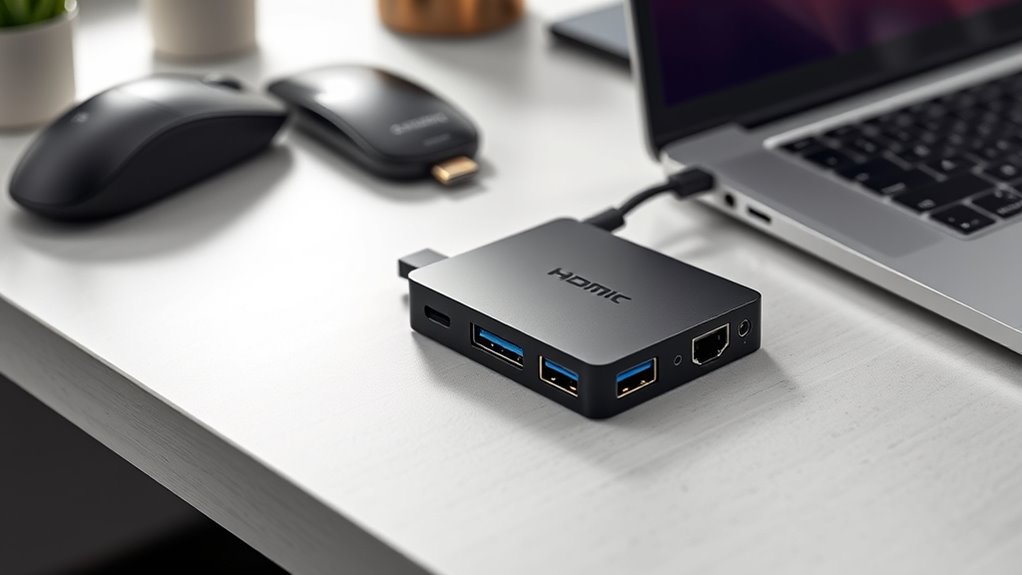

Searching for the best 5in1 USB-C adapters in 2026? These multiport devices are essential for expanding your laptop’s connectivity, combining HDMI, USB, SD card slots, and power delivery in a compact form. The top picks balance performance, build quality, and versatility, but tradeoffs often include size, price, or port selection. The best overall option offers a solid mix of features and durability, while some budget-friendly picks sacrifice certain ports or build quality. For power users and professionals, premium models deliver better performance and longevity. Keep reading to explore the key differences and find the adapter that fits your specific needs.

Get business pricing on tech for your team
- Business-only prices and quantity discounts
- Tax-exempt purchasing
- Multiple users, one account, clear invoices
Key Takeaways
- The top-ranked adapters balance port variety with build quality, ensuring longevity and reliable performance.
- Most adapters excel at video output but vary in power delivery and data transfer speeds, which are crucial for different workflows.
- Compact designs are convenient but may limit port options or heat dissipation, affecting long-term use.
- Premium models often include additional features like higher wattage charging or more durable materials, justifying higher prices.
- Compatibility with a wide range of devices, including MacBooks, Windows laptops, and tablets, is a common selection factor.
| UGREEN USB C Hub 5-in-1 Revodok, Slim Portable USB-C Adapter |  | Best Compact and Portable USB-C Hub | Hardware Interface: USB Type C | Additional Features: Lock-Screen Button, Cable Clip, 100W PD Charging, 4K@60Hz HDMI | Compatible Devices: Macbook M5/M4/M3/M2/M1 | VIEW ON AMAZON | See Our Full Breakdown |
| UGREEN USB C Hub 5-in-1 Multiport USB Adapter with 4K HDMI and 100W Power Delivery |  | Best Versatile Multi-Function Hub | Number of ports: 5 | HDMI resolution: 4K | Power Delivery: 100W | VIEW ON AMAZON | See Our Full Breakdown |
| MOKiN USB C Hub HDMI Adapter, 7-in-1 Dongle with SD/TF Card Reader, 100W PD, and USB 3.0 Ports |  | Best for Creative Professionals and Heavy Data Users | HDMI Output: 4K@60Hz | USB 3.0 Ports: 2 | Power Delivery: 100W (87W max) | VIEW ON AMAZON | See Our Full Breakdown |
| Acer 5-in-1 USB C Hub with 4K HDMI, 100W Power Delivery, 3 USB A Ports |  | Best for Budget-Conscious Users with Versatile Needs | HDMI Output: 4K 30Hz | Power Delivery: 100W | USB Ports: 1 USB 3.0, 2 USB 2.0 | VIEW ON AMAZON | See Our Full Breakdown |
| BENFEI USB C Hub 5-in-1 with 4K HDMI, 100W Power Delivery, 3 USB-A Ports, Aluminum Case, Compatible with MacBook Pro/Air, iPad Pro, iMac, iPhone 15 Pro/Pro Max, XPS, Thinkpad |  | Best for Durability and Style in a Compact Hub | Hardware Interface: USB Type C | Additional Features: Silicone and Woven Design Cable | Compatible Devices: MacBook Pro, iMac, Surface Book 2, Pixelbook, Galaxy Book, Dell XPS 13/15 | VIEW ON AMAZON | See Our Full Breakdown |
| Acer USB C Hub, 5-in-1 USB-C to HDMI Adapter with 4K@60Hz for Laptop/Mac |  | Best Overall | HDMI Output: 4K@60Hz | Power Delivery: 100W input, 90W output | USB-C Port: USB 3.0, 5Gbps | VIEW ON AMAZON | See Our Full Breakdown |
| Anker USB C Hub, 5-in-1 USB-C to HDMI Splitter with 4K Display | 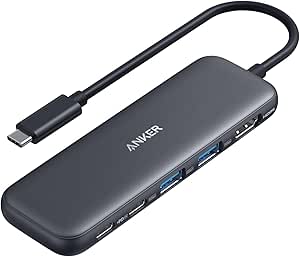 | Best Value Pick | Ports: HDMI, USB-C data, USB-A, USB-C PD-IN | HDMI Resolution: 4K@30Hz | Data Transfer Speed: up to 5 Gbps | VIEW ON AMAZON | See Our Full Breakdown |
| Hiearcool 7-in-1 USB C Hub, USB C Dongle for MacBook, Space Gray |  | Best for MacBook Users | Number of Ports: 7 | HDMI Output: 4K@30Hz | USB 3.0 Ports: 2 | VIEW ON AMAZON | See Our Full Breakdown |
| Benfei 7-in-1 USB-C Hub with HDMI, 100W Power Delivery, USB 3.0, SD/TF Card Reader |  | Best for Media & Data Transfer | HDMI Output: 4K@60Hz | USB Ports: 3 x USB 3.0 | SD/TF Card Reader: Yes | VIEW ON AMAZON | See Our Full Breakdown |
| Plugable USB-C Hub 5-in-1, USBC to HDMI Adapter 4K@60Hz, Multiport Adapter |  | Best Compact Travel Option | Hardware Interface: HDMI, USB 2.0, USB 3.0, USB Type C | Additional Features: Heat Resistant, Indicator Light, Lightweight | Compatible Devices: USB-C with DP Alt Mode, Thunderbolt 3/4/5 | VIEW ON AMAZON | See Our Full Breakdown |
| 5 in 1 USB C Hub, 4K USB-C to HDMI Multiport Adapter for Laptop and Mac |  | Best Overall | Hardware Interface: HDMI, USB 2.0, USB 3.0, USB Type C | Compatible Devices: Desktops, Keyboards, Laptops, Tablets, MacBook M1/M2/M3/M4/M5, iPad Pro/Air, Galaxy S22/S26, Windows and Mac computers supporting USB-C with DP Alt Mode and Power Delivery | Total USB Ports: 3 | VIEW ON AMAZON | See Our Full Breakdown |
| UANTIN USB C Hub, 5-in-1 Multiport Adapter for Laptop and Mac Devices |  | Best Value Pick | Hardware Interface: HDMI, USB 2.0, USB 3.0, USB Type C | Additional Features: Fast Charging, Fast Data Transfer, Plug and Play, Portable | Compatible Devices: USB-C Devices with DisplayPort Alt Mode (e.g., MacBook, iPad Pro, Surface, Dell XPS, ThinkPad) | VIEW ON AMAZON | See Our Full Breakdown |
| Anker USB-C Hub, 5-in-1 USB Hub for Laptops, 4K HDMI Multiport Adapter |  | Best Premium | Ports: 2 USB-A 2.0, 1 USB-A 3.0, 1 HDMI | Power Delivery: Yes, 90W pass-through | Input Power: 100W total, reserving 10W for operation | VIEW ON AMAZON | See Our Full Breakdown |
| 5in1 usbc adapter | Power Delivery |
|---|---|
| UGREEN USB C Hub 5-in-1 Revodo | — |
| UGREEN USB C Hub 5-in-1 Multip | 100W |
| MOKiN USB C Hub HDMI Adapter | 100W (87W max) |
| Acer 5-in-1 USB C Hub with 4K | 100W |
| BENFEI USB C Hub 5-in-1 with 4 | Supports up to 100W |
| Acer USB C Hub | 100W input, 90W output |
| Anker USB C Hub | — |
| Hiearcool 7-in-1 USB C Hub | 100W |
| Benfei 7-in-1 USB-C Hub with H | 100W |
| Plugable USB-C Hub 5-in-1 | — |
| 5 in 1 USB C Hub | — |
| UANTIN USB C Hub | — |
| Anker USB-C Hub | Yes, 90W pass-through |
More Details on Our Top Picks
UGREEN USB C Hub 5-in-1 Revodok, Slim Portable USB-C Adapter
This UGREEN model stands out for its ultra-slim, lightweight design, making it ideal for users who need connectivity on the go. Unlike larger hubs like the BENFEI 5-in-1, it sacrifices additional ports for portability, but still offers essential features like 4K HDMI output and 100W Power Delivery. Its plastic enclosure keeps weight down, though this may impact durability over time. The hub’s compatibility is geared toward Apple devices, which is a plus for MacBook users seeking a sleek, minimal accessory. However, the limited port count and plastic build mean it’s less suited for users with extensive connectivity needs or those requiring rugged durability. If portability and Apple compatibility are priorities, this pick excels, but it’s not ideal for heavy-duty or multi-device setups.
Pros:- Extremely compact and lightweight for portability
- Supports 4K HDMI output and 100W charging
- Ideal for Apple devices with minimal bulk
Cons:- Limited to 3 USB ports, restricting expansion
- Plastic enclosure may reduce durability over time
Best for: Travelers and professionals who prioritize lightweight, portable connectivity with Apple devices.
Not ideal for: Power users who need multiple USB ports or a durable chassis for frequent use.
- Hardware Interface:USB Type C
- Additional Features:Lock-Screen Button, Cable Clip, 100W PD Charging, 4K@60Hz HDMI
- Compatible Devices:Macbook M5/M4/M3/M2/M1
- Total USB Ports:3
- Data Transfer Rate:10 gigabits_per_second
- Operating System:iOS, macOS
Our verdict“Great for MacBook users needing a slim, portable hub but not suited for extensive peripheral setups.”
UGREEN USB C Hub 5-in-1 Multiport USB Adapter with 4K HDMI and 100W Power Delivery
Compared to the Revodok, this UGREEN model offers greater port variety, including a dedicated 5 Gbps USB-A port and two 480 Mbps USB-A ports, making it more suitable for users who need multiple peripherals. It supports 4K HDMI output, which is comparable to other models like the MOKiN 7-in-1, but with a straightforward 5-port layout that emphasizes essential connectivity. The 100W Power Delivery ensures rapid charging, though it lacks additional features like SD card readers or Ethernet. Its design is practical for users who want a reliable, all-in-one solution without excess bulk. Unlike the Acer 5-in-1, it doesn’t require specific host support like DP Alt Mode, broadening device compatibility. This is a solid choice for those who prioritize port variety and high-quality video output in a simple form factor.
Pros:- Supports 4K HDMI at 60Hz for crisp visuals
- Includes a dedicated high-speed USB-A port
- Provides 100W Power Delivery for fast charging
Cons:- Limited to 5 ports, restricting extensive device connections
- Lacks SD card reader and Ethernet options
Best for: Professionals and students who need reliable, multi-peripheral connectivity with high-quality video output.
Not ideal for: Users who require SD card access or Ethernet connectivity, as these are absent.
- Number of ports:5
- HDMI resolution:4K
- Power Delivery:100W
- USB A ports:3 (one 5 Gbps, two 480 Mbps)
Our verdict“Ideal for users needing a straightforward, high-performance hub with multiple USB-A ports and 4K HDMI support.”
MOKiN USB C Hub HDMI Adapter, 7-in-1 Dongle with SD/TF Card Reader, 100W PD, and USB 3.0 Ports
The MOKiN 7-in-1 offers a comprehensive set of features including SD/TF card readers and two USB 3.0 ports, making it especially appealing to photographers, videographers, and designers. Its support for 4K@60Hz HDMI output ensures smooth visuals, rivaling the capabilities of the more compact UGREEN model but with added versatility. The 100W Power Delivery can charge most laptops efficiently, although it supports up to 87W, slightly less than some competitors. Compared to the BENFEI 7-in-1, it provides more modern USB ports and better video output options, but its bulkier size might be less appealing for mobile users. The limited single drive connection for HDD/SSD may be a constraint for some workflows. Overall, this hub balances multiple features with reliable performance, suitable for professional use where multiple peripherals are needed.
Pros:- Supports 4K UHD video at 60Hz for sharp visuals
- Includes SD and TF card readers for quick media access
- Provides 2 USB 3.0 ports for fast data transfer
Cons:- Limited to one HDD/SSD connection at a time
- Charging limited to 87W, not full 100W
Best for: Creative professionals and power users who need multiple ports, SD card support, and high-resolution video.
Not ideal for: Users seeking a lightweight, minimalist hub or those with limited space for cable management.
- HDMI Output:4K@60Hz
- USB 3.0 Ports:2
- Power Delivery:100W (87W max)
- SD/TF Card Reader:Yes
Our verdict“Best suited for creative professionals needing multiple data and media ports along with high-quality video output.”
Acer 5-in-1 USB C Hub with 4K HDMI, 100W Power Delivery, 3 USB A Ports
The Acer 5-in-1 provides a balanced mix of features, including 4K HDMI at 30Hz and 100W Power Delivery, similar to mid-range hubs like the BENFEI. Its USB port selection—one USB 3.0 and two USB 2.0—may limit data transfer speeds compared to more premium options like the MOKiN. The HDMI output’s reliance on DP Alt Mode or Thunderbolt support makes compatibility dependent on the host device, which could be a concern for some users. Its compact size makes it suitable for travel, but the need for specific host support and limited port options might restrict its usefulness for heavier workloads. It’s a practical choice for users who want reliable video and charging in a simple package, especially on devices with compatible ports.
Pros:- Supports 4K resolution for clear visuals
- Powerful 100W charging capability
- Compact and lightweight for portability
Cons:- HDMI requires DP Alt Mode or Thunderbolt support
- Limited USB port speeds and types
Best for: Budget-conscious users who need decent video output and charging without extra bells and whistles.
Not ideal for: Power users needing multiple high-speed data ports or SD card support.
- HDMI Output:4K 30Hz
- Power Delivery:100W
- USB Ports:1 USB 3.0, 2 USB 2.0
- Compatibility:Requires DP Alt Mode or Thunderbolt 3/4
Our verdict“Suitable for users needing a straightforward hub with 4K HDMI and high-wattage charging on compatible devices.”
BENFEI USB C Hub 5-in-1 with 4K HDMI, 100W Power Delivery, 3 USB-A Ports, Aluminum Case, Compatible with MacBook Pro/Air, iPad Pro, iMac, iPhone 15 Pro/Pro Max, XPS, Thinkpad
This BENFEI hub combines a sleek aluminum case with reliable performance, making it ideal for mobile professionals. Its support for 4K HDMI at 30Hz and 100W Power Delivery matches other budget-friendly hubs like the Acer, but with a more premium feel and durable construction. The three USB-A ports support fast data transfer, though it lacks SD card readers or Ethernet, limiting its versatility for certain workflows. Compared to the more feature-rich MOKiN, it prioritizes style and portability, but the lower HDMI refresh rate and limited port variety may not satisfy users with demanding multimedia or peripheral needs. Its all-metal build offers better durability, making it a good choice for those who need a stylish, resilient hub for daily use.
Pros:- Premium aluminum case for durability and style
- Supports 4K HDMI at 30Hz and 100W charging
- Lightweight and portable for travel
Cons:- Limited to 3 USB-A ports, restricting device connections
- No SD card reader or Ethernet
Best for: Mobile professionals who value style, durability, and decent connectivity in a compact form.
Not ideal for: Creative users requiring multiple media ports or high-speed data connections.
- Hardware Interface:USB Type C
- Additional Features:Silicone and Woven Design Cable
- Compatible Devices:MacBook Pro, iMac, Surface Book 2, Pixelbook, Galaxy Book, Dell XPS 13/15
- Total USB Ports:3
- Data Transfer Rate:10 Gbps
- Power Delivery:Supports up to 100W
- Video Output:Supports 4K 30Hz HDMI
Our verdict“A stylish, durable hub ideal for mobile professionals who want reliable performance without excess complexity.”
Acer USB C Hub, 5-in-1 USB-C to HDMI Adapter with 4K@60Hz for Laptop/Mac
This Acer USB C Hub stands out for delivering a reliable combination of high-resolution video, robust power delivery, and portability. Compared with the Hiearcool 7-in-1, it offers a cleaner, more compact design that appeals to professionals on the go. However, unlike the Benfei 7-in-1, it doesn’t support SD/TF card slots, which might limit content creators. Its support for 4K@60Hz HDMI ensures sharp visuals for presentations or gaming, while the 100W pass-through charging keeps laptops powered during extended use. The aluminum shell adds durability, though it requires a separate power adapter for full charging capacity, a small inconvenience. Overall, this hub makes the most sense for users needing high-quality video and power in a lightweight package.
Pros:- Supports 4K@60Hz HDMI output for crisp visuals
- Provides 100W pass-through charging for uninterrupted power
- Compact, lightweight design ideal for travel
- Fast data transfer with USB 3.0 ports
Cons:- Ultrawide monitors are not supported
- Power adapter not included, limiting full charging capacity
Best for: Professionals and power users who prioritize high-resolution video, fast charging, and sleek portability.
Not ideal for: Content creators or users needing extensive media slots like SD/TF cards, or for those on a tight budget.
- HDMI Output:4K@60Hz
- Power Delivery:100W input, 90W output
- USB-C Port:USB 3.0, 5Gbps
- USB-A Ports:USB 3.0/2.0
- Material:Aluminum shell
- Compatibility:Windows, macOS, ChromeOS
Our verdict“This hub suits users who need high-quality video, fast charging, and portability in a single device.”
Anker USB C Hub, 5-in-1 USB-C to HDMI Splitter with 4K Display
The Anker 5-in-1 USB C Hub balances affordability with versatile connectivity, making it appealing for everyday users. Unlike the Plugable 5-in-1, it offers a slightly lower HDMI resolution of 4K@30Hz, which may matter for high-end video editing or gaming. Its pass-through charging up to 85W is sufficient for most laptops, though not as high as some premium options, and the lack of video support on the USB-C ports requires users to connect their displays through the dedicated HDMI. The multiple USB-A ports enable peripherals, but the absence of SD/TF slots limits media transfer options. This pick suits users who want reliable functionality without paying extra for features they may not need.
Pros:- Supports 4K@30Hz HDMI output for clear visuals
- Pass-through charging up to 85W keeps devices powered
- Multiple ports for peripherals and data transfer
- Compatible with a wide range of laptops and tablets
Cons:- USB-C ports do not support video output
- Requires separate charger for full power
- Limited to 4K@30Hz, lower than some competitors
Best for: Budget-conscious users needing dependable video and data ports for daily tasks.
Not ideal for: Media creators or professionals requiring high refresh rate video or SD/TF media slots.
- Ports:HDMI, USB-C data, USB-A, USB-C PD-IN
- HDMI Resolution:4K@30Hz
- Data Transfer Speed:up to 5 Gbps
- Pass-Through Charging:up to 85W
- Compatibility:MacBook, Windows, ChromeOS, Thunderbolt, USB4
Our verdict“This hub offers solid value for everyday users who need reliable connectivity at a budget-friendly price.”
Hiearcool 7-in-1 USB C Hub, USB C Dongle for MacBook, Space Gray
The Hiearcool 7-in-1 excels for MacBook users needing a comprehensive dongle that combines video, data, and media expansion. Its support for 4K@30Hz HDMI output is adequate for presentations, but falls behind the 4K@60Hz options like the Acer Hub. The two USB 3.0 ports are useful but may be limiting if more peripherals are connected. Its 100W pass-through charging is compatible with MacBooks, and the SD/TF card slots add media flexibility. The aluminum build matches MacBook aesthetics but may be less compatible with non-MacBook devices, especially those requiring higher refresh rates or additional media slots. It’s best suited for MacBook owners who prioritize portability and basic multimedia functions.
Pros:- Supports 4K@30Hz HDMI output for presentations
- Power delivery pass-through supports 100W charging
- Sleek space gray design matches MacBook
- Includes SD/TF card slots for media transfer
Cons:- Limited to 4K@30Hz, not ideal for high-refresh gaming or editing
- Only two USB 3.0 ports may restrict peripherals
- Compatibility issues with non-Mac devices for high-demand tasks
Best for: MacBook users who want a compact, stylish hub with essential media and charging features.
Not ideal for: Power users needing high refresh rate video or extensive media slots, or Windows/Linux users requiring broader compatibility.
- Number of Ports:7
- HDMI Output:4K@30Hz
- USB 3.0 Ports:2
- SD/TF Card Slots:Yes
- Power Delivery:100W
- Color:Space Gray
Our verdict“This hub fits MacBook users seeking a portable, stylish solution with essential media and charging support.”
Benfei 7-in-1 USB-C Hub with HDMI, 100W Power Delivery, USB 3.0, SD/TF Card Reader
The Benfei 7-in-1 combines high-resolution video, multiple USB ports, and media slots, making it especially suitable for media professionals and content creators. Its support for 4K@60Hz HDMI output rivals premium hubs like the Acer, but it also adds SD/TF card slots, which are missing on some competitors. Data transfer speeds up to 5Gbps and a 100W Power Delivery port provide reliable media and device management. However, it requires a device with DisplayPort Alt Mode support for video and may need the PD port connected for stable video output on smartphones. Compared to the Anker Hub, it offers more media options but may be slightly bulkier and less elegant.
Pros:- Supports 4K@60Hz HDMI output for smooth visuals
- Includes SD/TF card readers for media transfer
- Supports fast data transfer up to 5Gbps
- Provides 100W charging for laptops
Cons:- Requires device with DP Alt Mode for video output
- PD port may need connection for stable video on some devices
- Slightly larger and heavier than minimalist hubs
Best for: Content creators and media professionals who need high-quality video, media slots, and reliable charging.
Not ideal for: Users with devices lacking DisplayPort Alt Mode support or those seeking ultra-compact options.
- HDMI Output:4K@60Hz
- USB Ports:3 x USB 3.0
- SD/TF Card Reader:Yes
- Power Delivery:100W
- Material:Aluminium alloy
Our verdict“Ideal for media-focused users who need high-resolution video, media slots, and dependable power delivery in one device.”
Plugable USB-C Hub 5-in-1, USBC to HDMI Adapter 4K@60Hz, Multiport Adapter
The Plugable 5-in-1 hub is crafted for travelers who need reliable video and charging in a minimal profile. Its support for 4K@60Hz HDMI output aligns with larger, more expensive hubs like the Acer, but its USB-C PD port doesn’t support data transfer, which limits its versatility. The aluminum enclosure enhances durability, but the USB ports are not recommended for charging devices, favoring data transfer or peripherals instead. It’s especially suitable for users with devices supporting DP Alt Mode, as it offers straightforward plug-and-play operation. Compared to the Anker model, it’s more portable but less flexible for powering multiple peripherals simultaneously.
Pros:- Supports 4K@60Hz HDMI output with HDR and HDCP 2.3
- Compact, lightweight, and durable aluminum design
- Easy to carry and set up for on-the-go use
Cons:- USB-C PD port does not support data transfer or video
- USB ports are not suitable for charging devices
- Requires host device support for DP Alt Mode
Best for: Travelers and professionals who prioritize portability and straightforward display output over extensive peripheral support.
Not ideal for: Power users needing multiple charging ports or media slots, or those with devices lacking DP Alt Mode support.
- Hardware Interface:HDMI, USB 2.0, USB 3.0, USB Type C
- Additional Features:Heat Resistant, Indicator Light, Lightweight
- Compatible Devices:USB-C with DP Alt Mode, Thunderbolt 3/4/5
- Total USB Ports:3
- Color:Grey
- Enclosure Material:Aluminum
Our verdict“This hub suits travelers looking for a simple, reliable way to connect a monitor and charge their device with minimal bulk.”
5 in 1 USB C Hub, 4K USB-C to HDMI Multiport Adapter for Laptop and Mac
This 5-in-1 USB C hub stands out for its comprehensive connectivity, supporting 4K visuals with vivid detail and multiple ports including HDMI, USB 3.0, and USB 2.0. Compared to the Anker model, it provides a slightly more versatile port selection, though its USB-C power port is limited to host charging only, which might be a drawback for users needing peripheral power. Its lightweight design makes it ideal for frequent travelers who value portability, but it requires a host device supporting DP Alt Mode for video output. The multiple USB ports and 4K support make it suitable for professional and casual use alike. However, the USB-C power port’s limitation means it cannot power peripherals directly. This pick makes the most sense for users who need a multi-functional, travel-ready hub that prioritizes versatility over power delivery on peripherals.Pros:- Supports 4K visuals with vivid colors and detail
- Provides multiple ports including HDMI, USB 3.0, and USB 2.0
- Compact, lightweight, and portable design
Cons:- USB-C power delivery port is only for host charging, not peripheral power
- Requires host device to support DP Alt Mode for video output
Best for: Travelers and professionals who need a compact, all-in-one hub for diverse devices and presentations.
Not ideal for: Users requiring to power multiple peripherals simultaneously, as the hub’s USB-C port only supports host charging.
- Hardware Interface:HDMI, USB 2.0, USB 3.0, USB Type C
- Compatible Devices:Desktops, Keyboards, Laptops, Tablets, MacBook M1/M2/M3/M4/M5, iPad Pro/Air, Galaxy S22/S26, Windows and Mac computers supporting USB-C with DP Alt Mode and Power Delivery
- Total USB Ports:3
- Number of Ports:5
- Total HDMI Ports:1
- Item Weight:20 g
Our verdict“This hub is best for users who prioritize portability and multiport versatility in a lightweight package.”
UANTIN USB C Hub, 5-in-1 Multiport Adapter for Laptop and Mac Devices
The UANTIN USB C Hub offers a solid balance of features for its price, supporting 4K video output and fast data transfer with a 5 Gbps rate, comparable to the Anker model but often at a more accessible price point. Its 100W pass-through charging ensures uninterrupted power, making it ideal for users who work long hours on the go. The aluminum and nylon braided construction provides durability, and its plug-and-play design simplifies setup. However, it’s limited to DisplayPort Alt Mode devices, so users with incompatible hardware may find it less useful. Unlike the Anker, it doesn’t support Linux, and its HDMI output maxes out at 30Hz at 4K, which could be a concern for some. This adapter suits buyers who want reliable performance without extra bells and whistles, especially those on a budget.Pros:- Supports 4K video output and high-speed data transfer
- Includes 100W pass-through charging for continuous power
- Durable aluminum and nylon braided design, portable for travel
Cons:- Limited to DisplayPort Alt Mode compatible devices
- No data transfer capability on the PD charging port
- HDMI limited to 30Hz at 4K resolution
Best for: Budget-conscious professionals who need a reliable, portable hub with high-speed data and video support.
Not ideal for: Power users with extensive peripherals or those needing Linux compatibility, as the device is limited in some OS environments and port functionalities.
- Hardware Interface:HDMI, USB 2.0, USB 3.0, USB Type C
- Additional Features:Fast Charging, Fast Data Transfer, Plug and Play, Portable
- Compatible Devices:USB-C Devices with DisplayPort Alt Mode (e.g., MacBook, iPad Pro, Surface, Dell XPS, ThinkPad)
- Total USB Ports:4
- Data Transfer Rate:5 Gbps
- Operating System:macOS
- Color:Gary
- Enclosure Material:Aluminum, Nylon Braided
- Item Dimensions:3.94″L x 0.95″W x 0.39″H
Our verdict“This hub offers excellent value for users who need dependable performance on the go without extensive port options.”
Anker USB-C Hub, 5-in-1 USB Hub for Laptops, 4K HDMI Multiport Adapter
The Anker USB-C Hub excels in combining multiple ports—including HDMI, USB-A 2.0, and USB-A 3.0—in a compact form, supporting 4K at 30Hz and 90W pass-through power, making it suitable for demanding users. Its support for a broad range of operating systems and DP Alt Mode laptops puts it ahead of many competitors like UGREEN, which offers similar features but with a limited HDMI output at 30Hz. However, it doesn’t support Linux, and the HDMI output’s refresh rate may not satisfy those seeking smooth 4K visuals at 60Hz. The external power supply requirement and limited HDMI bandwidth are tradeoffs for its robust feature set. This model makes sense for professionals who prioritize high-quality display output and reliable power delivery in a sleek, portable package.Pros:- Supports multiple connectivity options in a compact design
- Supports 4K video output, though limited to 30Hz
- Includes 90W pass-through charging for laptops
Cons:- Limited to 30Hz at 4K resolution
- Requires an external wall charger (not included)
- No native Linux support
Best for: Power users and professionals who need dependable 4K output and robust connectivity with a premium build quality.
Not ideal for: Linux users or those requiring 60Hz 4K output, as the HDMI is capped at 30Hz and external power is needed.
- Ports:2 USB-A 2.0, 1 USB-A 3.0, 1 HDMI
- Power Delivery:Yes, 90W pass-through
- Input Power:100W total, reserving 10W for operation
- Video Output:4K at 30Hz
- Compatibility:macOS 12+, Windows 10/11, ChromeOS, DP Alt Mode laptops
Our verdict“Ideal for professionals needing a sleek, reliable hub with solid display and power features, but not for those demanding 60Hz 4K output.”

How We Picked
Each adapter was evaluated based on performance, build quality, port selection, and ease of use. We prioritized devices that offer reliable data transfer, stable video output, and sufficient power delivery to support everyday tasks and professional workflows. Durability and compatibility across popular devices were also key factors, along with user-friendly design and value for money. To rank these options, we considered real-world use cases, ensuring each product meets different buyer needs from casual users to power users. This approach helps identify the best overall, best value, and specialized picks for various budgets and priorities.Factors to Consider When Choosing 5in1 Usbc Adapters
Choosing the right 5in1 USB-C adapter involves understanding your specific device needs and how you plan to use it. Besides port variety, factors like build quality, power delivery, and video support play crucial roles in ensuring long-term satisfaction. It’s also important to consider compatibility and size, especially if you travel frequently or need a portable solution. Being aware of common pitfalls, such as sacrificing quality for lower prices or overlooking port configurations, can help you make a smarter choice. Here are the key factors to consider:Port Selection and Versatility
Look for adapters that include a balanced mix of ports, such as HDMI, USB-A, SD card slots, and power delivery. Consider your primary use case—whether connecting multiple peripherals, external displays, or charging devices—and choose an adapter that offers the necessary ports without excess clutter. Remember, having too many ports can lead to a bulkier device, while too few limits functionality. Prioritize adapters that provide flexibility for your typical tasks, but be wary of models that omit essential ports for your workflow.
Build Quality and Durability
An adapter’s construction affects its lifespan and reliability. Opt for models with sturdy materials like aluminum or reinforced plastic, which resist wear and tear from daily use. Cheap plastic housings may save money initially but tend to break or degrade faster. Pay attention to the quality of the connectors and cables—loose or flimsy connections can cause intermittent performance issues. Investing in a well-built adapter can save money and frustration over time.
Power Delivery and Data Speed
Fast charging and quick data transfer are key for productivity. Check that the adapter supports at least 60W or higher power delivery if you need to charge a laptop while using it. For fast data transfer, look for USB 3.0 or higher ports, ensuring compatibility with your external drives and peripherals. Some adapters may offer lower wattage or slower data rates, which could bottleneck your workflow. Balancing power and speed with your device’s capabilities is essential for seamless performance.
Size, Portability, and Compatibility
If you travel frequently or work on the go, choose a compact, lightweight adapter that easily fits in your bag. However, smaller models might sacrifice port options or heat dissipation. Compatibility with your specific laptop or device is critical—verify that the adapter supports your device’s operating system and port standards. Some adapters are optimized for MacBooks, while others work better with Windows or Android tablets. Reading compatibility details carefully prevents frustration and ensures the adapter will work as intended.
Price and Value
While budget options may seem appealing, they often cut corners on build quality or port selection. Higher-priced adapters tend to offer better durability, more ports, and faster performance, which can justify the investment if you rely heavily on external peripherals. Consider your usage frequency and whether the extra features align with your needs—sometimes paying more results in a more reliable, long-lasting device. Avoid sacrificing quality for a lower price if you plan to use the adapter daily or professionally.
Frequently Asked Questions
Can I use a 5in1 USB-C adapter for gaming or high-performance tasks?
Many 5in1 USB-C adapters can handle casual gaming or moderate workloads, especially if they support 4K video output and high data transfer speeds. However, for intensive gaming or professional tasks like video editing, you should prioritize adapters with higher data transfer rates, stable video output, and robust build quality. Some models may struggle with sustained high loads, causing overheating or degraded performance. Always check the specifications to ensure the adapter can meet your performance demands over longer periods.
Will a 5in1 USB-C adapter work with my iPad Pro or other tablets?
Most modern 5in1 USB-C adapters are compatible with tablets like the iPad Pro, provided the device supports USB-C and power delivery. It’s important to verify that the adapter supports the power requirements of your tablet and that the ports are compatible. Some adapters are optimized for laptops and may not fully support all tablet features, especially if they lack specific driver support or power delivery standards. Reading device compatibility notes ensures the adapter will function smoothly with your tablet.
Is it better to choose a smaller or larger 5in1 USB-C adapter?
Size often reflects a tradeoff between portability and port availability. Smaller adapters are easier to carry and fit into tight spaces but may have fewer ports or less effective heat dissipation. Larger models tend to include more ports and better heat management but sacrifice portability. The best choice depends on your usage—if mobility is key, opt for a compact, lightweight model; if you need more connectivity options, a slightly larger, more feature-rich adapter may be preferable.
Are there any compatibility issues I should be aware of?
Compatibility issues can arise from differences in device standards, operating systems, or power requirements. Always check whether the adapter supports your device’s OS and hardware specifications. Some adapters may require specific drivers or firmware updates to function correctly. Also, verify that your device’s USB-C port supports data transfer, video output, and power delivery—these features are not universal across all USB-C ports. Confirming compatibility beforehand helps avoid frustration and ensures seamless connectivity.
How do I know if an adapter supports 4K video output?
Look for adapters that explicitly state support for 4K resolution at 60Hz or higher. The HDMI or DisplayPort specifications included will indicate this capability. Keep in mind that achieving 4K at higher refresh rates requires a compatible cable and device support. Some adapters may only support lower resolutions or reduced refresh rates, which can affect your viewing experience. Checking the detailed specs ensures you select an adapter capable of meeting your display needs.
Conclusion
The best overall 5in1 USB-C adapter balances port options, durability, and performance, making it suitable for most users. For those seeking the best value, budget-friendly models deliver essential features without unnecessary extras. Power users and professionals should consider premium options with higher wattage and build quality for long-term reliability. Beginners or casual users can start with simpler, more straightforward models that prioritize portability and ease of use. For specialized needs like high-resolution displays or frequent travel, selecting an adapter with the right mix of ports and size will ensure smooth operation and future-proofing.
Halloween Picks
halloween
As an affiliate, we earn on qualifying purchases.