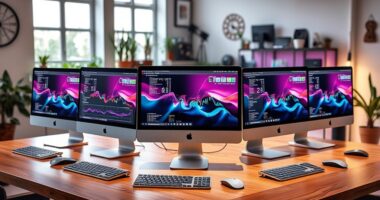
For a 32-inch 4K IPS productivity monitor, my best overall pick is the Dell P3225QE for its work-focused USB-C connectivity. The BenQ PD3205U stands out for creative workflows, while the ViewSonic VX3267U-4K offers 65W USB-C for a simpler laptop setup. The main tradeoffs are how much you value one-cable docking, specialized color tools, and lower-cost essentials over extra connectivity. This roundup also includes two LG options, Samsung ViewFinity models, and a two-monitor bundle for buyers outfitting more than one workspace. Read on for the full breakdown and a guide to choosing the right fit.

Get business pricing on tech for your team
- Business-only prices and quantity discounts
- Tax-exempt purchasing
- Multiple users, one account, clear invoices
Key Takeaways
- The Dell P3225QE is the best overall fit for desk-based work among these picks because its USB-C focus suits laptop users who want display and charging through one connection.
- The BenQ PD3205U is the clearest creative-work choice, while the Dell and ViewSonic models prioritize convenient laptop connections.
- USB-C power delivery separates useful work monitors from basic displays: check the wattage against your laptop before assuming one cable can replace its charger.
- The two LG 32UP83 models and two Samsung ViewFinity models make model-number checks worthwhile; similar names do not by themselves confirm identical ports or features.
- The Kado two-pack serves a different buyer from the single-screen picks, but dual displays need enough desk width, matching connections, and suitable computer outputs.
| Sceptre 32-Inch 4K UHD IPS Monitor, 70Hz, 2 DisplayPort, 2 HDMI, Built-In Speakers, Black |  | Best for Multiple Computers | Screen size: 32 inches | Resolution: 3840 × 2160 (4K UHD) | Panel type: IPS LCD | VIEW ON AMAZON | See Our Full Breakdown |
| Dell P3225QE 31.5-Inch 4K UHD USB-C IPS Monitor |  | Best Overall for USB-C Productivity | Screen size: 31.5 inches | Resolution: 3840 × 2160 (4K UHD) | Panel type: IPS | VIEW ON AMAZON | See Our Full Breakdown |
| LG 32UR500K-B 32-Inch 4K UHD HDR10 Monitor with Built-In Speakers |  | Best for Built-In Audio and Contrast | Screen size: 31.5 inches | Resolution: 3840 × 2160 (4K UHD) | Display technology: VA LED | VIEW ON AMAZON | See Our Full Breakdown |
| BenQ PD3205U 31.5-Inch 4K UHD IPS Monitor |  | Best for Color-Critical Creative Work | Screen size: 31.5 inches | Resolution: 3840 × 2160 (4K UHD) | Panel type: IPS | VIEW ON AMAZON | See Our Full Breakdown |
| LG 32UP83A-W 32-Inch 4K UHD IPS Monitor |  | Best for Flexible Ergonomics | Screen size: 32 inches | Resolution: 3840 × 2160 (4K UHD) | Panel type: IPS | VIEW ON AMAZON | See Our Full Breakdown |
| Samsung 32-Inch ViewFinity S7 (S71H) 4K UHD IPS Monitor |  | Best for Everyday Eye Comfort | Screen size: 32 inches | Resolution: 3840 × 2160 (4K UHD) | Panel type: IPS | VIEW ON AMAZON | See Our Full Breakdown |
| 32-Inch 4K UHD IPS Monitor |  | Best for Multi-Device Desktop Setups | Screen size: 32 inches | Resolution: 3840 × 2160 (4K UHD) | Aspect ratio: 16:9 | VIEW ON AMAZON | See Our Full Breakdown |
| ASUS VP327Q 31.5-Inch 4K UHD IPS Monitor |  | Best for Built-In Audio and Color Coverage | Screen size: 31.5 inches | Resolution: 4K UHD | Panel and viewing angle: IPS; 178 degrees | VIEW ON AMAZON | See Our Full Breakdown |
| ViewSonic VX3267U-4K 32-Inch 4K UHD IPS Monitor with HDR10 and 65W USB-C |  | Best for USB-C Laptop Workstations | Screen size: 32 inches | Resolution: 3840 × 2160 (4K UHD) | Panel type: IPS | VIEW ON AMAZON | See Our Full Breakdown |
| Kado 2-Pack 32-Inch 4K UHD Computer Monitors |  | Best for Dual-Screen Setups | Quantity: 2 monitors | Screen size: 32 inches each | Resolution: 3840 × 2160 (4K UHD) | VIEW ON AMAZON | See Our Full Breakdown |
| LG 32UP83AK-W 32-Inch 4K UHD IPS Monitor |  | Best for Single-Cable Laptop Setups | Screen size: 31.5 inches | Resolution: 3840 × 2160 (4K UHD) | Panel type: IPS | VIEW ON AMAZON | See Our Full Breakdown |
| Samsung ViewFinity S8 32-inch 4K UHD Monitor (S80D) |  | Best for Ergonomic Office Work | Screen size: 32 inches | Resolution: 3840 × 2160 (4K UHD) | HDR: HDR10 | VIEW ON AMAZON | See Our Full Breakdown |
| 32inch 4k ips productivity monitor | Screen size | Resolution | Panel type | HDR |
|---|---|---|---|---|
| Sceptre 32-Inch 4K UHD IPS Mon | 32 inches | 3840 × 2160 (4K UHD) | IPS LCD | — |
| Dell P3225QE 31.5-Inch 4K UHD | 31.5 inches | 3840 × 2160 (4K UHD) | IPS | — |
| LG 32UR500K-B 32-Inch 4K UHD H | 31.5 inches | 3840 × 2160 (4K UHD) | — | HDR10 |
| BenQ PD3205U 31.5-Inch 4K UHD | 31.5 inches | 3840 × 2160 (4K UHD) | IPS | — |
| LG 32UP83A-W 32-Inch 4K UHD IP | 32 inches | 3840 × 2160 (4K UHD) | IPS | HDR10 |
| Samsung 32-Inch ViewFinity S7 | 32 inches | 3840 × 2160 (4K UHD) | IPS | HDR10 |
| 32-Inch 4K UHD IPS Monitor | 32 inches | 3840 × 2160 (4K UHD) | — | — |
| ASUS VP327Q 31.5-Inch 4K UHD I | 31.5 inches | 4K UHD | — | HDR-10 |
| ViewSonic VX3267U-4K 32-Inch 4 | 32 inches | 3840 × 2160 (4K UHD) | IPS | HDR10 |
| Kado 2-Pack 32-Inch 4K UHD Com | 32 inches each | 3840 × 2160 (4K UHD) | — | — |
| LG 32UP83AK-W 32-Inch 4K UHD I | 31.5 inches | 3840 × 2160 (4K UHD) | IPS | HDR10 |
| Samsung ViewFinity S8 32-inch | 32 inches | 3840 × 2160 (4K UHD) | — | HDR10 |
More Details on Our Top Picks
Sceptre 32-Inch 4K UHD IPS Monitor, 70Hz, 2 DisplayPort, 2 HDMI, Built-In Speakers, Black
The Sceptre makes switching among several work devices straightforward, with two DisplayPort inputs and two HDMI inputs on a single 32-inch screen. Its 4K IPS panel gives documents and spreadsheets room to breathe, while the matte finish and 178-degree viewing angles suit shared desks and varied seating positions. Compared with the Dell P3225QE, it offers more of these listed video inputs, but the Dell adds USB-C charging and a smoother 100Hz refresh rate. Sceptre’s 70Hz ceiling is a modest step above standard 60Hz, not a match for the Dell’s motion smoothness. Built-in speakers can handle basic audio, though their presence does not guarantee the clarity or volume of dedicated speakers. Choose it for a flexible multi-device desk; skip it if laptop charging over USB-C is central to your setup.
Pros:- 32-inch 4K IPS screen provides ample space for detailed office work.
- Two DisplayPort and two HDMI inputs support several connected devices.
- Matte finish and 178-degree viewing angles suit bright or shared workspaces.
- Built-in speakers and 100 × 100 mm VESA mounting add setup flexibility.
Cons:- 70Hz refresh rate is lower than the Dell P3225QE’s 100Hz.
- Built-in speakers may not provide satisfying sound for frequent calls or media.
Best for: People who regularly connect multiple desktops, laptops, or other video sources and want a large 4K screen.
Not ideal for: Laptop-first workers who want one-cable USB-C charging or a 100Hz display for smoother scrolling.
- Screen size:32 inches
- Resolution:3840 × 2160 (4K UHD)
- Panel type:IPS LCD
- Refresh rate:Up to 70Hz
- Screen finish:Matte
- Color gamut:100% sRGB
- Ports:2 × DisplayPort, 2 × HDMI
- VESA mount:100 × 100 mm
Our verdict“Choose the Sceptre if you want a 32-inch 4K IPS display with several video inputs for a multi-device desk.”
Dell P3225QE 31.5-Inch 4K UHD USB-C IPS Monitor
The Dell P3225QE brings together the features that matter most for a modern laptop-centered desk: 4K IPS resolution, 100Hz refresh, and USB-C power delivery up to 90W. A compatible laptop can connect, charge, and send its display through one cable, reducing desk clutter. The height, tilt, swivel, and pivot adjustments also make it easier to position the large screen for long work sessions. Compared with the BenQ PD3205U, Dell’s listed specifications include the faster 100Hz refresh, while BenQ adds creative-work tools such as KVM, DualView, and color certifications. Dell’s tradeoff is that the supplied information does not list those workflow extras or a speaker system, so buyers who need specialized color features should compare carefully. This is the most balanced fit here for everyday office work and frequent laptop docking.
Pros:- USB-C supports display and up to 90W laptop power delivery.
- 100Hz refresh rate makes scrolling and cursor movement smoother than 60Hz options.
- 99% sRGB coverage suits general office work and color-conscious tasks.
- Stand supports tilt, swivel, pivot, and height adjustment.
Cons:- The listed specifications do not include specialized workflow tools such as KVM or DualView.
- No built-in speakers are listed in the supplied product data.
Best for: Laptop users who want a large 4K workspace, single-cable USB-C charging, and a fully adjustable stand.
Not ideal for: Creative professionals who specifically need BenQ’s listed KVM, DualView, or Calman and Pantone certifications.
- Screen size:31.5 inches
- Resolution:3840 × 2160 (4K UHD)
- Panel type:IPS
- Refresh rate:100Hz
- Response time:5ms GTG (Fast)
- Color gamut:99% sRGB
- USB-C power delivery:Up to 90W
- Stand adjustments:Tilt, swivel, pivot, and height
Our verdict“Pick the Dell for a versatile laptop-first work setup with USB-C charging, 4K detail, and a 100Hz refresh rate.”
LG 32UR500K-B 32-Inch 4K UHD HDR10 Monitor with Built-In Speakers
The LG 32UR500K-B suits a desk that doubles as a place to watch video, with 4K resolution, HDR10 support, and built-in stereo speakers with Waves MaxxAudio. Its VA panel offers a different picture profile from the IPS models in this roundup, and the product data lists a 1000:1 contrast ratio. That makes it a distinct alternative to the Sceptre’s IPS panel, which lists 178-degree viewing angles and 100% sRGB coverage. The LG’s 60Hz refresh rate and tilt-only stand keep it less adaptable for fast scrolling or careful ergonomic positioning than the Dell P3225QE, whose stand adjusts in four ways. The LG adds HDMI and DisplayPort connections plus OnScreen Control, but that software requires installation. It makes sense for everyday work and media when USB-C charging is not a priority.
Pros:- 4K UHD resolution provides detailed space for work and media.
- HDR10 support and up to 90% DCI-P3 expression add media-focused color support.
- Built-in stereo speakers include Waves MaxxAudio.
- OnScreen Control supports workspace customization.
Cons:- 60Hz refresh rate is below the Dell P3225QE’s 100Hz and Sceptre’s 70Hz.
- Stand adjusts for tilt only, limiting ergonomic positioning.
- OnScreen Control requires software installation.
Best for: Home-office users who want a 4K screen with built-in stereo audio for documents, video, and general entertainment.
Not ideal for: Laptop dockers who need USB-C power delivery or users who want a stand with height and swivel adjustments.
- Screen size:31.5 inches
- Resolution:3840 × 2160 (4K UHD)
- Display technology:VA LED
- Refresh rate:60Hz
- Contrast ratio:1000:1
- HDR:HDR10
- Color gamut:Up to 90% DCI-P3 (description)
- Connectivity:2 × HDMI, 1 × DisplayPort
- Audio:Built-in stereo speakers with Waves MaxxAudio
Our verdict“Choose the LG if built-in audio and media-friendly features matter more than USB-C docking or a highly adjustable stand.”
BenQ PD3205U 31.5-Inch 4K UHD IPS Monitor
The BenQ PD3205U is the specialist choice for creative desks where a large 4K image needs dependable color coverage and useful workflow controls. It lists 99% sRGB and 99% Rec.709, along with Calman Verified and Pantone Validated certifications, giving color-conscious buyers more concrete guidance than the Dell P3225QE’s listed 99% sRGB alone. BenQ also includes KVM, DualView, and the Hotkey Puck G2, which can help people switch between devices or viewing modes without relying on the Dell’s simpler feature set. USB-C delivers up to 90W, and the stand adjusts in four directions. The tradeoff is that no refresh rate is provided in the supplied data, so buyers comparing motion performance cannot weigh it against Dell’s 100Hz. Its 31.5-inch footprint also calls for a spacious desk.
Pros:- 99% sRGB and 99% Rec.709 coverage target common creative color spaces.
- Calman Verified and Pantone Validated certifications support color-focused workflows.
- USB-C provides up to 90W power delivery.
- KVM, DualView, Hotkey Puck G2, and a fully adjustable stand support flexible workflows.
Cons:- 31.5-inch screen can take up substantial desk space.
- Refresh rate is not specified in the supplied product data.
- The listed color coverage focuses on sRGB and Rec.709 rather than DCI-P3.
Best for: Designers and content creators working primarily in sRGB or Rec.709 who want USB-C, device switching, and ergonomic positioning.
Not ideal for: People with compact desks or buyers prioritizing a confirmed high refresh rate for smooth motion.
- Screen size:31.5 inches
- Resolution:3840 × 2160 (4K UHD)
- Panel type:IPS
- Color coverage:99% sRGB and 99% Rec.709
- Certifications:Calman Verified; Pantone Validated
- USB-C power delivery:Up to 90W
- Features:KVM Switch, DualView, Hotkey Puck G2
- Stand adjustments:Tilt, swivel, pivot, and height
- Screen coating:Anti-glare
Our verdict“Choose the BenQ for certified sRGB and Rec.709 work with built-in workflow controls and USB-C laptop charging.”
LG 32UP83A-W 32-Inch 4K UHD IPS Monitor
The LG 32UP83A-W combines a 32-inch 4K IPS screen with a stand that adjusts for height, tilt, and pivot, making it a practical option for people who change posture or rotate the display for certain tasks. Its USB-C connection carries display and data while providing up to 60W of charging, a useful middle ground for compatible laptops. Compared with the BenQ PD3205U, the LG lists DCI-P3 95% typical coverage and HDR10, while BenQ specifies certifications for sRGB and Rec.709 and offers KVM and DualView tools. The LG’s 60Hz refresh rate is its clearest limitation beside the Dell P3225QE’s 100Hz, and its 60W charging is below the 90W Dell and BenQ provide. FreeSync and gaming features add flexibility, but this remains a work-oriented 60Hz display.
Pros:- Height, tilt, and pivot adjustments help tailor the screen position.
- USB-C carries display and data and provides up to 60W charging.
- 95% typical DCI-P3 coverage and HDR10 support suit varied visual work and media.
- AMD FreeSync, Dynamic Action Sync, and Black Stabilizer add gaming options.
Cons:- 60Hz refresh rate is lower than the Dell P3225QE’s 100Hz.
- 60W USB-C power delivery is less than the 90W offered by Dell and BenQ.
- The listed USB-C charging capacity may not suit higher-power laptops.
Best for: Hybrid workers who need an adjustable 4K IPS screen, USB-C charging for a compatible laptop, and occasional gaming features.
Not ideal for: Users who need 90W USB-C charging, a refresh rate above 60Hz, or BenQ’s listed creative workflow tools.
- Screen size:32 inches
- Resolution:3840 × 2160 (4K UHD)
- Panel type:IPS
- Refresh rate:60Hz
- HDR:HDR10
- Color gamut:DCI-P3 95% (typical)
- USB-C power delivery:Up to 60W
- Stand adjustments:Height, tilt, and pivot
- Connectivity:USB Type-C, HDMI, DisplayPort
Our verdict“Pick the LG if adjustable positioning and 60W USB-C charging matter more than a faster refresh rate or 90W laptop power.”
Samsung 32-Inch ViewFinity S7 (S71H) 4K UHD IPS Monitor
The ViewFinity S7 pairs 32-inch 4K resolution with an IPS panel, so documents and side-by-side windows stay sharp while the wide viewing angle helps when you shift around your desk. Its Eye Saver Mode and flicker reduction give it a comfort-focused advantage over the Kado 2-Pack, whose listed features emphasize dual-screen setup rather than viewing aids. HDR10 adds support for a broader range of image tones, though no brightness or color coverage figures are provided to show how far that benefit goes. HDMI and DisplayPort cover standard desktop connections, but this model does not list USB-C laptop charging like the ViewSonic VX3267U-4K. I’d shortlist it for straightforward work and viewing comfort; the missing refresh rate, speaker, and stand details make it harder to judge as a fully specified workstation.
Pros:- 4K UHD resolution provides room for detailed documents and multiple windows
- IPS panel has a 178° viewing angle
- TÜV-certified Eye Saver Mode and flicker reduction support comfortable viewing
- HDR10 support
Cons:- Refresh rate and response time are not specified
- Built-in speakers and adjustable stand features are not listed
- No USB-C connection is specified
Best for: Desk workers who want a large 4K IPS screen with documented eye comfort features and use HDMI or DisplayPort devices
Not ideal for: Laptop-first users who want one-cable USB-C charging or buyers who need confirmed speaker and stand specifications
- Screen size:32 inches
- Resolution:3840 × 2160 (4K UHD)
- Panel type:IPS
- Viewing angle:178°
- HDR:HDR10
- Connectivity:HDMI, DisplayPort
- Eye comfort:TÜV-certified Eye Saver Mode and flicker reduction
Our verdict“Choose the ViewFinity S7 for a comfort-focused 32-inch 4K IPS work screen if HDMI and DisplayPort meet your connection needs.”
32-Inch 4K UHD IPS Monitor
With two DisplayPort 1.4 inputs alongside HDMI 2.0, this monitor suits a desk where more than one computer or video source needs to stay connected. That connection mix gives it an edge over the Samsung ViewFinity S7, which lists one HDMI and DisplayPort without input counts. The 32-inch 4K IPS panel offers workspace for dense spreadsheets and open reference material, while the tilt-adjustable stand and VESA support make placement more flexible. FreeSync compatibility and MPRT technology are listed, but the refresh rate and response time are not, so I would not choose it on the assumption of a particular motion performance. It also has no speakers, unlike the ASUS VP327Q. This is a practical fit for a multi-source work desk, provided you already have audio and can verify the display timings you need.
Pros:- 32-inch 4K UHD IPS display offers a large, detailed workspace
- Two DisplayPort 1.4 inputs plus HDMI 2.0 support several connected sources
- Tilt adjustment and 100 × 100 mm VESA mounting allow flexible placement
- AMD FreeSync compatibility and MPRT response technology are listed
Cons:- No built-in speakers
- Refresh rate and response time are not specified
- Listed color depth is 8-bit, approximately 16.7 million colors
Best for: Desktop users who regularly switch between multiple DisplayPort devices and want a 32-inch 4K screen with mounting flexibility
Not ideal for: Buyers who need built-in audio or a confirmed refresh rate and response time before choosing a monitor
- Screen size:32 inches
- Resolution:3840 × 2160 (4K UHD)
- Aspect ratio:16:9
- Panel and color depth:IPS; 8-bit, approximately 16.7 million colors
- Contrast ratio:4000:1
- Connectivity:1 × HDMI 2.0, 2 × DisplayPort 1.4
- Stand and mounting:Tilt ±15°; 100 × 100 mm VESA
- Power consumption:Up to 43 W; under 0.5 W standby
- Other features:AMD FreeSync compatible, MPRT response technology, low-flicker DC global dimming; no speakers
Our verdict“Pick this monitor for a multi-device desk with external audio, and confirm its timing specifications if motion performance matters.”
ASUS VP327Q 31.5-Inch 4K UHD IPS Monitor
The ASUS VP327Q combines 99% sRGB coverage with a 31.5-inch 4K IPS panel, making it a more clearly specified choice for color-conscious everyday tasks than the Samsung ViewFinity S7, whose listed data does not give a gamut figure. Its built-in stereo speakers also reduce desk clutter for calls or casual video, a useful distinction from the speaker-free 32-Inch 4K UHD IPS Monitor in this roundup. HDR-10 and Adaptive-Sync add viewing and motion features, though neither substitutes for detailed brightness or refresh-rate information, which is not supplied here. Two HDMI ports and DisplayPort offer a flexible set of connections, and VESA compatibility allows alternate mounting. I’d choose it for a tidy general-purpose workstation; buyers with a laptop-centered setup may prefer the ViewSonic VX3267U-4K’s stated 65W USB-C charging.
Pros:- 31.5-inch 4K UHD IPS display with 178-degree viewing angles
- 99% sRGB color coverage is specified
- Built-in stereo speakers support a simpler desk setup
- Two HDMI ports, DisplayPort, Adaptive-Sync, and VESA compatibility
Cons:- USB-C connectivity and laptop charging are not listed
- Refresh rate and brightness figures are not provided
- No stand adjustment details are specified
Best for: Home-office users who want a 4K IPS screen with stated sRGB coverage, onboard audio, and multiple HDMI connections
Not ideal for: Laptop users seeking one-cable USB-C charging or buyers who need documented brightness and refresh-rate figures
- Screen size:31.5 inches
- Resolution:4K UHD
- Panel and viewing angle:IPS; 178 degrees
- HDR:HDR-10
- Color gamut:99% sRGB
- Connectivity:2 HDMI ports, DisplayPort
- Speakers and mounting:Built-in stereo speakers; VESA compatible
- Other features:Eye Care technology, Adaptive-Sync
- Warranty:3 years
Our verdict“Choose the VP327Q for a color-conscious home-office setup that benefits from built-in speakers and multiple HDMI inputs.”
ViewSonic VX3267U-4K 32-Inch 4K UHD IPS Monitor with HDR10 and 65W USB-C
The ViewSonic VX3267U-4K is the strongest fit here for a laptop-centered desk: its USB-C connection carries video, audio, and data while supplying up to 65W of charging. That one-cable convenience sets it apart from the ASUS VP327Q, which lists HDMI and DisplayPort but no USB-C. A 32-inch 4K IPS panel gives office work plenty of detailed screen space, and HDMI and DisplayPort keep other sources in play. ViewMode presets for text, web, movies, and games offer quick task-based adjustments, while Flicker-Free technology and a blue light filter address long viewing sessions. HDR10 is included, but the provided details omit brightness, color coverage, refresh rate, and response time. I’d prioritize this ViewSonic for cable simplicity; buyers who need those performance figures confirmed should compare it with models that publish them.
Pros:- USB-C carries video, audio, and data with up to 65W laptop charging
- 32-inch 4K UHD IPS display offers a large, detailed workspace
- HDMI and DisplayPort add connections for other devices
- Flicker-Free technology, blue light filter, and task-focused ViewMode presets are listed
Cons:- Refresh rate and response time are not specified
- Brightness and color coverage figures are not provided
- The description does not specify built-in speakers or stand adjustments
Best for: Laptop-based professionals who want to connect a 4K monitor and charge a compatible laptop over one USB-C cable
Not ideal for: Buyers who need specified refresh-rate, response-time, brightness, or color-gamut figures before purchase
- Screen size:32 inches
- Resolution:3840 × 2160 (4K UHD)
- Panel type:IPS
- HDR:HDR10
- USB-C charging:Up to 65W
- Inputs:USB-C, HDMI, DisplayPort
- Eye care:Flicker-Free technology and blue light filter
- View modes:Game, Movie, Web, Text, Mono
Our verdict“Choose the VX3267U-4K if USB-C laptop charging and a simpler desk connection matter more than having full performance figures listed.”
Kado 2-Pack 32-Inch 4K UHD Computer Monitors
Two 32-inch 4K UHD displays make the Kado set an unusually direct route to a matched dual-screen workspace. It can suit people who keep documents, dashboards, or reference material open across separate panels, while the ASUS VP327Q is a better-documented single-monitor choice with specified IPS viewing angles and sRGB coverage. Each Kado monitor lists HDMI and DisplayPort, VESA compatibility, and built-in speakers, giving a two-screen setup some flexibility without requiring separate audio equipment. The main uncertainty is the refresh rate: the description says 60 Hz while the title says 70 Hz. The panel type, color coverage, stand adjustment, and eye-care features are also not provided, so I would be cautious about choosing this pair for color-sensitive production or an ergonomics-focused desk. Its appeal is the dual-display format, with less detail about each screen’s performance.
Pros:- Includes two 32-inch 4K UHD monitors for an expanded workspace
- Each monitor has DisplayPort and HDMI connectivity
- VESA compatibility supports monitor-arm installations
- Built-in speakers are included
Cons:- Refresh rate is inconsistent: the title says 70 Hz while the description says 60 Hz
- Panel type and color coverage are not specified
- Stand adjustment and eye-care features are not listed
Best for: Spreadsheet-heavy workers and multitaskers who specifically need two large 4K screens and have space for a dual-monitor desk
Not ideal for: Color-sensitive creators or buyers who require verified panel, stand, and refresh-rate specifications for each display
- Quantity:2 monitors
- Screen size:32 inches each
- Resolution:3840 × 2160 (4K UHD)
- Refresh rate:60 Hz in description; title says 70 Hz
- Connectivity:DisplayPort, HDMI
- Mounting:VESA compatible
- Speakers:Built-in
Our verdict“Pick the Kado pair if you need two large 4K displays and can accept uncertainty about their panel and refresh-rate details.”
LG 32UP83AK-W 32-Inch 4K UHD IPS Monitor
I’d pick the LG 32UP83AK-W for a desk where a laptop needs to connect, charge, and drive a large 4K workspace through one cable. Its USB-C connection delivers up to 60W while handling display and data, and the height, tilt, and pivot adjustments make it easier to fit long work sessions. The IPS panel and 95% DCI-P3 coverage suit broad-viewing work and richer color than a basic office display. Compared with the ViewSonic VX3267U-4K, this LG offers pivot adjustment and built-in speakers, while the ViewSonic’s listed USB-C charging reaches 65W. The tradeoff is a 60Hz refresh rate, which favors office tasks and media over high-frame-rate gaming; HDR10 support also does not by itself establish strong HDR performance.
Pros:- USB-C carries display and data while supplying up to 60W of power
- Height, tilt, and pivot adjustments support flexible desk positioning
- IPS panel with up to 95% DCI-P3 coverage
- Built-in speakers and HDMI and DisplayPort connections
Cons:- 60Hz refresh rate limits smoothness in high-frame-rate games
- 60W charging may not keep up with some higher-power laptops
- HDR10 support alone does not indicate high-impact HDR
Best for: Laptop users who want a 32-inch 4K workspace, adjustable positioning, and single-cable charging and data
Not ideal for: High-frame-rate gamers or laptop owners who need more than 60W of USB-C charging
- Screen size:31.5 inches
- Resolution:3840 × 2160 (4K UHD)
- Panel type:IPS
- Refresh rate:60Hz
- HDR:HDR10
- Color gamut:Up to 95% DCI-P3
- USB-C power delivery:Up to 60W
- Stand adjustments:Height, tilt, and pivot
- Connectivity:HDMI, DisplayPort, USB Type-C
Our verdict“Choose the LG 32UP83AK-W if one-cable laptop convenience and ergonomic adjustment matter more than faster refresh or higher USB-C power.”
Samsung ViewFinity S8 32-inch 4K UHD Monitor (S80D)
The Samsung ViewFinity S8 S80D is the office-focused choice for people who regularly change posture or rotate a screen to read long documents. Its stand supports height, tilt, swivel, and 90-degree pivot, giving it more listed positioning options than the LG 32UP83AK-W, whose stand lacks swivel. Automatic brightness and color-temperature adjustment, reduced flicker, and Eye Saver Mode add practical comforts for extended desk work. The 4K panel provides a large workspace for spreadsheets and side-by-side windows, while HDMI, DisplayPort, USB-A, and USB-B cover common desktop and peripheral connections. The product data does not specify panel type or refresh rate, so I can’t confirm IPS viewing behavior or compare motion performance directly with the IPS-listed LG. Built-in speakers are not mentioned, and HDR10 is not a promise of vivid HDR.
Pros:- Stand adjusts for height, tilt, swivel, and portrait pivot
- Automatic brightness and color-temperature adjustment
- Reduced flicker and Eye Saver Mode
- HDMI, DisplayPort, USB-A, and USB-B connections
Cons:- Panel type and refresh rate are not specified in the supplied product data
- Built-in speakers are not mentioned
- HDR10 support does not establish high HDR brightness or contrast
Best for: Office workers who want a highly adjustable 32-inch 4K display and screen-care features for long sessions
Not ideal for: Buyers who require confirmed IPS specifications, a stated refresh rate, or built-in speakers
- Screen size:32 inches
- Resolution:3840 × 2160 (4K UHD)
- HDR:HDR10
- Ports:HDMI, DisplayPort, USB-A, USB-B
- Stand adjustments:Height, tilt, swivel, and 90-degree pivot
- Eye care:Automatic brightness and color-temperature adjustment, reduced flicker, Eye Saver Mode
- Model:LS32D806EANXGO
- Warranty:3 years
Our verdict“Choose the ViewFinity S8 S80D for its flexible stand and office eye-care features, provided its unspecified panel and refresh details meet your needs.”

How We Picked
I ranked these monitors around the needs behind a 32-inch 4K IPS productivity setup: clear workspace for documents and windows, practical connections, useful adjustment options, and features that support long work sessions. I gave more weight to USB-C convenience and stated power delivery when they can simplify a laptop desk, while also accounting for creative controls, built-in speakers, and basic display connectivity. A feature only matters when it helps a specific buyer; speakers, for example, may reduce desk clutter but do not replace a dedicated audio setup.
The order reflects how well each model’s listed role suits everyday work, not a claim that every product was independently tested. The Dell leads for broad office use, with BenQ higher for creative controls and ViewSonic for its 65W USB-C option. Models with fewer clearly work-focused details rank as straightforward alternatives, and the Kado bundle is treated as a specialized dual-display choice rather than a direct single-monitor rival. Several product names do not give enough detail to verify every configuration, so I would check the exact model listing and port specifications before choosing.
| 32inch 4k ips productivity monitor | Panel type | HDR |
|---|---|---|
| Sceptre 32-Inch 4K UHD IPS Mon | IPS LCD | — |
| Dell P3225QE 31.5-Inch 4K UHD | IPS | — |
| LG 32UR500K-B 32-Inch 4K UHD H | — | HDR10 |
| BenQ PD3205U 31.5-Inch 4K UHD | IPS | — |
| LG 32UP83A-W 32-Inch 4K UHD IP | IPS | HDR10 |
| Samsung 32-Inch ViewFinity S7 | IPS | HDR10 |
| 32-Inch 4K UHD IPS Monitor | — | — |
| ASUS VP327Q 31.5-Inch 4K UHD I | — | HDR-10 |
| ViewSonic VX3267U-4K 32-Inch 4 | IPS | HDR10 |
| Kado 2-Pack 32-Inch 4K UHD Com | — | — |
| LG 32UP83AK-W 32-Inch 4K UHD I | IPS | HDR10 |
| Samsung ViewFinity S8 32-inch | — | HDR10 |
Factors to Consider When Choosing 32inch 4k Ips Productivity Monitors
A 32-inch 4K monitor can provide a large canvas for several open windows, but screen size and resolution alone do not determine whether it will fit your work. I would start with the computer, desk, and daily tasks the display needs to serve. These broader checks help avoid paying for connections you cannot use or choosing a large screen that makes your setup less comfortable.
Check USB-C power and data before buying
USB-C on a monitor can carry video, data, and laptop charging, but the port’s presence does not tell you how much power it supplies. Compare the monitor’s stated wattage with your laptop’s needs and check whether its USB-C connection supports video from your specific computer. A lower wattage may still work for light tasks, but the laptop could charge slowly or need its own adapter during heavier use. If your computer lacks USB-C video, confirm that HDMI or DisplayPort will work and plan for a separate charging cable. A dock can fill those gaps, though it adds another device and more cables. This check helps distinguish the Dell and ViewSonic style of laptop-focused setup from a monitor chosen mainly for basic display connections.
Plan text size and viewing distance
At 32 inches, 4K gives you room for fine text and multiple windows, but the default scaling may make interface elements too small for comfortable reading. Operating system scaling enlarges text and controls while keeping the sharpness advantage, though it also reduces the usable desktop area. Consider how far you sit from the screen and whether you spend more time reading dense documents or arranging several application windows. A large panel is not automatically easier on the eyes if it sits too close or requires constant head movement. Check that your desk has enough depth to place the display at a comfortable distance. This is a fit decision that specifications alone cannot settle.
Match the monitor to your color work
Office documents, spreadsheets, and web tools rarely need the same color controls as photography or design work. If color consistency matters, look for details about color-space coverage, calibration support, and picture modes rather than relying on a broad HDR label. Creative features can help make adjustment more convenient, but they do not prove that a monitor is calibrated for your particular work. For print or client color matching, a separate calibration workflow may still be appropriate. Buyers who mostly write or analyze data can give greater weight to connections, stand stability, and text clarity. That distinction explains why the BenQ’s creative role may matter more to some buyers than the Dell’s general office emphasis.
Measure the desk and check adjustability
A 32-inch screen takes up meaningful horizontal space, and its stand can add depth or limit where the keyboard sits. Measure the available width and depth, including room for speakers, a laptop, or paperwork. Check the stand’s height, tilt, swivel, and pivot range against your preferred posture; a fixed or limited stand may mean buying a monitor arm. Before using an arm, confirm the monitor’s mounting pattern and the arm’s weight capacity. For a dual-screen plan like the Kado bundle, measure for both panels and leave room to angle them toward your seat. A single well-positioned display can be more comfortable than two screens squeezed onto a shallow desk.
Decide whether built-in speakers solve a real problem
Built-in speakers can handle system sounds, video calls, or occasional clips without adding hardware to the desk. Their presence does not tell you how loud or clear they are, so buyers with frequent calls or music needs should check detailed specifications or plan to use headphones or separate speakers. Audio output and microphone support are also different features; do not assume a monitor with speakers includes a webcam or microphone. If you already use a headset or desktop speakers, built-in audio may add little to your decision. In that case, prioritize the connections and ergonomic fit you will use every day. This keeps a secondary convenience feature from outweighing core workspace needs.
Compare exact model numbers and configurations
Product families often include nearby model names with different ports, stands, or bundled accessories. This roundup includes similar LG 32UP83 models and two Samsung ViewFinity lines, so verify the full model code on the listing and manufacturer specification page. Confirm the number and type of video inputs you need, whether USB-C supplies power, and what accessories come in the box. Bundles deserve extra scrutiny: a two-pack can simplify outfitting two desks, but only if both displays match your computer outputs and intended layout. If a listing gives only a generic product name, treat its missing specifications as unknown rather than assuming they match a better-documented sibling. That small check can prevent an otherwise suitable monitor from failing a key setup requirement.
Frequently Asked Questions
Can one USB-C cable power my laptop and connect it to any monitor in this roundup?
No; a USB-C port does not guarantee that it carries video or supplies enough power for your laptop. Check the monitor’s stated USB-C power delivery and the laptop’s charging requirement, then confirm video compatibility with your computer. The ViewSonic listing specifies 65W, while the Dell is presented as a USB-C work monitor; verify the exact model specifications before relying on either as a dock. If power is too low, you may still need the laptop charger during demanding work. Also check whether the monitor’s USB-C port supports the data connections you expect.
Is a 32-inch 4K screen a good choice if I mainly work with text and spreadsheets?
It can be a strong fit if you want space for side-by-side documents, large spreadsheets, or several open windows. Text size depends on your operating system’s scaling settings and how far you sit from the display, so 4K does not mean everything will be comfortably sized by default. Try scaling that keeps text readable while preserving enough workspace for your applications. Measure your desk depth so the large panel does not sit too close. If your work rarely uses multiple windows, a smaller display could meet your needs with less desk space.
Should I choose the BenQ PD3205U or Dell P3225QE for a mixed office and creative workload?
I would choose based on which task drives your setup. The BenQ PD3205U is the more targeted option for buyers who want creative-oriented controls, while the Dell P3225QE is positioned around office use and USB-C convenience. Check the BenQ’s color specifications against your actual design or photo work, and confirm the Dell’s connection details match your laptop. If client color matching is central, neither a creative label nor a broad HDR claim is a substitute for verified calibration and coverage data. For mostly documents and calls with occasional creative tasks, the simpler connection workflow may matter more.
Does HDR10 make one of these monitors a better choice for everyday office work?
Usually, HDR10 is not the deciding feature for documents, spreadsheets, email, or coding. It describes HDR signal compatibility, but does not by itself tell you how bright the screen gets or how well it handles contrast in HDR content. If you work mostly with text, prioritize comfortable scaling, stand adjustment, and the ports you need. HDR support may matter more if you also watch compatible video, though its practical effect depends on the display’s full specifications. Treat it as a bonus unless HDR content is a regular part of your work.
Is the Kado two-pack a practical alternative to buying two separate monitors?
A two-pack can suit a buyer who needs matching displays for a shared workspace or a dual-screen desk. Before choosing it, confirm both monitors have the inputs your computer can drive and that your graphics hardware supports the desired resolution across two screens. Measure the desk width and depth, since two 32-inch panels take up considerably more space than one. Check what stands and cables are included, and whether the stand adjustment suits both screens’ positions. If you only need one display or want different features for each role, a pair of separately chosen monitors may fit better.
Conclusion
For a single monitor that supports everyday laptop work, I would start with the Dell P3225QE as the best overall pick. The ViewSonic VX3267U-4K is my best value choice for buyers who specifically want its stated 65W USB-C connection, while the BenQ PD3205U is the best premium fit for creative workflows that benefit from its control focus. Beginners setting up a straightforward work desk can compare the LG 32UR500K-B and ASUS VP327Q as simpler starting points, after checking the exact ports and adjustment options. For two matching workstations, the Kado two-pack addresses a distinct need. Choose by the connections, workspace, and daily tasks you can verify in the specifications, then confirm the exact model code before ordering.