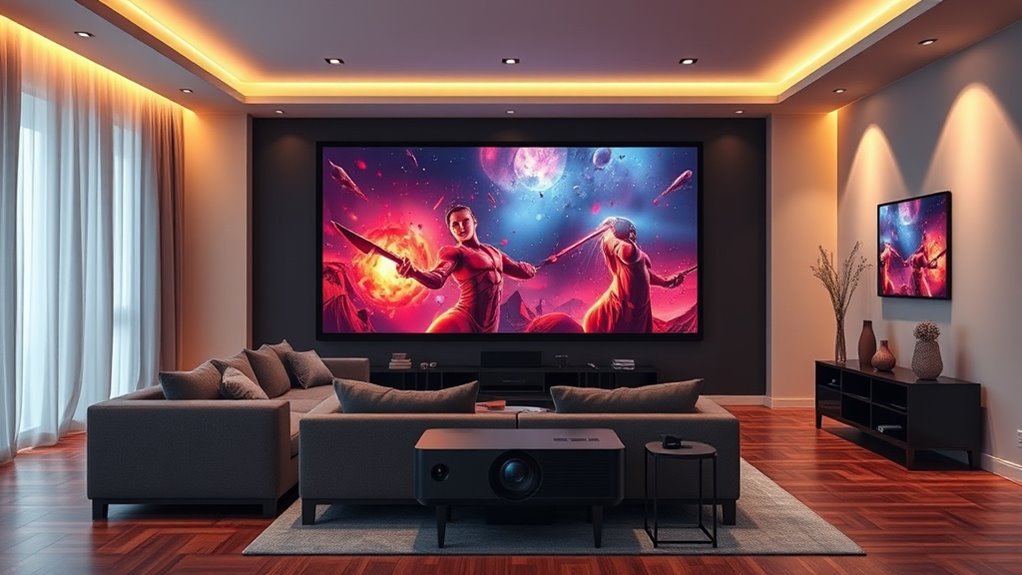

To build your own home theater with the XGIMI Horizon 20 Max, start by calibrating your projector for sharp, vibrant images using test patterns and adjusting focus and contrast in a dimly lit room. Place speakers strategically around your space for immersive sound, balancing volumes for clarity. Control ambient light with blackout curtains to enhance picture quality. Keep experimenting with settings and setup tweaks—if you want more tips, there’s plenty more to discover.

Get business pricing on tech for your team
- Business-only prices and quantity discounts
- Tax-exempt purchasing
- Multiple users, one account, clear invoices
Key Takeaways
- Choose a dark, clutter-free room and use blackout curtains to optimize projection quality.
- Calibrate the XGIMI Horizon 20 Max for sharp, vibrant visuals with test patterns and environment adjustments.
- Position speakers strategically at ear level, ensuring balanced sound distribution for immersive audio.
- Adjust speaker volumes and placement for clear dialogue, surround effects, and overall sound harmony.
- Fine-tune both visual and audio settings through trial and error for a cinema-like home theater experience.

Building Your Own Home Theater
Creating your own home theater allows you to enjoy movies and shows with theater-quality sound and visuals without leaving your house. To achieve this, you need to focus on key elements like screen calibration and speaker placement. These steps are vital in creating an immersive experience that rivals a commercial theater.
Start with screen calibration. Even with a high-quality projector like the XGIMI Horizon 20 Max, proper calibration makes all the difference. You want to guarantee the image is sharp, colors are accurate, and brightness levels are balanced. Begin by adjusting the projector’s keystone correction and focus to get a clear picture. Then, use calibration tools or test patterns to fine-tune contrast, brightness, and color settings. This process helps eliminate distortions and guarantees the picture is vibrant and true to life. Proper screen calibration minimizes eye strain and enhances detail, making your viewing experience more enjoyable. Remember, the environment’s lighting also impacts calibration. Dim the room to prevent ambient light from washing out the image, and consider using blackout curtains or shades. Additionally, understanding the importance of system optimization can help you achieve the best possible picture and sound quality in your setup.
Start with screen calibration to ensure sharp, accurate images with balanced brightness using test patterns and environmental adjustments.
Next, focus on speaker placement. Sound quality can make or break your home theater experience. The goal is to position speakers so they create a balanced, immersive soundscape. For the best results, place the front left and right speakers at ear level, angled slightly toward your seating area. The center speaker should be directly above or below your screen to anchor dialogue. Surround speakers should be placed slightly behind and to the sides of your seating, ideally at ear level, to envelop you in sound. If you’re using a subwoofer, position it near your seating area but away from walls to prevent rattling and ensure deep bass. Experimenting with placement can considerably improve sound clarity and depth. Use a sound level meter or test tones to balance volume levels across all speakers, so no single element overpowers the others.
Combining meticulous screen calibration with strategic speaker placement transforms your space into a genuine home theater. It might take some trial and error, but the payoff is worth it. When your visuals are crisp and colors accurate, and your sound envelops you from all directions, you’ll feel like you’re right there in the scene. Creating this dedicated setup with the XGIMI Horizon 20 Max means you can enjoy stunning visuals and immersive audio whenever you want, all from the comfort of your home. Keep fine-tuning these elements, and soon, your home theater will deliver cinema-quality experiences every time you press play.
XGIMI Horizon 20 Max projector calibration tools
As an affiliate, we earn on qualifying purchases.
As an affiliate, we earn on qualifying purchases.
Frequently Asked Questions
Can the XGIMI Horizon 20 Max Be Integrated With Smart Home Systems?
Yes, the XGIMI Horizon 20 Max can be integrated with smart home systems. You can control it using voice control through compatible smart assistants like Alexa or Google Assistant. Its smart integration allows you to easily connect and manage the projector alongside your other smart devices. This seamless setup makes it simple to control your home theater experience, enhancing convenience and automation in your space.
What Is the Recommended Screen Size for Optimal Viewing With This Projector?
For ideal viewing with the XGIMI Horizon 20 Max, aim for a screen size between 100 and 150 inches. Your preferred viewing distance depends on this size, roughly 1.5 to 2.5 times the screen width. Larger screens create an immersive experience, but make certain your space can comfortably accommodate the recommended screen size for clear, sharp images without straining your eyes.
How Do I Calibrate the Projector for the Best Picture Quality?
You should start by adjusting the keystone correction to guarantee a rectangular image, like in Sarah’s setup where she leveled her projector on a sloped ceiling. Then, access the projector’s menu for color calibration, tweaking brightness, contrast, and color balance for vivid images. Regularly test with a calibration disc or pattern to fine-tune your picture, ensuring ideal picture quality and a cinematic experience every time.
Is the XGIMI Horizon 20 Max Suitable for Outdoor Home Theaters?
Yes, the XGIMI Horizon 20 Max is suitable for outdoor setup, especially if you consider its weather resistance features. For outdoor use, you’ll want to protect it from rain and extreme weather, perhaps by using a weatherproof enclosure. Its high brightness makes it great for outdoor environments, but guarantee you position it in a shaded area for the best picture quality. This projector offers a versatile option for creating an outdoor home theater experience.
What Maintenance Is Required to Keep the Projector in Top Condition?
Ever wondered how to keep your projector in prime condition? You should follow a regular cleaning routine, including dusting vents and keeping the lens clean. Keep an eye on the lamp’s lifespan and replace it when necessary to sustain brightness. Did you know that proper maintenance extends your projector’s life? Regularly check for firmware updates, and handle lamp replacements carefully to ensure consistent performance.
home theater surround sound speakers
As an affiliate, we earn on qualifying purchases.
As an affiliate, we earn on qualifying purchases.
Conclusion
Creating your own home theater with the XGIMI Horizon 20 Max is easier and more affordable than you think. You might worry about setup complexity or space, but with its user-friendly features and compact design, you’ll be up and running in no time. Don’t let doubts hold you back—transform your living space into a cinematic oasis and enjoy stunning movies anytime you want. Your perfect home theater is just a project away!
blackout curtains for home theater
As an affiliate, we earn on qualifying purchases.
As an affiliate, we earn on qualifying purchases.
test patterns for projector calibration
As an affiliate, we earn on qualifying purchases.
As an affiliate, we earn on qualifying purchases.
Fall Picks
fall essentials
As an affiliate, we earn on qualifying purchases.