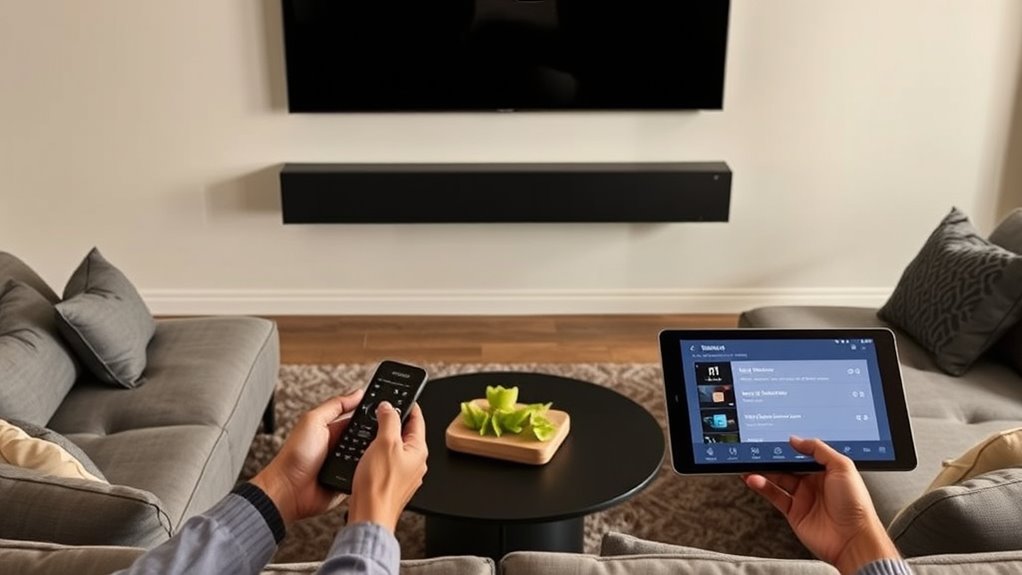

To enhance your home for the Samsung HW‑QS700F soundbar, start by placing it centered below or above your TV, avoiding corners, and keeping it a few inches from walls to prevent reflections. Clear obstructions from front-facing speakers, and consider adjusting the tilt toward your listening area for clarity. Use calibration tools or manual tweaks to fine-tune bass and treble settings, ensuring a balanced sound environment. For more tips on achieving ideal audio performance, keep exploring further.
Key Takeaways
- Position the soundbar centered below the TV, keeping it a few inches away from walls to prevent reflection issues.
- Use calibration tools or auto-setup features to analyze room acoustics and optimize sound settings.
- Adjust the soundbar’s tilt or angle toward the listening area for clearer audio and better stereo imaging.
- Manage room layout by keeping furniture and objects away from front-facing speakers to maintain sound clarity.
- Balance reflective and absorbent surfaces in the room to create a natural, immersive sound environment.
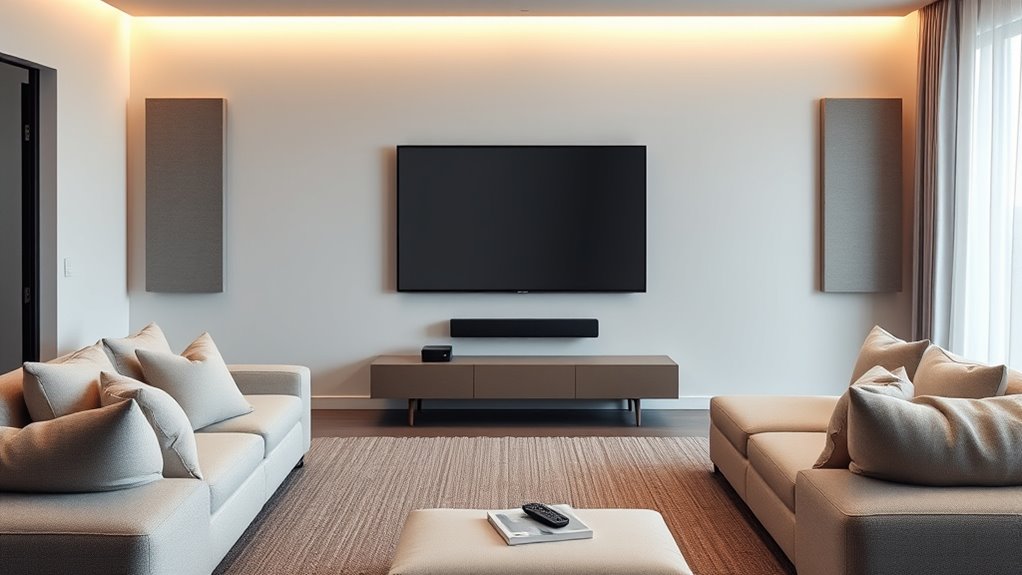
To get the best sound experience from your Samsung HW-QS700F Soundbar, you need to tune your home setup properly. The way your room interacts with sound significantly impacts how good your audio will feel. Room acoustics play a vital role—hard surfaces like bare walls, glass, or tile reflect sound waves, causing echoes or muddiness. Soft furnishings such as rugs, curtains, and plush furniture absorb sound, reducing unwanted reflections and making dialogue clearer. To optimize your listening environment, aim for a balanced mix of reflective and absorbent surfaces. This balance helps create a natural, immersive soundstage that complements your soundbar’s capabilities.
Optimal sound depends on balancing room surfaces—reflective and absorbent—for immersive audio.
Speaker placement is equally important. Position your soundbar directly below or above your TV, centered for the best stereo imaging. Avoid placing it too close to walls or corners, as this can cause bass booms and uneven sound distribution. Ideally, keep the soundbar a few inches away from the wall to prevent sound reflections from distorting the audio. If you’re using additional speakers, such as rear surrounds or a subwoofer, place them at ear level when seated. The subwoofer should be placed near a wall or corner to enhance bass response but avoid hiding it inside cabinets or behind furniture, which can muffle low frequencies.
Adjusting the height and angle of your soundbar can also improve sound clarity. If possible, tilt the soundbar slightly upward or downward to aim directly at your listening position. This ensures the sound reaches you directly rather than bouncing off surfaces, which can cause diffusions. Use any calibration tools your Samsung soundbar offers, or run the auto-setup feature if available. These systems analyze your room’s acoustics and automatically fine-tune speaker settings for ideal sound. Even then, minor manual adjustments—like increasing treble or bass—can help tailor the sound to your preferences.
Finally, consider the overall room layout. Keep furniture and objects from blocking the soundbar’s front-facing speakers. Clear sightlines between your soundbar and listening area ensure sound isn’t obstructed, preserving clarity and stereo separation. Proper speaker placement and managing room acoustics are crucial for maximizing your soundbar’s performance. By carefully managing room acoustics and thoughtfully placing your speakers, you’ll maximize your Samsung HW-QS700F’s sound performance, creating an immersive audio experience that truly elevates your entertainment.
Frequently Asked Questions
How Do I Connect My Soundbar to My Smart Home System?
You can connect your soundbar to your smart home system by enabling Wi-Fi integration and ensuring it’s on the same network. Use the soundbar’s app or your smart home hub to add it as a device. Check voice assistant compatibility, like Alexa or Google Assistant, and link your accounts. Once connected, you can control your soundbar with voice commands and enjoy seamless integration with your smart home setup.
Can I Use Bluetooth to Stream Audio From Multiple Devices Simultaneously?
Imagine juggling multiple balls—Bluetooth multiplexing allows you to stream audio from multiple devices at once, but it’s not always seamless. Typically, Bluetooth doesn’t support true multi-device streaming, meaning you can’t connect several devices simultaneously for audio playback. Instead, Bluetooth multiplexing lets your soundbar switch between devices quickly, but for true multi-device streaming, consider devices that support advanced multi-point Bluetooth or Wi-Fi-based solutions.
What Is the Best Placement for Optimal Bass Performance?
For ideal bass performance, place your soundbar speaker placement near a wall or corner to enhance bass response through room acoustics. Keep it centered beneath your TV, avoiding obstructions that can muffle sound. Experiment with slightly moving it closer to or further from walls to find the best balance. Good room acoustics and strategic placement make a noticeable difference in bass depth and clarity.
How Do I Update the Firmware of My Samsung HW-Q700F?
Did you know that over 70% of users update their device firmware regularly? To update your Samsung HW-Q700F soundbar, start by connecting it to Wi-Fi. Then, access the soundbar’s menu, select Settings, and choose Software Update. Follow the prompts to perform a firmware update. Keeping your software upgrade current guarantees peak performance and new features, making your sound experience even better.
Is It Possible to Customize the Sound Settings for Different Rooms?
Yes, you can customize sound settings for different rooms by adjusting room acoustics and speaker calibration. Use the soundbar’s app or menu to tweak EQ, bass, and treble based on each room’s acoustics. This guarantees superior sound quality tailored to each space. Regularly calibrate your speakers to account for furniture and wall reflections, giving you a personalized audio experience in every room.
Conclusion
Now that you’ve fine-tuned your space, your Samsung HW-QS700F sounds like it could shake the walls of a concert hall! Every note will burst through your room like a thunderclap, turning your home into a personal concert arena. With your perfect setup, you’ll feel like a music superstar, and your living room will transform into an epic concert venue—so powerful, it might just make your neighbors’ windows rattle!