

Caring about device heat management helps prevent your battery from wearing out quickly and keeps your hardware safe. Excessive heat can cause your device to malfunction, swell, or even catch fire, putting you at risk. Managing heat extends your device’s lifespan, maintains performance, and avoids costly repairs. By understanding how to keep your device cool, you’ll guarantee it works reliably for longer. Keep going to discover more tips that can help you protect your device even better.

Get business pricing on tech for your team
- Business-only prices and quantity discounts
- Tax-exempt purchasing
- Multiple users, one account, clear invoices
Key Takeaways
- Proper heat management preserves battery life and prevents premature device degradation.
- Overheating reduces device performance and can cause unexpected shutdowns.
- Managing device heat minimizes safety risks like burns, fires, or device malfunctions.
- Preventing heat damage avoids costly repairs and extends device lifespan.
- Consistent heat control ensures reliable operation and optimal user experience.
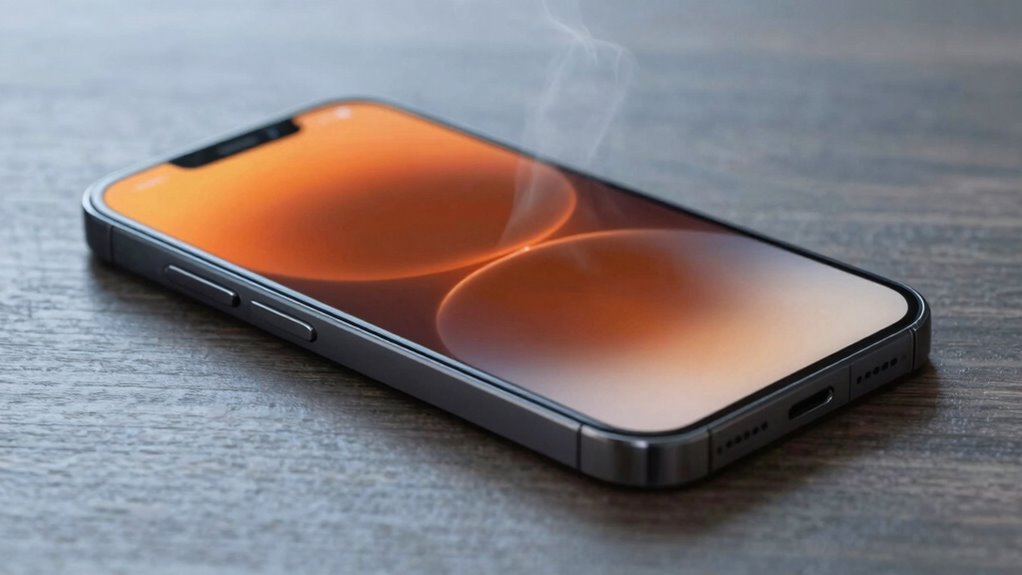
Have you ever noticed your device overheating during intensive use? When your phone, tablet, or laptop gets excessively hot, it’s more than just an uncomfortable experience—it’s a sign that something isn’t right. Managing device heat isn’t just about comfort; it’s a essential factor that directly impacts battery longevity and user safety. If you ignore high temperatures, you risk shortening your device’s lifespan and exposing yourself to potential hazards.
High temperatures accelerate battery wear. Lithium-ion batteries, which power most portable devices, are sensitive to heat. Prolonged exposure to elevated temperatures can cause the battery’s chemical components to degrade faster, diminishing its capacity over time. That means your device’s battery won’t hold a charge as long, forcing you to replace it sooner than you’d like. By paying attention to device heat and employing effective heat management strategies, you help preserve your battery’s health. This not only saves you money but also makes sure your device remains reliable for longer periods.
Beyond battery concerns, user safety is paramount. Overheating devices can become hot enough to cause burns if you touch them, especially during prolonged use or charging. In extreme cases, excessive heat can lead to device malfunctions, such as swelling or even fires. These risks are rare but serious, and they’re entirely avoidable when you proactively manage heat. Simple habits like avoiding use in direct sunlight, removing bulky cases that trap heat, and not overloading your device with demanding apps can greatly reduce the risk of overheating. Using official chargers and avoiding third-party accessories also helps maintain safe operating temperatures.
Furthermore, heat management plays a key role in preventing hardware damage. Excessive temperature can warp internal components, cause screen discoloration, or damage circuits. These issues often lead to costly repairs or replacements. Keeping your device cool helps maintain its structural integrity and performance, making sure you get the most out of your investment.
In essence, caring about device heat management isn’t just a minor concern—it’s an indispensable part of responsible device ownership. Protecting your device’s battery longevity and ensuring user safety should be top priorities. When you stay mindful of overheating, you extend your device’s lifespan, avoid safety hazards, and enjoy a smoother, more reliable experience. The effort you put into keeping your device cool today pays off with longer usability and peace of mind tomorrow.
As an affiliate, we earn on qualifying purchases.
Frequently Asked Questions
How Does Device Heat Affect Battery Lifespan?
Device heat directly impacts your battery lifespan by speeding up thermal regulation processes that protect your device. Excess heat causes battery degradation, reducing its capacity over time. When your device runs hot, chemical reactions inside the battery accelerate, leading to faster wear and tear. To extend your battery’s life, avoid overheating, keep your device cool, and guarantee proper thermal regulation. This prevents premature degradation and helps your device perform at its best longer.
Can Heat Management Improve Device Performance Under Heavy Use?
Think of your device like a car engine; when it overheats, performance drops. Proper thermal regulation and cooling solutions prevent this, ensuring your device runs smoothly under heavy use. By managing heat effectively, you reduce throttling and lag, boosting performance. So, investing in cooling solutions keeps your device cool and responsive, much like a well-maintained engine, allowing you to work or play without interruptions.
Are There Health Risks Associated With Overheated Devices?
Overheated devices can pose health risks, especially if you handle them while they’re hot. Excess heat from devices can cause safety hazards like burns or skin irritation. Proper device cooling helps prevent these risks by reducing surface temperatures. Always avoid direct contact with hot devices and guarantee adequate ventilation. Prioritizing heat management not only protects your device’s performance but also keeps you safe from potential safety hazards related to overheating.
What Are the Environmental Impacts of Poor Heat Management?
Imagine a device overheating and releasing harmful fumes into the air—that’s what poor heat management can do to the environment. Ineffective cooling systems and inadequate heat dissipation lead to higher energy consumption, increasing carbon emissions. You might think your device’s heat isn’t a big deal, but it impacts natural resources and contributes to climate change. Proper heat management helps protect the planet by reducing energy waste and pollution.
How Often Should I Check My Device’s Temperature?
You should check your device’s temperature regularly, ideally once a week, especially during intensive tasks. Proper device cooling and temperature regulation are essential to prevent overheating, which can cause performance issues or damage. If your device feels unusually warm or runs slower, check the temperature immediately. Using monitoring software can help you keep an eye on heat levels and make sure your device stays within safe operating temperatures.
As an affiliate, we earn on qualifying purchases.
Conclusion
Think of your device as a busy city. Without proper heat management, it’s like traffic jams and fires blocking the streets, slowing everything down and risking disaster. When you care for your device’s heat, you’re clearing the roads, letting it run smoothly and safely. Keep the heat in check, and your tech will thrive like a well-oiled machine—vibrant, efficient, and ready to conquer whatever you throw at it. Your device’s health is in your hands.
As an affiliate, we earn on qualifying purchases.
thermal management for electronics
As an affiliate, we earn on qualifying purchases.
As an affiliate, we earn on qualifying purchases.
Fall Picks
fall essentials
As an affiliate, we earn on qualifying purchases.