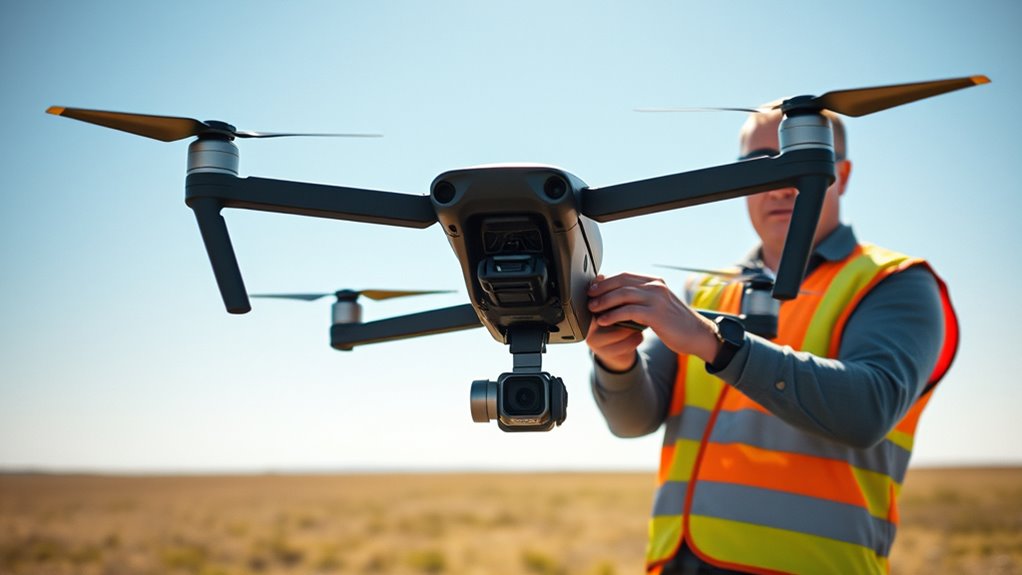

To set up and fly your 8K 360‑degree drone safely, start by reading FAA regulations and registering your drone if needed. Perform pre-flight checks, ensuring firmware is updated, batteries are fully charged, and sensors are calibrated. Choose open, obstacle-free areas, avoid bad weather, and plan your flight path carefully. Keep your drone below 400 feet and away from no-fly zones. Staying cautious and following these steps will help you fly confidently and safely. Keep going to learn more.
Key Takeaways
- Ensure drone firmware and camera software are updated for optimal performance and safety.
- Conduct pre-flight checks: verify GPS signal, battery level, and weather conditions.
- Follow FAA regulations: fly below 400 feet, avoid restricted airspace, and respect no-fly zones.
- Plan your flight path carefully, maintaining a safe distance from people and obstacles.
- Use proper handling and charging practices for batteries, and monitor power levels during flight.

Ever wondered how to capture stunning 8K 360-degree footage with a drone safely? If so, understanding the essentials of drone setup and flight safety is essential. First, you need to familiarize yourself with FAA regulations. These rules are designed to keep you and others safe while flying, so always check local laws and register your drone if necessary. The FAA requires that you fly below 400 feet, avoid restricted airspace, and keep your drone within visual line of sight. Respect no-fly zones around airports, prisons, and densely populated areas. Adhering to these regulations not only guarantees safety but also prevents hefty fines or legal issues. Before taking off, plan your flight path carefully, and always check for temporary flight restrictions or notices.
Battery safety is another indispensable aspect of flying an 8K 360-degree drone. High-resolution cameras and advanced stabilization systems demand more power, so your drone’s battery becomes a key component. Always use the manufacturer-approved batteries, and inspect them thoroughly before each flight. Avoid exposing batteries to extreme temperatures, and never charge them unattended. Use the recommended chargers and follow the manufacturer’s charging instructions precisely. Overcharging or puncturing the battery can cause it to overheat or even catch fire, so monitor the charging process closely. During flight, keep an eye on your drone’s battery level, and plan to land before it drops below 20%. Carry spare batteries if you’re planning a lengthy shoot, but handle all batteries with care, storing them in a cool, dry place when not in use.
Setting up your drone for safe operation involves more than just battery care. Guarantee your drone’s firmware and software are up to date, as updates often include safety improvements and bug fixes. Calibrate the compass and IMU (Inertial Measurement Unit) as recommended, especially if you’ve traveled to a new location. Check your propellers for damage and replace any that are cracked or bent. Securely attach the camera and gimbal, ensuring they’re balanced to avoid unstable footage or crashes. Before launch, perform a pre-flight checklist: verify GPS signal strength, check weather conditions (avoid windy or rainy days), and confirm your remote control and app are functioning properly. Always fly in open areas away from people and obstacles to reduce risk.

DJI Avata 360 (RC 2), 8K 360° Camera Drone
- High-Resolution 8K 360° Imaging: Captures sharp, detailed 8K/60fps HDR videos
- O4+ FHD Video Transmission: Supports 1080p/60fps HD video up to 20 km
- Enhanced Safety Features: Includes propeller guard and omnidirectional obstacle sensing
As an affiliate, we earn on qualifying purchases.
As an affiliate, we earn on qualifying purchases.
Frequently Asked Questions
What Are the Legal Restrictions for Flying an 8K 360-Degree Drone?
You need to follow FAA regulations, which include registering your drone if it weighs over 0.55 pounds, flying below 400 feet, and avoiding restricted areas. Be aware of privacy concerns, so don’t capture images or videos of people without their consent. Always check local laws before flying, and keep your drone within sight. Staying compliant helps you avoid fines and respects others’ privacy rights.
How Long Does the Drone’s Battery Typically Last During Extended Flights?
While a drone’s battery life can vary, you’ll typically enjoy around 20 to 30 minutes of flight during extended sessions. To maximize your power management, it’s wise to carry spare batteries and plan your flight paths carefully. Keep in mind that factors like weather, altitude, and camera use can influence overall runtime. By managing these elements, you guarantee smoother flights and better capture quality for your impressive 8K footage.
What Troubleshooting Steps if the Drone’s 8K Camera Malfunctions?
If your 8K camera malfunctions, start by checking the camera calibration to verify it’s aligned properly. Next, update the drone’s firmware to fix any bugs or compatibility issues. Restart the drone and test the camera again. If problems persist, review the connection cables and reset the camera settings. These steps often resolve common malfunctions and help you capture stunning 360-degree footage smoothly.
How Can I Improve Image Stabilization for Smoother Footage?
To improve image stabilization for smoother footage, start by ensuring your gimbal calibration is precise, as it directly affects stability. Adjust the gimbal settings if needed, and enable lens stabilization features if your drone offers them. Keep the drone steady during flight, avoid sudden movements, and consider using software stabilization in post-processing for even better results. Regularly check and maintain your gimbal to keep footage consistently smooth.
What Are the Recommended Storage Options for Large 8K Drone Footage?
Think of your footage as a treasure chest, demanding the best vaults. Use reliable external drives to keep your 8K videos safe and accessible, especially during editing. For endless storage, cloud options provide a digital sky where your files can soar freely. Combining both guarantees your massive 8K drone footage remains protected, organized, and ready for action whenever inspiration strikes, like a well-stocked arsenal for creative conquest.

Fytoo 5PCS 3.7V 400mAh Lithium Battery with 5 in 1 Charger for SYMA Q11 H99W H31 H6C H98 AT-96 TR-C385 TR-P51 TR-F22 Quadcopter Spare Parts Aircraft Model Drone Battery (Black)
- Compatible Models: For various SYMA quadcopters
- Simultaneous Charging: Charges 5 batteries at once
- Protection Features: Overcharge and short circuit protection
As an affiliate, we earn on qualifying purchases.
As an affiliate, we earn on qualifying purchases.
Conclusion
Now that you’ve learned how to set up and fly your 8K 360-degree drone safely, remember that practice makes perfect. Coincidentally, just as you’re about to capture breathtaking shots, the perfect weather might roll in. Stay alert, follow safety tips, and enjoy your flying adventures. With patience and care, you’ll master your drone in no time—turning every flight into a stunning, seamless 360-degree experience you’ll cherish forever.

Newbeedrone Portable Drone Tool Kit Set: Come With Soldering Iron Storage Bag Prop Tool Screwdriver AIO Hex Driver Tweezers Cutter Solder Practice Board For FPV Drone FPV Starters RC Car Airplane
- Multi-functional RC Tool Set: Includes essential tools for FPV drones and RC hobbies
- Durable Gray Carrying Case: Compact, high-quality, and convenient for transport
- Wide Application: Suitable for FPV drones, RC cars, planes, and repairs
As an affiliate, we earn on qualifying purchases.
As an affiliate, we earn on qualifying purchases.

Simhoa Drone Propeller and Guard Replacement Set for E88 Pro/E88, 3 Sets Folding Propellers with Propeller Guards
- Compatible with E88 Pro/E88: Designed as spare parts for specific drones
- Folding for compact storage: 10.6 cm size, lightweight, stable flight
- Impact-resistant propeller guards: Protects against collisions and damage
As an affiliate, we earn on qualifying purchases.
As an affiliate, we earn on qualifying purchases.