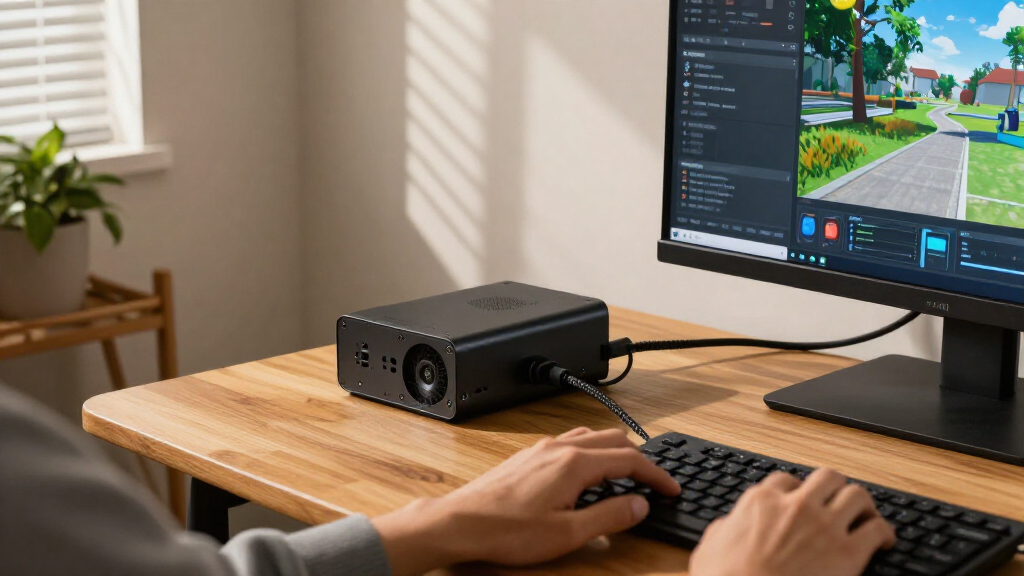
🔍 Read the full analysis: 10 External GPUs For AI Development, Gaming, And Creative Work In 2027 on ThorstenMeyerAI.com

Get business pricing on tech for your team
- Business-only prices and quantity discounts
- Tax-exempt purchasing
- Multiple users, one account, clear invoices
TL;DR
This is a product guide, not a report of a new product launch: it compares 10 external GPU options for different computers and workloads. Its central advice is to check the connection first—Thunderbolt is broadly compatible, while OCuLink can offer more bandwidth but requires a compatible host. Product availability, 2027 pricing and independent performance testing are not established in the supplied material.
A buyer’s guide to 10 external GPU options for AI development, gaming and creative work, based on the original analysis, says buyers should match the enclosure or dock to their computer’s connection before choosing a graphics card. The guide favors the Razer Core X V2 for broad Thunderbolt 4 compatibility, while recommending OCuLink-based options such as the MINISFORUM DEG1 to users whose computers support that less common connection.
The guide compares products with different levels of completeness, much like other graphics card guides. The Razer Core X V2 and DIY docks are enclosures or docks that generally require buyers to supply a graphics card, and some setups also need a separate power supply. By contrast, the NIMO RX 7600M XT and ASUS ROG XG Mobile are presented as integrated options with graphics hardware included, trading upgrade flexibility for a simpler setup.
For the connection comparison, the source gives Thunderbolt 4 a 40Gbps link rate and 32Gbps effective data rate, while describing OCuLink as a direct PCIe 4.0 x4 connection with up to 63Gbps of bandwidth, a topic explored in this external GPU comparison. Those figures describe interface capacity, not guaranteed application performance. The guide says actual results depend on the host computer, graphics card and workload; it also warns that Thunderbolt can limit high-end cards in some gaming scenarios.
The remaining choices cover different budgets and skill levels: the ASUS ROG XG Mobile is a compact, proprietary integrated system; the MINISFORUM DEG1 is positioned as a lower-cost OCuLink dock; and OwlTree and RGEEK docks are DIY alternatives. The supplied material names these products but does not provide full model specifications or test results for every entry in its promised list of 10.
The 10 picks
- 1
 GIGABYTE AORUS RTX 5090 AI Box External GPUView on Amazon →
- 2
 ASUS ROG XG Mobile (2025) External Graphics Card with NVIDIA GeForce RTX 5090View on Amazon →
- 3
 NIMO External Graphics Card Enclosure with AMD Radeon RX 7600M XTView on Amazon →
- 4
 NIMO External GPU Docking Station with AMD Radeon RX 7600M XT 8GB GDDR6View on Amazon →
- 5
 Razer Core X V2 External Graphics Enclosure (eGPU)View on Amazon →
- 6
 MINISFORUM DEG1 OCuLink eGPU DockView on Amazon →
- 7
 RGEEK PCIe 5.0 OCuLink eGPU Dock for External Graphics CardsView on Amazon →
- 8
 OCuLink PCIe 4.0 x4 eGPU Dock with 19.7-Inch CableView on Amazon →
- 9
 OwlTree PCIe 4.0 x4 eGPU Dock with OCuLink CableView on Amazon →
- 10
 OwlTree PCIe 3.0 x16 eGPU Dock with Thunderbolt 4 CableView on Amazon →
Connection Choice Sets the Ceiling
An eGPU’s performance depends on more than the graphics card: the connection between host and GPU can limit how much of that card’s capability is available. For gaming, frequent CPU-to-GPU communication may make bandwidth limits more visible. AI development and creative applications can also benefit from a stronger GPU, but the source does not provide workload-specific benchmarks establishing how the listed products perform in those tasks.
The practical decision is a tradeoff. Thunderbolt 4 offers wider device compatibility and can make a desk-based setup easier to connect, while OCuLink may provide more bandwidth for compatible computers. Integrated boxes reduce assembly and component shopping, but their graphics hardware may not be replaceable. Buyers comparing prices should account for the graphics card, power supply and cables—not just the dock’s listed price.
Products Worth Considering

Apple AirPods Pro (2nd Generation) Wireless Earbuds with USB-C MagSafe Charging Case

Bose Lifestyle Ultra Wireless Home Speaker, White Smoke

Samsung 27-Inch Odyssey G5 QHD Gaming Monitor (G51F)
As an affiliate, we earn on qualifying purchases.
Thunderbolt and OCuLink Tradeoffs
The guide’s recommendations reflect three criteria: bandwidth, compatibility and total cost. It puts general ease of use ahead of maximum bandwidth for many buyers, which explains its preference for Thunderbolt in the overall category. It gives OCuLink more weight for enthusiasts who already have a compatible mini PC or laptop and are willing to handle a less conventional setup.
External GPU setups are not automatically portable. Larger enclosures are intended to remain at a desk, and open DIY docks can require separate power equipment and expose the graphics card. The guide also advises checking USB-C or Thunderbolt power delivery: an eGPU connection does not necessarily charge the laptop, and OCuLink setups generally need a separate laptop charger.
“The Razer Core X V2 stands out as the best overall choice for most users due to its universal Thunderbolt 4 compatibility and robust build, though it requires a separate graphics card.”
— ThorstenMeyerAI.com buyer’s guide
Testing and 2027 Pricing Unverified
The source material does not provide independent benchmark results, a dated test methodology, or confirmed 2027 prices and availability. It asserts that Thunderbolt enclosures may constrain high-end cards by 15–20% in CPU-bound scenarios, but does not specify the systems, games, settings or testing behind that estimate. Treat it as the guide’s claim rather than a universal performance figure.
The material also does not name all 10 entries or give complete specifications for the OwlTree and RGEEK models. Its stated bandwidth figures should not be read as direct comparisons of real-world frame rates or AI throughput. Compatibility can vary by host device, port implementation, drivers and cable, so buyers need to verify their own computer’s specifications before purchase.
Verify Host Support Before Buying
Before choosing a product, check the computer maker’s specifications for Thunderbolt 4, USB4 or OCuLink support, then confirm power delivery, operating-system support and the enclosure’s graphics-card and power-supply requirements. For a DIY dock, include the cost of the GPU and any required power equipment when comparing totals.
For a 2027 purchase, readers should also confirm current product availability, pricing and compatibility with the exact host computer. Independent benchmarks using the intended games or creative and AI applications would be needed to establish the performance gap between these options; the supplied guide does not report those results.
Key Questions
Which external GPU does the guide recommend for most users?
It names the Razer Core X V2 as its overall choice for broad Thunderbolt 4 compatibility, while noting that buyers must supply a separate graphics card.
Is OCuLink faster than Thunderbolt 4?
The guide lists OCuLink at up to 63Gbps and Thunderbolt 4 at 40Gbps, with 32Gbps effective data rate for Thunderbolt 4. These are interface figures, not guarantees of a particular game or application’s performance.
Does an external GPU work with any laptop?
No. The computer needs a compatible connection and software support. OCuLink is less common than Thunderbolt, and buyers should check the exact host model’s specifications before purchasing.
Are integrated eGPU boxes easier to set up?
Generally, an integrated unit such as the NIMO RX 7600M XT includes its graphics hardware, reducing component selection. That convenience can limit upgrades compared with an enclosure where the user chooses and installs a separate GPU.
Are these rankings supported by independent benchmarks?
The supplied source does not include independent benchmark data or a full testing methodology. Its rankings and performance estimates should be treated as guide recommendations and claims, not verified results for every computer or workload.
Source: ThorstenMeyerAI.com