
TL;DR

Get business pricing on tech for your team
- Business-only prices and quantity discounts
- Tax-exempt purchasing
- Multiple users, one account, clear invoices
In 2026, building your own AI workstation is no longer automatically cheaper because of market shortages and price hikes. Prebuilts now offer validated thermals, warranties, and quick deployment, making them a strong choice for many. Your decision depends on your budget, technical skill, and workload needs.
Imagine you’re ready to run your AI models—training, inference, or both. You open your wallet, and suddenly, the choice feels harder than ever. Building a machine? It used to be cheaper, but in 2026, the market has flipped that script. Build vs Buy a Prebuilt AI Workstation. Now, prebuilt systems are often just as affordable—or even less—thanks to shortages and bulk buying.
This article breaks down whether you should assemble your own AI powerhouse or buy a ready-made one. Expect a clear look at costs, performance, support, and control—so you can make the smartest call for your workload and skill level.
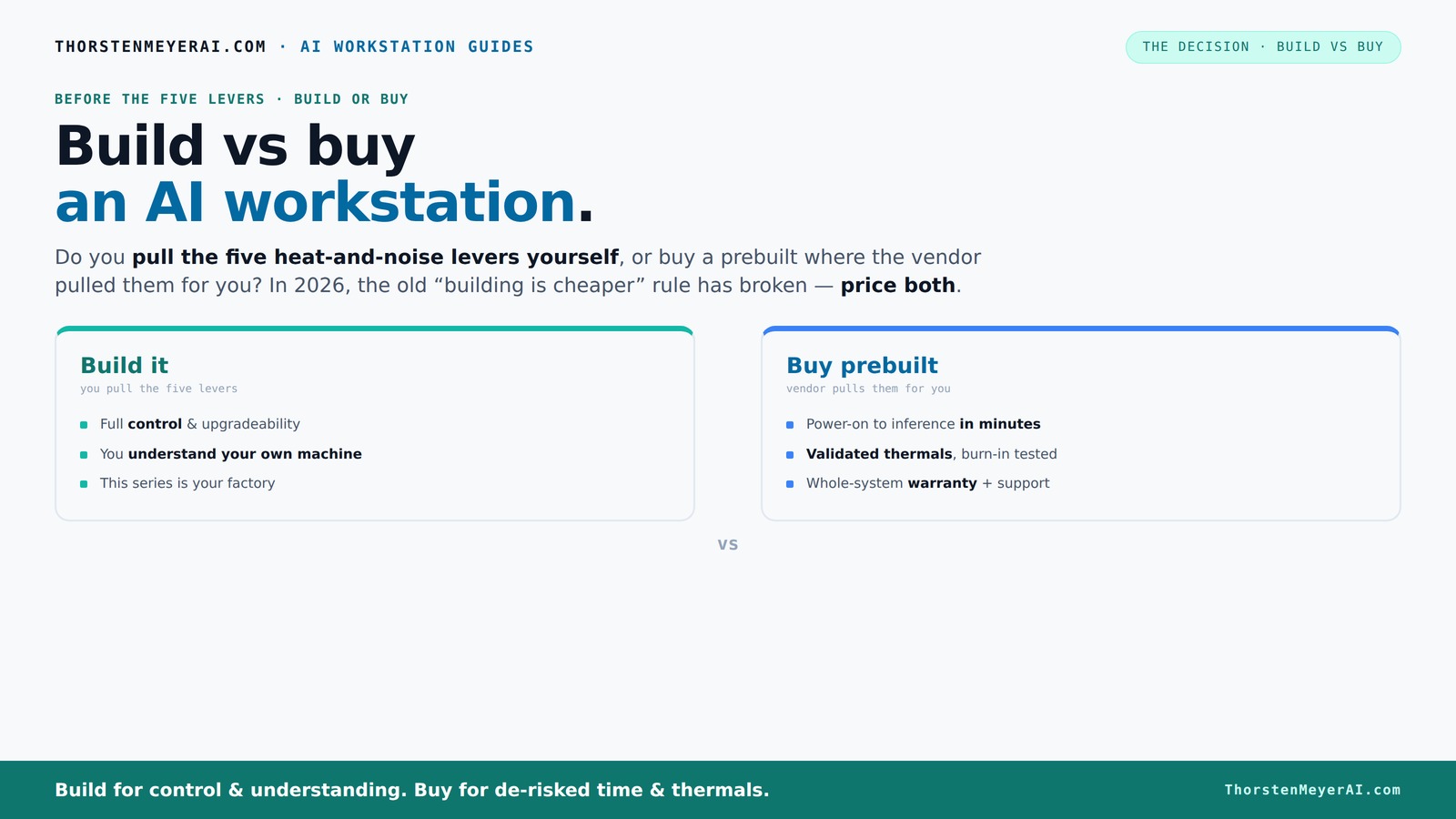
Build vs buy
an AI workstation.
The real question behind this whole series: do you pull the five heat-and-noise levers yourself, or buy a prebuilt where the vendor pulled them for you? And in 2026, the old “building is cheaper” rule has broken. Match your situation in Part 3.
Key Takeaways
- Component shortages and bulk buying now often make prebuilts cheaper or equal in price to DIY builds in 2026.
- Prebuilt systems save time, come with validated thermals, and include warranties—ideal for professionals or time-sensitive projects.
- Building your own allows for better customization, upgradeability, and lower long-term costs if you have the skills and patience.
- Focus on GPU VRAM, cooling, and power delivery when choosing or building an AI workstation.
- Decide based on your workload, technical skill, and whether you prioritize support or control.
As an affiliate, we earn on qualifying purchases.
Why the old rule—building is cheaper—no longer holds
Building your own AI workstation used to be a no-brainer for saving money. You picked the parts, assembled the machine, and typically paid less than buying prebuilt. But in 2026, a perfect storm hit the market. Component shortages and price spikes for GPUs, DDR5 RAM, and SSDs have made DIY builds more expensive than ever.
For example, a typical high-end GPU like an NVIDIA RTX 4090 used to cost around $1,600. Now, it often sells for $2,000 or more due to scarcity. Meanwhile, prebuilt vendors like Lambda or BIZON buy in bulk, locking in prices before the shortages hit. Their systems, with validated thermals and support, now match or beat DIY costs for similar specs.
So, the old mantra—build cheaper—has turned into a myth. Today, you need to compare exact prices for your configuration, because a prebuilt might be the better deal overall.
As an affiliate, we earn on qualifying purchases.
Who benefits most from buying a prebuilt system
If your time is precious or you want a plug-and-play solution, a prebuilt system is your friend. These setups come with everything tuned for AI workloads—validated thermals, optimized cooling, and tested stability. Plus, you get a warranty and support—crucial if a GPU or motherboard fails mid-training.
Consider a professional AI researcher or a small team. They need a system that works right out of the box, with minimal hassle. Vendors like Puget or Lambda run thorough 24–48 hour stress tests, ensuring the system won't throttle under heavy loads. That peace of mind can outweigh the extra cost.
And if you’re tackling multi-GPU setups, prebuilt rigs often feature water-cooling and tailored power delivery, which are tough to DIY without years of experience.
As an affiliate, we earn on qualifying purchases.
When building it yourself makes sense
If you love tinkering or want the lowest possible cost, building your own AI workstation still holds appeal. It’s a project, a learning experience, and a way to fine-tune every component. Plus, if you have time and patience, you might snag better deals on parts—especially if you catch sales or refurbishments.
For example, sourcing a quiet GPU like the RTX 4080 or 4070 Ti and undervolting it can cut thermal noise and power draw significantly. Check out tips on quiet case fan setup. Pair that with a high-quality, low-noise case and custom airflow, and you get a machine tailored to your exact needs. Check out tips on quiet case fan setup.
However, building also means troubleshooting BIOS, compatibility, and cooling issues—especially with high-power GPUs. It’s rewarding but demands technical skill and time.
As an affiliate, we earn on qualifying purchases.
Cost comparison: build vs buy today
| Factor | Build | Buy (Prebuilt) |
|---|---|---|
| Initial Cost | Typically $1,250–$2,200 for a high-end AI setup (parts only) | Often $2,000–$2,500 for ready-to-deploy systems |
| Market Impact | Prices have surged, making DIY more expensive than before | Bulk buying and validation keep prices competitive or lower |
| Support & Warranty | None, DIY support needed | Supported with warranties, often 3-5 years |
| Time to Ready | Several hours to days, depending on experience | Minutes to hours, plug-and-play |
| Upgradeability | High, easy to swap parts | Limited, some proprietary layouts |
Key component priorities for AI workloads
When building or buying, focus on GPU VRAM, cooling, power delivery, and RAM. For detailed guidance, see AI solutions and hardware tips. AI workloads demand high VRAM—think 24GB or more for training large models. Cooling must be efficient to sustain heavy loads without throttling or noise.
For example, a system with a quiet GPU and high-quality PSU ensures stability and thermal headroom. RAM should be at least 64GB, with fast DDR5 modules for quick data access.
In prebuilt systems, check if the vendor disclosed parts quality—some use cheaper PSUs or thermal paste, which can cause issues over time. Learn more about technology insights. DIY offers full control but demands research and testing.
Upgrade paths and future-proofing
Building your own system often means easier upgrades—swap out GPUs, add RAM, or upgrade storage as needed. For more on DIY upgrades, visit technology news and reviews. DIY rigs are more flexible because you control the layout and components.
Prebuilt systems sometimes use proprietary connectors or layouts, limiting future upgrades. For example, some OEMs place GPUs in fixed slots or use non-standard power connectors, making upgrades a headache.
Think about your long-term needs. If you expect ongoing AI projects, a DIY setup with a modular case and standard parts offers better longevity. But if you want a system that’s ready now and unlikely to change, prebuilts do the job.
Support, warranties, and downtime
When your AI system crashes during a critical training run, support matters. Discover more about AI automation and support services. Prebuilts come with warranties—often 3 to 5 years—and dedicated support teams ready to troubleshoot.
DIY setups rely on your own skills or community forums. If a GPU fails, you need to identify, order, and replace parts yourself. That can take days or weeks, especially if parts are back-ordered.
For professional workloads, especially in tight deadlines, the peace of mind from a prebuilt’s support can be worth the extra cost.
Which option suits your workflow
If you run frequent AI experiments, need rapid setup, and prefer support, a prebuilt is likely the better choice. For hobbyists, students, or those wanting to learn, building offers priceless insights and customization.
For example, a data scientist trying out different models might value a prebuilt with easy OS setup. Meanwhile, a researcher tuning thermal performance might prefer building from scratch, knowing they can tweak every part.
In the end, match your choice to your skills, budget, and project timeline.
Frequently Asked Questions
Is it cheaper to build or buy an AI workstation in 2026?
Due to component shortages and bulk buying, prebuilts often match or even beat DIY costs in 2026. Always compare exact prices for your configuration before deciding.Which option offers better performance for the money?
Both can deliver high performance, but prebuilts are validated for thermals and stability, meaning less troubleshooting. DIY can be cheaper if you source parts carefully and have the skills.Can I upgrade a prebuilt system later?
It depends on the design—many prebuilts use proprietary layouts limiting upgrades. Building your own offers more flexibility for future upgrades and repairs.How important is support and warranty?
Support and warranties are vital for professional workloads. Prebuilts usually include extensive support, reducing downtime during hardware failures.What are the most critical components for AI workstations?
GPU VRAM, cooling, power delivery, and RAM are key. Focus on high VRAM (24GB+), efficient cooling, and reliable power supplies for sustained workloads.Conclusion
In 2026, the choice between build and buy isn’t black-and-white. Market shifts mean prebuilts are now a compelling option for many, offering convenience and support without a hefty premium. But if customization and future upgrades matter, building your own still holds undeniable appeal.
Remember, the best system is the one that fits your workflow, skills, and goals. Whether you assemble or acquire, focus on what makes your AI work smoother, quieter, and more reliable. Your next breakthrough might depend on how smartly you choose your machine.
Fall Picks
fall essentials
As an affiliate, we earn on qualifying purchases.