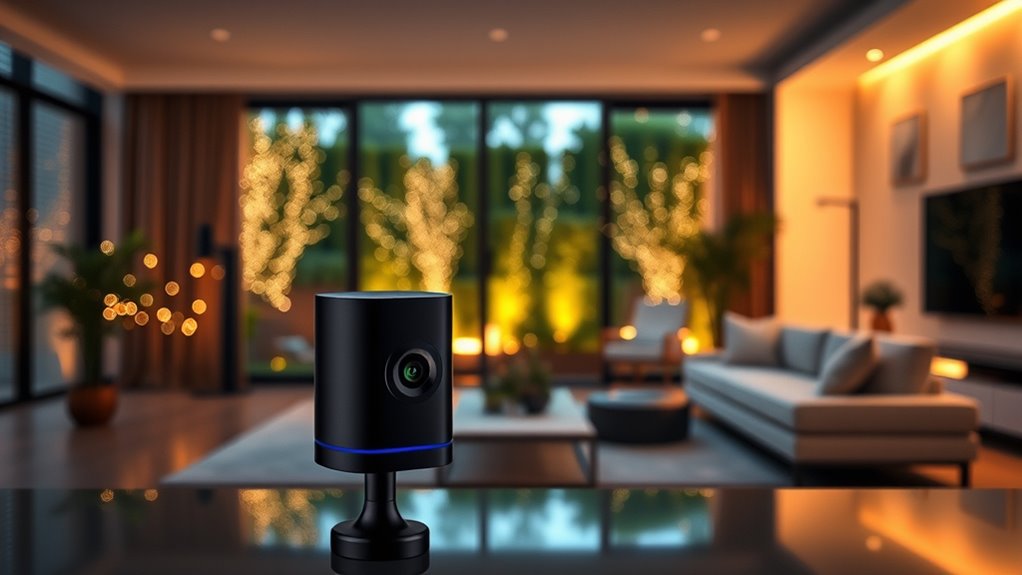

For a flexible HomeKit Secure Video setup, I’d put the Aqara G100 2K Indoor/Outdoor Security Camera first: its placement options make it useful beyond a single doorway or room. The Aqara G400 wired/PoE doorbell suits homes ready for a permanent entry camera, while the Eve Cam is a focused indoor choice for buyers who want a HomeKit-centered setup. The main tradeoffs are camera placement, power and network requirements, and whether you need a doorbell view or a general-purpose camera. The lineup also includes duplicate G410 and G100 listings, so some entries represent bundles or configurations rather than distinct camera designs. Read on for my breakdown of which option fits each kind of home.

Get tech for your team delivered free — and shop member deals
- Fast, free delivery on millions of items
- Access to Prime Big Deal Days deals on October 6–7
- Prime Video, Amazon Music and more included
Key Takeaways
- The G100 is the most adaptable camera design here: its indoor/outdoor positioning makes it a stronger general-purpose pick than a camera built only for indoor use.
- The G400 is the dedicated wired doorbell choice: PoE or wired installation favors a stable, permanent entry setup, but asks more of the installation than a simple indoor camera.
- The two G410 entries serve the same doorbell role: compare the exact listing and included chime before choosing; the duplicate model name does not represent a separate camera category.
- The G100 two-pack favors multi-camera coverage: it can suit buyers planning several viewpoints, while a single camera is easier to place and configure as a first step.
- The Eve Cam and Aqara E1 target indoor coverage: they make more sense for room monitoring than for replacing an outdoor camera or video doorbell.
| Aqara Smart Doorbell Camera G410 with Chime |  | Best Smart Home Hub Doorbell | Video resolution: 2K Ultra HD; 1600×1200 when connected to HomeKit | Detection: mmWave radar | Connectivity: Dual-band Wi-Fi (2.4GHz/5GHz), Zigbee, Matter | VIEW ON AMAZON | See Our Full Breakdown |
| Aqara Smart Doorbell Camera G410 with Chime |  | Best Doorbell for Multi-Platform Homes | Model: G410 | Video resolution: 2K Ultra HD; 1600×1200 when connected to HomeKit | Field of view: Wide-angle | VIEW ON AMAZON | See Our Full Breakdown |
| Aqara G100 2K Indoor/Outdoor Security Camera |  | Best Flexible Indoor-Outdoor Camera | Resolution: 2304×1296 (3MP); HomeKit Secure Video limited to 1080p | Field of view: 140° | Lens aperture: f/1.8 | VIEW ON AMAZON | See Our Full Breakdown |
| Eve Cam Smart Indoor Camera |  | Best for Apple-Only Privacy | Video resolution: 1080p | Field of view: 147° | Frame rate: 25 or 30 fps | VIEW ON AMAZON | See Our Full Breakdown |
| Aqara Doorbell Camera G400 with Chime (Wired/PoE, HomeKit Secure Video, IP65) |  | Best Wired Installation | Resolution: 2K HD (3MP); HomeKit limited to 1200p | Field of view: 165° vertical, 3:4 aspect ratio | Connectivity: Wi-Fi 6 (2.4GHz/5GHz), PoE, wired 8–24V AC/DC | VIEW ON AMAZON | See Our Full Breakdown |
| Aqara G100 2K Indoor/Outdoor Security Camera (2-Pack) |  | Best for Multi-Area Coverage | Resolution: 2304 × 1296 (3MP) | Field of view: 140° | Night vision: Spotlight color and 940nm IR | VIEW ON AMAZON | See Our Full Breakdown |
| Aqara G100 2K Indoor/Outdoor Security Camera with HomeKit Secure Video |  | Best Single-Camera Outdoor Pick | Resolution: 2304 × 1296 (3MP) | Field of view: 140° | Night vision: Spotlight color and 940nm IR | VIEW ON AMAZON | See Our Full Breakdown |
| Aqara 2K Indoor Security Camera E1 |  | Best for Flexible Indoor Viewing | Resolution: 2K (2304 × 1296) | Viewing: 360° pan and tilt | Lens: f/2.0 wide-angle | VIEW ON AMAZON | See Our Full Breakdown |
| homekit secure video camera | Connectivity | Storage | Compatibility | Field of view |
|---|---|---|---|---|
| Aqara Smart Doorbell Camera G4 | Dual-band Wi-Fi (2.4GHz/5GHz), Zigbee, Matter | Encrypted cloud and microSD up to 512GB; card not included | Apple HomeKit Secure Video, Alexa, Google Assistant, SmartThings, Home Assistant | — |
| Aqara Smart Doorbell Camera G4 | Dual-band Wi-Fi (2.4GHz/5GHz), Zigbee, Matter | Encrypted cloud and microSD up to 512GB; card not included | Apple HomeKit, Alexa, Google Assistant, SmartThings, Home Assistant | Wide-angle |
| Aqara G100 2K Indoor/Outdoor S | Wi-Fi 6, 2.4GHz only | microSD up to 512GB, NAS, cloud | HomeKit, Google, Alexa, Home Assistant (RTSP) | 140° |
| Eve Cam Smart Indoor Camera | Wi-Fi (2.4GHz or 5GHz) and Bluetooth | — | — | 147° |
| Aqara Doorbell Camera G400 wit | Wi-Fi 6 (2.4GHz/5GHz), PoE, wired 8–24V AC/DC | microSD up to 512GB and NAS backup | — | 165° vertical, 3:4 aspect ratio |
| Aqara G100 2K Indoor/Outdoor S | Wi-Fi 6, 2.4GHz only; Bluetooth | microSD up to 512GB, NAS, or cloud | HomeKit, Alexa, Google Assistant, Home Assistant | 140° |
| Aqara G100 2K Indoor/Outdoor S | Wi-Fi and RTSP | microSD up to 512GB, NAS, or cloud | HomeKit, Google Home, Alexa, Home Assistant, Aqara Home | 140° |
| Aqara 2K Indoor Security Camer | Wi-Fi 6, 2.4GHz only | microSD up to 512GB, NAS (SMB3), or HomeGuardian cloud | HomeKit, Alexa, IFTTT, Aqara Home | — |
More Details on Our Top Picks
Aqara Smart Doorbell Camera G410 with Chime
The G410 makes the most sense for a HomeKit household that also wants to add Zigbee or Matter devices: its built-in hub can reduce the need for a separate controller. mmWave radar aims to cut down on irrelevant motion alerts, while local face recognition and encrypted cloud storage add privacy options. Compared with the Eve Cam, this is an outdoor entry camera with a chime and broader ecosystem support, rather than a camera built exclusively around Apple HomeKit Secure Video. There is a HomeKit tradeoff: video is limited to 1600×1200, below the camera’s 2K capability, and some voice features require the Aqara app. The microSD card for local backup is also sold separately, so buyers need to supply their own storage.
Pros:- Built-in Zigbee and Matter hub can connect compatible devices without a separate hub
- mmWave radar supports more targeted human detection
- Local face recognition and encrypted cloud storage provide privacy options
- Works with HomeKit Secure Video and several other smart home platforms
Cons:- HomeKit video resolution is limited to 1600×1200
- A microSD card for local backup is not included
- Voice changing and custom audio features require the Aqara Home app
Best for: HomeKit households that want a doorbell and a built-in Zigbee and Matter hub for other smart devices
Not ideal for: Buyers who want the camera’s full 2K resolution inside HomeKit or prefer every feature to live in Apple’s Home app
- Video resolution:2K Ultra HD; 1600×1200 when connected to HomeKit
- Detection:mmWave radar
- Connectivity:Dual-band Wi-Fi (2.4GHz/5GHz), Zigbee, Matter
- Storage:Encrypted cloud and microSD up to 512GB; card not included
- Chime volume:95dB
- Security:WPA3
- Compatibility:Apple HomeKit Secure Video, Alexa, Google Assistant, SmartThings, Home Assistant
- Color:Black
Our verdict“Choose the G410 if you want a HomeKit-capable doorbell that can also serve as a hub for a wider smart home.”
Aqara Smart Doorbell Camera G410 with Chime
This gray G410 is a practical fit for a home that uses HomeKit alongside Alexa, Google Assistant, SmartThings, or Home Assistant. Its built-in Zigbee and Matter hub gives it a second job beyond watching the front door, and mmWave radar is designed to reduce motion alerts that do not matter. Compared with the black G410 listing, the supplied feature set is much the same; the meaningful distinction here is the gray finish, not a separate performance tier. Against the Aqara G400, the G410’s standout is its built-in hub, while the G400 offers PoE and existing doorbell-wiring options. HomeKit users should account for the G410’s 1600×1200 limit, and local microSD storage requires a separately supplied card. Some audio customization also stays in Aqara’s app.
Pros:- Built-in Zigbee and Matter hub adds smart home control
- mmWave radar supports more precise motion detection
- Local face recognition and privacy masking offer added control
- Broad compatibility spans Apple, Google, Amazon, and other platforms
Cons:- HomeKit limits video to 1600×1200
- microSD card for local storage is not included
- Voice changing and custom audio are limited to the Aqara Home app
Best for: Households mixing Apple HomeKit with other smart home platforms that want a doorbell and device hub in one
Not ideal for: Buyers who need PoE installation, a supplied microSD card, or full 2K video through HomeKit
- Model:G410
- Video resolution:2K Ultra HD; 1600×1200 when connected to HomeKit
- Field of view:Wide-angle
- Connectivity:Dual-band Wi-Fi (2.4GHz/5GHz), Zigbee, Matter
- Storage:Encrypted cloud and microSD up to 512GB; card not included
- Chime volume:95dB
- Security:WPA3
- Compatibility:Apple HomeKit, Alexa, Google Assistant, SmartThings, Home Assistant
- Color:Gray
Our verdict“Pick this G410 if you want a gray, multi-platform doorbell with a built-in hub and can accept HomeKit’s lower resolution.”
Aqara G100 2K Indoor/Outdoor Security Camera
The G100 is the flexible pick for buyers who need one camera design that can cover a room now and a sheltered exterior later. Its IP65 rating, 140° view, and storage options that include microSD, NAS, and cloud give it more placement and recording flexibility than the Eve Cam, which is indoor-only and tied to HomeKit Secure Video. The G100 also records at 2304×1296 outside HomeKit, but HomeKit Secure Video caps it at 1080p, so Apple users should not buy it for the full 2K feed. Wi-Fi is 2.4GHz only, and the power adapter is not included. Night vision adds spotlight color and covert infrared modes, though switching between modes is manual rather than automatic.
Pros:- IP65 weather resistance supports indoor and outdoor placement
- 140° field of view covers a broad area
- microSD, NAS, and cloud storage offer flexible recording choices
- Spotlight color and 940nm infrared night vision provide different viewing modes
Cons:- HomeKit Secure Video limits resolution to 1080p
- Supports 2.4GHz Wi-Fi only
- Power adapter is not included and night vision modes require manual selection
Best for: HomeKit users who want a weather-resistant camera they can move between indoor and outdoor locations and store footage locally
Not ideal for: Buyers who need 5GHz Wi-Fi, an included power adapter, or automatic switching between night vision modes
- Resolution:2304×1296 (3MP); HomeKit Secure Video limited to 1080p
- Field of view:140°
- Lens aperture:f/1.8
- Night vision:Spotlight color and 940nm IR
- Connectivity:Wi-Fi 6, 2.4GHz only
- Storage:microSD up to 512GB, NAS, cloud
- Power:DC 5V/1A; adapter not included
- Weather resistance:IP65
- Compatibility:HomeKit, Google, Alexa, Home Assistant (RTSP)
Our verdict“Choose the G100 if you want a flexible, locally storable camera for indoor and outdoor coverage and can work with 2.4GHz Wi-Fi.”
Eve Cam Smart Indoor Camera
The Eve Cam is the clearest choice here for buyers who want an indoor camera built specifically around Apple HomeKit Secure Video. It processes video analysis locally and uses end-to-end encryption, keeping the privacy model focused on the Apple home rather than a mix of cloud and local storage options. Compared with the Aqara G100, Eve gives up outdoor placement and higher resolution, but it avoids the G100’s 2.4GHz-only restriction and manual night-mode selection: Eve supports 2.4GHz or 5GHz Wi-Fi and records at 1080p. That Apple focus comes with setup requirements. You need an Apple home hub and iCloud+, and there is no stated microSD or NAS recording option. Buyers with mixed-platform homes may find the Aqara cameras a better fit.
Pros:- Designed exclusively for Apple HomeKit Secure Video
- End-to-end encryption protects live and recorded video
- Video analysis is performed locally in the home
- Supports 2.4GHz and 5GHz Wi-Fi
Cons:- Requires an Apple home hub and iCloud+
- Indoor use only
- 1080p resolution and no stated microSD or NAS recording option
Best for: Apple households seeking an indoor camera with local video analysis and HomeKit Secure Video encryption
Not ideal for: People who need outdoor coverage, local microSD or NAS recording, or compatibility beyond Apple’s ecosystem
- Video resolution:1080p
- Field of view:147°
- Frame rate:25 or 30 fps
- Connectivity:Wi-Fi (2.4GHz or 5GHz) and Bluetooth
- Motion features:Motion detection with people and pet recognition
- Audio:Two-way audio
- Use:Indoor
- Dimensions:2.36 × 2.55 × 4.8 inches
- Requirements:iPhone or iPad, HomePod or Apple TV home hub, and iCloud+
Our verdict“Choose Eve Cam for privacy-focused indoor monitoring if your household already relies on Apple’s home hub and iCloud+.”
Aqara Doorbell Camera G400 with Chime (Wired/PoE, HomeKit Secure Video, IP65)
The G400 is the strongest fit for buyers who can run power or network cable to the entrance and want a doorbell with more installation options. Its PoE support sits alongside existing low-voltage doorbell wiring and dual-band Wi-Fi, while the 165° vertical view is intended to show more of a visitor and the area near the door. That makes it a different proposition from the G410, whose built-in Zigbee and Matter hub can be more useful when expanding a smart home without new wiring. The G400 instead offers local AI person detection, microSD or NAS recording, and 940nm infrared night vision. HomeKit Secure Video caps resolution at 1200p, and the microSD card is not included; HomeKit features also require iCloud+ and an Apple home hub.
Pros:- Supports PoE, existing doorbell wiring, and dual-band Wi-Fi
- 165° vertical field of view helps capture visitors and packages
- Local AI person detection reduces reliance on cloud processing
- microSD and NAS support provide local recording options
Cons:- HomeKit Secure Video limits resolution to 1200p
- Requires iCloud+ and an Apple home hub for HomeKit Secure Video
- microSD card is not included
Best for: Homeowners with PoE or existing doorbell wiring who want a wide-view, wired-capable HomeKit doorbell
Not ideal for: Renters or buyers who cannot run wiring, or those who want a built-in Zigbee and Matter hub
- Resolution:2K HD (3MP); HomeKit limited to 1200p
- Field of view:165° vertical, 3:4 aspect ratio
- Connectivity:Wi-Fi 6 (2.4GHz/5GHz), PoE, wired 8–24V AC/DC
- Weather resistance:IP65
- Storage:microSD up to 512GB and NAS backup
- Night vision:940nm infrared LEDs
- Power:PoE or existing doorbell wiring
- Video encoding:H.264
- Audio:Two-way audio with voice changer
Our verdict“Choose the G400 if your entryway supports wired or PoE installation and you value broad vertical coverage over a built-in smart home hub.”
Aqara G100 2K Indoor/Outdoor Security Camera (2-Pack)
The two-camera bundle suits buyers who want to cover separate entrances or indoor and outdoor areas while keeping both cameras in Apple Home. Its 140° field of view and 2K sensor capture broad scenes, though HomeKit Secure Video limits footage to 1080p. Compared with the single-camera Aqara G100 2K Indoor/Outdoor Security Camera, this pack makes multi-zone coverage easier to build, but the core camera tradeoffs are the same: it uses 2.4GHz Wi-Fi and needs a separately supplied power adapter. Color spotlight and covert IR night vision give you a choice between visible illumination and less conspicuous monitoring. Local microSD and NAS options add flexibility beyond HomeKit recording, while some advanced AI features require a paid subscription. This is a practical bundle for buyers who value coverage and storage choice over 5GHz connectivity.
Pros:- Two cameras make it easier to cover separate areas
- 140° field of view with 2K sensor resolution
- Spotlight color and covert 940nm IR night vision
- IP65 protection and microSD, NAS, and cloud storage options
Cons:- Power adapters are not included
- Wi-Fi is limited to 2.4GHz
- HomeKit Secure Video limits resolution to 1080p; advanced AI features require a subscription
Best for: Apple Home households that want two cameras for different indoor or outdoor monitoring zones.
Not ideal for: Buyers who need 5GHz Wi-Fi, included power adapters, or 2K footage inside HomeKit Secure Video.
- Resolution:2304 × 1296 (3MP)
- Field of view:140°
- Night vision:Spotlight color and 940nm IR
- Weather resistance:IP65
- Connectivity:Wi-Fi 6, 2.4GHz only; Bluetooth
- Storage:microSD up to 512GB, NAS, or cloud
- Power:DC 5V/1A; adapter not included
- Compatibility:HomeKit, Alexa, Google Assistant, Home Assistant
Our verdict“Choose this bundle if you want two weather-resistant Aqara cameras for multiple zones and can work with 2.4GHz Wi-Fi and HomeKit’s 1080p limit.”
Aqara G100 2K Indoor/Outdoor Security Camera with HomeKit Secure Video
The single Aqara G100 is a straightforward choice when one outdoor area needs monitoring and you do not need the two-camera bundle. Its IP65 weather resistance and spotlight or 940nm IR night vision suit changing conditions, while microSD and NAS storage let you keep recordings outside a cloud-only setup. The sensor records at 2K, but footage through HomeKit Secure Video is capped at 1080p, so the higher resolution matters most when using other supported recording paths. Compared with the Aqara G100 2K Indoor/Outdoor Security Camera (2-Pack), this version is better suited to a single location; the two-pack is the more natural fit for covering multiple zones. The adapter is sold separately, and advanced cloud AI features require a paid HomeGuardian subscription.
Pros:- IP65 rating supports indoor and outdoor placement
- 140° view and 2K sensor resolution
- Spotlight color and 940nm IR night vision
- microSD and NAS storage alongside cloud options
Cons:- Power adapter is not included
- HomeKit Secure Video limits footage to 1080p
- Advanced cloud AI features require a paid subscription
Best for: Apple Home users who need one weather-resistant camera for a porch, garage, or garden and want local storage options.
Not ideal for: Households covering several areas at once, or buyers who require 5GHz Wi-Fi or an included power adapter.
- Resolution:2304 × 1296 (3MP)
- Field of view:140°
- Night vision:Spotlight color and 940nm IR
- Weather resistance:IP65
- Connectivity:Wi-Fi and RTSP
- Storage:microSD up to 512GB, NAS, or cloud
- Power:DC 5V/1A; adapter not included
- Compatibility:HomeKit, Google Home, Alexa, Home Assistant, Aqara Home
Our verdict“Pick this single G100 for one outdoor monitoring zone with flexible storage, or choose the two-pack if you need coverage in multiple places.”
Aqara 2K Indoor Security Camera E1
The Aqara Camera E1 is made for rooms where a fixed camera would leave blind spots: its 360° pan and tilt can follow a wider area from one indoor position. That makes it a stronger fit for checking across a living room than either fixed-view Aqara G100, but it lacks their IP65 weather protection and is intended for indoor use. Privacy features are a defining difference: on-device person and motion detection, plus an automated privacy mode, give buyers more control over monitoring. HomeKit Secure Video support fits Apple households, while microSD and NAS storage offer alternatives. Its 2K sensor is limited to 1080p through HomeKit Secure Video. Like the G100 models, it needs a separate power adapter and supports only 2.4GHz Wi-Fi; cloud recognition features require a subscription.
Pros:- 360° pan and tilt can cover more of a room from one position
- On-device person and motion detection
- Automated privacy mode
- microSD and NAS storage options
Cons:- Designed for indoor use rather than outdoor exposure
- Only supports 2.4GHz Wi-Fi; adapter is not included
- Cloud recognition features require a subscription
Best for: Apple Home users who want adjustable coverage and privacy controls in a living room, nursery, or other indoor space.
Not ideal for: Buyers who need outdoor weather protection, 5GHz Wi-Fi, or HomeKit Secure Video at the camera’s full 2K resolution.
- Resolution:2K (2304 × 1296)
- Viewing:360° pan and tilt
- Lens:f/2.0 wide-angle
- Night vision:940nm infrared
- Connectivity:Wi-Fi 6, 2.4GHz only
- Security protocol:WPA3
- Storage:microSD up to 512GB, NAS (SMB3), or HomeGuardian cloud
- Power:USB-C, 5V/2A; adapter not included
- Compatibility:HomeKit, Alexa, IFTTT, Aqara Home
Our verdict“Choose the E1 for adjustable indoor room coverage and privacy controls; choose an Aqara G100 when weather resistance matters more.”
How We Picked
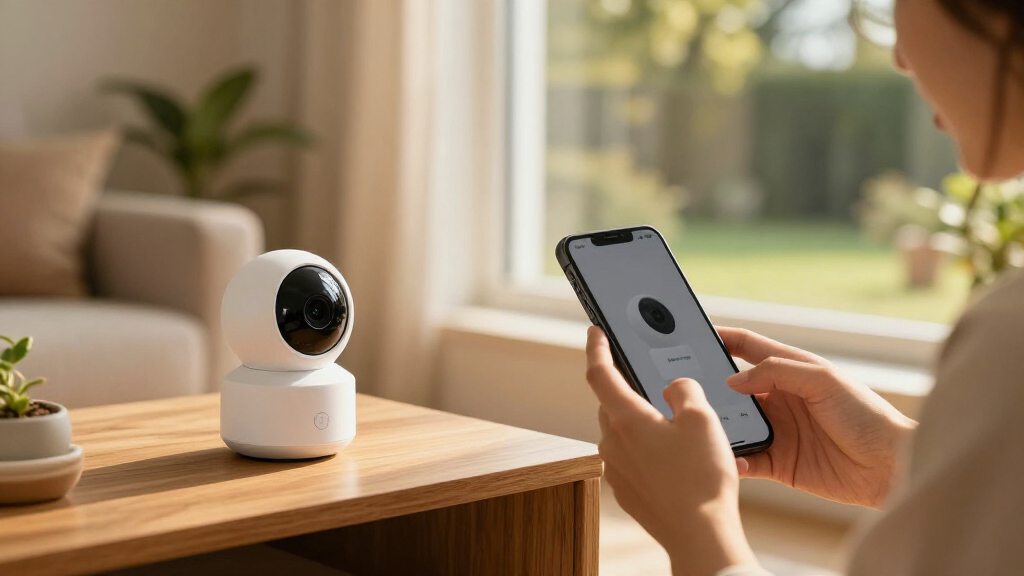
I ranked these options by how well their stated design and HomeKit Secure Video support match common security jobs: watching an entry, covering an indoor room, or adding a camera that can work in more than one setting. I also weighed installation demands, power and connection choices, bundle size, and the practical difference between a dedicated doorbell and a general camera. These factors matter because a camera can have an appealing feature set yet be a poor fit for the location a buyer needs to monitor.
The G100 leads for its flexible placement, while the wired/PoE G400 ranks as a more specialized entry solution for homes prepared for fixed installation. The indoor-focused Eve Cam and E1 follow for buyers whose needs are narrower. The G410 and G100 listings include repeated models and bundle variations, so I treat those as configuration choices rather than evidence of distinct camera performance. Confirm the exact model, included accessories, and HomeKit Secure Video compatibility on the listing before purchase.
| homekit secure video camera | Connectivity | Storage | Compatibility | Power |
|---|---|---|---|---|
| Aqara Smart Doorbell Camera G4 | Dual-band Wi-Fi (2.4GHz/5GHz), Zigbee, Matter | Encrypted cloud and microSD up to 512GB; card not included | Apple HomeKit Secure Video, Alexa, Google Assistant, SmartThings, Home Assistant | — |
| Aqara Smart Doorbell Camera G4 | Dual-band Wi-Fi (2.4GHz/5GHz), Zigbee, Matter | Encrypted cloud and microSD up to 512GB; card not included | Apple HomeKit, Alexa, Google Assistant, SmartThings, Home Assistant | — |
| Aqara G100 2K Indoor/Outdoor S | Wi-Fi 6, 2.4GHz only | microSD up to 512GB, NAS, cloud | HomeKit, Google, Alexa, Home Assistant (RTSP) | DC 5V/1A; adapter not included |
| Eve Cam Smart Indoor Camera | Wi-Fi (2.4GHz or 5GHz) and Bluetooth | — | — | — |
| Aqara Doorbell Camera G400 wit | Wi-Fi 6 (2.4GHz/5GHz), PoE, wired 8–24V AC/DC | microSD up to 512GB and NAS backup | — | PoE or existing doorbell wiring |
| Aqara G100 2K Indoor/Outdoor S | Wi-Fi 6, 2.4GHz only; Bluetooth | microSD up to 512GB, NAS, or cloud | HomeKit, Alexa, Google Assistant, Home Assistant | DC 5V/1A; adapter not included |
| Aqara G100 2K Indoor/Outdoor S | Wi-Fi and RTSP | microSD up to 512GB, NAS, or cloud | HomeKit, Google Home, Alexa, Home Assistant, Aqara Home | DC 5V/1A; adapter not included |
| Aqara 2K Indoor Security Camer | Wi-Fi 6, 2.4GHz only | microSD up to 512GB, NAS (SMB3), or HomeGuardian cloud | HomeKit, Alexa, IFTTT, Aqara Home | USB-C, 5V/2A; adapter not included |
Factors to Consider When Choosing Homekit Secure Video Cameras
Choosing a HomeKit Secure Video camera starts with the job and location, then moves to installation and the rest of your Apple Home setup. These decisions can prevent a mismatch that no camera specification can fix.
Match the camera to the place you need to watch
Start by naming the view you need: a front door, a shared living space, or an area outside the home. Doorbells are built around visitors and the approach to an entrance, while general cameras can cover a wider range of rooms or mounting positions. A camera labeled for indoor and outdoor use may offer more placement flexibility, but check its operating limits and mounting needs for the exact location. Avoid pointing a camera through glass unless the maker confirms the features you need work through it; reflections can affect the image and motion detection. Also consider whether the camera’s field of view can include the approach without capturing more of a neighbor’s property than necessary.
Check power and network before choosing a model
Power affects where a camera can go and how much installation it takes. Battery powered doorbells can avoid running a new cable, while wired and PoE models call for compatible wiring or network equipment and may suit a permanent installation. A fixed power source can reduce charging chores, but it does not remove the need for dependable Wi-Fi or Ethernet where the model uses it. Check your signal at the intended mounting point, not just beside your router. If that spot has weak coverage, plan for network improvements before relying on a live view or notifications.
Understand what HomeKit Secure Video requires
Camera compatibility is only one part of a HomeKit Secure Video setup. Check Apple’s current requirements for a supported home hub, iCloud+ plan, and the number of cameras your plan allows. Those details can change, so confirm them against Apple’s guidance and your current account before buying several devices. Decide whether you want recorded clips, live viewing, or both; they place different demands on your setup and expectations. A camera that works in the manufacturer’s app may not expose every feature through Apple Home, so verify the specific HomeKit functions you rely on.
Plan coverage as a system, not a camera count
More cameras do not automatically make a home safer. Consider which routes and entrances matter, where one camera’s view ends, and whether you need overlapping coverage for a blind spot. A two-camera bundle can simplify a planned multi-room setup, but it can be a poor first purchase if you have not checked placement, Wi-Fi, or your HomeKit camera limit. Add cameras in a sequence that lets you learn which angles produce useful alerts. This approach also helps keep notifications focused instead of flooding your phone with activity from low-priority areas.
Choose between a simple start and a permanent installation
Beginners often get more value from starting with one camera in a high-priority location than from installing a full set at once. A freestanding or straightforward indoor camera makes it easier to assess your network, notification preferences, and Home app workflow. A doorbell or PoE camera can be a better long-term fit when the entry is the main concern and the installation is already suitable. If you rent, check mounting and wiring limits before committing to a fixed device. Pay for installation complexity only when it delivers a view or connection that a simpler camera cannot provide.
Frequently Asked Questions
Can I use these cameras with Apple Home without an iCloud+ plan?
HomeKit Secure Video recording requires an eligible iCloud+ plan and a supported home hub under Apple’s current requirements. You may still be able to use a compatible camera’s live view or manufacturer app without that recording setup, but the available functions differ by model. Check Apple’s latest plan and camera limits before choosing a bundle. If recorded clips are the main reason you are buying, confirm your account can support the intended number of cameras first.
Should I choose a video doorbell or a general camera for my front entrance?
Choose a doorbell when you want the camera centered on visitors and the approach to your door, especially if replacing an existing doorbell is part of the plan. A general camera can be more flexible to position, but it may not provide the same doorbell-specific interaction. Wired or PoE doorbells also require checking your existing wiring and network setup before installation. For a broader view of a porch or driveway, compare the camera’s placement and field of view rather than assuming a doorbell will cover the whole area.
Is the G100 two-pack a better choice than buying one camera?
A two-pack makes sense when you already know which two locations need coverage and your HomeKit setup can accommodate them. Buying one first is a safer choice if you are still checking Wi-Fi reach, viewing angles, or how sensitive you want motion alerts to be. A second camera is useful only if it fills a distinct coverage gap. Compare the exact bundle contents with the single-camera listing, since accessory and configuration details can vary.
What should I verify before buying a wired or PoE HomeKit doorbell?
Confirm that your existing doorbell wiring or Ethernet route matches the model’s power and connection requirements. A PoE installation may call for compatible networking equipment and a cable path to the mounting point. Check dimensions, mounting hardware, and local installation constraints as well. Finally, verify that the exact model supports the HomeKit Secure Video functions you want; a general HomeKit mention does not by itself confirm every recording feature.
How should I choose between an indoor-only camera and an indoor/outdoor model?
Choose based on the actual environment and mounting location, not on the broader label alone. An indoor camera can be a sensible fit for a room where it will stay protected, while an indoor/outdoor model gives more flexibility if placement needs change. For exterior use, check the stated weather protection, temperature range, power arrangement, and mounting method for the exact product. If the camera will sit behind glass or face strong backlighting, look for guidance on how those conditions affect its image and motion alerts.
Conclusion
For the best overall balance of placement flexibility, I’d choose the Aqara G100 2K Indoor/Outdoor Security Camera. The best value for planned multi-room coverage is the G100 two-pack, provided you have suitable locations and HomeKit capacity for both. For a permanent premium entry setup, the wired/PoE Aqara G400 is the specialized pick; choose a G410 when you want the doorbell-and-chime format and confirm the exact listing contents. Beginners focused on one indoor room can start with the Eve Cam or Aqara E1, while buyers needing a flexible camera for changing locations should favor the G100. Pick based on the view and installation your home supports, then check Apple’s current requirements and the exact product listing before ordering.
Fall Picks
fall essentials
As an affiliate, we earn on qualifying purchases.