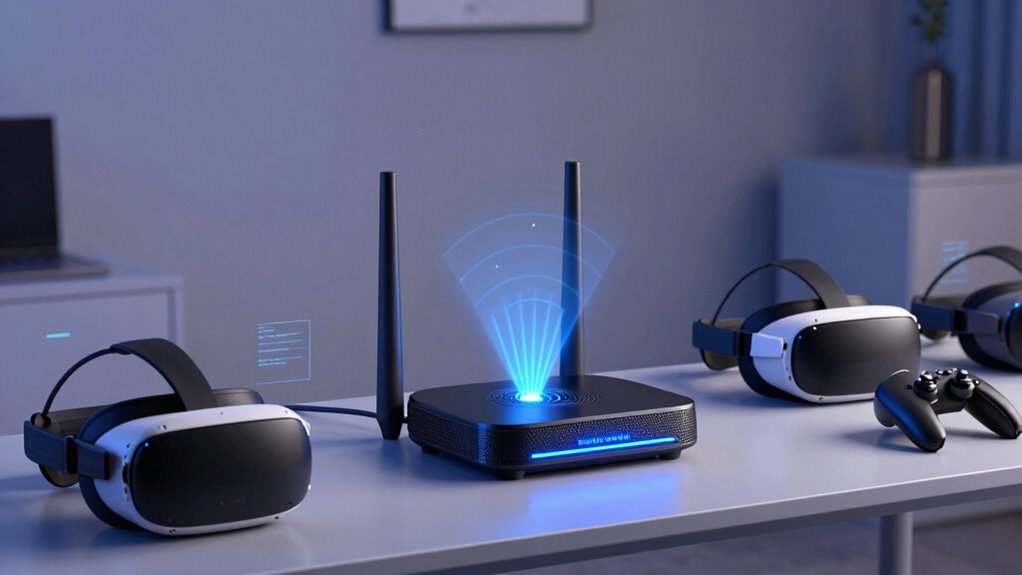

For most wireless VR setups, I’d start with the NETGEAR Orbi 370 Series WiFi 7 Mesh System for its newer Wi-Fi generation and three-unit coverage; the TP-Link Deco 7 Pro BE10000 is a stronger fit for buyers prioritizing premium tri-band capacity, while the Amazon eero 6+ suits simpler homes that do not need Wi-Fi 7. The main choice is not just Wi-Fi speed: node placement, backhaul quality, and the headset’s connection to the nearest node can matter more than a headline throughput figure. Wi-Fi 7 models may offer more headroom, but they cost you complexity or capacity you may not use if your headset supports an older standard. Read on for how these 15 systems differ and which tradeoffs fit your space, gear, and VR habits.

Get business pricing on tech for your team
- Business-only prices and quantity discounts
- Tax-exempt purchasing
- Multiple users, one account, clear invoices
Key Takeaways
Wi-Fi 7 is not an automatic VR fix. The Orbi 370 and Deco 7 Pro models bring newer wireless capabilities, but a headset that supports only Wi-Fi 6 cannot use every Wi-Fi 7 feature.
Tri-band models stand apart when several devices compete for airtime. The Deco 7 Pro BE10000, Deco 7 Pro BE67, amazon.com/dp/B0FH9WKDZN?tag=technocapture-20&ascsubtag=dc-634880″ target=”_blank” rel=”nofollow sponsored noopener”>Cudy M11000, and Deco X68 offer a different capacity profile from the dual-band Deco 7 and Wi-Fi 6 options.
Three nodes are not always better than two. A two-pack such as the WAVLINK AX3000 or Deco X68 may suit a compact layout, while larger or awkward homes may benefit from the three-unit bundles in this lineup.
Older Wi-Fi 5 picks are budget-first, not future-focused. Google WiFi AC1200, Tenda Nova MW5G, and Deco M5 can cover basic needs, but their older standards make them less compelling for demanding wireless VR traffic.
Renewed systems involve a different kind of tradeoff. The Deco 7 BE3600 and Deco X60 can bring capable mesh features, but buyers should weigh condition and support terms against the appeal of a new unit.
| Google WiFi AC1200 Mesh Router System (3-Pack) |  | Best for Simple Whole-Home Coverage | Wi-Fi class: AC1200 | System type: Mesh Wi-Fi router system | Pack size: 3-pack | VIEW ON AMAZON | See Our Full Breakdown |
| NETGEAR Orbi 370 Series WiFi 7 Mesh System, 3-Pack |  | Best for Large, Busy Homes | Wi-Fi standard: Wi-Fi 7 | Bands: Dual-band | Maximum stated speed: Up to 5 Gbps | VIEW ON AMAZON | See Our Full Breakdown |
| WAVLINK AX3000 WiFi 6 Mesh System, 2-Pack |  | Best for Wired-Backhaul VR | Model: WN551X2 | Wi-Fi generation: Wi-Fi 6 (802.11ax) | Bands: Dual-band, 2.4 GHz and 5 GHz | VIEW ON AMAZON | See Our Full Breakdown |
| Cudy M11000 BE11000 Tri-Band Wi-Fi 7 Mesh System, 1-Pack |  | Best Single-Node Wi-Fi 7 Pick | Wi-Fi generation: Wi-Fi 7 | Bands: Tri-band: 6 GHz, 5 GHz, and 2.4 GHz | Maximum data rate: Up to 11,000 Mbps | VIEW ON AMAZON | See Our Full Breakdown |
| Amazon eero 6+ Mesh Wi-Fi System, 3-Pack |  | Best for Easy Wi-Fi 6 Setup | Wi-Fi standard: Wi-Fi 6 | System type: Mesh Wi-Fi system | Pack size: 3-pack | VIEW ON AMAZON | See Our Full Breakdown |
| Tenda Nova Mesh WiFi System MW5G – AC1200 Whole Home Mesh Router, Covers up to 3500 sq ft, Supports 80 Devices (3-Pack) |  | Best for Basic Coverage on a Tight Network | Wi-Fi standard: AC1200 dual-band | Coverage area: Up to 3,500 sq. ft. | Supported devices: Up to 80 | VIEW ON AMAZON | See Our Full Breakdown |
| TP-Link Deco 7 Dual-Band BE5000 WiFi 7 Mesh Wi-Fi System |  | Best for Large Homes and a Wi-Fi 7 Upgrade | Wi-Fi standard: Wi-Fi 7 | Combined speed class: BE5000, up to 5 Gbps | 5 GHz speed: Up to 4,324 Mbps | VIEW ON AMAZON | See Our Full Breakdown |
| TP-Link Deco 7 BE3600 WiFi 7 Whole Home Mesh System (Renewed) |  | Best Renewed Wi-Fi 7 Option | Wi-Fi generation: Wi-Fi 7 (802.11be) | Combined data rate: Up to 3,600 Mbps | Ports: 6 listed | VIEW ON AMAZON | See Our Full Breakdown |
| TP-Link Deco X60 AX3000 Wi-Fi 6 Whole-Home Mesh System, 3-Pack (Renewed) |  | Best for Wide Coverage on Wi-Fi 6 | Wi-Fi generation: Wi-Fi 6 (802.11ax) | Speed: Up to 3 Gbps | Coverage: Up to 7,000 sq. ft. | VIEW ON AMAZON | See Our Full Breakdown |
| TP-Link Deco X68 Tri-Band Mesh WiFi 6 System – 2 Pack |  | Best Tri-Band Wi-Fi 6 Pick | Wi-Fi standard: Wi-Fi 6 (AX3600) | Bands: Tri-band | Coverage area: Up to 5,500 sq. ft. | VIEW ON AMAZON | See Our Full Breakdown |
| TP-Link Deco 7 BE23 Wi-Fi 7 Dual-Band Mesh System, 3-Pack |  | Best Value Wi-Fi 7 for VR | Wi-Fi standard: Wi-Fi 7 | Bands: Dual-band, 2.4 GHz and 5 GHz | Combined wireless speed: Up to 3.6 Gbps | VIEW ON AMAZON | See Our Full Breakdown |
| TP-Link Deco M5 Mesh Wi-Fi System, 3-Pack |  | Best for Budget-Conscious, Wired-Backhaul Setups | Wi-Fi standards: 802.11a/b/g/n/ac | Bands: Dual-band | Included units: 3 | VIEW ON AMAZON | See Our Full Breakdown |
| TP-Link Deco 7 Pro BE10000 Tri-Band Wi-Fi 7 Whole-Home Mesh System, 3-Pack |  | Best for High-Traffic VR Homes | Wi-Fi standard: Wi-Fi 7 (BE10000) | Bands: Tri-band: 6 GHz, 5 GHz, and 2.4 GHz | Maximum advertised speed: Up to 10,000 Mbps combined | VIEW ON AMAZON | See Our Full Breakdown |
| TP-Link Deco 7 Pro BE67 Tri-Band Wi-Fi 7 Mesh System (3-Pack) |  | Best Premium Coverage | Wi-Fi standard: Wi-Fi 7 (BE14000) | Bands: Tri-band: 2.4 GHz, 5 GHz, and 6 GHz | Maximum advertised speed: 14 Gbps total | VIEW ON AMAZON | See Our Full Breakdown |
| TP-Link Deco X15 AX1500 Wi-Fi 6 Mesh System, 3-Pack |  | Best Wi-Fi 6 Step-Up | Wi-Fi standard: Wi-Fi 6 | Wi-Fi speed: AX1500: up to 1,201 Mbps on 5 GHz and 300 Mbps on 2.4 GHz | Bands: Dual-band | VIEW ON AMAZON | See Our Full Breakdown |
| mesh wi fi system for vr | Wi-Fi standard | Bands |
|---|---|---|
| Google WiFi AC1200 Mesh Router | — | — |
| NETGEAR Orbi 370 Series WiFi 7 | Wi-Fi 7 | Dual-band |
| WAVLINK AX3000 WiFi 6 Mesh Sys | — | Dual-band, 2.4 GHz and 5 GHz |
| Cudy M11000 BE11000 Tri-Band W | — | Tri-band: 6 GHz, 5 GHz, and 2.4 GHz |
| Amazon eero 6+ Mesh Wi-Fi Syst | Wi-Fi 6 | — |
| Tenda Nova Mesh WiFi System MW | AC1200 dual-band | — |
| TP-Link Deco 7 Dual-Band BE500 | Wi-Fi 7 | — |
| TP-Link Deco 7 BE3600 WiFi 7 W | — | — |
| TP-Link Deco X60 AX3000 Wi-Fi | — | — |
| TP-Link Deco X68 Tri-Band Mesh | Wi-Fi 6 (AX3600) | Tri-band |
| TP-Link Deco 7 BE23 Wi-Fi 7 Du | Wi-Fi 7 | Dual-band, 2.4 GHz and 5 GHz |
| TP-Link Deco M5 Mesh Wi-Fi Sys | — | Dual-band |
| TP-Link Deco 7 Pro BE10000 Tri | Wi-Fi 7 (BE10000) | Tri-band: 6 GHz, 5 GHz, and 2.4 GHz |
| TP-Link Deco 7 Pro BE67 Tri-Ba | Wi-Fi 7 (BE14000) | Tri-band: 2.4 GHz, 5 GHz, and 6 GHz |
| TP-Link Deco X15 AX1500 Wi-Fi | Wi-Fi 6 | Dual-band |
More Details on Our Top Picks
Google WiFi AC1200 Mesh Router System (3-Pack)
The Google WiFi AC1200 3-Pack is a straightforward fit for VR households that need to fill coverage gaps across a larger home without managing advanced network settings. Its stated coverage of up to 4,500 sq. ft. gives you room to place nodes between the router and a VR play area, while the Google Home app handles setup and guest-network controls. Compared with the newer Amazon eero 6+, this system uses the older AC1200 standard rather than Wi-Fi 6, so it is less suited to busy homes with newer, data-hungry devices. That tradeoff matters if wireless VR competes with several active streams or downloads. The provided details do not specify dedicated backhaul or wired ports, so I would not choose it on the assumption that it can deliver a low-latency headset link. It makes more sense for a simple coverage upgrade than a high-performance VR network.
Pros:- Three-unit system is rated to cover up to 4,500 sq. ft.
- Google Home app provides setup and network management.
- Includes parental controls and guest-network creation.
- Signal optimization is designed to help maintain coverage as devices connect.
Cons:- AC1200 is an older Wi-Fi class than Wi-Fi 6 and Wi-Fi 7 alternatives in this roundup.
- No wired-backhaul or Ethernet-port details are provided for planning a direct node connection.
- A smartphone is required for initial setup and management.
Best for: VR users in a larger home who want app-guided setup, basic household controls, and broader coverage for everyday devices.
Not ideal for: Wireless VR players with crowded networks or newer Wi-Fi 6 devices who want the stronger specification set of the Amazon eero 6+ or WAVLINK AX3000.
- Wi-Fi class:AC1200
- System type:Mesh Wi-Fi router system
- Pack size:3-pack
- Stated coverage:Up to 4,500 sq. ft.
- Setup and management:Google Home app
- Network features:Parental controls and guest network
- Color:Snow
Our verdict“Choose this Google system for uncomplicated whole-home coverage, but pick a newer Wi-Fi 6 or Wi-Fi 7 model for a demanding wireless VR setup.”
NETGEAR Orbi 370 Series WiFi 7 Mesh System, 3-Pack
For a VR household spread across a large floor plan, the NETGEAR Orbi 370 Series leads this group on stated coverage and device capacity: it is rated for up to 6,000 sq. ft. and 70 devices. Wi-Fi 7 support and speeds listed up to 5 Gbps give it more headroom than the AC1200 Google WiFi system, while backward compatibility keeps Wi-Fi 6 and Wi-Fi 5 gear on the network. That does not guarantee low headset latency: placement, internet service, and the wireless path to the VR room still matter. Unlike the Cudy M11000, this is a three-unit system built around broad coverage rather than a single tri-band Wi-Fi 7 unit with four 2.5 GbE ports. Armor protection is only a 30-day trial, and the system is specified for US use. I would shortlist it when coverage and many connected devices matter more than detailed wired-network specifications.
Pros:- Three-unit system is rated for coverage up to 6,000 sq. ft.
- Wi-Fi 7 support with stated speeds up to 5 Gbps.
- Supports up to 70 devices and Wi-Fi 6 and Wi-Fi 5 clients.
- App-guided setup and automatic firmware updates are included.
Cons:- NETGEAR Armor protection requires a subscription after its 30-day trial.
- Actual coverage and performance depend on home layout, node placement, devices, and internet plan.
- Made for use in the US only.
Best for: Households with a VR play space far from the main router, many connected devices, and a need for coverage across a large home.
Not ideal for: Buyers outside the US, or VR users seeking stated multi-gig Ethernet-port details and a tri-band specification such as the Cudy M11000.
- Wi-Fi standard:Wi-Fi 7
- Bands:Dual-band
- Maximum stated speed:Up to 5 Gbps
- Stated coverage:Up to 6,000 sq. ft.
- Device capacity:Up to 70 devices
- Included components:Router and two satellites
- Internet plan compatibility:Up to 2.5 Gbps
- Compatibility:Wi-Fi 7, Wi-Fi 6, and Wi-Fi 5 devices
- Region:Made for use in the US only
Our verdict“Pick the Orbi 370 when a large, device-heavy home needs three-node Wi-Fi 7 coverage, and look elsewhere if non-US compatibility or explicit multi-gig port details matter.”
WAVLINK AX3000 WiFi 6 Mesh System, 2-Pack
The WAVLINK AX3000 earns its place for VR buyers who can connect mesh nodes by Ethernet. Its support for wired backhaul gives you a way to avoid relying on a wireless node-to-node link, which can leave more wireless capacity for the headset and other devices. Wi-Fi 6 and a stated combined rate of up to 3.0 Gbps also make it a newer-generation choice than the Google WiFi AC1200. The two-pack is listed for roughly 4,800–5,000 sq. ft., though the product data gives both figures, so I would not treat either as a guaranteed home layout result. Router and access point modes add flexibility for adapting it to an existing network. Compared with the Wi-Fi 7 NETGEAR Orbi 370, WAVLINK gives up the newer wireless standard and three-node package, but its wired-backhaul option is the clearest fit here for a VR room that can be cabled.
Pros:- Supports Ethernet backhaul, which can keep node traffic off the wireless link.
- Wi-Fi 6 with a stated data rate up to 3.0 Gbps.
- Router and access point modes support different home network layouts.
- Includes WPA3, QoS, guest mode, and parental controls.
Cons:- Coverage is inconsistently stated as up to 5,000 sq. ft. and up to 4,800 sq. ft.
- Two units may be less practical than a three-pack for some large or multi-floor homes.
- Wi-Fi 6 is an older generation than Wi-Fi 7 systems such as the NETGEAR Orbi 370.
Best for: VR players who can run Ethernet between mesh nodes and want Wi-Fi 6 coverage with router or access point mode options.
Not ideal for: Buyers who need a clearly defined coverage figure, a three-node kit, or Wi-Fi 7 for the newest wireless clients.
- Model:WN551X2
- Wi-Fi generation:Wi-Fi 6 (802.11ax)
- Bands:Dual-band, 2.4 GHz and 5 GHz
- Maximum data rate:Up to 3.0 Gbps
- Pack size:2 units
- Stated coverage:Up to 5,000 sq. ft. in description; up to 4,800 sq. ft. in specifications
- Backhaul:Wireless or Ethernet
- Ethernet ports:3 gigabit ports
- Security:WPA-PSK, WPA2-PSK, and WPA3
Our verdict“Choose WAVLINK if you can wire the nodes and want a flexible Wi-Fi 6 mesh for a VR room; skip it if you need Wi-Fi 7 or a firm coverage specification.”
Cudy M11000 BE11000 Tri-Band Wi-Fi 7 Mesh System, 1-Pack
The Cudy M11000 is the most specialized option here: a single tri-band Wi-Fi 7 unit for buyers who want modern wireless features and a strong wired connection point near a VR play area. Its 6 GHz band, dedicated 6 GHz backhaul support, and four 2.5 GbE ports offer more connection flexibility than the dual-band NETGEAR Orbi 370, especially for multi-gig wired devices. But the one-unit coverage is listed at just 1,200 sq. ft., so it is not a whole-home answer for many buyers unless they add mesh units. Its “up to 11,000 Mbps” figure describes a maximum data rate, not a promise of equivalent headset throughput. Fixed internal antennas also limit physical adjustment. I would favor it for a compact setup or a planned multi-node build, not as a complete large-home VR mesh in a single box.
Pros:- Tri-band Wi-Fi 7 includes 6 GHz, 5 GHz, and 2.4 GHz bands.
- Four 2.5 GbE ports support multi-gig wired connections.
- Supports wired and wireless mesh backhaul, including dedicated 6 GHz backhaul.
- Offers VPN features and app controls such as per-device QoS.
Cons:- One unit is rated for only 1,200 sq. ft. of coverage.
- A single unit is not a complete multi-node mesh setup for many larger homes.
- Fixed internal antennas cannot be repositioned.
Best for: VR users building a compact Wi-Fi 7 network who want tri-band operation, multi-gig wired ports, and the option to expand mesh coverage.
Not ideal for: Buyers expecting one unit to cover a large home, or anyone who needs movable antennas or a ready-made multi-node kit.
- Wi-Fi generation:Wi-Fi 7
- Bands:Tri-band: 6 GHz, 5 GHz, and 2.4 GHz
- Maximum data rate:Up to 11,000 Mbps
- Coverage:Up to 1,200 sq. ft. per unit
- Ethernet ports:4 × 2.5 GbE, including 1 WAN port
- Backhaul:Wired and wireless, with dedicated 6 GHz backhaul
- Supported clients:200+
- VPN protocols:WireGuard, OpenVPN, IPsec, ZeroTier, PPTP, and L2TP
- Warranty:2 years
Our verdict“Choose the Cudy for a compact, expandable Wi-Fi 7 setup with multi-gig wired connections, not for broad coverage from one unit.”
Amazon eero 6+ Mesh Wi-Fi System, 3-Pack
The Amazon eero 6+ 3-Pack is a practical middle ground for VR households that want an approachable Wi-Fi 6 system rather than the older Google WiFi AC1200 or the more technically equipped WAVLINK AX3000. Its stated coverage reaches 4,500 sq. ft., and support for internet plans up to a gigabit fits many home connections. TrueMesh is designed to reduce dead spots, which can help when the headset is used away from the main router, though the supplied details do not establish a dedicated backhaul or wired-node setup. The built-in Thread and Zigbee hub is an extra benefit for homes with compatible smart devices, not a direct VR performance feature. This eero is a sensible choice for simple Wi-Fi 6 coverage, but the listed device support of 75+ and subscription-gated security features may matter to crowded or security-focused households.
Pros:- Wi-Fi 6 system rated to cover up to 4,500 sq. ft.
- Supports internet plans up to 1 Gigabit.
- TrueMesh technology is designed to reduce dead spots.
- Built-in Thread and Zigbee hub supports compatible smart-home devices.
Cons:- Online security and additional network-management features require a separate subscription.
- No dedicated backhaul or Ethernet-port details are provided in the product data.
- Wi-Fi 6 is a generation behind the Wi-Fi 7 NETGEAR Orbi 370 and Cudy M11000.
Best for: VR households that want an easy-to-manage Wi-Fi 6 three-pack, gigabit-plan support, and a built-in hub for compatible smart-home devices.
Not ideal for: Users seeking Wi-Fi 7, explicit Ethernet-backhaul specifications, or security and network-management features without a separate subscription.
- Wi-Fi standard:Wi-Fi 6
- System type:Mesh Wi-Fi system
- Pack size:3-pack
- Stated coverage:Up to 4,500 sq. ft.
- Internet plan support:Up to 1 Gigabit
- Device support:75+ devices
- Smart-home hub:Thread and Zigbee
Our verdict“Pick the eero 6+ for straightforward Wi-Fi 6 coverage and smart-home integration, but choose another system if you need stated wired-backhaul or Wi-Fi 7 features.”
Tenda Nova Mesh WiFi System MW5G – AC1200 Whole Home Mesh Router, Covers up to 3500 sq ft, Supports 80 Devices (3-Pack)
The Tenda Nova MW5G suits a VR setup where the priority is extending coverage, not chasing the latest wireless speeds. Its three nodes cover up to 3,500 sq. ft. and use one network name for roaming, which can help a headset stay connected as you move between rooms. MU-MIMO and beamforming also help manage multiple devices, though they cannot make up for the system’s AC1200 ceiling or guarantee low-latency headset performance. Compared with the TP-Link Deco X60, this is the more basic choice: the X60 adds Wi-Fi 6 and a larger stated coverage area. The MW5G’s advantage is straightforward app setup and a stated capacity of up to 80 devices. I’d pick it for casual VR in a modest home, but skip it for demanding wireless PC VR or a very busy network.
Pros:- Three nodes provide stated coverage up to 3,500 sq. ft.
- Single network name supports roaming around the home.
- MU-MIMO and beamforming help serve multiple connected devices.
- Setup and management are handled through the Tenda Wi-Fi app.
Cons:- AC1200 dual-band Wi-Fi is a lower ceiling than the Wi-Fi 6 Deco X60.
- No Wi-Fi 6 or Wi-Fi 7 support for newer wireless devices.
- The supplied data does not specify Ethernet port count or backhaul options.
Best for: VR users in a modest-sized home who need three-node coverage and straightforward app-based setup for casual play.
Not ideal for: Wireless PC VR players seeking newer Wi-Fi standards or buyers whose headset and PC need consistently fast, low-latency wireless links.
- Wi-Fi standard:AC1200 dual-band
- Coverage area:Up to 3,500 sq. ft.
- Supported devices:Up to 80
- Units included:3 mesh nodes
- Wireless technologies:MU-MIMO, beamforming
- Security:WPA2-PSK, guest network
- Setup method:Tenda Wi-Fi app
Our verdict“Choose the MW5G for basic whole-home coverage and casual VR, but favor the Deco X60 for a newer Wi-Fi standard and broader stated coverage.”
TP-Link Deco 7 Dual-Band BE5000 WiFi 7 Mesh Wi-Fi System
For a VR household spread across a large home, the TP-Link Deco 7 BE5000 combines a broad stated footprint with Wi-Fi 7 and support for over 150 devices. The listed 5 GHz capacity of 4,324 Mbps is more relevant to a nearby headset than the combined headline rate, while simultaneous wired and wireless backhaul gives you the option to connect nodes by Ethernet rather than leave every link to radio. That flexibility sets it apart from the dual-band Deco X60, which uses Wi-Fi 6 and has a lower stated speed. The Deco 7’s 6,600 sq. ft. coverage is substantial, though the X60 lists a larger area and includes three units. The Deco 7 requires a separate modem, and its backhaul benefits need at least two Deco units; advanced HomeShield protection may also require a subscription.
Pros:- Wi-Fi 7 supports a newer wireless generation for compatible devices.
- Stated coverage reaches up to 6,600 sq. ft.
- Supports over 150 devices.
- Simultaneous wired and wireless backhaul includes 2.5G Ethernet.
Cons:- A separate modem is required for internet service.
- Full mesh and backhaul benefits require at least two Deco units.
- Advanced HomeShield security features may require a subscription.
Best for: Owners of large homes who want Wi-Fi 7, high device capacity, and the option to wire mesh nodes near a VR play space.
Not ideal for: Buyers who need a modem included, a clearly specified three-node bundle, or advanced security without a possible subscription.
- Wi-Fi standard:Wi-Fi 7
- Combined speed class:BE5000, up to 5 Gbps
- 5 GHz speed:Up to 4,324 Mbps
- 2.4 GHz speed:Up to 688 Mbps
- Coverage area:Up to 6,600 sq. ft.
- Device capacity:Over 150 devices
- Backhaul:Simultaneous wired and wireless; 2.5G Ethernet
- Security:TP-Link HomeShield
Our verdict“Pick this Deco 7 for a large home where Wi-Fi 7 and flexible backhaul matter more than a stated three-node package or included modem.”
TP-Link Deco 7 BE3600 WiFi 7 Whole Home Mesh System (Renewed)
The renewed Deco 7 BE3600 is the Wi-Fi 7 pick for buyers who want newer-generation mesh features but do not need the higher BE5000 specification of the other Deco 7 in this group. Its stated combined rate reaches 3,600 Mbps, and AI-driven mesh optimization is intended to adapt connections across the home. Parental controls and HomeShield security add household management features, while six listed ports could help connect local devices—though the supplied information does not say how those ports are distributed across nodes. That uncertainty matters for VR: the product data omits both coverage area and node count, unlike the Deco X60, which specifies three units and up to 7,000 sq. ft. The renewed condition is another real tradeoff. I’d consider it only if the seller’s package details confirm enough nodes for the layout.
Pros:- Wi-Fi 7 support with a stated combined rate up to 3,600 Mbps.
- AI-driven mesh optimization is included.
- Parental controls and HomeShield security are listed.
- Six ports are specified in the product data.
Cons:- Coverage area and mesh node count are not specified.
- Renewed condition may not suit buyers who want a new system.
- The supplied data does not clarify port distribution or backhaul details.
Best for: Buyers seeking a renewed Wi-Fi 7 mesh system who can confirm the included node count and coverage before purchase.
Not ideal for: VR users who need a clearly stated play-area footprint, a confirmed multi-node bundle, or a new-condition system.
- Wi-Fi generation:Wi-Fi 7 (802.11be)
- Combined data rate:Up to 3,600 Mbps
- Ports:6 listed
- Special features:AI-driven mesh optimization, parental controls, HomeShield security
- Compatible devices:Tablet, gaming console, laptop, smartphone
- Supported operating systems:iOS, macOS, Windows
- Condition:Renewed
- Color:White
Our verdict“Consider this renewed Deco 7 only if Wi-Fi 7 is a priority and you can verify the node count and coverage for your VR space.”
TP-Link Deco X60 AX3000 Wi-Fi 6 Whole-Home Mesh System, 3-Pack (Renewed)
The TP-Link Deco X60 three-pack is the coverage-led option here: its stated reach is up to 7,000 sq. ft., and its three units give buyers a clear starting point for spreading mesh coverage across a large home. Wi-Fi 6, OFDMA and MU-MIMO help the network serve several active devices, which can matter when a VR headset shares airtime with streaming and phones. The X60 is a more documented choice than the renewed Deco 7 BE3600, whose node count and coverage are not specified, but it lacks that model’s Wi-Fi 7 generation. Compared with the tri-band Deco X68, the X60 is dual-band, so it does not offer a third band for mesh traffic. It is also renewed and lists WPA2-PSK security, making it less compelling for buyers seeking newer security features.
Pros:- Three-unit system with stated coverage up to 7,000 sq. ft.
- Wi-Fi 6 supports a newer generation than the AC1200 Tenda MW5G.
- OFDMA and MU-MIMO support multiple connected devices.
- Automatic connection selection supports movement around the home.
Cons:- Renewed condition may not suit buyers who prefer new hardware.
- Dual-band design lacks the third band found on the Deco X68.
- Listed security is WPA2-PSK, with no advanced security feature specified.
Best for: VR households needing a three-unit Wi-Fi 6 mesh system with a clearly stated, large coverage area.
Not ideal for: Buyers who want a new-condition product, tri-band mesh, Wi-Fi 7, or stronger listed security features.
- Wi-Fi generation:Wi-Fi 6 (802.11ax)
- Speed:Up to 3 Gbps
- Coverage:Up to 7,000 sq. ft.
- Band:Dual-band
- Units:3
- Ports:4
- Security protocol:WPA2-PSK
- Condition:Renewed
Our verdict“Choose the renewed Deco X60 for large-area, three-node Wi-Fi 6 coverage, but opt for the Deco X68 if tri-band mesh matters more.”
TP-Link Deco X68 Tri-Band Mesh WiFi 6 System – 2 Pack
The TP-Link Deco X68 earns its place for VR households that prefer tri-band Wi-Fi 6 over a jump to Wi-Fi 7. Its third band gives the mesh another wireless path, a useful distinction from the dual-band Deco X60 when nodes communicate wirelessly and several devices are active. The X68 covers up to 5,500 sq. ft. and supports up to 150 devices, with AI-driven optimization intended to manage connections across the home. That is a strong fit for a shared household, but the package contains two units, while the X60 includes three and states broader coverage. Each X68 unit has two Gigabit Ethernet ports, which can support wired devices but may constrain a setup with many fixed connections. HomeShield includes basic features; advanced protection and content filtering are limited or may require a paid subscription.
Pros:- Tri-band design offers an additional band compared with the dual-band Deco X60.
- Stated coverage reaches up to 5,500 sq. ft.
- Supports up to 150 devices, with OFDMA and MU-MIMO listed.
- AI-driven mesh optimization and app-based setup are included.
Cons:- Two-unit package has less reach on paper than the three-unit Deco X60.
- Only two Gigabit Ethernet ports per unit may limit wired devices.
- Advanced HomeShield security and content filtering are limited or may require a subscription.
Best for: Households with a wireless mesh layout that want tri-band Wi-Fi 6 and capacity for many connected devices.
Not ideal for: Buyers who need three mesh nodes, the broadest stated coverage, Wi-Fi 7, or extensive wired connections at each node.
- Wi-Fi standard:Wi-Fi 6 (AX3600)
- Bands:Tri-band
- Coverage area:Up to 5,500 sq. ft.
- Device capacity:Up to 150 devices
- Units included:2 Deco X68 units
- Ethernet ports:2 Gigabit Ethernet ports per unit
- Security service:TP-Link HomeShield, basic features
- Setup and optimization:Deco app, AI-driven mesh optimization
Our verdict“Choose the Deco X68 when tri-band Wi-Fi 6 and a busy-device household matter more than a three-node bundle or Wi-Fi 7.”
TP-Link Deco 7 BE23 Wi-Fi 7 Dual-Band Mesh System, 3-Pack
I’d choose the Deco 7 BE23 for a large home that needs Wi-Fi 7 and useful wired connections without stepping up to the more elaborate Deco 7 Pro systems. Its three nodes are rated to cover up to 6,500 sq. ft., and each has two 2.5 Gbps ports, giving a VR PC or console the option of a wired link while other devices use Wi-Fi. That matters because a wired headset connection can reduce dependence on wireless conditions; the mesh chiefly helps keep the rest of the network steady across rooms. Compared with the Deco 7 Pro BE10000, the BE23 is dual-band and has fewer advertised speed resources, so it is a less compelling fit for heavy simultaneous traffic. Its tradeoff is sensible: broad coverage and multi-gig ports, but no third band to dedicate to backhaul.
Pros:- Three units are rated for coverage up to 6,500 sq. ft.
- Two 2.5 Gbps WAN/LAN ports on each unit support fast wired connections.
- Wi-Fi 7 and capacity for up to 150 devices suit busy connected homes.
- Includes AI roaming, VPN support, WPA3 encryption, and HomeShield security.
Cons:- Dual-band design has less band capacity than the tri-band Deco 7 Pro BE10000.
- A separate modem is required for most internet provider connections.
Best for: VR households seeking Wi-Fi 7 coverage across a large home, especially those able to connect a gaming PC or console to a node by Ethernet.
Not ideal for: Homes with heavy simultaneous wireless traffic where a tri-band system such as the Deco 7 Pro BE10000 is a better fit, or buyers who expect the mesh to eliminate VR latency on its own.
- Wi-Fi standard:Wi-Fi 7
- Bands:Dual-band, 2.4 GHz and 5 GHz
- Combined wireless speed:Up to 3.6 Gbps
- Included units:3
- Coverage:Up to 6,500 sq. ft.
- Device capacity:Up to 150 devices
- Ethernet ports:Two 2.5 Gbps WAN/LAN ports per unit
- Security and VPN:WPA3, HomeShield, VPN client and server
Our verdict“Choose the BE23 for wide Wi-Fi 7 coverage and multi-gig wired options when you do not need the extra band of a Deco 7 Pro.”
TP-Link Deco M5 Mesh Wi-Fi System, 3-Pack
The Deco M5 is the practical choice when the goal is extending an existing network around the home rather than buying cutting-edge wireless capacity for VR. Its three units are rated to cover 5,500 sq. ft., and wired Ethernet backhaul lets nodes use a cable between them instead of relying only on wireless mesh links. That can help keep the network between nodes more consistent, though it does not change the M5’s older Wi-Fi 5 capabilities. Compared with the Deco X15, it lacks Wi-Fi 6, so I would not pick it for a new, high-traffic setup intended to serve newer devices for years. Its appeal is the straightforward one-network roaming, app-guided setup, and included HomeCare features. For demanding wireless VR traffic, though, newer Wi-Fi 6 or Wi-Fi 7 options are stronger candidates.
Pros:- Three units are rated to cover up to 5,500 sq. ft.
- Wired Ethernet backhaul can reduce reliance on wireless links between nodes.
- One network name supports seamless roaming around the home.
- Includes HomeCare security, parental controls, and QoS features.
Cons:- Wi-Fi 5 is an older standard than the Wi-Fi 6 Deco X15 and Wi-Fi 7 models in this lineup.
- A separate modem is required for most internet provider connections.
Best for: Budget-conscious households with Ethernet cabling between mesh nodes that want broader Wi-Fi coverage for general use and occasional VR.
Not ideal for: Buyers building a new high-traffic VR network who want Wi-Fi 6 or Wi-Fi 7, or homes without a way to use wired backhaul where wireless node links must carry more traffic.
- Wi-Fi standards:802.11a/b/g/n/ac
- Bands:Dual-band
- Included units:3
- Coverage:Up to 5,500 sq. ft.
- Ethernet ports:Two Gigabit ports per unit; six total
- Backhaul:Wired Ethernet supported
- Security:TP-Link HomeCare with antivirus protection, parental controls, and QoS
- Additional modes:Access Point mode; WAN/LAN auto-sensing
Our verdict“Pick the Deco M5 for broad, basic coverage when wired backhaul is available, but favor the Deco X15 for a newer wireless VR setup.”
TP-Link Deco 7 Pro BE10000 Tri-Band Wi-Fi 7 Whole-Home Mesh System, 3-Pack
For a home where VR shares the network with streaming, downloads, and many connected devices, I’d put the Deco 7 Pro BE10000 ahead of the dual-band Deco 7 BE23. Its tri-band Wi-Fi 7 design adds a 6 GHz band, while the three-unit system is rated for up to 7,600 sq. ft. and more than 200 devices. The 10G port and four 2.5G ports also give wired PCs, consoles, and network equipment more connection options than the BE23. These features give a busy network more capacity to distribute traffic, but they do not promise low latency in every room: distance, walls, client support, and the internet connection still matter. Compared with the BE67, this model has a lower listed maximum speed and coverage rating. Its strengths are substantial connectivity and capacity without the BE67’s highest advertised figures.
Pros:- Tri-band Wi-Fi 7 includes 6 GHz, 5 GHz, and 2.4 GHz bands.
- Three units are rated for coverage up to 7,600 sq. ft. and more than 200 devices.
- Includes one 10G and four 2.5G WAN/LAN ports.
- Supports wired and wireless backhaul, VPN, and app-based setup.
Cons:- Requires a separate modem for internet service.
- Advertised wireless speeds vary with distance, obstacles, and network conditions.
- Some HomeShield features may require a subscription.
Best for: Large, device-heavy households that want tri-band Wi-Fi 7, high-capacity wired ports, and room to connect a VR PC or console by Ethernet.
Not ideal for: Smaller homes or buyers whose VR device is far from every node and cannot use Ethernet; the system’s advertised throughput cannot remove signal obstacles or client limits.
- Wi-Fi standard:Wi-Fi 7 (BE10000)
- Bands:Tri-band: 6 GHz, 5 GHz, and 2.4 GHz
- Maximum advertised speed:Up to 10,000 Mbps combined
- Included units:3
- Coverage:Up to 7,600 sq. ft.
- Device capacity:Over 200 devices
- Ports:1 × 10G WAN/LAN, 4 × 2.5G WAN/LAN, 1 × USB 3.0
- Backhaul:Wired and wireless
Our verdict“Choose the BE10000 for a large, busy VR household that can use its tri-band capacity and multi-gig ports, rather than paying for speed claims alone.”
TP-Link Deco 7 Pro BE67 Tri-Band Wi-Fi 7 Mesh System (3-Pack)
The Deco 7 Pro BE67 is the premium pick for a very large home where a VR setup needs to share coverage with many other devices across several rooms. Its three nodes are rated for up to 8,100 sq. ft., and the tri-band Wi-Fi 7 system advertises up to 14 Gbps total bandwidth. Relative to the Deco 7 Pro BE10000, the BE67 lists higher maximum speed and coverage figures, making it the more ambitious choice on paper. Its 10 Gbps WAN/LAN port can also accommodate a fast wired connection, while AI-driven roaming is intended to help devices move between nodes. For VR, coverage alone is not a latency guarantee: node placement and a wired connection to the PC or console may matter more than headline throughput. The tradeoff is that this much capacity may go unused in smaller homes, and a modem is separate.
Pros:- Three units are rated for coverage up to 8,100 sq. ft.
- Tri-band Wi-Fi 7 advertises up to 14 Gbps total bandwidth.
- 10 Gbps WAN/LAN port supports a fast wired network connection.
- Supports up to 200 devices with AI-driven roaming and app management.
Cons:- A separate modem is required.
- Some premium HomeShield security features may require a subscription.
- Large coverage and speed figures do not guarantee low VR latency in rooms with weak signal or interference.
Best for: Owners of large homes with multiple active users and a VR PC or console who want extensive tri-band Wi-Fi 7 coverage plus a 10 Gbps wired port.
Not ideal for: Small homes, lighter networks, or VR players seeking a guaranteed low-latency wireless connection; the higher advertised capacity may exceed their needs.
- Wi-Fi standard:Wi-Fi 7 (BE14000)
- Bands:Tri-band: 2.4 GHz, 5 GHz, and 6 GHz
- Maximum advertised speed:14 Gbps total
- Included units:3
- Coverage:Up to 8,100 sq. ft.
- Device capacity:Up to 200 devices
- Ports:1 × 10 Gbps WAN/LAN, 1 × 2.5 Gbps WAN/LAN, 1 × 1 Gbps WAN/LAN, 1 × USB 3.0
- Dimensions:4.23 × 4.23 × 6.93 inches
Our verdict“Choose the BE67 when a large, busy home can make use of its broad tri-band coverage and 10 Gbps port; otherwise the BE10000 may be enough.”
TP-Link Deco X15 AX1500 Wi-Fi 6 Mesh System, 3-Pack
The Deco X15 is a sensible middle ground for VR households that want a newer wireless standard without moving to Wi-Fi 7. It pairs three nodes rated for up to 5,600 sq. ft. with Wi-Fi 6, support for up to 120 devices, and Ethernet backhaul. Connecting nodes by cable can leave more wireless capacity available for client devices, a useful option if the house is wired; it does not turn this dual-band AX1500 system into a high-throughput gaming network. Compared with the older Deco M5, the X15 brings Wi-Fi 6 and a higher listed device capacity. Compared with the Wi-Fi 7 Deco 7 BE23, it gives up newer wireless features and multi-gig ports. I’d favor it for moderate networks with wired nodes, not for buyers chasing the highest wireless capacity.
Pros:- Three units are rated for coverage up to 5,600 sq. ft.
- Wi-Fi 6 and support for up to 120 devices suit a connected household.
- Wired Ethernet backhaul can improve the link between nodes when cabling is available.
- Six Gigabit Ethernet ports across the three units provide wired connection options.
Cons:- Dual-band AX1500 offers less wireless capacity than the Wi-Fi 7 Deco 7 BE23.
- A modem is required for most internet provider connections.
- Some HomeShield features require a premium service.
Best for: Households upgrading from an older mesh system that want Wi-Fi 6, broad coverage, and wired backhaul for a VR PC or mesh nodes.
Not ideal for: Homes with demanding simultaneous wireless traffic that would benefit from tri-band Wi-Fi 7, or users expecting AX1500 mesh alone to fix VR lag.
- Wi-Fi standard:Wi-Fi 6
- Wi-Fi speed:AX1500: up to 1,201 Mbps on 5 GHz and 300 Mbps on 2.4 GHz
- Bands:Dual-band
- Included units:3
- Coverage:Up to 5,600 sq. ft.
- Device capacity:Up to 120 devices
- Ethernet ports:Two Gigabit Ethernet ports per unit; six total
- Backhaul:Wired Ethernet supported
Our verdict“Choose the X15 for Wi-Fi 6 coverage and wired backhaul at a moderate network load, but step up to the BE23 for Wi-Fi 7 and multi-gig ports.”

How We Picked
I ranked these systems by how well their listed capabilities align with wireless VR’s practical needs: consistent nearby coverage, wireless generation, band design, node count, and room to handle other household traffic. I also weighed usability and versatility, since a system that is hard to place or configure can frustrate a buyer even when its specifications look strong. Wi-Fi 7 and tri-band models generally rank higher for headroom, but I did not treat a newer standard as a guarantee of lower latency or smoother VR.
The ranking favors options with a useful balance of current wireless features and coverage potential, then separates premium capacity from simpler or older systems. A router cannot fix a weak headset signal caused by a distant node, congested airwaves, or poor placement, so I also judged the options by the kinds of homes and setups they plausibly suit. Renewed and Wi-Fi 5 products rank lower for buyers seeking a new long-term VR network, though they may still fit less demanding needs.
| mesh wi fi system for vr | Wi-Fi standard | Bands |
|---|---|---|
| Google WiFi AC1200 Mesh Router | — | — |
| NETGEAR Orbi 370 Series WiFi 7 | Wi-Fi 7 | Dual-band |
| WAVLINK AX3000 WiFi 6 Mesh Sys | — | Dual-band, 2.4 GHz and 5 GHz |
| Cudy M11000 BE11000 Tri-Band W | — | Tri-band: 6 GHz, 5 GHz, and 2.4 GHz |
| Amazon eero 6+ Mesh Wi-Fi Syst | Wi-Fi 6 | — |
| Tenda Nova Mesh WiFi System MW | AC1200 dual-band | — |
| TP-Link Deco 7 Dual-Band BE500 | Wi-Fi 7 | — |
| TP-Link Deco 7 BE3600 WiFi 7 W | — | — |
| TP-Link Deco X60 AX3000 Wi-Fi | — | — |
| TP-Link Deco X68 Tri-Band Mesh | Wi-Fi 6 (AX3600) | Tri-band |
| TP-Link Deco 7 BE23 Wi-Fi 7 Du | Wi-Fi 7 | Dual-band, 2.4 GHz and 5 GHz |
| TP-Link Deco M5 Mesh Wi-Fi Sys | — | Dual-band |
| TP-Link Deco 7 Pro BE10000 Tri | Wi-Fi 7 (BE10000) | Tri-band: 6 GHz, 5 GHz, and 2.4 GHz |
| TP-Link Deco 7 Pro BE67 Tri-Ba | Wi-Fi 7 (BE14000) | Tri-band: 2.4 GHz, 5 GHz, and 6 GHz |
| TP-Link Deco X15 AX1500 Wi-Fi | Wi-Fi 6 | Dual-band |
Factors to Consider When Choosing Mesh Wi Fi System For Vr
Choosing a mesh Wi-Fi system for VR starts with your headset, floor plan, and where you play—not with the largest number on a box. These factors can help you avoid paying for capacity your headset cannot use or buying extra nodes that make placement harder.
Match Wi-Fi Features to Your Headset
Check the wireless standards supported by your headset before paying extra for Wi-Fi 7. A newer mesh system can still serve older devices, but a headset that lacks Wi-Fi 7 will not gain access to features it does not support. Also check which frequency bands your headset can use and whether the router lets you manage the network in a way that works with it. The common mistake is treating the mesh system’s advertised combined speed as the speed one headset will receive. For many buyers, a well-placed Wi-Fi 6 system can make more sense than a premium Wi-Fi 7 kit if the headset is the limiting factor.
Place a Node Near the Play Space
For wireless VR, the path between the headset and its access point matters: thick walls, floors, and distance can weaken the connection. A mesh node near the play area may help more than adding a distant node elsewhere in the home. Avoid putting a node inside a cabinet or behind a television, where its signal can be obstructed. Do not place a satellite so far from the main router that the satellite itself has a weak connection. Before buying a three-pack, sketch your home layout and identify useful locations with access to power and, ideally, an Ethernet connection.
Understand Backhaul and Band Sharing
Mesh systems use a connection between nodes, called backhaul, to carry traffic toward the main router. A wired Ethernet backhaul can reduce the wireless work required of satellites, but it only helps if your home has usable Ethernet runs. With wireless backhaul, node distance and obstacles affect how much capacity remains for devices. Tri-band systems may have more flexibility for sharing traffic than dual-band systems, though their advantage depends on design and placement. Do not assume that a separate band is automatically dedicated to backhaul; check the system’s specifications and setup controls.
Think About Household Congestion
A VR session may share airtime with video calls, streaming, downloads, and smart-home devices. If several people use the network at once, extra capacity and a capable mesh layout may matter more than a large coverage claim alone. Wi-Fi 7 and tri-band options in this lineup are aimed at buyers who want more headroom, while Wi-Fi 6 systems can suit homes with fewer simultaneous demands. A high device count on a box is not the same as strong performance under load. Think about what is active during a typical VR session, not only how many gadgets are connected in total.
Choose Node Count for Your Floor Plan
More mesh units can fill coverage gaps, but they also create more equipment to place, power, and manage. Two nodes can be enough for a compact home with a clear connection between rooms; a larger, multi-floor layout may call for three. Extra satellites cannot make a poor main-router location ideal, and too many nearby access points may add avoidable wireless complexity. Compare the number of included units with your home’s shape, wall materials, and play area. Buy for the actual dead zones you need to address rather than assuming every home needs the largest bundle.
Decide When Premium or Renewed Makes Sense
Pay more for premium Wi-Fi 7 or tri-band hardware when several users compete for network capacity, you have a larger home, or you want a newer platform for future devices. If your headset is the only demanding wireless device and the play area is close to the router, a simpler system may be sufficient. Renewed models can offer a capable feature set, but check the seller’s condition description, included components, return terms, and support coverage before choosing one. Older Wi-Fi 5 kits may suit basic coverage needs, yet they are harder to justify as a long-term purchase centered on wireless VR. The right spend is the one that addresses your layout or traffic bottleneck, not the one with the most impressive label.
Frequently Asked Questions
Will a Wi-Fi 7 mesh system make wireless VR smoother if my headset only supports Wi-Fi 6?
It can still provide a capable home network, but your headset cannot use Wi-Fi 7 features it does not support. Whether you notice a benefit depends on the rest of your setup, including node placement, signal quality, and other network traffic. A Wi-Fi 7 mesh system may make more sense if you also have newer devices or want a longer-term network upgrade. If the headset is your main concern, compare the cost and placement flexibility of Wi-Fi 6 options before choosing a premium system.
Should I connect the VR headset to the main router or a mesh satellite?
Connect it to the access point that gives the headset the strongest, most stable signal in the play area. If the main router is nearby and unobstructed, it may be the better choice; if a satellite is closer, that node may serve the room more effectively. A satellite only helps when it has a sound connection back to the main router, so avoid placing it in a dead zone. If the network allows you to manage bands or node connections, use those controls to address connection problems rather than assuming the nearest unit always wins.
Is a three-pack necessary for wireless VR?
No. A three-pack can help cover a larger home or multiple floors, but a compact layout may need only two units—or even a single well-positioned router. Extra nodes do not automatically improve the signal in a particular room, especially if they are placed too far apart or too close together. Begin with the play space and the route between that room and the main router. Pick the bundle that can cover real gaps without adding units you have no good place to install.
Is tri-band mesh worth choosing over dual-band for VR?
Tri-band can be useful when several devices are active or when a mesh system relies on wireless links between nodes, because it may give the network more ways to handle traffic. It does not guarantee that a VR headset will get a dedicated band or lower latency; that depends on the system’s design and settings. A wired connection between mesh nodes can change the value of extra wireless backhaul capacity. If your home is small and network use is light, dual-band may meet your needs without the added premium.
Should I buy a renewed mesh system for a VR setup?
A renewed system can be a reasonable option if its wireless standard and coverage fit your home and the seller clearly states the condition and return terms. Check that the package includes all mesh units and power adapters, and confirm what support or warranty applies. This matters more when the system will be central to a wireless VR setup, since missing equipment or limited support can make troubleshooting harder. If you want a longer ownership horizon or simpler recourse, a new model may be the safer choice, even if its feature set is similar.
Conclusion
For the broadest mix of current wireless capability and three-unit coverage, I’d choose the NETGEAR Orbi 370 Series as the best overall pick in this roundup. The WAVLINK AX3000 is my best-value direction for buyers who want Wi-Fi 6 and a two-node setup, while the TP-Link Deco 7 Pro BE10000 is the best premium choice for homes that can make use of tri-band Wi-Fi 7 capacity. Beginners may find the Amazon eero 6+ a more approachable fit if they do not need Wi-Fi 7 features. For a smaller space, compare two-unit systems such as the TP-Link Deco X68; for a budget-first setup, the Google WiFi, Tenda Nova MW5G, or Deco M5 may suit basic coverage needs, though their older Wi-Fi 5 generation is a real tradeoff for VR-focused use. Choose based on the headset’s capabilities and the signal path to your play area, not just the system’s advertised speed.
Halloween Picks
halloween
As an affiliate, we earn on qualifying purchases.