Choosing a VR headset for productivity in 2026 means balancing high-resolution visuals, seamless tracking, and comfort for extended use. The Meta Quest 3 512GB stands out for its wireless freedom and high-res display, making it ideal for multitasking and virtual collaboration. Meanwhile, the Pimax Dream Air offers an ultra-wide field of view and eye-tracking, perfect for immersive workflows but requires a powerful PC. The HTC Vive Focus Vision combines mixed reality with PC VR capabilities, suited for complex interactions but with a steeper setup. Each of these options has distinct tradeoffs around ease of use, hardware requirements, and price, so I’ll help you navigate which is best for your needs.
Complete the kit



Key Takeaways
- The Meta Quest 3 offers a wireless experience with high-resolution visuals, but battery life limits longer sessions.
- Pimax Dream Air’s expansive field of view and eye-tracking enable immersive productivity, though it demands a high-end PC setup.
- HTC Vive Focus Vision excels in mixed reality and detailed tracking but involves more complex installation and higher costs.
- All picks balance visual fidelity with tracking capabilities, but their ideal users differ based on setup complexity and mobility needs.
- Consider your workspace environment, hardware compatibility, and session length when choosing a VR headset for productivity.
| Meta Quest 3 512GB Virtual Reality Headset with Gorilla Tag Bundle |  | Best Overall for Wireless Productivity | Storage Capacity: 512GB | Display: 4K+ Infinite Display | Processor: Snapdragon XR2 Gen 2 | VIEW ON AMAZON | See Our Full Breakdown |
| Pimax Dream Air VR Headset – 3840 x 3552 Per Eye, 110° FOV, ConcaveView Optics, Eye-Tracking, SLAM Tracking, 6DOF Controllers |  | Best for Immersive, Wide-FOV Workspaces | Resolution: 3840 x 3552 per eye | Field of View: 110° | Display Technology: Micro-OLED | VIEW ON AMAZON | See Our Full Breakdown |
| HTC Vive Focus Vision — Mixed Reality and PC VR Headset with Controllers |  | Best for Versatile Mixed Reality and PC Compatibility | Display: 5K (2448 x 2448 pixels per eye) | Field of View: up to 120° | Refresh Rate: 90 Hz | VIEW ON AMAZON | See Our Full Breakdown |
| Meta Quest 3S 128GB – All-in-One Mixed Reality VR Headset (Renewed Premium) |  | Best Budget Wireless Mixed Reality | Storage Capacity: 128GB | Display Size: 2.5 inches | Display Resolution: 2064 × 2208 pixels | VIEW ON AMAZON | See Our Full Breakdown |
| HTC Vive Focus Vision Wired Bundle — XR Headset with DisplayPort PC VR Streaming Kit |  | Best for High-Resolution PC Streaming and Mixed Reality | Display Resolution: 2448 x 2448 pixels per eye | Field of View: up to 120° | Refresh Rate: 90Hz | VIEW ON AMAZON | See Our Full Breakdown |
| vr headsets for productivity | Field of View | Tracking | Refresh Rate |
|---|---|---|---|
| Meta Quest 3 512GB Virtual Rea | — | — | — |
| Pimax Dream Air VR Headset | 110° | Eye-tracking, SLAM | — |
| HTC Vive Focus Vision | up to 120° | Built-in eye, hand, face, and body | 90 Hz |
| Meta Quest 3S 128GB | 96 degrees | — | 90Hz |
| HTC Vive Focus Vision Wired Bu | up to 120° | Submillimeter accuracy with multiple cameras | 90Hz |
More Details on Our Top Picks
Meta Quest 3 512GB Virtual Reality Headset with Gorilla Tag Bundle
This headset stands out for its combination of high-resolution visuals and untethered convenience. The 4K+ display delivers crisp imagery essential for detailed tasks, and the wireless design means fewer cables clutter your workspace. Powered by the Snapdragon XR2 Gen 2 processor, it handles mixed reality applications and multitasking smoothly. The included bundle with Gorilla Tag and a game trial adds to its versatility, making it a solid choice for those who value mobility and high-quality visuals. Tradeoffs include limited battery life, which can restrict longer work sessions, and higher cost due to its spacious 512GB storage.
Pros:- High-resolution 4K+ display for clear visuals
- Wireless freedom enhances movement
- Powerful Snapdragon XR2 Gen 2 processor for smooth multitasking
- Includes exclusive bundle items and free game trial
Cons:- Battery life might be too limited for long sessions
- Higher price point due to large storage capacity
- Requires space for safe movement during use
Best for: Professionals seeking a wireless, immersive VR system for multitasking and collaboration.
Not ideal for: Users who need extended session durations or prefer wired setups for stability.
- Storage Capacity:512GB
- Display:4K+ Infinite Display
- Processor:Snapdragon XR2 Gen 2
- Battery Life:2+ hours
- Memory:8GB RAM
- Cameras:Dual RGB color cameras
Our verdict“A top pick for those valuing high visual fidelity and wireless freedom in productivity tasks.”
Pimax Dream Air VR Headset – 3840 x 3552 Per Eye, 110° FOV, ConcaveView Optics, Eye-Tracking, SLAM Tracking, 6DOF Controllers
The Pimax Dream Air shines through its expansive 110° field of view and ultra-high resolution per eye, making it ideal for detailed visual tasks and immersive environments. Its advanced optics and eye-tracking provide natural interactions, while SLAM tracking ensures precise movement. This headset is perfect for users who need an ultra-wide workspace or detailed visual analysis. However, it demands a powerful PC, and setup can be complex, with split cables adding inconvenience. If you’re comfortable with high-end hardware and want maximum immersion, this makes a compelling choice.
Pros:- Vivid visuals thanks to high-resolution Micro-OLED display
- Wide 110° field of view enhances immersion
- Advanced eye-tracking and SLAM for natural interaction
- Integrated spatial audio for realistic sound
Cons:- Requires a powerful, compatible PC
- Complex setup process
- Split DisplayPort cable may hinder portability
Best for: Creators and professionals needing expansive virtual workspaces with detailed visuals.
Not ideal for: Casual users or those without access to a high-performance PC and technical setup skills.
- Resolution:3840 x 3552 per eye
- Field of View:110°
- Display Technology:Micro-OLED
- Tracking:Eye-tracking, SLAM
- Controllers:6DOF
- Audio:Spatial audio
Our verdict“Best suited for power users seeking maximum visual immersion and detailed interaction capabilities.”
HTC Vive Focus Vision — Mixed Reality and PC VR Headset with Controllers
The HTC Vive Focus Vision provides a comprehensive mix of standalone VR and PC VR capabilities. Its 5K display offers sharp visuals, and built-in eye, hand, face, and body tracking enable realistic interactions—especially useful for complex workflows. The hot-swappable batteries extend productivity sessions, and its mixed reality support allows users to overlay digital content onto real-world environments. On the downside, the setup can be complex with multiple sensors, and its weight might cause discomfort over long periods. It’s best for users who need a flexible, all-in-one solution for various productivity tasks.
Pros:- High-resolution 5K display for clarity
- Built-in eye and hand tracking for realistic interaction
- Hot-swappable batteries for longer use
- Supports mixed reality and PC VR streaming
Cons:- Complex setup with multiple sensors
- Heavy headset may cause discomfort
- Higher cost for full bundle
Best for: Professionals requiring a mixed reality system with PC VR support, especially for detailed interaction and analytics.
Not ideal for: Casual users or those seeking a lightweight, plug-and-play device without advanced tracking needs.
- Display:5K (2448 x 2448 pixels per eye)
- Field of View:up to 120°
- Refresh Rate:90 Hz
- Tracking:Built-in eye, hand, face, and body
- Connectivity:DisplayPort, Ethernet, Wi-Fi
- Battery:Hot-swappable
Our verdict“A versatile choice for professionals needing detailed tracking and mixed reality features in one device.”
Meta Quest 3S 128GB – All-in-One Mixed Reality VR Headset (Renewed Premium)
The Meta Quest 3S offers an affordable, wireless mixed reality experience with a 128GB storage capacity. Its 2.5-inch LCD display with a 90Hz refresh rate provides decent visuals for productivity, with full-color Passthrough allowing augmented workspace overlays. The device supports over 40 games and productivity apps, making it suitable for light to moderate work sessions. Battery life is limited to around two hours, and its bulkiness may cause discomfort during extended use. It’s ideal for users who want portability without sacrificing too much visual quality.
Pros:- Wireless untethered experience
- Decent graphics with fast load times
- Full-color Passthrough for mixed reality overlays
- Affordable with a 3-month trial for apps
Cons:- Limited battery life for longer work periods
- Bulkier design may cause fatigue
- Requires frequent charging
Best for: Casual professionals or remote workers seeking a wireless, portable VR option for light productivity tasks.
Not ideal for: Power users or those requiring long, intensive work sessions or advanced tracking features.
- Storage Capacity:128GB
- Display Size:2.5 inches
- Display Resolution:2064 × 2208 pixels
- Refresh Rate:90Hz
- Field of View:96 degrees
- Processor:Snapdragon XR2 Gen 2
Our verdict“A good entry-level choice for portability and casual productivity, with some limitations on session length.”
HTC Vive Focus Vision Wired Bundle — XR Headset with DisplayPort PC VR Streaming Kit
This bundle is geared toward users who demand high-end visuals and precision tracking for productivity. Its 5K display offers crisp detail, and the submillimeter tracking accuracy makes it suitable for detailed design or virtual collaboration. The PC streaming capability via DisplayPort allows users to leverage powerful desktop tools in VR. The bundle’s comprehensive sensors support environment mapping and spatial computing, ideal for complex workflows. However, setup can be intricate, and the higher cost may be a barrier for casual users.
Pros:- High-resolution 5K display for sharp visuals
- Advanced eye, hand, and environment tracking
- Supports PC VR streaming via DisplayPort
- Includes tools for spatial computing
Cons:- Complex setup process
- Higher price point
- Requires Ethernet for optimal PC streaming
Best for: Designers, engineers, or professionals needing high-fidelity visuals combined with PC integration.
Not ideal for: Beginners or users looking for a simple, standalone device with minimal setup.
- Display Resolution:2448 x 2448 pixels per eye
- Field of View:up to 120°
- Refresh Rate:90Hz
- Tracking:Submillimeter accuracy with multiple cameras
- Connectivity:DisplayPort, Ethernet
- Additional Features:Spatial scene understanding
Our verdict“Ideal for demanding professionals who need a high-resolution, PC-compatible mixed reality headset.”
How We Picked
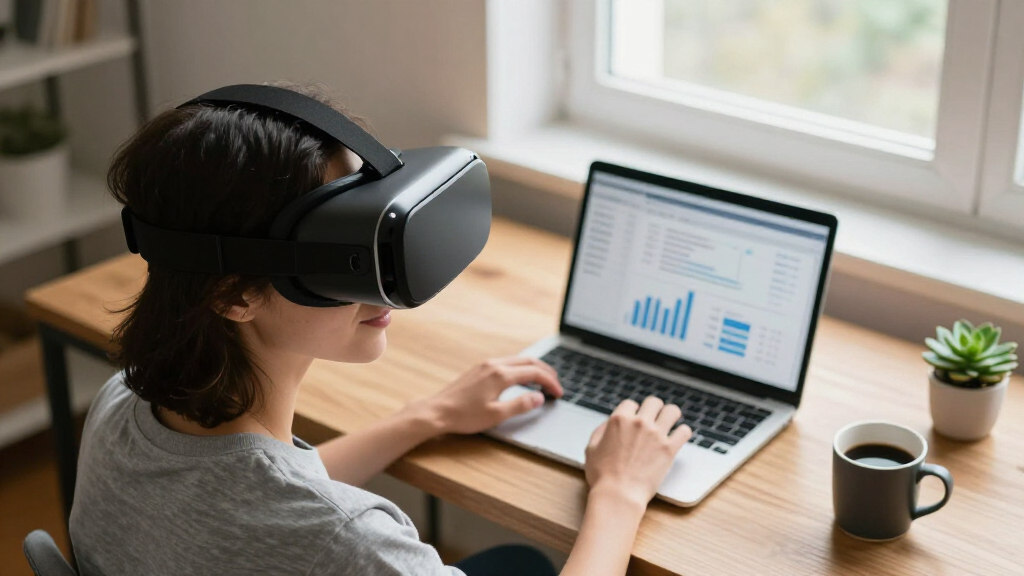
Our selection focused on headsets that prioritize productivity features such as high-resolution displays, advanced tracking, ease of use, and versatility for work environments. We compared hardware specifications, user experience, and setup complexity, emphasizing models that balance immersive visuals with practical features like wireless freedom or PC connectivity. Cost considerations and compatibility with productivity tools also influenced our rankings, ensuring each pick suits different user needs—from casual multitaskers to professional creators.
| vr headsets for productivity | Tracking |
|---|---|
| Meta Quest 3 512GB Virtual Rea | — |
| Pimax Dream Air VR Headset | Eye-tracking, SLAM |
| HTC Vive Focus Vision | Built-in eye, hand, face, and body |
| Meta Quest 3S 128GB | — |
| HTC Vive Focus Vision Wired Bu | Submillimeter accuracy with multiple cameras |
Factors to Consider When Choosing Vr Headsets For Productivity
When choosing a VR headset for productivity, consider how you plan to use it daily. Wireless options like the Meta Quest 3 provide freedom of movement and ease of setup, perfect for multitasking or quick meetings. For immersive workflows that benefit from expansive views and high visual fidelity, models like Pimax Dream Air excel, but require more technical setup and high-end hardware. If your focus is on mixed reality and detailed interactions with environment mapping, the HTC Vive Focus Vision offers powerful features, though it comes with a heavier setup and cost. Knowing your workspace, hardware compatibility, and session duration will help you pick the right device.
Wireless vs. Wired
Wireless headsets eliminate cable clutter and allow for greater freedom of movement, ideal for dynamic or collaborative work. Wired options, however, tend to offer higher fidelity and more stable connections, especially when streaming PC content or using advanced tracking features. Your choice depends on whether mobility or raw performance matters more for your productivity setup.
Display Quality and Field of View
The clarity of visuals directly impacts your ability to focus on detailed tasks. High-resolution displays, like the 5K in HTC Vive Focus Vision or Pimax Dream Air, are best for design and precision work. A wider field of view enhances immersion, which can make virtual multitasking feel more natural. Balance these factors based on your workspace and visual needs.
Tracking and Interactivity
Precise tracking of your head, eyes, and hands ensures natural interactions, reducing fatigue and improving workflow. Advanced sensors, like eye-tracking and environment mapping, are more common in high-end models, but they may require complex setup or additional hardware. Simpler tracking suits casual productivity, but may limit interaction fidelity.
Setup and Compatibility
Ease of setup varies widely. Standalone devices like Meta Quest 3 are straightforward to get started, while PC-based headsets demand more technical knowledge and space for sensors. Check compatibility with your existing hardware and software ecosystem to prevent surprises later.
Frequently Asked Questions
What is the main difference between standalone and PC-connected VR headsets?
Standalone VR headsets operate independently, with built-in processors, batteries, and storage, offering portability and ease of use but often at the expense of raw power. PC-connected headsets rely on a high-performance computer for processing, providing higher fidelity visuals and more complex tracking capabilities, but they require a wired setup and more space for sensors. Your workflow and mobility needs will determine which is a better fit.
How important is display resolution for productivity in VR?
Display resolution is critical for detailed tasks like 3D modeling, design review, or data visualization. Higher resolutions, such as 5K or above, reduce pixelation and eye strain, making long work sessions more comfortable. For basic multitasking or casual use, lower resolutions may suffice, but for professional work, investing in higher fidelity visuals pays off.
Do I need advanced tracking features for productivity?
Advanced tracking, including eye and hand tracking, enhances interaction realism and can streamline workflows by enabling more natural gestures and controls. If your work involves complex environment interaction or virtual collaboration, these features are valuable. For simple monitoring or note-taking, basic head-tracking might be enough, and simpler setups will be more straightforward to manage.
Is wireless VR always better for productivity?
Wireless VR offers greater freedom of movement and quicker setup, which is advantageous for casual or collaborative work. However, wireless headsets may sacrifice some visual fidelity and battery life, limiting session durations. Wired headsets often provide more stable, high-quality visuals, making them better suited for intensive or long-term tasks where connection stability and fidelity matter more.
How much should I expect to spend on a good VR headset for productivity?
Prices vary widely depending on features. Budget options like the Meta Quest 3S start around a few hundred dollars, offering portability and decent visuals for light use. Premium models such as HTC Vive Focus Vision or Pimax Dream Air can cost over a thousand dollars, reflecting their advanced tracking, resolution, and compatibility features. Consider your specific needs and budget to find the right balance between cost and capabilities.
Conclusion
If you need a flexible, easy-to-use VR headset for casual or remote work, the Meta Quest 3 offers excellent value with high visuals and wireless convenience. Power users seeking maximum immersion and detailed interactions should lean toward the Pimax Dream Air or HTC Vive Focus Vision, especially if they have the hardware setup and technical expertise. For professionals requiring high-fidelity visuals combined with PC streaming, the HTC Vive Focus Vision wired bundle provides a robust solution, though at a higher cost and setup complexity. Your choice ultimately hinges on your workflow, technical comfort, and environment constraints.