
If you’re looking for the best smart document scanners in 2025, I recommend models that combine speed, automation, and connectivity. From desktop options like the Fujitsu ScanSnap iX1600 to portable choices like the Epson WorkForce ES-50, there’s something for everyone. These scanners support features like AI enhancement, automatic batch processing, and cloud integration, making digitizing effortless. Keep exploring, and you’ll discover more about the top options to suit your needs.
Key Takeaways
- The list includes a variety of scanners, from high-end desktop models to portable devices, suitable for different needs in 2025.
- Features like AI automation, high-speed scanning, and cloud integration make digitizing effortless.
- Connectivity options such as Wi-Fi 6, USB-C, and Wi-Fi ensure quick, secure data transfer.
- Many models support batch processing, auto document feeders, and OCR for efficient workflow management.
- The selection caters to professionals, remote workers, and small offices, emphasizing ease of use and advanced functionalities.

ScanSnap iX2500 Wireless or USB High-Speed Cloud Enabled Document, Photo & Receipt Scanner with Large 5" Touchscreen and 100 Page Auto Document Feeder for Mac or PC, Black
OUR MOST ADVANCED SCANSNAP. Large touchscreen, fast 45ppm double-sided scanning, 100-sheet document feeder, Wi-Fi and USB connectivity, automatic...
As an affiliate, we earn on qualifying purchases.
ScanSnap iX2500 Document Scanner with Touchscreen and Auto Feeder
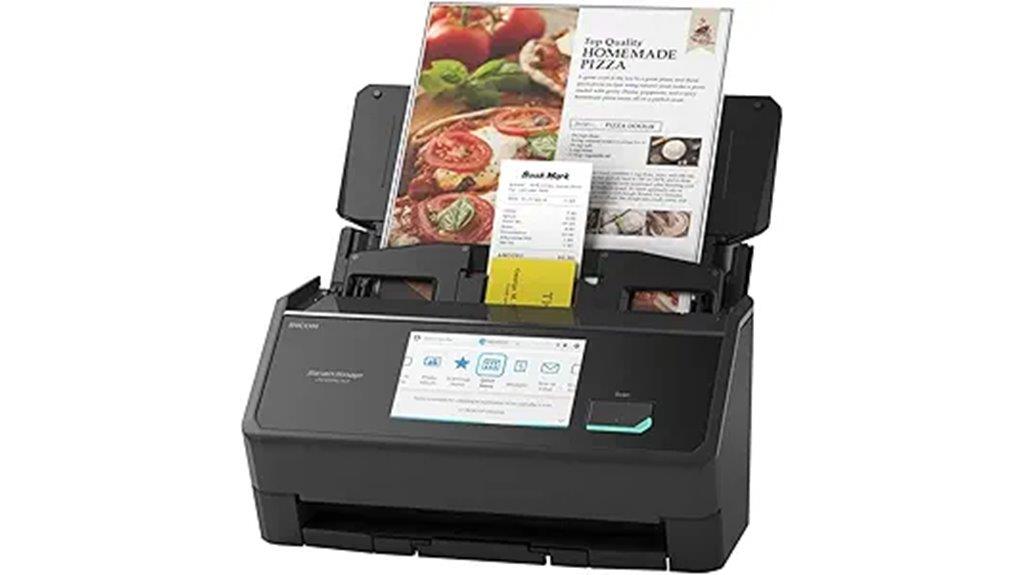
If you’re looking for a smart document scanner that can handle high-volume tasks effortlessly, the ScanSnap iX2500 is an excellent choice. Its large 5″ touchscreen makes it easy to customize scanning profiles and manage documents directly on the device. With a fast 45 ppm double-sided scan speed and a 100-sheet auto feeder, it streamlines large batch processing. Supports Wi-Fi 6 and USB-C for quick, secure connections to computers, smartphones, and cloud services. Its brake roller system, multi-feed sensor, and skew detection prevent jams and damage, ensuring reliable operation for busy home or office environments.
Best For: individuals or small businesses needing high-volume, reliable document scanning with quick connectivity and customizable features.
Pros:
- Fast 45 ppm double-sided scanning speeds for efficient batch processing
- Large 5″ touchscreen for easy customization and document management
- Supports wireless (Wi-Fi 6) and USB-C connections for versatile, secure data transfer
Cons:
- May be more expensive compared to basic scanners without advanced features
- Future support for ARM-based Windows environments scheduled for December 2025, so limited current compatibility
- Large size might require dedicated space in home or office setups

Epson Workforce ES-400 II Color Duplex Desktop Document Scanner for PC and Mac with Auto Doc Feeder (ADF), Image Adjustment Tools
FAST DOCUMENT SCANNING – Speed through stacks with the 50-sheet Auto Document Feeder, perfect for office scanning and...
As an affiliate, we earn on qualifying purchases.
Epson Workforce ES-400 II Color Duplex Desktop Document Scanner

The Epson Workforce ES-400 II stands out as an excellent choice for busy offices and home users who need fast, high-quality document scanning. With a 50-sheet Auto Document Feeder, it scans up to 35 pages per minute in color duplex mode at 300 dpi, capturing both sides simultaneously. Its advanced image adjustment tools—auto crop, blank page skip, background removal, dirt detection, and skew correction—ensure crisp, professional results. Compatibility with PC and Mac, along with Epson ScanSmart software, makes workflow seamless, allowing quick preview, cloud uploads, and automatic file naming. Compact and lightweight, this scanner is perfect for high-volume, efficient digitization.
Best For: busy offices and home users who require fast, high-quality duplex document scanning with versatile software integration.
Pros:
- High-speed scanning of up to 35 pages per minute in color duplex mode.
- Advanced image adjustment tools for professional-quality scans.
- Seamless compatibility with PC and Mac, plus cloud and email integration.
Cons:
- Relatively compact size may limit handling of very large or bulky documents.
- May require software setup and driver installation for optimal use.
- Higher price point compared to basic scanners with fewer features.

ScanSnap iX1300 Compact Wireless or USB Double-Sided Color Document, Photo & Receipt Scanner with Auto Document Feeder and Manual Feeder for Mac or PC, Black
FITS SMALL SPACES AND STAYS OUT OF THE WAY. Innovative space-saving design to free up desk space, even...
As an affiliate, we earn on qualifying purchases.
ScanSnap iX1300 Compact Wireless and USB Document Scanner

Designed for small spaces and busy work environments, the ScanSnap iX1300 stands out with its compact, space-saving design. It fits easily on crowded desks or in tight corners, keeping your workspace clutter-free. This scanner handles a wide variety of documents, from thick papers and photos to business cards and plastic cards, with fast duplex scanning at up to 30 pages per minute. It connects effortlessly via USB or Wi-Fi to Macs, PCs, mobile devices, and cloud services. Plus, the user-friendly ScanSnap Home software simplifies organizing and managing your digital files, making your scanning process smooth and efficient every time.
Best For: busy professionals and small offices seeking a compact, versatile scanner that easily fits into tight spaces and streamlines digital document management.
Pros:
- Space-saving, compact design ideal for small workspaces
- Fast duplex scanning up to 30 pages per minute with high-quality results
- Connects via USB or Wi-Fi to multiple devices and cloud services, plus easy-to-use ScanSnap Home software
Cons:
- May have limited capacity for very large scanning jobs without frequent reloading
- Lacks touchscreen interface, relying on software controls and device connectivity
- No built-in OCR hardware, requiring software for text recognition

Epson Workforce ES-580W Wireless Color Duplex Tax Receipt & Desktop Document Scanner for PC and Mac with 100-sheet Auto Feeder (ADF), Intuitive 4.3' Touchscreen
EFFORTLESS WIRELESS SCANNING – With a 4.3" touchscreen and wireless connectivity, this high-speed scanner sends scans straight to...
As an affiliate, we earn on qualifying purchases.
Epson Workforce ES-580W Wireless Color Duplex Document Scanner

For busy professionals and small office setups seeking reliable, high-quality scanning, the Epson Workforce ES-580W stands out with its wireless color duplex capabilities. It offers fast scanning at up to 35 pages per minute and captures images at 1200 dpi, ensuring sharp, vibrant results. The 4.3″ touchscreen makes navigation simple, while the 100-sheet ADF handles large jobs efficiently. Wireless connectivity lets you scan directly to smartphones, tablets, or cloud services like Dropbox and Google Drive without a PC. Compatible with both PC and Mac, it supports OCR for searchable PDFs and editable files, streamlining your document management effortlessly.
Best For: busy professionals and small office teams seeking a reliable, high-speed wireless scanner with advanced document management features.
Pros:
- Fast scanning speed of up to 35 pages per minute with high-resolution 1200 dpi images.
- Wireless connectivity enables direct scanning to mobile devices and cloud services without a PC.
- User-friendly 4.3″ touchscreen simplifies operation and navigation.
Cons:
- Relatively bulky design may require dedicated space on a desk.
- Premium features and software may require additional setup and learning curve.
- Limited to a 100-sheet capacity, which may be insufficient for very large volume scanning needs.
Epson Workforce ES-500W II Wireless Document Scanner
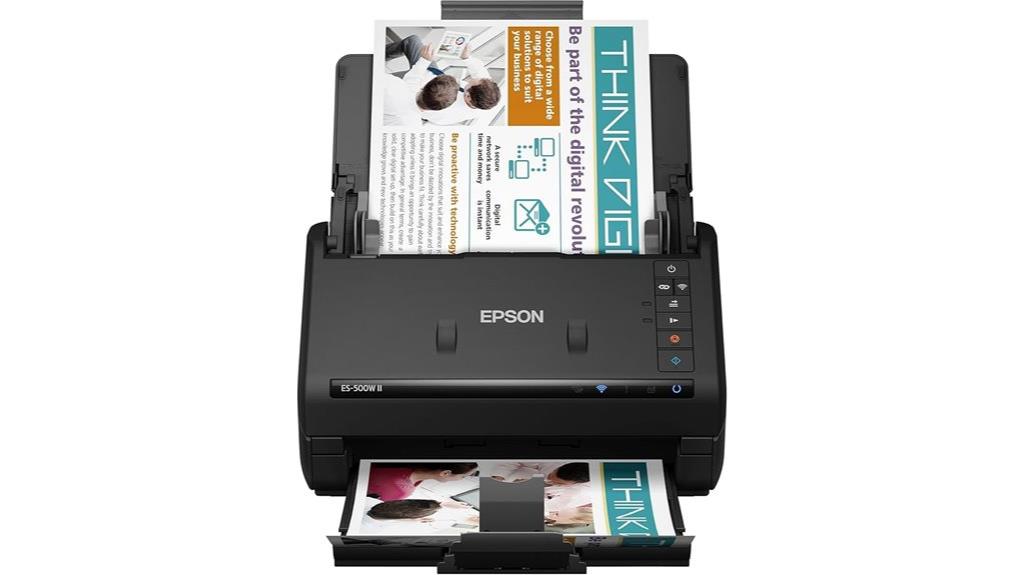
If you’re looking for a versatile scanner that keeps up with high-volume workflows, the Epson Workforce ES-500W II stands out with its fast single-pass duplex scanning at up to 35 ppm. Its wireless capabilities let me easily scan to smartphones, tablets, or cloud services like Dropbox and Google Drive using the Epson Smart Panel app. The 50-sheet Auto Document Feeder handles various paper types, including long pages, business cards, and ID cards, with reliable paper feeding thanks to ultrasonic double feed detection. Plus, Epson ScanSmart software simplifies file management, OCR, and creating searchable PDFs, making it a powerful, user-friendly solution for busy offices.
Best For: professionals and small offices needing high-volume, wireless, and versatile document scanning with easy integration to cloud services.
Pros:
- Fast single-pass duplex scanning up to 35 ppm for efficient workflow
- Wireless connectivity to smartphones, tablets, and cloud platforms like Dropbox and Google Drive
- Reliable paper handling with a 50-sheet Auto Document Feeder and ultrasonic double feed detection
Cons:
- May be relatively expensive compared to basic scanners
- Requires the Epson Smart Panel app and compatible devices for wireless features
- Larger footprint due to the Auto Document Feeder and design for high-volume use
ScanSnap iX2500 Wireless & USB Document Scanner with Touchscreen
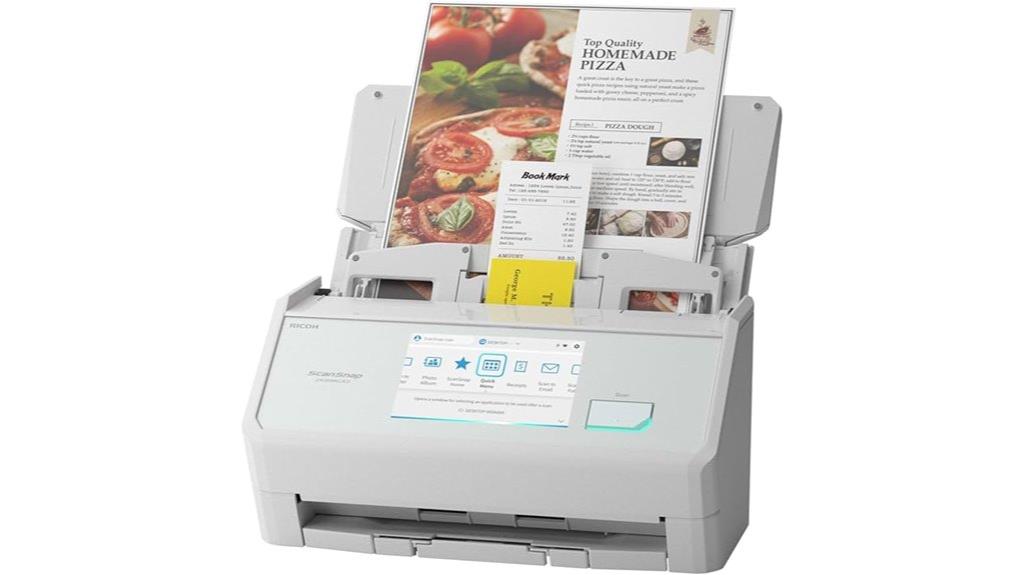
The ScanSnap iX2500 stands out as an excellent choice for busy professionals and small business owners who need fast, reliable scanning with intuitive control. Its large 5-inch touchscreen makes navigation effortless, while the dual-sided scanning at 45 pages per minute keeps workflows flowing smoothly. With a 100-sheet auto feeder and advanced features like automatic optimizations and customizable profiles, it adapts to your needs. Connectivity is seamless, thanks to built-in Wi-Fi 6, USB-C, and support for cloud services—no PC required. Designed for durability, it features anti-jam systems and smart paper handling, ensuring dependable operation for high-volume tasks.
Best For: busy professionals and small business owners seeking fast, reliable, and easy-to-use document scanning with advanced features and seamless connectivity.
Pros:
- Fast double-sided scanning at 45 pages per minute with a large 5-inch touchscreen for intuitive control
- Supports wireless and USB connections, including Wi-Fi 6 and USB-C, for flexible setup without a PC
- Automatic optimizations, customizable profiles, and cloud support streamline workflow and organization
Cons:
- Scheduled software updates may require patience as they are released over time
- Advanced features may have a learning curve for new users unfamiliar with scanning software
- Higher price point compared to basic scanners, reflecting its premium features and capabilities
Epson WorkForce ES-50 Portable Sheet-Fed Document Scanner for PC and Mac

The Epson WorkForce ES-50 Portable Sheet-Fed Document Scanner stands out as the best choice for mobile professionals who need a lightweight, fast, and versatile scanner. Weighing just 9.4 ounces and measuring 1.8 x 10.7 inches, it’s incredibly portable. It can scan a single page in as little as 5.5 seconds and handles documents up to 8.5 x 72 inches, including ID cards and receipts. Connecting via USB, it requires no batteries or external power. Compatible with Windows and Mac, it features easy-to-use software, automatic multi-page feeding, OCR, and cloud support, making on-the-go scanning effortless.
Best For: mobile professionals and remote workers seeking a lightweight, fast, and versatile scanner for on-the-go document, ID, and receipt scanning.
Pros:
- Extremely portable at just 9.4 ounces and compact dimensions, ideal for travel and mobile use
- Fast scanning speed of as little as 5.5 seconds per page, increasing efficiency
- Supports automatic multi-page feeding, OCR, and cloud integration for versatile workflows
Cons:
- Discontinued product, which may limit future software updates and support options
- Requires USB connection; no built-in battery, so dependent on external power source during use
- Limited maximum scan size compared to larger desktop scanners, restricting handling of very long documents
Plustek PS186 Desktop Document Scanner
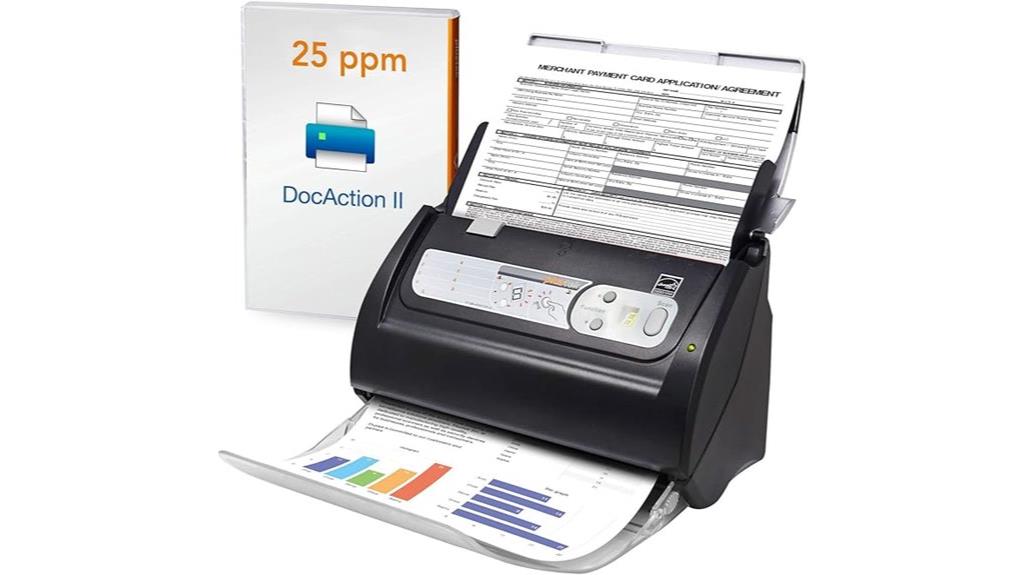
Looking for a compact scanner that combines ease of use with powerful features? The Plustek PS186 Desktop Document Scanner is a great choice. It offers a 50-page Auto Document Feeder and supports Windows 7 through 11. Its small size—just over 10 inches wide—makes it perfect for tight spaces, and it weighs only 3.66 pounds. With support for up to 255 scan profiles and OCR, it turns paper into searchable, editable files effortlessly. Plus, features like auto rotate, crop, deskew, and barcode-based categorization make the scanning process smooth. Although it’s no longer manufactured, it remains a reliable, user-friendly option for efficient document digitization.
Best For: small offices or home users seeking a compact, easy-to-use scanner with advanced features like OCR and automatic categorization.
Pros:
- Compact size and lightweight design for easy placement and mobility
- Supports up to 255 customizable scan profiles with single touch operation
- Converts documents into searchable PDFs with OCR and offers intelligent image adjustments
Cons:
- No longer manufactured, which may affect availability of new units or support
- No official warranty information provided, potentially limiting post-purchase support
- Requires Windows 7 or newer (Intel/AMD only), limiting compatibility with other operating systems
Brother DS-640 Mobile Document Scanner
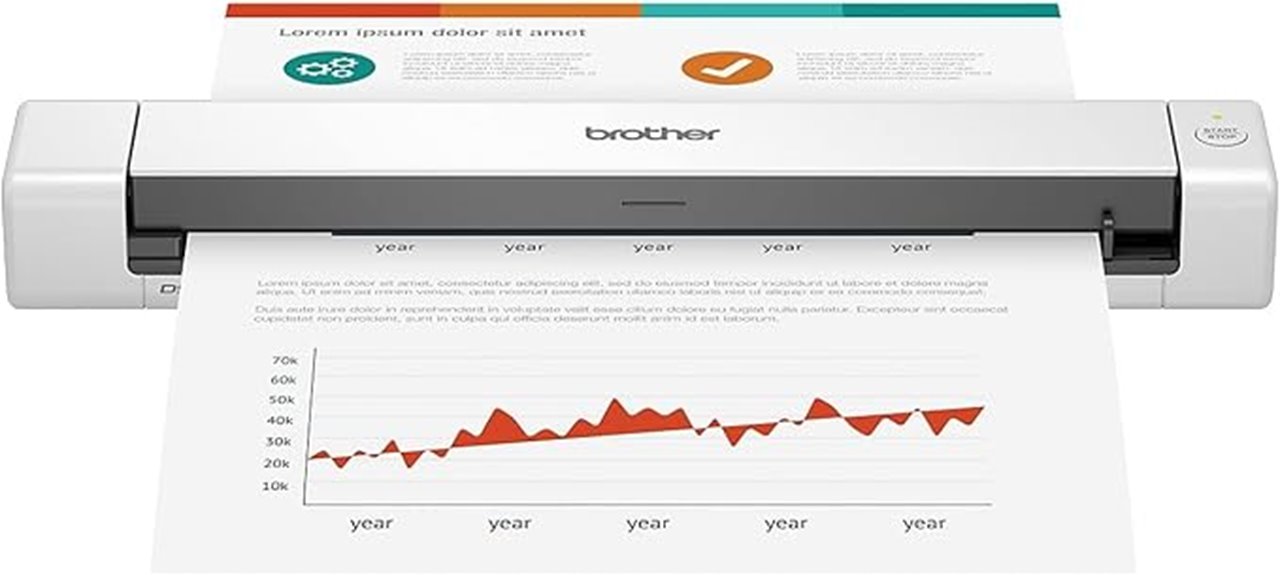
If you need a portable scanner that can keep up with a busy mobile lifestyle, the Brother DS-640 is an excellent choice. It measures just 11.9″ x 2.2″ x 1.4″ and weighs about 1.03 pounds, making it easy to carry anywhere. It handles various documents, including receipts, invoices, and even long pages up to 72 inches, plus plastic IDs and business cards. With a fast scan speed of 16 pages per minute, it’s perfect for quick, on-the-go digitizing. The scanner connects via micro USB 3.0, and bundled software helps optimize images and convert files into editable formats, streamlining your workflow wherever you are.
Best For: mobile professionals and small offices needing a compact, portable scanner capable of quickly digitizing various document types on the go.
Pros:
- Ultra-lightweight and compact, making it highly portable for travel and mobile use
- Fast scan speed of up to 16 pages per minute for efficient workflow
- Supports a wide range of documents, including long pages, IDs, and business cards
Cons:
- Limited to 300 dpi resolution, which may not be ideal for high-detail image scanning
- Requires micro USB 3.0 connection, which may not be compatible with some newer devices without adapters
- Software features may be less advanced compared to larger, desktop scanners
Canon imageFORMULA R10 Portable Document Scanner
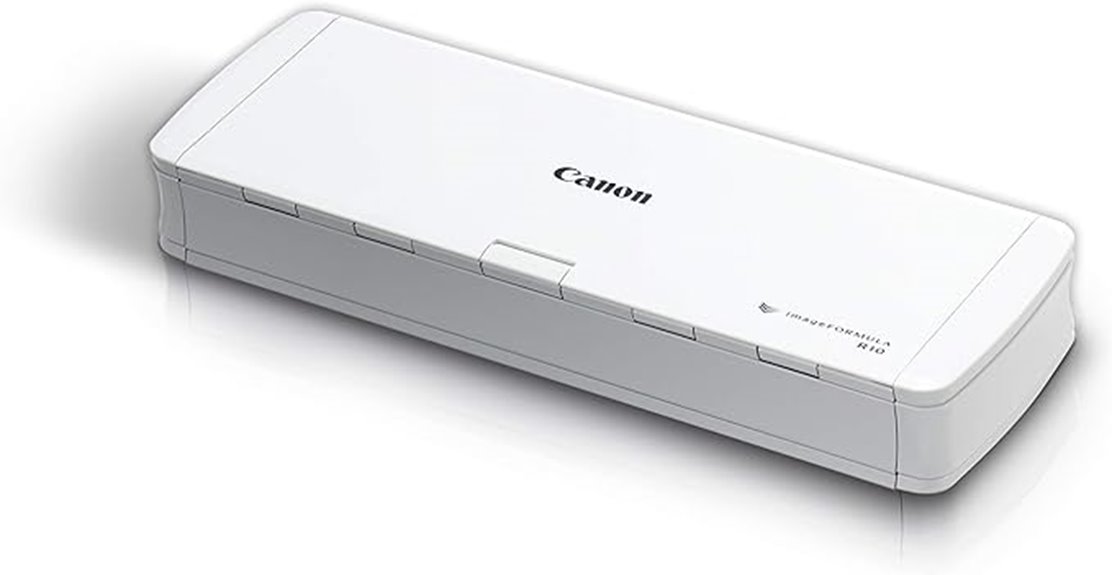
For mobile professionals who need a reliable, lightweight scanner, the Canon imageFORMULA R10 stands out as an excellent choice. Its compact design and USB power make it easy to carry and set up anywhere—whether at home, in a classroom, or on the go. It handles various media types, including receipts, business cards, and reports, with duplex scanning at speeds up to 12 pages per minute. The 20-sheet feeder boosts efficiency, and the high-quality images can be saved as searchable PDFs or JPEGs. With intuitive software that requires no installation, the R10 simplifies your digitization process, all while being energy-efficient and compatible with Windows and Mac systems.
Best For: mobile professionals and remote workers who need a compact, reliable scanner for on-the-go document digitization.
Pros:
- Lightweight and portable design for easy transport and setup anywhere
- Duplex scanning at speeds up to 12 pages per minute enhances productivity
- No software installation required, with user-friendly preview and editing features
Cons:
- Does not support photographic media or scanning photographs on photo paper
- Limited to media types like receipts, business cards, and reports, not suitable for high-volume scanning of large documents
- Relies on USB power, which may limit flexibility in certain environments
CZUR Shine Ultra Portable Document Scanner with OCR for Windows and Mac
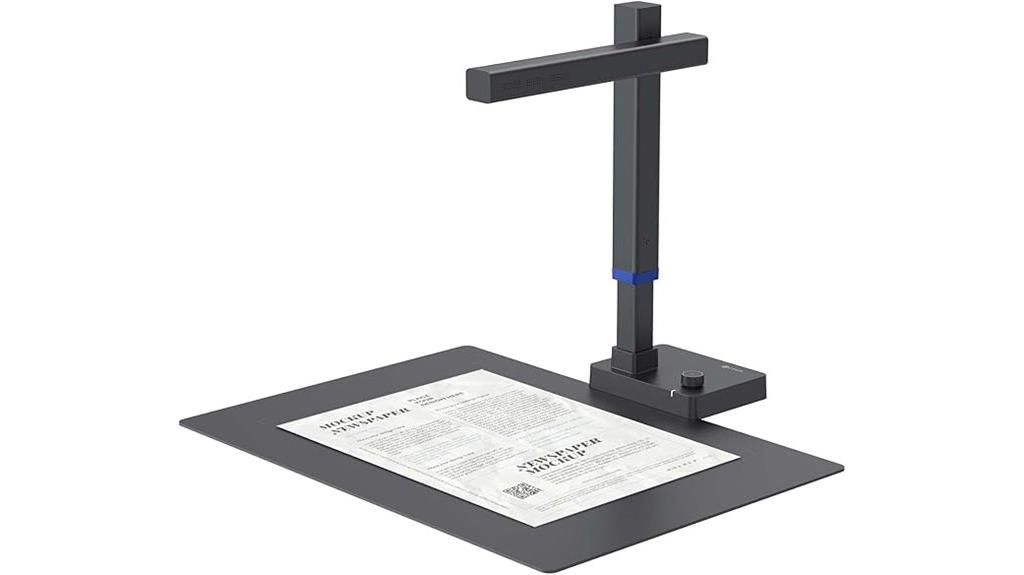
The CZUR Shine Ultra Portable Document Scanner stands out as an ideal choice for professionals and students who need fast, high-quality scanning on the go. It’s lightweight at just under 5 pounds and easily fits into a bag, making it perfect for travel. With a high-resolution 13MP camera, it scans A4 and A3 documents in about a second per page, delivering clear, detailed images. Its AI-powered features, like auto cropping and smart paging, simplify the process. Compatible with Windows and Mac, it supports OCR and multiple file formats, making digitization smooth and efficient for various tasks.
Best For: professionals, students, and remote workers who need a portable, high-speed scanner with OCR capabilities for on-the-go digitization.
Pros:
- Fast scanning speed of approximately 1 second per page, improving efficiency.
- Compact, lightweight design weighing under 5 pounds, ideal for travel.
- AI-powered features like auto cropping and smart paging that simplify document processing.
Cons:
- Not compatible with Android or iOS devices, limiting mobile device use.
- Requires connection to Windows or Mac computers; no standalone or app-only functionality.
- TIFF file format needs conversion from JPG, which could add extra steps to workflows.
ScanSnap iX1400 High-Speed Document Scanner with Auto Document Feeder
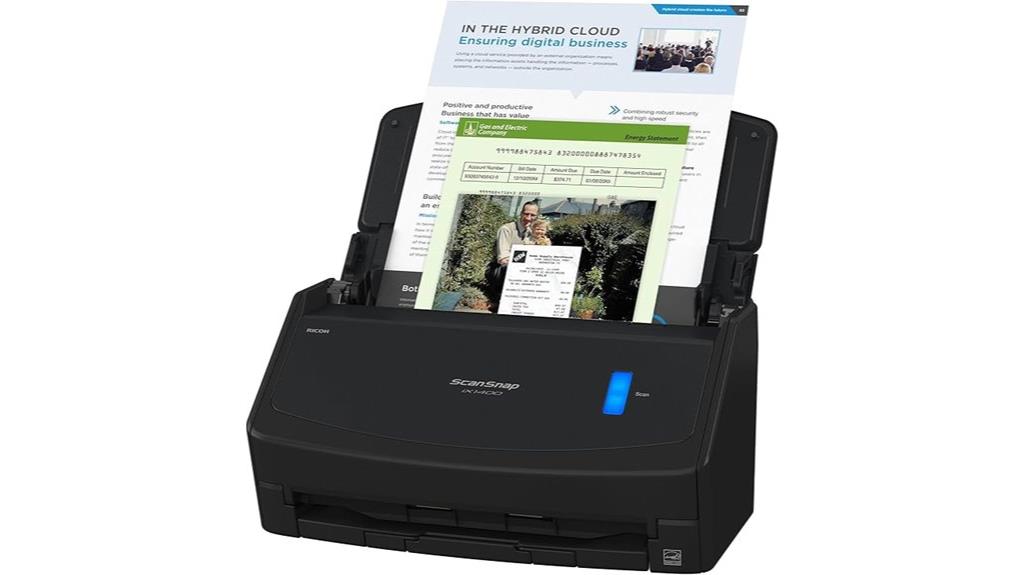
The ScanSnap iX1400 High-Speed Document Scanner with Auto Document Feeder stands out as an ideal choice for busy professionals who need fast, reliable scanning with minimal effort. With just one touch, I can scan, clean, and organize documents effortlessly. Its versatile design handles everything from business cards to photos, automatically adjusting for size and color, while removing streaks and blank pages. The stable wired USB connection guarantees reliable performance during intensive tasks. Plus, the ScanSnap Home software streamlines management, editing, and organizing all my scans in one place. Its sleek black design fits perfectly into any professional environment, making digitizing quick and stress-free.
Best For: busy professionals and office users seeking fast, reliable, and easy-to-use document scanning solutions with versatile handling of various paper types.
Pros:
- Simple one-touch operation with quick access to scan and organize files
- Handles a wide range of document types, including business cards, receipts, photos, and more
- Reliable wired USB connection ensures consistent performance during intensive tasks
Cons:
- Limited to wired USB connectivity; no wireless options available
- May require additional software setup for optimal integration with certain systems
- Bulkier design might take up more space on a cluttered desk
ScanSnap iX1300 Wireless & USB Document Scanner

If you’re looking for a compact, versatile scanner that fits seamlessly into small spaces, the ScanSnap iX1300 is an excellent choice. Its space-saving design and double-sided automatic document feeder handle various documents, from photos to plastic cards, effortlessly. With support for both Wi-Fi and USB, it offers flexible scanning options for your home or office. The scanner delivers high-quality images at up to 30 pages per minute, with features like de-skew, color optimization, and blank page removal. Plus, the intuitive ScanSnap Home software makes organizing and sharing files simple, making this device a reliable, efficient solution for all your scanning needs.
Best For: users seeking a compact, versatile scanner suitable for small spaces that can handle a variety of documents with ease.
Pros:
- Space-saving design ideal for small offices or home use
- Fast scanning speed of up to 30 pages per minute with duplex capability
- Supports multiple connectivity options including Wi-Fi and USB for flexible use
Cons:
- Weighs 4.4 pounds, which may be slightly heavy for some portable needs
- Limited to 100V operation, requiring a compatible power source in certain regions
- May have a learning curve for new users unfamiliar with the ScanSnap software ecosystem
Canon imageFORMULA R40 Office Document Scanner
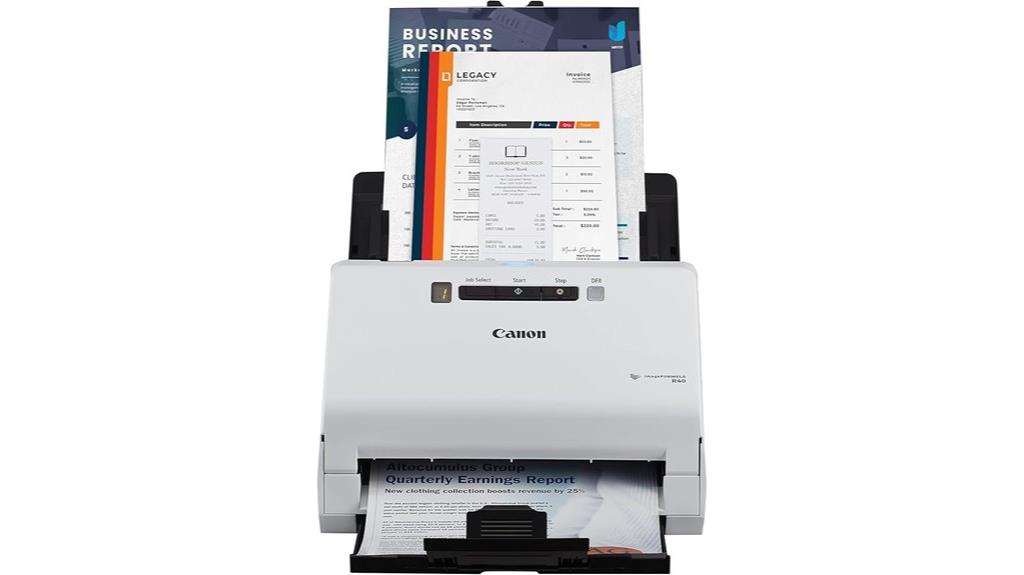
For anyone seeking a reliable and efficient scanner for office or home use, the Canon imageFORMULA R40 Office Document Scanner Receipt Edition stands out with its fast 40 pages per minute scanning speed and user-friendly features. It’s compatible with PC and Mac, making setup straightforward. The scanner offers color duplex scanning, an auto document feeder, and supports various document sizes and types. Its software enables quick batch scanning of receipts and invoices, extracting key data like payee, amount, and date, then uploading directly to QuickBooks Online or cloud services. Single-button operation simplifies workflow, helping you organize files and reduce manual data entry effortlessly.
Best For: professionals and small office/home users seeking a reliable, fast, and easy-to-use scanner for digitizing receipts, invoices, and documents with seamless data management.
Pros:
- Fast scanning speed of up to 40 pages per minute for efficient large-volume processing
- Supports color duplex scanning and various document sizes for versatile use
- Includes user-friendly software for quick batch scanning and direct upload to cloud services and QuickBooks Online
Cons:
- May require initial setup and software installation, which could be time-consuming for some users
- Limited to office or home environments; not designed for heavy industrial use
- Features are optimized for document scanning and data extraction, not high-resolution photo scanning
Epson RapidReceipt RR-600W Wireless Receipt Scanner with ScanSmart Software
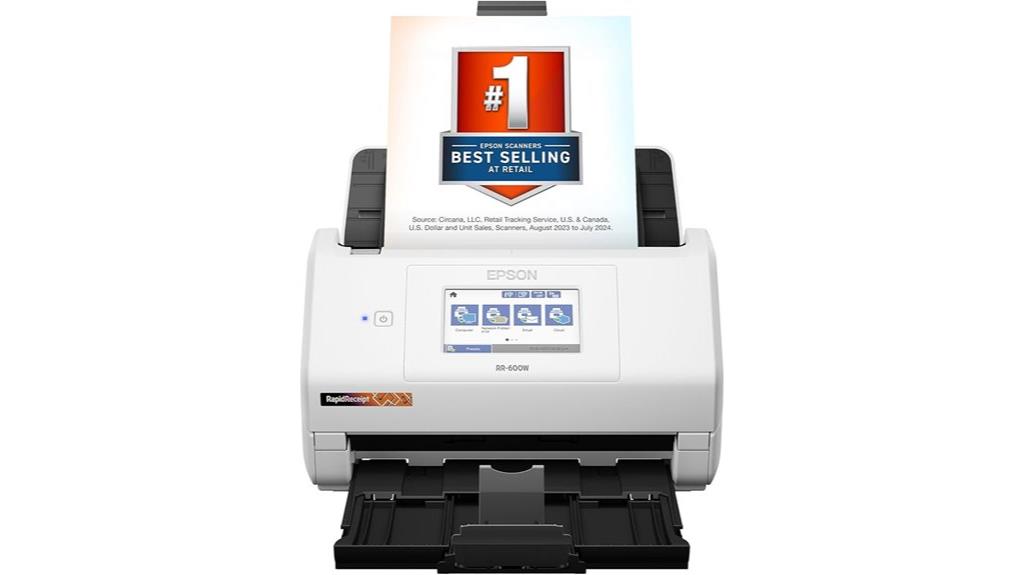
Designed for busy offices and small businesses, the Epson RapidReceipt RR-600W Wireless Receipt Scanner stands out with its fast duplex scanning capabilities, capturing both sides of a document simultaneously at speeds up to 35 pages per minute. Its TrueFeed Technology features a 100-page auto document feeder with paper skew and staple protection, making large batch scans effortless. The ScanSmart AI PRO Technology transforms scans into smart digital data, ready for AI applications. With a user-friendly 4.3-inch color touchscreen and wireless connectivity for PC and Mac, it supports direct scanning to email, cloud, or USB, streamlining receipt and document management effortlessly.
Best For: small businesses and busy offices seeking a fast, reliable, and wireless receipt scanning solution with smart data integration capabilities.
Pros:
- Rapid duplex scanning at up to 35 pages per minute for high efficiency
- TrueFeed Technology with a 100-page auto document feeder for large batches
- ScanSmart AI PRO converts documents into AI-ready digital data for easy management
Cons:
- Might be more expensive than basic scanners due to advanced features
- Requires setup and familiarity with software for optimal use
- Wireless connectivity could face interference issues in crowded network environments
Factors to Consider When Choosing Smart Document Scanners
When selecting a smart document scanner, I focus on how well it works with my devices and its scanning speed and capacity. I also consider the available connectivity options and how easily it integrates with my software tools. Finally, I look at its document handling versatility to make sure it meets all my scanning needs efficiently.
Compatibility With Devices
Choosing a smart document scanner that works seamlessly with your devices requires careful attention to compatibility features. First, check that it supports connectivity options like Wi-Fi, USB, or USB-C compatible with your setup. Be sure it’s compatible with your operating system—whether Windows, macOS, or Linux—to avoid software issues. If you use mobile devices, verify that the scanner can connect via apps or direct wireless scanning. Also, consider whether the software supports your device’s hardware architecture, such as ARM-based or Intel systems, for ideal performance. Lastly, look into future updates or support plans to ensure your scanner stays compatible as technology evolves. This way, you’ll enjoy smooth integration and hassle-free digitizing every time.
Scanning Speed & Capacity
A smart document scanner’s speed and capacity considerably impact how efficiently you can handle large or multiple documents. When I look for a scanner, I prioritize models that can scan at least 45 pages per minute, ensuring quick processing of voluminous tasks. A high auto document feeder capacity, like 100 sheets, means I spend less time reloading during busy periods. Duplex scanning, which captures both sides simultaneously, boosts productivity and saves time. Fast scan-to-file times keep workflows smooth, especially in high-pressure environments. Additionally, scanners with multiple scan profiles adapt easily to different document types and sizes, streamlining varied tasks without hassle. Overall, choosing a scanner with strong speed and capacity features helps me stay productive and efficient, even with demanding scanning requirements.
Connectivity Options Available
Connectivity options play a essential role in how easily and efficiently I can integrate a smart document scanner into my workflow. I look for scanners with versatile options like Wi-Fi, USB, Ethernet, and Bluetooth to suit different environments. Wireless connectivity is great because it lets me send data directly to devices or cloud services without cables, boosting flexibility. However, USB connections remain reliable and fast, especially in secure or stable setups. Some scanners even support dual connectivity, allowing me to switch seamlessly between wired and wireless modes. Compatibility with mobile devices and cloud platforms via Wi-Fi or dedicated apps is also critical for remote document management. Overall, choosing the right connectivity options ensures my scanner fits smoothly into my workflow and meets my specific needs.
Software Integration Features
Integrating your smart document scanner smoothly into your workflow depends heavily on its software capabilities. First, verify it supports TWAIN or ISIS drivers, which are essential for seamless compatibility with your existing document management systems. Compatibility with cloud services and mobile apps is equally important, allowing you to scan and share directly without extra steps. Look for OCR features that convert images into searchable, editable files—saving you time and improving accuracy. Customization options, like creating profiles or workflows tailored to specific document types, can streamline your processes further. Finally, check if the software makes exporting, saving, and integrating with popular productivity platforms straightforward. The right software features will make your digitizing process efficient, flexible, and fully integrated into your daily tasks.
Document Handling Versatility
Choosing a smart document scanner with versatile handling capabilities means considering how well it can process different media types and sizes. I look for scanners that can handle thick documents, plastic cards, photos, and receipts without hassle. Support for various sizes, from standard sheets to long pages up to 240 inches, makes them adaptable for all workflows. Features like auto crop, skew correction, blank page removal, and background removal ensure high-quality, usable scans across formats. The ability to scan single-sided and duplex documents efficiently saves time and effort. Compatibility with multiple file formats, such as searchable PDFs, Word, Excel, JPEG, and TIFF, provides flexible output options. These factors ensure seamless, reliable digitizing, regardless of the document type or size.
User Interface Ease
A user-friendly interface can make or break your experience with a smart document scanner. I’ve found that an intuitive touchscreen simplifies navigation, allowing me to customize scanning profiles effortlessly. Clear, responsive menus help me quickly access essential functions without confusion, saving time and reducing frustration. Visual prompts and icons guide me through each step, minimizing operational errors and making the process smoother. The ability to create shortcuts and preset profiles means I can tailor the scanner to my workflow, boosting efficiency. Plus, easy-to-understand software integration shortens the learning curve, so I get up and running faster. Overall, a well-designed interface enhances usability, making digitizing documents seamless and stress-free. It’s a vital factor when selecting a smart scanner that truly meets your needs.
Portability & Size
When selecting a smart document scanner, considering its portability and size can considerably impact how well it fits into your workflow. I look at the scanner’s weight and dimensions to guarantee it fits comfortably in my workspace or is easy to carry during travel. Smaller, compact models are perfect for mobile use and tight spaces, while larger units often provide higher capacity and faster speeds. Features like battery operation or lightweight design boost mobility, making on-the-go scanning effortless. Foldable or collapsible designs also improve storage convenience and portability. Balancing size with scanning capacity and features helps me find a device that meets my specific needs for mobility and workspace integration. Ultimately, choosing the right size ensures seamless, efficient document digitization wherever I am.
Data Security Measures
Data security is a critical factor I consider when selecting a smart document scanner. I look for models that use encryption protocols like SSL/TLS to protect data during transmission, ensuring sensitive information stays safe. Multi-factor authentication is also a must, as it restricts access to scanned documents and device settings, adding an extra layer of security. I prefer scanners with secure erase functions, so I can permanently delete sensitive data from memory when needed. Compliance with industry standards like GDPR and HIPAA reassures me that the scanner meets strict privacy requirements. Additionally, regular firmware updates with security patches are essential to defend against vulnerabilities and cyber threats. Prioritizing these features helps me safeguard my data in an increasingly digital world.
Frequently Asked Questions
How Do Smart Scanners Integrate With Cloud Storage Services?
Smart scanners seamlessly connect with cloud storage services through built-in Wi-Fi or Ethernet, allowing me to scan documents directly to platforms like Dropbox, Google Drive, or OneDrive. I just set up the integration in the scanner’s app or settings, select my preferred cloud service, and the scanner uploads files automatically. This process saves me time, keeps my files organized, and guarantees I can access my documents anytime, anywhere.
What Security Features Are Available in Modern Document Scanners?
They say “trust but verify,” and modern scanners do just that with advanced security features. I’ve found many include encrypted data transmission, user authentication, and automatic document shredding for sensitive info. Some even offer biometric access and remote management. These features give me peace of mind that my digital documents stay secure, and I can confidently digitize without risking data breaches or unauthorized access.
Can These Scanners Handle Irregularly Shaped or Fragile Documents?
Yes, many modern scanners are designed to handle irregularly shaped or fragile documents. I’ve found that models with adaptive feeding mechanisms and gentle rollers help prevent damage to delicate papers. Some even include specialized settings for fragile items, reducing the risk of tears or creases. Just make sure to choose a scanner with these features, and you’ll be able to digitize even the most delicate or oddly shaped documents safely and efficiently.
How Energy-Efficient Are the Latest Smart Document Scanners?
The latest smart document scanners are surprisingly energy-efficient. I’ve noticed they consume less power thanks to advanced power management features like automatic sleep modes and low power consumption components. This not only helps reduce my electricity bill but also makes them more environmentally friendly. I appreciate how they balance performance with energy savings, allowing me to scan large volumes without worrying about excessive energy use or waste.
Do Current Models Support Multi-Language OCR and Text Recognition?
Did you know that over 80% of smart scanners now support multi-language OCR? I’ve checked out the latest models, and they definitely do support multi-language text recognition. This makes digitizing international documents a breeze, whether you’re dealing with Chinese, Arabic, or European languages. These features save me tons of time, especially when working with diverse documents, and I love how seamlessly they handle multiple languages in one scan.
Conclusion
Choosing the right smart document scanner is like finding the perfect compass for your digital journey—guiding you smoothly through the cluttered landscape of paper. With the top options in 2025, you’ll have the power to transform stacks of documents into a streamlined digital library. So, pick one that feels like a natural extension of your workflow, and watch your productivity soar as effortlessly as a bird taking flight. Your digital adventure awaits!