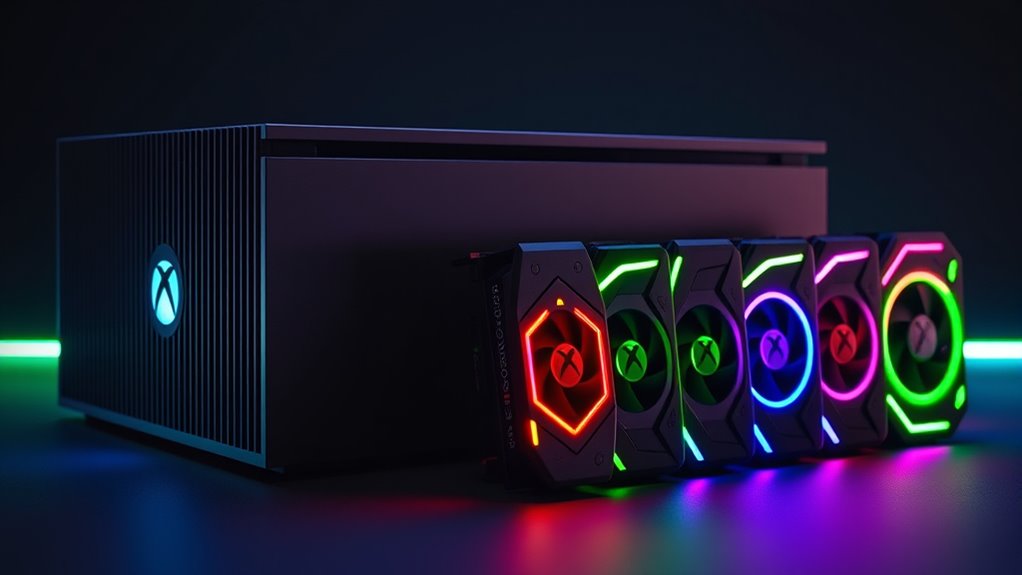

Xbox expansion cards are essential for gamers who need extra storage or faster load times on their Series X|S consoles. The best overall pick, the Storage Expansion Card for Xbox Series X|S Gaming Console, offers seamless plug-and-play performance. Meanwhile, the WD_BLACK 2TB C50 stands out for its large capacity, ideal for those who want extensive storage without sacrificing speed. The main challenge lies in balancing capacity, speed, and price—more capacity often means higher cost, while faster cards can be less affordable. Keep reading for a detailed breakdown of each option to find the perfect fit for your gaming needs.

Get business pricing on tech for your team
- Business-only prices and quantity discounts
- Tax-exempt purchasing
- Multiple users, one account, clear invoices
Key Takeaways
- The top picks balance capacity, speed, and ease of use, with the official Xbox storage expansion card leading in seamless compatibility.
- Third-party options like WD_BLACK offer more storage at a lower price but may require additional setup or enclosure solutions.
- M.2 NVMe SSD enclosures provide customizable options for tech-savvy users willing to assemble their own storage solutions.
- Capacity varies significantly, from 512GB to 2TB, influencing both price and usability based on gaming habits.
- Build quality and thermal management are important, especially for high-capacity or high-performance cards, to prevent overheating.
| Storage Expansion Card for Xbox Series X|S Gaming Console (1TB) – Plug & Play |  | Best Overall for Seamless Performance and Simplicity | Capacity: 1TB | Compatibility: Xbox Series X|S | Features: Plug & Play, Quick Resume, Xbox Velocity Architecture | VIEW ON AMAZON | See Our Full Breakdown |
| WD_BLACK 2TB C50 Storage Expansion Card for Xbox Series X|S |  | Best Value for Large Game Libraries and Speed | Storage Capacity: 2TB | Compatibility: Xbox Series X|S | Type: NVMe SSD | VIEW ON AMAZON | See Our Full Breakdown |
| Furfox Expansion Card External Hard Drive Enclosure for Xbox Series X|S NVMe SSD Storage Expansion Card 1TB |  | Best for Portability and Easy Upgrade | Compatibility: Xbox Series X|S | Capacity: 1TB | Usable Capacity: 867GB | VIEW ON AMAZON | See Our Full Breakdown |
| WD_Black 512GB C50 Storage Expansion Card for Xbox |  | Best for Compact, Budget-Friendly Upgrade | Capacity: 512GB | Compatibility: Xbox Series X|S | Interface: NVMe SSD | VIEW ON AMAZON | See Our Full Breakdown |
| HWAYO Expansion Card for Xbox Series X|S 512GB NVMe SSD Storage |  | Best for Performance Matching Internal Storage and Sleek Design | Capacity: 512GB | Compatibility: Xbox Series X|S | Material: Aluminum | VIEW ON AMAZON | See Our Full Breakdown |
| M.2 NVMe SSD Expansion Card Enclosure for Xbox Series X/S – 512GB/1TB, PCIe 4.0, 2230 |  | Best Compact Enclosure for Versatile Expansion | Compatibility: Xbox Series X/S | Supported SSD Size: 2230 PCIe 4.0 NVMe | Maximum Storage Capacity: 1TB | VIEW ON AMAZON | See Our Full Breakdown |
| Storage Expansion Card for Xbox Series X/S, Aluminum Alloy M.2 NVMe 2230 SSD Hard Drive Box |  | Best Durable, Space-Saving Hard Drive Enclosure | Dimensions: 7 x 6 x 3 cm | Compatibility: Xbox Series X/S, M.2 NVMe 2230 SSDs (512GB-1TB) | Material: Aluminum alloy | VIEW ON AMAZON | See Our Full Breakdown |
| xbox expansion card | Compatibility | Capacity | Features |
|---|---|---|---|
| Storage Expansion Card for Xbo | Xbox Series X|S | 1TB | Plug & Play, Quick Resume, Xbox Velocity Architecture |
| WD_BLACK 2TB C50 Storage Expan | Xbox Series X|S | — | Quick Resume, Plug & Play, Officially Licensed |
| Furfox Expansion Card External | Xbox Series X|S | 1TB | — |
| WD_Black 512GB C50 Storage Exp | Xbox Series X|S | 512GB | Quick Resume, Plug & Play, Xbox Velocity Architecture |
| HWAYO Expansion Card for Xbox | Xbox Series X|S | 512GB | Plug & Play, heat dissipation |
| M.2 NVMe SSD Expansion Card En | Xbox Series X/S | — | — |
| Storage Expansion Card for Xbo | Xbox Series X/S, M.2 NVMe 2230 SSDs (512GB-1TB) | — | — |
More Details on Our Top Picks
Storage Expansion Card for Xbox Series X|S Gaming Console (1TB) – Plug & Play
This 1TB expansion card stands out for delivering a straightforward, plug-and-play experience that perfectly complements the Xbox Velocity Architecture. Unlike the larger 2TB options, it offers a more accessible price point, though it still maintains fast load times and quick game switching. Its seamless integration ensures minimal fuss, making it ideal for gamers who want a reliable, instant upgrade without complex setup. The main tradeoff involves its limited capacity compared to larger drives, which could be restrictive for those with extensive game libraries. Still, its performance consistency and ease of use make it a top choice for most Xbox Series X|S owners.
Pros:- Seamless plug-and-play setup with minimal fuss
- Fast load times thanks to Xbox Velocity Architecture
- Supports quick game switching and Resume features
- Compact, unobtrusive design
Cons:- Limited to 1TB capacity, may be insufficient for large libraries
- Premium price relative to capacity
Best for: Gamers seeking a reliable, ready-to-use expansion that offers quick load times without the need for high capacity.
Not ideal for: Heavy players with large libraries who require more than 1TB of storage and are willing to handle more complex setups.
- Capacity:1TB
- Compatibility:Xbox Series X|S
- Features:Plug & Play, Quick Resume, Xbox Velocity Architecture
Our verdict“This pick is ideal for users who prioritize ease of use and fast performance over high storage capacity.”
WD_BLACK 2TB C50 Storage Expansion Card for Xbox Series X|S
Compared with the 1TB options, the WD_BLACK 2TB C50 offers a significant capacity boost, making it a smart choice for gamers with extensive libraries. Its NVMe SSD technology ensures fast load times and smooth gameplay, matching the performance of internal storage. While it carries a higher price tag, the 2TB capacity justifies it for those who need to store many titles at once without sacrificing speed. The official licensing and integration with Xbox’s ecosystem make installation straightforward. The main drawback is its cost, which may be prohibitive for casual players or those with limited budgets. Still, it provides excellent value for dedicated gamers.
Pros:- Huge 2TB storage capacity for extensive libraries
- Fast NVMe SSD for reduced load times
- Officially licensed, ensuring seamless Xbox integration
- Supports quick resume features
Cons:- Premium price can be a barrier for some users
- Limited to Xbox Series X|S, not compatible with other systems
Best for: Hardcore players with large collections who want fast, reliable storage for their Xbox Series X|S.
Not ideal for: Casual gamers or those with modest libraries who do not need the extra capacity or are budget-conscious.
- Storage Capacity:2TB
- Compatibility:Xbox Series X|S
- Type:NVMe SSD
- Features:Quick Resume, Plug & Play, Officially Licensed
Our verdict“This 2TB drive is perfect for dedicated gamers who prioritize speed and capacity, despite its higher cost.”
Furfox Expansion Card External Hard Drive Enclosure for Xbox Series X|S NVMe SSD Storage Expansion Card 1TB
The Furfox external enclosure offers a simple, cost-effective way to expand your Xbox Series X|S storage with a 1TB NVMe SSD. Its plug-and-play design ensures quick setup, and its compact form makes it ideal for gamers who want portability or occasional upgrades. Compared to integrated cards like the official options, this enclosure provides flexibility; you can swap drives or upgrade easily. However, the actual usable capacity is slightly less than listed because of system files, which can be a surprise for new users. It’s best suited for players who need a portable, budget-friendly solution rather than a permanent internal upgrade.
Pros:- Seamless compatibility with Xbox Series X|S
- Fast load times matching internal SSDs
- Easy plug-and-play installation
- Compact, portable design
Cons:- Usable capacity less than listed (about 867GB)
- Limited to external use, not an integrated internal solution
Best for: Gamers who want portable storage options and easy upgrade paths without a high price tag.
Not ideal for: Users seeking maximum internal performance or larger capacities, as this is primarily an external enclosure with limited capacity.
- Compatibility:Xbox Series X|S
- Capacity:1TB
- Usable Capacity:867GB
- Form Factor:NVMe SSD
- Installation:Plug and Play
Our verdict“This external enclosure is a good choice for gamers who want portable, affordable storage with fast performance.”
WD_Black 512GB C50 Storage Expansion Card for Xbox
This 512GB NVMe SSD expansion card offers a balanced mix of speed and affordability, making it suitable for players with smaller libraries or those who want a quick upgrade without breaking the bank. While it doesn’t match the capacity of larger drives like the WD_BLACK 2TB, it still supports Xbox Velocity Architecture for fast load times and quick resume features. Compared with the HWAYO 512GB card, it’s officially licensed, which guarantees smoother Xbox integration and reliability. The main limitation here is capacity—if you have many large titles, this might fill up quickly. Nonetheless, it’s an excellent choice for users prioritizing performance in a compact form.
Pros:- Officially licensed for Xbox, ensuring full compatibility
- Fast NVMe SSD for reduced load times
- Supports quick resume features
- Compact and easy to install
Cons:- Limited to 512GB capacity, may fill up quickly
- Not suitable for large game libraries
Best for: Players with smaller game collections or those just starting to expand their storage on Xbox Series X|S.
Not ideal for: Gamers with extensive libraries who need more than 512GB of space and want future-proofing.
- Capacity:512GB
- Compatibility:Xbox Series X|S
- Interface:NVMe SSD
- Features:Quick Resume, Plug & Play, Xbox Velocity Architecture
Our verdict“This 512GB drive is a solid, budget-friendly option for players with modest storage needs.”
HWAYO Expansion Card for Xbox Series X|S 512GB NVMe SSD Storage
The HWAYO 512GB NVMe SSD expansion card emphasizes performance parity with internal storage, making it an attractive choice for gamers seeking consistency. Its aluminum construction not only provides a sleek look but also helps with heat dissipation during extended gaming sessions. Installation is straightforward, with plug-and-play setup, and the drive supports Xbox Velocity Architecture for fast load times. Compared to other 512GB options like the WD_BLACK C50, HWAYO’s performance and build quality stand out, though it shares the same capacity limitation. This makes it ideal for players who want a seamless, internal-like experience in a compact form.
Pros:- Performance matches internal storage for consistent gameplay
- Easy plug-and-play installation
- Sleek aluminum design with effective heat dissipation
- Available in multiple capacities for flexibility
Cons:- Limited to 512GB capacity in this version
- Requires compatible Xbox Series X|S console
Best for: Players who prioritize consistent performance and a sleek design in a compact form factor.
Not ideal for: Users with large libraries or those seeking higher capacity options, as this model is limited to 512GB.
- Capacity:512GB
- Compatibility:Xbox Series X|S
- Material:Aluminum
- Performance:Same as internal storage
- Features:Plug & Play, heat dissipation
Our verdict“This drive suits gamers who want internal-like performance and a premium look in a compact package.”
M.2 NVMe SSD Expansion Card Enclosure for Xbox Series X/S – 512GB/1TB, PCIe 4.0, 2230
This enclosure stands out for its simple, plug-and-play design that caters to users who prefer a straightforward, portable solution. Compared with the aluminum alloy box from the other product, this enclosure emphasizes ease of use and minimal size, making it ideal for gamers who value portability. However, its reliance on a separate SSD purchase and restriction to 2230 form factors limit flexibility. The included tools and instructions make installation accessible even for less tech-savvy users, while support for PCIe 4.0 SSDs ensures fast load times. Still, the need to buy a compatible SSD separately could increase costs and complicate setup for some buyers.
Pros:- Easy to install with included tools and manual
- Compact and lightweight, ideal for portability
- Supports PCIe 4.0 NVMe SSDs for fast load times
Cons:- Requires a separate SSD purchase if not included
- Limited to 2230 SSD form factor only
Best for: Gamers seeking a compact, easy-to-install enclosure that supports high-speed SSDs and values portability.
Not ideal for: Users who want an all-in-one solution with an included SSD or need support for larger form factors like 2280.
- Compatibility:Xbox Series X/S
- Supported SSD Size:2230 PCIe 4.0 NVMe
- Maximum Storage Capacity:1TB
- Included SSD:Optional, 1TB SSD included or empty enclosure
- Dimensions:30 × 60 × 7 mm
- Weight:36g
Our verdict“This enclosure is perfect for gamers wanting a portable, high-performance expansion for their Xbox but who are comfortable sourcing their own SSDs.”
Storage Expansion Card for Xbox Series X/S, Aluminum Alloy M.2 NVMe 2230 SSD Hard Drive Box
This aluminum alloy hard drive box appeals to users prioritizing durability and a sleek, space-efficient design. Compared with the plug-and-play enclosure, this model emphasizes protection and longevity, making it suitable for gamers who move or transport their setup frequently. Its compact dimensions (7 x 6 x 3 cm) allow it to fit easily into tight spaces, and the aluminum material helps safeguard the SSD against shocks. However, it only supports the 2230 form factor, requiring buyers to already own compatible SSDs, which could add to the overall cost. The lack of included SSD means additional purchase steps, but the robustness and performance benefits may justify the extra effort for serious gamers.
Pros:- Durable aluminum alloy construction for protection
- Compact and space-efficient design
- Enhances gaming performance by reducing load times
- Easy to install with compatible SSDs
Cons:- Limited to 2230 SSD form factor, requiring compatibility check
- No included SSD, adding to overall cost
Best for: Power users who need a durable, protective enclosure that minimizes space and enhances gaming performance.
Not ideal for: Casual gamers or those unfamiliar with sourcing their own SSDs, as they will need to buy compatible SSDs separately.
- Dimensions:7 x 6 x 3 cm
- Compatibility:Xbox Series X/S, M.2 NVMe 2230 SSDs (512GB-1TB)
- Material:Aluminum alloy
- Supported SSD Capacity:512GB to 1TB
- Supports:High-speed gaming load times
Our verdict“This enclosure suits gamers who need a sturdy, space-saving solution and already own compatible SSDs, rather than those seeking a ready-to-use package.”
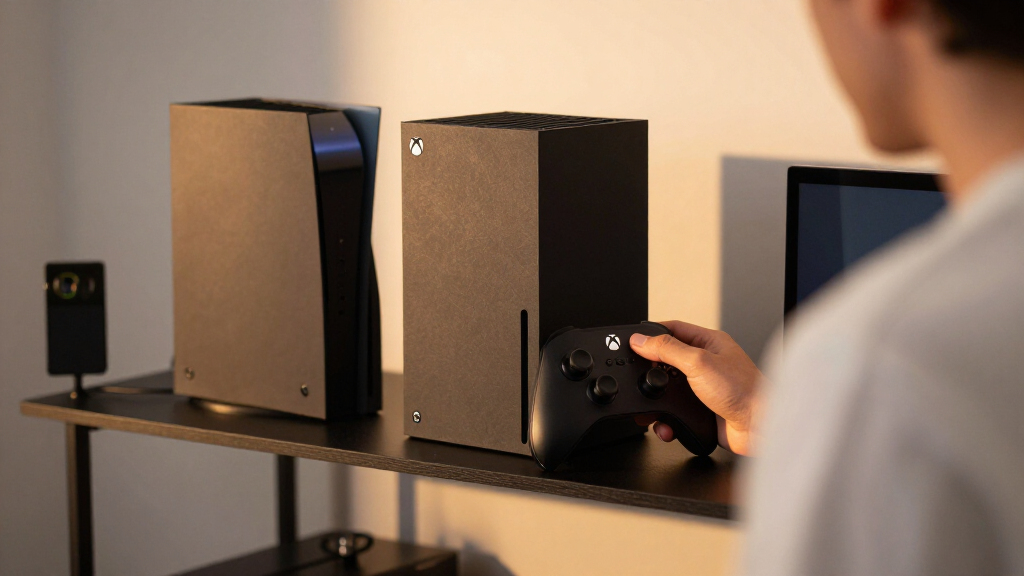
How We Picked
Our evaluation focused on performance, compatibility, ease of installation, build quality, and value. We prioritized products that are officially compatible with Xbox Series X|S to ensure seamless operation, while also including high-capacity and customizable options for advanced users. The ranking reflects a balance between affordability and performance, with an emphasis on user experience—plug-and-play simplicity for most, and flexibility for tech-savvy buyers. We considered reviews, technical specs, and real-world usability to determine which products provide the best overall experience for different types of gamers.| xbox expansion card | Compatibility | Features |
|---|---|---|
| Storage Expansion Card for Xbo | Xbox Series X|S | Plug & Play, Quick Resume, Xbox Velocity Architecture |
| WD_BLACK 2TB C50 Storage Expan | Xbox Series X|S | Quick Resume, Plug & Play, Officially Licensed |
| Furfox Expansion Card External | Xbox Series X|S | — |
| WD_Black 512GB C50 Storage Exp | Xbox Series X|S | Quick Resume, Plug & Play, Xbox Velocity Architecture |
| HWAYO Expansion Card for Xbox | Xbox Series X|S | Plug & Play, heat dissipation |
| M.2 NVMe SSD Expansion Card En | Xbox Series X/S | — |
| Storage Expansion Card for Xbo | Xbox Series X/S, M.2 NVMe 2230 SSDs (512GB-1TB) | — |
Factors to Consider When Choosing Xbox Expansion Cards
Choosing the right Xbox expansion card involves understanding your gaming needs and technical preferences. While capacity is critical, performance and ease of installation often matter more for most users. Compatibility with your console version and future-proofing for upcoming game sizes should also influence your choice. Additionally, consider whether you want an official product for guaranteed support or a third-party alternative for potentially better value. This guide highlights key factors to help you make an informed decision beyond just specs.Capacity Needs and Budget
Assess how much storage you require based on your gaming library. If you frequently download large titles or plan to keep a vast collection, opting for higher capacity models like 2TB makes sense, even if they come at a premium. However, for casual gamers or those on a tighter budget, 512GB or 1TB options can provide enough space without overspending. Remember, larger capacity often correlates with higher costs, so balance your needs with your budget to avoid overpaying or running out of space too soon.
Performance and Speed
Speed matters if you want quick load times and smooth gameplay, especially with large open-world titles or fast-paced shooters. Official Xbox expansion cards are designed to match the console’s native SSD performance, ensuring minimal lag. Third-party NVMe SSD enclosures can also deliver high speeds but may vary depending on the drive used. Be cautious of lower-quality enclosures or drives that don’t support PCIe 4.0, as these may bottleneck your performance or cause inconsistent results.
Ease of Installation and Compatibility
Most users value straightforward, plug-and-play solutions, which is why the official Xbox expansion card is often the easiest choice. Third-party options, especially DIY enclosures, require some technical know-how and might need additional steps to ensure proper setup. Always verify whether the product is officially supported or compatible with your console model to avoid issues like boot errors or reduced performance. Additionally, check if the enclosure supports the specific SSD size and interface your setup requires.
Build Quality and Thermal Management
High-capacity or high-speed cards generate more heat, which can impact longevity and performance. Look for products with good build quality and thermal management features like heatsinks or aluminum casings. Poor thermal design can lead to throttling or even hardware failure over time. For DIY solutions, consider adding external cooling measures or choosing enclosures with built-in heat dissipation to maintain optimal performance during extended gaming sessions.
Long-term Value and Upgrade Path
While official cards may carry a premium, they often provide the most reliable and hassle-free experience, making them worth the investment for many users. However, third-party enclosures and SSDs can offer larger capacities or better prices, especially if you’re comfortable with assembly and setup. Think about future expansion; choosing a product with support for upcoming SSD standards or higher capacities can extend the lifespan of your investment and avoid frequent upgrades.
Frequently Asked Questions
Can I use a third-party SSD in my Xbox Series X|S instead of the official expansion card?
Yes, the Xbox Series X|S supports third-party NVMe SSDs, but they must meet specific requirements for size, speed, and compatibility. You’ll need an enclosure designed for Xbox compatibility or an official expansion card. Proper setup and formatting are essential, and performance may vary depending on the SSD’s specifications. Using a compatible third-party SSD can provide larger capacity options and potentially lower costs, but it’s important to ensure it meets all console requirements to prevent issues.
Is it worth paying more for the official Xbox expansion card?
Paying more for the official Xbox expansion card often guarantees seamless compatibility, reliable performance, and a straightforward setup. This can be especially valuable for users who prefer a plug-and-play experience without technical hassle. However, if you’re comfortable with DIY assembly or seeking larger capacities at a lower price, third-party options can be worthwhile. The decision depends on whether you prioritize convenience or cost savings and capacity flexibility.
What’s the main difference between 512GB and 2TB expansion options?
The primary difference is capacity: 512GB models are suitable for lighter use or casual gaming, while 2TB options support extensive game libraries and large downloads. Larger capacity cards tend to be more expensive but can save you from frequent deletions or upgrades later. Consider your gaming habits and storage needs; if you regularly download big titles, investing in higher capacity makes sense to avoid constant management of your storage space.
Do I need thermal management features on my expansion card?
Thermal management is important because NVMe SSDs generate heat during intensive use, which can cause throttling or hardware failure. Enclosures with heatsinks or aluminum casings help dissipate heat and maintain performance over long gaming sessions. For high-capacity or high-speed drives, thermal features become even more critical. Overheating not only reduces speed but can also shorten the lifespan of your storage device, making thermal considerations a wise investment.
Can I upgrade my Xbox storage without losing existing data?
Adding an expansion card is a straightforward way to increase storage without affecting existing data, as it generally involves installing the new drive alongside your current setup. If you’re replacing existing storage, ensure you back up your data first. For external enclosures or DIY solutions, data migration may require copying files manually, which can be time-consuming. Always verify compatibility and backup important saves before making hardware changes to prevent data loss.
Conclusion
For most users, the official Xbox Storage Expansion Card offers the best balance of performance, ease of use, and reliability—ideal for gamers who prioritize a seamless experience. If you need large capacity at a lower price, third-party options like the WD_BLACK 2TB are excellent choices for budget-conscious players willing to handle some setup. Beginners and casual users will find that plug-and-play solutions provide the simplest upgrade path, while tech-savvy gamers seeking customization may prefer DIY enclosures and NVMe SSDs. Ultimately, your choice depends on how much storage you need, your budget, and your comfort with technical setups.
Fall Picks
fall essentials
As an affiliate, we earn on qualifying purchases.