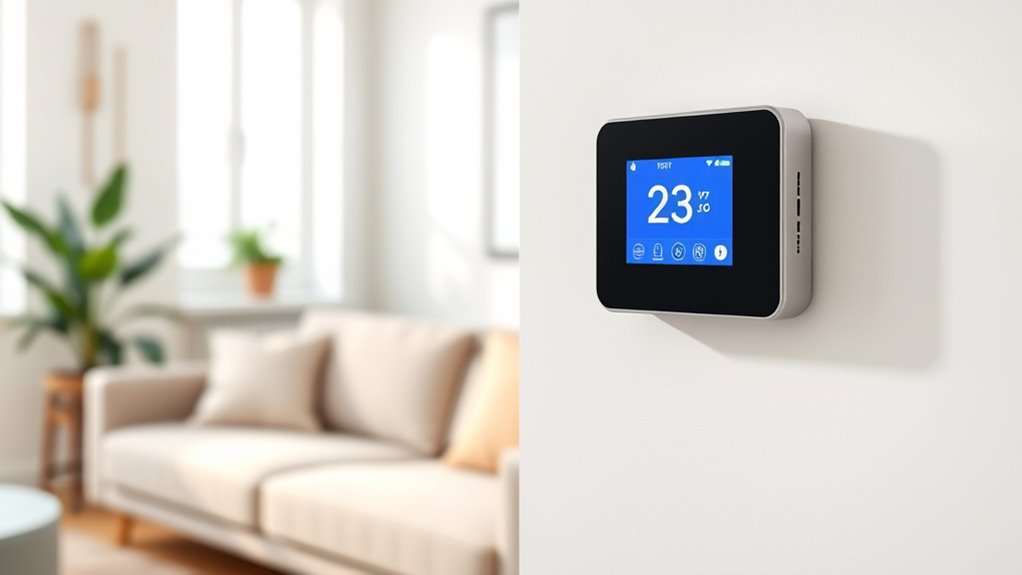

Choosing the right WiFi baseboard thermostat can significantly improve your home’s comfort and energy efficiency. For 2026, I’ve identified four standout options, each tailored to different needs. The Mysa Smart Thermostat LITE shines for its ease of installation and compatibility with multiple voice assistants, making it ideal for most DIYers. The ecobee Smart Thermostat offers advanced learning features and room-specific sensors, perfect for those seeking maximum energy savings. Meanwhile, the Meross Smart Thermostat provides versatile smart home integration at a competitive price, best for users with existing smart home setups. Each choice involves tradeoffs—whether it’s wiring complexity, system compatibility, or feature set—so I’ll help you weigh these factors effectively.

Get business pricing on tech for your team
- Business-only prices and quantity discounts
- Tax-exempt purchasing
- Multiple users, one account, clear invoices
Key Takeaways
- The Mysa LITE is ideal for DIYers with compatible wiring who want voice control and cost savings.
- ecobee excels for users seeking advanced automation and room-by-room comfort adjustments.
- Meross offers broad smart home compatibility at a lower price, suitable for tech-savvy users.
- All options require proper wiring and system compatibility; choose based on your existing setup and tech preferences.
- Tradeoffs include wiring complexity, platform compatibility, and feature depth—consider your home system carefully.
| Mysa Smart Thermostat LITE for Electric Baseboard Heaters |  | Best Overall for DIY Installers and Cost Savings | Compatibility: 120V-240V electric baseboard heaters, fan-forced heaters, wall heaters, convector units | Connectivity: WiFi, HomeKit, Alexa, Google Assistant | Installation: DIY, requires 4 wires (neutral or second live wire) | VIEW ON AMAZON | See Our Full Breakdown |
| Mysa Smart Thermostat for Electric Baseboard Heaters 240V |  | Best for High-Voltage Electric Heating Systems | Voltage: 120-240V | Maximum Load: 1900W at 120V, 3800W at 240V | Wire Requirements: At least four wires, including a neutral or second live wire | VIEW ON AMAZON | See Our Full Breakdown |
| Meross Smart Thermostat for Electric Baseboard and In-Wall Heaters |  | Best for Broad Smart Home Compatibility | Voltage: 120V-240V | Maximum Load: 16A, 1920W at 120V; 3840W at 240V | Display: White LCD | VIEW ON AMAZON | See Our Full Breakdown |
| ecobee Smart Thermostat Enhanced |  | Best for Advanced Automation and Learning | Compatibility: Most 24 VAC HVAC systems | Includes: Power Extender Kit, Trim Kit | Connectivity: WiFi, Smartphone, Apple Watch | VIEW ON AMAZON | See Our Full Breakdown |
| wi fi baseboard thermostat | Connectivity | Compatibility | Voltage | Maximum Load |
|---|---|---|---|---|
| Mysa Smart Thermostat LITE for | WiFi, HomeKit, Alexa, Google Assistant | 120V-240V electric baseboard heaters, fan-forced heaters, wall heaters, convector units | — | — |
| Mysa Smart Thermostat for Elec | — | — | 120-240V | 1900W at 120V, 3800W at 240V |
| Meross Smart Thermostat for El | Wi-Fi | — | 120V-240V | 16A, 1920W at 120V; 3840W at 240V |
| ecobee Smart Thermostat Enhanc | WiFi, Smartphone, Apple Watch | Most 24 VAC HVAC systems | — | — |
More Details on Our Top Picks
Mysa Smart Thermostat LITE for Electric Baseboard Heaters
The Mysa Smart Thermostat LITE stands out for its straightforward installation and broad compatibility with electric baseboard heaters. It supports voice control through HomeKit, Alexa, and Google, making it a flexible choice for those who want remote access and automation. Compared with higher-end models, it offers a simplified feature set that suits most DIYers. However, it does require compatible wiring—either a neutral or second live wire—which can be a hurdle if your wiring isn’t already set up for smart thermostats. This model is ideal for homeowners who want a reliable, cost-effective WiFi thermostat without needing complex features.
Pros:- Supports multiple voice assistants for hands-free control
- Easy DIY installation with detailed guides
- Helps reduce heating costs with scheduling and remote control
- Suitable for garages, workshops, or other hard-to-heat spaces
Cons:- Requires compatible wiring (neutral or second live wire)
- Limited to electric baseboard and similar heaters
- Advanced features depend on app use, not subscription-based
Best for: DIYers seeking an easy-to-install, voice-compatible thermostat that saves energy
Not ideal for: Homeowners with incompatible wiring or those needing advanced automation features
- Compatibility:120V-240V electric baseboard heaters, fan-forced heaters, wall heaters, convector units
- Connectivity:WiFi, HomeKit, Alexa, Google Assistant
- Installation:DIY, requires 4 wires (neutral or second live wire)
- Warranty:5 years
- Designed in:Canada
Our verdict“Ideal for DIYers who want a straightforward, affordable WiFi thermostat compatible with common baseboard setups.”
Mysa Smart Thermostat for Electric Baseboard Heaters 240V
The Mysa Smart Thermostat for 240V is tailored for high-voltage electric baseboard heaters, offering precise remote control and scheduling. Its adaptive display makes it easy to read in different lighting conditions, and it supports major smart home platforms like HomeKit, Alexa, and Google. Compared with the LITE version, this model handles larger loads and provides more detailed energy monitoring, making it a solid choice for larger or more complex systems. The main tradeoff is its wiring requirement—at least four wires, including a neutral or second live wire—which may limit installation in older homes with simpler wiring. It’s best suited for those with existing high-voltage systems looking for reliable automation.
Pros:- Compatible with major smart home platforms
- Handles larger loads with ease
- Easy to install and use with scheduling features
- Supports remote control from anywhere
Cons:- Requires at least four wires for installation
- Only suitable for high-voltage electric heating systems
- Not compatible with low-voltage or older wiring
Best for: Homeowners with high-voltage electric baseboard heating systems seeking automation and remote control
Not ideal for: Homes with low-voltage, two-wire setups or non-electric systems
- Voltage:120-240V
- Maximum Load:1900W at 120V, 3800W at 240V
- Wire Requirements:At least four wires, including a neutral or second live wire
Our verdict“Best suited for users with high-voltage electric baseboard heaters who want precise control and integration with smart home platforms.”
Meross Smart Thermostat for Electric Baseboard and In-Wall Heaters
The Meross Smart Thermostat offers a versatile platform for controlling electric baseboard and in-wall heaters, supporting Apple HomeKit, Alexa, Google, and SmartThings. Its quick install process—often under 30 minutes—makes it accessible for DIYers with compatible wiring. The thermostat’s energy monitoring and open window detection help reduce energy waste, while scheduling options enhance comfort. The main limitation is that it requires four or more wires, which could be a barrier for older or simpler wiring setups. It’s a great fit for users who want to integrate their heaters into a broader smart home ecosystem without paying a premium.
Pros:- Supports multiple major smart home platforms
- Easy to install in less than 30 minutes
- Features energy monitoring and open window detection
- Supports scheduling and automation
Cons:- Requires 4 or more wires in the electrical box
- Not compatible with electric baseboards included in the package
- Designed mainly for high-voltage systems, limiting use with low-voltage heaters
Best for: Smart home enthusiasts seeking compatibility across multiple platforms and energy savings
Not ideal for: Users with incompatible wiring or those needing a simple, budget-only solution
- Voltage:120V-240V
- Maximum Load:16A, 1920W at 120V; 3840W at 240V
- Display:White LCD
- Connectivity:Wi-Fi
- Wiring Needed:4 wires or more
Our verdict“Best for users who want broad smart home integration and energy features at a lower price point.”
ecobee Smart Thermostat Enhanced
The ecobee Smart Thermostat Enhanced offers a comprehensive approach to heating control, including occupancy sensors and learning schedules that adapt to your routines. It can save up to 26% annually and is compatible with most 24V HVAC systems. The included Power Extender Kit simplifies installation in homes without C-wire, but it’s important to verify system compatibility before purchase. Compared to other options, ecobee’s advanced features make it a top choice for those wanting sophisticated automation and room-specific comfort. Its dependence on WiFi for remote control and setup is a consideration for users with unstable internet.
Pros:- Saves up to 26% on energy costs annually
- Learns user preferences and schedules
- Includes occupancy sensors for room-specific comfort
- Easy DIY installation with included kits
Cons:- Requires checking system compatibility
- Dependent on WiFi for remote features
- May be more expensive than simpler models
Best for: Homeowners wanting maximum energy savings and advanced automation
Not ideal for: Those with incompatible HVAC systems or unreliable WiFi connections
- Compatibility:Most 24 VAC HVAC systems
- Includes:Power Extender Kit, Trim Kit
- Connectivity:WiFi, Smartphone, Apple Watch
- Features:Occupancy sensing, learning schedule, humidity adjustment
Our verdict“Best for tech-savvy homeowners aiming for maximum automation, savings, and comfort customization.”

How We Picked
To select these four WiFi baseboard thermostats, I prioritized ease of installation, compatibility with common baseboard systems, smart home integration, and energy-saving features. I looked at user reviews, expert analysis, and manufacturer specifications to assess reliability and performance. Emphasis was placed on versatility—whether the thermostat supports multiple voice assistants or advanced automation—along with wiring requirements and overall value. Products were compared directly against each other to highlight their strengths and limitations, ensuring each pick fills a distinct role for different buyer needs.
| wi fi baseboard thermostat | Connectivity |
|---|---|
| Mysa Smart Thermostat LITE for | WiFi, HomeKit, Alexa, Google Assistant |
| Mysa Smart Thermostat for Elec | — |
| Meross Smart Thermostat for El | Wi-Fi |
| ecobee Smart Thermostat Enhanc | WiFi, Smartphone, Apple Watch |
Factors to Consider When Choosing Wi Fi Baseboard Thermostat
Choosing the right WiFi baseboard thermostat depends on your existing wiring, heating system type, smart home setup, and budget. While all these options offer remote control and scheduling, their compatibility and features vary significantly. To help you decide, I’ll break down key considerations such as wiring requirements, system compatibility, automation features, and ease of installation.
Wiring and Compatibility
Most WiFi thermostats for baseboard heaters require four wires—hot, neutral, and possibly a second live wire or common wire—to function properly. Check your current wiring before purchasing. If your wiring doesn’t match, some models like ecobee provide accessories to facilitate installation, but others won’t work at all without wiring upgrades. Compatibility with your specific heater type—low-voltage, high-voltage, or in-wall systems—is critical to ensure proper operation.
Smart Home Integration
If you already use smart home platforms like Apple HomeKit, Alexa, or Google Assistant, prioritize thermostats that support these. The Mysa models excel for their broad compatibility, while Meross offers great cross-platform support at a lower price. The ecobee’s advanced sensors and automation features make it ideal for users seeking maximum integration and energy savings.
Features and Automation
Consider whether you want basic remote control and scheduling or advanced automation like learning routines, occupancy detection, and energy monitoring. Ecobee’s learning features and sensors stand out here, while Mysa offers straightforward scheduling. Meross provides automation at a budget-friendly price, but with fewer advanced options. Decide what level of control aligns with your lifestyle and energy goals.
Ease of Installation
Most models are designed for DIY installation, but wiring complexity varies. The Mysa LITE is praised for its simple setup, while the high-voltage models like Mysa 240V and Meross require more wiring knowledge. If you’re not comfortable with electrical work, consider hiring an electrician or choosing a model with simpler wiring requirements. Always verify your system’s wiring before buying.
Frequently Asked Questions
Can I install a WiFi baseboard thermostat myself?
Yes, many WiFi baseboard thermostats are designed for DIY installation, especially models like Mysa LITE and Meross, which come with step-by-step guides. However, installation complexity depends on your wiring setup. If your wiring matches the thermostat’s requirements and you’re comfortable working with electrical components, you can typically install these yourself. For high-voltage systems or incompatible wiring, hiring a professional is recommended to ensure safety and proper functionality.
Do WiFi thermostats work with all types of baseboard heaters?
No, not all WiFi thermostats are compatible with every heater type. Most are designed for electric baseboard heaters that use 120V or 240V power and require four wires. Some models, like ecobee, are compatible with high-voltage systems, while others are limited to certain configurations. Always check the product specifications and your heater’s wiring before purchasing to avoid compatibility issues.
Are there significant energy savings with smart WiFi thermostats?
Yes, many models can help reduce heating costs by allowing precise scheduling and remote control. For example, ecobee claims up to 26% savings annually by optimizing heating based on occupancy patterns. Even simpler models like Mysa can contribute to energy savings through scheduled heating and remote adjustments. The key is leveraging automation and monitoring features to avoid unnecessary energy use.
What should I consider when choosing a WiFi thermostat for my home?
Focus on wiring compatibility, your existing heating system, and whether you want advanced automation or simple remote control. Compatibility with your smart home ecosystem is also vital if you already use voice assistants. Installation ease, cost, and the specific features you need—like energy monitoring or occupancy sensors—should guide your decision. Matching the thermostat’s capabilities with your home’s wiring and your tech preferences ensures a satisfying purchase.
Will I need professional help to install a WiFi baseboard thermostat?
It depends on your wiring and comfort with electrical work. Many models are designed for straightforward DIY installation, but high-voltage or complex wiring setups might require an electrician. Always verify your wiring and the thermostat’s requirements before starting, and consider professional installation if you’re unsure or your system has older wiring. Proper installation is key to reliable operation and safety.
Conclusion
If you’re a DIY enthusiast with compatible wiring, the Mysa LITE offers a balance of ease, control, and affordability. For those with high-voltage systems seeking advanced automation, the ecobee Smart Thermostat is a top pick. Budget-conscious users who want broad smart home compatibility will find the Meross Smart Thermostat compelling. Ultimately, your choice depends on your existing wiring, desired features, and smart home ecosystem. Carefully match your needs to these options to maximize comfort and energy savings.
Halloween Picks

10-Foot Halloween Inflatable Double-Headed Dragon Archway

Max Fun 10-Foot Halloween Dragon and Pumpkin Inflatable Archway with LED Lights

12-Foot Inflatable Pumpkin Halloween Archway with LED Lights
As an affiliate, we earn on qualifying purchases.