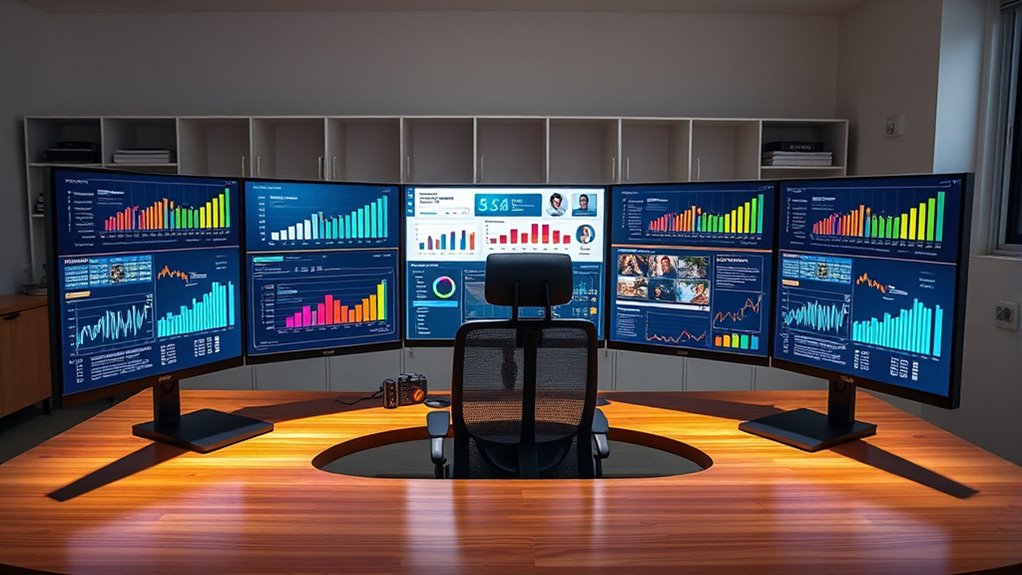

Choosing an ultrawide monitor for productivity means balancing screen real estate, image quality, and refresh rates. The LG 34WR55QK-B offers excellent value for general multitasking, while the Z-Edge 49-inch Curved Monitor provides expansive space for complex workflows. The Samsung ViewFinity S50GC stands out for HDR support and color accuracy, ideal for creative tasks. Readers face the tradeoff between affordability and premium features, and between size and desk space. Keep reading for a detailed comparison that helps you find the best fit for your productivity needs.

Get business pricing on tech for your team
- Business-only prices and quantity discounts
- Tax-exempt purchasing
- Multiple users, one account, clear invoices
Key Takeaways
- The largest screens like the Z-Edge 49-inch excel for multitasking but require ample desk space and higher budgets.
- Color accuracy and HDR support are key for creative professionals, making the Samsung ViewFinity a strong choice in that category.
- Refresh rate and adaptive sync features are more relevant for gaming but can benefit productivity by reducing eye strain and improving responsiveness.
- Value-oriented monitors like the LG 34WR55QK-B deliver solid performance at a lower price, but may lack advanced features found in premium models.
- Curved screens generally enhance immersion and reduce eye strain, yet some users prefer flat models for their workspace flexibility.
| LG 34WR55QK-B 34-inch UltraWide WQHD Curved Computer Monitor |  | Best Overall for Versatile Productivity and Visual Quality | Size: 34 inches | Resolution: 3440 x 1440 | Aspect Ratio: 21:9 | VIEW ON AMAZON | See Our Full Breakdown |
| Samsung 34″ ViewFinity S50GC Series Ultrawide QHD Monitor, 100Hz, HDR10, AMD FreeSync, Eye Care, Black |  | Best for Multitasking with Vibrant Colors and Eye Care | Size: 34 inches | Resolution: Ultra-WQHD | Aspect Ratio: 21:9 | VIEW ON AMAZON | See Our Full Breakdown |
| Z-Edge 49 inch Ultrawide Curved Computer Monitor, DQHD 5120×1440, 165Hz |  | Best for Gaming and Immersive Multitasking | Size: 49 inches | Resolution: 5120×1440 (Dual QHD) | Aspect Ratio: 32:9 | VIEW ON AMAZON | See Our Full Breakdown |
| Samsung CH890 Series 34-Inch WQHD Curved Ultrawide Monitor |  | Best for Business and Professional Productivity | Size: 34 inches | Resolution: 3440×1440 WQHD | Refresh Rate: 100Hz | VIEW ON AMAZON | See Our Full Breakdown |
| LG 34U650A-B 34-inch UltraWide WQHD IPS Curved Computer Monitor |  | Best Budget-Friendly Ultrawide for Everyday Productivity | Size: 34 inches | Resolution: 3440 x 1440 | Panel Type: IPS | VIEW ON AMAZON | See Our Full Breakdown |
| KTC 34 Inch Ultrawide Curved Gaming Monitor, 3440×1440 UWQHD, 180Hz |  | Best for Immersive Multitasking and Gaming | Size: 34 inches | Resolution: 3440×1440 | Aspect Ratio: 21:9 | VIEW ON AMAZON | See Our Full Breakdown |
| ultrawide monitors for productivity | Size | Resolution | Refresh Rate | Aspect Ratio |
|---|---|---|---|---|
| LG 34WR55QK-B 34-inch UltraWid | 34 inches | 3440 x 1440 | 100Hz | 21:9 |
| Samsung 34" ViewFinity S50GC S | 34 inches | Ultra-WQHD | 100Hz | 21:9 |
| Z-Edge 49 inch Ultrawide Curve | 49 inches | 5120×1440 (Dual QHD) | 165Hz | 32:9 |
| Samsung CH890 Series 34-Inch W | 34 inches | 3440×1440 WQHD | 100Hz | — |
| LG 34U650A-B 34-inch UltraWide | 34 inches | 3440 x 1440 | 100Hz | — |
| KTC 34 Inch Ultrawide Curved G | 34 inches | 3440×1440 | 180Hz | 21:9 |
More Details on Our Top Picks
LG 34WR55QK-B 34-inch UltraWide WQHD Curved Computer Monitor
This monitor stands out for its expansive 34-inch curved display, making it ideal for multitasking and immersive workflows. Compared with the Samsung CH890, the LG offers a more flexible ergonomic stand and HDR10 support, which enhances visual vibrancy for creative work. However, its 100Hz refresh rate and 5ms response time fall short of gaming-focused models like the Z-Edge, which boasts a 165Hz refresh rate, making it less suited for competitive gaming. Its connectivity options, including USB-C with power delivery, simplify desk setups, but its size may be overwhelming on smaller desks. The absence of built-in speakers means an extra investment for audio. Still, its combination of versatility, image quality, and comfort makes it a strong choice for professionals seeking a well-rounded ultrawide.
Pros:- Large 34-inch curved display enhances multitasking and immersion
- HDR10 support and wide color gamut for vibrant visual output
- USB-C with Power Delivery simplifies connectivity and charging
- Adjustable stand for ergonomic comfort
Cons:- Size may be too large for small or cluttered desks
- Response time of 5ms might not satisfy competitive gamers
- No built-in speakers, requiring external audio setup
Best for: Creative professionals or multitaskers who need a large, vibrant display with flexible connectivity and ergonomic adjustments
Not ideal for: Gamers seeking ultra-fast response times or those with limited desk space
- Size:34 inches
- Resolution:3440 x 1440
- Aspect Ratio:21:9
- Refresh Rate:100Hz
- Response Time:5ms
- HDR:HDR10
- Color Gamut:up to 99% sRGB
Our verdict“This monitor suits users who prioritize visual quality and ergonomic flexibility over ultra-fast gaming specs.”
Samsung 34″ ViewFinity S50GC Series Ultrawide QHD Monitor, 100Hz, HDR10, AMD FreeSync, Eye Care, Black
The Samsung ViewFinity S50GC excels in offering an expansive 34-inch ultrawide workspace with vibrant color reproduction, thanks to HDR10 and over a billion supported colors. It surpasses the LG 34WR55QK-B in color support and includes eye care features like blue light reduction and flicker-free technology, making long work sessions easier on the eyes. Its adaptive FreeSync technology aligns with the needs of casual gamers or video editors, unlike the LG, which isn’t optimized for gaming. However, at a higher price point and limited to 34 inches, it might not appeal to users needing larger screens or budget-conscious buyers. Its connectivity options, including PIP and PBP, boost multitasking efficiency. Overall, this is a premium choice for those who want vivid visuals combined with eye comfort for extended productivity.
Pros:- Vivid color display with HDR10 and over a billion colors
- Eye care features reduce fatigue during long sessions
- PIP and PBP modes for enhanced multitasking
- Good brightness and contrast for vibrant visuals
Cons:- Limited to 34 inches, may be small for some professional uses
- Higher price compared to similar models
- Requires a compatible graphics card for optimal FreeSync performance
Best for: Designers or multitaskers seeking a colorful, eye-friendly ultrawide with advanced features
Not ideal for: Competitive gamers or users requiring a larger or more adaptable display size
- Size:34 inches
- Resolution:Ultra-WQHD
- Aspect Ratio:21:9
- Refresh Rate:100Hz
- Response Time:5ms
- HDR:HDR10
- Color Support:Over 1 billion colors
Our verdict“This monitor is ideal for creative professionals who value color accuracy and eye comfort in a sleek ultrawide form.”
Z-Edge 49 inch Ultrawide Curved Computer Monitor, DQHD 5120×1440, 165Hz
The Z-Edge 49-inch curved monitor stands out for its massive screen real estate and high refresh rate, making it particularly appealing for multitasking and gaming. Compared to the 34-inch options like the LG or Samsung, its 49-inch size delivers an even more immersive experience, suitable for users who need multiple windows open simultaneously. The 165Hz refresh rate and 1ms response time provide smooth visuals, surpassing the 100Hz offerings, thus appealing to gamers or video editors who demand fast performance. However, its large footprint requires a substantial desk space, and its high price may be prohibitive for casual users or those with limited budgets. The limited info on color calibration suggests it’s more optimized for gaming than for critical color work. Overall, this monitor excels for users who want a panoramic view and fast response times for gaming and productivity combined.
Pros:- Massive 49-inch curved display for immersive multitasking
- High 165Hz refresh rate and 1ms response time for smooth visuals
- Built-in gaming tools and adjustable ergonomic stand
- KVM switch for controlling multiple devices
Cons:- Requires significant desk space due to large size
- Potentially high cost and limited color calibration info
- Large size may be overwhelming for typical office setups
Best for: Gamers or professionals who need a panoramic, high-refresh-rate ultrawide for multitasking and gaming
Not ideal for: Desk users with limited space or those prioritizing color accuracy for professional photo editing
- Size:49 inches
- Resolution:5120×1440 (Dual QHD)
- Aspect Ratio:32:9
- Refresh Rate:165Hz
- Response Time:1ms
- Curvature:1500R
- Connectivity:HDMI 2.1, DisplayPort 1.4
Our verdict“This monitor suits users who seek an expansive panoramic view with fast response times for gaming or intense multitasking.”
Samsung CH890 Series 34-Inch WQHD Curved Ultrawide Monitor
The Samsung CH890 offers a solid 34-inch WQHD curved display designed to boost productivity with features like picture-in-picture, split-screen, and versatile connectivity. Its 100Hz refresh rate and 4ms response time make it suitable for everyday work and multimedia consumption, but it falls short for intense gaming compared to models like the Z-Edge. Its ergonomic stand with height, tilt, and swivel adjustments caters to long hours at the desk, and the VESA compatibility adds flexibility. While its price is competitive for professional use, it might be less appealing for casual users or gamers seeking higher refresh rates. Compared to the LG 34WR55QK-B, the CH890 emphasizes workspace management and ergonomic comfort over ultra-high refresh rates, making it a reliable choice for office environments.
Pros:- Large, immersive 34-inch display enhances multitasking
- Multiple connectivity options including USB-C
- Ergonomic stand with height, tilt, and swivel adjustments
- VESA compatibility for flexible mounting
Cons:- Limited to 100Hz, less ideal for fast-paced gaming
- Higher price may be a concern for budget-conscious buyers
- Designed more for productivity than for high-end gaming
Best for: Business users or professionals who need a reliable ultrawide with flexible adjustments and productivity features
Not ideal for: Gamers seeking high-speed performance or users with limited desk space
- Size:34 inches
- Resolution:3440×1440 WQHD
- Refresh Rate:100Hz
- Response Time:4ms
- Contrast Ratio:3000:1
- Connectivity:USB-C, HDMI, DisplayPort
Our verdict“This monitor is well-suited for professionals needing a reliable, adjustable ultrawide for work and multimedia tasks.”
LG 34U650A-B 34-inch UltraWide WQHD IPS Curved Computer Monitor
The LG 34U650A-B offers a compelling blend of size and features at a more accessible price point. Its 34-inch WQHD IPS panel provides wide viewing angles and accurate colors, suitable for multitasking, media, and light creative work. Its 100Hz refresh rate and HDR10 support improve overall visual quality, though it doesn’t match the color depth or high refresh rates of premium models like the Samsung ViewFinity. The curved design adds to immersion but might not suit all preferences. Connectivity options, including USB-C with 96W Power Delivery, make it flexible for various setups. However, the build quality and calibration details are less refined than higher-end options, and its size may be overkill for users with limited space. It makes a sound choice for budget-conscious users who want a large, versatile ultrawide.
Pros:- Wide 34-inch display boosts multitasking
- IPS panel with accurate colors and wide viewing angles
- USB-C with 96W Power Delivery simplifies connections
- Affordable compared to premium ultrawides
Cons:- Curved design may not suit all workflows or preferences
- Build quality and calibration are less refined
- Limited high-end features for professional creative work
Best for: Home office users or students seeking a large, affordable ultrawide for multitasking and media
Not ideal for: Creative professionals requiring high color accuracy or gamers needing ultra-fast response times
- Size:34 inches
- Resolution:3440 x 1440
- Panel Type:IPS
- Refresh Rate:100Hz
- HDR:HDR10
- Color Coverage:99% sRGB
Our verdict“This monitor offers a large, versatile display at a budget-friendly price, ideal for everyday productivity and media consumption.”
KTC 34 Inch Ultrawide Curved Gaming Monitor, 3440×1440 UWQHD, 180Hz
The KTC 34-inch ultrawide curved monitor stands out for its high refresh rate of 180Hz, making it ideal for seamless multitasking and gaming, especially when compared with the LG 34WR55QK-B which offers a more standard 100Hz. Its 1500R curvature enhances immersion, but this feature can be a drawback in workspaces where straight monitors are preferred for productivity. The vibrant color reproduction with 125% sRGB and HDR support ensures rich visuals, yet the need for multiple connection ports can complicate setup for some users. The fully adjustable stand improves ergonomic comfort, though the monitor’s curvature may not suit every workspace or user preference. Overall, this model makes the most sense for users who value high refresh rates and immersive display quality for both work and play, but those with limited desk space or a preference for flat screens may find it less suitable.
Pros:- High 180Hz refresh rate for exceptionally smooth gameplay and scrolling.
- Curved design enhances immersion during multitasking or gaming sessions.
- Vibrant color reproduction with 125% sRGB and HDR support for vivid visuals.
- Fully adjustable ergonomic stand for personalized comfort.
Cons:- Requires multiple connection ports for full functionality, complicating cable management.
- Curved design may not be suitable for all workspace arrangements or for users who prefer flat monitors.
- Limited to specific resolution and refresh rate configurations, reducing flexibility.
Best for: Gamers and multitaskers who prioritize smooth visuals and immersive experiences in a single monitor.
Not ideal for: Users with small desks or those who prefer flat screens for straightforward productivity setups, as the curvature may be disruptive.
- Size:34 inches
- Resolution:3440×1440
- Aspect Ratio:21:9
- Curvature:1500R
- Refresh Rate:180Hz
- Brightness:300cd/㎡
- Color Gamut:125% sRGB
- Contrast Ratio:4000:1
- Panel Type:HVA
Our verdict“This monitor is best suited for users who need a high-refresh-rate ultrawide display that combines gaming performance with productivity, accepting the tradeoff of workspace compatibility.”

How We Picked
Our evaluation focused on performance, build quality, and usability tailored for productivity tasks. We prioritized screen size, resolution, color accuracy, and ergonomic features to ensure these monitors support multitasking and long work sessions. Additional factors like refresh rate, adaptive sync, and eye care technology were considered for their impact on comfort and responsiveness. We ranked products based on overall value, feature set, and how well they balance cost against performance, aiming to recommend options suitable for different work environments and user preferences.Factors to Consider When Choosing Ultrawide Monitors For Productivity
When selecting an ultrawide monitor for productivity, it’s essential to consider factors that influence your daily workflow and comfort. Not all ultrawides are created equal; some excel in color accuracy, while others prioritize screen real estate or refresh rates. Understanding these elements can help you avoid common pitfalls like overspending on unnecessary features or choosing a size that doesn’t fit your workspace. A balanced approach ensures you get the best value and performance for your specific needs.Screen Size and Resolution
Choosing the right size and resolution impacts how comfortably you can multitask without feeling overwhelmed or cramped. Larger screens, like 49 inches, offer expansive workspace but require more desk space and higher budgets. Meanwhile, 34-inch monitors with WQHD resolution strike a good balance for most users, providing ample area without overwhelming your desk. Resolution matters too; higher resolutions such as 3440×1440 or DQHD improve clarity and allow for more detailed work, especially when multitasking across multiple windows.
Color Accuracy and HDR Support
If your work involves color-sensitive tasks such as design or video editing, look for monitors with high color accuracy and HDR support. These features enhance visual fidelity, making your work more precise and vibrant. However, they typically come at a higher price and may require calibration for optimal results. For general productivity, decent color reproduction is sufficient, and you can prioritize other features like size or ergonomic options to maximize value.
Refresh Rate and Response Time
While primarily relevant for gaming, higher refresh rates and lower response times can reduce eye strain during long work sessions by providing smoother motion and less flicker. Monitors with 100Hz or higher refresh rates may be beneficial if you frequently switch between multiple windows or engage in tasks requiring quick visual updates. However, for most productivity tasks, a standard 60Hz refresh rate is adequate, and investing in higher rates should be based on specific needs or preferences.
Ergonomics and Build Quality
Adjustability features like height, tilt, and swivel are vital for maintaining comfort during extended use. A sturdy stand and good build quality contribute to durability and ease of positioning. Curved screens can reduce eye strain and provide a more immersive experience, especially on larger models. Be cautious of monitors with limited ergonomic adjustments, as they can cause discomfort over time, impacting productivity and focus.
Connectivity and Compatibility
Ensure the monitor offers sufficient ports, such as HDMI, DisplayPort, and USB-C, to accommodate your devices. Compatibility with your computer’s graphics card affects how well the monitor performs at its native resolution and refresh rate. For flexible workspace setups, features like multiple inputs and USB hubs can streamline your connections. Avoid monitors with limited connectivity options if you rely on multiple peripherals or future upgrades.
Frequently Asked Questions
Is a curved ultrawide monitor better for productivity?
Curved ultrawide monitors can reduce eye strain by aligning the display more naturally with your field of view, especially on larger screens. They also help minimize distortion at the edges, making multitasking more comfortable and efficient. However, some users prefer flat screens for their workspace flexibility and ease of mounting or wall placement. Ultimately, the choice depends on your workspace layout and personal preference, but curved screens generally enhance immersion and comfort for prolonged use.
How important is color accuracy in an ultrawide monitor for productivity?
Color accuracy becomes critical if your work involves design, photo editing, or video production, where precise color reproduction impacts your results. For general multitasking and office work, most monitors with decent color coverage are sufficient. High color accuracy often comes with premium pricing, so evaluate your specific needs before investing. For most users focused on productivity, balancing color fidelity with affordability is the smarter approach.
Should I prioritize higher refresh rates for a productivity monitor?
Higher refresh rates, such as 100Hz or more, mainly benefit gaming and fast-paced visual tasks. For standard productivity, a 60Hz refresh rate typically suffices, providing smooth visuals without added cost. However, if you often switch between multiple windows or want to reduce eye fatigue during long work periods, a slightly higher refresh rate can provide a more comfortable experience. Consider your workflow and budget when deciding how much to prioritize refresh rate.
What is the best size ultrawide monitor for a typical home office?
For most home office setups, a 34-inch monitor with a resolution like WQHD offers a good balance of screen real estate and desk space. Larger models, such as 49 inches, provide more space but require more room and a higher budget. Flat or curved screens depend on personal preference, but ensure your workspace can accommodate the monitor comfortably. Smaller ultrawides might save space but could limit multitasking capabilities, so choose based on your typical workload and available space.
Are ultrawide monitors suitable for video conferencing and remote work?
Ultrawide monitors can enhance remote work by providing more space for video calls, chat windows, and reference materials simultaneously. Their expansive screens make it easier to keep multiple applications visible at once, improving workflow efficiency. However, some ultrawides may have wider bezels or less flexible stand adjustments, which can interfere with camera placement or comfort. For professional video conferencing, consider models with slim bezels and good ergonomic adjustments.
Conclusion
Choosing the best ultrawide monitor depends on your specific needs. The LG 34WR55QK-B stands out as the best overall for most users seeking solid multitasking performance at a reasonable price. The Z-Edge 49-inch is ideal for those needing maximum screen real estate, despite its larger size and higher cost. For creative professionals, the Samsung ViewFinity S50GC offers superior color accuracy and HDR support. Beginners or those with limited space might prefer the more affordable or smaller options, while power users should consider premium models with advanced features. Your ideal choice hinges on balancing budget, workspace, and intended use.
Halloween Picks

Vexalify 11-Inch Halloween Pumpkin Fog Machine with 12-Color Lights

Panefright Halloween Window Projector – Scary Projector for Spooky Decor

Thuodo 8 FT Tall Halloween Inflatable Three-Headed Dragon with LEDs
As an affiliate, we earn on qualifying purchases.