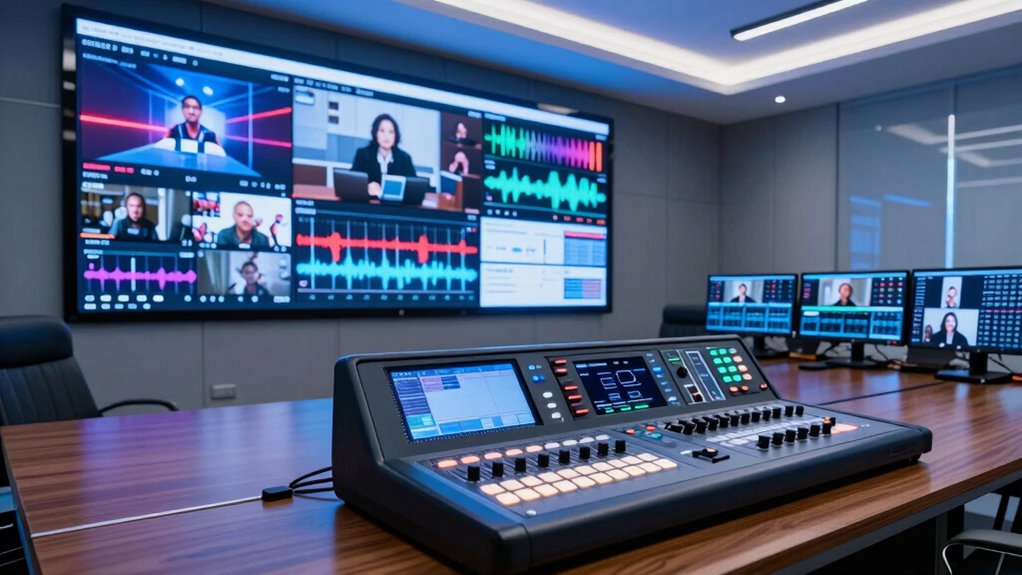

For virtual events, my best overall pick is the RGBlink Mini-pro V3, whose four 4K HDMI inputs, dual outputs, PTZ control, and built-in monitor suit more involved productions. The Osee GoStream Deck Pro is a strong alternative for a four-camera HDMI setup, while the CINETREAK Stream 1S stands out for SDI-based rigs. The main tradeoff is between simple, compact HDMI operation and the input flexibility, monitoring, and control features that larger events may need. I compare all seven options by connection type, event workflow, usability, and room to grow. Read on for the full breakdown and recommendations by production style.

Get business pricing on tech for your team
- Business-only prices and quantity discounts
- Tax-exempt purchasing
- Multiple users, one account, clear invoices
Key Takeaways
- RGBlink Mini-pro V3 ranks first for feature breadth: its four 4K HDMI inputs, dual HDMI/USB 3.0 outputs, PTZ control, and onboard monitor address several demands of larger virtual events.
- The CINETREAK Stream 1S fills a different role: its four SDI inputs and AUX connections make it the lineup’s clearest fit for SDI-centered production rigs, not a direct substitute for an HDMI-only mixer.
- Four HDMI inputs are the lineup’s recurring format: several mixers support multi-source events, so the deciding factors become monitoring, control layout, and output needs rather than input count alone.
- Compact designs trade visibility for portability: the CINETREAK Mixer Plus includes a built-in screen, while the smaller Osee GoStream Deck is a simpler choice for setups where minimal gear matters.
- Audio and workflow need checking before purchase: the Fabater offers 3.5 mm audio ports and two 1080p inputs, but buyers needing more cameras or higher-resolution inputs should compare it with the four-input models.
| Fabater Live Streaming Video Switcher with Two 1080p Inputs and 3.5 mm Audio Ports |  | Best for Simple Two-Camera Events | Video inputs: 2 HDMI | Maximum resolution: 1920 × 1080 at 60 Hz | Audio ports: 3.5 mm microphone and audio input/output | VIEW ON AMAZON | See Our Full Breakdown |
| CINETREAK Stream 1S Live Streaming Switcher with 4 SDI and AUX Inputs |  | Best for SDI-Based Multi-Platform Events | Model: Stream1S 4SDI | Inputs: 4 SDI and AUX | Streaming: Dual RTMP | VIEW ON AMAZON | See Our Full Breakdown |
| Osee GoStream Deck Pro 4-Channel HDMI Live Streaming Video Mixer |  | Best for Independent Multi-Platform Production | Model: C2 | Video inputs: 4 HDMI and 1 USB camera | Ethernet streaming: Up to 3 platforms | VIEW ON AMAZON | See Our Full Breakdown |
| RIJER 4-Input HDMI Live Streaming Video Mixer |  | Best for Preview-and-Program HDMI Setups | HDMI inputs: 4 | HDMI outputs: 2 | Maximum input resolution: 4K at 30 Hz | VIEW ON AMAZON | See Our Full Breakdown |
| RGBlink Mini-pro V3 Video Mixer Switcher with 4 x 4K HDMI Inputs, Dual HDMI/USB 3.0 Outputs, PTZ Controller, 2.1-Inch On-Board Monitor |  | Best Premium Compact 4K Control Surface | Model number: 230-0003-03-1 | HDMI inputs: 4, with 4K support | HDMI outputs: Dual HDMI multiview | VIEW ON AMAZON | See Our Full Breakdown |
| Osee GoStream Deck HDMI Live Streaming Video Switcher |  | Best for Multiplatform Events | HDMI inputs: 4 | HDMI outputs: 2 | USB Type-C ports: 2 | VIEW ON AMAZON | See Our Full Breakdown |
| CINETREAK Mixer Plus Compact 4-Input HDMI Video Switcher with Built-In Screen |  | Best for On-Device Monitoring | HDMI inputs: 4 | Display: Built-in 4-inch screen | Transition effects: 30 | VIEW ON AMAZON | See Our Full Breakdown |
| top rated live streaming switcher for virtual events amazon usa | HDMI inputs |
|---|---|
| Fabater Live Streaming Video S | — |
| CINETREAK Stream 1S Live Strea | — |
| Osee GoStream Deck Pro 4-Chann | — |
| RIJER 4-Input HDMI Live Stream | 4 |
| RGBlink Mini-pro V3 Video Mixe | 4, with 4K support |
| Osee GoStream Deck HDMI Live S | 4 |
| CINETREAK Mixer Plus Compact 4 | 4 |
More Details on Our Top Picks
Fabater Live Streaming Video Switcher with Two 1080p Inputs and 3.5 mm Audio Ports
The Fabater is the simplest fit here for a two-source virtual event: connect HDMI cameras or a computer, then switch between them at up to 1080p at 60 Hz. Its plug-and-play setup and USB-C 3.0 connection suit a small webinar crew that wants to avoid a more involved production system. Compared with the Osee GoStream Deck Pro, it gives up extra HDMI inputs, multistreaming tools, and programmable controls in exchange for a narrower, less complex setup. The 3.5 mm audio ports offer a way to connect a microphone or headset, though the product details do not explain the audio controls or list complete operating-system compatibility. I’d choose it for a modest camera-and-computer setup, not a growing event rig. Its listed 90-day warranty is also shorter than the one-year coverage listed for the RGBlink and CINETREAK Stream 1S.
Pros:- Plug-and-play setup is described as requiring no drivers.
- Switches between two HDMI sources at up to 1080p and 60 Hz.
- 3.5 mm ports support an external microphone or headset.
- USB-C 3.0 connection is described as low latency.
Cons:- Two HDMI inputs leave less room to add cameras than the four-input Osee or RGBlink models.
- Operating-system compatibility details are incomplete.
- The listed 90-day warranty is shorter than coverage for several alternatives.
Best for: Small webinar teams or solo presenters switching between one camera and one computer or video player at 1080p.
Not ideal for: Event crews needing three or more video sources, detailed routing controls, or clearly documented compatibility and longer warranty coverage.
- Video inputs:2 HDMI
- Maximum resolution:1920 × 1080 at 60 Hz
- Audio ports:3.5 mm microphone and audio input/output
- Connection:USB-C 3.0
- Operating systems:Android, OS X, and Linux; other supported systems unspecified
- Setup:Plug-and-play; no drivers required
- Warranty:90 days
Our verdict“Choose the Fabater for a straightforward two-source 1080p event setup, but pick a four-input model if your production may grow.”
CINETREAK Stream 1S Live Streaming Switcher with 4 SDI and AUX Inputs
The Stream 1S earns its place for event teams building around SDI cameras and needing more than a simple camera cut. Four SDI inputs, AUX routing, and PTZ control support a more involved venue setup, while dual RTMP streaming can send a program to two destinations at once. Its keying, recording, playback, and portrait-or-landscape output also suit events that mix presentations, overlays, and social formats. Compared with the Osee GoStream Deck Pro, this CINETREAK emphasizes SDI connections and PTZ operation; the Osee instead offers HDMI and USB-camera inputs, hardware macro buttons, and streaming to up to three platforms. The tradeoff is that NDI requires an update, so it is not ready as a listed built-in feature. This is a more specialized choice than the Fabater, and it makes little sense for a small crew with only HDMI sources.
Pros:- Four SDI inputs and AUX routing suit more involved camera setups.
- Dual RTMP streaming supports sending a live program to two destinations.
- PTZ control, chroma and luma keying, recording, and playback add production options.
- Supports both landscape and portrait streaming.
Cons:- NDI is available as an update rather than a listed ready-to-use feature.
- SDI-focused connections may not suit crews whose cameras and computers use HDMI.
- The feature set may be more involved than a small virtual event needs.
Best for: Venue and corporate event crews using SDI cameras, PTZ cameras, and dual-destination RTMP streaming.
Not ideal for: Small teams with HDMI-only cameras or buyers who need NDI available without an update.
- Model:Stream1S 4SDI
- Inputs:4 SDI and AUX
- Streaming:Dual RTMP
- Camera control:PTZ control
- Production features:Chroma and luma keying, recording, and playback
- Streaming formats:Landscape and portrait
- NDI:Available as an update
- Weight:3 pounds
- Warranty:1 year
Our verdict“Pick the Stream 1S when your event rig is SDI-based and needs PTZ control or dual RTMP output, not for a basic HDMI-only stream.”
Osee GoStream Deck Pro 4-Channel HDMI Live Streaming Video Mixer
The GoStream Deck Pro stands out for crews that want four HDMI sources and a USB camera, plus a route to stream directly over Ethernet without relying on an external computer. It can send a show to up to three platforms, record MP4 to an SD card during USB streaming, and use picture-in-picture or multi-window layouts for a more layered program. Eight programmable macro buttons give operators quick physical controls, a useful distinction from the Fabater, which is a more basic two-input switcher. Compared with the RGBlink Mini-pro V3, the Osee offers the stated three-platform Ethernet streaming and macro buttons, while RGBlink brings 4K inputs, a touchscreen, and VISCA PTZ control. The Osee’s limitation is a fixed set of four HDMI and one USB camera input; teams with SDI cameras should look instead at the CINETREAK Stream 1S.
Pros:- Accepts four HDMI sources and one USB camera.
- Ethernet streaming supports up to three platforms.
- Records MP4 to an SD card while streaming over USB.
- Picture-in-picture, multi-window layouts, and eight programmable macro buttons support active live production.
Cons:- Input capacity is limited to four HDMI sources and one USB camera.
- The listed features do not include SDI inputs or PTZ camera control.
- Teams seeking 4K input support may prefer the RGBlink Mini-pro V3.
Best for: Small production teams that need to switch several HDMI sources, stream to multiple platforms, and record a local copy without a separate streaming computer.
Not ideal for: Crews using SDI cameras, needing more than four HDMI sources, or seeking built-in PTZ control.
- Model:C2
- Video inputs:4 HDMI and 1 USB camera
- Ethernet streaming:Up to 3 platforms
- USB output:Streaming software connection
- Recording:MP4 recording to SD card
- Layouts:Picture-in-picture and multi-window
- Controls:8 programmable macro buttons
- Dimensions:4.2 × 9.9 × 1.9 inches
- Weight:1.1 pounds
Our verdict“Choose the GoStream Deck Pro for a multi-platform HDMI production with local recording, but look to RGBlink for 4K inputs and PTZ controls.”
RIJER 4-Input HDMI Live Streaming Video Mixer
The RIJER is a practical match for a virtual event where an operator needs four HDMI sources and a separate view for monitoring and preview. Its two HDMI outputs can help keep a confidence or preview display separate from the main program, while picture-in-picture, dual-screen display, and audio mixing add useful presentation flexibility. It accepts 4K input at 30 Hz but outputs at 1080p and 60 Hz, so buyers should treat it as a Full HD live switcher rather than a 4K program-output system. Compared with the Osee GoStream Deck Pro, the RIJER lists dual HDMI outputs and switching modes but does not specify Ethernet multistreaming, local recording, or programmable buttons. The description also leaves its audio connections and controls unclear, which makes it harder to plan a mixed microphone-and-computer-audio setup. It suits straightforward HDMI production more than feature-rich streaming workflows.
Pros:- Four HDMI inputs accommodate multiple cameras and presentation sources.
- Two HDMI outputs support monitoring and preview.
- Audio mixing, picture-in-picture, and dual-screen display support varied event layouts.
- Offers seamless and gradual switching modes.
Cons:- Output is limited to 1080p at 60 Hz even though input supports 4K at 30 Hz.
- Audio input connections and control details are not specified.
- The listed details do not describe direct streaming, recording, or PTZ control.
Best for: Event operators using up to four HDMI sources who want separate monitoring and preview displays and a 1080p output.
Not ideal for: Teams requiring 4K output, defined audio input controls, direct multi-platform streaming, or SDI connectivity.
- HDMI inputs:4
- HDMI outputs:2
- Maximum input resolution:4K at 30 Hz
- Output resolution:1920 × 1080 at 60 Hz
- Audio:Mixes audio from multiple sources
- Switching modes:Seamless and gradual
- Display modes:Picture-in-picture and dual-screen
Our verdict“Choose the RIJER for a four-source HDMI setup where preview outputs matter more than 4K output or built-in streaming features.”
RGBlink Mini-pro V3 Video Mixer Switcher with 4 x 4K HDMI Inputs, Dual HDMI/USB 3.0 Outputs, PTZ Controller, 2.1-Inch On-Board Monitor
The Mini-pro V3 is the most control-focused option in this group for a compact event rig: it combines four 4K HDMI inputs, dual HDMI multiview outputs, USB 3.0, and an onboard touchscreen with joystick control. That screen can reduce reliance on a separate control display, while VISCA PTZ control and preset recall suit events with remotely operated cameras. Balanced MIC and LINE inputs add a clearer audio connection path than the RIJER’s unspecified audio connections, and USB output supports streaming or recording to an external SSD. Compared with the Osee GoStream Deck Pro, RGBlink emphasizes 4K inputs, PTZ operation, and onboard control; Osee specifies Ethernet streaming to as many as three platforms and SD-card recording. The RGBlink requires a 35W-or-higher USB-C power adapter and a firmware update before first use, adding setup steps. Its listed details do not promise direct multistreaming to three platforms.
Pros:- Four 4K HDMI inputs and dual HDMI multiview outputs support flexible monitoring.
- A 2.1-inch IPS touchscreen and five-direction joystick provide onboard control.
- VISCA PTZ control includes preset recall.
- USB 3.0 supports streaming or recording to an external SSD up to 2 TB.
Cons:- Stable operation requires a 35W-or-higher USB-C power adapter.
- A firmware update is required before first use.
- Unlike the Osee GoStream Deck Pro, the listed features do not specify direct Ethernet streaming to multiple platforms.
Best for: Conference, worship, or event crews using 4K HDMI cameras and VISCA-compatible PTZ cameras who want local controls and USB streaming or SSD recording.
Not ideal for: Buyers seeking the simplest plug-and-play setup, direct three-platform Ethernet streaming, or a package that avoids a separately specified high-wattage power adapter.
- Model number:230-0003-03-1
- HDMI inputs:4, with 4K support
- HDMI outputs:Dual HDMI multiview
- USB output:USB 3.0; YUY2, MJPEG, and H.264
- External SSD support:Up to 2 TB
- Monitor:2.1-inch IPS touchscreen
- PTZ control:VISCA protocol with preset recall
- Audio inputs:Balanced DAC for MIC and LINE
- Power requirement:35W-or-higher USB-C adapter for stable performance
Our verdict“Choose the Mini-pro V3 for a compact 4K and PTZ-focused event setup with onboard controls, but pick the Osee if direct multi-platform Ethernet streaming is your priority.”
Osee GoStream Deck HDMI Live Streaming Video Switcher
The Osee GoStream Deck is a strong fit for virtual events that need several camera angles and simultaneous distribution: it accepts four HDMI sources and can stream to as many as three platforms over Ethernet. Recording and playback from SD card or USB SSD also give organizers a way to keep a local copy or roll in prepared material. Compared with the CINETREAK Mixer Plus, Osee gives more detail about streaming, recording, and portrait output, while CINETREAK supplies a built-in screen for monitoring. Osee’s tradeoff is that its supplied details do not state supported resolutions or frame rates, and some expanded controls depend on a PC and companion software. It suits events needing flexible outputs more than operators seeking a self-contained screen-first setup.
Pros:- Four HDMI inputs accommodate multiple cameras or other video sources
- Streams to up to three platforms through Ethernet
- Supports recording and playback using SD card or USB SSD storage
- Landscape and portrait output plus chroma key and picture-in-picture support varied event layouts
Cons:- Supported video resolutions and frame rates are not specified in the supplied product details
- Some expanded control features require a PC and companion software
- A separate display is needed for monitoring, unlike the CINETREAK Mixer Plus with its built-in screen
Best for: Event teams routing four HDMI cameras and streaming the same program to multiple platforms, with a PC available for expanded controls
Not ideal for: Operators who need clearly specified video resolutions and frame rates or want a built-in multiview screen without relying on a separate monitor
- HDMI inputs:4
- HDMI outputs:2
- USB Type-C ports:2
- Ethernet ports:1
- Audio inputs:2
- Streaming:Up to 3 platforms via Ethernet; USB output for PC streaming
- Video modes:Landscape and portrait
- Storage:SD card slot; supports USB SSD
Our verdict“Choose the GoStream Deck if your event needs four HDMI sources, local recording, and multistream output, and you can work around its unspecified video modes and PC-dependent controls.”
CINETREAK Mixer Plus Compact 4-Input HDMI Video Switcher with Built-In Screen
The CINETREAK Mixer Plus stands out for operators who want to monitor sources on the switcher itself: its built-in 4-inch screen offers multiview without requiring a separate display. Four HDMI inputs, scene presets, and a configurable AUX output support practical live-event routing, while transitions, keying, picture-in-picture, and logo overlays add production options. Compared with the Osee GoStream Deck, CINETREAK emphasizes on-device monitoring and direct production controls; Osee is the clearer choice when multistreaming, recording, and playback are priorities. The supplied specifications do not describe a streaming workflow or recording support, so buyers should confirm those needs before choosing it as a complete online-event solution. PTZ control also depends on compatible VISCA over IP cameras.
Pros:- Built-in 4-inch display enables multiview monitoring without a separate monitor
- Four HDMI inputs support multiple cameras and video sources
- Configurable AUX HDMI output adds routing flexibility
- Scene presets, transitions, keying, picture-in-picture, and logo overlay provide varied production controls
Cons:- Supplied product details do not specify streaming or recording capabilities
- PTZ control requires compatible VISCA over IP cameras
- The 4-inch built-in display may be limiting for detailed monitoring compared with a larger external screen
Best for: Small event crews who need four HDMI sources, built-in multiview monitoring, and hands-on scene and AUX-output control
Not ideal for: Teams whose workflow depends on documented multistreaming or onboard recording, or who use PTZ cameras without VISCA over IP support
- HDMI inputs:4
- Display:Built-in 4-inch screen
- Transition effects:30
- Scene presets:4
- PTZ camera control:VISCA over IP; up to 4 cameras with 4 presets each
- Audio output:Headphone
- Dimensions:8 x 8 x 3 inches (D x W x H)
- Warranty:1 year
Our verdict“Choose the Mixer Plus if a built-in multiview screen and accessible production controls matter more than the GoStream Deck’s documented multistreaming and recording features.”

How We Picked
I ranked these switchers around the work a virtual-event buyer needs them to do: connect the cameras and computers already in the production, keep sources easy to monitor, and provide outputs that fit the streaming or recording workflow. I gave weight to input type and count, stated resolution support, audio connections, onboard monitoring, PTZ control, and practical portability. Those details affect whether a switcher can handle a panel, presentation, worship service, or multi-camera event without adding avoidable equipment or operational steps.
The order reflects versatility for event use, not a claim that one unit suits every setup. The RGBlink leads for its broad feature set; the Osee GoStream Deck Pro follows as a capable HDMI-focused choice; and the SDI-equipped CINETREAK Stream 1S earns a distinct place for compatible production systems. More compact or lower-input-count models rank behind those options because their narrower workflows suit smaller productions better. Product names and listed specifications guide this comparison; buyers should confirm current connections and compatibility before ordering.
Factors to Consider When Choosing Top Rated Live Streaming Switcher For Virtual Events Amazon Usa
Before choosing a model, map your event workflow from source devices to the streaming computer or destination. A switcher can have plenty of inputs and still be a poor fit if the connectors, audio path, or outputs do not match your gear. These broader checks can help prevent a mismatch that product feature lists alone may not make obvious.
Match Connector Types to Your Existing Cameras
Start by listing every source and its actual output: cameras, presentation laptops, playback devices, and any remote-call computer. HDMI is common in compact event setups, while SDI often appears in production systems built around longer cable runs and compatible cameras. Avoid buying by input count alone; four ports do not help if your sources need a different connector or conversion hardware. Adapters can solve some gaps, but they add cost, setup steps, and extra points of failure. Choose a switcher that matches most of your existing connections, then account for any planned additions.
Plan for the Event You Will Run, Not Just the First One
Count the sources needed at the same time, not every device you own. A two-camera interview may need fewer inputs than a panel with slides, a remote guest, and a playback source. Keep one input free when possible; last-minute additions are common in live programs. At the same time, paying for a larger system makes little sense if the event format will remain simple. A written source plan can reveal whether a two-input unit is enough or whether four inputs will reduce compromises.
Separate Switching From Streaming and Recording
A video switcher does not automatically cover every part of a virtual event workflow. Check whether your chosen setup needs a computer, streaming software, a capture connection, or a separate recording path. Review each output’s purpose and connector rather than assuming that multiple outputs behave identically. This matters when you need one feed for a program stream and another for a confidence monitor or local recording. Draw a basic signal-flow diagram before buying so you can spot missing links and avoid a last-minute adapter scramble.
Treat Audio as Its Own Compatibility Check
Video switching and clean event audio are related, but they are not interchangeable tasks. Decide where microphones will connect, how computer audio will enter, and whether the switcher offers the connections your plan requires. A listed 3.5 mm port may suit a particular source, but it does not tell you by itself how many microphones can be mixed or how audio is managed. Check the format and level of each audio source, then decide whether a separate mixer is needed. For panel discussions, a reliable dedicated audio plan can matter more than an additional video input.
Choose Monitoring and Controls for the Operator
During a live event, the operator needs to see which source is live and what is ready next. A built-in screen can reduce dependence on a separate display, while a larger external monitor may be easier to read across a control table. Consider button labels, access to transitions, and whether one person will handle switching, audio, and streaming at once. Compact hardware saves space, but small screens and controls can slow operation under pressure. If several people will take turns running events, prioritize a layout that is clear to a new operator.
Pay for Headroom Only When It Solves a Real Need
Higher-resolution inputs, PTZ control, and additional outputs can make a switcher more adaptable, but those features only help when the rest of the system can use them. Confirm that cameras, displays, cables, and software support the resolutions and connections you plan to run. PTZ control may simplify camera operation for a small crew, while a basic fixed-camera event may gain little from it. A future-proof purchase should reflect a plausible production plan, not a vague wish to have every feature. Compare the cost and setup burden of extra capability against the time it could save during actual events.
Frequently Asked Questions
Can I use an HDMI switcher with an SDI camera?
Not directly unless the camera or switcher provides the matching connection. An HDMI-to-SDI or SDI-to-HDMI converter may bridge the formats, but check the direction, supported resolution, and frame rate before buying. Add the converter to your wiring plan and account for its power and cable requirements. If most of your sources are SDI, the CINETREAK Stream 1S is a more natural fit than adapting every source for an HDMI-only setup.
Is a two-input switcher enough for a virtual panel?
It can be enough for a two-camera conversation, but a panel with slides, remote callers, or playback may need more sources than expected. Count each independent video feed that must be available during the event, including a presentation computer. You can sometimes route multiple sources through other equipment, but that adds complexity and may limit how quickly the operator can change views. If the event format changes often, a four-input model offers more room to arrange sources without rebuilding the setup.
Do I need a switcher with a built-in screen?
A built-in screen can help when desk space is limited or an operator needs a quick view of sources without carrying a separate monitor. It may be less comfortable for extended operation than a larger external display, especially when the control position is farther away. Check what the screen actually shows and whether it supports the monitoring view your workflow needs. The CINETREAK Mixer Plus includes a built-in screen, while the RGBlink Mini-pro V3 adds an onboard monitor alongside a broader set of event controls.
Will a video switcher mix microphone audio for my event?
Do not assume that a video switcher replaces a dedicated audio mixer. The listed connections vary, and a port alone does not establish how many microphones can be mixed or what controls are available. Check the product’s audio specifications against your microphone type, computer audio, and required outputs. For a multi-person panel, a separate audio mixer may give you clearer control over microphone levels and reduce the chance of one speaker overpowering another.
Which features matter most when one person runs the whole event?
For a solo operator, clear source monitoring and simple controls can matter more than the maximum input count. Look for a layout that lets you identify the live source quickly and make a clean cut or transition without leaving another task unattended. PTZ control can help if the same operator must adjust cameras, while a built-in monitor may reduce equipment on the desk. Still, plan audio and streaming separately, since managing every production task at once can be difficult even with a feature-rich switcher.
Conclusion
For most multi-source virtual events, I recommend the RGBlink Mini-pro V3 as best overall because it combines four 4K HDMI inputs with dual outputs, PTZ control, and onboard monitoring. The best premium-feature choice is also the RGBlink when those controls and connections serve a real production need; buyers should not pay for unused capacity. For best value in a compact setup, compare the CINETREAK Mixer Plus with the simpler Osee GoStream Deck, choosing the built-in screen if local monitoring matters more than keeping the rig minimal. The best option for beginners is the Osee GoStream Deck when a straightforward HDMI workflow is enough. For specific SDI needs, choose the CINETREAK Stream 1S; for a small two-source setup with 3.5 mm audio connections, consider the Fabater. Match the switcher to your cameras, audio plan, and operator before deciding.
Halloween Picks
halloween
As an affiliate, we earn on qualifying purchases.