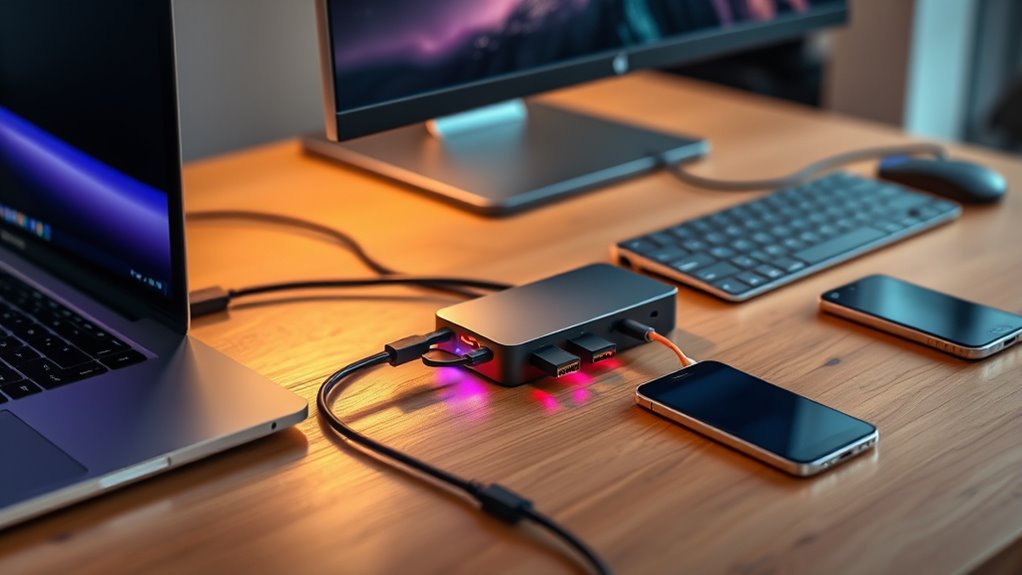

Thunderbolt docks are essential for anyone seeking to expand their laptop’s connectivity with high-speed data transfer, multiple displays, and power delivery. The best overall pick, the Plugable Thunderbolt 4 Dock, offers a balance of versatility and performance, making it suitable for most users. Meanwhile, the Ugreen Maxidok Thunderbolt 5 Docking Station stands out for its blazing-fast triple 4K@144Hz support, ideal for high-end creative workflows. The main tradeoffs in this category revolve around price, port selection, and compatibility—more ports often mean higher costs, while some docks favor certain devices over others. Continue reading for a detailed breakdown of the top options and what makes each one unique.

Get business pricing on tech for your team
- Business-only prices and quantity discounts
- Tax-exempt purchasing
- Multiple users, one account, clear invoices
Key Takeaways
- The best docks combine high-speed data transfer with multiple high-resolution video outputs.
- Port selection varies; some docks prioritize Thunderbolt 4/5, while others include legacy ports for broader compatibility.
- Power delivery capacity is critical; most top picks offer at least 85W, but some go as high as 130W for demanding devices.
- Build quality and design differ significantly—premium models often feature sleek, compact enclosures, while budget options may be bulkier.
- Compatibility is key—ensure the dock supports your operating system and specific device models, especially for Mac vs Windows.
| UGREEN Maxidok Thunderbolt 5 Docking Station, Triple 4K@60Hz, 4xTBT5 Port |  | Best Overall for High-Performance Creative Setups | Thunderbolt 5 ports: 4 | Max data transfer rate: 120Gbps | Display support: Triple 4K@60Hz, Dual 6K@60Hz, Single 8K | VIEW ON AMAZON | See Our Full Breakdown |
| Plugable Thunderbolt 4 Dock, 100W Charging, Dual HDMI, 13 Ports for Windows and Mac |  | Best for Versatile Connectivity at a Lower Cost | Power Delivery: 100W (96W certified) | Display Support: Dual 4K@60Hz or single 8K | Ports: 13 (including HDMI, Ethernet, SD, USB-A, USB-C) | VIEW ON AMAZON | See Our Full Breakdown |
| Dell WD19TBS Thunderbolt Dock, USB-C Docking Station with Dual Monitor Support |  | Best for Dell and Compatible Laptops in Enterprise Environments | Ports: USB-C, USB-A, DisplayPort 1.4, HDMI 2.0, Ethernet | Display Support: Up to triple 4K at 60Hz or 5K | Power Delivery: Up to 130W | VIEW ON AMAZON | See Our Full Breakdown |
| Plugable Thunderbolt 4 Dock for M4/M5 MacBook Air & Pro, 13-in-1 Laptop Docking Station with 4K HDMI, Dual Monitor, 100W Charging, SD, Ethernet |  | Best for MacBook Users Needing Dual Monitors and Seamless Compatibility | Ports: 2x 4K HDMI, SD card, Ethernet, USB-A, USB-C | Charging Power: 100W | Supported Systems: M4/M5 MacBooks, Windows with Thunderbolt 4/USB4 | VIEW ON AMAZON | See Our Full Breakdown |
| Dell WD19TBS Thunderbolt Dock – 130W Power Delivery |  | Best Overall for Broad Compatibility and Multi-Display Support | Power Delivery: 130W | Display Support: Up to three displays (including 5K and dual 4K) | Connectivity: Thunderbolt, USB, audio, video | VIEW ON AMAZON | See Our Full Breakdown |
| Dell Pro Thunderbolt 4 Smart Dock SD25TB4 – USB-C Station 130W, 4 Displays 4K, 2X DP 1.4, HDMI 2.1, 2X Thunderbolt 4, 2.5GbE, Wi-Fi, Sustainable Design |  | Best for Eco-Conscious Professionals with Heavy Multitasking Needs | Power Output: 130W USB-C, 96W for others | Display Support: Up to 4 4K monitors | Video Ports: 2x DisplayPort 1.4, HDMI 2.1, 2x Thunderbolt 4 | VIEW ON AMAZON | See Our Full Breakdown |
| Thunderbolt 4 Ultra 180W G6 Dock Bundle with Cables and Cleaning Cloth |  | Best for Power and Performance with Quad Monitor Support | Power Delivery: 180W | Data Transfer Speed: 40 Gbps | Display Support: Quad monitor | VIEW ON AMAZON | See Our Full Breakdown |
| Belkin Thunderbolt 3 Docking Station + TB Cable 0.8M |  | Best Value for Dual 4K Display and Versatile Connectivity | Ports: 12 | Thunderbolt Cable Length: 0.8m | Power Supply: 170W | VIEW ON AMAZON | See Our Full Breakdown |
| Satechi Thunderbolt 4 Slim Hub Pro, Docking Station, 100W USB-C Charging |  | Best Compact Solution for High-Resolution Work and Portability | Ports: 3x Thunderbolt 4, USB-A, USB-C, Ethernet, SD Card Reader | Display Support: Dual 4K/60Hz or single 8K/30Hz | Power Delivery: 100W | VIEW ON AMAZON | See Our Full Breakdown |
| Belkin Thunderbolt 3 Dock Core with Thunderbolt 3 Cable – 7-in-1 USB-C Hub for Mac & Windows |  | Best Overall Thunderbolt Dock for High-Resolution Multitasking | Ports: DisplayPort, HDMI, Gigabit Ethernet, Thunderbolt, USB-A, USB-C, Audio | Upstream Charging: Yes | Monitor Support: Dual 4K | VIEW ON AMAZON | See Our Full Breakdown |
| Microsoft Surface Thunderbolt 4 Docking Station – Black |  | Best Eco-Friendly Thunderbolt Dock with Fast Charging | Connectivity: Thunderbolt 4, USB-C (3), USB-A (3), 3.5mm audio jack, 2.5G Ethernet | Charging: Rapid charging in 2.5 hours | Display Support: Supports up to two 4K monitors | VIEW ON AMAZON | See Our Full Breakdown |
| UGREEN 8-in-1 Thunderbolt 4 Docking Station, Dual 4K@60Hz, 3xTBT4, 40Gbps |  | Best for High-Performance Dual 4K/8K Displays with Speed | Number of ports: 8 | Thunderbolt 4 ports: 3 | USB A ports: 3 | VIEW ON AMAZON | See Our Full Breakdown |
| thunderbolt dock | Display support | Ports |
|---|---|---|
| UGREEN Maxidok Thunderbolt 5 D | Triple 4K@60Hz, Dual 6K@60Hz, Single 8K | — |
| Plugable Thunderbolt 4 Dock | Dual 4K@60Hz or single 8K | 13 (including HDMI, Ethernet, SD, USB-A, USB-C) |
| Dell WD19TBS Thunderbolt Dock | Up to triple 4K at 60Hz or 5K | USB-C, USB-A, DisplayPort 1.4, HDMI 2.0, Ethernet |
| Plugable Thunderbolt 4 Dock fo | — | 2x 4K HDMI, SD card, Ethernet, USB-A, USB-C |
| Dell WD19TBS Thunderbolt Dock | Up to three displays (including 5K and dual 4K) | — |
| Dell Pro Thunderbolt 4 Smart D | Up to 4 4K monitors | — |
| Thunderbolt 4 Ultra 180W G6 Do | Quad monitor | 1 Thunderbolt 4, 3 USB-C, 5 USB-A, 2 DisplayPort, 1 HDMI, 2.5Gb Ethernet |
| Belkin Thunderbolt 3 Docking S | — | 12 |
| Satechi Thunderbolt 4 Slim Hub | Dual 4K/60Hz or single 8K/30Hz | 3x Thunderbolt 4, USB-A, USB-C, Ethernet, SD Card Reader |
| Belkin Thunderbolt 3 Dock Core | — | DisplayPort, HDMI, Gigabit Ethernet, Thunderbolt, USB-A, USB-C, Audio |
| Microsoft Surface Thunderbolt | Supports up to two 4K monitors | — |
| UGREEN 8-in-1 Thunderbolt 4 Do | — | — |
More Details on Our Top Picks
UGREEN Maxidok Thunderbolt 5 Docking Station, Triple 4K@60Hz, 4xTBT5 Port
This UGREEN Maxidok stands out for its ultra-fast 120Gbps data transfer via four Thunderbolt 5 ports, making it ideal for demanding workflows like video editing or 3D rendering. Its support for triple 4K@60Hz or single 8K displays surpasses many competitors, including the Plugable Thunderbolt 4 Dock, which offers similar display support but at lower data transfer rates. The dock’s 140W charging ensures power delivery for large laptops, and its compact, thermally efficient design minimizes desk clutter. However, it lacks HDMI or DisplayPort ports, limiting compatibility with some displays, and it’s only compatible with Thunderbolt 5-equipped systems, which could restrict users with older hardware. Compared to the Dell WD19TBS, it offers faster data transfer but sacrifices broader compatibility.
Pros:- Exceptional 120Gbps Thunderbolt 5 data transfer speeds
- Supports triple 4K@60Hz or 8K single display
- Powerful 140W charging for large laptops
- Compact and thermally optimized design
Cons:- No HDMI or DisplayPort outputs, limiting direct display options
- Requires Thunderbolt 5-compatible system, restricting compatibility
Best for: Professionals working with high-resolution content on Thunderbolt 5-enabled laptops who need maximum data throughput and multi-display support.
Not ideal for: Users with Thunderbolt 3 or earlier laptops, or those seeking HDMI/DisplayPort support without additional adapters.
- Thunderbolt 5 ports:4
- Max data transfer rate:120Gbps
- Display support:Triple 4K@60Hz, Dual 6K@60Hz, Single 8K
- Charging power:140W
- Ethernet:2.5G
- SD card slot:UHS-II SD/TF 4.0
Our verdict“This dock is best suited for users with Thunderbolt 5 devices needing maximum performance and multi-display configurations.”
Plugable Thunderbolt 4 Dock, 100W Charging, Dual HDMI, 13 Ports for Windows and Mac
Compared with the UGREEN Maxidok, the Plugable Thunderbolt 4 Dock offers a broad 13-port array that covers HDMI, Ethernet, SD slots, and multiple USB connections, making it a flexible choice for everyday multitasking. Its 40Gbps performance is suitable for most professional workflows, while the 100W power delivery supports charging high-end laptops like the MacBook Pro or Dell XPS. However, dual display support isn’t guaranteed on all systems, and some MacBook models may only support one external monitor, unlike the Maxidok with its triple display capability. The dock’s compatibility extends to Thunderbolt 4 and USB4 systems, providing broader hardware support at a more accessible price point.
Pros:- 13 versatile ports including HDMI, Ethernet, and SD slots
- Supports dual 4K or single 8K displays on compatible systems
- High-speed 40Gbps performance
- 100W charging for laptops
Cons:- Dual display support may vary by system, limiting reliability
- Limited to Thunderbolt 4 and USB4, not Thunderbolt 5
Best for: Users seeking a comprehensive, multi-port dock for mixed Windows and Mac environments without needing the highest data transfer speeds.
Not ideal for: Power users requiring ultra-fast data transfer or triple 4K display support on Thunderbolt 5 systems.
- Power Delivery:100W (96W certified)
- Display Support:Dual 4K@60Hz or single 8K
- Ports:13 (including HDMI, Ethernet, SD, USB-A, USB-C)
- Connectivity:Thunderbolt 4, USB4
Our verdict“This dock offers broad connectivity ideal for mixed system environments at a more affordable price than higher-end Thunderbolt 5 options.”
Dell WD19TBS Thunderbolt Dock, USB-C Docking Station with Dual Monitor Support
The Dell WD19TBS excels for users within the Dell ecosystem, offering up to triple 4K at 60Hz or 5K display support, which surpasses many other docks like the Plugable in display flexibility. Its 130W power delivery is ample for most high-performance laptops, and including all necessary cables simplifies deployment. However, its primary design focus on Dell and compatible laptops can lead to compatibility issues with non-Dell systems, unlike the more universal Plugable or UGREEN options. While the pricing is higher, the reliability and comprehensive port selection make it worthwhile for Dell users needing a stable, multi-monitor setup.
Pros:- Supports multiple high-resolution displays simultaneously
- Includes all necessary cables for quick setup
- High 130W power delivery for charging large laptops
- Reliable brand with enterprise-grade support
Cons:- Primarily designed for Dell systems, may have limited compatibility with others
- Premium price point relative to some alternatives
Best for: IT managers and professionals using Dell or Dell-compatible laptops needing a reliable, multi-display dock with high power delivery.
Not ideal for: Mac users or those with non-Dell hardware seeking broader compatibility or lower-cost options.
- Ports:USB-C, USB-A, DisplayPort 1.4, HDMI 2.0, Ethernet
- Display Support:Up to triple 4K at 60Hz or 5K
- Power Delivery:Up to 130W
- Transfer Speed:40Gbps
Our verdict“This dock offers excellent display support and charging for Dell-centric workflows but at a higher cost and limited cross-brand compatibility.”
Plugable Thunderbolt 4 Dock for M4/M5 MacBook Air & Pro, 13-in-1 Laptop Docking Station with 4K HDMI, Dual Monitor, 100W Charging, SD, Ethernet
Compared with the UGREEN Maxidok, the Plugable Thunderbolt 4 Dock simplifies setup with driverless operation and excellent compatibility with M4 and M5 MacBooks, supporting dual 4K displays on compatible models. Its 13-in-1 port array covers all essential needs, including HDMI, Ethernet, SD, and USB ports. The 100W charging is sufficient for most MacBooks, and the plug-and-play nature ensures minimal hassle. However, on M1 and M2 MacBooks, support for more than one external display can be limited, unlike the Maxidok’s Thunderbolt 5 support for multiple high-res monitors. It’s a strong choice for Mac users prioritizing ease of use and dual-display setups.
Pros:- Driverless, plug-and-play operation
- Supports dual 4K displays on M4/M5 MacBooks
- High-speed 13-in-1 connectivity
- Powerful 100W charging
Cons:- Limited to dual 4K on some MacBook models, not triple
- Higher cost compared to simpler hubs
Best for: MacBook users who need reliable dual 4K display support with minimal setup fuss and full compatibility.
Not ideal for: Users with Thunderbolt 3 or older Macs, or those requiring triple 4K support on M1 or M2 devices without adapters.
- Ports:2x 4K HDMI, SD card, Ethernet, USB-A, USB-C
- Charging Power:100W
- Supported Systems:M4/M5 MacBooks, Windows with Thunderbolt 4/USB4
- Display Outputs:2x 4K HDMI
Our verdict“This dock offers seamless dual 4K display support and versatile connectivity, perfect for MacBook users prioritizing simplicity and reliability.”
Dell WD19TBS Thunderbolt Dock – 130W Power Delivery
The Dell WD19TBS Thunderbolt Dock stands out for its ability to support up to three high-resolution displays, including 5K and dual 4K setups, making it ideal for users who need extensive screen real estate. Its broad compatibility extends beyond Dell to other major brands like HP and Lenovo, offering flexibility for mixed-device environments. While the setup might be complex for those unfamiliar with docking stations, its VESA mounting options and secure manageability features make it a reliable choice for professional workspaces. Compared with the Satechi Thunderbolt 4 Slim Hub Pro, this dock offers more display options but involves a longer cable and slightly bulkier design, which could be less appealing for portable setups. The tradeoff here is that it requires a Thunderbolt support on the host laptop and might be overkill for casual users who only need basic connectivity.
Pros:- Supports multiple high-resolution displays including 5K and 4K
- Broad compatibility across major laptop brands
- VESA mount options for a clutter-free workspace
- Secure manageability features for IT control
Cons:- Requires Thunderbolt support on the host laptop
- Setup can be complex for non-technical users
Best for: Professionals with multiple high-resolution monitors using Dell or similar laptops who value expandability and manageability.
Not ideal for: Casual users or those with non-Thunderbolt laptops, as compatibility and setup complexity could pose challenges.
- Power Delivery:130W
- Display Support:Up to three displays (including 5K and dual 4K)
- Connectivity:Thunderbolt, USB, audio, video
- Compatibility:Dell, HP, Lenovo, other Thunderbolt-supporting notebooks
- Mounting Options:VESA mount compatible
- Cable Length:0.8 meters
Our verdict“This dock is best suited for professionals needing robust multi-display support and enterprise features, despite a somewhat complex setup process.”
Dell Pro Thunderbolt 4 Smart Dock SD25TB4 – USB-C Station 130W, 4 Displays 4K, 2X DP 1.4, HDMI 2.1, 2X Thunderbolt 4, 2.5GbE, Wi-Fi, Sustainable Design
The Dell Pro Thunderbolt 4 Smart Dock SD25TB4 makes a compelling case for users who need to connect up to four 4K displays, supporting extensive multitasking and high-quality visuals. Its 130W power delivery ensures rapid charging for compatible devices, and the inclusion of multiple video ports—DisplayPort 1.4, HDMI 2.1, Thunderbolt 4—offers flexible display options, surpassing the dual-monitor support of the Belkin Thunderbolt 3 Dock. Designed with sustainability in mind, it uses 65% recycled plastic and features a compact, ambidextrous form factor. However, this focus on advanced features and eco-friendly materials results in a higher price point, and its compatibility is mainly optimized for Dell and similar systems, limiting broader use. Compared with the Thunderbolt 4 Ultra 180W G6 Dock, it emphasizes sustainability and compactness but offers slightly fewer ports overall.
Pros:- Supports up to four 4K monitors for extensive multitasking
- High-speed 130W charging ensures fast device power-up
- Eco-friendly design with recycled materials
- Versatile connectivity with multiple video and data ports
Cons:- Premium price may be prohibitive for some users
- Setup can be complex for non-technical users
- Limited compatibility outside Dell and similar systems
Best for: Eco-conscious professionals who require multiple 4K displays and fast charging in a sleek, sustainable package.
Not ideal for: Users with non-Dell systems or those seeking a budget-friendly, plug-and-play solution, as the setup may be complex for novices.
- Power Output:130W USB-C, 96W for others
- Display Support:Up to 4 4K monitors
- Video Ports:2x DisplayPort 1.4, HDMI 2.1, 2x Thunderbolt 4
- Connectivity:2.5GbE, Wi-Fi, dual data ports
- Security:WPA3, PXE boot, MAC filtering, DMA protection
- Design:Sustainable, 65% recycled plastic
Our verdict“Ideal for professionals needing high display capacity and sustainability, willing to invest in a feature-rich, eco-conscious dock.”
Thunderbolt 4 Ultra 180W G6 Dock Bundle with Cables and Cleaning Cloth
The Thunderbolt 4 Ultra 180W G6 Dock is tailored for high-end professionals and content creators who demand maximum performance. Its 180W charging capacity and 40 Gbps data transfer speed deliver rapid device powering and swift data movement, outperforming most docks like the Belkin Thunderbolt 3 Dock. The extensive port selection, including three USB-C, five USB-A, dual DisplayPort, HDMI, and Ethernet, supports quad monitor setups, making it highly versatile. The included accessories—cables and cleaning cloth—add convenience. Yet, its premium price and complexity might be overkill for casual users or those with simpler needs. Setup could be daunting for those unfamiliar with enterprise-grade docks, but this model excels where raw power and multiple displays are necessary.
Pros:- Supports up to four external monitors for multitasking
- High-speed 40 Gbps data transfer
- 180W charging supports high-power devices
- Includes cables and cleaning accessories for immediate use
Cons:- Premium price point could deter budget-conscious buyers
- Setup can be complex for non-technical users
- Designed primarily for high-performance scenarios
Best for: Content creators, video editors, and power users who need maximum connectivity, speed, and multiple displays.
Not ideal for: Casual users or office workers with basic needs, since the extensive ports and high price may be unnecessary.
- Power Delivery:180W
- Data Transfer Speed:40 Gbps
- Display Support:Quad monitor
- Ports:1 Thunderbolt 4, 3 USB-C, 5 USB-A, 2 DisplayPort, 1 HDMI, 2.5Gb Ethernet
- Security:Wolf Security, Sure Start, Zero Trust
- Bundle Includes:HDMI cable, DisplayPort cable, USB-C to USB-C cable, microfiber cloth
Our verdict“This dock excels for professionals requiring maximum connectivity and power, with a premium price reflecting its advanced features.”
Belkin Thunderbolt 3 Docking Station + TB Cable 0.8M
The Belkin Thunderbolt 3 Docking Station provides a balanced mix of features at a more accessible price point than some premium options like the Thunderbolt 4 Ultra 180W G6 Dock. It supports dual 4K monitors, making it suitable for users who need high-resolution displays without the need for maximum port count. Its 85W charging capacity is adequate for most laptops, and multiple ports—including Ethernet, SD card reader, and audio—allow for a flexible workstation setup. However, its bulkier design means it may take up more desk space, and it relies on Thunderbolt 3 or USB-C ports, limiting compatibility with older systems. Compared to the Satechi Thunderbolt 4 Slim Hub, it offers more ports at a similar price but sacrifices some portability and modern features.
Pros:- Supports dual 4K displays for high-resolution productivity
- Multiple connectivity options for peripherals
- Includes a Thunderbolt 3 cable for flexible setup
- Affordable compared to high-end docks
Cons:- Bulkier design may occupy significant desk space
- Limited to 85W power delivery, not ideal for power-hungry setups
Best for: Users seeking a reliable, multi-connection dock to support dual 4K displays and peripherals without a premium price.
Not ideal for: Those with non-Thunderbolt 3 or USB-C ports, or users who need more than 85W power delivery for demanding laptops.
- Ports:12
- Thunderbolt Cable Length:0.8m
- Power Supply:170W
- Power Output:Up to 85W
- Monitor Support:Dual 4K
- Compatibility:Mac and Windows
Our verdict“A dependable and cost-effective choice for users who need dual 4K monitor support with versatile ports in a slightly larger form factor.”
Satechi Thunderbolt 4 Slim Hub Pro, Docking Station, 100W USB-C Charging
The Satechi Thunderbolt 4 Slim Hub Pro offers a sleek, compact design that combines portability with high performance. Supporting dual 4K displays at 60Hz or a single 8K at 30Hz, it’s well-suited for users who want a lightweight dock without sacrificing display quality. Its 100W Power Delivery and 40Gbps data transfer speed make it a strong competitor against bulkier docks like the Thunderbolt 4 Ultra 180W G6. Its passive cooling and sturdy aluminum build add durability for on-the-go professionals. The main limitation is its exclusive compatibility with Thunderbolt 4 and USB4 devices, which might restrict use with older laptops. Compared to the Belkin Thunderbolt 3 Dock, it offers more modern standards and a smaller footprint, but at a higher price point.
Pros:- Supports multiple high-resolution displays
- Compact, durable aluminum design
- Broad compatibility with Thunderbolt 4 and USB4
- Supports daisy-chaining up to 6 devices
Cons:- Premium price may be high for some buyers
- Limited to newer Thunderbolt 4 and USB4 devices
Best for: Travelers and remote workers who need a portable, high-performance dock compatible with modern laptops.
Not ideal for: Users with older systems or those requiring more ports and higher power delivery for demanding tasks.
- Ports:3x Thunderbolt 4, USB-A, USB-C, Ethernet, SD Card Reader
- Display Support:Dual 4K/60Hz or single 8K/30Hz
- Power Delivery:100W
- Data Transfer Speed:40Gbps
- Daisy-Chaining:Up to 6 devices
- Cable Included:Thunderbolt 4 cable (0.8M)
Our verdict“This slim, powerful dock is ideal for those prioritizing portability and modern high-res display support, despite its higher cost.”
Belkin Thunderbolt 3 Dock Core with Thunderbolt 3 Cable – 7-in-1 USB-C Hub for Mac & Windows
The Belkin Thunderbolt 3 Dock Core stands out as the most versatile all-in-one solution for users who need dual 4K display support and a straightforward setup. Compared with the UGREEN 8-in-1 Thunderbolt 4 Docking Station, it offers similar monitor support but with fewer Thunderbolt ports, making it more suitable for those with limited expansion needs. Its single-cable design simplifies desk clutter, and upstream charging means devices stay powered without extra chargers—ideal for busy workflows. However, it’s limited to Thunderbolt 3 devices and doesn’t include a power supply, which could be a drawback for users seeking maximum flexibility or wanting to avoid extra cables. This dock makes the most sense for users who prioritize a tidy setup and dual 4K monitor support without the need for the latest Thunderbolt 4 features.
Pros:- Supports dual 4K monitors for crisp high-resolution displays
- Single cable connection reduces desk clutter
- Upstream charging keeps devices powered without extra cables
- Includes a Thunderbolt 3 cable for quick setup
Cons:- Limited to Thunderbolt 3 compatible devices, restricting future-proofing
- No power supply included, relying on upstream charging
- Short cable length may require additional extension for flexibility
Best for: Mac and Windows users who want a reliable, straightforward dock with dual 4K support and minimal setup complexity.
Not ideal for: Power users with Thunderbolt 4 laptops seeking the fastest data transfer or future-proofing, as this dock is limited to Thunderbolt 3.
- Ports:DisplayPort, HDMI, Gigabit Ethernet, Thunderbolt, USB-A, USB-C, Audio
- Upstream Charging:Yes
- Monitor Support:Dual 4K
- Included Cable:Thunderbolt 3, 20 cm
Our verdict“This is an excellent choice for users who need a simple, reliable Thunderbolt 3 dock with dual 4K support and minimal fuss.”
Microsoft Surface Thunderbolt 4 Docking Station – Black
The Microsoft Surface Thunderbolt 4 Docking Station is designed for users who need rapid data transfer, dual 4K monitor support, and a sustainable build. It surpasses the Belkin Thunderbolt 3 Dock Core in speed and versatility thanks to Thunderbolt 4 compatibility, offering more future-proofing. Its support for 2.5G Ethernet and multiple USB ports makes it a solid choice for professionals requiring fast connections, while its eco-friendly recycled ocean-bound plastic construction appeals to environmentally conscious buyers. The main tradeoff is the higher cost and the necessity of a compatible Thunderbolt 4 port—limiting its use to newer laptops. This dock is best suited for Mac or Windows users who prioritize speed, sustainability, and multi-monitor setups in their workspace.
Pros:- Fast data transfer and rapid charging in 2.5 hours
- Supports dual 4K monitor setup for high-res productivity
- Eco-friendly design with 20% recycled ocean-bound plastic
- Multiple ports including Ethernet and audio for comprehensive connectivity
Cons:- Requires a compatible Thunderbolt 4 port, limiting compatibility
- Higher price point compared to Thunderbolt 3 alternatives
- Limited device compatibility for older models
Best for: Creative professionals and power users with Thunderbolt 4 laptops seeking fast data, eco-conscious design, and robust connectivity.
Not ideal for: Users with older Thunderbolt 3 or non-Thunderbolt devices, as they may not fully leverage its capabilities and could face compatibility issues.
- Connectivity:Thunderbolt 4, USB-C (3), USB-A (3), 3.5mm audio jack, 2.5G Ethernet
- Charging:Rapid charging in 2.5 hours
- Display Support:Supports up to two 4K monitors
- Material:20% recycled ocean-bound plastic
Our verdict“This dock excels for users who want a future-proof, eco-conscious solution with fast data and multi-monitor support, provided their device supports Thunderbolt 4.”
UGREEN 8-in-1 Thunderbolt 4 Docking Station, Dual 4K@60Hz, 3xTBT4, 40Gbps
The UGREEN 8-in-1 Thunderbolt 4 Docking Station is tailored for users needing maximum display flexibility and lightning-fast data transfer. Its support for dual 4K@60Hz displays or an 8K output makes it ideal for creative professionals or tech enthusiasts who want the highest resolution possible. Compared with the Microsoft Surface Dock, it offers more Thunderbolt 4 ports and higher transfer speeds—up to 40Gbps—making it a better pick for data-heavy tasks. The only significant tradeoff is that some MacBook models may only support a single display, and it requires connection to its included charger for full functionality. This makes it best suited for users with compatible laptops who prioritize visual clarity and transfer speed over ultra-portability.
Pros:- Supports dual 4K@60Hz displays or an 8K display for superior visuals
- Extremely fast data transfer at 40Gbps for large files
- Provides 85W charging to power laptops during use
- Multiple Thunderbolt 4 and USB-A ports for expandability
Cons:- Full feature set requires connection to the included charger
- Compatibility issues with some MacBook models limiting multi-display support
- May be overkill for users with simple connectivity needs
Best for: Power users and creatives who need high-resolution displays and fast data speeds, especially those with Thunderbolt 4 laptops supporting multiple monitors.
Not ideal for: Users with older or less capable laptops that cannot support multiple high-resolution displays or with limited Thunderbolt 4 ports, as they may not see full benefits.
- Number of ports:8
- Thunderbolt 4 ports:3
- USB A ports:3
- Ethernet:Gigabit
- Maximum display resolution:8K or dual 4K@60Hz
- Charging power:85W
Our verdict“This dock is best for high-end users demanding top-tier display resolution and transfer speeds, provided their device supports multiple high-res outputs.”

How We Picked
These products were selected based on performance, port versatility, build quality, and value for money. I focused on docks that support Thunderbolt 4 or 5 standards, as they provide the fastest data transfer rates and best future-proofing. Devices were evaluated for their power delivery capacity, compatibility, and user-relevant features like multiple video outputs and Ethernet options. The ranking reflects a balance between high performance, feature set, and price, ensuring options for a range of needs—from professional creators to casual users. The goal was to highlight models that stand out in real-world scenarios, not just specs sheets.Factors to Consider When Choosing Thunderbolt Docks
Choosing the right Thunderbolt dock involves understanding your specific needs and the capabilities of your devices. Not all docks are created equal, and prioritizing features like port variety, power delivery, or video support can dramatically affect your experience. Here are key factors to consider that go beyond just the number of ports.Performance and Data Transfer Speeds
Look for docks that support Thunderbolt 4 or 5 standards, as they deliver the fastest transfer speeds up to 40Gbps. This is especially important for creative professionals working with large files or multiple external drives. Cheaper docks may use older standards or USB-C, which can bottleneck your workflow. Ensuring your device supports the dock’s maximum data rate prevents frustration and maximizes productivity.
Port Selection and Compatibility
Consider what ports you need most—HDMI, DisplayPort, Ethernet, SD card readers, or multiple USB-A/C ports. Some docks prioritize high video output capacity, supporting multiple 4K or even 8K displays, while others focus on data connectivity. Compatibility with your laptop’s operating system and hardware is also vital; some docks are optimized for Mac, others for Windows, and a few support both seamlessly.
Power Delivery Capacity
Power delivery (PD) determines how much charging wattage the dock can supply to your laptop or device—important for maintaining full battery while working. Most high-end docks offer between 85W and 130W PD, enough for demanding laptops like MacBook Pro or Dell XPS. A dock with insufficient PD may require a separate charger, adding clutter and expense.
Build Quality and Design
Durability and aesthetics matter, especially if you plan to use the dock daily or travel with it. Premium docks tend to feature aluminum enclosures, compact footprints, and elegant designs that match modern laptops. Cheaper models might be bulkier or less robust, which could impact portability and longevity.
Price and Overall Value
While high-end docks offer advanced features and durability, they come at a premium. Balance your budget with the features you need most—sometimes a mid-range dock provides better value if it meets your requirements without overspending. Watch for bundled accessories, warranties, and brand reputation, which can influence overall value.
Frequently Asked Questions
Will my older laptop work with a Thunderbolt 4 or 5 dock?
Many Thunderbolt docks require Thunderbolt-enabled ports to function at full speed, so if your laptop only has USB-C or USB 3.0 ports, it might not support all features. Some docks are backward compatible with USB-C, but you won’t benefit from Thunderbolt’s maximum speeds or features unless your device supports Thunderbolt. Always check your laptop’s specifications to confirm compatibility before purchasing.
Can I connect multiple 4K monitors to a Thunderbolt dock?
Yes, many docks support multiple 4K displays, but the number and resolution depend on the particular model and its video output capabilities. Docks supporting Thunderbolt 4 or 5 generally can handle two or three 4K monitors simultaneously, provided your laptop’s graphics card can also support this. Always verify the maximum number of displays supported and their resolution limits in the product specs.
Is it worth paying extra for Thunderbolt 5 over Thunderbolt 4?
Thunderbolt 5 offers higher bandwidth and potentially more future-proofing, especially for demanding workflows like 8K video editing or high-speed data transfers. However, if your current needs are satisfied with Thunderbolt 4, the extra cost might not be justified immediately. Consider your long-term needs and whether your devices support Thunderbolt 5 before investing in the latest standard.
What’s the difference between a Thunderbolt dock and a USB-C dock?
While both connect via USB-C, Thunderbolt docks support higher data transfer speeds, daisy-chaining, and more advanced features like dual 4K or 8K video output. USB-C docks are generally less expensive and may lack Thunderbolt’s performance capabilities, but they can be compatible with a broader range of devices. Choose based on your device’s port support and your performance needs.
How important is build quality for a Thunderbolt dock?
Build quality affects durability, heat dissipation, and portability. A well-constructed dock with an aluminum enclosure tends to last longer and look better on your desk. If you travel frequently or move your dock between locations, a compact and sturdy design is worth the investment. Cheaper plastic models might save money upfront but could wear out faster or be less reliable over time.
Conclusion
If you need an all-rounder that balances performance, compatibility, and price, the Plugable Thunderbolt 4 Dock stands out as the best overall choice. For those seeking maximum display support and future-proofing, the Ugreen Maxidok Thunderbolt 5 Docking Station makes the most sense. Budget-conscious buyers will appreciate the Belkin Thunderbolt 3 Dock Core for its simplicity and affordability. Creators working with high-resolution content should lean toward docks with robust video outputs, like the Dell WD19TBS. Finally, if portability and sleek design are priorities, the Satechi Thunderbolt 4 Slim Hub Pro offers a compact solution for on-the-go setups.
Halloween Picks
halloween
As an affiliate, we earn on qualifying purchases.