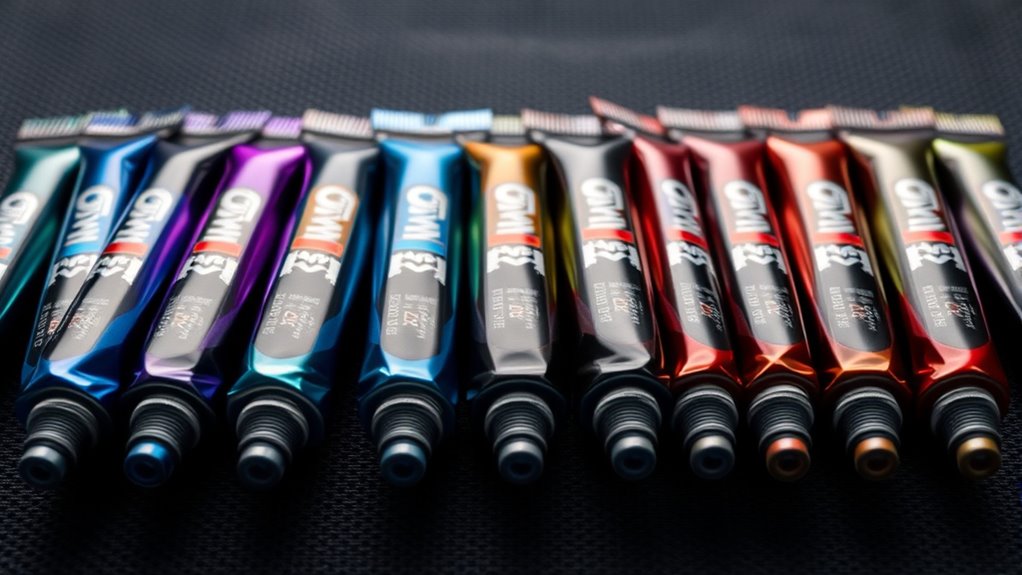

Repasting a graphics card is one of the most effective ways to knock several degrees off GPU temperatures, but choosing the wrong paste can undo the effort entirely. For most people, the ARCTIC MX-7 (4 g with MX-Cleaner) is the pick I’d point to first: it balances strong thermal performance, easy spreading, and enough paste for a GPU die plus a practice run. If you’re chasing maximum cooling on a high-end card, Thermal Grizzly Kryonaut Extreme justifies its premium price, while Noctua NT-H2 wins for users who want forgiving application with cleaning supplies included. The main tradeoffs in this category come down to thermal conductivity versus pump-out resistance (GPUs heat-cycle constantly), paste quantity (GPUs need more than CPUs), and whether the paste tolerates the mounting pressure your cooler applies. Read on for the full breakdown of all 15 options.

Get tech for your team delivered free — and shop member deals
- Fast, free delivery on millions of items
- Access to Prime Big Deal Days deals on October 6–7
- Prime Video, Amazon Music and more included
Key Takeaways
- ARCTIC‘s MX lineup dominates the value side of this roundup — the MX-6 and MX-7 appear in six different sizes and configurations, so the real decision is which size and formula suits your repasting schedule, not whether to buy ARCTIC at all.
- Thermal Grizzly Kryonaut Extreme is the only paste here built specifically for extreme temperature ranges, but it demands careful application; the standard Kryonaut is easier to work with and nearly as good for most GPU dies.
- Several budget options (BSFF and the 12.8 W/mK paste) bundle toolkits and spreaders, which matters more for first-time GPU repasters than the raw thermal numbers suggest.
- Paste quantity is a hidden differentiator: 1 g tubes like the standard Kryonaut barely cover one GPU application, while 8 g ARCTIC tubes cover multiple cards or future maintenance.
- Pump-out resistance, not peak thermal conductivity, is what separates long-term GPU winners from pastes that degrade within a year of heat cycling.
| BSFF Thermal Paste for CPU and GPU, 1.8 g, with Toolkit |  | Best Budget Starter Kit | Weight: 1.8 g | Material: Carbon microparticles | Electrical properties: Metal-free, non-conductive | VIEW ON AMAZON | See Our Full Breakdown |
| Thermal Grizzly Kryonaut Thermal Paste, 1 g, with 12 Cleaning Wipes |  | Best for Overclocking | Brand: Thermal Grizzly | Product: Kryonaut thermal paste | Paste weight: 1 g | VIEW ON AMAZON | See Our Full Breakdown |
| Thermal Grizzly Kryonaut Extreme Thermal Paste, 2 g, with 12 Cleaning Wipes |  | Best Premium Performance | Paste weight: 2 g | Cleaning wipes: 12 (6 wet, 6 dry) | Included applicator: Yes | VIEW ON AMAZON | See Our Full Breakdown |
| ARCTIC MX-7 Thermal Paste, 4 g, Includes MX-Cleaner |  | Best Overall | Brand: ARCTIC | Product: MX-7 | Net weight: 4 g | VIEW ON AMAZON | See Our Full Breakdown |
| ARCTIC MX-6 Thermal Paste, 4 g |  | Best Value | Brand: ARCTIC | Model: MX-6 | Quantity: 4 g | VIEW ON AMAZON | See Our Full Breakdown |
| ARCTIC MX-7 Thermal Paste, 8 g |  | Best for Long-Term Set-and-Forget | Brand: ARCTIC | Model: MX-7 | Weight: 8 g | VIEW ON AMAZON | See Our Full Breakdown |
| Corsair TM30 Performance Thermal Paste, 3g, with Applicator |  | Best Starter Kit | Capacity: 3 g | Material: Zinc oxide | Color: Silver | VIEW ON AMAZON | See Our Full Breakdown |
| Thermal Grizzly Kryonaut Thermal Paste, 1 Gram |  | Best Premium Performance | Brand: Thermal Grizzly | Product: Kryonaut thermal paste | Weight: 1 gram | VIEW ON AMAZON | See Our Full Breakdown |
| ARCTIC MX-6 Thermal Paste, 8 g |  | Best for Direct-Die Cooling | Brand: ARCTIC | Model: MX-6 | Package size: 8 g | VIEW ON AMAZON | See Our Full Breakdown |
| Thermal Grizzly Duronaut Thermal Paste, 6 g |  | Best Premium Workhorse | Brand: Thermal Grizzly | Product: Duronaut thermal paste | Weight: 6 g | VIEW ON AMAZON | See Our Full Breakdown |
| Noctua NT-H2 Thermal Paste, 3.5 g, with 3 Cleaning Wipes |  | Best Full Kit for GPU Repasting | Weight: 3.5 g | Included accessories: 3 NA-CW1 cleaning wipes | Cooling compatibility: Air and water | VIEW ON AMAZON | See Our Full Breakdown |
| ARCTIC MX-4 4 g Premium Performance Thermal Paste for All Processors |  | Best Value for Frequent Reapplication | Weight: 4 g | Composition: Carbon microparticles | Electrical conductivity: Non-electrically conductive | VIEW ON AMAZON | See Our Full Breakdown |
| ARCTIC MX-7 Thermal Paste, 2 g |  | Best for Laptop and Console Repastes | Weight: 2 g | Electrical properties: Non-conductive and non-capacitive | Application method: Spreads under cooler pressure | VIEW ON AMAZON | See Our Full Breakdown |
| 12.8 W/mK Thermal Paste for CPU/GPU, 4g, Non-Conductive |  | Best Spec-Sheet Performer | Model: USTP128-4 | Thermal conductivity: 12.8 W/mK | Net weight: 4 g | VIEW ON AMAZON | See Our Full Breakdown |
| ARCTIC MX-7 Thermal Paste, 4 g |  | Best Overall for GPU Longevity | Weight: 4 g | Electrical properties: Non-conductive and non-capacitive | Application method: Spreads under cooler pressure | VIEW ON AMAZON | See Our Full Breakdown |
| thermal paste for gpu | Weight | Electrical properties |
|---|---|---|
| BSFF Thermal Paste for CPU and | 1.8 g | Metal-free, non-conductive |
| Thermal Grizzly Kryonaut Therm | — | — |
| Thermal Grizzly Kryonaut Extre | — | — |
| ARCTIC MX-7 Thermal Paste | — | Non-conductive, non-capacitive |
| ARCTIC MX-6 Thermal Paste | — | Non-conductive, non-capacitive |
| ARCTIC MX-7 Thermal Paste | 8 g | Non-conductive and non-capacitive |
| Corsair TM30 Performance Therm | — | Non-conductive, zero volatile compounds |
| Thermal Grizzly Kryonaut Therm | 1 gram | — |
| ARCTIC MX-6 Thermal Paste | — | Non-conductive and non-capacitive |
| Thermal Grizzly Duronaut Therm | 6 g | — |
| Noctua NT-H2 Thermal Paste | 3.5 g | — |
| ARCTIC MX-4 4 g Premium Perfor | 4 g | — |
| ARCTIC MX-7 Thermal Paste | 2 g | Non-conductive and non-capacitive |
| 12.8 W/mK Thermal Paste for CP | — | — |
| ARCTIC MX-7 Thermal Paste | 4 g | Non-conductive and non-capacitive |
More Details on Our Top Picks
BSFF Thermal Paste for CPU and GPU, 1.8 g, with Toolkit
For a first-time GPU repaste, the barrier is usually confidence rather than paste quality, and that is where this BSFF kit earns its spot. The included toolkit means a beginner doesn’t need to source spatulas or spreaders separately, which the Thermal Grizzly Kryonaut 1 g syringe only partially covers with a single spatula. The carbon microparticle formula is metal-free and non-conductive, so a slightly messy application around SMD components on a graphics card won’t end in a short circuit. The tradeoff is transparency: BSFF publishes no thermal conductivity figure, unlike ARCTIC’s documented MX line, so performance claims rest on trust. The five-year service life is also a manufacturer statement rather than verified data. Still, for learning the process on an older card, forgiving beats fast.
Pros:- Non-conductive, metal-free formula reduces short-circuit risk around GPU components
- Included toolkit covers the basics for a first repaste
- Easy application suited to beginners
- Rated for long-term installation of at least five years
Cons:- No thermal conductivity value published for comparison
- Five-year service life is an unverified manufacturer claim
- Only 1.8 g of paste limits the number of applications
Best for: First-time builders repasting an older or less valuable GPU who want tools included and maximum forgiveness during application
Not ideal for: Enthusiasts chasing measurable temperature drops on a high-end card, since the lack of published conductivity data makes comparisons to Kryonaut or MX-7 impossible
- Weight:1.8 g
- Material:Carbon microparticles
- Electrical properties:Metal-free, non-conductive
- Compatibility:CPU, GPU, ICs, heatsinks
- Included:Application toolkit
- Claimed service life:At least 5 years
Our verdict“A sensible training-wheels pick for anyone doing their first GPU repaste on hardware they can afford to learn on.”
Thermal Grizzly Kryonaut Thermal Paste, 1 g, with 12 Cleaning Wipes
Kryonaut’s reputation among overclockers is built on one thing: sustained performance under heat. Where the BSFF kit leaves you guessing at conductivity, Thermal Grizzly positions this paste specifically for demanding applications and overclocking, and the formula resists drying out up to 80°C — a real consideration for GPUs that idle hot between fan curves. The accessory package is unusually complete: a syringe, a spreading spatula, and six wet plus six dry wipes, which beats the wipe-less ARCTIC MX-6 package outright for old-paste cleanup. The catches are practical. At 1 g, this covers roughly one GPU die and little else, and the spread-method application demands more care than the dot-method MX pastes. You are paying for peak performance per gram, not volume.
Pros:- Formulated specifically for demanding and overclocked workloads
- Resists drying out at temperatures up to 80°C
- Complete kit with syringe, spatula, and 12 cleaning wipes
- Trusted brand with a strong enthusiast reputation
Cons:- Only 1 g of paste — effectively a single-application purchase
- Requires cleaning and careful manual spreading
- Premium pricing per gram compared to value options
Best for: Overclockers and enthusiasts repasting a single high-end GPU who want maximum thermal performance and proper surface prep tools
Not ideal for: Anyone maintaining multiple devices — 1 g runs out after roughly one GPU job, making ARCTIC MX-7’s 4 g a far better cost-per-application choice
- Brand:Thermal Grizzly
- Product:Kryonaut thermal paste
- Paste weight:1 g
- Included wipes:12 (6 wet, 6 dry)
- Application:CPU, GPU, other cooling applications
- Temperature resistance:Does not dry out up to 80°C
Our verdict“The right paste when one GPU’s temperatures matter more than quantity or cost per gram.”
Thermal Grizzly Kryonaut Extreme Thermal Paste, 2 g, with 12 Cleaning Wipes
Kryonaut Extreme is the step-up option in Thermal Grizzly’s lineup, and its differentiator is the nano-aluminum oxide particle filling, which targets the microscopic surface irregularities on dies and heatsink bases — exactly where GPU heat transfer is won or lost. Compared with the standard Kryonaut 1 g, you get double the paste, a dedicated applicator, and the same 12-wipe cleaning kit, making this the more complete package for a serious build. The non-curing formula staying stable to 80°C suits graphics cards that run warm by design, and console compatibility (PS4, PS5, Xbox) widens its usefulness. The honest drawbacks: like the standard Kryonaut, no conductivity number appears in the listing, and that 80°C ceiling is worth noting for heavily overclocked dies. This is a premium purchase for people who want the top of the range, period.
Pros:- Nano-aluminum oxide particles fill microscopic surface imperfections
- Dedicated applicator included for even distribution
- Non-curing formula described as stable over time
- Works across CPUs, GPUs, and PS4/PS5/Xbox consoles
Cons:- Listed maximum temperature of 80°C may concern extreme overclockers
- No thermal conductivity measurement disclosed
- Premium price for 2 g of paste
Best for: Enthusiasts with a flagship GPU or a gaming console who want Thermal Grizzly’s highest-tier formula and a full application kit
Not ideal for: Casual upgraders and multi-device maintainers — the price premium over ARCTIC MX-6 is hard to justify for everyday thermal demands
- Paste weight:2 g
- Cleaning wipes:12 (6 wet, 6 dry)
- Included applicator:Yes
- Maximum stated temperature:80°C
- Formula:Non-curing, nano-aluminum oxide
- Compatible devices:CPU, GPU, PS4, PS5, Xbox
- Manufacturer:Thermal Grizzly
Our verdict“Choose this when you want the most refined formula in the lineup and accept paying a premium for it.”
ARCTIC MX-7 Thermal Paste, 4 g, Includes MX-Cleaner
The ARCTIC MX-7 takes the top slot because it balances everything a GPU owner actually needs: enough paste for several repastes, safety, and long-term stability. Its formula resists pump-out, dry-out, and bleeding — pump-out matters more on GPUs than CPUs, since graphics cards cycle thermally under load spikes and can push inferior pastes out of the die interface over months. Compared with the Kryonaut Extreme, you trade a dedicated applicator and boutique branding for 4 g of paste and ARCTIC’s cleaner included, which is better economics for anyone who maintains more than one machine. Being non-conductive and non-capacitive makes it forgiving around exposed GPU circuitry. The tradeoffs: its dense, viscous consistency resists manual spreading and expects pressure from the cooler to do the work, so technique-sensitive users should plan accordingly.
Pros:- Strong thermal conductivity for effective GPU heat transfer
- Resists pump-out, dry-out, and bleeding over long install periods
- Non-conductive and non-capacitive for safety around sensitive components
- 4 g volume plus included MX-Cleaner covers multiple applications
Cons:- Not designed for manual spreading — relies on mounting pressure
- Highly viscous consistency requires careful installation
- Surfaces must be cleaned and prepped before application
Best for: PC builders and repair hobbyists who want a reliable, well-documented paste with enough volume for multiple GPU and CPU jobs
Not ideal for: Spread-method purists — the high viscosity fights manual spreading, making thinner pastes like Kryonaut easier to work with a spatula
- Brand:ARCTIC
- Product:MX-7
- Net weight:4 g
- Included accessories:MX-Cleaner
- Consistency:Dense, highly viscous
- Electrical properties:Non-conductive, non-capacitive
- Compatible devices:CPUs, GPUs, laptops, consoles
Our verdict“The most sensible all-round purchase: safe, stable, and generously sized for repeated GPU maintenance.”
ARCTIC MX-6 Thermal Paste, 4 g
Sitting one tier below the MX-7, the ARCTIC MX-6 still delivers lower thermal resistance than the popular MX-4, which means measurably better heat transfer for the vast majority of GPU repaste jobs that will never see extreme overclocking. It shares the MX-7’s non-conductive, non-capacitive safety profile, so spills near VRAM or SMD pads aren’t catastrophic, and its viscosity is specifically suited to direct-die cooling — a genuine plus for laptop GPUs and delidded desktop dies where the paste contacts silicon directly. Where it trails the MX-7 kit is longevity engineering and packaging: there’s no bundled cleaner here, so you’ll need your own isopropyl alcohol and lint-free cloth for old-paste removal. For a straightforward repaste at a lower price point, that’s a trade most budget-minded builders will happily accept.
Pros:- Lower thermal resistance than ARCTIC MX-4
- Non-conductive and non-capacitive for safer application
- Viscosity suited to direct-die cooling on laptops and delidded chips
- Works across CPUs, graphics cards, consoles, and laptops
Cons:- No cleaning wipes or accessories included
- 4 g is modest for frequent maintainers — the 8 g version exists for a reason
- Sits below MX-7 in ARCTIC’s own performance hierarchy
Best for: Budget-conscious builders doing a standard GPU or console repaste who want ARCTIC performance without the MX-7 price
Not ideal for: Heavily overclocked or constantly thermally cycled systems, where the MX-7’s stronger pump-out and dry-out resistance justifies the upgrade
- Brand:ARCTIC
- Model:MX-6
- Quantity:4 g
- Type:Thermal paste
- Electrical properties:Non-conductive, non-capacitive
- Part number:ACTCP00080A
- Performance claim:Lower thermal resistance than MX-4
Our verdict“The smart budget pick that delivers most of the MX-7’s benefits for routine GPU maintenance at a lower cost.”
ARCTIC MX-7 Thermal Paste, 8 g
ARCTIC MX-7 is built around one idea: paste that survives years of heat cycles without degrading. Its high viscosity resists pump-out, drying, and bleeding — the three failure modes that quietly raise GPU temperatures long after installation. Compared with the Corsair TM30, which is thin and spreads easily but demands careful manual work, MX-7 deliberately avoids manual spreading entirely; it relies on cooler pressure to distribute itself. That makes a GPU die repaste less fiddly, since the mounting hardware does the work. It is also non-conductive and non-capacitive, so a stray smear near SMD components around the die is not a crisis. The tradeoff: it is a poor match for anyone who prefers spreading paste by hand, and buyers used to seeing third-party test data will find none published here.
Pros:- Formulated to resist pump-out, drying, and bleeding through repeated thermal cycles
- Spreads naturally under cooler pressure — no manual spreading needed
- Non-conductive and non-capacitive for safe use around exposed dies
- 8 g capacity covers many GPU and CPU applications
Cons:- Cannot be spread manually by design, limiting application technique
- No independent test results or thermal data published
Best for: Builders who repaste a GPU once and want stable temperatures for years without touching it again
Not ideal for: Users who insist on manually spreading paste across the die before mounting the cooler
- Brand:ARCTIC
- Model:MX-7
- Weight:8 g
- Electrical properties:Non-conductive and non-capacitive
- Application method:Spreads under cooler pressure
- Compatible devices:CPUs, GPUs, laptops, consoles
Our verdict“If you want a one-time GPU repaste that stays stable for years, this 8 g syringe makes the most sense.”
Corsair TM30 Performance Thermal Paste, 3g, with Applicator
What separates the Corsair TM30 from pricier pastes like Thermal Grizzly Kryonaut is what comes in the box: an application stencil and spreader that walk a first-timer through a clean, even GPU die application. The low-viscosity zinc oxide formula fills microscopic surface imperfections, which lowers thermal impedance and helps a graphics card hold boost clocks — though the same thinness that fills gaps also makes it easy to over-apply if you rush. Its zero-volatile, non-conductive composition means sloppy edges near the die won’t cause shorts, a forgiving quality that premium pastes don’t always offer alongside their performance. Long-term, it resists drying and cracking well. Compared with ARCTIC MX-6, you get fewer grams, but the included tools make the smaller quantity easier to actually use correctly.
Pros:- Includes stencil and spreader for guided, even application
- Ultra-low thermal impedance fills microscopic surface imperfections
- Non-conductive with zero volatile compounds
- Resists drying, cracking, and consistency changes over time
Cons:- Requires careful manual application for best results
- Low-viscosity formula can be messy for beginners
- 3 g supply is small for multiple repastes
Best for: First-time builders repasting a GPU who want application tools and a forgiving, safe formula
Not ideal for: Enthusiasts chasing the absolute lowest die temperatures, who should step up to a Kryonaut-class paste
- Capacity:3 g
- Material:Zinc oxide
- Color:Silver
- Electrical properties:Non-conductive, zero volatile compounds
- Compatible devices:CPUs, GPUs, desktop systems
- Included accessories:Application stencil and spreader
- Dimensions:0.51 x 0.98 x 4.53 inches
Our verdict“This kit makes the most sense for a nervous first GPU repaste — the tools matter more than the last degree of cooling.”
Thermal Grizzly Kryonaut Thermal Paste, 1 Gram
Kryonaut is the paste you reach for when a GPU is running near its thermal ceiling and every degree counts. Engineered for demanding configurations and industrial cooling, it sits a tier above general-purpose compounds like ARCTIC MX-6, trading affordability for serious heat-transfer capability. The included syringe and spatula allow precise, thin coverage across a bare GPU die — exactly what high-performance mounting tolerances demand. It is rated to resist drying at sustained temperatures up to 80°C, which matters on hot-running graphics cards where cheaper pastes bake into crust. The real tradeoff is quantity: one gram covers roughly one GPU and one CPU, making it far less economical per gram than ARCTIC MX-7’s 8 g syringe. And Thermal Grizzly publishes no specific conductivity figure for this version, so buyers are trusting reputation over numbers.
Pros:- High-performance formulation for demanding GPU and industrial cooling setups
- Syringe and spatula enable precise die-level application
- Designed not to dry out at sustained temperatures up to 80°C
- Trusted pedigree for overclocked systems
Cons:- Only 1 g per package — poor value for repeated use
- No published thermal conductivity value
Best for: Enthusiasts with hot-running GPUs who want maximum heat transfer on a die that needs precise, thin coverage
Not ideal for: Budget builders or anyone needing multiple applications — a single gram goes fast
- Brand:Thermal Grizzly
- Product:Kryonaut thermal paste
- Weight:1 gram
- Application:Processors and graphics cards
- Temperature resistance:Resists drying up to 80°C
- Included accessories:Syringe and spatula
Our verdict“For a single high-stakes GPU repaste where thermal headroom matters most, Kryonaut justifies its premium.”
ARCTIC MX-6 Thermal Paste, 8 g
ARCTIC MX-6 occupies the practical middle of this lineup: measurably lower thermal resistance than MX-4, an 8 g supply that outlasts Kryonaut’s single gram many times over, and a viscosity profile specifically suited to direct-die cooling — a rarity among mainstream pastes. That direct-die support matters for GPU tinkerers delidding or mounting blocks straight onto exposed silicon, where paste behavior under uneven pressure is everything. Like the MX-7, it is non-conductive and non-capacitive, so spillover onto surrounding board components isn’t a hazard. The honest tradeoff: it doesn’t claim the extreme longevity or pump-out resistance of the newer MX-7, and getting the right application amount takes some care — too much on a bare die and you’ll be wiping excess off SMDs. Authenticity verification helps buyers dodge counterfeits, a real problem with popular Arctic pastes.
Pros:- Lower thermal resistance than ARCTIC MX-4
- Viscosity supports direct-die cooling applications
- Non-conductive and non-capacitive formula reduces short-circuit risk
- 8 g package covers many devices; authenticity verifiable
Cons:- Application amount and technique require care on bare dies
- Superseded by MX-7 for long-term stability
Best for: GPU modders and laptop repasters who need direct-die-safe paste in generous quantity
Not ideal for: Buyers wanting the newest long-term stability formula, who should step up to MX-7
- Brand:ARCTIC
- Model:MX-6
- Package size:8 g
- Electrical properties:Non-conductive and non-capacitive
- Compatible devices:CPUs, GPUs, laptops, game consoles
- Special applications:Direct-die cooling
- Authenticity:Verifiable
Our verdict“A sensible bulk buy for direct-die GPU work where MX-4 falls short and premium pastes are overkill.”
Thermal Grizzly Duronaut Thermal Paste, 6 g
Duronaut splits the difference between Kryonaut’s peak performance and ARCTIC MX-7’s longevity focus: a hybrid of aluminum microparticles and zinc oxide nanoparticles engineered for sustained heat transfer without hardening, paired with an explicit formulation against the pump-out effect that plagues GPUs under constant load cycling. At 6 g, it offers roughly six times Kryonaut’s quantity at a premium tier, making it the choice for someone maintaining several cards or AIO blocks. The included TG Spatula Pro is a genuinely nicer tool than the basic spreaders bundled with Corsair’s TM30, giving clean edge-to-edge die coverage. It remains electrically non-conductive, so board-side slop is survivable. The main gap versus Thermal Grizzly’s own marketing-heavy lineup: no published thermal conductivity figure, so its exact performance standing between Kryonaut and standard compounds is left implied rather than stated.
Pros:- Formulated to resist pump-out and never harden over long service intervals
- Hybrid aluminum microparticle and zinc oxide nanoparticle filler
- Electrically non-conductive for safe use around components
- Includes TG Spatula Pro for precise application; generous 6 g supply
Cons:- No thermal conductivity value published
- Premium pricing applied to quantity not everyone needs
Best for: Serious builders and repair techs maintaining multiple GPUs who need premium paste in quantity
Not ideal for: Casual users doing one repaste, who can spend less on a smaller syringe
- Brand:Thermal Grizzly
- Product:Duronaut thermal paste
- Weight:6 g
- Key ingredients:Aluminum microparticles and zinc oxide nanoparticles
- Electrically conductive:No
- Longevity:Designed not to harden; resists pump-out
- Included accessory:TG Spatula Pro
Our verdict“If Kryonaut’s one-gram limit frustrates you but you want Thermal Grizzly quality, Duronaut is the volume play.”
Noctua NT-H2 Thermal Paste, 3.5 g, with 3 Cleaning Wipes
Noctua NT-H2 earns its place as the most complete repasting package here, because GPU work is messy and the included NA-CW1 cleaning wipes save you a separate purchase. Compared with the ARCTIC MX-4, which ships with no cleaning supplies or instructions, NT-H2 is simply easier to live with when you’re scraping old compound off a bare graphics card die. It applies without pre-spreading, works under both air and liquid coolers, and carries a five-year stability rating that suits GPUs left untouched for whole hardware generations.
The tradeoff is capacity: like the MX-7 2 g, the 3.5 g tube covers anywhere from roughly 3 to 20 applications depending on die size, so large GPU dies eat through it faster than the number suggests. Builders who need volume should look at the Duronaut 6 g instead.
Pros:- Includes three cleaning wipes, a rarity in this price-adjacent segment
- No pre-spreading required, which reduces risk around exposed GPU dies
- Rated for up to five years of use between applications
- Works with both air and liquid cooling setups
Cons:- Application count varies widely with processor size, so a single GPU repaste can use a lot of paste
- No published thermal conductivity figure for spec-driven comparisons
Best for: PC builders doing a one-off GPU repaste who want paste and cleaning supplies in a single box
Not ideal for: Repair shops or anyone maintaining several large-die GPUs, since the tube empties quickly at scale
- Weight:3.5 g
- Included accessories:3 NA-CW1 cleaning wipes
- Cooling compatibility:Air and water
- Applications per pack:Approximately 3–20
- Recommended CPU usage time:Up to 5 years
- Recommended storage time:Up to 3 years
Our verdict“The most convenient single-box choice if you’re repasting one GPU and want cleanup handled for you.”
ARCTIC MX-4 4 g Premium Performance Thermal Paste for All Processors
ARCTIC MX-4 remains the value benchmark in this lineup: a 4-gram tube, a metal-free formula, and an eight-year durability rating at a cost per gram that undercuts premium picks like Thermal Grizzly Kryonaut. For GPU owners, the non-electrically conductive carbon microparticle compound means a sloppy application near SMD components on a graphics card PCB is far less risky than with liquid-metal alternatives.
Where it trails newer options is refinement rather than performance. Unlike the MX-7, which is engineered specifically to resist pump-out and drying through thermal cycles, MX-4 is a more conventional paste, and its workable consistency comes with no spreader tool or instructions, whereas the BSFF kit bundles a full toolkit for beginners. If you want paste that tolerates a hot GPU being repeatedly stress-cycled, the MX-7 makes a stronger case.
Pros:- Metal-free, non-electrically conductive formula is forgiving around exposed GPU circuitry
- Eight-year durability rating suits install-and-forget builds
- 4 g capacity covers multiple applications
- Forgiving consistency that beginners can work with
Cons:- No published thermal conductivity value for objective comparison
- No applicator tool or detailed instructions included
Best for: Budget-conscious builders who want reliable long-term performance and enough paste for several CPU or GPU applications
Not ideal for: Anyone who wants application accessories included, since the tube ships bare with no spreader or instructions
- Weight:4 g
- Composition:Carbon microparticles
- Electrical conductivity:Non-electrically conductive
- Metal-free:Yes
- Durability:At least 8 years
- Compatibility:All processors, CPU/GPU
Our verdict“The smart default if you want dependable GPU cooling paste in volume without paying boutique prices.”
ARCTIC MX-7 Thermal Paste, 2 g
ARCTIC MX-7 in its 2 g format is the right size for small-die jobs: one laptop GPU, one console APU, or one compact graphics card. Its high-viscosity formula is the reason it ranks here — it’s built to resist pump-out, drying, and bleeding through repeated thermal cycles, which matters most in tightly spaced laptops where cooler mounting pressure is modest and uneven. Compared with ARCTIC MX-4, the MX-7 is the more cycle-tolerant compound, at the cost of a much smaller tube.
That viscosity comes with a real restriction: it cannot be spread manually and relies entirely on cooler pressure to distribute. Builders who prefer to pre-spread paste across a large GPU die — as the runnier Noctua NT-H2 allows — should skip this one. Anyone needing multiple applications should buy the 4 g or 8 g MX-7 variants instead.
Pros:- Resists pump-out, drying, and bleeding through repeated thermal cycles
- Non-conductive and non-capacitive, safe near delicate laptop components
- Viscous formula stays put under low and uneven mounting pressure
- Works across CPUs, GPUs, laptops, and consoles
Cons:- Cannot be spread manually, limiting application technique
- 2 g capacity covers only one or two small-die jobs
Best for: Owners of laptops, consoles, or small-form-factor GPUs doing a single precision repaste
Not ideal for: Builders who pre-spread paste manually or need enough compound for several GPU jobs
- Weight:2 g
- Electrical properties:Non-conductive and non-capacitive
- Application method:Spreads under cooler pressure
- Formulation:Dense, high-viscosity compound
- Compatible devices:CPUs, GPUs, laptops, consoles
Our verdict“The precision pick for a single laptop or console repaste where long-term stability matters more than quantity.”
12.8 W/mK Thermal Paste for CPU/GPU, 4g, Non-Conductive
This USA-made compound is the only product in this batch that publishes a hard conductivity figure, and at 12.8 W/mK it positions itself above unspecified rivals like Noctua NT-H2 and ARCTIC MX-4. That transparency matters for builders chasing every degree on a hot graphics card — a documented number lets you compare directly against Thermal Grizzly Kryonaut Extreme rather than guessing. The thixotropic index of 340–380 means it flows under pressure but resists running off the die, and the syringe format keeps application controlled around GPU-mounted capacitors.
The caveats are real, though. It’s explicitly not recommended for PS5 owners, and 4 g disappears quickly if you’re coating large desktop GPU dies repeatedly — the ARCTIC MX-7 8 g is the better bulk buy. Compared with ARCTIC’s brand pedigree, this is a newer entrant with a shorter track record.
Pros:- Published 12.8 W/mK thermal conductivity for objective comparison
- Non-conductive and non-corrosive formula is safe around GPU components
- Syringe applicator enables precise, low-mess placement
- Compatible with laptops, desktops, graphics cards, and multiple Xbox and PS4 consoles
Cons:- Explicitly not recommended for PS5
- 4 g capacity limits multiple large-die GPU applications
- Newer brand with less long-term reputation than Noctua or ARCTIC
Best for: Spec-driven builders who want a documented 12.8 W/mK rating and broad device compatibility including Xbox consoles
Not ideal for: PS5 owners, who should choose the console-safe ARCTIC MX-7 instead
- Model:USTP128-4
- Thermal conductivity:12.8 W/mK
- Net weight:4 g
- Formula:Non-conductive, non-corrosive
- Application method:Syringe
- Thixotropic index:340–380
- Not recommended for:PS5
Our verdict“The pick for buyers who want verifiable numbers on the label and multi-platform coverage beyond the PC.”
ARCTIC MX-7 Thermal Paste, 4 g
ARCTIC MX-7 in the 4 g size is my overall pick for GPU repasting because it best matches how graphics cards actually behave: aggressive thermal cycling, sustained load, and years between service. Its engineering focus on resisting pump-out and drying through repeated thermal cycles addresses the exact failure mode that degrades GPU cooling over time — something the cheaper ARCTIC MX-4 isn’t specifically optimized for. The non-conductive, non-capacitive chemistry also gives peace of mind on graphics cards, where paste squeeze-out near SMDs is common.
It doubles the capacity of the MX-7 2 g variant, covering several full GPU dies, though heavy users should still step up to the 8 g version. Like its smaller sibling, it cannot be hand-spread — the pressure-based spread method rewards correct mounting and punishes impatient technique, so traditionalists may prefer Noctua NT-H2.
Pros:- Specifically formulated to resist pump-out, drying, and bleeding through thermal cycles
- Non-conductive and non-capacitive for safe use around exposed GPU components
- 4 g capacity handles multiple standard GPU applications
- Trusted ARCTIC formulation shared across the MX-7 family
Cons:- Cannot be spread manually, restricting application technique
- No cleaning wipes or applicator accessories included in this variant
Best for: PC builders repasting one or more desktop GPUs who want cycle-resistant stability and safe chemistry
Not ideal for: Builders who insist on manually spreading paste before mounting the cooler
- Weight:4 g
- Electrical properties:Non-conductive and non-capacitive
- Application method:Spreads under cooler pressure
- Manufacturer:ARCTIC
- Model number:ACTCP00090A
- Compatible devices:CPUs, GPUs, laptops, consoles
Our verdict“The best all-around GPU paste in this lineup if you value long-term stability under load over manual spreading control.”

How We Picked
I evaluated each paste against the specific demands of graphics cards rather than CPUs, because GPUs behave differently: larger dies, constant heat cycling, and cooler mounting pressures that vary wildly between card designs. The main criteria were thermal conductivity, pump-out and dry-out resistance over time, ease of application (spreadability and forgiveness for beginners), quantity relative to price, and included extras like cleaners, wipes, spreaders, and gloves that make a repasting job cleaner and safer.
Ranking also factored in how each product fits a specific buyer. A 1 g tube of premium paste and an 8 g tube of mid-tier paste serve completely different people — the first targets a one-time high-performance repaste, the second targets enthusiasts who maintain multiple cards. Where two products are nearly identical on paper, like the various ARCTIC MX-7 sizes, I ranked by which configuration offers the best practical value for a typical GPU owner.
| thermal paste for gpu | Electrical properties |
|---|---|
| BSFF Thermal Paste for CPU and | Metal-free, non-conductive |
| Thermal Grizzly Kryonaut Therm | — |
| Thermal Grizzly Kryonaut Extre | — |
| ARCTIC MX-7 Thermal Paste | Non-conductive, non-capacitive |
| ARCTIC MX-6 Thermal Paste | Non-conductive, non-capacitive |
| ARCTIC MX-7 Thermal Paste | Non-conductive and non-capacitive |
| Corsair TM30 Performance Therm | Non-conductive, zero volatile compounds |
| Thermal Grizzly Kryonaut Therm | — |
| ARCTIC MX-6 Thermal Paste | Non-conductive and non-capacitive |
| Thermal Grizzly Duronaut Therm | — |
| Noctua NT-H2 Thermal Paste | — |
| ARCTIC MX-4 4 g Premium Perfor | — |
| ARCTIC MX-7 Thermal Paste | Non-conductive and non-capacitive |
| 12.8 W/mK Thermal Paste for CP | — |
| ARCTIC MX-7 Thermal Paste | Non-conductive and non-capacitive |
Factors to Consider When Choosing Thermal Paste For Gpus
Beyond individual product comparisons, choosing thermal paste for a GPU involves a few category-wide realities that catch first-time repasters off guard. These are the factors that actually determine whether your repaste succeeds or leaves your card running hotter than before.Thermal Conductivity Numbers Aren’t Everything
Manufacturers advertise thermal conductivity in W/mK, and it’s tempting to assume the highest number wins. In practice, the difference between a 6 W/mK paste and a 12 W/mK paste on a real GPU die is often just 1–3 degrees, because the paste layer is so thin that its thickness and coverage matter more than its rated conductivity. What those numbers don’t tell you is how the paste behaves after thousands of heat cycles. A mid-range paste applied evenly and thinly will beat a premium paste applied as a thick glob every single time. Treat conductivity ratings as a rough tier indicator, not a precise predictor, and prioritize application quality over chasing the biggest number on the box.
Pump-Out Resistance: The GPU-Specific Problem
Pump-out is the silent killer of GPU repasting jobs. Graphics cards heat up and cool down constantly during gaming sessions, and each cycle causes the paste between the die and cooler to expand, soften, and gradually squeeze outward. Pastes with low viscosity are more prone to this, which is why some repasted cards run cool for three months and then creep back up to old temperatures. Denser pastes like Thermal Grizzly Duronaut and the ARCTIC MX-6/MX-7 formulas hold their position better under repeated cycling. If you only want to open your card once, weigh pump-out resistance as heavily as initial performance — a paste that lasts three years at 95% effectiveness beats one that starts 2% better and degrades in twelve months.
Electrical Conductivity and Safety Margins
Every paste in this roundup is non-conductive, but that label deserves scrutiny when SMDs surround the GPU die. Liquid metal alternatives are electrically conductive and genuinely risky around exposed components, which is why traditional pastes remain the default recommendation for graphics cards. Even with non-conductive pastes, excess material spreading onto surrounding components can trap dust and become marginally conductive over time. The safest approach is applying less than you think you need and letting mounting pressure spread it. Beginners should also avoid metal-based pastes entirely until they’ve done a few successful repastes, since cleanup of metallic compounds around a die is unforgiving.
How Much Paste a GPU Actually Needs
A common mistake is buying based on CPU habits, where a 1 g tube lasts several applications. A modern GPU die is substantially larger, and if you’re also replacing thermal pads on VRAM and VRMs, you’ll want margin for a redo. A single GPU repaste typically uses 0.3–0.5 g, but first attempts rarely go perfectly — air pockets, uneven spreading, or misjudged amounts mean you may reapply. A 1 g tube leaves almost no room for error; 3.5–4 g is the sweet spot for one card plus practice; 8 g makes sense only if you maintain multiple GPUs or repaste annually. Buy the quantity that matches your actual maintenance pattern, not the largest tube available.
Cleaning Supplies and Bundled Extras
Old paste must be fully removed before applying new, and GPU dies with years of baked-on compound need proper cleaning, not a dry paper towel. Bundles that include isopropyl wipes, cleaners, spreaders, or gloves — like the ARCTIC MX-7 kit with MX-Cleaner or Noctua NT-H2’s included wipes — eliminate a separate shopping trip and often cost little more than the paste alone. Toolkits in budget bundles like BSFF’s also help first-timers spread evenly without buying dedicated tools. For experienced builders with a stocked bench, these extras are redundant and shouldn’t influence the decision. For everyone else, a bundle turns a multi-purchase chore into a single order.
Curing, Break-In, and Realistic Expectations
Some pastes require a curing period of tens to hundreds of hours before reaching peak performance, which means your first temperature reading after a repaste may look disappointing. This is normal and not a sign of failure — re-check after a week of regular use before concluding something went wrong. However, curing cannot fix genuine application errors like air pockets or insufficient coverage, so learn to distinguish between the two. Also set realistic expectations: a quality repaste typically drops GPU core temperatures by 3–10 degrees depending on how degraded the old paste was. If a card is thermal throttling due to dried-out factory paste, the improvement can be dramatic; if the factory application was still healthy, gains will be modest.
Frequently Asked Questions
Can I use CPU thermal paste on a GPU, or do I need a special formula?
In most cases, any quality CPU paste works fine on a GPU die, and nearly every product in this roundup is labeled for both CPUs and GPUs. The differences that matter are practical rather than chemical: GPU dies are larger so you need more paste, and graphics cards heat-cycle harder during gaming, so pump-out resistance becomes a bigger factor than it would be on a CPU with a consistent load. Denser, longer-lasting formulas like ARCTIC MX-6/MX-7 or Thermal Grizzly Duronaut tend to hold up better over a year of GPU use than very fluid pastes. What you genuinely cannot do is substitute liquid metal, which is electrically conductive and far too risky around the exposed SMDs that sit close to GPU dies.
How often should I repaste my graphics card?
For most cards, every three to five years is reasonable, and factory paste often starts degrading noticeably around the four-year mark on heavily used GPUs. The telltale signs are climbing core temperatures under identical loads, louder fan behavior at the same ambient temperature, or thermal throttling that didn’t happen when the card was new. If you game daily with long sessions, the heat cycling accelerates paste breakdown and you may land closer to the three-year end. A repaste is also worth doing whenever you open the card anyway, such as for a deep dust clean or thermal pad replacement, since the old paste’s seal is broken the moment the cooler comes off.
Is the 1 g tube of Kryonaut enough for one GPU application?
It’s enough for exactly one careful application, and that’s the problem. A modern GPU die typically consumes 0.3–0.5 g, which leaves very little margin if your first attempt has air pockets, uneven coverage, or you misjudge the amount. Since most people repasting a GPU are doing it for the first time, a redo is a realistic possibility, and a 1 g tube offers no second chance. The 2 g Kryonaut Extreme or a 3.5–4 g option like Noctua NT-H2 or ARCTIC MX-7 makes far more sense unless you’re an experienced repaster confident in a single application. Reserve the 1 g tube for CPU work, where it comfortably covers multiple applications.
Should I also replace the thermal pads when repasting my GPU?
Yes, and this is one of the most common oversights in GPU maintenance. When you remove the cooler, the thermal pads on VRAM and VRMs are compressed and often tear or lose their shape, and reusing them creates poor contact that can push VRAM temperatures up even as core temperatures improve. Check your card’s pad thickness requirements before ordering, because sizes vary between components and between card models, and the wrong thickness causes either gaps or excessive mounting pressure. If you’re only monitoring core temperature, you might not notice degraded VRAM cooling until stability problems appear. Budget for pads as part of the same maintenance session rather than treating paste as a standalone job.
Do I need to let new thermal paste cure before gaming?
Most modern pastes, including the ARCTIC MX series and Noctua NT-H2, require little to no curing and reach near-peak performance almost immediately, so you can game the same day. Some formulas benefit from tens of hours of thermal cycling before hitting their best numbers, so a temperature reading taken minutes after a repaste may be a degree or two high — recheck after a week of normal use before judging results. Curing is not an excuse for persistently bad temperatures, though: if your card runs hotter two weeks later, the problem is application, coverage, or mounting pressure, not the cure period. Use curing as a patience guideline, never as a reason to ignore a genuinely failed repaste.
Conclusion
Matching the paste to the buyer matters more here than any single spec. For the best overall pick, the ARCTIC MX-7 4 g with MX-Cleaner covers a full GPU application with redo margin, includes proper cleaning supplies, and holds up well against heat cycling. The best value goes to ARCTIC MX-6 in either 4 g or 8 g — slightly lower performance than MX-7, but the 8 g option keeps multiple cards maintained for years. For the best premium choice, Thermal Grizzly Kryonaut Extreme delivers the highest thermal performance in this lineup for high-end cards, provided you apply it carefully; Thermal Grizzly Duronaut is the smarter premium pick if longevity under heavy heat cycling matters more than peak numbers.
For beginners, the BSFF kit with its bundled toolkit and the 12.8 W/mK paste with spreaders offer the most forgiving first repaste experience, while Noctua NT-H2 with its included wipes suits newcomers who want a step up in quality without application difficulty. Whatever you choose, remember that a thin, even layer and clean die matter more than the brand on the tube — the best paste applied badly loses to a decent paste applied well every time.
Halloween Picks
halloween
As an affiliate, we earn on qualifying purchases.