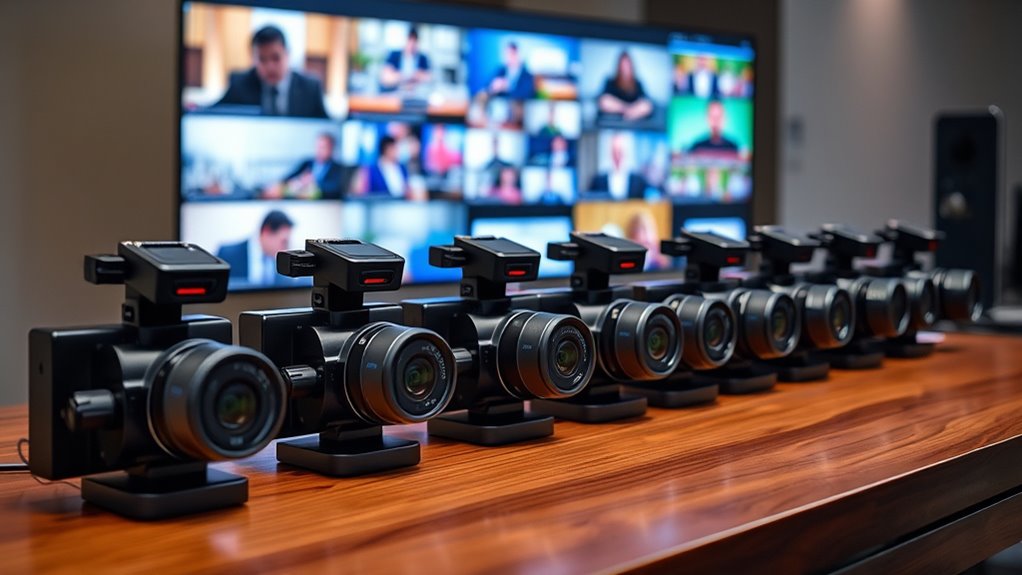

When it comes to streaming cameras, choosing the right model depends on your specific needs and budget. The EMEET PIXY Dual-Camera AI-Powered 4K stands out as the best overall for its advanced AI tracking and dual-camera flexibility. For those prioritizing high resolution, the Insta360 Link 2 Pro offers impressive 4K quality with gesture control, while the Logitech C920x delivers reliable performance at a more accessible price point. The main tradeoffs in this category involve balancing image quality, ease of use, and extras like AI tracking or zoom. Continue reading for a detailed breakdown of the top options and what makes each one unique.

Get business pricing on tech for your team
- Business-only prices and quantity discounts
- Tax-exempt purchasing
- Multiple users, one account, clear invoices
Key Takeaways
- High-end models with AI tracking and PTZ capabilities dominate for professional streaming.
- Resolution, such as 4K vs. 1080p, significantly impacts streaming clarity and future-proofing.
- Built-in microphones and additional features like RGB lighting enhance overall stream quality.
- Budget options like the Logitech C920x provide solid performance without the bells and whistles.
- Design and user interface matter—simple plug-and-play setups save time and frustration.


| streaming camera | Resolution | Sensor |
|---|---|---|
| EMEET PIXY Dual-Camera AI-Powe | 4K | 1/2.55” Sony |
| EMEET C60E Dual-Camera 4K Webc | 4K | 1/2.8” CMOS |
| 1080P HD Webcam with Microphon | 1080P | — |
| EMEET PIXY Dual-Camera AI-Powe | 4K | 1/2.55” Sony |
| EMEET C960 4K Webcam for PC wi | 4K UHD | CMOS |
| Logitech C920x HD Pro PC Webca | Full HD 1080p at 30fps | — |
| NBPOWER 1080P 60FPS Streaming | 1080P | — |
| EMEET S600 4K Webcam for Strea | — | Sony 1/2.55” |
| AOC 4K Webcam for PC with Micr | 4K Ultra HD | — |
| Insta360 Link 2 Pro 4K PTZ Web | — | 1/1.3” |
| Elgato Facecam 4K Studio Webca | 4K at 60 FPS | Sony STARVIS 2 CMOS |
| OBSBOT Tiny 2 Lite 4K Webcam f | 4K | 1/2" CMOS |
| Logitech Brio 101 Full HD 1080 | Full HD 1080p | — |
| EMEET C960 1080P Webcam with M | 1080p | — |
| Insta360 Link 2 | 4K | — |
More Details on Our Top Picks
EMEET PIXY Dual-Camera AI-Powered 4K PTZ Webcam with AI Tracking and Gesture Control
The EMEET PIXY stands out for its dual-camera setup, delivering crisp 4K video with fast autofocus and AI face tracking, making it ideal for professional streaming and teaching. Its ability to smoothly pan and tilt offers flexible framing that surpasses single-camera models like the 1080P HD Webcam, which lacks advanced AI features. However, the PIXY’s setup can feel complex for newcomers, and some features require compatible software, adding a learning curve. The inclusion of a noise-canceling triple-mic array enhances audio clarity, vital for engaging online content. While it excels in picture quality and tracking, the need for separate tripod purchase and limited mounting options could be drawbacks for some users.
Pros:- High-resolution 4K video with fast autofocus and face tracking
- Smooth pan/tilt with dual-camera versatility
- Clear audio with noise-canceling triple-mic array
- AI tracking and gesture control for dynamic presentation
Cons:- Requires compatible software for full feature access
- Tripod sold separately, limited mounting options
- Setup can be complex for beginners
Best for: Content creators and educators seeking high-quality, multi-angle streaming with intelligent tracking
Not ideal for: Casual users or those preferring simple plug-and-play webcams without advanced features
- Resolution:4K
- Sensor:1/2.55” Sony
- Focus:PDAF & AI Autofocus
- Frame Rate:30FPS in 4K, 60FPS in 1080P
- Pan/Tilt:310°/180°
- Mic:3-mic array
Our verdict“This webcam suits professionals and educators who want flexible, AI-driven streaming with high image quality.”
EMEET C60E Dual-Camera 4K Webcam for Streaming, Wide-Angle and Telephoto Cameras, Max 11X Hybrid Zoom & PDAF Autofocus, Remote Control, RGB Lighting, 2 Mics, Ideal for Livestreaming and Online Meeting
The EMEET C60E introduces a pioneering dual-camera system that combines a wide-angle and telephoto lens, enabling seamless switching between full scenes and close-ups, perfect for engaging live streams or detailed product demos. Unlike the EMEET PIXY, which relies heavily on AI tracking, the C60E emphasizes manual control via remote and software, offering precise framing. Its maximum 11X hybrid zoom and PDAF autofocus deliver stable, detailed close-ups, but zoom isn’t supported at 4K in all modes, which can limit high-res zooming during live streams. The RGB lighting adds personality and visibility, but the setup’s complexity and premium price could deter casual users. It’s best suited for streamers needing versatile camera angles and professional control.
Pros:- Dual-camera system with panoramic and close-up views
- Up to 11X hybrid zoom with PDAF autofocus
- Remote control and customizable RGB lighting
- Compatible with major streaming platforms
Cons:- Zoom not supported in all high-res modes
- Higher price point with complex setup
- Requires separate remote for full control
Best for: Streamers, presenters, and content creators who want flexible camera angles and detailed close-up capabilities
Not ideal for: Beginners or users seeking a straightforward, single-camera setup without the need for remote control
- Resolution:4K
- Sensor:1/2.8” CMOS
- Zoom:Up to 11X hybrid
- Focus:PDAF
- Lighting:RGB
- Control:Remote & software
Our verdict“Ideal for professionals who value flexible framing and detailed visuals over simplicity.”
1080P HD Webcam with Microphone, Privacy Cover, Wide-Angle Lens, Plug & Play USB Webcam for Laptop, Desktop, PC, Mac, Zoom, Skype, Streaming
The 1080P HD Webcam offers reliable, straightforward video quality with a wide-angle lens that captures more of the environment, making it suitable for casual streaming, video calls, or online classes. Its plug-and-play design simplifies setup, and automatic light correction helps improve visuals in varying lighting conditions. Compared to higher-end 4K options like the EMEET C960, it prioritizes ease over resolution, which could be limiting for professional content creators. Its fixed focus and limited low-light performance mean it’s best for well-lit setups, but the privacy cover adds security for everyday use. This model is a practical choice for those who want decent quality without fuss.
Pros:- Affordable, reliable 1080P video quality
- Wide-angle lens captures more scene
- Easy plug-and-play setup
- Privacy cover enhances security
Cons:- No adjustable camera angles
- Limited low-light performance
- Defaults to 1080P, not true 4K
Best for: Remote workers and students seeking a simple, reliable webcam for daily video calls
Not ideal for: Professional streamers or content creators requiring 4K resolution and adjustable focus
- Resolution:1080P
- Lens:Wide-angle
- Frame rate:30 fps
- Microphone:Built-in noise-reducing
- Features:Privacy cover, Plug & Play
Our verdict“Best suited for everyday video conferencing and casual streaming where simplicity is valued.”
EMEET PIXY Dual-Camera AI-Powered PTZ 4K Webcam with Tripod, AI Tracking, and 3 Microphones
The EMEET PIXY Kit enhances the original PIXY with a versatile tripod, making it suitable for content creators who need flexible angles and professional audio. Its 4K resolution and AI tracking outperform basic webcams like the 1080P HD Webcam by providing sharper images and intelligent framing. The adjustable tripod allows precise positioning, but the setup can be daunting for those unfamiliar with advanced hardware. The 3-mic array delivers clear, natural sound, crucial for podcasts or live presentations. However, its premium price and complex configuration mean it’s best for users who value high-quality visuals and audio over simplicity. It’s a top choice for semi-professional content and streaming setups.
Pros:- High-quality 4K video with AI auto-focus
- Versatile tripod for flexible setup
- Advanced audio with 3-mic array
- AI tracking and gesture control
Cons:- Requires additional purchase for remote control
- Setup can be complex for beginners
- Premium price may be prohibitive
Best for: Content creators, streamers, and educators needing flexible positioning and high-quality audio
Not ideal for: Casual users or those with limited technical experience seeking a quick, simple webcam
- Resolution:4K
- Sensor:1/2.55” Sony
- Focus:PDAF & AI
- Microphones:3-mic array
- Tripod:Adjustable, 6.7–18.5″ height
- Features:AI tracking, gesture control
Our verdict“Designed for serious content creators who want professional-grade visuals and audio with flexible hardware options.”
EMEET C960 4K Webcam for PC with Privacy Cover and Dual Mics
The EMEET C960 offers a solid 4K resolution with auto focus and auto light correction, providing sharp visuals in various lighting conditions. Its dual omnidirectional microphones ensure clear audio, making it suitable for professional meetings and streaming. Compared with the 1080P HD Webcam, the C960’s higher resolution is a clear upgrade, though its default video output often defaults to 1080P unless software is used to switch to full 4K. The privacy cover adds a layer of security, and its versatile mounting options fit multiple setups. However, the lack of wireless options and a need for software to access full 4K capabilities could be limiting for some users. It’s best for those prioritizing high-quality, secure video over ease of setup.
Pros:- True 4K UHD video quality
- Auto focus and auto light correction
- Dual omnidirectional microphones
- Privacy cover for security
Cons:- Video defaults to 1080P, requires software to switch to full 4K
- Limited to USB-A, no wireless options
- Setup can be complex for some users
Best for: Remote professionals needing high-resolution, secure video conferencing
Not ideal for: Casual streamers or users who want a simple, all-in-one plug-and-play experience without software setup
- Resolution:4K UHD
- Sensor:CMOS
- Field of View:73°
- Focus:PDAF
- Microphones:Dual omnidirectional
- Features:Auto light correction, Privacy cover
Our verdict“Perfect for professionals who need high resolution and security in their video calls, willing to manage software configurations.”
Logitech C920x HD Pro PC Webcam
The Logitech C920x HD Pro stands out for delivering reliable full HD 1080p video with autofocus and automatic light correction, ensuring sharp images in varying lighting conditions. Its stereo dual microphones provide clear audio that complements the video quality, making it an excellent choice for streaming, video calls, and recording. Compared with the Insta360 Link 2 Pro, it lacks advanced AI tracking but offers broader compatibility and easier setup for most users. The absence of a built-in privacy shutter is a notable drawback, especially for those prioritizing security. Its 30fps limit at 1080p might be restrictive for fast-paced streaming, but for most professional uses, this remains sufficient.
Pros:- High-quality 1080p video with autofocus and light correction
- Clear stereo audio with dual microphones
- Compatible with Windows, Mac, Nintendo Switch, and tablets
- Includes background removal software
Cons:- No built-in privacy shutter for security
- Limited to 30fps at 1080p, which may affect motion smoothness
Best for: Streamers and professionals needing dependable 1080p quality with multi-platform compatibility
Not ideal for: Content creators seeking 4K resolution or AI tracking features for dynamic content
- Resolution:Full HD 1080p at 30fps
- Autofocus:Yes
- Light Correction:Yes
- Microphones:Stereo dual mics
- Compatibility:Windows 11, Mac, Tablet, Nintendo Switch
- Includes:3-month XSplit VCam license
Our verdict“This webcam is best suited for users who need reliable, versatile HD streaming without advanced tracking features.”
NBPOWER 1080P 60FPS Streaming Webcam with Microphone and RGB Fill Light
The NBPOWER 1080P 60FPS webcam excels in delivering exceptionally smooth video thanks to its 60fps frame rate, making it ideal for fast-paced streaming, gaming, or dynamic video conferencing. Its built-in noise-canceling microphone ensures clear voice capture, while the RGB fill light improves visibility in dim settings. Compared to the Logitech C920x, it offers higher frame rates which result in more fluid motion, but it lacks detailed control over camera settings and advanced background options. Its plug-and-play nature simplifies setup, yet some users might find the absence of adjustable mounting options limiting for certain setups.
Pros:- Smooth 1080p video at 60FPS for fluid motion
- Built-in noise-canceling microphone
- RGB fill light for low-light conditions
- Plug-and-play setup
Cons:- Limited information on adjustable camera settings
- No tripod or mounting options included
- Potential compatibility issues with less common platforms
Best for: Gamers and streamers who prioritize smooth motion and low-light performance
Not ideal for: Users seeking detailed camera controls or extensive software customization
- Resolution:1080P
- Frame Rate:60FPS
- Microphone:Built-in noise-canceling
- Light:RGB fill light
- Focus:Autofocus
- Compatibility:Windows, Mac OS, Linux
Our verdict“This webcam makes the most sense for those focused on high-frame-rate streaming and working in dim environments without complex customization needs.”
EMEET S600 4K Webcam for Streaming with Sony Sensor, Autofocus, Noise Reduction Mics, Privacy Cover
The EMEET S600 is a standout for its crisp 4K video quality, thanks to a Sony 1/2.55” sensor that offers outstanding clarity and color accuracy. Its PDAF autofocus ensures sharp images across various distances, while noise-canceling microphones enhance audio quality. Compared with the AOC 4K Webcam, it provides more advanced autofocus and a larger sensor, but the fixed FOV at 73° may limit framing flexibility. Its built-in privacy cover adds a layer of security, although its resolution can sometimes depend on software settings, and it needs dedicated software for full customization.
Pros:- High-quality 4K video with Sony sensor
- Advanced PDAF autofocus for sharp images
- Effective noise reduction microphones
- Built-in privacy cover
Cons:- Video resolution may depend on software configuration
- Limited FOV at 4K (73°), fewer zoom options
- Requires software for advanced features
Best for: Content creators and streamers needing professional-grade 4K video with precise autofocus
Not ideal for: Casual users or those with limited software setup experience
- Sensor:Sony 1/2.55”
- Video Resolution:4K at 30FPS, 1080P at 60FPS
- Autofocus:PDAF
- Microphones:Noise reduction, stereo
- FOV:73° at 4K
- Connectivity:USB 2.0/3.0
Our verdict“This camera is ideal for professionals seeking ultra-clear 4K video with reliable autofocus, but it demands some technical setup for full feature access.”
AOC 4K Webcam for PC with Microphone, Privacy Cover, 90° FOV, Plug & Play USB
The AOC 4K Webcam delivers excellent 4K resolution with a broad 90° field of view, making it especially suitable for conference calls and wide-shot streaming. Its plug-and-play USB setup offers convenience, and the privacy cover enhances security. Compared with the EMEET S600, it sacrifices some advanced autofocus capabilities but compensates with a wider frame, capturing more in each shot. Its lack of image stabilization and limited low-light info could be drawbacks for moving or dimly lit environments. Compatibility is broad, but adapters may be needed for some ports.
Pros:- High-quality 4K with wide 90° FOV
- Easy plug-and-play setup
- Built-in privacy cover
- Universal USB compatibility
Cons:- No image stabilization
- Limited low-light performance info
- May need adapters for certain ports
Best for: Remote workers and streamers who need a wide-angle view without complex setup
Not ideal for: Content creators requiring detailed focus or stabilization features
- Resolution:4K Ultra HD
- Field of View:90°
- Connectivity:USB-C & USB-A
- Features:Privacy Cover, Noise Cancellation Microphone
Our verdict“This webcam suits professionals needing a broad view for meetings or streaming at a budget-friendly price, though it lacks advanced stabilization.”
Insta360 Link 2 Pro 4K PTZ Webcam for PC/Mac
The Insta360 Link 2 Pro leads with its large sensor and AI-powered tracking, making it perfect for dynamic content and professional streaming. Its 4K resolution delivers crisp images, and the AI tracking and gesture controls provide a level of interactivity that sets it apart from traditional webcams like the Logitech Brio. However, it isn’t compatible with ARM-based Windows systems and can be complex for less experienced users. Its versatile modes, including Whiteboard and DeskView, make it ideal for creators who want advanced features but require some technical setup.
Pros:- Crisp 4K video with excellent low-light performance
- AI tracking and gesture control for engaging content
- Versatile modes including Whiteboard and DeskView
- Supports major streaming platforms
Cons:- Incompatibility with ARM Windows systems
- Setup can be complex for beginners
- Full feature set requires dedicated software
Best for: Streamers, content creators, and professionals needing intelligent tracking and high-quality 4K video
Not ideal for: Casual users or those seeking plug-and-play simplicity without software complexity
- Sensor:1/1.3”
- Video Resolution:4K
- Microphone:Directional noise-canceling
- Features:AI tracking, HDR, gesture control
- Compatibility:Windows, macOS, Chrome OS, Linux
Our verdict“This webcam best suits advanced users who need intelligent tracking and top-tier video quality but are comfortable with software configuration and setup.”
Elgato Facecam 4K Studio Webcam with Sony STARVIS 2 Sensor
The Elgato Facecam 4K stands out for delivering ultra HD 4K60 video quality, making it a top choice for streamers and content creators aiming for DSLR-like clarity. Its Sony STARVIS 2 sensor ensures exceptional low-light performance, surpassing many competitors like the Logitech Brio in overall image fidelity. The camera’s support for lens filters and HDR adds creative flexibility, though this means you’ll need to purchase compatible filters separately, unlike the plug-and-play simplicity of the OBSBOT Tiny 2 Lite. Its eco-friendly build reflects a thoughtful design, but the setup requires some software tweaking to unlock its full potential. This model suits professional streamers and creators who prioritize image quality and customization. However, those seeking a more straightforward plug-and-play experience might find its configuration process a barrier. It’s best for users comfortable with minor setup steps and willing to invest in additional accessories.
Pros:- Outstanding 4K60 resolution with ultra-sharp video quality
- Exceptional low-light performance thanks to Sony STARVIS 2 sensor
- Supports lens filters and HDR for creative control
- Eco-friendly and durable build
Cons:- Requires purchasing compatible lens filters separately
- Setup and software configuration can be complex for some users
Best for: Professional streamers and high-end content creators who need DSLR-like video quality.
Not ideal for: Casual users or beginners seeking a simple, out-of-the-box webcam without extra accessories.
- Resolution:4K at 60 FPS
- Sensor:Sony STARVIS 2 CMOS
- Lens Filter Support:49mm lens filter
- Features:HDR, uncompressed video, built-in flash memory
- Connectivity:USB-C
- Build:Eco-friendly materials
Our verdict“Ideal for experienced creators who demand professional-grade video with customizable options.”
OBSBOT Tiny 2 Lite 4K Webcam for PC with AI Tracking and Gesture Control
The OBSBOT Tiny 2 Lite is designed for dynamic content creators and professionals who value hands-free operation. Its AI tracking and gesture control enable smooth, automatic framing, making it ideal for live presentations or interactive streams. Unlike traditional webcams like the Logitech Brio, its multiple shooting modes and customizable preset positions offer greater flexibility for creative setups. The 4K60 resolution ensures sharp visuals, but its microphone quality isn’t highlighted, which could be a drawback for those relying on audio clarity. Setting up advanced features may require some technical knowledge, especially with SDK or Stream Deck integrations. Additionally, it lacks built-in storage or a battery, so it depends entirely on your PC for power and data. This pick is perfect for streamers and professionals who want hands-free, intelligent framing and tracking. However, users seeking a simple webcam without AI features or those who prioritize built-in microphones might find it overcomplicated.
Pros:- Sharp 4K resolution with 60 FPS for smooth visuals
- Advanced AI tracking and gesture control for hands-free operation
- Multiple shooting modes and customizable preset positions
- Supports professional software and integrations
Cons:- Limited microphone quality, may require external mic
- Requires technical setup for advanced features
- No internal storage or battery for portable use
Best for: Content creators and professionals who need automatic tracking and gesture control for engaging live streams.
Not ideal for: Users who prefer plug-and-play simplicity or require high-quality built-in microphones for audio.
- Sensor:1/2″ CMOS
- Resolution:4K
- Frame Rate:60 FPS
- Tracking Modes:Upper body, hand tracking
- Gesture Control:Yes
- Compatibility:PC, Windows, SDK, OSC, Stream Deck
Our verdict“Best suited for tech-savvy streamers who want interactive, AI-powered camera control.”
Logitech Brio 101 Full HD 1080p Webcam for Meetings and Streaming
The Logitech Brio 101 offers a straightforward way to get high-quality 1080p streaming and video calls without the fuss, making it ideal for casual users and small business setups. Its auto-light balance enhances image clarity in varying lighting conditions, similar to more advanced cams but with fewer customization options. The built-in microphone ensures decent audio quality for typical meetings, and the privacy slide adds security. Compared to the Insta360 Link 2, it lacks HDR and AI tracking, but its plug-and-play USB-A connection simplifies setup for those not ready to invest in more complex tech. Its limited color options and basic feature set make it less suitable for professional content creation but perfect for everyday use. This webcam fits users who want a reliable, no-fuss HD camera for meetings or casual streaming. It’s less ideal for those seeking high-end features or advanced customization.
Pros:- Decent 1080p video with auto-light adjustment
- Built-in microphone for clear audio in meetings
- Simple plug-and-play setup with USB-A
- Privacy cover for security
Cons:- Limited to USB-A connection, no USB-C support
- Basic feature set lacking HDR or AI tracking
- Limited customization options
Best for: Remote workers and casual streamers needing a reliable, easy-to-use webcam for meetings.
Not ideal for: Professional streamers or content creators who require 4K quality and advanced features.
- Resolution:Full HD 1080p
- Connection:USB-A
- Built-in Microphone:Yes
- Privacy Cover:Yes
- Compatibility:Zoom, Teams, Meet
- Plastic Content:77% post-consumer
Our verdict“A practical choice for users needing reliable HD video for everyday meetings and casual streaming.”
EMEET C960 1080P Webcam with Microphone, 2 Mics, 90° FOV, USB Type-A & A-to-C Adapter, Fixed Focus, Plug & Play
The EMEET C960 is designed for those who need a broad field of view at an affordable price. Its 90° wide-angle lens covers more of the scene, ideal for team meetings or casual streaming where capturing a larger space matters. Its automatic light and color adjustment improve image quality in varying lighting, comparable to more expensive webcams like the Insta360 Link 2, but without HDR. The dual omnidirectional microphones deliver clear audio, though it might fall short compared to dedicated external mics for professional recordings. The plug-and-play design with both USB Type-A and C adapters makes it versatile across devices, but it isn’t compatible with Windows Hello or advanced features like autofocus, relying instead on fixed focus. This webcam suits budget-conscious users who want a wide-angle, easy-to-use camera for meetings or streaming. It might not satisfy those needing autofocus or high-end image processing.
Pros:- Wide 90° field of view for larger scenes
- Automatic light and color correction
- Dual omnidirectional microphones for clear audio
- Plug-and-play with USB-C and Type-A support
Cons:- Fixed focus limits sharpness on close objects
- Lacks autofocus and advanced image stabilization
- Not compatible with Windows Hello
Best for: Small business users and casual streamers seeking a broad view without complexity.
Not ideal for: Users requiring autofocus or high-end image stabilization for professional productions.
- Resolution:1080p
- Field of View:90°
- Focus:Fixed
- Microphones:2 omnidirectional
- Connectivity:USB Type-A & A-to-C Adapter
- Lighting Adjustment:Automatic exposure and color correction
Our verdict“Suitable for those who need a wide-angle, easy-to-set-up webcam for meetings and casual streaming.”
Insta360 Link 2 – 4K Webcam with AI Tracking, HDR, and Gesture Control for PC/Mac
The Insta360 Link 2 excels for users who want a highly versatile webcam with advanced features. Its 1/2″ CMOS sensor combined with HDR ensures vibrant, detailed images even in challenging lighting, outperforming basic webcams like the Logitech Brio 101. The AI tracking and gesture control provide hands-free framing, making it perfect for dynamic presentations or creative workflows. Its modes like DeskView and Whiteboard add unique functionality, especially for educators or business presenters. The requirement for an external 9V power source is a notable tradeoff, limiting portability, and it’s incompatible with ARM-based Windows systems, which could be a barrier for some users. Its sleek design and rich feature set justify its premium price for those who need advanced control and high-quality visuals. This webcam is best for content creators, educators, and professionals seeking high-end versatility. Casual users or those on a tight budget should consider simpler options.
Pros:- High-quality 4K video with HDR and excellent low-light performance
- AI tracking and gesture control for automated framing
- Versatile modes like DeskView and Whiteboard
- Compatible with major platforms like Zoom and Teams
Cons:- Requires external 9V power, limiting portability
- Incompatibility with ARM-based Windows and Windows Hello
- Limited water resistance, not for outdoor use
Best for: Creative professionals and educators who need high-quality, feature-rich video with AI tracking.
Not ideal for: Basic users or those seeking a portable, battery-powered webcam for outdoor use.
- Sensor Type:CMOS
- Sensor Size:1/2-inch
- Resolution:4K
- Features:HDR, AI tracking, gesture control
- Display Screen Size:2 inches
- Compatibility:PC/Mac, external power required
Our verdict“Perfect for professionals and creators who need advanced features, high-quality visuals, and flexible modes for sophisticated streaming and presentations.”
How We Picked
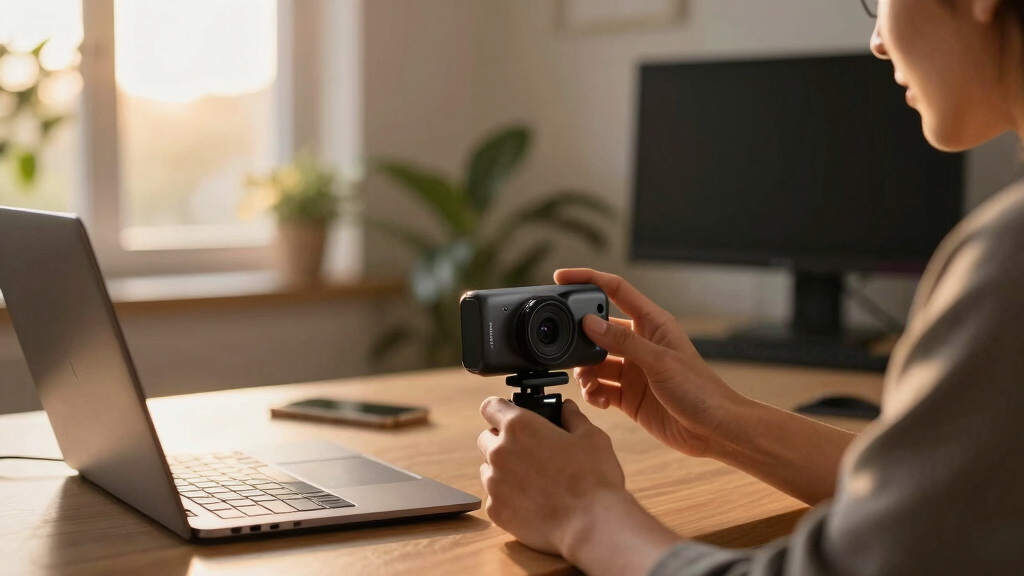
To determine the best streaming cameras, I focused on key factors that influence real-world use. Performance metrics included video resolution, autofocus reliability, and low-light capabilities. Usability considerations covered ease of setup, software compatibility, and intuitive controls. Build quality and durability were also evaluated, especially for professional setups. Lastly, value was a major criterion—offering the best features for the price. Cameras that balanced these elements effectively earned higher rankings, with a preference for models that cater to both casual streamers and professionals alike.Factors to Consider When Choosing Streaming Cameras
Choosing the right streaming camera involves more than just megapixels. First, consider your streaming environment—lighting conditions, space, and background. Resolution impacts image clarity but also depends on your internet bandwidth; 4K streams require faster connections. Autofocus and low-light performance matter for maintaining sharp images during dynamic movements or poor lighting. Additional features like AI tracking, zoom, and built-in microphones can elevate your stream but often add complexity or cost. Finally, compatibility with your streaming setup and ease of use should guide your decision to avoid frustration later.Resolution and Image Quality
High resolution, such as 4K, provides clearer, more professional-looking streams, especially on larger screens. However, 4K cameras tend to be more expensive and demand faster internet speeds. For casual streaming or video chats, 1080p often suffices, offering a good balance between quality and affordability. Consider your streaming platform as well—some platforms handle higher resolutions better than others. Remember, resolution alone isn’t everything; sensor quality and lens clarity also impact overall image sharpness.
Autofocus and Low-Light Performance
Reliable autofocus ensures your face stays sharp even if you move around. Cameras with advanced autofocus, like phase detection or AI-powered tracking, tend to produce better results during lively streams. Low-light performance is equally important if you stream in dim environments; sensors with larger apertures or enhanced noise reduction will make your image clearer. A camera with poor autofocus or low-light ability can result in distracting blurriness or graininess, undermining your professional appearance.
Built-In Microphones and Audio Quality
Good audio is often as important as video for engaging streams. Many streaming cameras include built-in microphones, but their quality varies. Look for models with noise reduction, multiple microphones for stereo sound, or features like RGB fill lights that add to your on-camera presence. Sometimes, investing in an external microphone makes a substantial difference, especially if your camera’s mic is basic. Consider how your audio setup integrates with your camera to deliver clear, crisp sound without background noise.
Ease of Use and Compatibility
A camera that is simple to set up and compatible with your streaming platform saves time and reduces headaches. USB plug-and-play models are generally straightforward, but some may require additional drivers or software. Check whether the camera works seamlessly with popular platforms like OBS, Zoom, or Streamlabs. User interface and control options—like remote controls or app adjustments—can also streamline your workflow. Avoid overly complicated or proprietary systems if you prioritize quick setup and flexibility.
Additional Features and Value
Extras like AI tracking, zoom, built-in lighting, or gesture controls can significantly enhance your streaming experience. These features add convenience and polish but often come at a premium. Consider whether these extras align with your streaming style—do you need automatic framing or just a good-quality camera? Balance the cost of added features against your actual needs. Sometimes, a straightforward camera with strong core specs will serve you better than a feature-packed model that’s more complex to operate.
Frequently Asked Questions
Do I need a 4K streaming camera or is 1080p enough?
Choosing between 4K and 1080p depends on your streaming goals and technical setup. 4K cameras deliver sharper images and more detail, which can be beneficial if you want a professional look or plan to crop or zoom during streams. However, 4K streams require faster internet connections and more powerful hardware to process. For casual use, gaming, or platforms that compress video heavily, 1080p often provides sufficient clarity with less strain on your bandwidth and system resources.
Are AI tracking cameras worth the extra cost?
AI tracking cameras can significantly improve your on-camera presence by automatically following your movements, keeping you centered without manual adjustments. This feature is especially useful for dynamic presenters or those who move around during streams. However, they tend to be more expensive and may introduce complexity or compatibility issues. If you frequently change scenes or want a hands-free experience, investing in an AI tracking model makes sense. Otherwise, a standard camera with good autofocus might suffice.
Should I prioritize built-in microphones or buy an external mic?
While many streaming cameras include built-in microphones, their quality often falls short of external microphone standards. Good audio significantly enhances viewer engagement, so consider investing in a dedicated mic if you want crisp, clear sound. External mics offer more control over audio quality, background noise reduction, and directional capture. For most serious streamers, pairing a decent external microphone with a reliable camera produces the best overall experience.
How important is low-light performance for streaming cameras?
Low-light performance is critical if you often stream in dim environments or during evening hours. Cameras with larger sensors, wider apertures, and noise reduction features maintain clearer images in poor lighting. Poor low-light capabilities lead to grainy, washed-out images that diminish professional appearance. If your streaming setup can’t guarantee consistent lighting, prioritize a camera with strong low-light performance to keep your image sharp and vibrant regardless of ambient conditions.
What additional features should I consider beyond video quality?
Beyond core video quality, features like built-in microphones, auto-framing, gesture control, and adjustable lighting add value. These extras can make your streams more engaging and user-friendly. However, they often increase the price and complexity. Think about your specific needs—if you’re a professional host, features like AI tracking or multiple camera angles may be worth the investment. For casual users, a simple plug-and-play model with decent resolution may be all you need.
Conclusion
For casual streamers or newcomers, the Logitech C920x offers reliable performance at an accessible price. If you want a versatile, high-quality setup, the Insta360 Link 2 Pro delivers impressive 4K quality with advanced AI tracking. Professionals seeking maximum flexibility and features should consider the EMEET PIXY Dual-Camera for its dual perspectives and AI capabilities. Budget-conscious users will find the Logitech Brio 101 to be a solid choice, while those with more advanced needs should explore premium options like the Elgato Facecam 4K or Insta360 Link 2. Your ideal choice depends on your streaming style, technical requirements, and budget.
Fall Picks
fall essentials
As an affiliate, we earn on qualifying purchases.