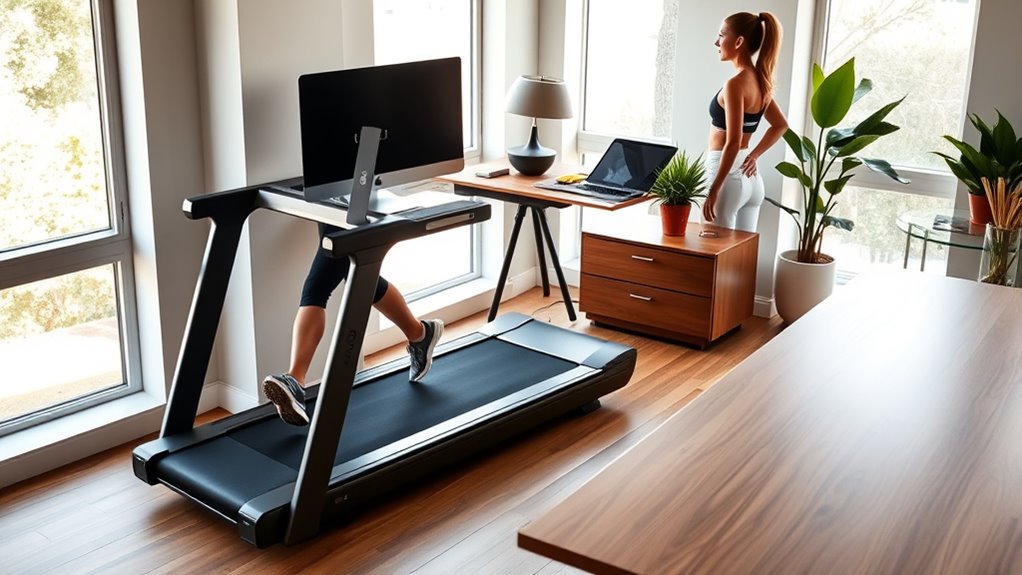

Smart treadmill desk setups pair a walking pad with a work surface or a compatible desk, and the right choice depends on how you plan to work while walking. My best overall pick is the UREVO Foldable Treadmill with Adjustable Laptop Desk and 12% Auto Incline, which brings the treadmill and adjustable work surface together. The UREVO Strol 2S Pro stands out for its 9% auto incline, while the DUMOS rolling walking pad desk is a separate desk option for buyers who already own a treadmill. The main tradeoffs are desk stability and fit, walking features, and how much room the setup occupies. Read on for the full comparison and recommendations by workspace and walking style.

Get business pricing on tech for your team
- Business-only prices and quantity discounts
- Tax-exempt purchasing
- Multiple users, one account, clear invoices
Complete the kit


Key Takeaways
- An integrated desk can simplify setup: The UREVO foldable treadmill with adjustable laptop desk and 12% auto incline bundles the work surface with the treadmill, while the DUMOS and Universal attachments suit buyers pairing a desk with separate equipment.
- Incline changes the workout more than the desk: Models listing auto incline, such as the UREVO 11% and 12% options and the 12% walking pad, give buyers a way to vary walking intensity, but incline alone does not solve workspace fit.
- Folding designs address storage, with a setup tradeoff: Several picks fold or include removable desks; buyers should check where the desk goes during storage and how often assembly or repositioning will be needed.
- Walking speed claims call for work-style planning: The YPOO lists speeds up to 6.2 MPH, a feature for broader exercise use, while many desk sessions call for slower walking that keeps typing manageable.
- Smart features do not replace compatibility checks: Before choosing among UREVO, GYMAX, HomeTro, MJWW, or Cybergoing models, match the treadmill dimensions and desk arrangement to your chair, monitor, and available floor space.
| UREVO Strol 2S Pro Smart Treadmill with 9% Auto Incline |  | Best for Incline Variety | Speed range: 0.6–7.6 mph | Maximum incline: 9% automatic | Maximum horsepower: 2.5 hp | VIEW ON AMAZON | See Our Full Breakdown |
| UREVO Smart Under-Desk Walking Pad Treadmill |  | Best for a Simple Office Routine | Motor power: 2.5 HP | Speed range: 0.6–4 MPH | Maximum user weight: 265 lb | VIEW ON AMAZON | See Our Full Breakdown |
| UREVO Smart Walking Pad Treadmill |  | Best for a Longer Walking Belt | Motor power: 2.5 HP | Maximum user weight: 265 lbs | Belt dimensions: 39.8 × 15 in | VIEW ON AMAZON | See Our Full Breakdown |
| DUMOS 31.5-Inch Adjustable Rolling Walking Pad Desk |  | Best Add-On Desk | Work surface: 31.5 × 15.75 inches | Height range: 27.95–43.7 inches | Weight: 12.1 pounds | VIEW ON AMAZON | See Our Full Breakdown |
| UREVO Strol 2E Pro Smart Walking Pad Treadmill |  | Best for Fold-Away Flexibility | Incline: 12% manual | Walking mode speed: 0.6–4 MPH | Running mode speed: 0.4–6.2 MPH | VIEW ON AMAZON | See Our Full Breakdown |
| UREVO Smart Walking Pad Treadmill with 11% Incline |  | Best for App-Connected Workouts | Incline: 11% | Walking speed: 0.6–4 MPH | Running speed: 0.4–6.2 MPH | VIEW ON AMAZON | See Our Full Breakdown |
| GYMAX 3-in-1 Folding Walking Pad Treadmill with Removable Desktop |  | Best for a Built-In Work Surface | Motor power: 2.5 hp | Speed range: 0.5–7.5 mph | Preset programs: 12 | VIEW ON AMAZON | See Our Full Breakdown |
| Walking Pad Treadmill with 12% Auto Incline |  | Best for Higher Weight Capacity | Maximum incline: 12% (6°) | Weight capacity: 450 lbs | Motor: Quiet motor for walking and jogging | VIEW ON AMAZON | See Our Full Breakdown |
| MJWW 6% Incline Under Desk Walking Pad Treadmill |  | Best Compact Desk Walker | Incline: 6% | Speed range: 0.6–3.8 mph | Motor: 2.5 HP | VIEW ON AMAZON | See Our Full Breakdown |
| UREVO Foldable Treadmill with Adjustable Laptop Desk and 12% Auto Incline |  | Best Premium Workday Setup | Speed range: 0.6–7.6 mph | Maximum incline: 12% | Maximum horsepower: 3 hp | VIEW ON AMAZON | See Our Full Breakdown |
| HomeTro 3-in-1 Folding Treadmill with Removable Work Desk |  | Best for Switching Between Work and Workouts | Motor: 3.0 HP | Speed range: 0.6–7.5 MPH with handle up; 0.6–4 MPH with handle down | Incline: 7%, tool-free adjustment | VIEW ON AMAZON | See Our Full Breakdown |
| Cybergoing T10 Walking Pad Treadmill with Bosch Motor |  | Best for Simple Under-Desk Walking | Motor: Bosch | Maximum weight capacity: 300 lb | Speed range: 0.6–4 MPH | VIEW ON AMAZON | See Our Full Breakdown |
| YPOO 16% Incline Walking Pad, 6.2 MPH, RGB Light, Foldable |  | Best for Incline Variety | Motor power: 3.5 HP | Speed range: 0.6–7.5 MPH | Incline levels: 0%, 10%, 16% | VIEW ON AMAZON | See Our Full Breakdown |
| Universal 36-Inch Treadmill Desk Attachment |  | Best Add-On for an Existing Treadmill | Dimensions: 36 × 15.4 × 0.78 inches | Maximum supported weight: 22 lb | Compatible handrails: Flat handrails; descriptions specify up to 33 inches and up to 36 inches | VIEW ON AMAZON | See Our Full Breakdown |
| WELLFIT Folding Treadmill with Incline and Handlebar | 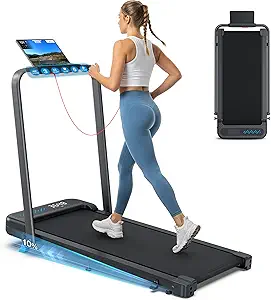 | Best for Cushioned Walking and Storage | Motor: 3.0 HP | Incline: 10% | Running belt: 36 × 16 inches | VIEW ON AMAZON | See Our Full Breakdown |
| smart treadmill desk setup | Speed range |
|---|---|
| UREVO Strol 2S Pro Smart Tread | 0.6–7.6 mph |
| UREVO Smart Under-Desk Walking | 0.6–4 MPH |
| UREVO Smart Walking Pad Treadm | — |
| DUMOS 31.5-Inch Adjustable Rol | — |
| UREVO Strol 2E Pro Smart Walki | — |
| UREVO Smart Walking Pad Treadm | — |
| GYMAX 3-in-1 Folding Walking P | 0.5–7.5 mph |
| Walking Pad Treadmill with 12% | — |
| MJWW 6% Incline Under Desk Wal | 0.6–3.8 mph |
| UREVO Foldable Treadmill with | 0.6–7.6 mph |
| HomeTro 3-in-1 Folding Treadmi | 0.6–7.5 MPH with handle up; 0.6–4 MPH with handle down |
| Cybergoing T10 Walking Pad Tre | 0.6–4 MPH |
| YPOO 16% Incline Walking Pad | 0.6–7.5 MPH |
| Universal 36-Inch Treadmill De | — |
| WELLFIT Folding Treadmill with | — |
More Details on Our Top Picks
UREVO Strol 2S Pro Smart Treadmill with 9% Auto Incline
The Strol 2S Pro suits people who want a workday walking option that can also handle a more vigorous session. Its 9% automatic incline changes the effort level without requiring a manual adjustment, while speeds up to 7.6 mph give it more range than the desk-focused UREVO Smart Under-Desk Walking Pad, which tops out at 4 mph. The app adds workout tracking, virtual routes, and six HIIT programs, and the handrails offer extra support when you step away from slow desk walking. The tradeoff is that its running-focused range may be more machine than a simple office setup needs; HIIT and virtual workouts also depend on the app. Choose it for varied workouts, but skip it if quiet, low-speed desk walking is your main goal.
Pros:- Automatic incline adjusts effort without interrupting a workout
- Supports walking, jogging, and running
- UREVO app includes tracking, virtual routes, and six HIIT programs
- Handrails and device holder support workout use
Cons:- HIIT programs and virtual workouts require the app
- 7.6 mph maximum may limit faster runners
- More workout-oriented than a basic under-desk walking pad
Best for: Home workers who want automatic incline and enough speed range for workouts beyond desk walking
Not ideal for: People seeking a simple, low-profile office walking pad or faster running speeds
- Speed range:0.6–7.6 mph
- Maximum incline:9% automatic
- Maximum horsepower:2.5 hp
- Programs:6
- Connectivity:Bluetooth
- Control app:UREVO Fitness App
- Maximum user weight:265 lbs
- Design:Compact, foldable
Our verdict“Pick the Strol 2S Pro if automatic incline and mixed walking-to-running workouts matter more than a bare-bones desk setup.”
UREVO Smart Under-Desk Walking Pad Treadmill
For desk walking, the UREVO Smart Under-Desk Walking Pad prioritizes a slim footprint and straightforward controls. Its 4.1-inch profile and built-in wheels make it easier to tuck away than the larger, handrail-equipped Strol 2S Pro, while a remote lets you change speed without reaching for a phone. The app tracks basic workout metrics and adds virtual routes and preset programs, so it offers more guidance than a plain walking pad. Its 0.6–4 mph range is deliberately limited to walking, and the 15-inch belt gives less side-to-side room than a wider treadmill might. That compactness is useful under a desk, but it is a constraint for users who want roomier strides or running capability. I’d choose it for regular, moderate-paced work sessions, not all-purpose training.
Pros:- Slim 4.1-inch profile and built-in wheels ease storage
- Remote, app, and LED display provide multiple control options
- App tracks steps, distance, calories, and workout time
- Non-slip five-layer belt and dual shock absorption
Cons:- Maximum speed of 4 mph limits it to walking
- 15-inch belt may feel narrow for some users
- App features depend on Bluetooth connectivity
Best for: Office workers who want a low-profile walking pad they can roll away after work
Not ideal for: People who want to jog or run, or who need a wider belt for more lateral room
- Motor power:2.5 HP
- Speed range:0.6–4 MPH
- Maximum user weight:265 lb
- Belt dimensions:35.43 × 15 in
- Belt construction:5-layer non-slip belt
- Shock absorption:8 silicone absorbers and 2 soft rubber pads
- Profile height:4.1 in
- Controls:Remote, app, and LED display
- Connectivity:Bluetooth
Our verdict“Choose this pad for compact, controlled walking at a desk when storage and remote operation matter more than running range.”
UREVO Smart Walking Pad Treadmill
The defining choice here is the 39.8-inch belt, which gives this UREVO Smart Walking Pad more front-to-back walking room than the 35.43-inch belt on the UREVO Smart Under-Desk Walking Pad. That extra length can feel more accommodating during steady work sessions, while the five-layer belt and shock-absorbing pads are designed to soften footfall. Bluetooth app and remote controls cover everyday operation, with the app adding metrics, preset programs, routes, and challenges. There is a meaningful information gap: the supplied product data does not state a maximum speed, so buyers cannot judge its pace range from these specs. Compared with the Strol 2S Pro, this model is more desk-oriented and does not list incline or handrails. It makes sense for walking comfort and app-guided routines, provided the missing speed detail fits your needs.
Pros:- Longer 39.8-inch belt than the UREVO Smart Under-Desk Walking Pad
- App tracks steps, distance, calories, and workout duration
- Preset programs, virtual routes, and walking challenges add structure
- Five-layer belt and shock-absorbing pads are designed to reduce impact
Cons:- Maximum speed is not specified in the supplied product data
- 15-inch belt width may not suit people wanting more side-to-side space
- Smart tracking and challenges depend on Bluetooth and the app
Best for: Desk walkers who want a longer belt and app-guided walking challenges
Not ideal for: Buyers who need a confirmed speed range, incline, or running capability before choosing
- Motor power:2.5 HP
- Maximum user weight:265 lbs
- Belt dimensions:39.8 × 15 in
- Belt construction:5-layer belt
- Shock absorption:8 silicone pads and 2 soft rubber bases
- Connectivity:Bluetooth
- Controls:Remote or app
- Maximum speed:Not specified in supplied product data
Our verdict“Pick this model if a longer walking belt and app challenges matter more than a clearly documented speed range.”
DUMOS 31.5-Inch Adjustable Rolling Walking Pad Desk
The DUMOS rolling desk fills a different role from the treadmill picks: it gives a walking pad a work surface rather than adding speed or workout features. Its height adjusts from 27.95 to 43.7 inches, and lockable casters let you move the desk into position beside a pad. Compared with the UREVO Strol 2E Pro, which includes its own treadmill functions and folds away, the DUMOS is a separate piece of furniture that can also serve a home office. That flexibility comes with a small 31.5 × 15.75-inch surface and a stated 88-pound weight limit, so it is better for a laptop and essentials than a crowded workstation. Height changes use a manual pin lock, and assembly requires attaching the legs, top, and casters. It suits buyers who already own a pad and need an adjustable work surface.
Pros:- Height range supports sitting, standing, and walking positions
- Lockable casters help keep the desk in place during use
- Compact mobile design can serve a home office beyond treadmill sessions
- 12.1-pound listed weight makes it easier to reposition
Cons:- 31.5 × 15.75-inch work surface may be tight for larger setups
- 88-pound maximum weight recommendation limits heavy equipment
- Manual pin-lock adjustment and assembly take hands-on effort
Best for: Walking-pad owners who need a mobile, height-adjustable surface for a laptop and a few desk essentials
Not ideal for: People with multiple large monitors or a heavy workstation that exceeds the desk’s 88-pound limit
- Work surface:31.5 × 15.75 inches
- Height range:27.95–43.7 inches
- Weight:12.1 pounds
- Maximum weight recommendation:88 pounds
- Materials:Engineered wood and metal
- Casters:Lockable
- Height adjustment:Manual pin lock
- Color:Black
Our verdict“Choose the DUMOS if you already have a walking pad and need a compact mobile desk for a light workstation.”
UREVO Strol 2E Pro Smart Walking Pad Treadmill
The Strol 2E Pro combines desk-friendly walking with a faster mode for workouts, then folds without tools for storage. Its walking mode reaches 4 mph, while running mode goes to 6.2 mph, giving it more range than the UREVO Smart Under-Desk Walking Pad but less headroom than the Strol 2S Pro. The standout 12% manual incline adds a way to raise effort, though changing it requires a physical adjustment rather than the 2S Pro’s automatic incline. At 44 pounds with glide wheels and app connectivity, it is designed to be moved and tracked, not to serve as a dedicated high-speed running machine. This is the more flexible fit for homes where the treadmill must disappear between sessions. Buyers who want quick, electronically controlled incline changes should look elsewhere.
Pros:- Separate walking and running modes accommodate varied sessions
- Folds without tools for compact storage
- Integrated glide wheels support moving the 44-pound treadmill
- App connectivity provides workout tracking and virtual routes
Cons:- 12% incline adjustment is manual
- 6.2 mph running-mode maximum may limit faster runners
- Changing between modes and storage requires managing a foldable machine
Best for: Home workers who need one foldable machine for desk walking and occasional faster workouts
Not ideal for: People who want automatic incline changes or running speeds above 6.2 mph
- Incline:12% manual
- Walking mode speed:0.6–4 MPH
- Running mode speed:0.4–6.2 MPH
- Weight:44 lbs
- Folding:SwiftFold system; folds without tools
- App connectivity:Yes
- Display:LED
- Movement:Integrated glide wheels
Our verdict“Choose the Strol 2E Pro if you need fold-away convenience and occasional running, and can accept manual incline adjustment.”
UREVO Smart Walking Pad Treadmill with 11% Incline
The UREVO Smart Walking Pad is the app-focused choice for someone who wants a compact machine that can switch from desk walking to a short run. Its 11% incline adds a hill-workout option, while scenic route simulations and Apple Health and Google Fit syncing give activity tracking more reach than the simpler MJWW 6% Incline Under Desk Walking Pad. The tradeoff is that its 6.2 MPH running ceiling suits light running rather than fast training, and some app features depend on a compatible device. At 44 pounds, it is easier to move and store than the 75-pound UREVO Foldable Treadmill with Adjustable Laptop Desk, though it does not include that model’s dedicated laptop desk. I’d choose it for flexible workouts and app features, not for a complete workstation setup.
Pros:- Walking and running modes cover desk use and light cardio
- 11% incline adds hill workouts in a compact format
- App supports scenic routes, music syncing, and workout tracking
- Folds by hand and has transport wheels for easier storage
Cons:- 6.2 MPH maximum running speed limits faster workouts
- Some app features require a compatible device
- No dedicated laptop desktop is included
Best for: Home workers who want a portable walking pad for desk breaks plus app-guided incline and occasional light running.
Not ideal for: Buyers who need a built-in laptop desk or want higher running speeds for regular training.
- Incline:11%
- Walking speed:0.6–4 MPH
- Running speed:0.4–6.2 MPH
- Weight:44 lbs
- Folding mechanism:SwiftFold, one-hand, tool-free
- App features:Scenic route simulations, music syncing, workout tracking
- Health app integration:Apple Health and Google Fit
Our verdict“Choose this UREVO if app-connected incline walking and easy storage matter more than a built-in desk or fast running.”
GYMAX 3-in-1 Folding Walking Pad Treadmill with Removable Desktop
The GYMAX 3-in-1 makes the strongest case for buyers who want a work surface packaged with their treadmill. Its removable desktop and adjustable handrails let it shift between walking while working, walking without the desk, and jogging, so it offers a more complete workstation setup than the UREVO Smart Walking Pad, which has no desktop. The 7.5 mph ceiling gives it a little more room for jogging than that UREVO, but neither is aimed at serious running. GYMAX also includes 12 preset programs and Bluetooth; these add workout variety, though the product data does not describe app-based tracking. The desktop measures 26.7 by 13 inches, so it can serve a laptop but leaves limited room for other work items. Its 220-pound capacity is another constraint compared with higher-capacity options in this roundup.
Pros:- Removable desktop supports a compact work-and-walk setup
- Three configurations accommodate walking and light jogging
- 12 preset programs provide workout variety
- Folds and has transport wheels for storage
Cons:- 220-pound maximum recommended user weight limits its fit
- 7.5 mph maximum speed is modest for running
- Desktop size may feel cramped for larger work setups
Best for: Remote workers who want a removable laptop surface and multiple handrail configurations for walking and light jogging.
Not ideal for: Heavier users, fast runners, or people who need a larger work surface for a laptop plus accessories.
- Motor power:2.5 hp
- Speed range:0.5–7.5 mph
- Preset programs:12
- Maximum weight recommendation:220 pounds
- Dimensions:49 x 27 x 42 inches
- Deck dimensions:41 x 16 inches
- Desktop dimensions:26.7 x 13 inches
- Folded size:52 x 26 x 4.7 inches
- Connectivity and display:Bluetooth; 3-inch LED
Our verdict“Pick the GYMAX if an included removable laptop desk matters more than high capacity or a spacious work surface.”
Walking Pad Treadmill with 12% Auto Incline
For buyers prioritizing capacity and incline over a dedicated workstation, this walking pad stands apart with a 450-pound weight capacity and 0–12% auto incline. The incline range exceeds the MJWW’s fixed 6% incline and can add a more demanding walking session without changing pace. Its FitYo app, coach-led courses, Bluetooth audio, and RGB metric display make workouts more guided than the straightforward MJWW setup. A five-layer anti-slip belt and four silicone absorbers address comfort and footing, while the 3-year warranty offers a clear coverage period. The main desk-use limitation is that the product description does not list a laptop desktop; the GYMAX 3-in-1 includes one. Calorie readings are sensor estimates, so I would treat them as rough tracking rather than precise measurements.
Pros:- 450-pound weight capacity supports a broader range of users
- Automatic incline adjusts up to 12%
- Cushioned five-layer anti-slip belt supports walking comfort
- FitYo courses, Bluetooth audio, and a 3-year warranty are included
Cons:- No laptop desktop is listed for work while walking
- Calorie figures are sensor-based estimates
- App-centered courses may be less useful to buyers who prefer simple controls
Best for: Home walkers who need a higher-capacity treadmill with automatic incline and guided app workouts.
Not ideal for: People who need an integrated laptop desk or rely on calorie displays for precise energy tracking.
- Maximum incline:12% (6°)
- Weight capacity:450 lbs
- Motor:Quiet motor for walking and jogging
- Connectivity:Bluetooth audio and FitYo app syncing
- Belt:5-layer anti-slip belt
- Cushioning:Double-deck structure with 4 silicone absorbers
- Display:RGB LED; speed, calories, time, distance, and incline
- Warranty:3 years
Our verdict“Choose this model for high capacity and auto-incline walking, provided you do not need a built-in work surface.”
MJWW 6% Incline Under Desk Walking Pad Treadmill
The MJWW 6% Incline is the most desk-focused pick here: its 4.5-inch profile is designed to slide under furniture, and its 41-pound weight makes repositioning less of a chore than moving the 68-pound GYMAX. The 0.6–3.8 mph range fits walking and light cardio during work, but it rules out jogging; the GYMAX is a better fit if you want a machine that can shift into faster exercise. MJWW adds a 6% incline, shock absorption, and a motor rated under 45 dB, making it a practical choice for shared home spaces. Remote controls keep adjustments simple, while PitPat app coaching adds structure for users who want it. That coaching and workout planning depend on the app, so it is less appealing if you want a fully standalone experience.
Pros:- Slim 4.5-inch profile fits under many furniture pieces
- 41-pound weight and transport wheels aid repositioning
- Under-45 dB noise rating suits home and office use
- Remote control and PitPat app offer speed adjustments and workout plans
Cons:- 3.8 mph maximum speed limits use to walking and light cardio
- PitPat app is needed for AI features and workout plans
- 6% incline is lower than the 11% and 12% options in this batch
Best for: Apartment or home-office workers who need a slim, movable pad for quiet walking during calls or focused work.
Not ideal for: Buyers seeking jogging speeds, a high incline, or coaching without relying on the PitPat app.
- Incline:6%
- Speed range:0.6–3.8 mph
- Motor:2.5 HP
- Noise level:Under 45 dB
- Weight capacity:300 lbs
- Product weight:41 lbs
- Profile height:4.5 inches
- Controls:Remote control and PitPat app
- Assembly:No assembly required
Our verdict“Choose the MJWW for quiet, compact workday walking, and skip it if you want to jog or avoid app-dependent coaching.”
UREVO Foldable Treadmill with Adjustable Laptop Desk and 12% Auto Incline
The UREVO Foldable Treadmill with Adjustable Laptop Desk is the most complete all-in-one setup in this group. Its height-adjustable desk, handlebar, and 12% auto incline combine workday walking with a wider range of cardio than the MJWW, whose 3.8 mph limit keeps it to walking. At up to 7.6 mph, this UREVO also leaves more headroom for running than the GYMAX, while dual brushless motors and 12-point shock absorption support its broader use. App control and an LED display add workout tracking. The cost of that versatility is physical: at 75 pounds, it is substantially heavier than the 44-pound UREVO Smart Walking Pad, so frequent moving or closet storage may be less convenient. It also needs a corded power source.
Pros:- Adjustable-height laptop desk supports work while walking
- 12% auto incline and 7.6 mph top speed cover varied workouts
- Dual brushless motors and 12-point shock absorption support comfort
- App control and LED display provide workout tracking
Cons:- 75-pound weight makes frequent relocation harder
- Requires a corded electric power source
- Larger all-in-one setup may be more than a walking-only user needs
Best for: Remote workers who want one foldable machine for laptop work, incline walking, and faster home cardio.
Not ideal for: People who need a lightweight pad to move often or cannot keep a corded treadmill plugged in.
- Speed range:0.6–7.6 mph
- Maximum incline:12%
- Maximum horsepower:3 hp
- Motor type:Dual brushless motors
- Maximum weight recommendation:300 pounds
- Dimensions:52.4 × 24.6 × 6.1 inches
- Item weight:75 pounds
- Features:Foldable, adjustable-height laptop desk and handlebar; auto incline; AI Rhythm Tempo Run; 12-point shock absorption
- Connectivity and power:App control; corded electric
Our verdict“Pick this UREVO for a dedicated work-and-workout station with incline and running flexibility, if its weight suits your space.”
HomeTro 3-in-1 Folding Treadmill with Removable Work Desk
The HomeTro makes the most sense for someone who wants a removable workstation and a handle that changes the machine’s role. With the handle up, it reaches 7.5 MPH for jogging; folded down, it caps at 4 MPH for office walking. That split gives it more workout range than the handrail-free Cybergoing T10, though the T10 has a simpler under-desk profile. The HomeTro’s cup and phone holders, app connection, and dual LED displays make it easier to keep essentials and basic workout metrics close. Its 15.75 × 39.37-inch belt is relatively narrow and short for running, so I’d treat the higher speed as a light-jog option rather than a fit for long-stride runners. The tool-free 7% incline adds variety without requiring a complicated setup.
Pros:- Removable desk includes cup and phone holders
- Handle-up and handle-down speed limits support distinct workout and office-walking modes
- Tool-free 7% incline adjustment adds walking variety
- Bluetooth app and dual LED displays provide connected workout tracking
Cons:- The 15.75 × 39.37-inch belt may feel cramped for longer strides
- Office walking is capped at 4 MPH with the handle down
Best for: Home-office buyers who want one foldable machine for desk walking and occasional light jogging, with a workstation they can remove between modes
Not ideal for: Runners who need a wider, longer deck or anyone who wants to walk faster than 4 MPH with the handle down
- Motor:3.0 HP
- Speed range:0.6–7.5 MPH with handle up; 0.6–4 MPH with handle down
- Incline:7%, tool-free adjustment
- Running belt:15.75 × 39.37 inches
- Handle height:32.7–38.6 inches
- Workout modes:Walking, Running, Fat Burning, Office Walking
- Display metrics:Speed, time, distance, calories
- Connectivity and safety:Bluetooth fitness app; safety lock for emergency stops
Our verdict“Choose the HomeTro if you want a removable desk setup that can also handle light jogging, and skip it if your priority is a roomy running belt.”
Cybergoing T10 Walking Pad Treadmill with Bosch Motor
The Cybergoing T10 is the straightforward pick for buyers who want walking controls without a standing handle. Its app and remote adjust speed from 0.6 to 4 MPH, making it easier to keep the pace within a workday walking range than the HomeTro, whose faster speeds depend on raising its handle. A Bosch motor and stated 300 lb capacity provide useful fit information, while the compact, handrail-free design is easier to pair with a separate desk. The tradeoff is a fixed 7% incline: it adds a steady uphill challenge, but there’s no flat setting listed, and the incline must be set manually before use. Its 15 × 36-inch belt is also narrower and shorter than the HomeTro’s, so buyers with longer strides should compare deck fit carefully.
Pros:- Handrail-free format pairs neatly with a separate desk
- App and remote controls adjust speeds from 0.6 to 4 MPH
- Bosch motor and 300 lb maximum capacity are specified
- Fixed 7% incline provides a consistent uphill walking challenge
Cons:- Incline must be set manually before use and has no listed flat option
- The 15 × 36-inch belt offers limited width and stride length
- Warranty is listed as 12 months
Best for: Remote workers who already have a desk and want a compact, handrail-free walking pad with both app and remote controls
Not ideal for: Buyers who want to change incline during a session, walk on a flat deck, or need a wider belt
- Motor:Bosch
- Maximum weight capacity:300 lb
- Speed range:0.6–4 MPH
- Incline:Fixed 7% manual incline
- Belt size:15 × 36 inches
- Controls:App and remote
- Warranty:12 months
Our verdict“Pick the T10 for controlled under-desk walking with a separate desk, but look elsewhere if you need a variable or flat incline.”
YPOO 16% Incline Walking Pad, 6.2 MPH, RGB Light, Foldable
The YPOO stands apart from desk-first choices like the Cybergoing T10 by combining a removable workstation with three incline settings. Its 0%, 10%, and 16% levels let a buyer switch between flat work walking and a steeper hill session, while four modes cover work-walk through run-and-climb use. The listed 3.5 HP motor, 350 lb capacity, and roughly 45 dB noise level also make it the most clearly specified choice here for shared spaces and a broad range of users. App, remote, and touch-panel controls give several ways to adjust speed. There are limits: the 7.5 MPH ceiling is better suited to brisk walking and modest jogging than serious running, and no belt dimensions are provided. That missing measurement makes it harder to judge fit for taller users before buying.
Pros:- Three incline settings include flat, 10%, and 16% options
- Removable workstation supports desk walking and separate workouts
- Listed 350 lb maximum user weight and approximately 45 dB noise level
- Touch panel, remote, and Bluetooth app provide multiple control methods
Cons:- Maximum speed of 7.5 MPH may not suit serious runners
- Belt dimensions are not specified, making stride fit difficult to assess
Best for: Home-office users who want a removable desk, adjustable hill workouts, and a stated higher weight capacity
Not ideal for: Serious runners or taller buyers who need a published belt length to confirm comfortable stride room
- Motor power:3.5 HP
- Speed range:0.6–7.5 MPH
- Incline levels:0%, 10%, 16%
- Maximum user weight:350 lb
- Noise level:Approximately 45 dB
- Controls:LED touch panel, remote, Bluetooth app
- Desk feature:Removable workstation with phone holder
- Portability:Foldable frame with built-in wheels
Our verdict“Choose the YPOO if incline range and desk flexibility matter more than a clearly documented running deck.”
Universal 36-Inch Treadmill Desk Attachment
This attachment is the least involved route to a treadmill desk if you already own a compatible machine: its 36-inch-wide surface can hold a laptop, mouse, and notepad without requiring a new treadmill with a built-in workstation. Compared with the HomeTro’s removable desk, the Universal attachment depends on your existing treadmill and its handrail shape, so it can be a more targeted desk upgrade but takes a compatibility check first. Two adjustable straps make fitting tool-free, and the anti-slip top, edge guard, and device slot help keep work gear in place. The 22 lb support limit rules out loading it with heavier equipment, and a poorly positioned board may obscure treadmill controls. Reports of edge cracks or a loose strip also make build quality a point to inspect after installation.
Pros:- 36-inch width can accommodate a laptop, mouse, and notepad
- Two adjustable nylon straps attach without tools
- Anti-slip surface, edge guard, and phone or tablet slot support desk use
- Five-year warranty is specified
Cons:- Fit depends on handrail shape, width, and control clearance
- 22 lb maximum supported weight limits heavier equipment
- Some buyers report edge cracks or a loose edge strip
Best for: Treadmill owners with flat handrails who want a broad work surface without replacing their machine
Not ideal for: Buyers with curved or obstructed handrails, controls near the attachment area, or heavier desktop equipment
- Dimensions:36 × 15.4 × 0.78 inches
- Maximum supported weight:22 lb
- Compatible handrails:Flat handrails; descriptions specify up to 33 inches and up to 36 inches
- Attachment:Two adjustable nylon straps
- Material:Particle board with silicone edge strip
- Surface features:Anti-slip surface, protective edge guard, phone or tablet slot
- Warranty:5 years
Our verdict“Choose this attachment if your treadmill has compatible flat handrails and you want a wide desk surface without buying a new treadmill.”
WELLFIT Folding Treadmill with Incline and Handlebar
The WELLFIT is a better fit for buyers who value cushioning, storage, and flexible controls over a built-in desk. Its five-layer, 36 × 16-inch belt is designed to soften impact, and the 10% incline adds a hill option for walking or jogging. Unlike the YPOO, it does not list multiple incline levels or a removable workstation, so it offers a simpler setup for exercise beside a desk rather than walking while working. Handlebar buttons, a remote, app, and voice control give more adjustment routes than the Cybergoing T10’s app-and-remote setup, while transport wheels help move it aside after a session. The main limitation is missing fit data: maximum speed and user weight are unspecified, and the belt may feel narrow to some users.
Pros:- Five-layer cushioned belt is designed to reduce impact
- 10% incline supports hill-style walking or jogging
- Handlebar, remote, app, and voice controls offer several adjustment options
- Folds and rolls on transport wheels for storage
Cons:- Maximum speed and user weight capacity are not specified
- 36 × 16-inch belt may feel narrow for some users
- No removable desk is listed for direct work-walking
Best for: Home exercisers who want a foldable, cushioned treadmill with several control options and easy room-to-room storage
Not ideal for: Desk walkers seeking an included workstation, or buyers who need confirmed top speed and weight capacity before choosing
- Motor:3.0 HP
- Incline:10%
- Running belt:36 × 16 inches
- Belt construction:Five-layer cushioned, anti-shock
- Controls:Handlebar buttons, remote, app, voice control
- Connectivity:WELLFIT, KINOMAP, Apple Health
- Storage:Foldable design with transport wheels
- Support:3-year frame; 1-year motor or parts; lifetime technical support; 24-month satisfaction coverage
Our verdict“Pick the WELLFIT for cushioned exercise and convenient storage, but choose a desk-equipped model if you plan to work while walking.”

How We Picked
I compared these 15 options as complete work-and-walk setups, looking at whether each includes a desk, supports a separate desk, folds for storage, or adds walking features such as incline. I also considered practical usability: whether the work surface appears adjustable or removable, how clearly the product fits a desk routine, and what a buyer would need to verify before committing. These distinctions matter because a capable walking pad can still be a poor desk setup if the work surface sits at the wrong height or leaves too little room for typing.
The ranking favors products with a clear role in a desk routine and a useful balance between workspace integration, walking flexibility, and storage options. The UREVO foldable treadmill with laptop desk leads for its integrated adjustable work surface and listed 12% incline; the Strol 2S Pro and other incline models follow for buyers who prioritize walking variation. Dedicated desk products rank as specialized choices, since they may work well with existing equipment but do not provide a treadmill. Product names and listed features inform this comparison; buyers should confirm dimensions, desk compatibility, and operating details with the manufacturer before purchase.
Factors to Consider When Choosing Smart Treadmill Desk Setups
Choosing a smart treadmill desk setup starts with how you expect to use it on an ordinary workday. The treadmill, desk, and room need to work together, so I would plan around your work tasks and storage habits before comparing extra features.
Choose an integrated desk or a separate surface
An integrated setup can reduce the effort of matching a treadmill to a desk, but it also ties the two pieces together when you want to reposition or store them. A separate rolling desk or attachment offers more flexibility if you already own a walking pad or want to use the surface elsewhere. Check whether the surface leaves room for your keyboard, mouse, and monitor at a comfortable height. A laptop shelf may be enough for occasional email but cramped for a full workday with extra peripherals. Buyers often focus on whether a desk is included and overlook whether its size suits their actual work. Map out your equipment before buying, including any monitor arm or external keyboard.
Match walking intensity to the work you do
Typing, reading, and video calls place different demands on walking pace and stability. A higher listed top speed or incline range may add exercise flexibility, but it does not mean you will use those settings while handling detailed work. Think of desk walking as a separate mode from a focused workout, and decide how often you expect to switch between them. Incline can make slower walking more challenging, though it may change posture and affect how steady your typing feels. A common mistake is choosing the largest exercise specification without considering the tasks performed at the desk. Prioritize features you expect to use during your normal routine.
Measure the whole setup, including clearance
Measure the treadmill footprint and the space needed for the desk, then leave room to step on and off safely. Check the walking belt dimensions against your natural stride, especially if you are taller or plan to walk while looking at a screen. Also account for the desk legs, nearby walls, power access, and the path you need to move the treadmill. A product labeled compact can still be awkward if its desk blocks a doorway or cannot fit under your preferred workstation. If you share the room, consider how the setup affects other furniture and daily movement. These measurements can rule out an appealing model before delivery becomes a problem.
Treat folding as a storage workflow
Folding features help only if the machine is easy to put away in the space you have. Find out whether the desk folds with the treadmill, detaches, or needs separate storage, and check the folded dimensions rather than relying on a general compact label. Consider how often you will move it and whether you can handle its weight without help. If you plan to store the treadmill after every session, a complicated routine may discourage regular use. Removable work surfaces can make storage easier but add setup steps when you start walking. Choose the arrangement that fits your real storage habits, not an occasional ideal scenario.
Decide when paying for more features makes sense
Extra incline settings, higher speed limits, and bundled desk components can be useful when they match a specific need. Pay more for an integrated surface if it resolves a real compatibility problem or saves meaningful space in your room. An incline feature makes more sense for buyers who plan to vary walking effort than for someone who mainly wants gentle movement during calls. If you already have a stable desk, a treadmill-only model may avoid paying for a surface you will not use. Compare what is included with what you already own, then check maintenance guidance and warranty terms. Feature count alone does not show whether a setup will be easier to work with each day.
Frequently Asked Questions
Can I use a regular desk with a walking pad?
Yes, if the desk height and leg clearance let you walk without bumping the frame or reaching awkwardly for your keyboard. Measure the walking pad height and compare it with your standing work position, including any monitor or laptop stand. A desk that works well while seated may be too low for walking. A rolling desk or treadmill attachment can help if your existing workstation cannot move. Check that the desk stays stable when you type.
Should I buy a treadmill with an included desk or add one separately?
An included desk can make matching the components simpler, particularly when you do not already have a workstation that suits walking. A separate desk gives you more choice and may be more practical if you own a walking pad or want to use the desk independently. Compare the work surface size and adjustment range with the equipment you plan to place on it. Also check whether the desk needs to be removed before folding or storing the treadmill. The better route depends on your existing setup and storage routine.
Is auto incline useful while working?
It can add variety and increase walking effort without requiring a faster pace, but incline may make typing or screen work less comfortable for some people. Consider how much of your walking time will involve focused tasks, calls, or reading. If work stability matters most, a basic walking routine may be more practical than frequent incline changes. Buyers seeking exercise flexibility may value incline even if they use it outside work hours. Check how incline operation affects the treadmill’s overall height and desk position.
How much room should I leave around a treadmill desk?
Allow space for the full treadmill footprint, the desk surface, and safe access to step on and off. Leave enough clearance behind and beside the belt according to the manufacturer’s guidance. Include the desk legs and any cables in your measurements, since they can make a tight workspace harder to use. If you plan to fold the treadmill, measure the storage location too. A floor plan using the product’s listed dimensions can help identify fit issues before delivery.
Which setup makes sense if I am new to walking while working?
A beginner may prefer a straightforward walking pad with a stable work surface rather than choosing mainly for high speed or incline. Make sure you can reach your keyboard and view your screen comfortably while walking slowly. Start with short periods during tasks that do not require precise typing, then adjust your routine based on comfort. A removable or adjustable desk can help tailor the workspace, but check whether it adds setup steps. The best first setup is one that fits your room and work habits well enough to use regularly.
Conclusion
For the broadest desk-focused package, I recommend the UREVO Foldable Treadmill with Adjustable Laptop Desk and 12% Auto Incline as the best overall pick. Buyers looking for value should compare the simpler UREVO walking pads and choose the model whose included features match their routine; I cannot judge value by price here. For a premium feature set, the YPOO 16% Incline Walking Pad suits buyers who want a broad incline range and higher listed speed, provided they already have a suitable desk. Beginners may find the UREVO Smart Under-Desk Walking Pad easier to pair with a familiar workstation. For specific needs, the DUMOS rolling desk suits existing treadmill owners, while the Universal 36-Inch Treadmill Desk Attachment is a compact surface option; confirm fit and stability before choosing either.
Halloween Picks
halloween
As an affiliate, we earn on qualifying purchases.