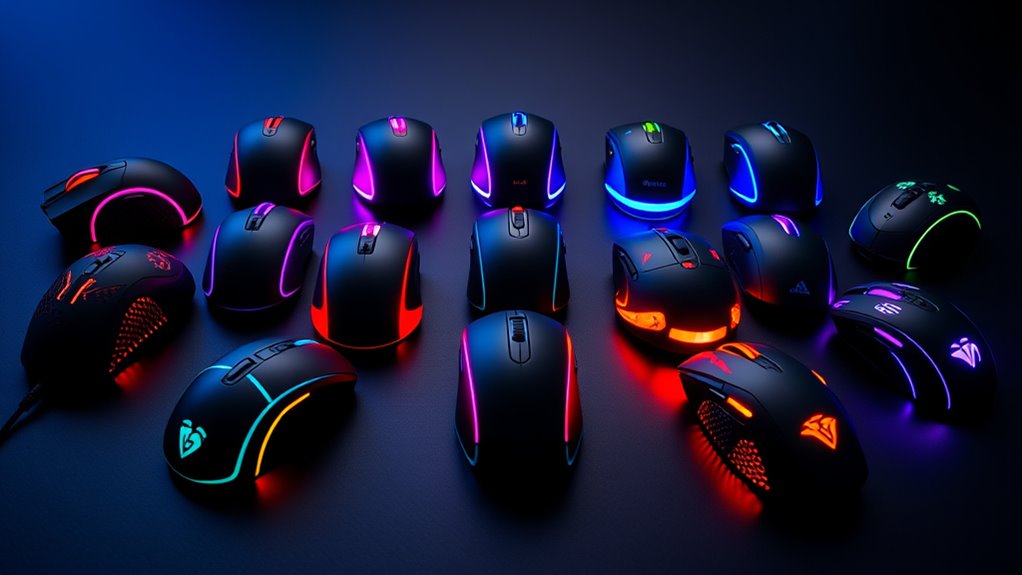

RGB gaming mice are a popular choice for gamers wanting both performance and style. The Logitech G502 Hero stands out as the overall best for its precision and durability, while the Razer Basilisk V3 offers extensive customization for serious enthusiasts. Another notable option is the Aula SC620 Wireless for those prioritizing wireless connectivity and versatility. The main tradeoffs in this category often involve balancing high-end features against price, or choosing between wired stability and wireless convenience. Continue reading to see how these models stack up across different priorities and budgets.

Get business pricing on tech for your team
- Business-only prices and quantity discounts
- Tax-exempt purchasing
- Multiple users, one account, clear invoices
Key Takeaways
- Top models combine high DPI (above 10,000) with customizable RGB lighting for performance and aesthetics.
- Wireless options are catching up in responsiveness but often come at a higher cost or with battery considerations.
- Programmable buttons and remapping capabilities are common in gaming-focused mice, but not all are equally intuitive.
- Build quality and ergonomics vary significantly, affecting comfort during extended gaming sessions.
- Value varies widely; premium models offer extensive features, but some mid-range options deliver excellent performance for less.
| Aula SC620 Wireless Gaming Mouse with Tri-Mode Connectivity, 12000 DPI, Programmable Macro Buttons, RGB Lighting, White |  | Best Versatile Wireless RGB Gaming Mouse | Connectivity Technology: 2.4GHz wireless, BT5.3, USB | Additional Features: Tri-Mode Wireless Connect, Hollowed-out Design, 12,000 DPI, Programmable Buttons, Rechargeable | Button Quantity: 7 | VIEW ON AMAZON | See Our Full Breakdown |
| Logitech G203 Wired Gaming Mouse – Black |  | Best Budget Wired RGB Gaming Mouse | DPI: 8,000 | Number of Buttons: 6 | Cable Length: 6.89 ft (2.1 m) | VIEW ON AMAZON | See Our Full Breakdown |
| Redragon M908 Wired MMO RGB Gaming Mouse 12400 DPI Remapping Keys |  | Best High-Precision MMO RGB Gaming Mouse | DPI: 12400 | DPI Levels: 5 (500/1000/2000/3000/6200) | Polling Rate: 1000 Hz | VIEW ON AMAZON | See Our Full Breakdown |
| Redragon M612 Wireless RGB Optical Gaming Mouse 8000 DPI Remapping Keys |  | Best Wireless RGB Gaming Mouse with Versatile Connectivity | DPI: 8000 | Connectivity: Bluetooth, 2.4GHz | Buttons: 12 programmable | VIEW ON AMAZON | See Our Full Breakdown |
| Wired PC Gaming Mouse with RGB Backlit and Adjustable DPI | 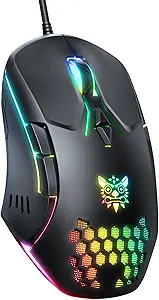 | Best All-Around Wired RGB Gaming Mouse | Sensor: PMW3389 | DPI: 1200/2400/3600 | Buttons: 7 programmable | VIEW ON AMAZON | See Our Full Breakdown |
| Redragon M810 PRO Wireless RGB Gaming Mouse 10000 DPI Remapping Keys |  | Best Overall Wireless RGB Gaming Mouse | Connectivity Technology: 2.4Ghz Wireless, USB-C | Number of Buttons: 8 | Sensor: PAW3325 Optical Pixart | VIEW ON AMAZON | See Our Full Breakdown |
| INPHIC A9 Wireless Gaming Mouse, Rechargeable, 12800 DPI |  | Best Versatile Wireless Gaming Mouse | Connection Modes: Bluetooth 5.0 Dual Channel, 2.4GHz Wireless, USB-C Wired | DPI: 800/1600/2400/3200/4800/12800 | Battery: 500mAh rechargeable | VIEW ON AMAZON | See Our Full Breakdown |
| Logitech G502 Hero Wired Gaming Mouse – Black |  | Best High-Performance Wired Gaming Mouse | Sensor: HERO 25,600 DPI | Buttons: 11 programmable | Lighting: RGB LIGHTSYNC | VIEW ON AMAZON | See Our Full Breakdown |
| BENGOO Gaming Mouse Wired with RGB Backlit, Ergonomic PC Computer Mouse |  | Best Budget Wired Gaming Mouse | DPI: 1200-3600 | Buttons: 6 | Lighting: RGB | VIEW ON AMAZON | See Our Full Breakdown |
| Razer Basilisk V3 Customizable RGB Wired Ergonomic Gaming Mouse, Black |  | Best Premium RGB Gaming Mouse | Connectivity Technology: USB | Number of Programmable Buttons: 11 | Sensor: Focus Plus 26K DPI | VIEW ON AMAZON | See Our Full Breakdown |
| Redragon M602 Gaming Mouse, Wired RGB Ergonomic Mouse with 7200 DPI and 9 Programmable Buttons |  | Best Overall Wired RGB Gaming Mouse | Connectivity Technology: USB | Maximum Sensitivity: 7200 dots_per_inch | Button Quantity: 8 | VIEW ON AMAZON | See Our Full Breakdown |
| SOLAKAKA SM600 White Wireless Gaming Mouse, Tri-Mode BT5.1/Type-C Wired/2.4G, Programmable Macro, RGB Light |  | Best Versatile Wireless RGB Gaming Mouse | Connection Modes: Bluetooth 5.1, Type-C Wired, 2.4G Wireless | DPI Levels: 800, 1200, 1600, 2400, 4000, 8000 | Battery Capacity: 600 mAh | VIEW ON AMAZON | See Our Full Breakdown |
| Redragon M612 Wired RGB Optical Gaming Mouse 8000 DPI Remapping Keys |  | Best High-Precision Wired RGB Gaming Mouse | Connectivity Technology: USB | Maximum Sensitivity: 8000 dots_per_inch | Button Quantity: 11 | VIEW ON AMAZON | See Our Full Breakdown |
| Razer Basilisk V3 X HyperSpeed Wireless Gaming Mouse, Black |  | Best Premium Wireless RGB Gaming Mouse | Connectivity: HyperSpeed Wireless and Bluetooth | Battery Life: Up to 285 hours (Wireless), 535 hours (Bluetooth) | Sensor: Razer 5G Advanced 18K Optical Sensor | VIEW ON AMAZON | See Our Full Breakdown |
More Details on Our Top Picks
Aula SC620 Wireless Gaming Mouse with Tri-Mode Connectivity, 12000 DPI, Programmable Macro Buttons, RGB Lighting, White
The Aula SC620 stands out for its tri-mode connectivity, allowing seamless switching between wireless (Bluetooth 5.3 or 2.4GHz) and wired modes. Compared to wired-only options like the Logitech G203, it offers greater flexibility for gaming on multiple devices, including mobiles and tablets. However, the Bluetooth macro mode is limited, requiring driver installation for customization and potentially impacting ease of use. Its high 12000 DPI sensitivity ensures precise control, making it suitable for fast-paced games or detailed design work. The lightweight, ergonomic design reduces fatigue during prolonged use, while RGB lighting adds visual flair. The main tradeoff involves battery life, which can vary depending on RGB usage, and some features may require firmware updates. This pick makes the most sense for gamers who want a flexible, multi-device mouse without sacrificing performance or aesthetics.
Pros:- Tri-mode connectivity supports wireless and wired use across multiple devices
- High 12000 DPI for precise and fast control
- Lightweight ergonomic design reduces fatigue
- Customizable RGB lighting enhances aesthetic appeal
Cons:- BT mode limits macro programming and some features
- Requires driver installation for full macro customization
- Battery life varies with RGB lighting usage
Best for: Gamers and professionals who need a versatile, multi-platform wireless mouse with customizable lighting and macros.
Not ideal for: Users who prioritize simplicity or long battery life over multi-mode connectivity, as the setup can be complex and battery life may vary.
- Connectivity Technology:2.4GHz wireless, BT5.3, USB
- Additional Features:Tri-Mode Wireless Connect, Hollowed-out Design, 12,000 DPI, Programmable Buttons, Rechargeable
- Button Quantity:7
- Compatible Devices:Gaming Console, PC, Smartphone, Tablet
- Operating System:Windows, Mac OS, Linux, Android
- Maximum Sensitivity:12000 dots_per_inch
Our verdict“This mouse suits users seeking a flexible, high-performance wireless option for gaming and productivity across different devices.”
Logitech G203 Wired Gaming Mouse – Black
The Logitech G203 is a solid choice for gamers who want reliable performance without extra frills. Its 8,000 DPI optical sensor provides accurate tracking, sufficient for most casual and competitive gaming. Unlike the high-DPI options like the Redragon M908, it offers a more modest sensitivity, but its durability and comfortable six-button layout make it ideal for everyday use. RGB lighting is customizable via Logitech G HUB, adding style without complicating setup. As a wired mouse, it guarantees consistent connection, but this can limit movement compared to wireless models like the Redragon M612. The cable length of nearly 7 feet offers flexibility, though some may prefer wireless for unobstructed freedom. Its straightforward design and software make it accessible for new gamers, but advanced customization options are limited.
Pros:- Reliable 8,000 DPI optical sensor for accurate tracking
- Customizable RGB lighting and macros via G HUB
- Comfortable six-button layout for gaming
- Durable build with mechanical primary buttons
Cons:- Wired connection limits mobility
- Limited to 5 DPI settings
- Lacks additional programmable buttons for advanced customization
Best for: Casual gamers or newcomers who need a reliable, affordable wired mouse with RGB lighting and decent sensitivity.
Not ideal for: Gamers seeking wireless freedom or ultra-high DPI for competitive FPS play, as its DPI ceiling is 8,000.
- DPI:8,000
- Number of Buttons:6
- Cable Length:6.89 ft (2.1 m)
- Connectivity:USB Type-A
Our verdict“Ideal for beginners or budget-conscious gamers seeking a dependable wired RGB mouse for everyday gaming.”
Redragon M908 Wired MMO RGB Gaming Mouse 12400 DPI Remapping Keys
The Redragon M908 excels for MMO players needing extensive customization, thanks to its 18 programmable buttons and 12400 DPI sensor. Its high precision and customizable profiles outperform basic mice like the Logitech G203 in detail-oriented gameplay. The RGB backlighting with 16.8 million colors adds flair, and the adjustable weights allow tailoring the feel for prolonged sessions. However, its complex feature set may overwhelm casual users who only need a few programmable buttons, and full customization requires software, which could be inconvenient. The heavy weight of 175 grams may also be a drawback for players preferring lighter mice. Despite these tradeoffs, the M908 offers top-tier precision and extensive control for dedicated MMO and MOBA gamers.
Pros:- High 12400 DPI sensor for precise tracking
- 18 programmable buttons with customizable profiles
- RGB backlighting with 16.8 million colors
- Weight tuning set for personalized feel
Cons:- Complex for casual users due to extensive features
- Requires software for full customization
- Heavy weight may reduce agility
Best for: Serious MMO and MOBA players who prioritize extensive customization and high DPI accuracy.
Not ideal for: Casual gamers or those seeking a lightweight, plug-and-play mouse, as its size and complexity demand a learning curve.
- DPI:12400
- DPI Levels:5 (500/1000/2000/3000/6200)
- Polling Rate:1000 Hz
- Number of Buttons:18
- RGB Backlighting:Yes
- Cable:6ft braided-fiber with gold-plated USB
Our verdict“Best suited for dedicated gamers who need maximum control and customization in a wired mouse, accepting the complexity and weight.”
Redragon M612 Wireless RGB Optical Gaming Mouse 8000 DPI Remapping Keys
The Redragon M612 offers a compelling wireless gaming experience with 8000 DPI sensitivity and dual connectivity via Bluetooth and 2.4GHz, making it versatile for gaming and everyday use. Compared with wired options like the Logitech G203, it provides freedom of movement, though at the expense of battery management, as it requires recharging or battery replacement. Its 12 programmable buttons allow macro customization, suitable for MMO or MOBA players. The ergonomic, matte-finished design reduces fatigue, but the software setup can be complex for some users. Range is sufficient for most gaming scenarios at around 10 meters. The tradeoff involves managing batteries and ensuring software compatibility with Windows 10, which might be a hurdle for some.
Pros:- High 8000 DPI sensor for accurate control
- Dual connectivity via Bluetooth and 2.4GHz
- 12 programmable buttons for macros
- Ergonomic design and matte finish
Cons:- Requires batteries or recharging
- Limited to Windows 10 compatibility
- Software setup may be complex for some users
Best for: Gamers wanting wireless flexibility with macro capabilities, especially those who play on multiple devices or prefer a clutter-free setup.
Not ideal for: Players who prefer plug-and-play simplicity or need longer battery life, as recharging can interrupt long gaming sessions.
- DPI:8000
- Connectivity:Bluetooth, 2.4GHz
- Buttons:12 programmable
- Range:10 meters
Our verdict“This mouse suits gamers who need wireless freedom combined with macro customization, accepting battery management as a tradeoff.”
Wired PC Gaming Mouse with RGB Backlit and Adjustable DPI
The Wired PC Gaming Mouse provides a balanced mix of performance and customization, featuring a PMW3389 sensor with adjustable DPI settings up to 3600, suitable for various gaming styles. Unlike the high-DPI wired options like the Redragon M908, it offers a more accessible DPI range for casual to competitive players. Its RGB backlit and programmable buttons add personality and control, making it a versatile choice for long sessions. The ergonomic design ensures comfort, but the lack of detailed weight information and durability data limits confidence in prolonged heavy use. Manual DPI adjustments and lighting settings are necessary, slightly complicating setup. Overall, it’s a flexible option for gamers who want a reliable wired mouse with aesthetic flair.
Pros:- Adjustable DPI up to 3600 for versatile control
- RGB backlighting enhances gaming atmosphere
- Programmable buttons for personalized controls
- Ergonomic design for comfort
Cons:- Lacks detailed weight and durability info
- Requires manual setup for DPI and lighting
- No wireless option for mobility
Best for: Gamers who want a customizable wired mouse with moderate DPI and RGB lighting for varied gameplay and long sessions.
Not ideal for: Players seeking ultra-high DPI or wireless flexibility, as its maximum DPI is 3600 and it’s wired-only.
- Sensor:PMW3389
- DPI:1200/2400/3600
- Buttons:7 programmable
- Lighting:RGB backlit
Our verdict“Suitable for gamers who want a reliable, customizable wired mouse with moderate DPI and aesthetic features for everyday gaming.”
Redragon M810 PRO Wireless RGB Gaming Mouse 10000 DPI Remapping Keys
The Redragon M810 PRO stands out for its combination of high-performance wireless connectivity and customization options. Compared to the INPHIC A9, it offers a higher DPI sensitivity, making it better suited for precise gaming. However, it requires software for full macro customization, which could be a hurdle for some users. Its long 45-hour battery life and ergonomic design make it ideal for extended gaming or work sessions. The RGB lighting adds a personalized touch, but some may find the size bulky for smaller hands.
Pros:- High-precision 10,000 DPI sensor for accurate tracking
- Customizable macro buttons for gaming and productivity
- Long battery life up to 45 hours
- Vibrant RGB lighting with DIY style options
Cons:- Requires software for full customization
- Battery life may vary with extensive use
- Some users may find the size bulky
Best for: gamers who want a reliable, feature-rich wireless mouse for long sessions
Not ideal for: users preferring a lightweight, compact mouse or those on a tight budget who dislike software dependencies
- Connectivity Technology:2.4Ghz Wireless, USB-C
- Number of Buttons:8
- Sensor:PAW3325 Optical Pixart
- Maximum Sensitivity:12000 dots_per_inch
- Polling Rate:1000Hz
- Battery Life:45 hours
- Compatibility:Gaming Console, Personal Computer, Tablet
- Item Weight:4 ounces
- Item Dimensions:8.07″L x 6.1″W
Our verdict“This mouse is best suited for gamers seeking a wireless model with extensive customization and long battery life.”
INPHIC A9 Wireless Gaming Mouse, Rechargeable, 12800 DPI
The INPHIC A9 offers versatile connectivity options, supporting Bluetooth 5.0, 2.4GHz wireless, and wired USB-C. It’s a solid choice for users who switch between multiple devices, unlike the Redragon M810 PRO which focuses solely on PC use. Its ergonomic shape reduces wrist strain, making it ideal for long work or gaming sessions. With a DPI up to 12,800, it provides high precision but the DPI adjustment buttons can feel less intuitive. The rechargeable battery lasts up to a month, though the USB-C cable isn’t included, adding some inconvenience for wired use.
Pros:- Supports multiple connection modes for versatile device use
- Ergonomic design reduces wrist strain
- High DPI for precise control
- Rechargeable battery with long standby
Cons:- USB-C data cable not included
- Requires separate cable for wired mode
- DPI adjustment buttons less intuitive
Best for: multi-device users who need a reliable, ergonomic wireless mouse for both work and gaming
Not ideal for: users seeking a dedicated gaming mouse with maximum DPI or those who prefer wireless-only setups without wired options
- Connection Modes:Bluetooth 5.0 Dual Channel, 2.4GHz Wireless, USB-C Wired
- DPI:800/1600/2400/3200/4800/12800
- Battery:500mAh rechargeable
- Battery Life:Up to 1 month
- Compatibility:Windows, macOS, Linux, Android, iOS
Our verdict“This model suits multi-device users who prioritize versatility and ergonomic comfort over ultra-high DPI for competitive gaming.”
Logitech G502 Hero Wired Gaming Mouse – Black
The Logitech G502 Hero offers a compelling combination of high DPI sensitivity and customizability, making it ideal for competitive gamers. Its HERO sensor reaches up to 25,600 DPI, surpassing the Razer Basilisk V3 in raw sensitivity, but the wired connection can feel limiting for those who prefer the freedom of wireless mice. The 11 programmable buttons and weight adjustment system provide tailored control, although the setup process can be complex. The RGB lighting syncs with gaming, enhancing aesthetics, but the software required for full customization may be daunting for some users.
Pros:- High-precision HERO sensor with up to 25,600 DPI
- Multiple programmable buttons for complex commands
- Adjustable weights for personalized comfort
- RGB lighting synchronized with gaming profiles
Cons:- Wired connection limits mobility
- Complex software setup can be overwhelming
- Wired cable may restrict movement during intense gameplay
Best for: hardcore gamers needing maximum sensitivity and extensive button customization in a wired form factor
Not ideal for: users seeking wireless flexibility or casual gamers who prefer simpler setups
- Sensor:HERO 25,600 DPI
- Buttons:11 programmable
- Lighting:RGB LIGHTSYNC
- Weights:Up to five 3.6 g weights
- Scroll Wheel:Dual mode hyper-fast
- Switch Type:Mechanical with tensioning system
Our verdict“This wired mouse is perfect for gamers demanding top-tier sensitivity and extensive customization, provided they don’t mind the cable.”
BENGOO Gaming Mouse Wired with RGB Backlit, Ergonomic PC Computer Mouse
The BENGOO Gaming Mouse delivers essential gaming features at a budget-friendly price. Its DPI range up to 3600 caters to casual gamers rather than competitive professionals, but the ergonomic design offers comfort during long sessions. The RGB lighting enhances the aesthetic without overwhelming the senses, and the plug-and-play setup makes it accessible for beginners. Compared to the Redragon M810 PRO, it sacrifices higher DPI and advanced customization for affordability, making it suitable for entry-level players or those who don’t need extensive macro options.
Pros:- Adjustable DPI up to 3600 for decent precision
- Ergonomic design for comfortable use
- Multi-color RGB lighting enhances gaming atmosphere
- Plug and play with no driver needed
Cons:- Limited to wired connection, no wireless option
- DPI max is lower than premium models
- Design may not suit left-handed users
Best for: beginners or gamers on a tight budget seeking a reliable wired mouse with decent DPI and RGB lighting
Not ideal for: hardcore gamers or those requiring high DPI and customization features
- DPI:1200-3600
- Buttons:6
- Lighting:RGB
- Connectivity:USB
- Compatible Devices:Laptop, PC, Mac
- Maximum Sensitivity:3600 dots per inch
Our verdict“This mouse offers solid basic gaming performance for users on a budget who don’t need advanced features.”
Razer Basilisk V3 Customizable RGB Wired Ergonomic Gaming Mouse, Black
The Razer Basilisk V3 excels with its high level of customization, including 11 programmable buttons and a 26K DPI sensor, making it ideal for competitive gamers who want precise control. Its ergonomic design with a thumb rest supports long gaming sessions comfortably. Compared with the Logitech G502 Hero, it offers more RGB customization options and a more refined user experience, but at a higher price point. The wired connection ensures consistent performance, though it limits mobility and can be a drawback for players who prefer wireless setups. Its complex software might be overwhelming for casual users.
Pros:- Highly customizable with 11 programmable buttons
- Precise 26K DPI optical sensor
- Ergonomic design with thumb rest
- Dual-mode tilt scroll wheel
Cons:- Premium price may be prohibitive for some
- Wired connection limits mobility
- Complex customization interface can be overwhelming
Best for: professional or dedicated gamers seeking maximum customization and comfort for competitive play
Not ideal for: casual gamers or users who prefer wireless convenience over extensive features
- Connectivity Technology:USB
- Number of Programmable Buttons:11
- Sensor:Focus Plus 26K DPI
- Lighting:Razer Chroma RGB
- Scroll Wheel:Tilt wheel with free-spin and tactile modes
- Design:Ergonomic with thumb rest
Our verdict“This mouse is suited for competitive players who need extensive button mapping and high sensitivity, accepting the wired setup and premium cost.”
Redragon M602 Gaming Mouse, Wired RGB Ergonomic Mouse with 7200 DPI and 9 Programmable Buttons
The Redragon M602 stands out as the best wired option thanks to its combination of high customization and comfort. Its adjustable 7200 DPI offers precise control, especially when compared to the lower sensitivity of the Redragon M612, making it suitable for more demanding gamers. Its ergonomic shape ensures comfort during long sessions, but the wired connection can feel restrictive for those who prefer freedom of movement. The software support for macros and lighting customization allows deep personalization, yet it requires a download that might be a hurdle for some users. Overall, this mouse balances performance and comfort effectively, making it ideal for gamers who prioritize reliability and full customization in a wired form.
Pros:- Adjustable 7200 DPI for precise aiming and movement
- Ergonomic design reduces fatigue during long gaming marathons
- Customizable RGB lighting and programmable buttons for personalization
- Durable build with positive reviews for longevity
Cons:- Wired connection limits mobility and can cause cable clutter
- Requires software download for full macro and lighting customization
Best for: Gamers who need a durable, customizable wired mouse for extended sessions and precise control
Not ideal for: Players preferring wireless setups or those who dislike wired clutter during fast-paced gameplay
- Connectivity Technology:USB
- Maximum Sensitivity:7200 dots_per_inch
- Button Quantity:8
- Additional Features:7200 Adjustable DPI, Macro Editing, Programmable Buttons, RGB Lights
- Operating System:Linux, Mac, Windows
- Item Dimensions:5″ L x 3.2″ W
Our verdict“This pick is best suited for gamers who want a reliable, customizable wired mouse with comfort for extended use.”
SOLAKAKA SM600 White Wireless Gaming Mouse, Tri-Mode BT5.1/Type-C Wired/2.4G, Programmable Macro, RGB Light
The SOLAKAKA SM600 offers remarkable versatility with its tri-mode connectivity options—Bluetooth 5.1, Type-C wired, and 2.4G wireless—making it ideal for users who switch devices frequently. Its 8000 DPI provides sharp precision, comparable to the Razer Basilisk V3 X but in a more portable, lightweight shell. It’s perfect for those who want seamless transitions between gaming and work, though its complex setup might be a hurdle for less tech-savvy users. The rechargeable 600 mAh battery supports long hours of use, but frequent heavy use could require recharging more often. Overall, this mouse is ideal for gamers and professionals who need flexibility and customization in a single device.
Pros:- Tri-mode connectivity for flexible device switching
- Customizable buttons and DPI settings for tailored control
- Lightweight design with honeycomb shell reduces fatigue
- Rechargeable battery for long-lasting use
Cons:- Battery life may decline with heavy or continuous use
- Complex software setup can be intimidating for some users
Best for: Multidevice users who want a flexible, portable, and customizable wireless mouse for gaming and daily tasks
Not ideal for: Users who prefer simple plug-and-play devices or have limited space for multiple devices
- Connection Modes:Bluetooth 5.1, Type-C Wired, 2.4G Wireless
- DPI Levels:800, 1200, 1600, 2400, 4000, 8000
- Battery Capacity:600 mAh
- Lighting:RGB Rainbow Backlight
- Weight:Lightweight with honeycomb shell
- Operating System:Windows, Mac
Our verdict“This mouse is perfect for multi-device users seeking a highly adaptable, stylish wireless option with RGB flair.”
Redragon M612 Wired RGB Optical Gaming Mouse 8000 DPI Remapping Keys
The Redragon M612 excels for gamers demanding high sensitivity and extensive button customization, with its 8000 DPI sensor and 11 programmable buttons. Compared to the Redragon M602, it offers more remappable controls, which benefits players who rely on macros and quick access to commands. Its ergonomic shape and textured grip improve control during long gaming sessions, but the necessity of software for full remapping can be a hurdle for some. The wired connection provides reliable, lag-free performance essential in competitive gaming, though it limits mobility. This mouse is a strong choice for players who prioritize precision, control, and extensive customization over wireless convenience.
Pros:- High sensitivity with 8000 DPI for precise targeting
- Multiple programmable buttons for macro commands
- Vibrant RGB backlit modes for aesthetic customization
- Ergonomic design reduces fatigue
Cons:- Requires software for full remapping features
- Wired connection limits movement options
Best for: Competitive gamers needing high DPI and many programmable controls for complex gameplay
Not ideal for: Casual players or those who prefer wireless setups with fewer buttons
- Connectivity Technology:USB
- Maximum Sensitivity:8000 dots_per_inch
- Button Quantity:11
- Additional Features:Macro Keys, RGB Backlighting, Comfort Grip
- Operating System:Windows, macOS
- Materials:ABS
Our verdict“Ideal for competitive gamers who need high precision and extensive macro controls in a wired form.”
Razer Basilisk V3 X HyperSpeed Wireless Gaming Mouse, Black
The Razer Basilisk V3 X HyperSpeed offers a premium wireless experience with its 18K optical sensor and 9 customizable buttons, making it suitable for serious gamers. Its long battery life—up to 285 hours on wireless and over 500 hours on Bluetooth—sets it apart from wired competitors like the Redragon M602, especially for extended gaming sessions. Razer’s Chroma RGB lighting and dynamic effects elevate the aesthetic, and its multi-device support simplifies switching between setups. However, its complexity can be overwhelming for new users, and latency issues may arise in environments with unstable wireless signals. Overall, this mouse is designed for gamers who want high performance, extensive customization, and the convenience of wireless gaming without compromise.
Pros:- Highly customizable with 9 programmable controls
- Long battery life suitable for marathon gaming sessions
- Responsive, precise 18K optical sensor for accurate tracking
- Dynamic Chroma RGB lighting enhances immersion
Cons:- Complex setup may be daunting for newcomers
- Battery life can vary based on usage and settings
- Wireless connectivity might experience latency in some environments
Best for: High-end gamers seeking a feature-rich, long-lasting wireless mouse with extensive controls
Not ideal for: Casual players or those with limited wireless network stability who prefer simple plug-and-play devices
- Connectivity:HyperSpeed Wireless and Bluetooth
- Battery Life:Up to 285 hours (Wireless), 535 hours (Bluetooth)
- Sensor:Razer 5G Advanced 18K Optical Sensor
- Number of Controls:9
- Lighting:Razer Chroma RGB with 16.8 million colors
- Switches:Razer Mechanical Mouse Switches Gen-2
Our verdict“This mouse is best for dedicated gamers who want a high-performance, feature-rich wireless experience with extensive customization options.”

How We Picked
Our evaluation focused on performance, usability, build quality, and value. We prioritized mice with high DPI sensors for precision, durable switches, and customizable RGB lighting to match gaming setups. Ease of use, including software interface and button remapping, also influenced rankings. Wireless performance was assessed based on latency and battery life, with wired options evaluated for reliability and simplicity. The ranking reflects a balance of these factors, aiming to recommend models suitable for different budgets and gaming styles.Factors to Consider When Choosing Rgb Gaming Mice
Choosing the right RGB gaming mouse involves more than just aesthetics. It’s important to consider how the mouse feels in your hand, the precision of its sensor, and its customization options. Compatibility with your setup and software also play a role, especially if you want to fine-tune your lighting or button mappings. Understanding these factors helps you avoid common pitfalls like sacrificing comfort for looks or overspending on unnecessary features.Sensor Accuracy and DPI
The core of any gaming mouse is its sensor. Higher DPI generally means more precise cursor control, which is vital for fast-paced games. However, extremely high DPI settings aren’t always necessary for casual gamers. Look for a sensor with accurate tracking and adjustable DPI that suits your gaming style. Avoid models with unreliable sensors, which can lead to inconsistent performance during critical moments.
Ergonomics and Comfort
If you spend hours gaming, comfort becomes a key factor. A well-designed shape that fits your hand and a good grip will reduce fatigue. Some mice are designed for right-handed, left-handed, or ambidextrous use, so choose one that matches your grip style. Don’t overlook weight; lighter mice offer quicker movements, but heavier ones can provide more stability—balance these aspects based on your preferences.
Customization and Buttons
Programmable buttons and RGB lighting are signature features of gaming mice. More buttons can provide quick access to macros or game commands, giving you a competitive edge. Software ease of use is critical—complex interfaces can hinder setup and customization. Be mindful that extra features often come with a higher price, so consider what truly enhances your gameplay before paying for bells and whistles.
Wireless vs Wired
Wireless mice offer freedom of movement and less clutter, but some gamers worry about latency. Modern wireless models have minimized lag, making them suitable for competitive play, yet they tend to be pricier and need battery management. Wired mice typically provide more reliable connections and are often cheaper, but they limit mobility. Decide based on your gaming environment and whether wireless convenience outweighs potential latency concerns.
Build Quality and Durability
Gaming mice endure intense use, so durability is essential. Switch quality affects longevity—look for models with high-quality switches rated for millions of clicks. The materials used in the shell and the quality of the scroll wheel also matter. Investing in a well-built model reduces the need for replacements and ensures consistent performance over time.
Frequently Asked Questions
Can I use an RGB gaming mouse for non-gaming tasks?
Absolutely. RGB gaming mice are versatile tools that work well for everyday tasks, including browsing, productivity, and creative work. The customizable lighting can add aesthetic appeal to your setup, and many models offer high-precision sensors suitable for detailed work. However, some features like programmable buttons may be overkill if you only need basic functionality, so choose accordingly.
How important is wireless latency in choosing a gaming mouse?
Wireless latency can impact responsiveness, especially in fast-paced or competitive gaming. Modern wireless mice have significantly reduced lag, making them suitable for most gamers. Nevertheless, if you play titles requiring split-second reactions, a wired mouse might still provide peace of mind due to its inherently stable connection. Consider your gaming style and environment when deciding.
Do I need a high DPI mouse for casual gaming?
Not necessarily. Most casual gamers find that DPI settings between 800 and 1600 are sufficient for everyday gaming. High DPI sensors are more beneficial for competitive players who need quick, precise movements, or for tasks like digital art. For casual use, a mid-range DPI sensor offers a good balance of accuracy and smooth control without unnecessary expense.
Are expensive RGB gaming mice worth the extra cost?
It depends on your needs. Premium models often include advanced features like higher DPI, customizable weights, superior build quality, and extensive software options. If you prioritize durability, customization, or competitive performance, paying more can be justified. However, entry-level or mid-range mice often deliver excellent performance for most gamers without the higher price tag.
How often should I replace my gaming mouse?
Quality gaming mice can last several years if well maintained, with many rated for millions of clicks. Signs it’s time for a replacement include inconsistent tracking, worn switches, or physical damage. Upgrading might also be warranted when new features or better ergonomics become available that can improve your gaming experience. Regular cleaning and careful handling extend a mouse’s lifespan considerably.
Conclusion
For casual gamers or those just starting out, a mid-range wired mouse like the Logitech G203 offers reliable performance and RGB flair at a reasonable price. Serious enthusiasts and competitive players should consider the Razer Basilisk V3 for its extensive customization and high-end sensor, while those seeking wireless convenience will find the Redragon M810 PRO or Razer Basilisk V3 X compelling options. Budget buyers can get solid performance with models like the BENGOO Wired RGB Mouse, but investing in a well-built, feature-rich mouse pays off in the long run for dedicated gamers.
As an affiliate, we earn on qualifying purchases.Halloween Picks
halloween