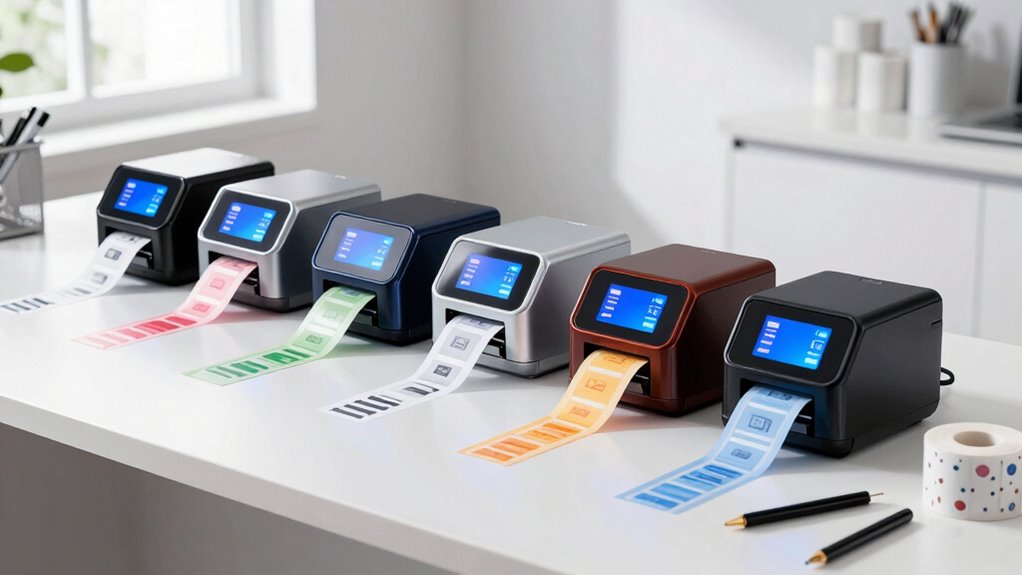
A professional thermal label printer for small business fulfillment needs to do three things well: print 4×6 shipping labels quickly, connect reliably to whatever device you ship from, and survive a full day of order processing without jamming or overheating. The Brother QL-1100C stands out as my best overall pick because of its wide-format flexibility and brand-backed reliability for high-volume days. If budget is the constraint, the JADENS Bluetooth and Nelko PL70E cover the basics of wireless label printing without asking much in return, while the Rollo USB remains the workhorse choice for sellers who print from a desktop and want commercial-grade durability. The main tradeoff in this category is connectivity versus raw speed: Bluetooth models offer flexibility for phone-based workflows, but USB-only desktop units like the Rollo and Brother TD-2125N generally print faster and hold up better under sustained volume. Continue reading for the full breakdown of all 14 printers, including who each one is for and who should skip it.

Get business pricing on tech for your team
- Business-only prices and quantity discounts
- Tax-exempt purchasing
- Multiple users, one account, clear invoices
Key Takeaways
- Name-brand models (Brother QL-1100C, Brother TD-2125N) separated themselves on build quality and driver stability, while most budget Bluetooth units traded durability for a lower entry cost.
- Print resolution was the biggest differentiator for label legibility: 300DPI models like the Phomemo PM643 produced noticeably crisper barcodes than the 203DPI budget field, which matters when carriers scan your packages.
- Built-in label storage (D450BT‘s label bin, the integrated label holder on pick 9) proved more useful than it sounds, cutting desk clutter and misfeeds during long fulfillment sessions.
- USB-only desktop printers consistently outpaced Bluetooth models in sustained throughput, so wireless convenience came at a real speed cost for high-volume sellers.
- Cross-platform support varied widely: several budget Bluetooth units struggled with macOS or required clunky third-party apps, while Brother and iDPRT offered the smoothest multi-device setup.
| Brother QL-1100C Wide-Format Thermal Label Printer |  | Best for Office Desk Reliability | Maximum Label Width: 4 inches | Print Resolution: 300 dpi | Print Speed: Up to 69 standard address labels per minute | VIEW ON AMAZON | See Our Full Breakdown |
| NULLTONEX Thermal Shipping Label Printer 4×6 Bluetooth Label Maker |  | Best Budget Starter Pick | Print Technology: Direct thermal | Resolution: 203 DPI | Print Speed: 150mm/s (72 labels per minute) | VIEW ON AMAZON | See Our Full Breakdown |
| Phomemo PM643 4″ Touchscreen Wi-Fi Thermal Shipping Label Printer, 300DPI |  | Best Overall | Resolution: 300 DPI | Print Speed: 180mm/s | Screen: 4″ 1080P HD touchscreen with stylus | VIEW ON AMAZON | See Our Full Breakdown |
| JADENS Bluetooth Thermal Shipping Label Printer |  | Best for Easy Setup | Connectivity: Bluetooth, USB | Print Resolution: 203 DPI | Label Width Range: 1.57″ to 4.1″ | VIEW ON AMAZON | See Our Full Breakdown |
| D450BT Bluetooth Shipping Label Printer with Built-in Label Bin |  | Best Compact All-in-One Design | Connectivity: Bluetooth, USB | Print Technology: Thermal (no ink/toner required) | Print Resolution: 203 DPI | VIEW ON AMAZON | See Our Full Breakdown |
| MUNBYN Bluetooth Thermal Label Printer |  | Best for Long-Term Durability | Connectivity: Bluetooth | Print Technology: Direct Thermal | Label Width Range: 1.57″ to 4.25″ | VIEW ON AMAZON | See Our Full Breakdown |
| iDPRT SP410BT 4×6 Thermal Label Printer |  | Best for Cross-Platform Workflows | Printing Technology: Direct Thermal | Connectivity: Bluetooth and USB | Label Width: 2–4.25 inches | VIEW ON AMAZON | See Our Full Breakdown |
| Rollo USB Shipping Label Printer – Commercial Grade 4×6 Thermal Printer |  | Best Workhorse for Dedicated Shipping Stations | Print Technology: Direct Thermal | Connectivity: USB 2.0 (wired) | Print Speed: 150 mm/s (one 4×6 label per second) | VIEW ON AMAZON | See Our Full Breakdown |
| Bluetooth Thermal Shipping Label Printer with Built-In Label Holder | 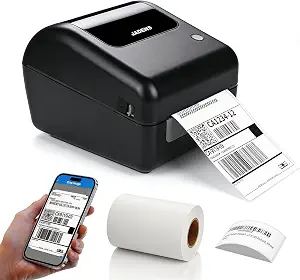 | Best Bench-Friendly Design | Printer Type: Thermal (Monochrome) | Connectivity: Bluetooth, USB | Resolution: 203 × 203 DPI | VIEW ON AMAZON | See Our Full Breakdown |
| Nelko PL70E Bluetooth Thermal Shipping Label Printer |  | Best Compact Value for Home Offices | Printer Type: Direct Thermal | Resolution: 203 x 203 DPI | Print Speed: 150 mm/s (up to 72 labels/min) | VIEW ON AMAZON | See Our Full Breakdown |
| Rongta Bluetooth Shipping Label Printer – Wireless 4×6 Thermal Label Printer |  | Best Plug-and-Play Mobile Workflow | Weight: 0.65 kg (1.4 lbs) | Dimensions: 10.2 x 7.4 x 5.3 inches | Print Speed: Up to 150 mm/s | VIEW ON AMAZON | See Our Full Breakdown |
| KNAON Bluetooth Thermal Shipping Label Printer |  | Best for Template-Driven Labeling | Connectivity: Bluetooth, USB | Compatibility: iPhone, Android, Windows, Mac, ChromeOS, Linux | Print Speed: Up to 180 mm/s | VIEW ON AMAZON | See Our Full Breakdown |
| Brother TD-2125N 2-Inch Direct Thermal Desktop Label Printer |  | Best Networked Workgroup Labeler | Printer Type: Direct Thermal | Print Width: Up to 2.4 inches | Resolution: 203 x 203 dpi | VIEW ON AMAZON | See Our Full Breakdown |
| Hoorola Bluetooth Thermal Shipping Label Printer (4×6, Wireless) |  | Best E-Commerce Platform Integration | Print Technology: Direct Thermal (inkless) | Resolution: 203 dpi | Print Speed: 150 mm/s (up to 72 labels/min) | VIEW ON AMAZON | See Our Full Breakdown |
| professional thermal label printer for small business fulfillment | Connectivity | Print Speed | Resolution |
|---|---|---|---|
| Brother QL-1100C Wide-Format T | USB | Up to 69 standard address labels per minute | — |
| NULLTONEX Thermal Shipping Lab | Bluetooth, USB | 150mm/s (72 labels per minute) | 203 DPI |
| Phomemo PM643 4" Touchscreen W | Wi-Fi, AirPrint, Bluetooth, USB | 180mm/s | 300 DPI |
| JADENS Bluetooth Thermal Shipp | Bluetooth, USB | — | — |
| D450BT Bluetooth Shipping Labe | Bluetooth, USB | 72 labels/min | — |
| MUNBYN Bluetooth Thermal Label | Bluetooth | — | — |
| iDPRT SP410BT 4×6 Thermal Labe | Bluetooth and USB | — | — |
| Rollo USB Shipping Label Print | USB 2.0 (wired) | 150 mm/s (one 4×6 label per second) | 203 x 203 DPI |
| Bluetooth Thermal Shipping Lab | Bluetooth, USB | — | 203 × 203 DPI |
| Nelko PL70E Bluetooth Thermal | Bluetooth, USB | 150 mm/s (up to 72 labels/min) | 203 x 203 DPI |
| Rongta Bluetooth Shipping Labe | Bluetooth, USB Type-C | Up to 150 mm/s | 203 dpi |
| KNAON Bluetooth Thermal Shippi | Bluetooth, USB | Up to 180 mm/s | — |
| Brother TD-2125N 2-Inch Direct | Ethernet, USB 2.0, RS-232C Serial | 6 inches per second | 203 x 203 dpi |
| Hoorola Bluetooth Thermal Ship | Bluetooth, USB | 150 mm/s (up to 72 labels/min) | 203 dpi |
More Details on Our Top Picks
Brother QL-1100C Wide-Format Thermal Label Printer
The Brother QL-1100C earns its place by being the most polished desktop workhorse in this lineup. Its automatic cutter and automatic crop function set it apart from app-driven options like the Phomemo PM643 — you get clean, precisely cut labels and banners up to 3 feet long without fiddling with tear bars or manual sizing. Compared with the budget-friendly NULLTONEX, the Brother trades wireless flexibility for a more refined paper path and dependable feeding from continuous rolls and letter-size sheets.
The tradeoffs are real, though. It’s USB-only, so there’s no Bluetooth printing from a phone, and the automatic crop feature works only on Windows — a notable limitation for Mac-based sellers. It also locks you into Brother DK label supplies, which cost more per label than the generic thermal rolls most competitors accept.
Pros:- Automatic cutter handles continuous labels and banners up to 3 feet cleanly
- 300 dpi output produces crisp barcodes at fast print rates
- Automatic crop function reduces waste when printing from label sheets
- Backed by Brother’s established support and driver ecosystem
Cons:- USB-only connectivity rules out wireless printing entirely
- Requires proprietary Brother DK label supplies, which raise ongoing costs
- Automatic crop function is Windows-only, leaving Mac users without it
Best for: Small business owners who ship from a dedicated Windows or Mac workstation and value cut precision and long-term brand reliability over mobile convenience
Not ideal for: Sellers who print from phones or tablets, or anyone wanting to use cheap generic thermal rolls — the USB-only connection and DK label requirement will frustrate both
- Maximum Label Width:4 inches
- Print Resolution:300 dpi
- Print Speed:Up to 69 standard address labels per minute
- Printing Technology:Direct thermal
- Connectivity:USB
- Automatic Cutter:Supports continuous labels and banners up to 3 feet
- Compatibility:Windows and Mac
Our verdict“This is the pick for sellers who want a set-it-and-forget-it desktop printer and don’t mind paying more for Brother labels in exchange for cut precision and reliability.”
NULLTONEX Thermal Shipping Label Printer 4×6 Bluetooth Label Maker
For sellers just getting their fulfillment operation off the ground, the NULLTONEX delivers the core thermal-printer experience — no ink or toner, 4×6 shipping labels, and dual Bluetooth/USB connectivity — at an accessible entry point. It ships with 25 starter sheets of thermal labels, so you can print your first packages within minutes of unboxing, something the JADENS and D450BT don’t match as directly for day-one readiness.
Where it shows its budget positioning is resolution: at 203 DPI, barcodes scan fine, but it can’t match the sharper 300 DPI output of the Brother QL-1100C or Phomemo PM643 if you ever need dense labels or small text. The 1,800-template app is generous, but the printer is strictly black and white, and you’ll need to source thermal paper in bulk separately once the starter pack runs out.
Pros:- No ink or toner required, keeping running costs minimal
- Dual Bluetooth and USB connectivity covers both mobile and desktop workflows
- 150mm/s print speed keeps pace with higher-volume shipping days
- Includes starter label pack and 1,800+ app templates with offline capability
Cons:- 203 DPI resolution limits clarity for fine or high-density printing
- Only black and white output
- Bulk thermal paper must be purchased separately after the starter sheets run out
Best for: New e-commerce sellers and home-based shippers who want a cheap, fast way to print 4×6 carrier labels without committing to a premium machine
Not ideal for: Growing operations that need 300 DPI clarity for fine barcodes, or sellers who want a label bin or standalone screen — features found on the D450BT and PM643
- Print Technology:Direct thermal
- Resolution:203 DPI
- Print Speed:150mm/s (72 labels per minute)
- Connectivity:Bluetooth, USB
- Label Width:1.57″ to 4.3″
- Color Output:Black & white only
- Included Accessories:Power cord, USB cable, 25 sheets of 4″x6″ thermal labels
Our verdict“A sensible low-risk entry point for first-time sellers who need basic 4×6 label printing and can live with 203 DPI output.”
Phomemo PM643 4″ Touchscreen Wi-Fi Thermal Shipping Label Printer, 300DPI
The Phomemo PM643 takes the top spot because it solves a problem none of the other picks address: standalone operation. With its 4-inch HD touchscreen and stylus, you can preview, edit, and reprint up to 255 copies without a phone, PC, or network connection — a genuine advantage on a busy packing table compared with the app-dependent JADENS or the USB-tethered Brother QL-1100C. When a shipment needs a duplicate label, one-click flash reprint beats re-opening a laptop every time.
Its connectivity spread is also the widest here: Wi-Fi with AirPrint, Bluetooth, and USB across virtually every operating system, and 300 DPI output for confidently scannable barcodes. The catch is cost and complexity — the touchscreen pushes it above simpler printers like the NULLTONEX, and template uploads must be prepared in advance through the Labelife app rather than loaded ad hoc.
Pros:- Standalone touchscreen operation with stylus, local templates, and flash reprint up to 255 copies
- Wi-Fi, AirPrint, Bluetooth, and USB connectivity across nearly every platform and device
- 300 DPI output at 180mm/s delivers both speed and scannable barcodes
- Jam-free label holder and auto-calibration chip cut down misprints and wasted labels
Cons:- Premium features make it pricier than basic thermal printers
- Template uploads require the Labelife App in advance
- Standalone editing on a 4-inch screen is limited compared with desktop software
Best for: Established small businesses with daily multi-order fulfillment who want sharp labels, device-agnostic printing, and reprints without touching a computer
Not ideal for: Occasional shippers printing a few labels a week — the premium touchscreen features would go unused while adding cost over a basic model
- Resolution:300 DPI
- Print Speed:180mm/s
- Screen:4″ 1080P HD touchscreen with stylus
- Connectivity:Wi-Fi, AirPrint, Bluetooth, USB
- Label Width:1″ to 4.6″
- Flash Reprint:Up to 255 copies
- Local Template Storage:8 templates
- Compatible Platforms:Shopify, Etsy, eBay, USPS, UPS, FedEx, ShipStation, Shippo
Our verdict“If fulfillment is a daily routine in your business, this is the most capable and self-sufficient printer in the lineup — just be prepared to pay for the touchscreen.”
JADENS Bluetooth Thermal Shipping Label Printer
The JADENS earns its role by being the least intimidating printer here to get running — the included driver and video instructions promise a roughly one-minute setup, and its Bluetooth plus USB pairing covers Windows, Mac, iOS, and Android out of the box. Compared with the D450BT, it accepts both fanfold and roll labels, which gives sellers flexibility to buy whichever thermal stock is cheaper at the moment.
Its compromises are workflow annoyances rather than dealbreakers. Bluetooth printing from mobile devices runs through a dedicated app rather than native system support, and you’ll need to recalibrate manually every time you swap label sizes — something the Phomemo PM643’s auto-calibration chip handles automatically. At 203 DPI, print quality is fine for standard carrier labels but sits a notch below the 300 DPI machines in this guide.
Pros:- One-minute guided setup with driver and video instructions
- Bluetooth and USB support across Windows, Mac, iOS, and Android
- Accepts both fanfold and roll labels for supply flexibility
- Japanese print head delivers dependable 203 DPI output without ink or toner
Cons:- Mobile Bluetooth printing requires a specific app rather than native OS support
- Manual calibration needed every time label sizes change
- 203 DPI is lower than the 300 DPI options in this roundup
Best for: Small business owners who want plug-and-play simplicity, cross-platform Bluetooth support, and flexibility between fanfold and roll labels
Not ideal for: Sellers who frequently switch between label sizes — the required manual recalibration each time becomes a recurring slowdown
- Connectivity:Bluetooth, USB
- Print Resolution:203 DPI
- Label Width Range:1.57″ to 4.1″
- Compatible OS:Windows 7+, Mac OS 10.9+, iOS, Android
- Label Types:Fanfold and roll
- Warranty:1 year
Our verdict“A strong middle-ground choice for sellers prioritizing quick setup and broad device compatibility over cutting-edge resolution.”
D450BT Bluetooth Shipping Label Printer with Built-in Label Bin
The D450BT stands out for a genuinely practical innovation: a built-in bin holding up to 250 4×6 labels. Where the JADENS and NULLTONEX leave loose rolls or fanfold stacks cluttering your desk, this printer keeps an entire shipping session’s worth of stock enclosed in a footprint of just 7.2 x 6.3 x 5.3 inches. For anyone fulfilling orders from a tight workspace, that consolidation matters more than raw specs.
Its auto-alignment feature also spares you the manual calibration the JADENS demands when feeding new labels. On the downside, 203 DPI output and a 4.6-inch width ceiling mean it can’t match the resolution of the Phomemo PM643 or handle oversized labels — fine for standard carrier shipping, limiting for anything specialized. Bluetooth support spans every major OS including Linux and ChromeOS, which is broader than most budget rivals.
Pros:- Built-in compartment stores up to 250 4×6 labels, eliminating external holders and desk clutter
- Bluetooth compatibility across iOS, Android, Windows, macOS, Linux, and ChromeOS
- Auto-alignment reduces setup friction when reloading labels
- Thermal printing with no ink or toner and broad platform compatibility
Cons:- 203 DPI resolution may fall short for very fine barcode or high-density label printing
- Limited to label widths up to 4.6 inches
- Compact design means frequent refills during very high-volume days
Best for: Sellers with limited desk space who want an integrated label storage and printing solution for steady daily 4×6 shipping volume
Not ideal for: Operations printing fine-detail barcodes, product labels beyond 4.6 inches wide, or very high daily volumes better served by a commercial-grade unit
- Connectivity:Bluetooth, USB
- Print Technology:Thermal (no ink/toner required)
- Print Resolution:203 DPI
- Print Speed:72 labels/min
- Label Width Support:1 to 4.6 inches
- Built-in Label Capacity:Up to 250 4×6 labels
- Dimensions:7.2 x 6.3 x 5.3 inches
- Compatible Platforms:USPS, UPS, FedEx, eBay, Amazon, Shopify, Etsy, PayPal, Poshmark
Our verdict“The tidy pick for space-constrained shipping stations — its integrated label bin and auto-alignment make it the most self-contained budget option, provided 203 DPI is enough for your labels.”
MUNBYN Bluetooth Thermal Label Printer
Most budget thermal printers are built for occasional label runs, but the MUNBYN Bluetooth is engineered for the long haul, with an estimated lifespan of 970,000 labels and a jam rate under 0.01%. For a small business printing hundreds of labels daily, those numbers translate directly into fewer interruptions during fulfillment crunches. Compared with the Nelko PL70E, which prioritizes compact size and speed, this model leans on reliability and precision — its DAC auto-calibration algorithm keeps alignment tight, which matters when misaligned labels mean reprints and wasted stock. The 60 dB operation is quiet enough for a shared home office. The tradeoff: the Bluetooth indicator light behaves in ways that can confuse first-time users, and like all direct thermal units, it requires dedicated thermal label stock rather than plain paper.
Pros:- 970,000-label estimated lifespan built for daily fulfillment workloads
- Auto-calibration keeps label alignment precise without manual fiddling
- 60 dB operation is quiet enough for shared or home workspaces
- Handles label widths from 1.57″ to 4.25″ for shipping, inventory, and organization
Cons:- Bluetooth indicator behavior can confuse new users during setup
- Requires thermal-specific label stock, adding an ongoing supply dependency
Best for: High-volume sellers who print shipping labels daily and want a workhorse that won’t jam or drift out of alignment mid-season
Not ideal for: Casual or occasional shippers who won’t come close to using its durability ceiling and would be fine with a cheaper, lighter unit
- Connectivity:Bluetooth
- Print Technology:Direct Thermal
- Label Width Range:1.57″ to 4.25″
- Noise Level:60 dB
- Estimated Lifespan:970,000 labels
- Jam Rate:<0.01%
Our verdict“If label jams and alignment drift are costing you time at the packing table, this is the pick that treats reliability as the headline feature.”
iDPRT SP410BT 4×6 Thermal Label Printer
Where the iDPRT SP410BT separates itself from rivals like the MUNBYN and Nelko PL70E is operating system reach: it connects via USB across Windows, macOS, Linux, and even Raspberry Pi, with Bluetooth through the HereLabel app for phones. If your fulfillment setup mixes a Linux shipping station with an iPhone for on-the-go label grabs, this is one of the few affordable options that won’t fight you. It also accepts both roll and fan-fold thermal labels, a flexibility the roll-only competition doesn’t offer — fan-fold stacks sit flat beside the printer and avoid the curl that plagues roll-fed labels on barcodes. The catches are real, though: mobile printing funnels entirely through the HereLabel app rather than native system printing, and you’ll need to keep thermal label stock on hand since it can’t print on anything else.
Pros:- Unusual Linux and Raspberry Pi support alongside Windows, macOS, iOS, and Android
- Accepts both roll and fan-fold thermal labels for flexible paper handling
- Inkless direct thermal printing eliminates toner and ribbon costs
- Integrates with major carriers and platforms including UPS, USPS, FedEx, Amazon, eBay, and Shopify
Cons:- Bluetooth printing only works through the HereLabel app, not native system printing
- Requires separate thermal label purchases with no third-party media flexibility
Best for: Small businesses running mixed-device workflows, especially Linux or Raspberry Pi shipping stations alongside mobile printing
Not ideal for: Apple-heavy users who want to print from a Mac over Bluetooth — they’ll be confined to USB and should look elsewhere
- Printing Technology:Direct Thermal
- Connectivity:Bluetooth and USB
- Label Width:2–4.25 inches
- Supported Label Format:4×6 inches
- Compatible Systems:iPhone, Android, Windows 10/11, macOS, Linux, Raspberry Pi
- Label Types:Roll and fan-fold thermal paper
- Compatible Platforms:UPS, USPS, FedEx, Amazon, eBay, Shopify
Our verdict“The most platform-agnostic printer in this batch — buy it if your tech stack spans operating systems, skip it if you want app-free wireless printing.”
Rollo USB Shipping Label Printer – Commercial Grade 4×6 Thermal Printer
The Rollo USB is the old-school Fulfillment workhorse of this lineup: no Bluetooth, no app ecosystems, just a USB-tethered, commercial-grade unit that pushes out one 4×6 label per second at 150 mm/s. That single-mindedness is its advantage. Where the iDPRT SP410BT and Nelko PL70E hedge toward wireless convenience, Rollo bets everything on speed, driver stability, and the bundled Rollo Ship Manager app, which connects to your ecommerce platforms and unlocks discounted shipping rates — potentially a bigger money-saver than the printer itself. It also doubles as a custom label maker for barcodes, QR stickers, and thank-you notes from 1.57″ to 4.1″ wide. The limitations are structural: it’s wired only, Mac support requires 10.9 or newer with driver downloads, and its 2.2-pound desk-bound footprint assumes a permanent station rather than a laptop-anywhere workflow.
Pros:- One 4×6 label per second print speed at 150 mm/s keeps up with busy packing sessions
- Rollo Ship app aggregates platforms and offers exclusive discounted shipping rates
- Doubles as a custom label maker for barcodes, QR codes, and product stickers
- Broad compatibility with ShipStation, Shippo, ShipWorks, Etsy, eBay, Shopify, and major carriers
Cons:- No wireless connectivity at all — strictly USB-tethered to a computer
- Setup requires downloading Rollo drivers, adding friction versus app-first competitors
Best for: Sellers with a fixed packing station who ship through multiple marketplaces and want fast, reliable, driver-stable printing plus discounted rates
Not ideal for: Anyone who wants to print labels from a phone or move the printer around — USB-only connectivity rules out mobile workflows entirely
- Print Technology:Direct Thermal
- Connectivity:USB 2.0 (wired)
- Print Speed:150 mm/s (one 4×6 label per second)
- Resolution:203 x 203 DPI
- Label Width Range:1.57″ to 4.1″
- Compatible Systems:Windows XP+, Mac 10.9+
- Dimensions:4″D x 8″W x 4″H
- Weight:2.2 pounds
Our verdict“The pick for sellers who value raw speed and shipping-rate savings over wireless convenience — treat it as a permanent fixture, not a portable tool.”
Bluetooth Thermal Shipping Label Printer with Built-In Label Holder
This unbranded workhorse wins on a feature most rivals treat as an afterthought: a built-in label holder that keeps a full roll seated directly on the printer. Anyone who has watched a freestanding roll unspool across the packing bench on a busy day will understand why that matters — compared with the Nelko PL70E, which leaves you sourcing a separate holder, this is a tidier, more self-contained station. Specs are competitive rather than class-leading: 150 mm/s print speed and 203 DPI match the Rollo USB on paper, plus Bluetooth for iPhone, iPad, Android, and Windows. The bundle of 50 starter labels means you can print the moment it arrives. But Mac users get the short end again — they’re limited to USB while everyone else prints wirelessly — and 203 DPI monochrome output is fine for shipping labels but too coarse for fine-detail product branding.
Pros:- Built-in label holder keeps a full roll contained and the workspace tidy
- Bluetooth plus USB covers iPhone, iPad, Android, and Windows devices
- Starter pack of 50 4×6 labels means it works out of the box
- 350-sheet capacity supports longer uninterrupted print runs
Cons:- Mac users can only connect via USB, not Bluetooth
- Monochrome 203 DPI output limits use for detailed or branded labels
Best for: Small-business owners who want an all-in-one bench station with an integrated label roll holder and broad platform compatibility
Not ideal for: Apple-based sellers wanting wireless printing, or anyone needing high-resolution output for detailed product labels
- Printer Type:Thermal (Monochrome)
- Connectivity:Bluetooth, USB
- Resolution:203 × 203 DPI
- Max Print Speed:150 mm/s
- Supported Label Width:1.57–4.1 inches
- Max Sheet Capacity:350
- Included Labels:50, 4×6 inches
- Platform Compatibility:USPS, UPS, FedEx, Amazon, Etsy, Shopify, eBay, ShipStation, Pirate Ship, Shippo
Our verdict“A sensible middle-of-road pick if bench organization matters as much as print quality — just don’t expect Mac-friendly wireless or fine-detail output.”
Nelko PL70E Bluetooth Thermal Shipping Label Printer
The Nelko PL70E plays the space-and-budget card well. At 9″ deep and just 6 watts of power draw, it fits on a shelf beside a home workstation where the chunkier Rollo USB would dominate the desk, and its up-to-72-labels-per-minute speed means compact doesn’t mean slow. Bluetooth covers iOS, Android, and Windows, and the lifetime warranty is a confidence signal you don’t often see at this tier — the MUNBYN may claim a longer label lifespan, but Nelko backs its hardware indefinitely. The compromises follow the familiar script for affordable thermal printers: Mac users are stuck on USB with no Bluetooth option, and wireless printing routes through the NELKO app rather than your device’s native print dialog, which adds a step if you print from multiple sources. For a solo seller shipping from a spare room, those are annoyances; for a mixed-platform team, they’re dealbreakers.
Pros:- Compact 9″ x 5″ x 6″ footprint fits small home-office workspaces
- Up to 72 labels per minute keeps pace with batch shipping sessions
- Lifetime warranty offers long-term protection unusual for this category
- Bluetooth plus USB covers iOS, Android, Windows, Mac, and Chrome OS
Cons:- Mac users are restricted to USB with no Bluetooth option
- Wireless printing requires the NELKO app instead of native system printing
Best for: Solo sellers and home-based businesses with tight desk space who want fast wireless label printing with long-term warranty backing
Not ideal for: Mac-centric users or teams needing direct system-level wireless printing without a third-party app
- Printer Type:Direct Thermal
- Resolution:203 x 203 DPI
- Print Speed:150 mm/s (up to 72 labels/min)
- Connectivity:Bluetooth, USB
- Label Width Range:1.54″ to 4.1″ (40–104 mm)
- Power:6 watts
- Dimensions:9″D x 5″W x 6″H
- Warranty:Lifetime
Our verdict“The smart space-saving choice for a one-person home shipping operation — just accept the app-based workflow before you buy.”
Rongta Bluetooth Shipping Label Printer – Wireless 4×6 Thermal Label Printer
Rongta’s RP425 earns its place by making automatic label detection the default rather than a setup chore. Compared with the KNAON Bluetooth Thermal Shipping Label Printer, which routes mobile printing through a proprietary app, this model handles size calibration without manual alignment and pairs cleanly with iOS and Android out of the box. At 150 mm/s, it keeps pace with desktop units like the Hoorola, and the 100-label sheet capacity suits a busy packing table. The tradeoff is honest but worth noting: there is no built-in battery, so the compact body still needs a wall outlet — this is a small-footprint desk printer, not a genuinely mobile one. For sellers who print from a phone or tablet between other tasks, that limitation rarely matters.
Pros:- Automatic label detection eliminates manual calibration when switching label sizes
- Bluetooth pairing works natively with iOS and Android without a forced third-party app for setup
- Compact 0.65 kg body fits crowded workspaces or a drawer between sessions
- Handles full 4×6 shipping labels plus smaller sizes on the same unit
Cons:- No built-in battery, so portability stops the moment you leave an outlet
- Monochrome only — not suitable for branding-heavy color labels
Best for: Solo sellers who print 4×6 shipping labels from a phone or tablet and want zero-fuss setup
Not ideal for: Anyone needing true off-site portability — no internal battery means it stays tethered to power
- Weight:0.65 kg (1.4 lbs)
- Dimensions:10.2 x 7.4 x 5.3 inches
- Print Speed:Up to 150 mm/s
- Resolution:203 dpi
- Connectivity:Bluetooth, USB Type-C
- Maximum Media Size:4 x 6 inches
- Sheet Capacity:100 labels
- Compatible Systems:Windows 7+, macOS 10.11+, Chrome OS, iOS, Android
Our verdict“A strong pick for mobile-first sellers who value effortless label handling over untethered portability.”
KNAON Bluetooth Thermal Shipping Label Printer
The KNAON stands out for breadth: it spans iOS, Android, Windows, Mac, ChromeOS, and Linux, a wider OS footprint than the Rongta RP425, and pushes print speed to 180 mm/s — the fastest in this batch of wireless picks. Its real differentiator is the bundled template library of icons and fonts, which matters if you print product labels, barcode tags, and shipping labels rather than parcels alone. The friction point is structural: Bluetooth printing must go through the FlashLabel Pro app instead of native system pairing, and ChromeOS users need an added extension. If you live in one ecosystem and print standard shipping labels, the simpler Rongta setup may serve you better; if you juggle platforms and label types, KNAON’s flexibility pays off.
Pros:- Six-platform compatibility covers nearly every desktop and mobile OS
- Fastest wireless speed in this group at up to 180 mm/s
- Large built-in library of templates, icons, and fonts for non-shipping label work
- Very small footprint at 7.17 inches wide fits minimal setups
Cons:- Bluetooth printing locked to the FlashLabel Pro app rather than direct pairing
- ChromeOS requires a separate extension to function
- Supports paper width up to 4.2 inches — slightly under a true full 4×6 margin on some stocks
Best for: Multi-platform sellers who mix shipping labels with custom product and barcode labels
Not ideal for: ChromeOS-dependent shops unwilling to install a browser extension, or buyers who expect native system Bluetooth pairing
- Connectivity:Bluetooth, USB
- Compatibility:iPhone, Android, Windows, Mac, ChromeOS, Linux
- Print Speed:Up to 180 mm/s
- Paper Width Support:1.5 to 4.2 inches
- Dimensions:7.17 x 3.9 x 3.43 inches
- Color:White
- Included Items:10 test printing papers
Our verdict“Choose KNAON when platform reach and creative label templates matter more than plug-and-play simplicity.”
Brother TD-2125N 2-Inch Direct Thermal Desktop Label Printer
The Brother TD-2125N is the only printer here built for shared office use, with Ethernet, USB 2.0, and RS-232C Serial connectivity plus remote management — none of the Bluetooth-focused picks like the Hoorola can sit on a network and serve multiple workstations. Brother backs it with a two-year Premier warranty, a level of vendor support the budget wireless brands don’t match. The limitation is deliberate: a 2.4-inch media width means no 4×6 shipping labels. Where the Rongta and KNAON target parcel shippers, this model is for bin labels, price tags, receipts, and wristbands — the operational glue of a warehouse. Budget for the optional keyboard and peeler if you want standalone printing and faster application, since both cost extra.
Pros:- Ethernet networking lets multiple PCs and mobile devices share one printer with remote management
- Established brand support with a 2-year Premier limited warranty
- Fast 6 inches-per-second output with easy spindle-less drop-in media loading
- Expandable with a touch-panel keyboard and automatic peeler for standalone use
Cons:- Capped at 2.4-inch wide media — unsuitable for shipping labels
- Keyboard and peeler accessories are sold separately
- Compatibility centered on Windows and Android, leaving macOS users behind
Best for: Small teams sharing one printer over a network for inventory, price, and barcode labels
Not ideal for: Parcel shippers — the 2.4-inch width cannot produce standard 4×6 shipping labels
- Printer Type:Direct Thermal
- Print Width:Up to 2.4 inches
- Resolution:203 x 203 dpi
- Print Speed:6 inches per second
- Connectivity:Ethernet, USB 2.0, RS-232C Serial
- Max Media Roll:5-inch outer diameter
- Weight:3 lbs
- Warranty:2 Years Premier Limited
Our verdict“The right choice for a networked back office that needs durable operational labels, not full-size shipping documents.”
Hoorola Bluetooth Thermal Shipping Label Printer (4×6, Wireless)
Hoorola’s strength is ecosystem fit: documented compatibility with Amazon, Shopify, Etsy, USPS, UPS, and ShipStation, including Apple M1/M2 machines — a clearer fulfillment-platform story than the Rongta’s generic OS list. Its dual-connection philosophy is practical: Bluetooth for mobile convenience, wired USB for stable batch runs during peak volume, which suits the stop-start rhythm of small-business fulfillment. Output hits 150 mm/s at 203 dpi, adequate for barcode-scan quality though below the KNAON’s 180 mm/s. Two caveats deserve attention: media width tops out at 4.1 inches, slightly shy of some peers’ 4.6-inch capacity, and thermal paper degrades faster than inkjet output in heat or sunlight — a real issue for labels on packages left in hot delivery vehicles.
Pros:- Direct compatibility with major platforms including Amazon, Shopify, Etsy, ShipStation, USPS, and UPS
- Dual Bluetooth and USB connections handle both mobile printing and stable high-volume batches
- Inkless direct thermal design removes recurring ink and toner spending
- Supports Apple Silicon Macs alongside Windows, Android, and Linux
Cons:- 4.1-inch maximum media width is narrower than some competing 4×6 printers
- Thermal-printed labels are less durable in extreme heat or direct sunlight than inkjet alternatives
- Monochrome output only
Best for: Online sellers on Shopify, Amazon, or Etsy who want one printer wired to their storefront workflow
Not ideal for: Shippers whose packages face prolonged heat or outdoor exposure, where thermal labels fade faster than inkjet
- Print Technology:Direct Thermal (inkless)
- Resolution:203 dpi
- Print Speed:150 mm/s (up to 72 labels/min)
- Connectivity:Bluetooth, USB
- Compatible Systems:iOS, Android, Windows, macOS, Linux, Chrome OS
- Supported Platforms:Amazon, Shopify, Etsy, USPS, UPS, ShipStation
- Media Width:1.54″ to 4.1″
- Dimensions:3.15″ D x 7.87″ W x 3.54″ H
- Warranty:2-Year Limited
Our verdict“A dependable platform-native choice for marketplace sellers, provided your labels won’t bake in transit.”

How We Picked
I judged every printer through one specific lens: daily small business fulfillment. That meant prioritizing print speed under sustained load, barcode scannability (resolution and print consistency), connectivity reliability across Windows, macOS, Android, and iOS, and paper handling — how well each unit accepts standard 4×6 thermal rolls without jams or manual calibration. I also weighed the practical cost of ownership: label roll compatibility, availability of replacement parts, and how forgiving each printer is when drivers or apps misbehave.
The ranking logic reflects a simple hierarchy. Printers that combine durability with flexible connectivity placed highest, because fulfillment stops being profitable when a printer dies mid-shipping run. Mid-tier picks earned their spots by doing one or two things exceptionally well — the Phomemo’s 300DPI output, the Rollo’s commercial build — even with clear weaknesses elsewhere. Budget Bluetooth models ranked lower not because they print badly out of the box, but because their long-term reliability and software support are less certain, which is a real risk when your shipping workflow depends on them every day.
Factors to Consider When Choosing Professional Thermal Label Printer For Small Business Fulfillment
Choosing a thermal label printer for fulfillment is less about specs and more about matching the machine to your daily shipping rhythm. Before you pick, think through these factors.Print Resolution and Barcode Quality
Most thermal printers in this range offer either 203DPI or 300DPI, and the difference shows up every time a carrier scans your package. A 203DPI unit prints faster and handles typical address labels fine, but small barcodes, tiny return-address fonts, and dense packing slips can come out fuzzy — and a misread barcode can mean a delayed or rerouted package. 300DPI, like the Phomemo PM643 offers, produces sharper edges and more reliable first-scan rates, which matters if you ship internationally or use small format labels alongside your 4×6 shipping labels. The tradeoff is speed and cost: higher resolution heads print slower and cost more upfront. A common mistake is buying purely on speed, then discovering that a percentage of labels need reprinting — which quietly erodes any time savings. If your carrier pickups involve manual scanning by drivers in a hurry, lean toward sharper output.
Connectivity: Bluetooth Convenience vs. USB Speed
Bluetooth sounds like an obvious upgrade, but it introduces two real tradeoffs. First, wireless printing is typically slower than a wired USB connection, and the gap widens during batch printing of 20 or 30 labels at once. Second, Bluetooth pairing depends on app quality, and budget brands often ship with apps that are clunky, ad-supported, or unreliable after OS updates. If you run your fulfillment from a desktop or laptop with ship-station software, a USB-only printer like the Rollo or a networked model like the Brother TD-2125N will feel faster and more dependable than any Bluetooth option. Wireless makes sense when you print from a phone, ship from multiple rooms, or share one printer across several people. A mistake I see often is paying extra for Bluetooth and never using it — be honest about where your shipping workflow actually lives before deciding.
Duty Cycle and Build Durability
Duty cycle — how many labels a printer can produce per day without degrading — is the spec most buyers ignore and most regret ignoring. Commercial-grade units with metal frames and heavy-duty print heads, like the Rollo, are built for thousands of labels weekly, while compact budget units with plastic housings are happiest at dozens per day. Pushing a light-duty printer past its comfort zone shows up as overheating, skipped labels, and fading print quality within months. Look at the print head’s rated lifespan and whether replacements are actually purchasable, because the print head is the part that wears out first and often costs nearly as much as the printer. If your order volume is growing, buy for where you’ll be in a year, not where you are today — replacing a $200 printer twice costs more than one durable $300 unit.
Label Handling and Media Flexibility
Not every printer accepts every roll, and label compatibility drives your ongoing costs more than the purchase price does. Check the maximum roll diameter — larger rolls mean fewer reloads mid-fulfillment — and whether the printer supports fanfold labels, which some sellers prefer for continuous printing without roll changes. Features like the D450BT’s built-in label bin or the integrated label holder on other picks sound minor until you’re printing 50 labels in a session and the roll unspools across your desk. Also confirm support for the full width range you need: if you print both 4×6 shipping labels and smaller product labels, a wide-format model like the Brother QL-1100C eliminates the need for a second printer. Finally, verify the printer uses standard direct thermal labels rather than proprietary consumables, which lock you into higher per-label prices forever.
Software Ecosystem and Platform Support
A printer is only as good as its connection to your shipping platform, and this is where budget brands quietly fall short. Before buying, confirm the printer works natively with your setup — ShipStation, Pirate Ship, Etsy, Shopify, Amazon Seller Central — and that drivers exist for your operating system, including macOS, which several budget brands treat as an afterthought. Network-capable models like the Brother TD-2125N can plug directly into your router and appear as a shared printer across multiple workstations, which is a genuine advantage once you hire help. Another overlooked factor: check how the manufacturer handles driver updates and whether customer support responds when calibration fails. A cheap printer with abandoned software becomes e-waste the day your OS updates, no matter how good the hardware was on day one.
True Cost of Ownership
The sticker price is just the entry fee. Over two years, your label costs will likely exceed the printer’s price, so anything that affects label efficiency matters: printers that waste labels on calibration, require specific branded rolls, or misfeed and force reprints all raise your per-order cost. Thermal printers also have no ink to buy, but their print heads are consumables — factor in the replacement cost and rated lifespan. Speed affects labor cost too: if a slower printer adds ten seconds per label and you ship 100 orders a day, that’s real time you’re paying someone for. The best value in this category is rarely the cheapest printer; it’s the one whose total cost per shipped order is lowest, which usually means a mid-priced machine with reliable feeding and standard media support.
Frequently Asked Questions
Is Bluetooth worth it for a shipping label printer, or should I stick with USB?
Bluetooth pays off if you print from a smartphone or need to move the printer between workspaces, but it comes at the cost of speed and reliability. Wireless printing is noticeably slower during batch runs, and pairing quality depends heavily on the manufacturer’s app — budget brands in this roundup often have weaker apps that frustrate macOS users especially. If you run fulfillment from a dedicated desktop with ship-station software, a USB printer like the Rollo will feel faster and rarely gives you connection issues. A reasonable middle path is a printer offering both USB and Bluetooth, like the MUNBYN or iDPRT SP410BT, so you can wire up for heavy days and go wireless when needed.
Do I need 300DPI, or is 203DPI enough for shipping labels?
For standard 4×6 carrier labels with large barcodes, 203DPI is generally sufficient — most budget printers in this roundup use it and their labels scan fine. Where 300DPI earns its keep is small dense barcodes, tiny fonts on packing slips, international shipping labels with compact data fields, and any label under about two inches where barcode bars get cramped. If a carrier driver has to scan a package three times, you’ve paid for that resolution difference in delays and frustration anyway. The Phomemo PM643 is the standout 300DPI option here. If you only print straightforward domestic shipping labels, save the money and spend it on label stock instead.
Can one printer handle both shipping labels and smaller product labels?
Yes, but the range of widths supported varies more than buyers expect. Most 4×6 thermal printers accept anything from roughly 1.5 to 4.1 inches wide, which covers address labels and barcode stickers fine — but you’ll be swapping rolls, which gets tedious. Wide-format models like the Brother QL-1100C go further and handle up to 4-inch continuous die-cut label stock, letting you print shipping labels, file labels, and banners from one machine. Networked desktop units like the Brother TD-2125N also let you keep two printers shared across the same workflow without extra setup. If your product labeling is high-volume, a second dedicated small-format printer is often cheaper than the labor spent swapping rolls all day.
What causes thermal labels to fade or print faintly, and can I fix it?
Faint printing almost always traces back to three causes: low-quality thermal paper, a dirty or worn print head, or incorrect darkness settings in the driver. Start with the cheapest fix — bump the density setting up one notch and test. If that doesn’t help, clean the print head with isopropyl alcohol and a lint-free wipe, since label dust accumulates and blocks heat transfer. If labels still print with vertical white streaks, the print head likely has dead pixels and needs replacement, which costs a meaningful fraction of the printer’s price. This is also why label quality matters: cheap rolls with uneven thermal coating produce inconsistent prints even on a healthy printer, and thermal labels fade over months regardless — fine for shipping, bad for anything meant to last years.
Which printer in this roundup is best if my order volume is growing fast?
For scaling sellers, durability and sustained throughput matter more than any convenience feature, which points toward the commercial-grade options. The Rollo is built with a heavier frame and print head rated for far more daily labels than the budget Bluetooth field, and the Brother QL-1100C brings brand-backed reliability plus wide-format flexibility as your labeling needs diversify. Network connectivity is worth having too — the Brother TD-2125N can plug into your router and serve multiple stations once you hire packing help. What I’d avoid is buying the cheapest Bluetooth unit and running it at 100-plus labels daily; light-duty print heads overheat and degrade quickly at that volume. Budget for the machine your volume will be in twelve months, not the one you have now.
Conclusion
After comparing all 14 printers, the right choice depends less on which is “best” and more on how you actually ship. For most small businesses, the Brother QL-1100C is my best overall pick — it combines reliable wide-format printing with the durability and software polish that budget brands can’t match. Best value goes to the Rollo USB, which delivers commercial-grade build at a price that undercuts premium networked models, provided you don’t need wireless. Best premium pick is the Brother TD-2125N, whose network sharing and industrial design make sense once fulfillment becomes a multi-person operation. For beginners shipping their first orders, the JADENS or Nelko PL70E offer the gentlest entry into 4×6 thermal printing — just plan to upgrade if volume grows. For specific needs: the Phomemo PM643 if barcode sharpness matters most, the D450BT if you want built-in label storage, and the MUNBYN or iDPRT SP410BT if you want dual USB-plus-Bluetooth flexibility. Whatever you choose, match the printer to your daily label volume and platform — that single decision will save you more money and frustration than any spec sheet comparison.
Halloween Picks
halloween
As an affiliate, we earn on qualifying purchases.