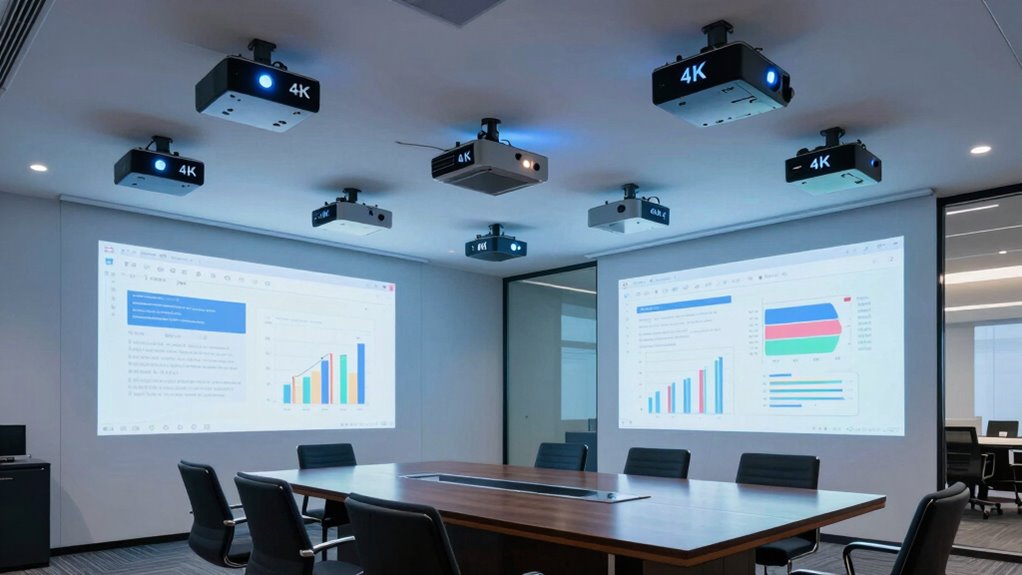
A premium 4K projector for conference rooms needs to make text and data clear while fitting the room’s lighting, layout, and connection needs. I rank the BenQ LK952 as my best overall pick because it is designed for conference-room use and delivers 4K UHD. The Optoma ZK551 stands out for its 5,100 lumens, 1.6x zoom, and Miracast, while the BenQ LK936ST is a strong option when a short throw suits the room. The main tradeoffs are native 4K resolution versus brightness and installation flexibility versus a specialized design. Read on for the full breakdown, including where each model fits and which ones I’d skip for a strict 4K conference-room brief.

Get business pricing on tech for your team
- Business-only prices and quantity discounts
- Tax-exempt purchasing
- Multiple users, one account, clear invoices
Key Takeaways
Conference-room focus matters: The BenQ LK952 earns my overall spot as a purpose-oriented 4K conference projector, while gaming and golf-simulation models fit narrower use cases.
Short throw solves a room problem: The BenQ LK936ST and AK700ST suit installations where the projector must sit close to the screen, but the AK700ST’s golf-simulation focus makes it a less natural meeting-room choice.
Brightness alone doesn’t decide the winner: The Optoma ZK551 combines 5,100 lumens with Miracast and a 1.6x zoom, giving it a useful mix of room flexibility and presentation features.
Check resolution claims carefully: The Epson PowerLite L895E is WUXGA, not a native 4K display, so it belongs on a shortlist only when its other strengths matter more than true 4K output.
Some 4K models are better for specific jobs: The ViewSonic LS740-4K is a brightness-forward option, while the PX749-4K’s gaming identity makes it a less targeted fit for standard conference presentations.
| Epson PowerLite L895E WUXGA 3LCD Laser Projector |  | Best for Large, Bright Conference Rooms | Projection technology: 3-chip 3LCD | Native resolution: 1920 x 1200 (WUXGA) | Brightness: 8,000 lumens | VIEW ON AMAZON | See Our Full Breakdown |
| BenQ LK936ST 4K UHD Short-Throw Laser DLP Projector |  | Best Native 4K Short-Throw Pick | Native resolution: 3840 x 2160 | Display type: DLP | Brightness: 5,100 ANSI lumens | VIEW ON AMAZON | See Our Full Breakdown |
| ViewSonic LS901-4K 4K UHD Laser Projector |  | Best for Ultrawide Collaboration | Resolution: 4K UHD (3840 × 2160) | Brightness: 5,500 ANSI lumens | Aspect ratio: 21:9 | VIEW ON AMAZON | See Our Full Breakdown |
| BenQ AK700ST 4K HDR Short-Throw Laser DLP Golf Simulation Projector |  | Best for Compact-Room 4K Installation | Resolution: 3840 × 2160 (4K Ultra HD) | HDR support: HDR10, HLG | Throw ratio: 0.69–0.83 | VIEW ON AMAZON | See Our Full Breakdown |
| Optoma ZK551 4K UHD Laser Projector, 5,100 Lumens, Miracast, 1.6x Zoom |  | Best for Long-Run Managed Installations | Native resolution: 3840 x 2160 | Brightness: 5,100 lumens | Light source life: Up to 30,000 hours | VIEW ON AMAZON | See Our Full Breakdown |
| ViewSonic LS740-4K 4K UHD Laser Projector, 5,000 ANSI Lumens |  | Best for Flexible, Bright Room Setups | Resolution: 4K UHD (3840 × 2160) | Brightness: 5,000 ANSI lumens | Throw ratio: 1.4–2.24 | VIEW ON AMAZON | See Our Full Breakdown |
| ViewSonic PX749-4K 4K UHD Gaming Projector |  | Best for Interactive Demo Rooms | Resolution: 4K UHD (3840 × 2160) | Brightness: 4,000 ANSI lumens | Refresh rate: Up to 240Hz | VIEW ON AMAZON | See Our Full Breakdown |
| BenQ LK952 4K UHD BlueCore Laser Conference Room Projector |  | Best Dedicated Conference Room Pick | Resolution: 3840 × 2160 (4K UHD) | Display technology: DLP | Brightness: 5,000 lumens | VIEW ON AMAZON | See Our Full Breakdown |
| premium 4k projector for conference room | Brightness | Light source life | Connectivity | Resolution |
|---|---|---|---|---|
| Epson PowerLite L895E WUXGA 3L | 8,000 lumens | 20,000 hours | Ethernet, HDMI, USB, Wi-Fi | — |
| BenQ LK936ST 4K UHD Short-Thro | 5,100 ANSI lumens | Up to 20,000 hours | Dual HDMI 2.0b, DisplayPort, HDBaseT | — |
| ViewSonic LS901-4K 4K UHD Lase | 5,500 ANSI lumens | — | — | 4K UHD (3840 × 2160) |
| BenQ AK700ST 4K HDR Short-Thro | — | 20,000 hours | — | 3840 × 2160 (4K Ultra HD) |
| Optoma ZK551 4K UHD Laser Proj | 5,100 lumens | Up to 30,000 hours | HDMI, Miracast, Ethernet, USB | — |
| ViewSonic LS740-4K 4K UHD Lase | 5,000 ANSI lumens | — | — | 4K UHD (3840 × 2160) |
| ViewSonic PX749-4K 4K UHD Gami | 4,000 ANSI lumens | — | USB-C, LAN control, 12V trigger output | 4K UHD (3840 × 2160) |
| BenQ LK952 4K UHD BlueCore Las | 5,000 lumens | Up to 100,000 hours | HDMI, Ethernet | 3840 × 2160 (4K UHD) |
More Details on Our Top Picks
Epson PowerLite L895E WUXGA 3LCD Laser Projector
I rank the Epson PowerLite L895E for rooms where visibility and scale matter more than native 4K detail. Its 8,000 lumens outshine the 5,100-lumen Optoma ZK551 and BenQ LK936ST on paper, which can help presentations stay legible with room lights on. It can also project up to 500 inches and supports a 21:9 aspect ratio, giving large teams room to view side-by-side content. The tradeoff is resolution: WUXGA with 4K Enhancement Technology is not native 4K like the Optoma. I’d choose it for expansive meeting spaces, but skip it if crisp native 4K text detail is the priority. Wireless casting may also depend on compatible devices or optional accessories.
Pros:- 8,000 lumens of color and white brightness for presentations in brighter rooms
- Supports 4K content with 4K Enhancement Technology
- Projects images up to 500 inches and supports 21:9 layouts
- Includes Ethernet, HDMI, USB, Wi-Fi, and wireless monitoring support
Cons:- Native resolution is WUXGA rather than 4K
- Wireless features may require compatible devices or optional accessories
Best for: Organizations furnishing large conference rooms that need high brightness, oversized images, and flexible widescreen layouts.
Not ideal for: Teams that require native 4K resolution or need wireless casting to work without checking device compatibility or accessories.
- Projection technology:3-chip 3LCD
- Native resolution:1920 x 1200 (WUXGA)
- Brightness:8,000 lumens
- Aspect ratios:16:10, 16:6, 21:9
- Contrast ratio:5,000,000:1
- Maximum image size:500.04 inches
- Light source life:20,000 hours
- Connectivity:Ethernet, HDMI, USB, Wi-Fi
Our verdict“Choose the L895E when a large, bright room matters more than native 4K resolution.”
BenQ LK936ST 4K UHD Short-Throw Laser DLP Projector
I’d put the BenQ LK936ST on the shortlist when a conference room needs native 4K and flexible positioning. Its 3840 x 2160 resolution gives detailed charts and fine text a sharper presentation than the Epson PowerLite L895E, whose native resolution is WUXGA. The short-throw design, lens shift, and keystone correction can help fit the image around room constraints, while HDBaseT and DisplayPort add connection choices beyond basic HDMI. Its 5,100 ANSI lumens are lower than the Epson’s 8,000, so it is less compelling for very bright or exceptionally large rooms. The listed minimum throw distance is 10.6 feet, so I’d verify the installation geometry before choosing it for a compact meeting space.
Pros:- Native 4K UHD resolution for detailed slides and data
- 5,100 ANSI lumens for presentations with some ambient light
- Lens shift and keystone correction support flexible installation
- HDBaseT, DisplayPort, and dual HDMI 2.0b connectivity
Cons:- The listed 10.6-foot minimum throw distance may not suit very compact rooms
- Lower brightness than the 8,000-lumen Epson PowerLite L895E
Best for: Meeting-room integrators and IT teams seeking native 4K, flexible image adjustment, and wired connectivity options.
Not ideal for: Small rooms with limited projector-to-screen distance or venues that need the highest brightness in this group.
- Native resolution:3840 x 2160
- Display type:DLP
- Brightness:5,100 ANSI lumens
- Contrast ratio:3,000,000:1
- Throw ratio:0.81–0.89
- Lens shift:Horizontal ±23%, vertical ±60%
- Light source life:Up to 20,000 hours
- Connectivity:Dual HDMI 2.0b, DisplayPort, HDBaseT
Our verdict“Choose the LK936ST for native 4K and installation flexibility, provided its throw distance fits your room.”
ViewSonic LS901-4K 4K UHD Laser Projector
The ViewSonic LS901-4K is my pick for teams that want a wide canvas for shared documents, video calls, or side-by-side content. Its 21:9 aspect ratio distinguishes it from the BenQ LK936ST, while native 4K and 5,500 ANSI lumens keep it suited to detailed presentations in rooms with some ambient light. A 1.7× optical zoom, vertical lens shift, and 360-degree projection give installers more room to adapt the image than the golf-focused BenQ AK700ST’s listed short-throw setup. The LS901-4K’s maximum screen size is 150 inches, far below the Epson PowerLite L895E’s 500-inch ceiling. Its gaming-focused refresh and input-lag figures add little for most meetings, so I’d choose it for the widescreen format, not those extras.
Pros:- Native 4K UHD resolution with 5,500 ANSI lumens
- 21:9 aspect ratio suits wide collaboration layouts
- 1.7× optical zoom and vertical lens shift aid placement
- HDR/HLG support and projection sizes up to 150 inches
Cons:- Maximum screen size is smaller than the Epson PowerLite L895E’s
- Gaming-focused refresh and input-lag features may add little value in conference rooms
- Ceiling mount compatibility is listed, but mount inclusion is not specified
Best for: Hybrid meeting teams that regularly display wide-format content or multiple sources side by side.
Not ideal for: Organizations that need extremely large projected images or have no use for a 21:9 layout.
- Resolution:4K UHD (3840 × 2160)
- Brightness:5,500 ANSI lumens
- Aspect ratio:21:9
- Refresh rate:240 Hz
- Input lag:4.2 ms
- Optical zoom:1.7×
- Maximum screen size:150 inches
- HDR support:HDR/HLG
Our verdict“Choose the LS901-4K when a native 4K ultrawide canvas matters more than maximum screen size.”
BenQ AK700ST 4K HDR Short-Throw Laser DLP Golf Simulation Projector
I’d choose the BenQ AK700ST when a conference room needs a 4K image from a short-throw position, especially if the projector must sit close to the screen. Its 0.69–0.83 throw ratio sets it apart from the BenQ LK936ST’s listed 0.81–0.89 ratio and makes the AK700ST the more space-focused option on paper. Native 4K with HDR10 and HLG also suits detailed visuals and video. The tradeoff is that the supplied specs focus on golf simulation and do not list brightness, lens shift, or network connections. I’d want those details confirmed before specifying it for a brightly lit boardroom. Compared with the Optoma ZK551, it offers less documented flexibility for managed office deployment.
Pros:- Native 4K Ultra HD resolution
- Short 0.69–0.83 throw ratio suits constrained installation depth
- HDR10 and HLG support
- Laser light source rated for 20,000 hours
Cons:- Brightness is not specified in the provided product data
- Only dual HDMI 2.0b and USB Type-A inputs are listed
- Golf simulation focus may be unnecessary for a dedicated meeting-room projector
Best for: Teams fitting a native 4K projector into a shallow room, particularly when the same room also supports golf simulation.
Not ideal for: Conference-room buyers who need confirmed brightness, network management, or detailed installation specifications before selection.
- Resolution:3840 × 2160 (4K Ultra HD)
- HDR support:HDR10, HLG
- Throw ratio:0.69–0.83
- Light source:Laser
- Light source life:20,000 hours
- Inputs:Dual HDMI 2.0b
- Ports:USB Type-A
Our verdict“Choose the AK700ST for short-throw 4K in a compact room only after confirming brightness and office connectivity needs.”
Optoma ZK551 4K UHD Laser Projector, 5,100 Lumens, Miracast, 1.6x Zoom
For a conference room that needs native 4K alongside installation and maintenance flexibility, I’d favor the Optoma ZK551. It offers 5,100 lumens, Miracast screen sharing, Ethernet, and IP6X dust resistance, giving office teams more documented tools for everyday deployment than the golf-oriented BenQ AK700ST. Its 30,000-hour light-source life also exceeds the 20,000-hour ratings listed for the BenQ LK936ST and Epson PowerLite L895E. A 1.6× zoom and 360-degree or portrait installation modes help it fit different room layouts. The compromise is that its 300,000:1 contrast ratio is lower on paper than several alternatives, and 5,100 lumens trails the Epson’s 8,000. I’d select it for managed installations, not the brightest venues.
Pros:- Native 4K UHD resolution and 5,100 lumens
- Up to 30,000 hours of light-source life
- IP6X dust resistance supports demanding installation environments
- Miracast, Ethernet, 1.6× zoom, and 360-degree or portrait modes
Cons:- Lower brightness than the 8,000-lumen Epson PowerLite L895E
- Listed contrast ratio is lower than those of several other models here
- Wireless sharing depends on compatible devices and network setup
Best for: Education and business IT teams installing native 4K projectors across rooms and prioritizing dust resistance, sharing, and long light-source life.
Not ideal for: Very bright, oversized conference spaces where the Epson PowerLite L895E’s higher brightness and larger maximum image are more suitable.
- Native resolution:3840 x 2160
- Brightness:5,100 lumens
- Light source life:Up to 30,000 hours
- Dust resistance:IP6X
- Connectivity:HDMI, Miracast, Ethernet, USB
- Zoom:1.6×
- Maximum image size:300 inches
- Projection modes:360° and portrait
- Throw distance:3.3 to 30.5 feet
Our verdict“Choose the ZK551 for managed 4K installations where long light-source life and flexible placement outweigh maximum brightness.”
ViewSonic LS740-4K 4K UHD Laser Projector, 5,000 ANSI Lumens
I’d shortlist the LS740-4K for conference rooms where the projector must cope with ambient light and varied installation positions. Its 5,000 ANSI lumens match the BenQ LK952, while its 1.6x optical zoom and four-corner adjustment give installers room to adapt framing without relying only on digital correction. The 30-to-300-inch image range also suits rooms that host different presentation formats. Compared with the conference-focused LK952, the LS740 adds 360-degree and portrait orientation plus Golf Mode, but the BenQ provides stated Rec. 709 color coverage and IP5X dust protection. LAN control is useful for managed rooms; ceiling installation may call for a separate compatible mount. I’d choose this for flexibility, not for its golf-specific extras.
Pros:- 5,000 ANSI lumens support visibility in rooms with ambient light
- 1.6x optical zoom and four-corner adjustment help adapt the image to varied setups
- Supports image sizes from 30 to 300 inches
- LAN control and 360-degree or portrait orientation add installation flexibility
Cons:- Ceiling mounting may require a separate compatible mount
- Golf Mode is a specialized feature with limited value for standard presentation use
- No color-coverage or dust-protection rating is provided in the supplied specifications
Best for: Meeting-room teams that need bright presentations, flexible image placement, and LAN control across rooms with different layouts
Not ideal for: Buyers seeking a projector with clearly specified conference-focused color coverage and dust protection, or installers who want a compatible ceiling mount included
- Resolution:4K UHD (3840 × 2160)
- Brightness:5,000 ANSI lumens
- Throw ratio:1.4–2.24
- Optical zoom:1.6x
- Screen size:30–300 inches
- Image adjustments:Horizontal and vertical keystone; four-corner adjustment
- Orientation support:360-degree and portrait mode
- Light source:Laser
- Control:LAN control
Our verdict“Choose the LS740-4K for a bright conference room that needs flexible placement and image adjustment more than specialized color or dust specifications.”
ViewSonic PX749-4K 4K UHD Gaming Projector
The PX749-4K makes the most sense for a conference room that doubles as a product-demo or gaming space. Its 4K UHD resolution and 4,000 ANSI lumens cover presentation basics, while 4.2ms input lag and support for 1440p at 120Hz make live, fast-moving demonstrations feel more responsive than on the conference-first BenQ LK952. That gaming focus is also the tradeoff: the LS740-4K and LK952 both offer 5,000 lumens, giving them more brightness headroom for challenging room light. The PX749’s 1.3x optical zoom is less flexible than the LS740’s 1.6x, though LAN control, USB-C, and a 12V trigger suit integrated setups. I’d pick it when interactive motion matters; for routine boardroom slides, its gaming strengths may go unused.
Pros:- 4K UHD resolution with HDR/HLG support
- 4,000 ANSI lumens provide bright output for presentations and demonstrations
- Up to 240Hz refresh rate and 4.2ms input lag suit responsive, fast-motion content
- USB-C, LAN control, and 12V trigger output support integrated room setups
Cons:- Lower stated brightness than the 5,000-lumen ViewSonic LS740-4K and BenQ LK952
- Its gaming-oriented performance may add little value in rooms used mainly for slides and video calls
- 1.3x optical zoom offers less placement flexibility than the LS740-4K’s 1.6x zoom
Best for: Teams that present interactive software, fast-motion demos, or gaming content in a shared meeting and presentation room
Not ideal for: Organizations prioritizing maximum brightness, longer zoom range, or a projector specified primarily for conventional boardroom presentations
- Resolution:4K UHD (3840 × 2160)
- Brightness:4,000 ANSI lumens
- Refresh rate:Up to 240Hz
- Xbox gaming support:1440p at 120Hz
- Input lag:4.2ms
- HDR support:HDR/HLG
- Optical zoom:1.3x
- Connectivity:USB-C, LAN control, 12V trigger output
Our verdict“Pick the PX749-4K when interactive demos and responsive gaming performance matter more than the higher brightness and zoom flexibility of conference-focused alternatives.”
BenQ LK952 4K UHD BlueCore Laser Conference Room Projector
I’d put the BenQ LK952 first for buyers who want a projector built around conference rooms and public venues rather than gaming or specialty uses. Its 5,000 lumens and 4K UHD resolution support readable, detailed presentations on large screens, while 95% Rec. 709 color coverage gives buyers a defined color specification that the ViewSonic LS740-4K listing does not provide. The IP5X dust protection and sealed DLP chip also make durability a central part of its case. Compared with the LS740, the LK952 offers a more clearly documented conference-oriented feature set, but the ViewSonic lists a 1.6x optical zoom and detailed image adjustments that are not specified here for the BenQ. Setup and connectivity details are limited, so I’d confirm they fit the room plan before choosing it.
Pros:- 5,000 lumens and 4K UHD resolution support bright, detailed presentations
- 95% Rec. 709 color coverage provides a stated color-performance reference
- IP5X dust protection and a sealed DLP chip emphasize durability
- Laser light source is specified for up to 100,000 hours
Cons:- A projected image up to 300 inches calls for a room with enough space
- The supplied product information gives limited detail about setup and connectivity
- Optical zoom and image-adjustment specifications are not provided here
Best for: Organizations furnishing dedicated conference rooms or public venues that value 4K detail, strong brightness, and stated dust protection
Not ideal for: Installers who need detailed setup, zoom, or image-adjustment specifications before purchase, or buyers working in rooms that cannot accommodate a large projected image
- Resolution:3840 × 2160 (4K UHD)
- Display technology:DLP
- Brightness:5,000 lumens
- Contrast ratio:30,000:1
- Color coverage:95% Rec. 709
- Maximum image size:300 inches
- Light source life:Up to 100,000 hours
- Dust protection:IP5X
- Connectivity:HDMI, Ethernet
Our verdict“Choose the LK952 for a dedicated presentation space where stated color coverage and dust protection matter more than detailed installation specifications.”

How We Picked
I ranked these models around the demands of a conference room: legible presentations, suitability for the room’s size and lighting, installation flexibility, and features that support meetings. I also weighed maintenance and practical versatility, giving laser models and useful connection or placement options credit where relevant. Since this roundup targets 4K, I treated the Epson PowerLite L895E’s WUXGA resolution as a meaningful limitation rather than grouping it with native 4K options.
The BenQ LK952 leads because its conference-room positioning and 4K output align closely with the brief. The Optoma ZK551 follows for its mix of brightness, zoom, and Miracast; short-throw options rank higher for rooms with placement constraints, but lower for buyers seeking a general-purpose meeting-room projector. Models built around golf simulation or gaming rank lower for typical meetings, even where 4K output may suit presentation content. This ordering reflects conference-room fit, not a claim that one model is best for every room.
| premium 4k projector for conference room | Connectivity |
|---|---|
| Epson PowerLite L895E WUXGA 3L | Ethernet, HDMI, USB, Wi-Fi |
| BenQ LK936ST 4K UHD Short-Thro | Dual HDMI 2.0b, DisplayPort, HDBaseT |
| ViewSonic LS901-4K 4K UHD Lase | — |
| BenQ AK700ST 4K HDR Short-Thro | — |
| Optoma ZK551 4K UHD Laser Proj | HDMI, Miracast, Ethernet, USB |
| ViewSonic LS740-4K 4K UHD Lase | — |
| ViewSonic PX749-4K 4K UHD Gami | USB-C, LAN control, 12V trigger output |
| BenQ LK952 4K UHD BlueCore Las | HDMI, Ethernet |
Factors to Consider When Choosing Premium 4k Projector For Conference Rooms
Before choosing a model, I’d start with the room and meeting habits rather than the projector’s headline resolution. These broader factors can prevent a common mismatch: buying a capable projector that is hard to place, hard to see in the room, or poorly matched to the content.
Match Resolution to the Content You Present
For spreadsheets, diagrams, and small text, 4K output can preserve finer detail, especially when viewers sit close to a large screen. The benefit depends on source material and connection settings; a 4K projector cannot add detail to a low-resolution slide. Check the projector’s displayed resolution, not just whether it accepts a 4K signal. The Epson PowerLite L895E is a useful reminder: its WUXGA designation means its output is not native 4K. If your meetings mostly use large text and simple slides, brightness and screen size may matter more than 4K detail. For dense visuals or high-resolution content, keep true 4K output near the top of your shortlist.
Plan for Ambient Light and Screen Size
A meeting room with uncovered windows or bright overhead lighting calls for more brightness than a darkened room. Larger projected images also spread the available light over more area, so a model that looks bright on a small screen may feel less forceful at a larger size. Avoid choosing from a lumen figure alone: screen material, image size, room lighting, and viewing angles all affect what attendees see. If you cannot control the light, test the planned screen size under typical meeting conditions before committing. A very bright projector can still disappoint if the image is washed out by sunlight or the screen is poorly placed. I’d treat room control and screen size as part of the projector decision, not as afterthoughts.
Measure Throw Distance Before Choosing a Lens
Measure the distance from the intended projector position to the screen and compare it with the model’s throw requirements. A short-throw design can keep the projector near the screen, reducing the chance that presenters walk through the beam or cast shadows. That advantage matters most in shallow rooms or fixed installations; in a deeper room, a standard-throw model may provide more placement options. Zoom range can help with framing, but it does not replace checking the room dimensions. Confirm ceiling height, mounting location, screen width, and cable routes together. Buying first and measuring later can turn a suitable projector into a difficult installation.
Choose Meeting Connections Around Your Workflow
List how presenters actually connect: wired laptops, room systems, or wireless screen sharing. Features such as Miracast can make sharing easier for compatible devices, but wireless support should not be assumed to work equally well with every computer or corporate network. For important meetings, keep a reliable wired connection available as a fallback. Check the input types and any room-control requirements against the equipment already installed. A projector with many features may add little if the meeting room uses a managed conferencing system that handles switching and sharing separately. Pick for your organization’s real workflow, not for a feature that may sit unused.
Weigh Installation and Maintenance Over the Full Setup
For a fixed conference room, installation flexibility can be as consequential as image quality. Ask whether the projector can be mounted where the room allows, whether service access is practical, and whether the chosen location leaves room for ventilation and cable runs. Laser light sources can reduce lamp-replacement tasks, but they do not remove the need to keep vents clear or plan for eventual servicing. A specialized model may solve one room’s layout problem while being less convenient to move elsewhere. Compare the total setup, including mount, screen, connections, and room control, instead of focusing on the projector alone. Paying more makes sense when a feature solves a persistent room or workflow constraint.
Frequently Asked Questions
Is the Epson PowerLite L895E a true 4K projector?
No. The L895E is identified as WUXGA, so it does not provide native 4K output. That makes it a mismatch if your requirement is specifically 4K detail for fine text or high-resolution visuals. It may still suit buyers who prioritize other room needs over native 4K, but I would compare it separately from the 4K models. Confirm the resolution you need before treating it as a direct substitute.
Should I choose the BenQ LK936ST or the BenQ LK952 for a meeting room?
I’d choose between them based on placement first. The LK936ST’s short-throw design is a better match when the projector must sit close to the screen, while the LK952 is my broader conference-room pick for buyers without that constraint. Check the room’s throw distance and installation plan against the exact model specifications before deciding. If both can fit, prioritize the model whose room placement and meeting workflow make the setup simpler. Neither should be selected on resolution alone.
Is the Optoma ZK551 a good choice when people present from different devices?
Its Miracast support and 1.6x zoom make the ZK551 worth a look for rooms that need wireless sharing and some flexibility in image placement. Miracast compatibility depends on the presenter’s device and the organization’s network rules, so check those before relying on it. I’d keep a wired connection available for meetings where a failed connection would disrupt the session. The zoom helps with framing, but it does not remove the need to confirm throw distance. If wireless sharing is central to your room, test the full connection path with the devices people actually use.
Do I need a short-throw projector if the conference room is small?
Not automatically. A short-throw projector can be helpful when the available distance between the projector and screen is limited, or when people regularly pass near the beam. Room depth, screen size, mounting location, and the model’s throw specifications all affect the fit. Measure those details before choosing between the LK936ST, AK700ST, and a standard-throw option. If a standard-throw projector can be mounted in a clear, practical position, short throw may not add enough benefit to guide the choice.
Are the ViewSonic PX749-4K and BenQ AK700ST sensible for regular presentations?
They can display presentation material, but their gaming and golf-simulation positioning makes them less directly suited to typical conference-room priorities than the LK952 or ZK551. The AK700ST is most compelling when its short-throw placement and golf-simulation role match a specific room. The PX749-4K is a more specialized choice for buyers who also want gaming use. For a room dedicated to meetings, compare their connections, installation requirements, and presentation workflow against conference-oriented models. I’d choose either only when its specialty has real value in the room.
Conclusion
For a general-purpose conference room, I’d start with the BenQ LK952 as best overall because it combines a conference-room focus with 4K output. The Optoma ZK551 is my best value pick for buyers who want a practical mix of 5,100 lumens, Miracast, and zoom flexibility, while the BenQ LK952 is also the best premium choice when conference-room alignment takes priority over specialization. For a first-time buyer with straightforward needs, I’d shortlist the ViewSonic LS740-4K as a brightness-forward option and confirm its fit against the room before purchase. For tight projector placement, choose the BenQ LK936ST; for golf simulation, the BenQ AK700ST has the clearer role. I’d choose the Epson only when WUXGA meets the brief, and reserve the PX749-4K for rooms where gaming is part of the plan.