If you’re serious about gaming in 2025, I recommend checking out top OLED monitors like the Alienware AW3423DWF and LG’s Ultragear models, which offer stunning visuals with deep blacks, vibrant colors, and ultra-fast response times. Their high refresh rates and adaptive sync tech keep gameplay smooth and tear-free. These monitors also feature ergonomic designs and multiple connectivity options. If you want the full list with all key features, keep exploring—you’ll find exactly what you need.
Key Takeaways
- Top OLED gaming monitors feature ultra-fast refresh rates (165Hz to 360Hz) and response times as low as 0.03ms for smooth, responsive gameplay.
- They utilize QD-OLED technology for deep blacks, vibrant colors, high contrast ratios, and HDR support up to HDR True Black 400.
- Connectivity options like HDMI 2.1, DisplayPort, and USB-C ensure compatibility with high-end gaming consoles and PCs.
- Designed with ergonomic stands, curved screens, and customizable features for comfort during extended gaming sessions.
- Advanced burn-in prevention features such as pixel shifting and screen savers extend monitor lifespan while maintaining peak performance.
Alienware AW3423DWF Curved Gaming Monitor
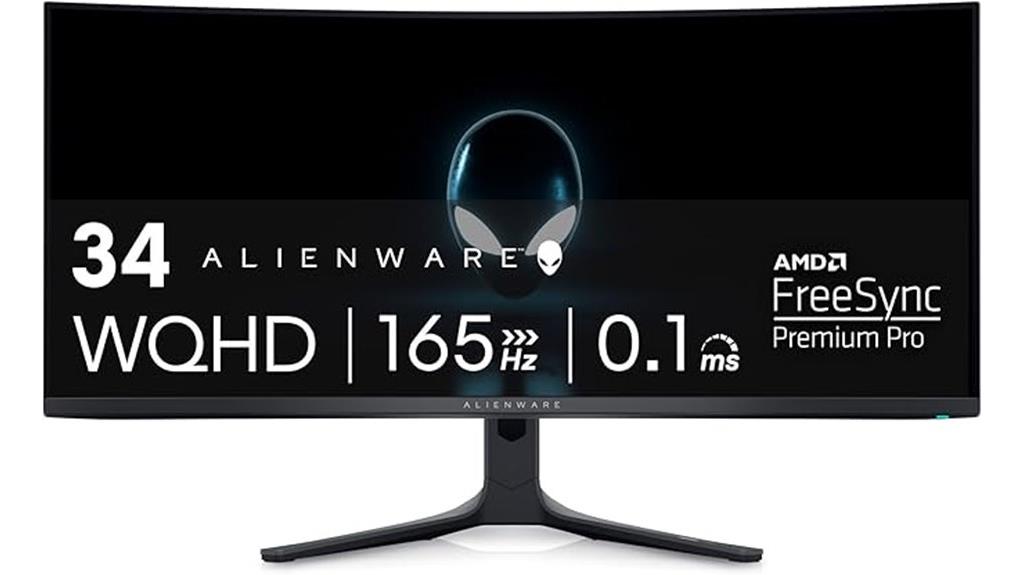
Are you looking for a gaming monitor that delivers stunning visuals and ultra-smooth gameplay? The Alienware AW3423DWF Curved Gaming Monitor is exactly that. It features Quantum Dot OLED technology, combining OLED’s true blacks with Quantum Dot’s vibrant colors, a 34-inch curved display, and a 3440×1440 resolution. With a 0.1ms response time and 165Hz refresh rate, gameplay feels fluid and responsive. Certified VESA HDR True Black 400 ensures cinema-grade color accuracy, while factory calibration guarantees minimal color deviation. Its sleek design, adjustable ergonomic stand, and customizable RGB lighting make it perfect for immersive gaming and content creation.
Best For: gamers and content creators seeking stunning visuals, ultra-smooth gameplay, and professional-grade color accuracy in a curved, high-performance monitor.
Pros:
- Combines OLED’s true blacks with Quantum Dot’s vibrant, broad color gamut for vivid, cinema-quality images
- Fast 0.1ms response time and 165Hz refresh rate ensure smooth, tear-free gaming experiences
- Adjustable ergonomic stand and sleek design enhance comfort and aesthetic appeal
Cons:
- Premium price point may be a barrier for budget-conscious users
- Curved display may not suit all workspace setups or preferences
- OLED technology requires careful handling to prevent burn-in over extended use
INNOCN 27″ OLED 4K Gaming Monitor
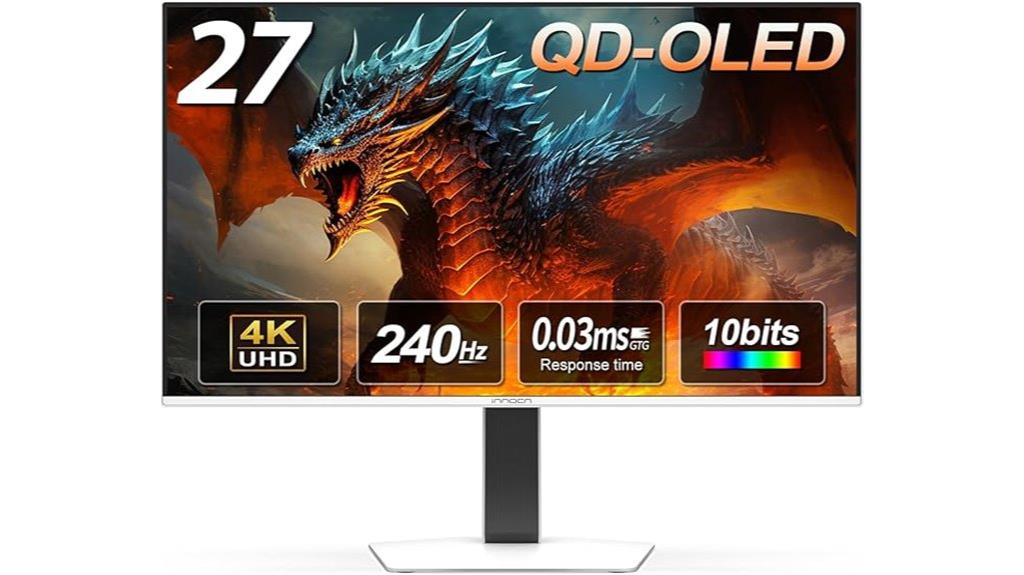
If you’re serious about competitive gaming or immersive visual experiences, the INNOCN 27″ OLED 4K Gaming Monitor is built to deliver stunning clarity and rapid response times. Its 27-inch QD-OLED panel offers 3840 x 2160p resolution, 99% DCI-P3 coverage, and a contrast ratio of 1.5 million:1, producing lifelike images with vibrant colors. The 240Hz refresh rate and 0.03ms response time ensure smooth, responsive gameplay. With support for HDR400, Adaptive-Sync, and G-SYNC compatibility, it minimizes tearing and lag. Multiple inputs, including USB-C and VESA mounting, make it versatile and easy to integrate into any gaming setup.
Best For: gamers seeking a high-performance, visually stunning monitor with fast response times, vibrant colors, and versatile connectivity options.
Pros:
- Exceptional 4K OLED display with 99% DCI-P3 coverage and high contrast ratio for lifelike images
- Ultra-fast 240Hz refresh rate and 0.03ms response time ideal for competitive gaming
- Multiple connectivity options including USB-C, HDMI, DisplayPort, and VESA mount support
Cons:
- Premium price point may be a consideration for budget-conscious users
- Limited to 27 inches, which might be small for some multi-monitor setups
- OLED technology can be susceptible to burn-in with prolonged static images
Alienware AW2725DF Gaming Monitor, 26.7-inch WQHD (2560×1440), 360Hz, AMD FreeSync, Adjustable
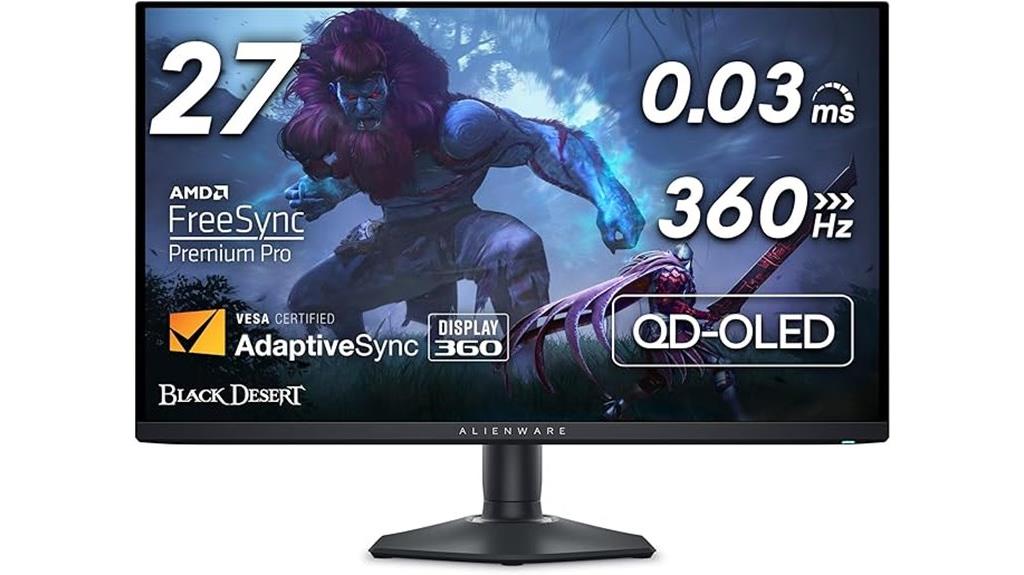
The Alienware AW2725DF Gaming Monitor stands out for its stunning QD-OLED display, making it ideal for gamers who demand vibrant visuals and deep blacks alongside ultra-fast performance. Its 26.7-inch WQHD (2560×1440) screen delivers rich colors, high detail, and exceptional contrast with VESA DisplayHDR True Black 400 certification. The 360Hz refresh rate and 0.03ms response time ensure smooth, blur-free gameplay, even in fast-paced scenes. Support for AMD FreeSync Premium Pro and VESA AdaptiveSync keeps gameplay tear-free and stutter-free. The adjustable stand and customizable AlienFX lighting add to its versatility, making it a top choice for serious gamers.
Best For: gamers seeking a high-performance monitor with vibrant visuals, ultra-fast refresh rates, and customizable features for competitive and immersive gaming experiences.
Pros:
- Exceptional QD-OLED display with deep blacks and vibrant colors for stunning visuals
- Ultra-fast 360Hz refresh rate and 0.03ms response time for smooth, blur-free gameplay
- Adjustable stand and customizable AlienFX lighting for personalized setup and comfort
Cons:
- Higher price point due to advanced OLED technology and premium features
- Potential risk of OLED burn-in, although covered by a three-year warranty
- Heavier and larger compared to standard monitors, requiring adequate desk space
Alienware 34-Inch Curved QD-OLED Gaming Monitor
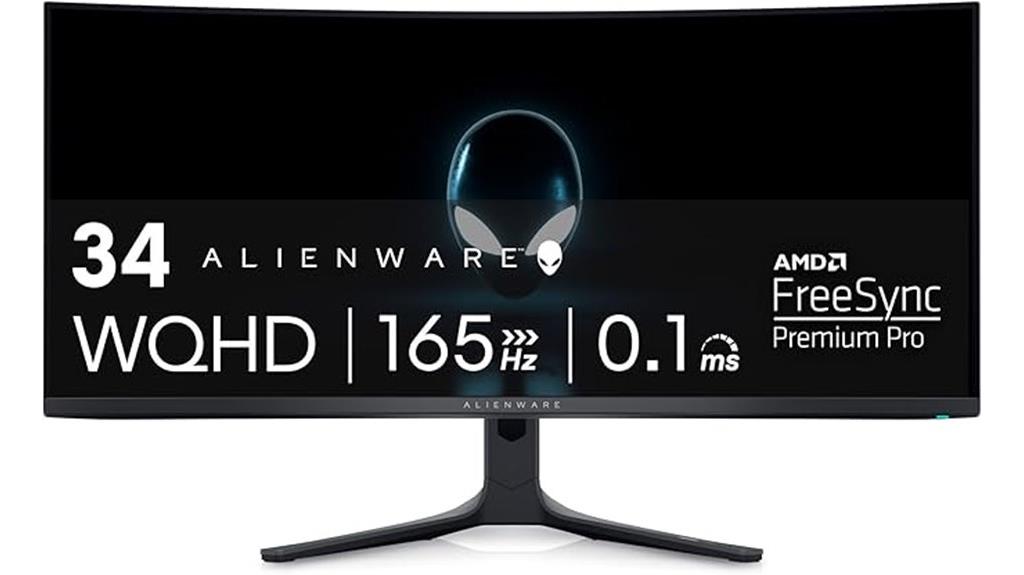
For gamers and content creators seeking stunning visuals and smooth performance, the Alienware 34-Inch Curved QD-OLED Gaming Monitor stands out with its advanced Quantum Dot OLED technology. It combines OLED’s perfect blacks and infinite contrast with Quantum Dot’s vibrant colors, higher peak luminance, and broad DCI-P3 coverage. The 34-inch curved display offers 3440×1440 resolution, a 0.1ms response time, and a 165Hz refresh rate for ultra-smooth gameplay. Certified HDR True Black 400, factory-calibrated colors, and 1000 nits brightness guarantee cinema-grade visuals. Plus, features like HDR support, FreeSync Premium Pro, and a sleek design make it ideal for immersive gaming and content creation.
Best For: gamers and content creators who demand stunning visuals, ultra-smooth performance, and accurate color reproduction for immersive gaming and professional work.
Pros:
- Combines OLED’s perfect blacks and infinite contrast with Quantum Dot’s vibrant, broad color spectrum for stunning visuals
- 3440×1440 curved display with 165Hz refresh rate and 0.1ms response time ensures ultra-smooth gameplay
- Factory-calibrated with HDR True Black 400 certification and 1000 nits peak brightness for cinema-grade quality
Cons:
- Premium price may be a barrier for budget-conscious buyers
- Large size and curved design require ample desk space and ergonomic setup considerations
- Limited to specific compatibility and connection options, which may require additional accessories
AOC Agon PRO AG276QZD2 27″ OLED Gaming Monitor

Gamers seeking stunning visuals and ultra-fast response times will find the AOC Agon PRO AG276QZD2 an excellent choice, thanks to its 27-inch OLED panel. It features a sharp 2560×1440 resolution, delivering crisp, detailed images. The self-luminous OLED offers perfect blacks, vibrant colors, and over a billion shades, supported by HDR10 for immersive contrast. With a 240Hz refresh rate and 0.03ms response time, gameplay remains fluid and responsive. G-SYNC compatibility minimizes tearing, while customizable game modes and Shadow Control enhance visibility in dark scenes. Its sleek design and versatile connectivity make it a top pick for competitive gamers.
Best For: competitive gamers and enthusiasts seeking stunning visuals, ultra-fast response times, and vibrant color accuracy in a high-performance 27-inch OLED gaming monitor.
Pros:
- Exceptional 240Hz refresh rate and 0.03ms response time for ultra-smooth gameplay.
- OLED panel delivers perfect blacks, rich colors, and over a billion shades with HDR10 support.
- G-SYNC compatibility and customizable game modes enhance visual performance and dark scene visibility.
Cons:
- Weighs 14.7 pounds, which may impact portability and desk setup flexibility.
- Limited to 2 USB 3.0 ports, potentially restricting peripheral connectivity options.
- Premium pricing typical of OLED gaming monitors may be a consideration for budget-conscious buyers.
Samsung 27” Odyssey OLED G6 Gaming Monitor
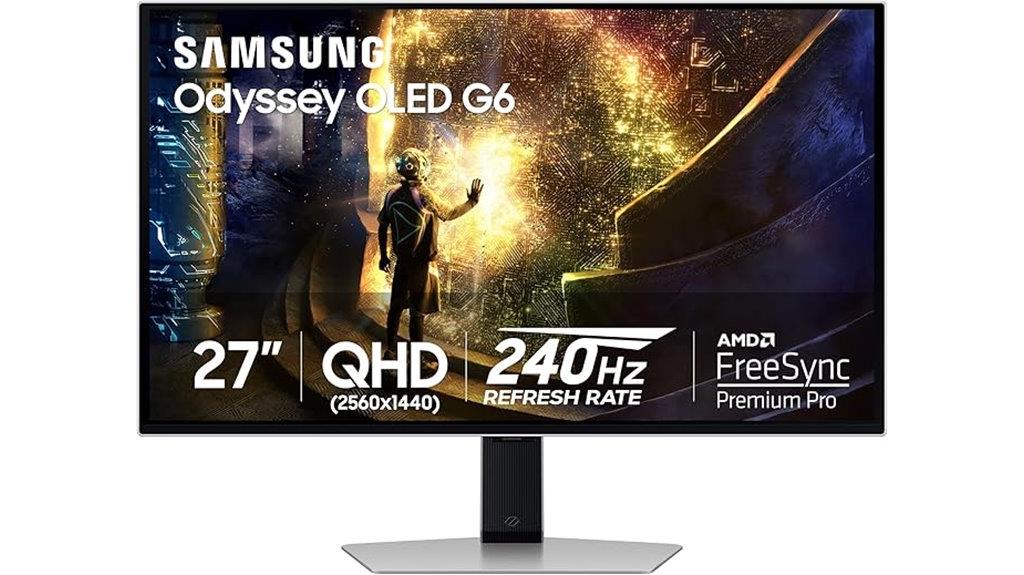
If you’re looking for a gaming monitor that delivers stunning visuals and ultra-smooth gameplay, the Samsung 27” Odyssey OLED G6 stands out with its advanced QD-OLED technology. Its sleek metal design and 27-inch QHD display provide vivid imagery, deep blacks, and a wide color gamut, enhancing both gaming and multimedia experiences. With a 240Hz refresh rate, 0.03ms response time, and AMD FreeSync Premium Pro, it offers incredibly smooth gameplay with minimal lag and tearing. Features like glare reduction, dynamic cooling to prevent burn-in, and ergonomic adjustments make it a versatile, reliable choice for serious gamers seeking top-tier performance and visuals.
Best For: gamers and multimedia enthusiasts seeking a high-performance monitor with stunning visuals, ultra-smooth gameplay, and advanced display technology.
Pros:
- Vibrant QD-OLED display with deep blacks and wide color gamut for immersive visuals
- 240Hz refresh rate and 0.03ms response time for ultra-smooth gaming experience
- Features like glare reduction, dynamic cooling, and ergonomic adjustments enhance usability and longevity
Cons:
- Limited to two USB 3.0 ports, which may be insufficient for some users
- Higher price point due to advanced OLED technology and premium features
- The monitor’s size and weight may require a sturdy setup and ample desk space
INNOCN 49″ OLED Ultrawide Curved Gaming Monitor
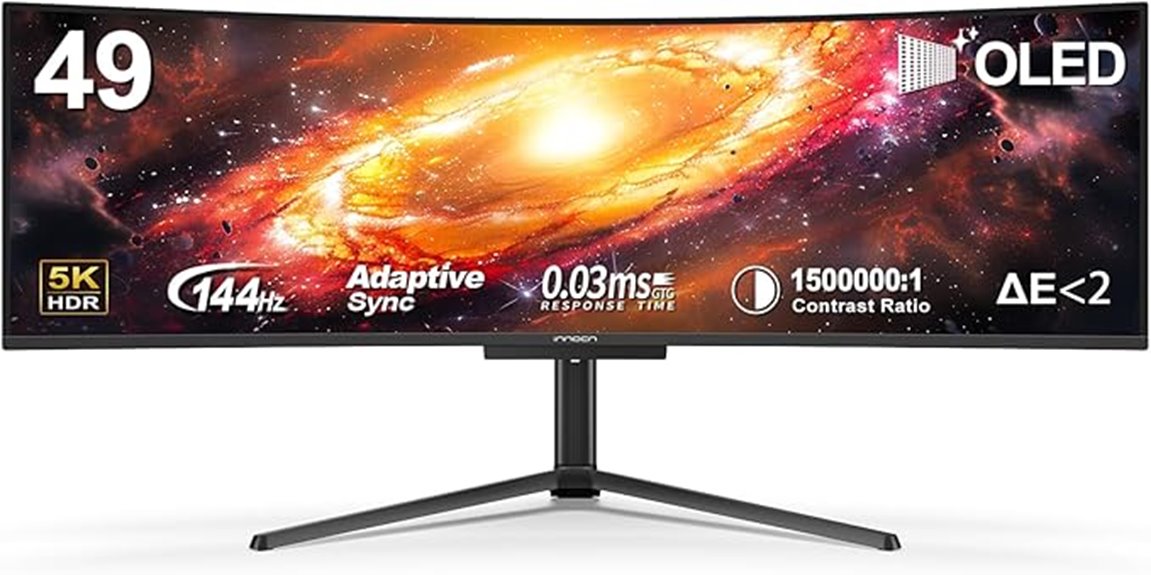
The INNOCN 49″ OLED Ultrawide Curved Gaming Monitor stands out as an ideal choice for those seeking immersive visuals and exceptional performance, thanks to its QD-OLED technology and 5120×1440 resolution. Its 32:9 aspect ratio offers a broader view, perfect for gaming and multitasking. The 1800R curvature reduces eye fatigue and boosts immersion, while adjustable tilt, swivel, and height ensure ergonomic comfort. With a 144Hz refresh rate, 0.03ms response time, HDR 400 support, and vibrant color accuracy, this monitor delivers stunning images and smooth gameplay. Connectivity options like HDMI 2.1, USB-C, and built-in speakers make it versatile for various setups.
Best For: gamers, content creators, and professionals seeking an immersive, high-performance ultrawide monitor with vibrant visuals and versatile connectivity.
Pros:
- Stunning 5120×1440 resolution with vibrant color accuracy and high contrast for detailed visuals
- Ultra-wide 32:9 aspect ratio and 1800R curvature enhance immersion and reduce eye fatigue
- Multiple connectivity options including HDMI 2.1, USB-C, and built-in speakers support versatile setups
Cons:
- Hefty weight at 30.5 pounds may require sturdy mounting solutions
- Premium OLED technology can be expensive compared to standard monitors
- Limited availability before August 14, 2024, which may delay purchase plans
LG 34-inch Ultragear OLED Gaming Monitor
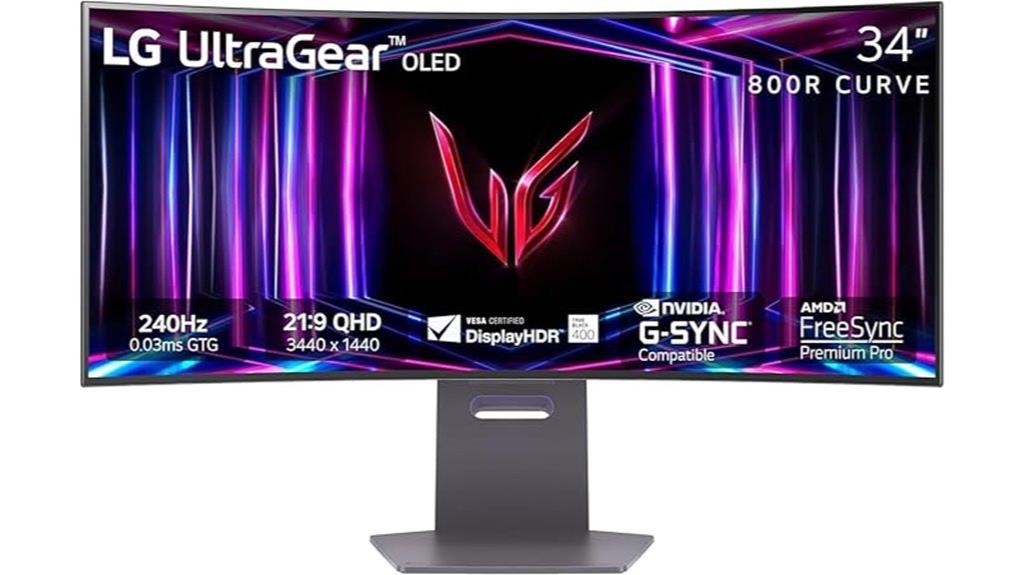
Looking for a gaming monitor that delivers stunning visuals and ultra-smooth gameplay? The LG 34-inch Ultragear OLED is exactly that. It features a 3440×1440 WQHD curved display with a 21:9 aspect ratio, immersing you in every scene. With a blazing 240Hz refresh rate and 0.03ms response time, gameplay feels incredibly responsive. HDR True Black 400 and a 1.5M:1 contrast ratio bring dark scenes to life with rich blacks and vibrant colors. Compatibility with NVIDIA G-SYNC and AMD FreeSync Premium Pro guarantees tear-free, fluid visuals. Its sleek, adjustable design maximizes comfort and immersion, making it perfect for serious gamers.
Best For: serious gamers and competitive players seeking stunning visuals, ultra-smooth gameplay, and customizable comfort in a high-performance monitor.
Pros:
- Exceptional 240Hz refresh rate and 0.03ms response time for ultra-responsive gaming experiences.
- Rich contrast with HDR True Black 400 and 1.5M:1 ratio enhances dark scene details and vibrant colors.
- Compatibility with NVIDIA G-SYNC and AMD FreeSync Premium Pro ensures tear-free, smooth visuals across supported GPUs.
Cons:
- High price point may be a barrier for budget-conscious consumers.
- Large size and curved design may not suit all desk setups or preferences.
- Limited color options (primarily black) could be a drawback for users seeking more variety.
Alienware 34 240Hz QD-OLED Curved Gaming Monitor
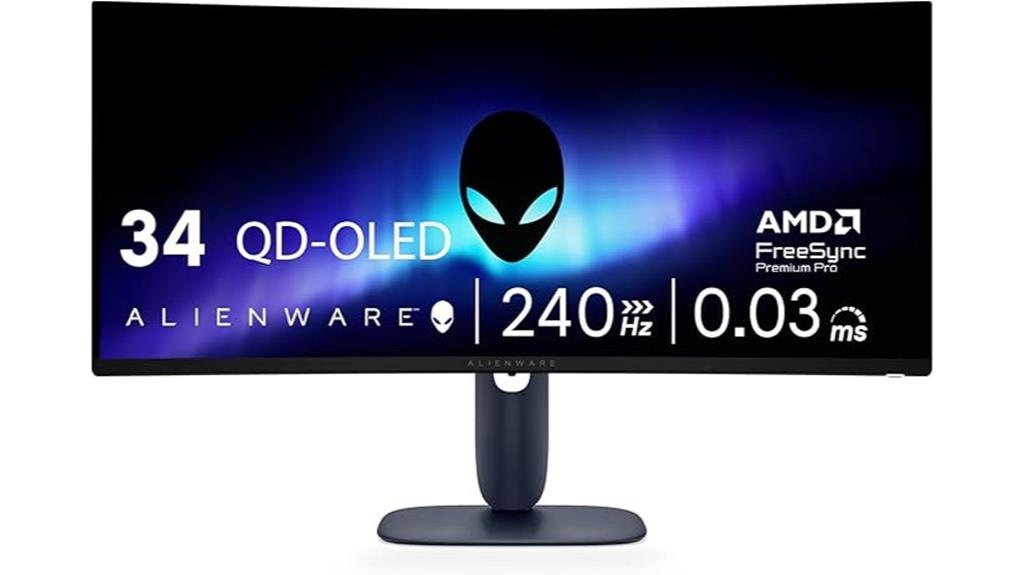
Are you seeking a gaming monitor that delivers stunning visuals and ultra-smooth performance? The Alienware 34 240Hz QD-OLED Curved Gaming Monitor might be exactly what you need. Its 34.2-inch WQHD curved display with 1800R curvature immerses you in your games. Thanks to QD-OLED technology, colors are vibrant and accurate, covering 99.3% DCI-P3 with Delta E<2. It boasts a rapid 0.03ms response time and a 240Hz refresh rate, ensuring smooth gameplay. Adaptive sync options like G-SYNC and FreeSync eliminate tearing, while HDR10 and DisplayHDR TrueBlack 400 enhance visual depth. It’s designed for serious gamers who demand top-tier performance and visuals.
Best For: serious gamers and multimedia enthusiasts seeking stunning visuals, rapid response, and smooth gameplay in an immersive ultrawide curved display.
Pros:
- Vibrant and accurate colors with 99.3% DCI-P3 coverage and Delta E<2 for precise color reproduction
- Ultra-smooth gameplay supported by 240Hz refresh rate and 0.03ms response time
- Advanced adaptive sync technology (G-SYNC, FreeSync, VESA AdaptiveSync) eliminates tearing and stuttering
Cons:
- Higher price point due to premium OLED display technology and features
- Large curved format may not be suitable for all desk setups or preferences
- Limited to high-end gaming and multimedia applications, which might be overkill for casual users
AOC Q27G4ZD 27″ QD OLED Gaming Monitor
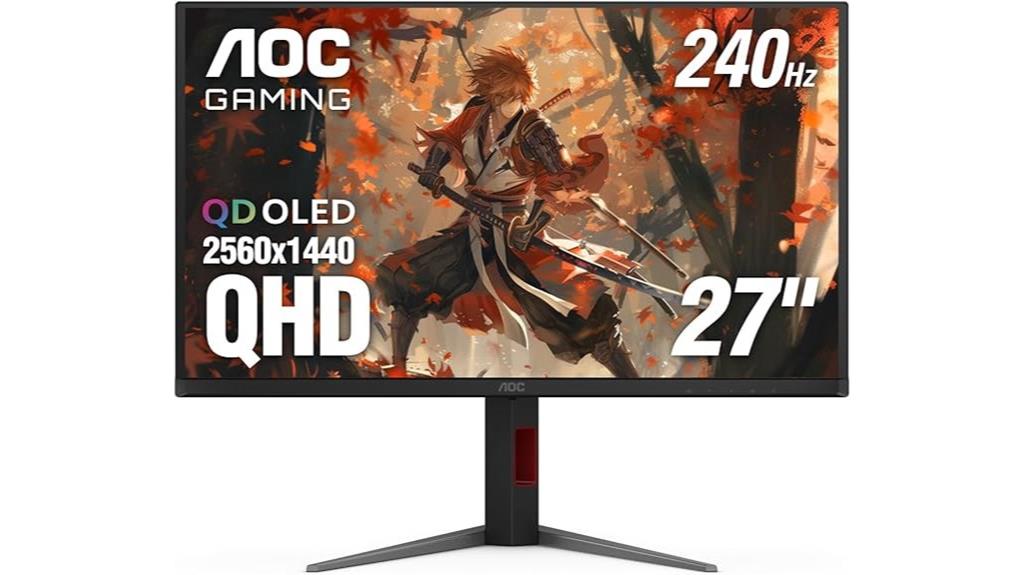
If you’re serious about immersive visuals and ultra-fast gameplay, the AOC Q27G4ZD 27″ QD OLED Gaming Monitor is an excellent choice. Its 27-inch QD OLED panel delivers stunning contrast, genuine blacks, and over a billion vibrant colors, making every scene pop. The 2560×1440 resolution ensures sharp clarity, while the 240Hz refresh rate and 0.03ms response time guarantee smooth, responsive gameplay. With G-Sync compatibility and multiple connectivity options, including HDMI and DisplayPort, it’s perfect for competitive gaming and streaming. Plus, the 3-year zero-bright-dot warranty offers peace of mind, making this monitor a versatile, high-performance centerpiece for any serious gamer’s setup.
Best For: serious gamers and streamers seeking ultra-fast response, stunning visuals, and versatile connectivity for competitive play and immersive entertainment.
Pros:
- Exceptional 240Hz refresh rate and 0.03ms response time for smooth, lag-free gameplay
- Stunning OLED display with deep blacks, high contrast, and vibrant color accuracy
- G-Sync compatibility and multiple input options (HDMI and DisplayPort) for versatile connectivity
Cons:
- Premium price point may be a barrier for budget-conscious users
- OLED panels can be susceptible to burn-in with static images over time
- Performance on consoles varies, and some features may require compatible hardware
Factors to Consider When Choosing OLED Gaming Monitors for Serious Gamers
When selecting an OLED gaming monitor, I focus on key factors like display resolution and size to guarantee sharp visuals and an immersive experience. I also consider refresh rate and response time for smooth gameplay, along with color accuracy and contrast to make every scene pop. Additionally, I check connectivity options to ensure compatibility with my gaming setup and accessories.
Display Resolution and Size
Choosing the right display resolution and size is essential for an immersive gaming experience on an OLED monitor. Higher resolutions like 4K or QHD deliver sharper images and richer detail, making visuals more lifelike and engaging. Larger screens, typically 27 inches or more, expand your field of view, giving you better situational awareness in fast-paced games. Ultrawide monitors with aspect ratios like 21:9 or 32:9 offer broader viewing angles, enhancing immersion. However, combining high resolution and large size demands more from your GPU, so guarantee your hardware can handle it. Additionally, screen curvature—such as 1800R or 1500R—wraps the display around your vision, intensifying immersion, especially on larger models. Balancing resolution, size, and hardware capability is key for ideal gaming.
Refresh Rate and Response Time
A smooth, responsive gaming experience hinges on more than just resolution and size; high refresh rates and quick response times are essential for competitive play. A higher refresh rate, like 165Hz or 240Hz, updates images more frequently, resulting in smoother gameplay and reduced motion blur. Fast response times, such as 0.03ms or 0.1ms, ensure pixels change quickly, minimizing ghosting and lag. Monitors with below 120Hz can cause choppy visuals, especially during fast-paced or esports titles. Combining high refresh rates with ultra-low response times delivers minimal latency and enhances visual fluidity during intense gaming sessions. For serious gamers, prioritizing these specs helps maintain a competitive edge, ensuring every reaction counts and gameplay feels seamless and sharp.
Color Accuracy and Gamut
Ever wonder how OLED gaming monitors deliver such vibrant and lifelike visuals? It all comes down to their impressive color accuracy and wide gamut coverage. Monitors with 99% DCI-P3 support produce rich, true-to-life colors that fully immerse you in the game world. Accurate color reproduction with a Delta E<2 guarantees that every hue is rendered precisely, maintaining visual fidelity whether you’re gaming or creating content. Support for HDR10 or VESA DisplayHDR True Black standards enhances color depth and contrast, adding more realism. Quantum Dot OLED (QD-OLED) technology further boosts color vibrancy by combining OLED’s perfect blacks with a broader color spectrum. Plus, flexible color modes like DCI-P3 and sRGB let you optimize visuals for different content, making these monitors versatile for serious gamers.
HDR and Contrast Levels
When evaluating OLED gaming monitors, contrast levels and HDR support are vital for delivering immersive visuals. High contrast ratios, like 1,500,000:1 or greater, bring deep blacks and vibrant highlights, making HDR content pop. HDR standards such as HDR10 or HDR400 expand the dynamic range, resulting in richer colors and more detailed images. OLED’s ability to produce true blacks enhances overall contrast, especially in dark scenes, creating a more immersive experience. Peak brightness levels around 1000 to 1500 nits further boost HDR effects, adding realism and vibrancy. Superior contrast and HDR performance give serious gamers a competitive edge by improving scene clarity and depth perception, which can be essential during intense gaming moments. These factors make OLED monitors stand out for immersive, visually striking gameplay.
Connectivity Options
Choosing the right connectivity options is vital for maximizing your OLED gaming experience, especially if you want to connect multiple devices seamlessly. I look for monitors with multiple HDMI and DisplayPort inputs to connect gaming consoles, PCs, and other devices without hassle. USB-C or USB 3.0 ports are also a must for quick data transfer and peripheral connectivity, keeping my setup streamlined. Supporting adaptive sync technologies like G-SYNC or FreeSync is essential to reduce screen tearing and ensure smooth gameplay. I also check if the monitor has HDMI 2.1 for high bandwidth or DisplayPort 1.4 for 4K at high refresh rates, matching my gaming needs. Finally, verifying compatibility with my graphics card or console helps optimize performance and minimize latency, providing a truly immersive experience.
Ergonomics and Adjustability
To get the most out of your OLED gaming monitor, it’s crucial to prioritize ergonomic features that promote comfort during long gaming sessions. An adjustable stand with height, tilt, swivel, and pivot options allows you to find the perfect position, reducing neck and eye strain. Monitors with VESA mount compatibility offer extra flexibility, letting you customize your setup with third-party stands or mounting arms for ideal ergonomics. A well-designed monitor minimizes fatigue by supporting natural postures and decreasing the need for constant repositioning. Additionally, features like customizable RGB lighting and anti-glare coatings help create a comfortable visual environment, reducing distractions and eye fatigue in various lighting conditions. Prioritizing these ergonomic factors ensures sustained comfort and focus during extended gaming marathons.
Burn-in Prevention Features
Ergonomics and adjustability set the foundation for comfortable long gaming sessions, but protecting your OLED display from burn-in is equally important for maintaining picture quality over time. Burn-in prevention features like pixel shifting and screen savers help prevent static images from causing permanent ghosting. Automatic dimming and logo detection technologies further reduce the risk by dimming or hiding static elements like taskbars or logos. Some monitors include screensaver modes that activate after periods of inactivity, adding extra protection. Regular use of pixel refresh cycles and software-based pixel shifting can extend the lifespan of your OLED panel. These features work together to keep your display vibrant and free from burn-in, ensuring your gaming experience remains pristine over years of intense use.
Frequently Asked Questions
How Do OLED Monitors Compare to LED in Gaming Response Times?
OLED monitors generally have faster response times than traditional LED screens, making them ideal for gaming. I’ve noticed that OLEDs can reduce motion blur and ghosting, providing smoother visuals during fast-paced action. Their ability to switch pixels off completely results in deeper blacks and better contrast, enhancing overall gaming experience. If response time is vital for you, OLEDs definitely outperform most LED options, giving you a competitive edge in gameplay.
What Is the Impact of OLED Burn-In During Extended Gaming Sessions?
OLED burn-in can be a concern during extended gaming sessions, but I’ve found that modern monitors have built-in features to minimize this risk. Using screen savers, varying content, and avoiding static images helps protect the display. While burn-in is possible if you’re not careful, with proper usage, I believe OLEDs still offer incredible visuals without significant long-term issues, making them worth considering for serious gamers like you.
Are OLED Monitors Suitable for Competitive Esports Gaming?
Yes, I believe OLED monitors can be suitable for competitive esports gaming, but with some caution. Their stunning visuals and fast response times give a competitive edge, especially for immersive experiences. However, burn-in concerns might be an issue during long, intense sessions. If you’re serious about competitive gaming, I recommend choosing models with burn-in prevention features and taking regular breaks to prolong your monitor’s lifespan.
How Does HDR Performance Differ Among OLED Gaming Monitors?
Imagine the grandeur of a sunrise—HDR performance on OLED monitors is just as breathtaking, but it varies. Some models deliver deeper blacks and brighter highlights, creating a more dynamic image, while others may struggle with glare or limited peak brightness. I’ve found that high-end OLEDs with advanced local dimming produce superior HDR, making your gaming experience more immersive and vivid, almost like stepping into the game itself.
What Maintenance Is Required to Preserve OLED Display Quality?
To keep my OLED display looking sharp, I regularly clean the screen with a soft, microfiber cloth to avoid dust and smudges. I also avoid static images for long periods to prevent burn-in. Additionally, I enable screen savers and auto-dimming features when not using the monitor. Proper ventilation helps prevent overheating, which can impact display longevity. Following these steps keeps my OLED visuals crisp and vibrant over time.
Conclusion
Choosing the right OLED gaming monitor is like finding the perfect canvas for your gaming masterpiece—each one offers a different hue of brilliance. These screens aren’t just windows; they’re gateways to worlds where colors dance and shadows whisper. Immerse yourself, pick the one that speaks to your soul, and let your gaming adventures unfold with unmatched clarity. Remember, the right monitor isn’t just equipment—it’s the key to opening your full gaming potential.