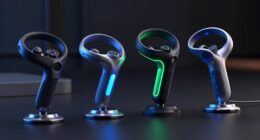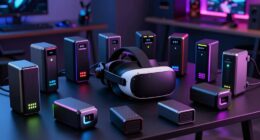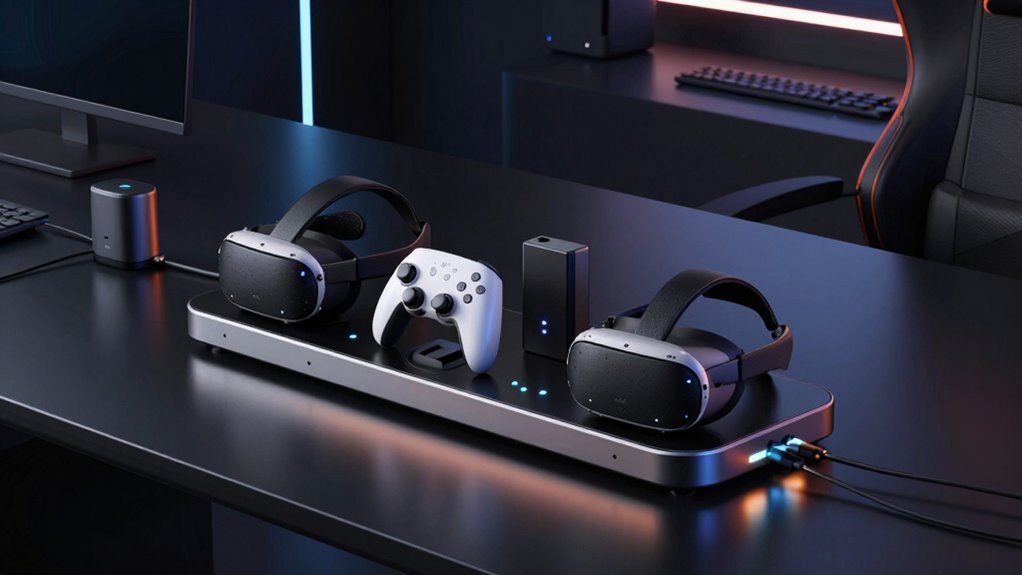
A multi-device charging station for a VR setup can keep a headset and controllers charged and stored together, but the right choice depends on your headset and how many accessories you need to power. My best overall pick is the Anker Charging Dock for Oculus Quest 2, with rechargeable batteries, magnetic USB-C charging, and headset-and-controller support. For newer Meta Quest models, the VR Headset Charging Dock for Quest 3, 3S, and 2 offers broader headset compatibility, while the KIWI Design D2 is tailored to PSVR2 and PS5 controllers. The main tradeoffs are compatibility, how many devices charge at once, and whether convenience features justify a more specialized dock. Read on for the full breakdown and buying advice.

Get tech for your team delivered free — and shop member deals
- Fast, free delivery on millions of items
- Access to Prime Big Deal Days deals on October 6–7
- Prime Video, Amazon Music and more included
Complete the kit



Key Takeaways
- Headset compatibility separates the leading picks: the Anker dock is designed for Quest 2, while the VR Headset Charging Dock lists Quest 3, Quest 3S, and Quest 2 support.
- Quest and PlayStation setups need different solutions: the Anker and Kinwin docks target Meta Quest users, while KIWI Design D2 and several other options focus on PSVR or PS Move controllers.
- Charging more components at once is not the same as broader compatibility: a dock may bundle headset and controller charging yet still support only a specific headset generation.
- Rechargeable controller batteries are a meaningful convenience feature: both the Anker and Kinwin listings include rechargeable batteries, which can reduce dependence on disposable cells.
- Some products prioritize a narrower job: the PowerA dock focuses on PlayStation Move controllers, while a general stand or a four-in-one dock may suit buyers assembling a more controller-centered setup.
| VR Headset Charging Dock for Meta Quest 3, Quest 3S, and Quest 2 |  | Best for a Compact Meta Quest Display | Compatible devices: Meta Quest 2, Meta Quest 3, Meta Quest 3S | Mounting type: Tabletop | Charging port: Type-C | VIEW ON AMAZON | See Our Full Breakdown |
| KIWI Design D2 3-in-1 Controller Charging Station for PSVR2 and PS5 |  | Best for a PSVR2 and PS5 Setup | Compatibility: PSVR2 and PS5 | Power output: 22.5W | Charging time: 1.5–2 hours | VIEW ON AMAZON | See Our Full Breakdown |
| Kinwin Magnetic Charging Dock for Meta Quest 3/3 with RGB Light and 2 Rechargeable Batteries (White) |  | Best All-in-One Pick for Quest 3 and 3S | Compatible devices: Meta Quest 3, Meta Quest 3S | Connector type: USB Type-C | Wattage: 15W | VIEW ON AMAZON | See Our Full Breakdown |
| Magnetic Charging Dock for Meta Quest 2 – Fast Charging Station with LED Indicator |  | Best Quest 2 All-in-One Dock | Compatible devices: Meta Quest 2 headset and controllers | Connector type: USB Type-C | Wattage: 18W | VIEW ON AMAZON | See Our Full Breakdown |
| Charging Stand for PlayStation VR2 – LED Indicator, 7-Mode RGB Lights, Type-C Cable |  | Best for PSVR2 Controller Charging and Desk Style | Connector type: USB Type-C | Input voltage: 5V | Amperage: 2A | VIEW ON AMAZON | See Our Full Breakdown |
| P4 Controller Charging Dock Station – 4-in-1 PS VR Motion Move Charger |  | Best for Mixed PS4 and PS VR Move Controller Sets | Compatible devices: PS4, PS4 Slim, PS4 Pro, PS VR Move Motion Controller | Simultaneous controller capacity: Two PS4 controllers and two PS VR Move controllers | Connector type: USB | VIEW ON AMAZON | See Our Full Breakdown |
| VR Charging Stand & PSVR Charging Station |  | Best for Individual Charge Checks | Compatible devices: PSVR, DualShock 4, and Move controllers | Maximum controller capacity: 4 | Connector type: USB | VIEW ON AMAZON | See Our Full Breakdown |
| PowerA Charging Dock for PlayStation VR Move Motion Controllers |  | Best Compact Move-Only Dock | Compatible devices: PS4/VR and PS3 Move controllers | Controller capacity: 2 | Connector type: USB | VIEW ON AMAZON | See Our Full Breakdown |
| Anker Charging Dock for Oculus Quest 2 – VR Headset and Controller Charging Stand with Rechargeable Batteries, Magnetic USB‑C, LED Indicators, Oculus Certified, Includes Cleaning Cloth |  | Best Quest 2 Headset-and-Controller Dock | Compatible device: Oculus Quest 2 | Connector type: USB Type-C | USB ports: 1 | VIEW ON AMAZON | See Our Full Breakdown |
| multi device charging station for vr setup | Connector type | Compatible devices |
|---|---|---|
| VR Headset Charging Dock for M | — | Meta Quest 2, Meta Quest 3, Meta Quest 3S |
| KIWI Design D2 3-in-1 Controll | — | — |
| Kinwin Magnetic Charging Dock | USB Type-C | Meta Quest 3, Meta Quest 3S |
| Magnetic Charging Dock for Met | USB Type-C | Meta Quest 2 headset and controllers |
| Charging Stand for PlayStation | USB Type-C | — |
| P4 Controller Charging Dock St | USB | PS4, PS4 Slim, PS4 Pro, PS VR Move Motion Controller |
| VR Charging Stand & PSVR Charg | USB | PSVR, DualShock 4, and Move controllers |
| PowerA Charging Dock for PlayS | USB | PS4/VR and PS3 Move controllers |
| Anker Charging Dock for Oculus | USB Type-C | — |
More Details on Our Top Picks
VR Headset Charging Dock for Meta Quest 3, Quest 3S, and Quest 2
This is the most space-conscious Meta Quest stand in this group, but it is a headset charger and organizer, not a full-system charging station. Its Type-C connection charges the headset while the stand keeps the headset and controllers together, making it a practical choice when a tidy play area matters more than charging every device at once. Unlike the Kinwin Magnetic Charging Dock, it does not charge controllers or include rechargeable batteries; its advantage is compatibility with Quest 2, Quest 3, and Quest 3S, plus room for some third-party straps and covers. The non-slip base helps keep the stand steady on a desk. You will need a suitable power adapter for the stated fast-charging options, so this is best for buyers who already have one and do not mind charging controllers separately.
Pros:- Supports Meta Quest 2, Quest 3, and Quest 3S
- Charges the headset through a Type-C connection
- Non-slip base holds the headset and controllers in place
- Designed to accommodate some third-party straps, headphones, and controller covers
Cons:- Does not charge either controller
- Fast charging depends on a suitable 5V/3A, 9V/3A, or 12V/3A adapter
- Less of an all-in-one solution than the Kinwin dock, which charges the headset and controllers
Best for: Meta Quest 2, Quest 3, or Quest 3S owners who want a compact display stand that charges the headset and accommodates common add-ons.
Not ideal for: Buyers who want one station to charge the headset and both controllers together; this dock does not charge controllers.
- Compatible devices:Meta Quest 2, Meta Quest 3, Meta Quest 3S
- Mounting type:Tabletop
- Charging port:Type-C
- Material:ABS plastic
- Color:White
- Power requirements:5V/3A, 9V/3A, or 12V/3A adapter
Our verdict“Choose this stand if you want a compact, accessory-friendly Meta Quest display and can charge the controllers separately.”
KIWI Design D2 3-in-1 Controller Charging Station for PSVR2 and PS5
For a PlayStation VR setup, the KIWI Design D2 puts charging and storage into a single vertical footprint. It charges PSVR2 and PS5 controllers at the same time while giving the headset a dedicated place to sit, so the desk stays clearer than with separate chargers and a headset stand. The listed 22.5W power output and 1.5–2-hour charging time make it the stronger match for buyers prioritizing controller turnaround compared with the PSVR2 RGB stand, which charges controllers but not the headset. The tradeoff is a strict ecosystem fit: this station is for PSVR2 and PS5, not Meta Quest. It also does not make the headset charging claim that a full charging station might suggest; the supplied description specifies simultaneous charging for the controllers and headset display storage.
Pros:- Charges PSVR2 and PS5 controllers simultaneously
- Vertical design keeps the setup compact
- Non-slip silicone base supports stable placement
- LED indicators show charging status
Cons:- Compatibility is limited to the PS5 and PSVR2 ecosystem
- The description specifies headset display storage, not headset charging
- Requires a suitable 22.5W power source to match the stated output
Best for: PSVR2 owners who also use PS5 controllers and want controller charging with a vertical place to store the headset.
Not ideal for: Meta Quest owners or buyers seeking a charging dock that charges the PSVR2 headset itself; its stated charging support is for PSVR2 and PS5 controllers.
- Compatibility:PSVR2 and PS5
- Power output:22.5W
- Charging time:1.5–2 hours
- Design:Vertical, space-efficient
- Base material:Non-slip silicone
- Charging indicators:LED
Our verdict“Pick the KIWI Design D2 if your setup centers on PSVR2 and PS5 controllers and you want a compact charging-and-storage station.”
Kinwin Magnetic Charging Dock for Meta Quest 3/3 with RGB Light and 2 Rechargeable Batteries (White)
The Kinwin is the clearest all-in-one choice here for Meta Quest 3 and 3S: it charges the headset and both controllers together, and includes two rechargeable batteries to cut down on disposable-cell changes. Magnetic USB-C connections make docking simpler than lining up separate cables, while the RGB charging indicator gives a quick visual cue about status. Compared with the Quest 2 magnetic dock in this list, Kinwin supports Quest 3 and 3S and emphasizes a compact stand with ambient lighting; the Quest 2 model instead lists an 18W adapter and headset/controller charge-time figures. Kinwin’s stated 3–4-hour charging time is useful for planning, but the cable may be short and the product calls for an official 18W adapter for optimal fast charging. Buyers with a Quest 2 should choose a compatible alternative.
Pros:- Charges the headset and both controllers simultaneously
- Includes two rechargeable batteries
- Magnetic USB-C connections simplify docking
- RGB indicator provides a visible charging-status cue
Cons:- Optimal fast charging calls for an official 18W adapter
- The charging cable may be too short for some desk layouts
- Not listed as compatible with Meta Quest 2
Best for: Meta Quest 3 or 3S owners who want to charge the headset and both controllers together and prefer rechargeable controller batteries.
Not ideal for: Quest 2 owners or buyers whose outlet is far from the stand; the listed compatibility excludes Quest 2 and the cable may be short.
- Compatible devices:Meta Quest 3, Meta Quest 3S
- Connector type:USB Type-C
- Wattage:15W
- Input voltage:10V
- Output voltage:10V
- Output current:2A
- Total USB ports:1
- Charging time:About 3–4 hours
Our verdict“Choose Kinwin for a Quest 3 or 3S setup when simultaneous charging and included rechargeable batteries matter more than cable reach.”
Magnetic Charging Dock for Meta Quest 2 – Fast Charging Station with LED Indicator
Quest 2 owners who want a complete charging routine get more here than from the compact white tabletop dock: this model charges the headset and both controllers and includes two 2000mAh rechargeable batteries, magnetic connectors, and an 18W USB-C adapter. Its listed charge times—about three hours for the headset and four for the controllers—give buyers a clearer expectation than the Kinwin dock, which targets Quest 3 and 3S. Status LEDs and a light-off button also suit a bedroom or shared room where persistent lighting could distract. The tradeoff is narrow compatibility: it is specified for Quest 2, while the Kinwin covers newer Quest models. The supplied data also reports an unusually low 1µA output current, which conflicts with the fast-charging description; I would treat that specification as a reason to verify details before buying.
Pros:- Charges the Quest 2 headset and both controllers simultaneously
- Includes two 2000mAh rechargeable batteries
- Includes an 18W USB-C adapter and magnetic connectors
- LED status indicators can be switched off
Cons:- Compatibility is listed for Meta Quest 2 only
- The reported 1µA output-current figure is unusually low and needs clarification
- Included 2000mAh batteries may need frequent recharging during extended use
Best for: Meta Quest 2 owners who want one dock for the headset and controllers, with rechargeable batteries and an included adapter.
Not ideal for: Quest 3 or 3S owners, and buyers who need unambiguous electrical specifications before choosing a charging dock.
- Compatible devices:Meta Quest 2 headset and controllers
- Connector type:USB Type-C
- Wattage:18W
- Included batteries:Two 2000mAh batteries
- Headset charging time:About 3 hours
- Controller charging time:About 4 hours
- Safety protections:Overcharge, overheat, and short-circuit protection
Our verdict“For Quest 2 owners, this is a well-equipped all-in-one option, provided the unusual output-current specification is confirmed.”
Charging Stand for PlayStation VR2 – LED Indicator, 7-Mode RGB Lights, Type-C Cable
This PSVR2 stand is a controller-focused charging station with a visual flair: it charges two controllers in about 1.5 hours and adds seven RGB modes plus charge-status LEDs. Its vertical frame and non-slip silicone base help free desk space, while magnetic adapters make connecting the controllers easier than handling separate charging cables. Compared with the KIWI Design D2, this model highlights RGB lighting and a stated 10W output, while the KIWI provides a 22.5W output and is described as charging PSVR2 and PS5 controllers. The key limitation is easy to miss: this stand holds the headset but does not charge it. It also needs a 5V/2A source, and the magnetic connector must be fully seated to avoid slipping free. Choose it for controller charging and atmosphere, not as a full headset charging hub.
Pros:- Charges two controllers in about 1.5 hours
- Seven RGB lighting modes and separate charge indicators
- Vertical layout and non-slip silicone base save desk space
- Magnetic adapters help align controller connections
Cons:- Does not charge the PSVR2 headset
- Requires a 5V/2A power source; lower-power adapters may charge slowly
- Magnetic connector can fall out if it is not fully inserted
Best for: PSVR2 owners who want a compact controller charger with visible status lights and customizable RGB lighting.
Not ideal for: Buyers who want their headset charged at the same station or who prefer a simple setup without RGB lighting and magnetic adapters.
- Connector type:USB Type-C
- Input voltage:5V
- Amperage:2A
- Wattage:10W
- Total USB ports:2
- Item weight:1.2 pounds
- Enclosure material:Plastic
- Color:White
Our verdict“Choose this stand if fast PSVR2 controller charging and RGB accents matter more to you than charging the headset.”
P4 Controller Charging Dock Station – 4-in-1 PS VR Motion Move Charger
This TUOWITA dock is the strongest fit here for a PS4 and PS VR Move setup that needs several controllers charged together: it holds two DualShock 4 controllers and two Move controllers at once. Its three USB ports and tabletop storage design help reduce desk clutter, while clear LEDs make it easy to check charging status. The stated 2–4-hour charge time is useful for planning a return to play, though the dock is USB powered and the included description does not list a Move-controller adapter. Compared with the Skywin VR charging stand, this dock has fewer USB ports but gives a clear four-controller mix; compared with the PowerA dock, it accommodates two additional controllers. It is not a general-purpose phone or headset charger.
Pros:- Charges two PS4 controllers and two PS Move controllers simultaneously.
- Three USB ports support a more flexible tabletop setup than the PowerA dock.
- LED indicators show charging status at a glance.
- Stores controllers upright in one dedicated location.
Cons:- A PS Move controller adapter is not included.
- Compatibility is focused on PS4 and PS Move controllers, not newer PS5 or Quest gear.
Best for: PS4 VR owners who regularly charge two DualShock 4 controllers and two PS Move controllers together and want a tabletop storage solution.
Not ideal for: Quest owners, PS5 DualSense users, or buyers who need a ready-to-use Move charging setup without sourcing a separate adapter.
- Compatible devices:PS4, PS4 Slim, PS4 Pro, PS VR Move Motion Controller
- Simultaneous controller capacity:Two PS4 controllers and two PS VR Move controllers
- Connector type:USB
- USB ports:3
- Input:5 V, 2 A
- Output:5 V, 2 A
- Power:10 W, USB powered
- Mounting type:Tabletop
Our verdict“Choose this dock if your PS4 VR setup includes both DualShock 4 and Move controllers and you can supply the missing Move adapter.”
VR Charging Stand & PSVR Charging Station
The Skywin stand suits a PlayStation VR household where charge status for each controller matters as much as keeping the play area neat. It charges up to four PlayStation controllers and gives each one its own LED indicator, so a quick glance can show which controller still needs power. The tabletop design is broader in scope than the PowerA Move-only dock, since it supports DualShock 4 as well as Move controllers. The TUOWITA P4 dock also handles four controllers and lists three USB ports, while Skywin specifies four; however, neither is a universal charging hub for phones or unrelated devices. Its PlayStation-only compatibility is the main boundary, and it does not support PS5 DualSense controllers. Buyers with newer PS5 VR gear should look instead at the KIWI Design D2.
Pros:- Charges up to four PlayStation controllers simultaneously.
- Individual LED indicators show each controller’s charging status.
- Supports PSVR, DualShock 4, and Move controllers.
- Tabletop form keeps compatible controllers grouped in one place.
Cons:- Does not support PS5 DualSense controllers.
- Designed for PlayStation controllers rather than phones or other device types.
- Plastic construction may feel less substantial than a heavier dedicated stand.
Best for: PSVR owners with up to four compatible PS4 controllers who want a separate charging indicator for every controller.
Not ideal for: PS5 DualSense owners or gamers who want one station to charge a headset, phone, and controllers across different platforms.
- Compatible devices:PSVR, DualShock 4, and Move controllers
- Maximum controller capacity:4
- Connector type:USB
- USB ports:4
- Input:5 V, 3 A
- Output:5 V DC, 2 A
- Enclosure material:Plastic
- Form factor:Tabletop
- Item weight:2.2 pounds
Our verdict“Pick Skywin if you want four-controller PSVR charging with individual status lights and do not need support beyond PlayStation gear.”
PowerA Charging Dock for PlayStation VR Move Motion Controllers
PowerA keeps the job narrow: this dock stores and charges two PlayStation Move controllers, with an LED indicator and four rubberized feet to help it stay put on a tabletop. Its included wall adapter makes it a more self-contained choice than the TUOWITA P4, whose Move-controller adapter is not included. That simplicity comes with less capacity: the Skywin stand charges up to four controllers, while PowerA is limited to two Move controllers and offers no spare USB ports for other devices. Compatibility with PS3 Move controllers is a useful bonus for owners of older hardware, but it does not turn the dock into a headset or multi-device station. The wall-powered design also means it is best treated as a fixed spot beside the console rather than a portable charging option.
Pros:- Charges and stores two Move controllers at once.
- Includes a wall adapter, unlike the TUOWITA P4’s missing Move adapter.
- Four rubberized feet help keep the compact base stable.
- Compatible with PS4/VR and PS3 Move controllers.
Cons:- Limited to two controllers and does not provide broader device charging.
- Requires a wall outlet, reducing placement flexibility.
- Single USB port does not provide extra ports for other gear.
Best for: PSVR or PS3 Move owners who need a stable, compact charging and storage spot for exactly two motion controllers.
Not ideal for: Players charging four or more controllers, owners seeking a headset-and-controller station, or anyone who needs portable charging away from an outlet.
- Compatible devices:PS4/VR and PS3 Move controllers
- Controller capacity:2
- Connector type:USB
- USB ports:1
- Output voltage:12 V DC
- Power source:Corded electric
- Power plug:Type A, 2-pin North American
- Form factor:Stationary
- Warranty:Two-year limited
Our verdict“Choose PowerA for a simple, stable two-controller Move dock with an included wall adapter, not for a larger multi-device VR setup.”
Anker Charging Dock for Oculus Quest 2 – VR Headset and Controller Charging Stand with Rechargeable Batteries, Magnetic USB‑C, LED Indicators, Oculus Certified, Includes Cleaning Cloth
Unlike the PlayStation controller docks in this group, this Anker station is built around a Quest 2 headset and its controllers. Oculus certification and a magnetic USB-C connection make its charging arrangement specific to the headset, while the included pair of 1800 mAh rechargeable batteries and LED indicators make it a more complete Quest 2 setup than a controller-only dock such as PowerA. The compact tabletop footprint and cleaning cloth add useful storage and upkeep details. Its main limitation is breadth: the listed single USB port and Quest 2 compatibility do not make it a hub for other devices, and the battery capacity may mean more frequent recharging for heavy sessions. Buyers with Meta Quest 3 or PlayStation VR gear should compare it with the roundup’s platform-specific alternatives instead.
Pros:- Oculus-certified compatibility is tailored to Quest 2.
- Magnetic USB-C connection offers a convenient headset charging link.
- Includes two 1800 mAh rechargeable batteries for the controllers.
- LED indicators and included cleaning cloth support a tidy headset station.
Cons:- Quest 2 compatibility limits its usefulness for other VR platforms and newer headsets.
- One USB port offers limited capacity for charging additional devices.
- The included battery capacity may need frequent recharging during heavy use.
Best for: Quest 2 owners who want a dedicated tabletop dock for the headset and controllers, with rechargeable controller batteries and clear charge indicators.
Not ideal for: Quest 3, PSVR, or PSVR2 owners, and buyers who need several unrelated devices charged from one station.
- Compatible device:Oculus Quest 2
- Connector type:USB Type-C
- USB ports:1
- Input voltage:9 V
- Output:15 V DC, 3 A
- Power:12 W
- Included rechargeable batteries:Two, 1800 mAh each
- Mounting type:Tabletop
- Item weight:1.5 pounds
Our verdict“Pick Anker if Quest 2 is your only VR platform and you want a dedicated headset-and-controller dock rather than a cross-device charging hub.”

How We Picked
I ranked these stations by how well their stated features match the needs behind a VR charging setup: headset and controller compatibility, the number of devices supported, charging approach, and practical storage. I gave more weight to clearly identified headset support and combined charging features than to appearance-focused extras such as RGB lighting. A dock that fits a specific headset generation can be a better purchase than a more elaborate-looking stand that does not match the buyer’s equipment.
I also considered how clearly each product’s role can be understood before purchase. The Anker dock leads for Quest 2 users because its listing combines headset and controller charging with rechargeable batteries and magnetic USB-C charging; broader Quest-generation support gives the VR Headset Charging Dock a distinct advantage for mixed or newer Quest ownership. KIWI Design D2 ranks as a focused PSVR2 and PS5 option, while controller-only docks sit lower for buyers who want one station for the full VR kit. The product names and supplied feature details do not establish every connector, power requirement, or included accessory, so I treat those as points for buyers to verify rather than assume.
| multi device charging station for vr setup | Compatible devices | Connector type |
|---|---|---|
| VR Headset Charging Dock for M | Meta Quest 2, Meta Quest 3, Meta Quest 3S | — |
| KIWI Design D2 3-in-1 Controll | — | — |
| Kinwin Magnetic Charging Dock | Meta Quest 3, Meta Quest 3S | USB Type-C |
| Magnetic Charging Dock for Met | Meta Quest 2 headset and controllers | USB Type-C |
| Charging Stand for PlayStation | — | USB Type-C |
| P4 Controller Charging Dock St | PS4, PS4 Slim, PS4 Pro, PS VR Move Motion Controller | USB |
| VR Charging Stand & PSVR Charg | PSVR, DualShock 4, and Move controllers | USB |
| PowerA Charging Dock for PlayS | PS4/VR and PS3 Move controllers | USB |
| Anker Charging Dock for Oculus | — | USB Type-C |
Factors to Consider When Choosing Multi Device Charging Station For Vr Setup
Before choosing a dock, start with the equipment you own and the charging routine you want to simplify. A VR stand can save desk space without charging every device, while a multi-device dock may still leave a headset or controller out if its compatibility is too narrow.
Match the Dock to Your Exact Headset Generation
Headset names that look similar can refer to different models, ports, and controller designs. Check the manufacturer’s compatibility list for your exact headset generation and any included facial interface, strap, or battery accessory that changes how the headset sits on a stand. Do not treat Quest 2 support as proof of Quest 3 support, or assume a PSVR2 accessory works with a PS Move controller. A broad compatibility claim can be useful, but the exact model list matters more than a generic label such as “VR charging station.” If you share a headset with someone using another generation, prioritize a dock that explicitly names both models.
Count Every Device You Expect to Charge
List the headset, controllers, and any add-on batteries you want to charge at the same time. Product labels such as “3-in-1” or “4-in-1” can describe a specific combination, not universal support for four VR devices. A controller dock may keep a PlayStation setup tidy but leave the headset’s charging cable separate. That can still be a sensible choice if controller charging is your main problem and you already have a headset stand. Buyers seeking one central station should confirm exactly which items connect to it and whether all charging positions can be used together.
Understand the Charging Method Before Buying
Charging contacts, magnetic connectors, USB-C leads, and rechargeable battery packs each create a different routine. A magnetic connector can make docking quicker, while a battery-based setup may mean swapping or recharging packs when controllers run low. Check whether the product includes the required batteries, cables, or power adapter; a product title alone does not confirm every item in the box. Also verify whether the dock charges the headset itself or only stores it while you use a separate cable. A setup that is easy to place correctly can be more convenient than one with more charging positions but fussy alignment.
Plan for Desk Space, Cable Routing, and Stability
Measure the surface where the station will sit, including room for controllers to be lifted off without hitting a wall or monitor. A tall headset stand can use a smaller footprint but may be easier to knock over; a wider dock can hold devices securely while taking up more desk area. Look for a layout that lets cables reach an outlet without crossing a walking path or pulling on the headset. If the charging station will sit near a play area, keep cords away from movement zones and avoid placing it where a swinging controller could hit it. Storage and charging work best when the station has a consistent home outside active play.
Decide Which Extras Solve a Real Problem
RGB lighting and LED indicators can make a station easier to identify or show charging status, but they do not make an incompatible dock useful. Rechargeable batteries may be more valuable to frequent players who want controllers ready between sessions. A cleaning cloth or included cable can save a separate purchase, though those extras should not outweigh fit and charging function. Before paying for a feature-rich model, ask which task it removes from your routine. If the answer is only visual appeal, a simpler compatible stand may be the better match.
Check What Is Included and What Must Be Supplied Separately
Charging products can rely on accessories you already own, so read the package details rather than assuming the station is ready to use on its own. Confirm whether a wall adapter, USB cable, rechargeable batteries, magnetic connectors, or controller-specific parts are included. Check the required power source and cable length against the outlet you plan to use. If you are replacing an existing dock, compare the included parts with your current setup before discarding anything. This small check can prevent a station from arriving only to leave you with another cable or battery purchase to sort out.
Frequently Asked Questions
Can one charging dock work with both Meta Quest and PlayStation VR equipment?
Do not assume that a dock supports both platforms just because it is described as a VR charging station. The products in this roundup generally have platform-specific roles: several are for Meta Quest, while KIWI Design D2 and other options are aimed at PlayStation VR or its controllers. Check for your exact headset and controller models in the compatibility details before ordering. If you own both platforms, a headset stand plus a separate controller dock may be more practical than forcing everything into one station. Confirm that each device has its own compatible charging connection.
Will a Quest 2 charging dock fit a Quest 3 or Quest 3S?
Not automatically. The Anker model listed here is for Quest 2, while the VR Headset Charging Dock names Quest 3, Quest 3S, and Quest 2 support. Physical fit and charging alignment can differ across headset generations, so a similar shape or connector is not enough to confirm compatibility. Check the manufacturer’s model list and any limits involving straps or accessories. If you are upgrading soon, a dock that explicitly supports the newer headset may avoid replacing your station later.
Do these stations charge the headset as well as the controllers?
Some are described as headset-and-controller docks, but others focus on controller charging or storage. The Anker listing identifies headset and controller charging, while the PowerA model is specifically for PlayStation Move controllers. Read the listed charging positions and included connectors rather than relying on a product name that says “station” or “stand.” If the headset is only held in place, you may still need to connect its own charging cable. This distinction matters if your goal is to reduce the number of separate charging steps.
Are rechargeable controller batteries worth prioritizing?
They can be useful if you play often and want controllers ready without keeping disposable batteries on hand. The Anker Quest 2 dock and Kinwin Quest dock both list rechargeable batteries, making that feature a clear point of difference from controller stands that do not specify battery support. Check whether the batteries are included and compatible with your controller model before treating the feature as part of the package. Battery-based charging may also require you to use the supplied packs rather than your preferred rechargeable cells. For occasional play, compatibility and a stable storage layout may matter more.
Should I choose a multi-device dock or separate charging stands?
A combined dock makes sense when it supports your full set of devices and you have room for its footprint. Separate stands can be a better fit if your headset and controllers use different charging systems, or if you want to place them in different parts of the room. The roundup includes focused options such as the PowerA Move controller dock alongside stations aimed at broader headset-and-controller storage. Before deciding, list which devices you need charged together and which can stay on separate cables. Choose the arrangement that reduces clutter without adding compatibility work.
Conclusion
For a Quest 2 setup seeking a single headset-and-controller station, I’d start with the Anker Charging Dock, whose listed rechargeable batteries and magnetic USB-C charging make it the clearest feature-rich pick. My best overall for newer and mixed Quest generations is the VR Headset Charging Dock, since its stated Quest 3, Quest 3S, and Quest 2 compatibility covers more headset models. The best value in practical terms is the simpler dock that matches your exact headset and charging needs without paying for lighting or extras you will not use; compare the Quest and PlayStation options by fit, not appearance. For beginners, choose a station with your exact headset and controller models plainly listed, rather than a controller-only dock. For PSVR2 and PS5 users, KIWI Design D2 is the focused pick; for Move controllers, look at PowerA or the P4 four-in-one dock. Buyers seeking a premium feature set can favor the Anker or Kinwin options for their listed rechargeable batteries, while checking model compatibility first.
Halloween Picks
halloween
As an affiliate, we earn on qualifying purchases.