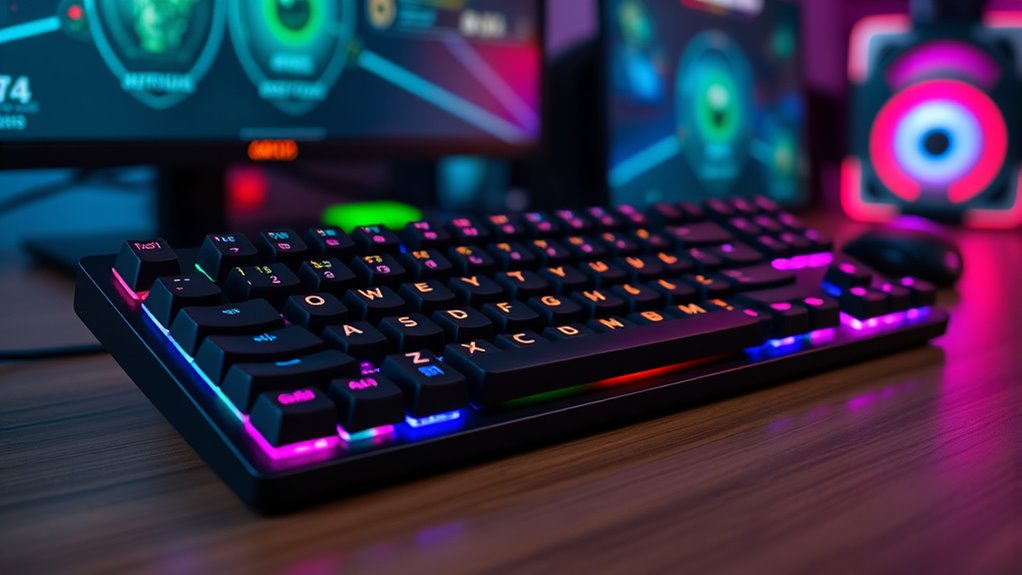

Finding the right MMO gaming keypad with macro rows can significantly improve your gameplay by streamlining commands and maximizing efficiency. The Razer Tartarus V2 stands out as the best overall choice for its reliable mechanical switches and extensive programmable keys. The Turtle Beach Command Series KP7 offers a compact hall-effect design, perfect for gamers seeking durability and precision. However, these keypads come with tradeoffs: more features often mean a steeper learning curve or higher price. Continue reading for a detailed comparison of the top options and to find the best fit for your gaming style.
Key Takeaways
- The most versatile options combine mechanical switches with extensive macro programmability, like the Razer Tartarus Pro.
- Compact designs such as the Turtle Beach KP7 appeal to players with limited desk space or those who prefer portability.
- Wireless models like the Redragon K585 PRO offer freedom of movement but may introduce latency compared to wired options.
- Build quality varies widely, with hall-effect switches providing greater durability at a higher cost.
- Price often correlates with features—more programmable keys and premium switches typically come at a premium, but value models can still satisfy casual gamers.
| Razer Tartarus V2 Mecha-Membrane Gaming Keypad with 32 Programmable Keys |  | Best Overall for Customization and Gaming Performance | Number of Keys: 32 | Switch Type: Mecha-Membrane | Designed For: Gaming | VIEW ON AMAZON | See Our Full Breakdown |
| Razer Tartarus Pro Gaming Keypad with Analog-Optical Switches, 32 Programmable Keys, RGB Lighting, and Macro Functionality |  | Best for Nuanced Control and Customization | Switch Type: Analog-Optical | Number of Keys: 32 | Backlit: RGB | VIEW ON AMAZON | See Our Full Breakdown |
| Turtle Beach Command Series KP7 Compact Hall-Effect Gaming Keypad |  | Best Compact and Precise for Space-Conscious Gamers | Connectivity: Standalone or with KB7 keyboard | Switch Type: Hall Effect | Polling Rate: 8K | VIEW ON AMAZON | See Our Full Breakdown |
| Redragon K585 Wired One-Handed RGB Gaming Keypad, Tactical 42-Key Layout |  | Best for MMO and MOBA Players with Extensive Macro Needs | Number of Keys: 42 | Connectivity Technology: USB-C | Additional Features: Onboard macro keys, RGB lighting, detachable wrist rest | VIEW ON AMAZON | See Our Full Breakdown |
| Razer Tartarus V2 Left-Handed Gaming Keypad |  | Best for Left-Handed Players Requiring Macro Customization | Number of Keys: 32 | Switch Type: Mecha-Membrane | Thumbpad: 8-way directional | VIEW ON AMAZON | See Our Full Breakdown |
| Redragon K585 PRO Wireless One-Handed RGB Gaming Keypad, 42-Key Layout |  | Best Overall Wireless MMO Keypad | Number of Keys: 42 | Connectivity: Bluetooth / 2.4GHz | Battery Life: 15-20 hours | VIEW ON AMAZON | See Our Full Breakdown |
| Redragon K758 Wired One-Handed RGB Mechanical Gaming Keyboard, 39 Keys, Type-C, Hot-Swappable, Macro Keys, Wrist Rest |  | Best Compact Wired Mechanical MMO Keypad | Compatible Devices: PC | Connectivity Technology: USB-C | Number of Keys: 39 | VIEW ON AMAZON | See Our Full Breakdown |
| AZERON Keyzen – Programmable Keypad with 32 Keys, Hall-Effect Joystick, Cherry MX Switches, Ergonomic Design, RGB Lighting |  | Best for Advanced Customization and Control | Number of Keys: 32 | Joystick: 360° Hall-Effect | Switch Type: Cherry MX | VIEW ON AMAZON | See Our Full Breakdown |
| VSD K1 Pro 87-Key Macro Mechanical Keyboard with Streaming Deck |  | Best for Streaming and Macro Power | Number of Keys: 87 | Display: Color TFT LCD | Switch Compatibility: 3-pin or 5-pin hot-swappable | VIEW ON AMAZON | See Our Full Breakdown |
| Keychron C0 HE 8K Wired One-Handed Gaming Keypad with Programmable Keys and RGB Lighting |  | Best for High-Performance Precision Gaming | Number of Keys: 35 | Switch Type: Hall Effect magnetic | Polling Rate: 8K | VIEW ON AMAZON | See Our Full Breakdown |
| mmo gaming keypads with macro row | Number of Keys | Switch Type | Connectivity |
|---|---|---|---|
| Razer Tartarus V2 Mecha-Membra | 32 | Mecha-Membrane | Wired |
| Razer Tartarus Pro Gaming Keyp | 32 | Analog-Optical | Wired |
| Turtle Beach Command Series KP | — | Hall Effect | Standalone or with KB7 keyboard |
| Redragon K585 Wired One-Handed | 42 | Clicky | — |
| Razer Tartarus V2 Left-Handed | 32 | Mecha-Membrane | Wired |
| Redragon K585 PRO Wireless One | 42 | — | Bluetooth / 2.4GHz |
| Redragon K758 Wired One-Handed | 39 | Clicky | — |
| AZERON Keyzen | 32 | Cherry MX | — |
| VSD K1 Pro 87-Key Macro Mechan | 87 | — | Wired USB-A to USB-C |
| Keychron C0 HE 8K Wired One-Ha | 35 | Hall Effect magnetic | Wired |
More Details on Our Top Picks
Razer Tartarus V2 Mecha-Membrane Gaming Keypad with 32 Programmable Keys
The Razer Tartarus V2 stands out for its extensive 32 programmable keys paired with responsive mecha-membrane switches, making it ideal for gamers who prioritize quick access to macros without sacrificing tactile feedback. Unlike the Razer Tartarus Pro, which offers analog switches and more nuanced control, this model emphasizes straightforward programmability and reliability at a more accessible price point. The lack of detailed software features or RGB customization slightly limits its appeal for those seeking deep aesthetic personalization. However, its design is optimized for gaming sessions, providing a familiar, tactile feel that many gamers prefer over purely mechanical switches. Ideal for gamers who want a versatile, responsive macro keypad without the complexity of advanced features.
Pros:- 32 programmable keys for comprehensive macro setup
- Mecha-membrane switches deliver tactile, responsive feedback
- Designed specifically for gaming, with ergonomic layout
Cons:- Limited information on additional software features
- No RGB lighting or advanced customization options
Best for: Gamers seeking a dependable, easy-to-program keypad with tactile feedback for fast gameplay
Not ideal for: Users wanting advanced analog input or extensive RGB customization, as this model lacks those features
- Number of Keys:32
- Switch Type:Mecha-Membrane
- Designed For:Gaming
- Backlit:None
- Connectivity:Wired
- Additional Features:Programmable keys
Our verdict“This keypad suits gamers who prioritize simplicity and responsiveness over advanced features or extensive aesthetic options.”
Razer Tartarus Pro Gaming Keypad with Analog-Optical Switches, 32 Programmable Keys, RGB Lighting, and Macro Functionality
The Razer Tartarus Pro excels with its pressure-sensitive analog-optical switches, enabling more precise input for complex maneuvers, making it well-suited for gamers who demand nuanced control. Compared with the Tartarus V2, which offers standard tactile feedback, this model’s analog switches support variable pressure inputs, ideal for flight sims or racing games. The inclusion of an ergonomic thumbpad and RGB lighting allows for both comfort and aesthetic personalization. However, this level of sophistication comes with a higher price tag and reliance on Razer’s software, which might be a barrier for users seeking a plug-and-play experience. This keypad is perfect for advanced gamers who want customizable control with a focus on precision.
Pros:- Pressure-sensitive analog switches for nuanced input
- Fully programmable keys with macro support
- RGB lighting with extensive personalization options
- Ergonomic thumbpad enhances control
Cons:- Premium price point limits accessibility
- Requires dedicated software for full customization
Best for: Hardcore gamers and creative users needing detailed macro control and analog input
Not ideal for: Casual players or those on a budget, as the premium price may not justify basic needs
- Switch Type:Analog-Optical
- Number of Keys:32
- Backlit:RGB
- Programmable Keys:Yes
- Additional Controls:8-way thumbpad
- Connectivity:Wired
Our verdict“This keypad is tailored for gamers demanding precise control and extensive customization, willing to invest in advanced features.”
Turtle Beach Command Series KP7 Compact Hall-Effect Gaming Keypad
The Turtle Beach KP7 delivers a compact footprint with hall-effect switches, which provide exceptionally fast and precise inputs, making it an excellent choice for players who need a space-efficient device without sacrificing performance. Its ability to connect standalone or with the KB7 keyboard offers versatility that the Redragon K585 lacks, which is more of a dedicated gaming accessory than a multi-purpose device. While its space-saving design reduces wrist fatigue and clutter, the software customization options are less transparent, and some users may find the software setup overly complex. This device suits gamers who want a professional-grade, precise control device that fits into tight setups.
Pros:- Compact design minimizes space and wrist fatigue
- Hall-effect switches for fast, precise actuation
- Can operate independently or with KB7 keyboard
Cons:- Limited compatibility info with various devices
- Potentially complex software setup for some users
Best for: Competitive gamers and space-conscious users seeking high-precision input
Not ideal for: Casual players or those wanting a larger macro keypad with extensive RGB customization
- Connectivity:Standalone or with KB7 keyboard
- Switch Type:Hall Effect
- Polling Rate:8K
- Backlighting:Per-key RGB
- Additional Features:Extendable thumb bar, scroll wheel
- Dimensions:Compact
Our verdict“This keypad fits those needing precise, quick inputs in a compact package, especially in tight gaming setups.”
Redragon K585 Wired One-Handed RGB Gaming Keypad, Tactical 42-Key Layout
The Redragon K585 offers a generous 42-key layout with onboard macro profiles, making it a flexible option for MMO and MOBA gamers who prefer wired reliability. Its switch socket and detachable wrist rest add comfort and customization, rivaling the K585 PRO while maintaining affordability. The onboard macro keys are a significant advantage, but its wired-only connection could limit mobility for some users, and its compact size may feel cramped for players who prefer larger key areas. The software for macro customization is powerful, but some users might find it slightly complex. This keypad is well-suited for dedicated MMO players who need many programmable keys and a reliable wired connection.
Pros:- 42 keys with onboard macro profiles
- Switch socket for switch customization
- Detachable wrist rest enhances comfort
- RGB backlighting with multiple modes
Cons:- Wired connection limits mobility
- May be too compact for some users
Best for: MMO and MOBA players who need a large, customizable macro keypad with reliable wired connection
Not ideal for: Players seeking wireless options or larger, more spacious key layouts
- Number of Keys:42
- Connectivity Technology:USB-C
- Additional Features:Onboard macro keys, RGB lighting, detachable wrist rest
- Switch Type:Clicky
- Compatible Devices:Laptop, Tablet
- Enclosure Material:ABS
Our verdict“This keypad offers a large number of programmable keys with reliable wired performance, making it ideal for serious MMO players.”
Razer Tartarus V2 Left-Handed Gaming Keypad
The Razer Tartarus V2 Left-Handed provides a highly customizable solution specifically designed for left-handed gamers, featuring 32 programmable keys and an 8-way thumbpad. Its tactile mecha-membrane switches offer a familiar feel for those who prefer tactile feedback, similar to the standard V2 but oriented for left-handed use. While this specialization is a strength, it naturally limits versatility for right-handed users or ambidextrous players. The RGB lighting adds aesthetic appeal, but the higher price point might deter casual users. Compared to the Tartarus V2, this model’s left-handed design is its main advantage, but it does limit broader usability. This keypad is best for left-handed gamers who want full macro customization in a compact form.
Pros:- 32 programmable keys for extensive macro setup
- 8-way thumbpad for directional control
- Vivid RGB lighting for personalization
- Tactile feedback similar to mechanical switches
Cons:- Limited to left-handed use, reducing versatility
- Mecha-membrane switches may not satisfy mechanical switch purists
- Premium price for a specialized device
Best for: Left-handed gamers seeking a fully customizable macro keypad
Not ideal for: Right-handed users or those who prefer a symmetrical, ambidextrous device
- Number of Keys:32
- Switch Type:Mecha-Membrane
- Thumbpad:8-way directional
- Backlit:RGB
- Connectivity:Wired
- Designed For:Left-handed gamers
Our verdict“This keypad is tailored for left-handed players needing a reliable, customizable macro device with tactile feedback.”
Redragon K585 PRO Wireless One-Handed RGB Gaming Keypad, 42-Key Layout
The Redragon K585 PRO stands out for its wireless flexibility combined with a solid macro row of 42 keys, making it highly versatile for MMO players who value untethered gameplay. Compared with wired options like the Redragon K758, this model frees you from cable clutter, but the tradeoff is a potentially more complex setup and reliance on software for full customization. Its long battery life and switch socket compatibility provide customization and convenience, though limited to one-handed use and needing some familiarity with wireless peripherals.
Designed for dedicated MMO gamers who want freedom of movement, this keypad offers a comfortable detachable wrist rest and RGB lighting for personalization. It’s less suitable for users expecting a full keyboard or those uncomfortable with wireless setups and software configuration.
Pros:- Wireless connectivity with long battery life for untethered gaming
- Customizable macro keys and RGB lighting effects
- Detachable wrist rest enhances comfort during long sessions
- Switch socket compatibility allows switch customization
Cons:- Limited to one-handed use, restricting full keyboard functionality
- Requires software for comprehensive customization, which may be complex for some users
- Potentially complex setup for beginners unfamiliar with wireless peripherals
Best for: MMO players seeking a wireless, portable macro keypad with extensive macro options and RGB customization.
Not ideal for: Players who prefer a full-sized keyboard or need more than 42 keys for complex workflows, as the layout is limited to one hand and not expandable.
- Number of Keys:42
- Connectivity:Bluetooth / 2.4GHz
- Battery Life:15-20 hours
- Switch Compatibility:3-pin and 5-pin
- Macro Keys:7 onboard, 4 profiles
- Lighting:RGB
Our verdict“Ideal for MMO gamers who prioritize wireless freedom and macro customization in a compact form factor.”
Redragon K758 Wired One-Handed RGB Mechanical Gaming Keyboard, 39 Keys, Type-C, Hot-Swappable, Macro Keys, Wrist Rest
Compared to the wireless K585 PRO, the Redragon K758 offers a wired connection with a slightly smaller footprint, making it a strong choice for gamers prioritizing low latency and portability. Its 39 keys, including macro functions, are well-suited for MMO players who want a mechanical feel and hot-swappable switches, although the slightly smaller number of keys means fewer macro options than larger models like the K585.
Its ergonomic wrist rest and RGB lighting create a comfortable, visually engaging experience, but the limited number of keys might not satisfy users with extensive macro needs or those who prefer wireless setups. It’s ideal for gamers who want a reliable, portable, and customizable keypad for on-the-go gaming or desk setups.
Pros:- Wired connection ensures low latency and stable response
- Hot-swappable mechanical switches for easy customization
- Compact design ideal for portability and limited desk space
- Includes ergonomic wrist rest and RGB lighting
Cons:- Limited number of keys may restrict macro complexity for some users
- Wired connection reduces flexibility of placement
- Mechanical switches can be noisy and loud
Best for: Wired MMO enthusiasts seeking a compact, mechanical, and highly customizable keypad with ergonomic features.
Not ideal for: Players who prefer wireless setups or need more than 39 keys for complex macro workflows, as the layout is somewhat limited.
- Compatible Devices:PC
- Connectivity Technology:USB-C
- Number of Keys:39
- Switch Type:Clicky
- Wrist Rest:Included
- Lighting:RGB
Our verdict“Best suited for gamers wanting a wired, mechanical, and portable macro keypad with solid build quality.”
AZERON Keyzen – Programmable Keypad with 32 Keys, Hall-Effect Joystick, Cherry MX Switches, Ergonomic Design, RGB Lighting
The AZERON Keyzen caters to experienced users who want extensive customization, with 32 programmable keys and a unique Hall-Effect joystick that delivers drift-free precision, surpassing standard macro rows. Its ergonomic design with palm rests and swappable keycaps makes it suitable for long sessions, but its complexity can be overwhelming for beginners. Unlike the other options, its modular, upgradeable build and multiple profiles support highly tailored setups for demanding players.
This keypad is less accessible for casual users and those unfamiliar with software-driven customization, but it excels for those who need precise control and durability. Its advanced features come with a steeper learning curve and higher price point, making it a tool for dedicated gamers and professionals.
Pros:- Highly customizable with 32 programmable keys and multiple profiles
- Drift-free Hall-Effect joystick for precise control
- Ergonomic design with palm rests for extended use
- Durable, upgradeable construction and modular design
Cons:- Complex setup and configuration process for new users
- Requires software for full customization, which may be intimidating
- Designed primarily for advanced users, limiting appeal for casual gamers
Best for: Advanced MMO players and content creators seeking extensive customization, durability, and ergonomic comfort.
Not ideal for: Beginners or casual gamers who prefer simple plug-and-play solutions, due to its complex setup and configuration requirements.
- Number of Keys:32
- Joystick:360° Hall-Effect
- Switch Type:Cherry MX
- Profiles:6 onboard, unlimited via software
- Lighting:RGB
- Construction:Modular, 3D-printed
Our verdict“Best suited for experienced users needing a highly customizable, ergonomic keypad with precise control features.”
VSD K1 Pro 87-Key Macro Mechanical Keyboard with Streaming Deck
The VSD K1 Pro combines a full-sized 87-key layout with a dedicated streaming deck, making it ideal for streamers and power users who need extensive macro options and real-time control. Its built-in color TFT LCD display provides immediate feedback, unlike smaller keypads, and the hot-swappable switches add customization flexibility. Compared to the compact Keychrons, this model offers more keys and a dedicated streaming interface, though it sacrifices portability and requires a wired connection.
Its extensive customization, including programmable macros and the streaming deck, makes it a powerhouse for content creators and serious gamers who want integrated controls. The tradeoff is a larger, less portable design and the need for software to unlock full features, but overall, it offers unmatched macro versatility for dedicated users.
Pros:- Extensive macro customization with 87 keys and streaming deck
- Built-in color display for real-time updates and control
- Hot-swappable switches for easy upgrades
- Wired connection ensures stability and responsiveness
Cons:- Large and less portable, limiting mobility
- Requires software for full customization, adding setup complexity
- No wireless option, restricting placement flexibility
Best for: Streamers and content creators needing a large, customizable macro setup with integrated streaming controls.
Not ideal for: Gamers seeking a portable, compact keypad or those who prefer wireless peripherals, as this is primarily a fixed, wired solution.
- Number of Keys:87
- Display:Color TFT LCD
- Switch Compatibility:3-pin or 5-pin hot-swappable
- Backlight:RGB with 16.8 million colors
- Connectivity:Wired USB-A to USB-C
- Durability:50 million keystrokes
Our verdict“Best suited for streamers and power users who need a highly customizable, integrated macro and control interface.”
Keychron C0 HE 8K Wired One-Handed Gaming Keypad with Programmable Keys and RGB Lighting
The Keychron C0 HE combines cutting-edge Hall Effect magnetic switches with a compact, wired layout, making it perfect for gamers who demand fast, reliable input, especially in FPS and MMO scenarios. Its 8K polling rate and per-key RGB lighting provide a level of precision and customization that surpasses many standard macro keypads like the K585. While limited to 35 keys, its web-based configurator allows quick, intuitive customization without complicated software, appealing to tech-savvy players.
This keypad makes a strong case for users who need high-speed input and precise control, but its smaller key count may be restrictive for those with extensive macro needs. The wired-only design and learning curve for configuration mean it’s less suited for casual or mobile gamers but excellent for dedicated, precision-focused play.
Pros:- High-precision Hall Effect magnetic switches for reliable, fast input
- Web-based configurator enables easy customization without software
- 8K polling rate offers ultra-responsive performance
- Compact, high-performance layout ideal for competitive gaming
Cons:- Limited to 35 keys, which may restrict macro capacity
- Requires wired connection, limiting placement options
- Steeper learning curve for configuration and customization
Best for: Professional FPS and MMO gamers seeking a high-precision, customizable wired keypad with fast polling rates.
Not ideal for: Casual gamers or users who want wireless flexibility or more than 35 keys for complex macro workflows, as the layout is compact and wired only.
- Number of Keys:35
- Switch Type:Hall Effect magnetic
- Polling Rate:8K
- Lighting:Per-key RGB
- Compatibility:Windows & macOS
- Connectivity:Wired
Our verdict“Best for experienced gamers who need a high-speed, precise, and customizable keypad for demanding gameplay scenarios.”
How We Picked
Our evaluation focused on key factors that matter most to MMO gamers: performance, build quality, programmability, and usability. We prioritized products with reliable switch types, extensive macro options, and ergonomic designs to enhance comfort during long gaming sessions. Durability was a critical criterion; hall-effect switches and sturdy construction earned higher rankings. We also considered versatility—wired versus wireless options—and value for money, balancing features against price. Products were ranked based on how well they meet these criteria while offering distinct roles such as the best overall, best value, or most compact option.
| mmo gaming keypads with macro row | Switch Type | Connectivity |
|---|---|---|
| Razer Tartarus V2 Mecha-Membra | Mecha-Membrane | Wired |
| Razer Tartarus Pro Gaming Keyp | Analog-Optical | Wired |
| Turtle Beach Command Series KP | Hall Effect | Standalone or with KB7 keyboard |
| Redragon K585 Wired One-Handed | Clicky | — |
| Razer Tartarus V2 Left-Handed | Mecha-Membrane | Wired |
| Redragon K585 PRO Wireless One | — | Bluetooth / 2.4GHz |
| Redragon K758 Wired One-Handed | Clicky | — |
| AZERON Keyzen | Cherry MX | — |
| VSD K1 Pro 87-Key Macro Mechan | — | Wired USB-A to USB-C |
| Keychron C0 HE 8K Wired One-Ha | Hall Effect magnetic | Wired |
Factors to Consider When Choosing Mmo Gaming Keypads With Macro Rows
Choosing the right MMO gaming keypad with macro rows involves understanding your specific needs and the tradeoffs between features, build quality, and price. A well-chosen keypad can streamline complex commands, but selecting the wrong one might lead to frustration or underperformance. Consider how much customization you require, your budget, and whether portability or durability is more important. Knowing what to prioritize will help you find a device that enhances your gameplay without unnecessary compromises.
Programming and Macro Flexibility
Look for keypads with a high number of programmable keys and easy-to-use software. Mechanical switches that support multiple layers of macros can provide deeper customization. Be cautious with models that have limited programmability or require complicated setup processes, as these can hinder your ability to quickly adapt during gameplay. Also, consider whether the keypad allows for easy macro editing or if it requires cumbersome software updates—this impacts how seamlessly you can adjust your setup.
Build Quality and Switch Type
Durability is vital, especially for long-term use. Hall-effect switches tend to last longer and resist wear better than membrane or rubber dome options, but they come at a higher cost. Mechanical switches, like Cherry MX or analog-optical, provide tactile feedback and responsiveness that many gamers prefer. Cheaper switches may save money initially but could fail prematurely, leading to replacement costs down the line. Prioritize sturdy construction and switch reliability based on your gaming intensity.
Wired vs Wireless
Wireless keypads offer greater freedom of movement, which can be beneficial if you prefer a clutter-free desk or need portability. However, wireless connections can introduce latency or connectivity issues, especially during intense gaming sessions. Wired models typically provide more consistent response times and are less prone to interference. Consider your setup and whether the convenience of wireless outweighs the potential performance tradeoffs for your play style.
Ergonomics and Size
An ergonomic design reduces fatigue during extended gaming periods. Compact models save space but may sacrifice some programmability or comfort. Larger keypads with wrist rests and adjustable angles can improve comfort but take up more desk real estate. Think about how much desk space you have and whether you prefer a minimal setup or something more feature-rich and supportive. Comfort often correlates with longer, more comfortable gaming sessions.
Price and Value
Higher-priced models usually offer more durable switches, more macro keys, and advanced features like RGB lighting or analog inputs. But for casual players, budget models with essential programmability can still deliver good performance. Beware of paying a premium for features you won’t use, and look for models that strike a balance between affordability and quality. Remember, a well-made, reliable keypad can last years, providing better value over time.
Frequently Asked Questions
Can I use a MMO gaming keypad with any game?
Most MMO gaming keypads are compatible with a wide range of games, especially if they are recognized as standard input devices. However, some games may have specific restrictions or require custom configuration to recognize macro functions. It’s worth checking whether the keypad’s software supports game-specific profiles or if you need third-party tools to map commands. Compatibility is generally high, but always review the software and game support before purchasing.
Are wireless MMO keypads as reliable as wired ones?
Wireless keypads offer the convenience of mobility and reduced desk clutter, but they can sometimes introduce latency or connection issues, particularly during intense gameplay. High-quality wireless models with robust Bluetooth or RF connections tend to be more reliable, yet wired options generally provide more consistent response times with no interference. Your choice depends on your preference for freedom of movement versus ultimate responsiveness.
What switch type should I prioritize for MMO gaming?
Mechanical switches like Cherry MX or analog-optical switches are preferred for their tactile feedback and durability, especially during long gaming sessions. Hall-effect switches are even more durable and resistant to wear, making them ideal for heavy use. Membrane or rubber dome switches, while cheaper, often lack the responsiveness and lifespan needed for serious MMO gameplay. Select a switch type based on your balance of budget, responsiveness, and durability needs.
How many macro keys do I really need?
The ideal number of macro keys depends on your gameplay style and the complexity of commands you execute. Casual MMO players might find 20-30 programmable keys sufficient, while advanced gamers may prefer 40 or more for deep customization. Keep in mind that more keys can add complexity and may require more learning time. Balance your need for macro options with ease of use to avoid overwhelming yourself during gameplay.
Should I choose a keypad with RGB lighting?
RGB lighting offers aesthetic appeal and can help you organize keys visually, especially in low-light conditions. For some players, it adds to the gaming experience, while others see it as a non-essential feature that drives up cost. If customization and style matter to you, a keypad with RGB lighting can be worthwhile. Otherwise, a simpler, non-lit model may provide better value without sacrificing core functionality.
Conclusion
Overall, the Razer Tartarus V2 makes the best choice for gamers seeking a reliable, feature-rich option with extensive macro capabilities—ideal for those who prioritize performance and durability. The Turtle Beach KP7 suits players who prefer compact, hall-effect switches and a minimalist setup, perfect for portability. For budget-conscious gamers, models like the Redragon K585 offer solid features at a lower price point. Beginners should consider simpler, ergonomic options, while advanced users may want models with analog inputs or extra macro rows. Match your choice to your gaming style and setup to get the most from your investment.