If you want a midrange VR-ready gaming PC, my best overall pick is the CyberPowerPC Gamer Xtreme with an Intel Core Ultra 7 265F and GeForce RTX 5060: it pairs a current GPU with DDR5 memory and a 2TB SSD. The AVGPC Mini-X is a standout for buyers who want an RTX 5060 build, while the CyberPowerPC Ultra 5 with RTX 5050 is a simpler entry point. The main tradeoff is between newer graphics hardware, extra VRAM on older cards, and the faster processors and larger storage found in stronger builds. The Sentinel Wood PC with RTX 5080 sits well above the midrange and makes more sense for buyers seeking extra performance headroom. Read on for the full comparison and guidance on choosing a PC for your headset and games.

Get tech for your team delivered free — and shop member deals
- Fast, free delivery on millions of items
- Access to Prime Big Deal Days deals on October 6–7
- Prime Video, Amazon Music and more included
Key Takeaways
- The Ultra 7 and RTX 5060 CyberPowerPC is my best overall fit: its 16GB of DDR5 and 2TB SSD give it a stronger all-around listed configuration than the AVGPC Mini-X, though both use an RTX 5060 with 8GB of VRAM.
- The AVGPC Mini-X pairs a newer GPU with an older CPU: its i5-11400F and RTX 5060 make the graphics card the stronger part of the pairing, so buyers should check performance in the specific VR games they play.
- The RTX 3060 12GB CyberPowerPC offers a different tradeoff: extra VRAM can suit some demanding textures, but its older platform and 500GB SSD plus 1TB HDD are less current than newer DDR5 and large-SSD configurations.
- The RTX 5050 and RTX 4060 builds are more restrained choices: CyberPowerPC‘s Ultra 5 model and the VIPRTECH Ghost 3.0 suit buyers who do not need the headroom of an RTX 5080, but their listed graphics tiers are below the RTX 5060 systems.
- The Sentinel Wood PC is the performance outlier, not a typical midrange pick: its Ryzen 7 9800X3D, RTX 5080, 32GB DDR5, and 2TB SSD make it the premium choice, while the CyberPowerPC GXiVR models and Skytech O11 Vision need exact-SKU spec checks before ranking them confidently.
| CyberPowerPC Gamer Xtreme VR Gaming PC (GXiVR8060A24) |  | Best Value Pick | Processor: Intel Core i5-13400F, 10 cores, 2.5GHz | Graphics: NVIDIA GeForce RTX 4060, 8GB GDDR6 | Memory: 16GB DDR5 | VIEW ON AMAZON | See Our Full Breakdown |
| CyberPowerPC Gamer Xtreme VR Gaming PC (GXiVR8060A40) | 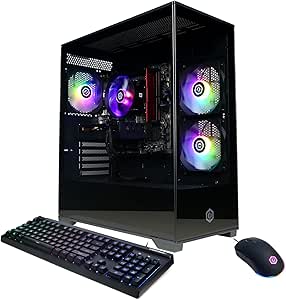 | Best Overall | Processor: Intel Core i5-13400F, 10 cores, 2.5GHz | Graphics: NVIDIA GeForce RTX 5060, 8GB | Memory: 16GB DDR5, 6000MHz | VIEW ON AMAZON | See Our Full Breakdown |
| CyberpowerPC Gamer Xtreme VR Gaming PC (GXiVR8060A9) |  | Best for a Low-Load VR Upgrade Project | Processor: Intel Core i5-10400F, 6 cores, 2.9GHz base, 4.3GHz max | Graphics: NVIDIA GeForce GTX 1660 Super, 6GB GDDR6 | Memory: 8GB DDR4 | VIEW ON AMAZON | See Our Full Breakdown |
| CyberPowerPC Gamer Xtreme VR Gaming PC with Intel Core Ultra 5 and GeForce RTX 5050 |  | Best CPU-Forward Alternative | Processor: Intel Core Ultra 5 225F, 3.3GHz, 20 cores | Motherboard: Intel B860 chipset | Graphics: NVIDIA GeForce RTX 5050, 8GB | VIEW ON AMAZON | See Our Full Breakdown |
| Skytech Gaming O11 Vision Gaming PC |  | Best for Demanding VR and Extra Headroom | Processor: AMD Ryzen 7 7800X3D, 4.2GHz base, 5.0GHz boost | Graphics: NVIDIA GeForce RTX 5060 Ti, 16GB GDDR7 | Memory: 32GB DDR5, 5600MHz | VIEW ON AMAZON | See Our Full Breakdown |
| AVGPC Mini-X Gaming PC – Intel Core i5-11400F, NVIDIA GeForce RTX 5060 8GB, 16GB RAM, 1TB NVMe SSD, Windows 11 Home |  | Best Compact VR Pick | Processor: Intel Core i5-11400F, 6 cores, up to 4.4 GHz | Graphics: NVIDIA GeForce RTX 5060, 8GB VRAM | Memory: 16GB DDR4 3200MHz, max 64GB | VIEW ON AMAZON | See Our Full Breakdown |
| Sentinel Wood Gaming Desktop PC with AMD Ryzen 7 9800X3D, NVIDIA GeForce RTX 5080 16GB, 32GB DDR5 RAM, 2TB NVMe SSD, Windows 11 Pro, Wi-Fi 7, Keyboard & Mouse |  | Best Premium Headroom | Processor: AMD Ryzen 7 9800X3D, 8 cores, 16 threads, up to 5.2 GHz | Graphics: NVIDIA GeForce RTX 5080, 16GB GDDR7 | Memory: 32GB DDR5 | VIEW ON AMAZON | See Our Full Breakdown |
| VIPRTECH Ghost 3.0 Gaming PC – AMD Ryzen 7, RTX 4060 8GB, 16GB DDR4, 1TB SSD, Arctic White |  | Best for VR and Multitasking | Processor: AMD Ryzen 7 3700X, 8 cores, 16 threads, up to 4.4 GHz | Graphics: NVIDIA GeForce RTX 4060, 8GB GDDR6 | Memory: 16GB DDR4 | VIEW ON AMAZON | See Our Full Breakdown |
| CyberpowerPC Gamer Xtreme VR Gaming PC (GXiVR8060A10) |  | Best for Existing Lightweight VR Setups | Processor: Intel Core i5-10400F, 6 cores, 2.9 GHz | Graphics: NVIDIA GeForce GTX 1660 Super, 6GB GDDR6 | Memory: 8GB DDR4 | VIEW ON AMAZON | See Our Full Breakdown |
| CYBERPOWERPC Gamer Xtreme VR Gaming PC (GXiVR8480A11) – Intel Core i5-11600KF, RTX 3060 12GB, 16GB DDR4, 500GB SSD + 1TB HDD, Windows 11 Home | 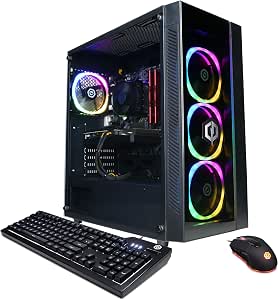 | Best for VRAM Headroom | Processor: Intel Core i5-11600KF, 6 cores, 3.9 GHz | Graphics: NVIDIA GeForce RTX 3060, 12GB GDDR6 | Memory: 16GB DDR4 | VIEW ON AMAZON | See Our Full Breakdown |
| CyberPowerPC Gamer Xtreme Gaming PC with Intel Core Ultra 7 265F, GeForce RTX 5060 8GB, 16GB DDR5, 2TB SSD, Windows 11 Home |  | Best CPU-Headroom Pick | Processor: Intel Core Ultra 7 265F, 2.4GHz, 20 cores | Graphics: NVIDIA GeForce RTX 5060, 8GB | Memory: 16GB DDR5 | VIEW ON AMAZON | See Our Full Breakdown |
| midrange vr ready gaming pc | Processor | Graphics | Memory | Storage |
|---|---|---|---|---|
| CyberPowerPC Gamer Xtreme VR G | Intel Core i5-13400F, 10 cores, 2.5GHz | NVIDIA GeForce RTX 4060, 8GB GDDR6 | 16GB DDR5 | 1TB PCIe Gen4 NVMe SSD |
| CyberPowerPC Gamer Xtreme VR G | Intel Core i5-13400F, 10 cores, 2.5GHz | NVIDIA GeForce RTX 5060, 8GB | 16GB DDR5, 6000MHz | 1TB PCIe 4.0 NVMe SSD |
| CyberpowerPC Gamer Xtreme VR G | Intel Core i5-10400F, 6 cores, 2.9GHz base, 4.3GHz max | NVIDIA GeForce GTX 1660 Super, 6GB GDDR6 | 8GB DDR4 | 500GB PCIe NVMe SSD |
| CyberPowerPC Gamer Xtreme VR G | Intel Core Ultra 5 225F, 3.3GHz, 20 cores | NVIDIA GeForce RTX 5050, 8GB | 16GB DDR5, 6400MHz | 1TB PCIe 4.0 NVMe SSD |
| Skytech Gaming O11 Vision Gami | AMD Ryzen 7 7800X3D, 4.2GHz base, 5.0GHz boost | NVIDIA GeForce RTX 5060 Ti, 16GB GDDR7 | 32GB DDR5, 5600MHz | 1TB Gen4 NVMe M.2 SSD |
| AVGPC Mini-X Gaming PC | Intel Core i5-11400F, 6 cores, up to 4.4 GHz | NVIDIA GeForce RTX 5060, 8GB VRAM | 16GB DDR4 3200MHz, max 64GB | 1TB M.2 NVMe SSD |
| Sentinel Wood Gaming Desktop P | AMD Ryzen 7 9800X3D, 8 cores, 16 threads, up to 5.2 GHz | NVIDIA GeForce RTX 5080, 16GB GDDR7 | 32GB DDR5 | 2TB PCIe Gen4 NVMe M.2 SSD |
| VIPRTECH Ghost 3.0 Gaming PC | AMD Ryzen 7 3700X, 8 cores, 16 threads, up to 4.4 GHz | NVIDIA GeForce RTX 4060, 8GB GDDR6 | 16GB DDR4 | 1TB SSD |
| CyberpowerPC Gamer Xtreme VR G | Intel Core i5-10400F, 6 cores, 2.9 GHz | NVIDIA GeForce GTX 1660 Super, 6GB GDDR6 | 8GB DDR4 | 500GB PCI-E NVMe SSD |
| CYBERPOWERPC Gamer Xtreme VR G | Intel Core i5-11600KF, 6 cores, 3.9 GHz | NVIDIA GeForce RTX 3060, 12GB GDDR6 | 16GB DDR4 | 500GB PCI-E NVMe SSD and 1TB HDD |
| CyberPowerPC Gamer Xtreme Gami | Intel Core Ultra 7 265F, 2.4GHz, 20 cores | NVIDIA GeForce RTX 5060, 8GB | 16GB DDR5 | 2TB PCIe 4.0 NVMe SSD |
More Details on Our Top Picks
CyberPowerPC Gamer Xtreme VR Gaming PC (GXiVR8060A24)
The GXiVR8060A24 is a sensible midrange starting point for VR, pairing an RTX 4060 with a 10-core Core i5 and a roomy 1TB SSD. That combination gives it a stronger foundation than the older GXiVR8060A9, whose GTX 1660 Super and 8GB of RAM make it a less suitable choice for current VR libraries. Compared with the newer GXiVR8060A40, though, this model uses an RTX 4060 rather than an RTX 5060, so I’d choose it when a capable baseline matters more than newer graphics hardware. Its 16GB of DDR5 is usable, but a RAM upgrade may be needed for heavier multitasking. Wi-Fi 5 and the basic included peripherals are other compromises.
Pros:- RTX 4060 and Core i5-13400F provide a balanced foundation for gaming and VR.
- 1TB PCIe Gen4 NVMe SSD leaves more room for games than the 500GB drive in the GXiVR8060A9.
- DDR5 memory and built-in Wi-Fi and Bluetooth simplify initial setup.
- Tempered glass panel and RGB lighting add a visible gaming-PC style.
Cons:- 16GB of RAM may constrain multitasking and may call for an upgrade.
- Wi-Fi 5 is an older standard than the Wi-Fi 6 on the GXiVR8060A40.
- Included keyboard and mouse are basic rather than premium.
Best for: VR newcomers who want a capable RTX 4060 desktop, 1TB of fast storage, and wireless connectivity without prioritizing the newest GPU generation.
Not ideal for: Buyers planning heavy multitasking or wanting newer wireless standards and a more upgrade-ready memory setup out of the box.
- Processor:Intel Core i5-13400F, 10 cores, 2.5GHz
- Graphics:NVIDIA GeForce RTX 4060, 8GB GDDR6
- Memory:16GB DDR5
- Storage:1TB PCIe Gen4 NVMe SSD
- Operating system:Windows 11 Home 64-bit
- Connectivity:Wi-Fi 5, Bluetooth 4.2, 1G LAN
- Video outputs:1 HDMI, 2 DisplayPort
- Dimensions:18.11 x 9.25 x 19.61 inches
Our verdict“I’d pick this for a balanced first VR desktop when an RTX 4060 and 1TB SSD matter more than the newer GPU and connectivity in the GXiVR8060A40.”
CyberPowerPC Gamer Xtreme VR Gaming PC (GXiVR8060A40)
For a midrange VR build in this group, I’d put the GXiVR8060A40 first: its RTX 5060, Core i5-13400F, and 1TB NVMe drive form a current-feeling combination without the premium-class parts in the Skytech O11 Vision. Against the GXiVR8060A24, its graphics card is the clearest step up, and Wi-Fi 6 and Bluetooth 5.3 bring more current wireless connectivity. The tradeoff is that it still has 16GB of RAM, so buyers who keep many applications open alongside games should plan for a memory upgrade. Its USB 3.2 selection is modest, too. I’d favor it over the older GXiVR8060A9 for a new VR setup, since that model pairs just 8GB of RAM with a GTX 1660 Super.
Pros:- RTX 5060 graphics distinguish it from the RTX 4060 in the GXiVR8060A24.
- Core i5-13400F provides a 10-core processor for gaming and general multitasking.
- 1TB PCIe 4.0 NVMe SSD offers useful game-library capacity and fast storage.
- Wi-Fi 6, Bluetooth 5.3, and included keyboard and mouse support a straightforward setup.
Cons:- 16GB DDR5 may be limiting for heavy multitasking or demanding workloads.
- Only three USB 3.2 ports are listed, including one USB-C.
- No optical drive is included.
Best for: VR buyers seeking a well-rounded midrange desktop with an RTX 5060, current wireless connectivity, and enough SSD capacity for a game library.
Not ideal for: People who need extensive high-speed USB connections or want more than 16GB of memory without upgrading.
- Processor:Intel Core i5-13400F, 10 cores, 2.5GHz
- Graphics:NVIDIA GeForce RTX 5060, 8GB
- Memory:16GB DDR5, 6000MHz
- Storage:1TB PCIe 4.0 NVMe SSD
- Operating system:Windows 11 Home
- Connectivity:Wi-Fi 6, Bluetooth 5.3, LAN
- Video outputs:1 HDMI, 2 DisplayPort
- USB 3.2 ports:1 USB-C, 2 USB-A
Our verdict“I’d choose this as the strongest all-round midrange VR option here if you want an RTX 5060 and modern wireless features without stepping up to the Skytech’s more premium build.”
CyberpowerPC Gamer Xtreme VR Gaming PC (GXiVR8060A9)
The GXiVR8060A9 is the entry-level outlier in this roundup, not my pick for a ready-to-go modern VR library. Its GTX 1660 Super and 8GB of RAM sit well below the RTX 5060 and 16GB memory in the GXiVR8060A40, so I’d reserve this older system for buyers with modest expectations who are comfortable upgrading it. The 500GB NVMe SSD helps with boot and load times, but leaves less room for games than the 1TB drives in the newer CyberPowerPC options. Built-in Wi-Fi and included keyboard and mouse help with setup; Windows 10 and the older six-core processor are less appealing for a fresh build. I’d check headset and game requirements before choosing it.
Pros:- GTX 1660 Super is a dedicated graphics card rather than integrated graphics.
- NVMe SSD provides faster storage access than a conventional hard drive.
- Built-in Wi-Fi and included keyboard and RGB mouse simplify basic setup.
Cons:- 8GB DDR4 is a major constraint for modern gaming and multitasking.
- GTX 1660 Super is a substantial step down from the RTX 4060 and RTX 5060 options here.
- 500GB storage and Windows 10 make it a less compelling fresh VR setup.
Best for: A technically comfortable buyer seeking an older desktop for light gaming who is prepared to add RAM and verify that their VR headset and games meet its hardware limits.
Not ideal for: VR newcomers seeking a current, ready-to-use system for demanding games; the 8GB RAM, GTX 1660 Super, and 500GB SSD are significant limitations beside newer picks.
- Processor:Intel Core i5-10400F, 6 cores, 2.9GHz base, 4.3GHz max
- Graphics:NVIDIA GeForce GTX 1660 Super, 6GB GDDR6
- Memory:8GB DDR4
- Storage:500GB PCIe NVMe SSD
- Operating system:Windows 10 Home 64-bit
- Connectivity:802.11ac Wi-Fi, Ethernet
- Video outputs:1 HDMI, 1 DisplayPort
- Dimensions:18.5 x 7.9 x 17.9 inches
Our verdict“I’d consider this only as a low-cost-to-upgrade older desktop for light use, not as the first choice for a modern midrange VR setup.”
CyberPowerPC Gamer Xtreme VR Gaming PC with Intel Core Ultra 5 and GeForce RTX 5050
This CyberPowerPC makes a different trade than the GXiVR8060A40: it pairs an Intel Core Ultra 5 225F with an RTX 5050, rather than that model’s Core i5 and RTX 5060. Its 20-core processor and 16GB of fast DDR5 make it a plausible fit for buyers who also run processor-heavy applications, but for a VR-focused purchase I’d give graphics priority and compare the RTX 5050 against the RTX 5060 carefully. The 1TB PCIe 4.0 SSD and Wi-Fi 6 are welcome practical features, and the listed USB-A ports offer a different connection mix from the GXiVR8060A40’s USB-C-equipped set. Its graphics tier is the tradeoff, and the product data gives little detail on cooling or upgrade options.
Pros:- Core Ultra 5 225F is listed with 20 cores for processor-intensive tasks.
- 16GB DDR5 at 6400MHz and a 1TB PCIe 4.0 SSD provide a solid basic configuration.
- Wi-Fi 6 and Bluetooth 5.3 offer modern wireless connectivity.
- Five USB-A 3.2 ports provide multiple listed high-speed USB-A connections.
Cons:- RTX 5050 is a lower graphics tier than the RTX 5060 in the GXiVR8060A40.
- 16GB of RAM may need an upgrade for demanding multitasking.
- Cooling and upgrade details are not specified in the supplied product information.
Best for: VR buyers who also run processor-heavy software and prefer a Core Ultra 5 system with 1TB storage and Wi-Fi 6.
Not ideal for: Shoppers whose main priority is graphics performance for VR; the GXiVR8060A40 has an RTX 5060 rather than this model’s RTX 5050.
- Processor:Intel Core Ultra 5 225F, 3.3GHz, 20 cores
- Motherboard:Intel B860 chipset
- Graphics:NVIDIA GeForce RTX 5050, 8GB
- Memory:16GB DDR5, 6400MHz
- Storage:1TB PCIe 4.0 NVMe SSD
- Operating system:Windows 11 Home
- Connectivity:Wi-Fi 6, Bluetooth 5.3, LAN
- Ports:5 USB-A 3.2, 2 USB-A 2.0, HDMI, DisplayPort
Our verdict“I’d choose this over the GXiVR8060A40 only when its Core Ultra processor matters more to your mixed-use workload than the other model’s RTX 5060.”
Skytech Gaming O11 Vision Gaming PC
The Skytech O11 Vision is the most capable and least midrange-oriented option in this selection. Its Ryzen 7 7800X3D, RTX 5060 Ti with 16GB of GDDR7, and 32GB of DDR5 give it more memory and graphics headroom than the GXiVR8060A40, which has an RTX 5060 and 16GB of RAM. That margin can suit buyers with demanding games or heavier multitasking, while the 360mm liquid cooler and Lian Li case make the build more elaborate. It is a bigger commitment than a typical midrange VR desktop, though, and its 650W Gold PSU may narrow future high-power GPU upgrade choices. I’d choose it for the extra capacity, not simply because the roundup is about VR.
Pros:- RTX 5060 Ti with 16GB GDDR7 has twice the listed graphics memory of the 8GB RTX 5060 in the GXiVR8060A40.
- 32GB DDR5 gives more room for multitasking than the 16GB CyberPowerPC options.
- Ryzen 7 7800X3D and 360mm AIO cooling suit a more demanding gaming build.
- Lian Li PC-O11 Vision case and 650W Gold PSU are specified components.
Cons:- This is a step beyond a typical midrange configuration, so its added hardware may be unnecessary for casual VR.
- 650W PSU may restrict some future high-power graphics card upgrades.
- Graphics card brand may vary, and the included warranty is one year for parts and labor.
Best for: VR players who want extra graphics memory and system RAM for demanding titles, multitasking, or a longer upgrade horizon.
Not ideal for: Buyers who want a straightforward midrange VR desktop; the larger cooling setup and stronger components go beyond what they may need, while the PSU can limit some future GPU upgrades.
- Processor:AMD Ryzen 7 7800X3D, 4.2GHz base, 5.0GHz boost
- Graphics:NVIDIA GeForce RTX 5060 Ti, 16GB GDDR7
- Memory:32GB DDR5, 5600MHz
- Storage:1TB Gen4 NVMe M.2 SSD
- Cooling:360mm ARGB AIO liquid cooler
- Power supply:650W Gold
- Operating system:Windows 11 Home 64-bit
- Case:Lian Li PC-O11 Vision, black
Our verdict“I’d pick the Skytech over the GXiVR8060A40 for extra RAM and graphics memory, but it is a better fit for demanding VR than for buyers seeking a modest midrange system.”
AVGPC Mini-X Gaming PC – Intel Core i5-11400F, NVIDIA GeForce RTX 5060 8GB, 16GB RAM, 1TB NVMe SSD, Windows 11 Home
I rank the Mini-X as the space-saving choice for a midrange VR setup: its RTX 5060 8GB is newer than the RTX 4060 in the VIPRTECH Ghost 3.0, while the small case takes up less desk room than the CyberPowerPC Gamer Xtreme VR towers. The 1TB NVMe SSD gives you room for games and quick loading, and Wi-Fi and Bluetooth are built in. The tradeoff is its older six-core i5-11400F and DDR4 memory, a less current foundation than the Sentinel Wood’s Ryzen 7 9800X3D and DDR5. Its compact chassis also limits future hardware changes. I’d pick it when space and a newer graphics card matter more than a long upgrade path; I wouldn’t choose it for heavy multitasking or frequent component upgrades.
Pros:- RTX 5060 8GB supports ray tracing and DLSS features for modern games.
- Compact 11.2 x 7.68 x 14.96-inch case uses less desk space than the full-size towers here.
- 1TB NVMe SSD provides quick storage and room for a game library.
- Gaming keyboard and mouse are included.
Cons:- The 11th-generation i5-11400F is an older platform than the CPUs in several alternatives.
- 16GB DDR4 is less current than DDR5 configurations in this roundup.
- Small case restricts expansion options.
Best for: VR players with limited desk space who want a recent graphics card, built-in wireless connectivity, and included keyboard and mouse.
Not ideal for: Buyers planning major future upgrades or CPU-heavy streaming and creation workloads; the older processor and compact case leave less room to grow.
- Processor:Intel Core i5-11400F, 6 cores, up to 4.4 GHz
- Graphics:NVIDIA GeForce RTX 5060, 8GB VRAM
- Memory:16GB DDR4 3200MHz, max 64GB
- Storage:1TB M.2 NVMe SSD
- Operating system:Windows 11 Home
- Power supply:650W Gold rated
- Dimensions:11.2 x 7.68 x 14.96 inches
- Connectivity:Wi-Fi, Bluetooth, HDMI, Ethernet
Our verdict“Choose the Mini-X if you want a compact PC with a newer GPU for VR and can accept older supporting hardware.”
Sentinel Wood Gaming Desktop PC with AMD Ryzen 7 9800X3D, NVIDIA GeForce RTX 5080 16GB, 32GB DDR5 RAM, 2TB NVMe SSD, Windows 11 Pro, Wi-Fi 7, Keyboard & Mouse
The Sentinel Wood is the performance outlier here, not the conventional midrange choice. Its RTX 5080 16GB, Ryzen 7 9800X3D, and 32GB DDR5 give demanding VR games and creative workloads more headroom than the AVGPC Mini-X or the RTX 3060-equipped CyberPowerPC GXiVR8480A11. That extra capacity may suit someone who wants to run demanding titles or keep a PC for longer before upgrading. The tradeoffs are substantial: this is a large, nearly 50-pound tower, and the listed expansion provision is only one slot. Its wood-and-glass finish and Wi-Fi 7 add polish, but they don’t make it a better fit for buyers focused on midrange needs. I’d select it for high-end VR ambitions, not as the sensible match for a modest headset setup.
Pros:- RTX 5080 16GB and Ryzen 7 9800X3D provide more performance headroom than the midrange systems here.
- 32GB DDR5 and a 2TB Gen4 NVMe SSD support multitasking and a larger installed library.
- Sapele wood accents and tempered glass give the case a distinctive look.
- Includes Wi-Fi 7, keyboard, mouse, and a three-year limited hardware warranty.
Cons:- Its high-end component combination exceeds what many midrange VR buyers need.
- At 49.8 pounds, the tower is difficult to move.
- Only one expansion slot is listed, limiting internal upgrade flexibility.
Best for: VR enthusiasts who plan to play demanding titles, create content, and want substantial graphics and memory headroom in a distinctive full-size tower.
Not ideal for: Midrange-focused buyers, small-room setups, and anyone who needs an easy-to-move PC or expects broad internal expansion.
- Processor:AMD Ryzen 7 9800X3D, 8 cores, 16 threads, up to 5.2 GHz
- Graphics:NVIDIA GeForce RTX 5080, 16GB GDDR7
- Memory:32GB DDR5
- Storage:2TB PCIe Gen4 NVMe M.2 SSD
- Operating system:Windows 11 Pro
- Case:ATX tower with Sapele wood accents and tempered glass
- Connectivity:Wi-Fi 7, HDMI, DisplayPort
- Warranty:3-year limited hardware warranty
Our verdict“Choose the Sentinel if you want premium VR performance and headroom; skip it if your goal is a compact, midrange-focused system.”
VIPRTECH Ghost 3.0 Gaming PC – AMD Ryzen 7, RTX 4060 8GB, 16GB DDR4, 1TB SSD, Arctic White
I see the Ghost 3.0 as a balanced pick for buyers who want a capable VR graphics card alongside an eight-core processor for streaming or background tasks. Its RTX 4060 8GB sits below the RTX 5060 in the AVGPC Mini-X, but the Ryzen 7 3700X offers eight cores and 16 threads, compared with the Mini-X’s six-core i5. The 1TB SSD, built-in wireless, and included RGB liquid cooler round out a ready-to-use setup. Those older-generation parts are the main compromise: the Ryzen 7 is not a recent chip, and the 600W power supply may constrain a future high-end GPU swap. I’d favor this over the older GTX 1660 Super CyberPowerPC for contemporary VR, but its single listed expansion slot and 16GB DDR4 make it less appealing as an upgrade-focused build.
Pros:- RTX 4060 8GB is a more current VR graphics option than the GTX 1660 Super in the older CyberPowerPC.
- Eight-core, 16-thread Ryzen 7 can handle multitasking alongside gaming.
- 1TB SSD and built-in Wi-Fi and Bluetooth are included.
- 120mm RGB liquid cooler and Arctic White case provide a distinctive setup.
Cons:- Ryzen 7 3700X is an older-generation processor.
- The 600W power supply may limit future high-end GPU upgrades.
- Only one expansion slot is listed.
Best for: VR players who also stream or keep several applications open and prefer an eight-core CPU, built-in wireless, and an Arctic White RGB case.
Not ideal for: Buyers seeking the newest CPU platform, extensive upgrade options, or a clear path to a substantially more powerful graphics card.
- Processor:AMD Ryzen 7 3700X, 8 cores, 16 threads, up to 4.4 GHz
- Graphics:NVIDIA GeForce RTX 4060, 8GB GDDR6
- Memory:16GB DDR4
- Storage:1TB SSD
- Operating system:Windows 11 Pro
- Cooling:120mm RGB liquid cooler
- Power supply:600W Gold rated
- Connectivity:Built-in Wi-Fi and Bluetooth; HDMI and DisplayPort
Our verdict“Pick the Ghost 3.0 for VR gaming with multitasking needs, but not if you want a recent platform or an expansive upgrade path.”
CyberpowerPC Gamer Xtreme VR Gaming PC (GXiVR8060A10)
I’d treat this CyberPowerPC as a legacy entry point, not a strong all-purpose choice for current VR. The GTX 1660 Super 6GB is a clear step below the RTX 4060 in the VIPRTECH Ghost 3.0 and the RTX 3060 in the GXiVR8480A11, and this system has only 8GB of RAM. That combination makes it better suited to older, less demanding VR titles than a newer headset library. Its i5-10400F and 500GB NVMe SSD still provide a basic gaming foundation, and the Wi-Fi, RGB case, and included keyboard and mouse help it function as a general desktop. But I would budget for a memory upgrade and check each game’s requirements before relying on it for VR. For most buyers in this roundup, the newer-GPU alternatives make more sense.
Pros:- Dedicated GTX 1660 Super graphics are a step up from integrated graphics for basic gaming.
- 500GB NVMe SSD supports quick boot and application loading.
- Tempered glass side panel and RGB lighting provide a finished desktop look.
- Gaming keyboard and mouse are listed as included.
Cons:- 8GB DDR4 RAM is limited for modern games and VR multitasking.
- GTX 1660 Super 6GB lacks the newer RTX feature set found in the other listed GPU options.
- Windows 10 Home is older than the operating systems on several alternatives.
Best for: A buyer with an existing lightweight VR setup who mainly plays older or less demanding titles and is prepared to upgrade the RAM.
Not ideal for: New VR headset owners or players targeting demanding contemporary games; the older 6GB GPU and 8GB of RAM are limiting.
- Processor:Intel Core i5-10400F, 6 cores, 2.9 GHz
- Graphics:NVIDIA GeForce GTX 1660 Super, 6GB GDDR6
- Memory:8GB DDR4
- Storage:500GB PCI-E NVMe SSD
- Operating system:Windows 10 Home 64-bit
- Connectivity:802.11ac Wi-Fi, USB 3.1, USB 2.0, HDMI, DisplayPort
- Case:Black tower with tempered glass side panel and RGB lighting
- Warranty:1 year parts and labor
Our verdict“Choose this only for older, lighter VR use with a planned RAM upgrade; most current VR buyers should pick a newer-GPU system.”
CYBERPOWERPC Gamer Xtreme VR Gaming PC (GXiVR8480A11) – Intel Core i5-11600KF, RTX 3060 12GB, 16GB DDR4, 500GB SSD + 1TB HDD, Windows 11 Home
The GXiVR8480A11 is my pick for buyers who want more graphics memory than the 8GB cards in the AVGPC Mini-X and VIPRTECH Ghost 3.0. Its RTX 3060 12GB can be a useful fit for VR applications and games that draw on more GPU memory, while 16GB RAM and the six-core i5-11600KF make this a more balanced starting point than the 8GB-RAM GXiVR8060A10. Storage is split between a 500GB NVMe SSD for the operating system and frequently used games and a 1TB hard drive for larger files. That arrangement gives you capacity, though the HDD is slower than an SSD. The 11th-generation CPU and air cooling are older choices, and this is not as current a graphics platform as the RTX 5060 Mini-X. I’d favor it when 12GB VRAM and extra storage matter most.
Pros:- RTX 3060 12GB offers more graphics memory than the 8GB cards in several alternatives.
- 16GB DDR4 is a stronger starting point than the 8GB in the GXiVR8060A10.
- 500GB NVMe SSD is paired with a 1TB HDD for a mix of fast storage and capacity.
- Windows 11 Home and HDMI and DisplayPort outputs are included.
Cons:- The 11th-generation i5-11600KF is an older processor platform.
- The 1TB HDD is slower than solid-state storage for games and applications.
- Air cooling may be louder under heavy workloads than liquid-cooled alternatives.
Best for: VR gamers who want a 12GB graphics card, 16GB of system memory, and separate fast and bulk storage for games and media.
Not ideal for: Buyers who want the newest GPU generation, all-SSD storage, or a current-generation processor platform.
- Processor:Intel Core i5-11600KF, 6 cores, 3.9 GHz
- Graphics:NVIDIA GeForce RTX 3060, 12GB GDDR6
- Memory:16GB DDR4
- Storage:500GB PCI-E NVMe SSD and 1TB HDD
- Operating system:Windows 11 Home 64-bit
- Connectivity:802.11ac Wi-Fi, Ethernet, USB 3.1, USB 2.0
- Video outputs:1x HDMI, 2x DisplayPort
- Case:Black tower with tempered glass side panel and RGB lighting
Our verdict“Choose the GXiVR8480A11 if 12GB of graphics memory and a separate storage drive matter more than having the newest GPU generation.”
CyberPowerPC Gamer Xtreme Gaming PC with Intel Core Ultra 7 265F, GeForce RTX 5060 8GB, 16GB DDR5, 2TB SSD, Windows 11 Home
I’d choose this as a CPU-headroom pick for a midrange VR setup, especially if gaming is only part of the workload. Its 20-core Intel Core Ultra 7 265F can handle multitasking and CPU-heavy games, but it won’t remove the graphics limits of the RTX 5060’s 8GB of VRAM; demanding headset resolutions may call for reduced settings. Compared with the AVGPC Mini-X, this model pairs the same GPU capacity with a newer, higher-core-count processor and a larger 2TB SSD, giving you more room for a growing game library. The tradeoff is that the 16GB of DDR5 may be a near-term upgrade for heavier use, and the graphics card remains less suited to ambitious VR settings than the RTX 5080 in the Sentinel Wood Gaming Desktop. I’d favor it for balanced everyday use, not maximum visual headroom.
Pros:- 20-core Intel Core Ultra 7 265F supports demanding multitasking and CPU-heavy games.
- GeForce RTX 5060 8GB provides a midrange graphics option for VR gaming.
- 2TB PCIe 4.0 NVMe SSD offers room for a sizable game library and fast loading.
- Wi-Fi 6, Bluetooth 5.3, and Windows 11 Home are included.
Cons:- 8GB of graphics memory can limit settings in demanding VR games and high-resolution headsets.
- 16GB of DDR5 may be restrictive for heavy multitasking or newer memory-hungry games.
- The product details do not specify upgrade options.
Best for: VR buyers who also run CPU-heavy games or multitask, and want a 2TB SSD without moving beyond a midrange graphics card.
Not ideal for: VR players who prioritize high settings at demanding headset resolutions, or buyers who want more than 16GB of memory without planning an upgrade.
- Processor:Intel Core Ultra 7 265F, 2.4GHz, 20 cores
- Graphics:NVIDIA GeForce RTX 5060, 8GB
- Memory:16GB DDR5
- Storage:2TB PCIe 4.0 NVMe SSD
- Motherboard:Intel B860 chipset
- Operating system:Windows 11 Home
- Connectivity:Wi-Fi 6, Bluetooth 5.3, LAN
- Ports:1 USB-C 3.2, 3 USB-A 3.2, 4 USB-A 2.0, 1 HDMI, 2 DisplayPort
- Warranty:1 year parts and labor; lifetime tech support
Our verdict“Choose this if you want a strong processor and 2TB of storage alongside midrange VR graphics, but skip it if your priority is maximum headset detail.”

How We Picked
I judged these systems against the needs of VR gaming: graphics capability first, then processor and memory balance, storage, and how clearly the listed configuration supports an informed choice. An RTX 5060 is the most consistent current midrange anchor in this group, while 8GB of VRAM, 16GB of system memory, and the listed CPU all affect how much room a buyer has for demanding games and background tasks. I gave the CyberPowerPC Ultra 7 265F configuration the lead because its listed parts make a balanced package; the AVGPC Mini-X follows with the same GPU but an older i5-11400F. The Ultra 5 and RTX 5050 build is a more modest entry point, while the Sentinel is placed as a premium alternative rather than a midrange match.
I also weighed practical tradeoffs rather than treating every model with the same brand name as interchangeable. The VIPRTECH Ghost 3.0 has a Ryzen 7, RTX 4060, 16GB DDR4, and 1TB SSD; the GXiVR8480A11 lists an RTX 3060 12GB, 16GB DDR4, and split SSD/HDD storage. The GXiVR8060A24, GXiVR8060A40, GXiVR8060A9, GXiVR8060A10, GXiVR8060A24-style listings, and Skytech O11 Vision need their exact configuration checked before a firm performance comparison, since a model name alone does not establish the installed parts. I ranked clear, well-balanced midrange configurations ahead of premium hardware and older or less fully specified options, and I treat the Sentinel as a specialized pick rather than the default recommendation.
| midrange vr ready gaming pc | Operating system |
|---|---|
| CyberPowerPC Gamer Xtreme VR G | Windows 11 Home 64-bit |
| CyberPowerPC Gamer Xtreme VR G | Windows 11 Home |
| CyberpowerPC Gamer Xtreme VR G | Windows 10 Home 64-bit |
| CyberPowerPC Gamer Xtreme VR G | Windows 11 Home |
| Skytech Gaming O11 Vision Gami | Windows 11 Home 64-bit |
| AVGPC Mini-X Gaming PC | Windows 11 Home |
| Sentinel Wood Gaming Desktop P | Windows 11 Pro |
| VIPRTECH Ghost 3.0 Gaming PC | Windows 11 Pro |
| CyberpowerPC Gamer Xtreme VR G | Windows 10 Home 64-bit |
| CYBERPOWERPC Gamer Xtreme VR G | Windows 11 Home 64-bit |
| CyberPowerPC Gamer Xtreme Gami | Windows 11 Home |
Factors to Consider When Choosing Midrange Vr Ready Gaming Pc
For VR, a desktop’s headline GPU is only part of the decision. I would match the complete configuration to the headset, the games, and the amount of setup or upgrading you are willing to do. These checks help avoid paying for power you will not use—or choosing a system whose weaker component becomes the limiting factor.
Match the GPU to Your Headset and Games
Headset resolution and refresh rate affect how much work the graphics card must handle, so check the headset maker’s requirements alongside the games you play. An RTX 5060 build is the clearest current midrange option in this group, but its listed 8GB of VRAM may leave less room for demanding textures than a card with more memory. The RTX 3060 system has 12GB of VRAM, yet its older GPU generation means memory capacity alone does not make it the faster choice. Look for performance information for your exact headset and game rather than relying on a broad label such as VR-ready. If you plan to raise resolution or visual settings, prioritize the GPU and leave room in your expectations for demanding titles.
Balance the Processor, Graphics Card, and Memory
A fast graphics card can be held back by a processor that cannot keep up, particularly in games with busy scenes or high frame rates. The AVGPC Mini-X illustrates why the full pairing matters: it lists an RTX 5060 alongside an older i5-11400F, while the CyberPowerPC Ultra 7 build pairs an RTX 5060 with a newer Core Ultra 7. Check whether a PC has 16GB or 32GB of system memory and whether it uses DDR4 or DDR5, but do not treat the memory generation as a substitute for enough capacity. For a new purchase, 16GB can work for a focused gaming setup; 32GB gives more room for demanding games and other apps running at once. If a configuration lists only 16GB, check whether memory upgrades are supported and how many slots remain.
Check Storage Type and Capacity Before Installing Games
VR games can take up substantial drive space, and a full drive can become an inconvenience well before the PC itself feels outdated. A 2TB SSD, such as the one listed in the CyberPowerPC Ultra 7 and Sentinel configurations, gives more room for a game library than a 500GB SSD. The GXiVR8480A11 combines a 500GB SSD with a 1TB hard drive, which can separate frequently played games from less-used files, but loading from the hard drive will not feel the same as loading from an SSD. Check whether the PC has an open M.2 slot or drive bay before counting on an easy storage upgrade. Avoid judging capacity by the total drive number alone; confirm which games you plan to keep on the faster SSD.
Verify Ports, Wi-Fi, and Headset Connections
VR headsets vary in how they connect, so check the headset’s required USB ports, display connection, and cable or wireless setup against the PC’s actual rear and front panels. Do not assume that a gaming desktop’s product name confirms the ports you need; listings can vary between configurations and revisions. If you plan to use wireless PC VR, reliable Wi-Fi and a suitable network setup matter, but a Wi-Fi specification by itself does not guarantee a good signal throughout your room. The Sentinel lists Wi-Fi 7, while other configurations may not identify wireless details clearly. Confirm the exact ports and network hardware before ordering, especially if your headset uses a less common connection arrangement.
Plan for Size, Cooling, Noise, and Upgrades
Before choosing a case, measure the space where the desktop will sit and leave room for airflow around it. A name such as Mini-X may suggest a smaller system, but I would check the listed dimensions rather than assume it will fit a particular desk or shelf. Larger graphics cards and higher-power parts can make cooling and internal clearance more important, while a compact case can limit future upgrades. Check whether the power supply has enough capacity and the right connectors for a later graphics-card change. A more expensive, powerful system only makes sense if its cooling, case space, and upgrade path fit your setup and future plans.
Frequently Asked Questions
Is an RTX 5060 with 8GB of VRAM enough for PC VR?
It can be a sensible midrange starting point, but suitability depends on the headset resolution, the games, and the graphics settings you want to use. The RTX 5060 systems in this roundup list 8GB of VRAM, so buyers should check requirements for demanding titles rather than assume every game will run at maximum settings. If you are choosing between that and the older RTX 3060 12GB model, compare game-specific performance as well as memory capacity. More VRAM can help with some workloads, but it does not by itself establish which card performs better. Match the GPU to your headset and the experiences you actually plan to play.
Should I choose the RTX 3060 12GB PC or an RTX 5060 8GB PC?
These systems represent different tradeoffs: the GXiVR8480A11 lists more graphics memory, while the RTX 5060 desktops use a newer graphics-card tier. The GXiVR8480A11 also lists an i5-11600KF, 16GB of DDR4, a 500GB SSD, and a 1TB HDD, so its older platform and split storage deserve attention. The RTX 5060 systems may be a better fit for buyers prioritizing newer graphics hardware, but their 8GB VRAM should be checked against the games and headset in use. Compare tested results for your specific titles, not just the VRAM figure. Choose based on the complete configuration, including storage and processor.
Is 16GB of RAM enough for a VR gaming PC, or should I get 32GB?
Sixteen gigabytes can suit a gaming-focused setup, but it leaves less room for a game, launcher, voice chat, and other apps to run together. Thirty-two gigabytes gives more breathing room for multitasking and can reduce the need for an early memory upgrade. In this roundup, the Sentinel lists 32GB, while several other named configurations list 16GB. Check whether the installed memory is arranged as a matched pair and whether the motherboard has open slots before planning an upgrade. I would prioritize adequate memory capacity over treating DDR5 alone as proof that a system is the better VR choice.
Is the Sentinel Wood PC a sensible choice for a midrange VR setup?
The Sentinel’s Ryzen 7 9800X3D, RTX 5080, 32GB DDR5, and 2TB SSD make it a premium performance option rather than a typical midrange build. That extra capability may suit buyers with a high-resolution headset, demanding games, or plans to keep the PC for demanding future releases. For buyers with more modest VR needs, an RTX 5060 desktop is a closer match to the midrange goal. The Sentinel’s higher tier does not automatically make it the right fit if you will not use the added graphics headroom. Choose it for the performance ceiling, not just because its specifications are larger.
How can I tell which CyberPowerPC GXiVR model is the better buy?
Check the complete parts list for the exact suffix, since the GXiVR8060A24, GXiVR8060A40, GXiVR8060A9, GXiVR8060A10, and GXiVR8480A11 are not interchangeable based on their shared family name. Compare the graphics card, processor, memory amount and type, SSD capacity, power supply, and available connections. The GXiVR8480A11 has a listed RTX 3060 12GB and a 500GB SSD plus 1TB HDD, but those details should not be assumed for the other models. Confirm that the listing matches the exact SKU and that the ports suit your headset. If a listing leaves a key component unclear, treat that uncertainty as a reason to verify before choosing it.
Conclusion
For most buyers seeking a midrange VR-ready gaming PC, I recommend the CyberPowerPC Gamer Xtreme with Core Ultra 7 265F and RTX 5060 as the best overall because its listed processor, DDR5 memory, and 2TB SSD make a balanced package. The AVGPC Mini-X is my best value-style pick for buyers who want an RTX 5060, provided they are comfortable with its older i5-11400F. For a first PC VR setup, the CyberPowerPC Ultra 5 with RTX 5050 is the best beginner choice among the more restrained graphics options, while the VIPRTECH Ghost 3.0 is another option for buyers who prefer its Ryzen 7 and RTX 4060 configuration. The Sentinel Wood PC is my best premium pick for buyers who want the RTX 5080 and 32GB of memory rather than a conventional midrange system. If extra graphics memory is your specific priority, compare the GXiVR8480A11’s RTX 3060 12GB against newer GPU options and accept its older platform and mixed SSD/HDD storage only if those tradeoffs fit your games. Check exact specifications for the remaining GXiVR configurations and Skytech O11 Vision before choosing, since their model names alone do not establish the installed parts.
Halloween Picks
halloween
As an affiliate, we earn on qualifying purchases.