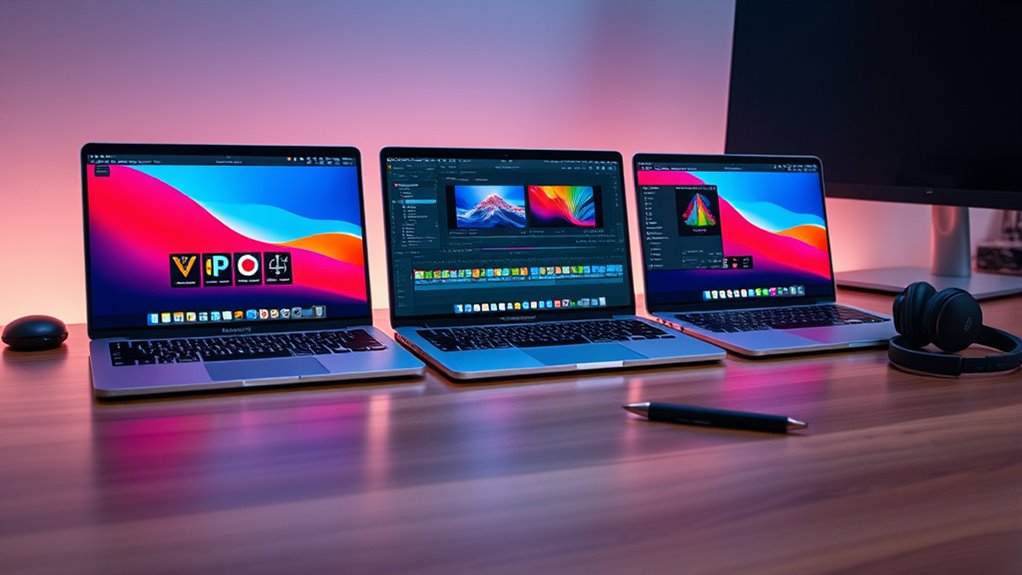

Choosing the right MacBook Pro for video editing in 2026 requires balancing power, portability, and budget. The Apple 2026 MacBook Pro with M5 Max chip stands out for its unmatched performance, ideal for complex projects. Meanwhile, the Apple 2024 MacBook Pro with M4 chip offers a more affordable yet capable option for most editing workflows. For those who need a portable yet powerful machine, the 14-inch models strike a good balance. The main tradeoffs involve raw processing power versus price and size, making it essential to identify your specific editing demands. Continue reading for a detailed breakdown of each option and what suits your editing style best.

Get business pricing on tech for your team
- Business-only prices and quantity discounts
- Tax-exempt purchasing
- Multiple users, one account, clear invoices
Key Takeaways
- The most powerful configurations with M5 Max chips deliver the fastest rendering and multitasking, ideal for heavy 4K and 8K video projects.
- The balance between screen size and portability influences workflow—larger screens improve editing precision but add weight.
- Memory and storage are critical; while 16GB RAM is generally sufficient, demanding projects benefit from 24GB or higher RAM.
- Renewed models can save money while still offering high performance, but may lack the latest features or warranty coverage.
- Choosing between M3, M4, M5 chips, and Intel-based models depends on budget, performance needs, and future-proofing considerations.
| Apple 2024 MacBook Pro Laptop with M4 Chip, 14.2-inch Liquid Retina XDR Display, 16GB RAM, 512GB SSD, Space Black |  | Best Overall for Cutting-Edge Performance | Processor: M4 chip with 10-core CPU and 10-core GPU | Display: 14.2-inch Liquid Retina XDR | Memory: 16GB Unified Memory | VIEW ON AMAZON | See Our Full Breakdown |
| Apple 2025 MacBook Pro Laptop with M5 Chip, 14.2-inch Liquid Retina XDR Display, 24GB RAM, 1TB SSD, Space Black |  | Best for Power Users with Extensive Storage Needs | Processor: M5 chip with 10-core CPU and GPU | Display: 14.2-inch Liquid Retina XDR | Memory: 24GB Unified Memory | VIEW ON AMAZON | See Our Full Breakdown |
| Apple 2023 MacBook Pro with M3 Pro Chip, 14-inch, 18GB RAM, 1TB SSD, Space Black (Renewed) |  | Best for Demanding Creatives on a Budget | Processor: M3 Pro chip with up to 12-core CPU, 18-core GPU | Display: 14.2-inch Liquid Retina XDR | RAM: 18GB | VIEW ON AMAZON | See Our Full Breakdown |
| Apple MacBook Pro Late 2021 with M1 Pro Chip (16-inch, 16GB RAM, 512GB SSD) – Space Gray (Renewed) |  | Best for Heavy-Duty Professional Work | Processor: M1 Pro chip | Display: 16 inches, Liquid Retina XDR | RAM: 16GB | VIEW ON AMAZON | See Our Full Breakdown |
| Apple 2023 MacBook Pro with M2 Pro Chip, 14-inch, 16GB RAM, 512GB SSD, Space Gray (Renewed) |  | Best Compact Powerhouse for Mobile Creatives | Processor: M2 Pro chip with 10-core CPU and 16-core GPU | Display: 14.2-inch Liquid Retina XDR with ProMotion | RAM: 16GB | VIEW ON AMAZON | See Our Full Breakdown |
| Apple 2023 MacBook Pro Laptop with M3 Pro Chip, 16.2-inch Liquid Retina XDR Display, 18GB RAM, 512GB SSD, Space Black | | Best Overall for High-End Video Editing | Processor: M3 Pro 12-core CPU, 18-core GPU | Display: 16.2-inch Liquid Retina XDR | Memory: 18GB Unified Memory | VIEW ON AMAZON | See Our Full Breakdown |
| Apple 2020 MacBook Pro (13-inch, 16GB RAM, 512GB SSD, Space Gray, Renewed) |  | Best for Budget-Conscious Professionals | Display: 13.3-inch Retina | Processor: 2.0GHz Intel Core i5 | Memory: 16GB RAM | VIEW ON AMAZON | See Our Full Breakdown |
| Apple 2025 MacBook Pro Laptop with M5 Chip, 14.2-inch Liquid Retina XDR Display, 16GB RAM, 512GB SSD, Silver |  | Best for Versatile High-Performance Editing | Processor: M5 10-core CPU and GPU | Display: 14.2-inch Liquid Retina XDR | Memory: 16GB Unified Memory | VIEW ON AMAZON | See Our Full Breakdown |
| Apple MacBook Pro 16-inch (2021) with M1 Pro chip, 16GB RAM, 1TB SSD – Space Gray |  | Best for Heavy-Duty Editing and Large Files | Processor: M1 Pro 10-core CPU, 16-core GPU | Display: 16-inch Liquid Retina XDR | Memory: 16GB RAM | VIEW ON AMAZON | See Our Full Breakdown |
| Apple 2026 MacBook Pro Laptop with M5 Max Chip, 16.2-inch Liquid Retina XDR Display, 36GB Memory, 2TB SSD, Space Black |  | Best for Extreme Performance and High-Volume Workloads | Processor: M5 Max 18-core CPU, 32-core GPU | Display: 16.2-inch Liquid Retina XDR | Memory: 36GB Unified Memory | VIEW ON AMAZON | See Our Full Breakdown |
| Apple MacBook Pro Late 2019 with 16-inch Retina Display, 2.6GHz Intel Core i7, 16GB RAM, 512GB SSD, Space Gray (Renewed) |  | Best for Budget-Conscious Creators | Processor: 2.6 GHz Intel Core i7 (9th Gen) | RAM: 16GB DDR4 | Storage: 512GB SSD | VIEW ON AMAZON | See Our Full Breakdown |
| Apple 2019 MacBook Pro 16-inch with Intel Core i9, 32GB RAM, 512GB SSD, Space Gray (Renewed) |  | Best for Heavy-Duty Professional Editing | Processor: 2.4GHz Intel Core i9 | RAM: 32GB | Storage: 512GB SSD | VIEW ON AMAZON | See Our Full Breakdown |
| Apple 2023 MacBook Pro with M3 Chip, 14-inch, 8GB RAM, 512GB SSD, Space Gray (Renewed) |  | Best for Creative Professionals Seeking Portability | Processor: Apple M3 chip with 8-core CPU and 10-core GPU | Display: 14.2-inch Liquid Retina XDR, 3024 x 1964 | RAM: 8GB | VIEW ON AMAZON | See Our Full Breakdown |
| macbook pro for video editing | Processor | Display | Storage | Battery Life |
|---|---|---|---|---|
| Apple 2024 MacBook Pro Laptop | M4 chip with 10-core CPU and 10-core GPU | 14.2-inch Liquid Retina XDR | 512GB SSD | All-day |
| Apple 2025 MacBook Pro Laptop | M5 chip with 10-core CPU and GPU | 14.2-inch Liquid Retina XDR | 1TB SSD | All-day |
| Apple 2023 MacBook Pro with M3 | M3 Pro chip with up to 12-core CPU, 18-core GPU | 14.2-inch Liquid Retina XDR | 1TB SSD | Up to 18 hours |
| Apple MacBook Pro Late 2021 wi | M1 Pro chip | 16 inches, Liquid Retina XDR | 512GB SSD | Up to 17 hours |
| Apple 2023 MacBook Pro with M2 | M2 Pro chip with 10-core CPU and 16-core GPU | 14.2-inch Liquid Retina XDR with ProMotion | 512GB SSD | Long-lasting |
| Apple 2023 MacBook Pro Laptop | M3 Pro 12-core CPU, 18-core GPU | 16.2-inch Liquid Retina XDR | 512GB SSD | Up to 22 hours |
| Apple 2020 MacBook Pro | 2.0GHz Intel Core i5 | 13.3-inch Retina | 512GB SSD | 10 hours |
| Apple 2025 MacBook Pro Laptop | M5 10-core CPU and GPU | 14.2-inch Liquid Retina XDR | 512GB SSD | All-day |
| Apple MacBook Pro 16-inch | M1 Pro 10-core CPU, 16-core GPU | 16-inch Liquid Retina XDR | 1TB SSD | Up to 21 hours |
| Apple 2026 MacBook Pro Laptop | M5 Max 18-core CPU, 32-core GPU | 16.2-inch Liquid Retina XDR | 2TB SSD | All-day |
| Apple MacBook Pro Late 2019 wi | 2.6 GHz Intel Core i7 (9th Gen) | 16-inch Retina, 3072 x 1920 resolution | 512GB SSD | 11 hours |
| Apple 2019 MacBook Pro 16-inch | 2.4GHz Intel Core i9 | 16-inch Retina | 512GB SSD | — |
| Apple 2023 MacBook Pro with M3 | Apple M3 chip with 8-core CPU and 10-core GPU | 14.2-inch Liquid Retina XDR, 3024 x 1964 | 512GB SSD | — |
More Details on Our Top Picks
Apple 2024 MacBook Pro Laptop with M4 Chip, 14.2-inch Liquid Retina XDR Display, 16GB RAM, 512GB SSD, Space Black
This MacBook Pro stands out for its powerful M4 chip, which delivers exceptional speed and multitasking capabilities that surpass even the M3 Pro in the 2023 model. The 14.2-inch Liquid Retina XDR display offers stunning visuals, making it ideal for intensive video editing workflows. Compared to the M3 Pro-based models, the M4’s increased core count provides a noticeable boost in rendering and encoding tasks. However, the premium price can be a barrier for those on a budget, and the limited storage options without upgrades may require external solutions. This pick makes the most sense for professionals needing peak performance now, willing to invest in the latest tech.
Pros:- Exceptional performance thanks to the new M4 chip
- High-brightness Liquid Retina XDR display for accurate color grading
- All-day battery life supports long editing sessions
- Optimized for demanding creative workflows
Cons:- Premium price may be prohibitive for some users
- Limited storage options without upgrades
Best for: Video editors who require the fastest possible processing and are ready to pay a premium for future-proof hardware.
Not ideal for: Casual creators or students who need a capable machine but want to avoid the high cost and are okay with slightly less power.
- Processor:M4 chip with 10-core CPU and 10-core GPU
- Display:14.2-inch Liquid Retina XDR
- Memory:16GB Unified Memory
- Storage:512GB SSD
- Color:Space Black
- Battery Life:All-day
Our verdict“This is the best choice for professionals who want the fastest, most future-ready MacBook Pro for video editing.”
Apple 2025 MacBook Pro Laptop with M5 Chip, 14.2-inch Liquid Retina XDR Display, 24GB RAM, 1TB SSD, Space Black
This model features the M5 chip with 10-core CPU and GPU, making it a top-tier choice for demanding video editing tasks where high performance and multitasking are critical. The 24GB RAM and 1TB SSD set it apart from older or less powerful options like the 2023 M3 Pro models, allowing for smoother handling of large files and complex timelines. Its seamless integration with Apple ecosystem enhances workflow efficiency. However, the port selection might be limiting for certain workflows, and its premium price could be a concern for budget-conscious users. This is best suited for professionals who need top performance and ample storage without compromise.
Pros:- Powerful M5 chip with high-performance CPU and GPU
- Generous 24GB RAM for multitasking
- 1TB SSD for large project storage
- Seamless Apple ecosystem integration
Cons:- Limited port options for diverse workflows
- Premium price may deter budget-conscious users
Best for: Video editors handling large projects who need high performance, expanded storage, and ecosystem integration.
Not ideal for: Casual creators or students who won’t benefit from or need the high-end specs and extensive storage capacity.
- Processor:M5 chip with 10-core CPU and GPU
- Display:14.2-inch Liquid Retina XDR
- Memory:24GB Unified Memory
- Storage:1TB SSD
- Battery Life:All-day
- Ports:Three Thunderbolt 4, MagSafe 3, SDXC, HDMI, headphone jack
Our verdict“Ideal for professional video editors who need top-tier performance, massive storage, and ecosystem synergy.”
Apple 2023 MacBook Pro with M3 Pro Chip, 14-inch, 18GB RAM, 1TB SSD, Space Black (Renewed)
The M3 Pro chip delivers substantial performance gains over earlier M1 models, making this a solid choice for demanding video editing workflows. Its 14.2-inch Liquid Retina XDR display offers excellent visual clarity for color grading, while the up to 18 hours of battery life supports long editing sessions. Compared to the newer M4 or M5 models, this option sacrifices a bit of raw power but remains highly capable. The renewed status may be appealing for budget-conscious buyers, but it can also mean limited warranty and potential wear. This is best for those who want high performance without paying flagship prices.
Pros:- Powerful M3 Pro chip for demanding workflows
- Stunning Liquid Retina XDR display
- Long battery life of up to 18 hours
- Cost-effective renewed purchase
Cons:- Renewed product may have limited warranty
- Display corners are rounded, which may affect viewing area
Best for: Creative professionals seeking powerful hardware at a more accessible price point, willing to consider renewed options.
Not ideal for: Power users needing the absolute latest hardware or extensive warranty coverage.
- Processor:M3 Pro chip with up to 12-core CPU, 18-core GPU
- Display:14.2-inch Liquid Retina XDR
- RAM:18GB
- Storage:1TB SSD
- Battery Life:Up to 18 hours
- Color:Space Black
Our verdict“A strong choice for creatives who want high-end performance without the latest flagship price or hardware.”
Apple MacBook Pro Late 2021 with M1 Pro Chip (16-inch, 16GB RAM, 512GB SSD) – Space Gray (Renewed)
While slightly older, the M1 Pro chip in this 16-inch model still offers robust performance for video editing, especially when handling large projects and complex timelines. The 16-inch Liquid Retina XDR display provides ample screen real estate and stunning visuals, making detailed editing easier. Its up to 17 hours of battery life supports marathon editing sessions. Compared to the newer M3 or M4 models, this machine is heavier and has limited storage (512GB), which might be restrictive for large video files. Nonetheless, its proven reliability and performance make it ideal for professionals needing a powerful, high-quality MacBook Pro.
Pros:- Powerful M1 Pro chip with significant performance
- Large 16-inch Liquid Retina XDR display
- Long battery life supports extended editing
- Reliable and proven hardware
Cons:- Heavier at 4.6 pounds, less portable
- Limited to 512GB SSD storage
Best for: Pro video editors who prioritize display size, proven performance, and longer battery life, and are okay with older hardware.
Not ideal for: Editors with extensive storage needs or those seeking the latest hardware for future-proofing.
- Processor:M1 Pro chip
- Display:16 inches, Liquid Retina XDR
- RAM:16GB
- Storage:512GB SSD
- Battery Life:Up to 17 hours
- Weight:4.6 pounds
Our verdict“Best suited for professionals who need a reliable, high-performance machine with a large display and long battery life.”
Apple 2023 MacBook Pro with M2 Pro Chip, 14-inch, 16GB RAM, 512GB SSD, Space Gray (Renewed)
This 2023 MacBook Pro with M2 Pro offers a balanced mix of power and portability, making it a compelling choice for editors on the move. Its 14.2-inch Liquid Retina XDR display with ProMotion 120Hz ensures smooth visuals for precise editing and color work. The 16GB RAM and fast 512GB SSD enable responsive multitasking and quick file access. Compared to larger 16-inch models, this version is lighter and easier to carry, but sacrifices some screen real estate. The renewed status offers savings, but may come with limited warranty. It fits best for mobile professionals who need serious editing capabilities in a compact form.
Pros:- Powerful M2 Pro chip with efficient performance
- ProMotion 120Hz display for smooth visuals
- Highly portable at a lighter weight
- Versatile port options including HDMI and SDXC
Cons:- Limited display size compared to 16-inch models
- Renewed product may have limited warranty
Best for: Video editors who prioritize portability without sacrificing essential performance for professional editing tasks.
Not ideal for: Users with large storage needs or those requiring a bigger display for detailed workflows.
- Processor:M2 Pro chip with 10-core CPU and 16-core GPU
- Display:14.2-inch Liquid Retina XDR with ProMotion
- RAM:16GB
- Storage:512GB SSD
- Ports:MagSafe, HDMI, SDXC, Thunderbolt 4
- Battery Life:Long-lasting
Our verdict“A strong choice for mobile creatives seeking a compact yet capable MacBook Pro for editing on the go.”
Apple 2023 MacBook Pro Laptop with M3 Pro Chip, 16.2-inch Liquid Retina XDR Display, 18GB RAM, 512GB SSD, Space Black
This MacBook Pro stands out for its powerful M3 Pro chip, combining a 12-core CPU with an 18-core GPU, making it ideal for demanding video editing workflows. Its 16.2-inch Liquid Retina XDR display offers stunning HDR visuals, enhancing color grading and high-resolution editing. Compared to the 2020 MacBook Pro, the M3 Pro delivers a significant performance boost, especially in rendering and multitasking, though it comes at a premium price and is relatively heavy, which could impact portability. This model makes the most sense for professionals who need top-tier performance and can accommodate its size. It’s less suitable for those prioritizing ultra-light portability or on a tight budget.- Powerful M3 Pro chip with high-performance CPU and GPU
- Stunning HDR Liquid Retina XDR display
- Long battery life up to 22 hours
- Full compatibility with professional editing apps
- Premium price may be prohibitive
- Heavy and less portable
Verdict: This is the best choice for professional video editors who need maximum power and display quality, regardless of weight or price.
Pros:- Exceptional performance with M3 Pro chip
- Vivid, high-contrast 16.2-inch display
- Excellent battery life for all-day editing
- Full app ecosystem support
Cons:- High cost for many users
- Heavy design reduces portability
Best for: Pro video editors working on complex projects who need the latest hardware
Not ideal for: Casual users or those seeking ultra-light portability on a budget
- Processor:M3 Pro 12-core CPU, 18-core GPU
- Display:16.2-inch Liquid Retina XDR
- Memory:18GB Unified Memory
- Storage:512GB SSD
- Battery Life:Up to 22 hours
- Camera:1080p FaceTime HD
Our verdict“This MacBook Pro is ideal for professionals demanding top-tier power and display quality, accepting some tradeoffs in weight and price.”
Apple 2020 MacBook Pro (13-inch, 16GB RAM, 512GB SSD, Space Gray, Renewed)
The 2020 13-inch MacBook Pro offers a more affordable entry into professional video editing, especially compared to larger models like the 16-inch M1 Pro or the newer M3 Pro. Its Retina display provides sharp visuals, and 16GB of RAM supports multitasking smoothly. However, lacking a dedicated GPU means it may struggle with GPU-intensive tasks like 4K rendering when compared to the M1 Pro or M3 Pro options. As a renewed product, it’s a solid choice for those who want reliable performance without the latest hardware, though it has limited warranty and slightly older specs. It’s suitable for light to moderate editing but not for intensive workflows.- High-resolution Retina display
- Fast 16GB RAM for multitasking
- Refurbished and inspected to look and work like new
- No dedicated graphics card, limiting GPU-heavy tasks
- Older processor limits performance in demanding projects
Verdict: This is best for budget-conscious professionals who handle moderate editing tasks and prioritize a reliable, refurbished device.
Pros:- Sharp Retina display
- Reliable performance with 16GB RAM
- Refurbished for cost savings
- Lightweight and portable
Cons:- Lacks dedicated GPU for intensive editing
- Older hardware limits future-proofing
Best for: Entry-level or freelance video editors on a budget
Not ideal for: High-end professionals working on 4K or higher-resolution projects requiring GPU acceleration
- Display:13.3-inch Retina
- Processor:2.0GHz Intel Core i5
- Memory:16GB RAM
- Storage:512GB SSD
- Battery Life:10 hours
- Weight:3.1 pounds
Our verdict“This refurbished MacBook Pro is suitable for budget-conscious editors who need dependable performance for moderate projects.”
Apple 2025 MacBook Pro Laptop with M5 Chip, 14.2-inch Liquid Retina XDR Display, 16GB RAM, 512GB SSD, Silver
The 2025 MacBook Pro with the M5 chip offers a compelling balance of power and portability. Its 14.2-inch Liquid Retina XDR display rivals larger models for color accuracy and HDR performance, making it ideal for detailed editing tasks. The M5 chip’s 10-core CPU and GPU provide substantial speed improvements over the M3 Pro, especially in rendering and multitasking, though it comes with a limited port selection that may require adapters. Compared to the 16-inch M1 Pro, this model sacrifices some screen size but gains in weight and convenience. It’s perfect for professionals who need a capable, portable machine but don’t require the largest display. Less suited for those with extensive peripheral needs.- Powerful M5 chip with advanced AI
- Excellent HDR display with high brightness
- Light and portable for travel
- Good battery life
- Limited ports for multiple devices
- Higher price than previous M3 models
Verdict: Best suited for mobile professionals who want a high-performance, compact machine for demanding editing workflows.
Pros:- Powerful M5 processor with AI capabilities
- Vivid HDR display with high contrast
- Lightweight and portable design
- Solid battery life
Cons:- Limited port options
- Premium price may deter some users
Best for: Creative professionals needing a portable yet powerful editing device
Not ideal for: Users requiring extensive connectivity or working on very large projects regularly
- Processor:M5 10-core CPU and GPU
- Display:14.2-inch Liquid Retina XDR
- Memory:16GB Unified Memory
- Storage:512GB SSD
- Battery Life:All-day
- Ports:Three Thunderbolt 4, MagSafe 3, SDXC, HDMI
Our verdict“This model strikes a strong balance between portability and power, ideal for on-the-go editing needs.”
Apple MacBook Pro 16-inch (2021) with M1 Pro chip, 16GB RAM, 1TB SSD – Space Gray
The 2021 16-inch MacBook Pro with M1 Pro offers a significant leap in performance over earlier Intel-based models, especially for large-scale video projects. Its 16-inch Liquid Retina XDR display provides ample real estate and stunning clarity, crucial for detailed editing and color work. The M1 Pro chip’s 10-core CPU and 16-core GPU enable faster rendering and multitasking compared to the 2020 Intel models, making it a solid choice for intensive workflows. The larger screen and 1TB SSD make it well-suited for editing 4K or higher-resolution footage. However, its weight and size make it less portable than smaller models like the M5 or M3 Pro series, and its premium price reflects its professional grade. It’s best for those handling large files regularly and who prioritize screen real estate.- Powerful M1 Pro chip for demanding editing tasks
- Large, high-quality 16-inch display
- Ample 1TB SSD for large project storage
- Long battery life for extended use
- Heavy and less portable
- Premium cost
Verdict: This model suits professionals working on large, complex projects who need a powerful, sizable machine and can handle its heft.
Pros:- Exceptional performance with M1 Pro chip
- Large, high-resolution display
- Long battery life for extended editing sessions
- Generous storage capacity
Cons:- Heavy and less portable
- High price point
Best for: Content creators working on demanding 4K and higher-resolution projects
Not ideal for: Freelancers or students needing lightweight, budget-friendly options
- Processor:M1 Pro 10-core CPU, 16-core GPU
- Display:16-inch Liquid Retina XDR
- Memory:16GB RAM
- Storage:1TB SSD
- Battery Life:Up to 21 hours
- Weight:4.62 pounds
Our verdict“This MacBook Pro is ideal for professionals who need a powerful, large-screen device for intensive editing work, accepting its weight and cost.”
Apple 2026 MacBook Pro Laptop with M5 Max Chip, 16.2-inch Liquid Retina XDR Display, 36GB Memory, 2TB SSD, Space Black
The 2026 MacBook Pro with the M5 Max chip epitomizes the cutting edge of Apple’s processing power, ideal for intensive AI workloads, 8K editing, and large-scale video projects. Its 16.2-inch Liquid Retina XDR display offers superb HDR performance, essential for high-end color grading. The 36GB of unified memory and massive 2TB SSD provide the capacity and speed needed to handle enormous files and multitask without slowing down. Compared to the M3 Pro or M5 models, this device sacrifices portability for unmatched raw power, making it best suited for studio environments or users with demanding workflows. Its high price and weight make it less suitable for mobile editing.- Exceptional M5 Max chip with advanced AI and GPU capabilities
- Large, stunning 16.2-inch HDR display
- Massive 36GB RAM and 2TB SSD
- All-day battery life for intensive tasks
- High cost and large size limit portability
- Designed primarily for professional, stationary use
Verdict: The ideal choice for professionals needing maximal processing power and storage for the most demanding video editing tasks, with less concern for portability.
Pros:- Unmatched processing power with M5 Max chip
- Vivid HDR display for precise grading
- Huge RAM and storage for large projects
- Seamless Apple ecosystem integration
Cons:- Expensive and bulky
- Limited portability for mobile users
Best for: High-end video professionals and AI-driven workflows
Not ideal for: Casual editors or those frequently editing on the move
- Processor:M5 Max 18-core CPU, 32-core GPU
- Display:16.2-inch Liquid Retina XDR
- Memory:36GB Unified Memory
- Storage:2TB SSD
- Battery Life:All-day
- Ports:Three Thunderbolt 5, MagSafe 3, SDXC, HDMI
Our verdict“This MacBook Pro excels in professional, stationary workflows requiring maximum power and storage, accepting some portability limitations.”
Apple MacBook Pro Late 2019 with 16-inch Retina Display, 2.6GHz Intel Core i7, 16GB RAM, 512GB SSD, Space Gray (Renewed)
This 2019 MacBook Pro stands out as a more affordable option for video editors who need a powerful machine without the latest hardware. Its 2.6GHz 9th Gen Intel Core i7 processor and 16GB RAM deliver solid performance, especially when compared to older models like the 2021 M1 Pro, which might offer better efficiency but at a higher cost. The Retina display with high color accuracy makes it suitable for editing tasks, though it’s heavier and less portable than newer 14-inch options. The AMD Radeon Pro 5300M graphics provide decent rendering power, but the renewal status means potential variability in longevity. This MacBook is ideal for those who prioritize value and reliability over cutting-edge features, but it may struggle with very demanding workflows over time.
Pros:- Powerful 9th Gen Intel Core i7 processor handles demanding tasks
- High-resolution Retina display offers accurate color reproduction
- 16GB RAM and 512GB SSD ensure smooth multitasking and quick access to files
- Renewed product reduces cost without sacrificing performance
Cons:- Relatively heavy at 4 pounds, impacting portability
- Limited to 11 hours of battery life, less than newer models
- Renewed status may imply reduced longevity compared to new devices
Best for: Video editors on a tighter budget who still require strong performance for moderate editing tasks
Not ideal for: Pro users working on complex 4K or higher-resolution projects daily, who need the latest hardware and longer-term longevity
- Processor:2.6 GHz Intel Core i7 (9th Gen)
- RAM:16GB DDR4
- Storage:512GB SSD
- Display:16-inch Retina, 3072 x 1920 resolution
- Graphics:AMD Radeon Pro 5300M (4GB GDDR6)
- Weight:4 pounds
- Battery Life:11 hours
- Connectivity:Wi-Fi 802.11ac
Our verdict“This MacBook Pro is best suited for budget-conscious professionals needing solid performance for moderate video editing tasks.”
Apple 2019 MacBook Pro 16-inch with Intel Core i9, 32GB RAM, 512GB SSD, Space Gray (Renewed)
This 2019 MacBook Pro offers a significant performance boost over the i7 model, featuring a 2.4GHz Intel Core i9 and 32GB RAM, making it ideal for intensive video editing workflows. Compared to the 2019 i7 version, it excels in rendering large files and multitasking with ease, though the heftier design makes it less portable. The 16-inch Retina display remains a strong point for color accuracy and detailed editing, but the high price and large size might deter casual users. Its four Thunderbolt 3 ports provide versatile connectivity for external drives and peripherals, supporting demanding editing environments. Overall, this machine suits professionals who need maximum power in a portable package, despite its premium price and weight.
Pros:- Strong Intel Core i9 processor delivers top-tier performance
- Large 16-inch Retina display with excellent color fidelity
- 32GB RAM supports heavy multitasking and large project files
- Multiple Thunderbolt 3 ports for extensive connectivity
Cons:- Heavy at over 4.3 pounds, less convenient for travel
- Higher cost compared to lower-spec models
- Older design may lack some modern features present in newer MacBooks
Best for: Professional video editors working on complex, large-scale projects requiring maximum processing power and multitasking capacity
Not ideal for: Editors who prioritize portability and lighter weight, or those with a tighter budget due to the higher price point
- Processor:2.4GHz Intel Core i9
- RAM:32GB
- Storage:512GB SSD
- Display:16-inch Retina
- Graphics:AMD Radeon Pro 5300M
- Weight:4.3 pounds
- Connectivity:Four Thunderbolt 3 ports
Our verdict“This MacBook Pro is best for demanding professionals who need maximum processing power and are less concerned about portability.”
Apple 2023 MacBook Pro with M3 Chip, 14-inch, 8GB RAM, 512GB SSD, Space Gray (Renewed)
The 2023 MacBook Pro with M3 chip combines impressive performance with compact design, making it a compelling choice for video editors who value mobility. Its 8-core CPU and 10-core GPU provide smooth editing experiences, especially for projects up to 4K, although the 8GB RAM may limit multitasking with very large files. The Liquid Retina XDR display is a standout feature, offering vivid colors and high contrast ratios that benefit color grading and fine detail work. Compared to the older Intel-based models like the 2019 i7 or i9, this M3-powered version delivers better efficiency and battery life, though the limited RAM could be a bottleneck for some multi-layered workflows. This pick makes the most sense for creators prioritizing portability without sacrificing too much power.
Pros:- Powerful M3 chip with efficient performance
- Vivid Liquid Retina XDR display enhances color grading
- Compact and lightweight for portability
- Versatile connectivity including SDXC and HDMI
Cons:- Limited to 8GB RAM, which may hinder multitasking with heavy projects
- Renewed product might have warranty limitations
- Price premium for the latest technology
Best for: Mobile video editors and creators who need a lightweight, powerful machine for on-the-go editing
Not ideal for: Heavy multitaskers working with large, complex projects daily who need more than 8GB RAM or extensive ports
- Processor:Apple M3 chip with 8-core CPU and 10-core GPU
- Display:14.2-inch Liquid Retina XDR, 3024 x 1964
- RAM:8GB
- Storage:512GB SSD
- Color:Space Gray
- Connectivity:Wi-Fi 6E, Bluetooth 5.3, Thunderbolt 3, HDMI, SDXC, MagSafe 3
Our verdict“This MacBook Pro is ideal for creators seeking a portable yet capable machine for high-quality video editing on the move.”

How We Picked
These products were evaluated based on their CPU and GPU performance, which directly impact rendering times and real-time editing capabilities. Build quality and display quality were prioritized to ensure color accuracy and durability during intensive work. We also considered RAM and storage options, since larger projects demand more memory and space. Price-to-performance ratios helped identify options that offer the best value without sacrificing key features. Lastly, the availability of newer chips and future-proofing features influenced the ranking, ensuring users get a machine that remains capable over several years.Factors to Consider When Choosing Macbook Pro For Video Editing
Selecting the right MacBook Pro for video editing involves understanding several key factors beyond raw specs. These considerations can prevent overspending on unnecessary features or missing out on vital capabilities for demanding workflows. Here are the main factors to keep in mind:Processor and GPU Power
The processor and GPU determine how well the MacBook handles rendering, effects, and multitasking. For heavy 4K or 8K editing, opting for the latest M5 Max chip offers significant speed advantages. However, for lighter editing or occasional use, a less powerful chip like the M3 Pro can save money and still perform adequately. Investing in a higher-tier CPU and GPU ensures smoother workflows and reduces waiting times, especially for complex projects.
Display Quality and Size
The display directly affects editing accuracy. The Liquid Retina XDR screens with high brightness and color accuracy are essential for precise color grading and detailed viewing. Larger screens, such as the 16-inch models, provide more workspace but increase weight and reduce portability. A 14-inch model strikes a middle ground, offering a sizable workspace without too much bulk. Consider your mobility needs alongside your desire for screen real estate.
Memory and Storage
Video editing demands substantial RAM and storage. 16GB of RAM is generally the minimum, but demanding projects with multiple layers or 4K footage benefit from 24GB or more. Storage capacity varies; 512GB may suffice for smaller projects, but 1TB or higher ensures ample space for large files and backups. Cloud storage can supplement local space but isn’t a substitute for fast, local SSDs during editing sessions.
Portability vs. Power
Deciding between smaller, lighter models and larger, more powerful ones depends on your workflow. Portable models like the 14-inch MacBook Pro are easier to carry but may have slightly reduced thermal performance. Larger models, such as the 16-inch, typically offer better cooling and higher sustained performance. Think about how often you’ll be mobile versus working in a fixed setup to choose the best fit.
Future-Proofing and Compatibility
Choosing newer chips like the M5 Max or M5 Pro ensures longer relevance, as software optimizations will increasingly favor Apple Silicon. Older Intel-based or M3 models might struggle with future updates or demanding software. Consider whether you want a machine that can handle upcoming software features or if a current model suffices for your immediate needs. Prioritizing the latest hardware can be a smarter investment for long-term workflows.
Frequently Asked Questions
Is 16GB of RAM enough for professional video editing?
For most 4K editing tasks, 16GB of RAM offers a workable baseline, especially when paired with a powerful processor and GPU. However, more demanding projects, such as multi-layer compositions or 8K footage, benefit from 24GB or higher RAM to prevent slowdowns and enhance multitasking. If budget allows, opting for more RAM can future-proof your setup and reduce the need for upgrades later on.
Should I choose an M5 Max chip over an M3 or M4 for editing?
The M5 Max chip provides significantly increased processing and GPU power, making it ideal for heavy-duty editing, rendering, and multitasking. While it comes at a higher cost, it reduces wait times and improves efficiency during complex workflows. If your projects involve large files or intensive effects, investing in the M5 Max makes sense. For lighter editing or occasional use, an M3 or M4 chip can balance performance with affordability.
Is a larger screen necessary for professional editing?
A larger display, such as a 16-inch screen, offers more workspace and can improve precision during detailed color grading and timeline management. However, it adds weight and reduces portability, which might be a drawback if you frequently move between locations. A 14-inch model with a high-quality display can provide a good compromise, offering ample workspace without sacrificing too much mobility.
How important is storage space for video editing?
Storage capacity is critical because raw video files are large and can quickly fill up your drive. While 512GB might suffice for smaller projects or if you utilize external storage solutions, 1TB or more provides a safer margin for larger files and ongoing projects. Fast SSDs improve editing responsiveness, so prioritize models with high-speed storage options, especially if working with high-resolution footage regularly.
Are renewed or refurbished MacBook Pros reliable for editing?
Refurbished or renewed MacBook Pros can offer significant savings and still deliver high performance, especially if they are recent models. Reputable refurbishers thoroughly test and refurbish these units, often including warranties. However, they may lack the latest features or have limited resale value. If budget constraints are tight, choosing a certified refurbished model can be a practical way to access powerful hardware without paying full price.
Conclusion
The best overall choice for most professional video editors is the Apple 2026 MacBook Pro with M5 Max chip, thanks to its unmatched processing power and future-proofing. For those seeking the best value, the Apple 2024 MacBook Pro with M4 chip offers a balanced mix of performance and affordability. Beginners or casual editors will find the Apple 2023 MacBook Pro with M3 chip sufficient and budget-friendly. Power users handling complex projects should prioritize larger screens and higher RAM configurations, while mobile creators benefit from lighter, more portable models. Carefully weigh your project demands against these factors to make the best choice.
Halloween Picks
halloween
As an affiliate, we earn on qualifying purchases.