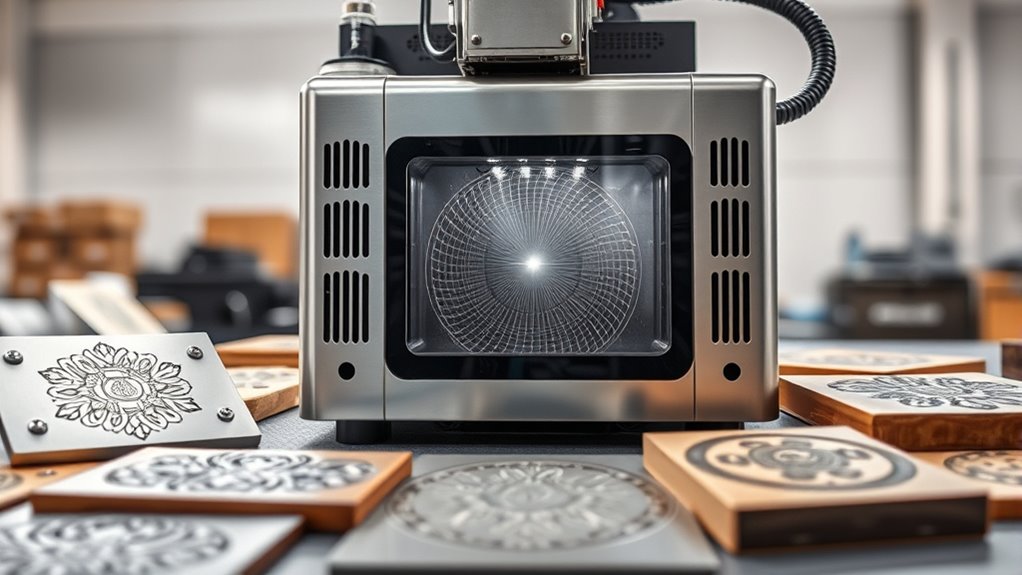

Finding the right laser engraver machine in 2026 involves balancing power, precision, and usability. The ATOMSTACK 20W Laser Engraver A20 PRO V2 stands out as the best overall for its solid performance and user-friendly features. For those prioritizing high power, the ACMER S2 Laser Engraver offers a beefier laser for more demanding projects. Meanwhile, the xTool F2 excels with its dual laser technology and integrated camera, perfect for detailed work. Buyers face tradeoffs between power, size, safety, and price, making it essential to understand what matters most for their projects. Keep reading for a detailed breakdown of each option and how they compare.

Get business pricing on tech for your team
- Business-only prices and quantity discounts
- Tax-exempt purchasing
- Multiple users, one account, clear invoices
Key Takeaways
- Powerful laser options like ACMER S2 deliver high performance but come with higher costs and safety considerations.
- Compact, portable models such as LaserPecker LP2 are ideal for on-the-go use but may lack the power needed for larger or tougher materials.
- Features like integrated cameras and rotary attachments significantly enhance precision and versatility, especially for complex designs.
- Budget-friendly engravers often sacrifice speed and depth of cut, making them better suited for hobbyists or light projects.
- Build quality and safety features vary widely; models with enclosed designs tend to be safer for home use.
| ATOMSTACK 20W Laser Engraver A20 PRO V2 |  | Best Overall for Versatile Power and Precision | Laser Power: 20000mW | Laser Class: 4 | Engraving Speed: up to 400mm/s | VIEW ON AMAZON | See Our Full Breakdown |
| Twotrees TTS-55 Pro Laser Engraver 5500mW |  | Best for Wireless Control and High Power | Laser Power: 5500mW | Working Area: 300x300mm | Max Material Thickness: 5mm plywood, 3mm acrylic, 0.7mm leather | VIEW ON AMAZON | See Our Full Breakdown |
| ACMER S1 Laser Engraver Machine, 2500mW Laser Cutter for Wood and Acrylic |  | Best for Beginners and Portability | Laser Power: 2500mW | Wavelength: 455±5nm | Focal Length: 2mm | VIEW ON AMAZON | See Our Full Breakdown |
| K15 Pro Laser Engraver 10W – CNC DIY Laser Cutter for Metal, Wood, Acrylic, Glass, Stone |  | Best for Small Projects and DIY Enthusiasts | Power: 10W | Work Area: 11.8×7.9 inches (A4) | Material Compatibility: Wood, acrylic, leather, coated metal | VIEW ON AMAZON | See Our Full Breakdown |
| xTool S1 40W Laser Cutter and Engraver with Rotary Bundle |  | Best for Large-Scale Projects and High Power | Laser Power: 40W | Bed Size: 23.93″ x 15.16″ | Speed: 600mm/s | VIEW ON AMAZON | See Our Full Breakdown |
| ACMER S2 Laser Engraver, 12000mW Laser Cutter Engraving Machine |  | Best for Precision and Small-Scale Projects | Laser Power: 12W | Total System Power: 72W | Work Area: 300 x 300mm | VIEW ON AMAZON | See Our Full Breakdown |
| Longer Ray5 Laser Engraver and Cutter Machine, 20W, 400×356mm |  | Best for Fast, Large-Scale Cutting and Versatile Materials | Laser Power: 20W | Working Area: 400×356mm | Engraving Speed: 24,000mm/min | VIEW ON AMAZON | See Our Full Breakdown |
| xTool F2 5W IR & 15W Diode Dual Laser Engraver with Camera |  | Best for Speed, Versatility, and Precise Alignment | Laser Power (IR): 5W | Laser Power (Diode): 15W | Camera Resolution: 50MP | VIEW ON AMAZON | See Our Full Breakdown |
| ELIDOR 6000mW Laser Engraver and Cutter Machine |  | Best for Hobbyists and Small Creative Projects | Laser Power: 6W (6000mW) | Engraving Accuracy: 0.01mm | Laser Spot Size: 0.04 x 0.14mm | VIEW ON AMAZON | See Our Full Breakdown |
| BlazeX M3 10W Laser Engraver Machine, Ultra-Precision Desktop Laser Cutter and Engraver for Wood, Metal, Glass, Leather |  | Best for Versatile, All-in-One Creative Projects | Laser Power: 10W | Precision: 0.01mm | Materials Compatible: Wood, Metal, Glass, Leather | VIEW ON AMAZON | See Our Full Breakdown |
| Creality Falcon 10W Laser Engraver with Air Assist and Rotary Roller | 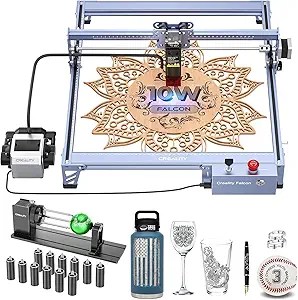 | Best Overall for High-Precision Versatility | Laser Output Power: 10,000mW | Laser Class: 4 | Max Cutting Thickness: 12 mm wood, 3 mm acrylic | VIEW ON AMAZON | See Our Full Breakdown |
| xTool M2 10W Laser Engraver with Dual Cameras, Enclosed Safe Design for DIY Crafts |  | Best for Safe, Home-Based Crafting with Real-Time Monitoring | Laser Power: 10W | Camera: Dual cameras with real-time preview | Safety Class: Class 1 | VIEW ON AMAZON | See Our Full Breakdown |
| LaserPecker LP2 Laser Engraver with Roller, Portable Handheld Laser Engraving Machine for Wood, Metal, Leather, Acrylic |  | Best Portable Handheld for Speed and Flexibility | Max engraving speed: 1417 inches per minute | Frame/graphic preview speed: 8858 inches per minute | Resolution options: 1K, 1.3K, 2K | VIEW ON AMAZON | See Our Full Breakdown |
More Details on Our Top Picks
ATOMSTACK 20W Laser Engraver A20 PRO V2
The ATOMSTACK A20 PRO V2 stands out for its combination of high precision and robust laser power, making it ideal for both detailed engraving and faster cutting tasks. Compared with the Twotrees TTS-55 Pro, it offers slightly better accuracy at 0.08 x 0.1mm dot size, though it requires more safety precautions due to its Class 4 laser. This model is well-suited for hobbyists transitioning into small business use but may challenge beginners unfamiliar with laser safety protocols or assembly. Its fast engraving speed of up to 400mm/s and versatile control options support a range of creative projects, but the complexity of setup and safety considerations are tradeoffs to keep in mind. Overall, it makes the most sense for users who value high precision and power in a system they can safely operate with some technical confidence.
Pros:- High precision with 0.08 x 0.1mm dot accuracy
- Powerful 20W laser for fast engraving and cutting
- Easy to assemble with durable aluminum frame
- Multiple control options via Type-C and USB
Cons:- Requires safety precautions due to laser class 4
- Complex for users new to laser systems
Best for: Small business owners or hobbyists seeking high-precision, versatile laser engraving and cutting with the ability to handle a variety of materials.
Not ideal for: Beginners without prior experience in laser safety or assembly, as this model demands careful handling and technical setup.
- Laser Power:20000mW
- Laser Class:4
- Engraving Speed:up to 400mm/s
- Engraving Dot Size:0.08 x 0.1mm
- Lifespan:up to 10,000 hours
Our verdict“This engraver offers professional-level accuracy and power, best suited for experienced users or small businesses aiming for high-quality results.”
Twotrees TTS-55 Pro Laser Engraver 5500mW
The Twotrees TTS-55 Pro excels with its high laser power of 5500mW and wireless control capabilities, making it well-suited for hobbyists and small-scale commercial projects. Unlike the ATOMSTACK A20 PRO V2, it offers wireless operation via Wi-Fi and mobile apps, enhancing convenience for users who prefer remote control. Its large 300x300mm working area supports bigger projects, but its setup can be technical, especially for those unfamiliar with laser calibration or software integration. The inclusion of air assist helps produce cleaner cuts, yet the need for safety precautions remains essential given the laser’s power. This pick makes the most sense for users who want high power and mobility in a manageable size, but those seeking ultra-fine detail or simplicity may find it less ideal.
Pros:- High laser power for versatile cutting and engraving
- Wireless control via Wi-Fi and mobile apps
- Compatible with popular software like LaserGRBL and LightBurn
- Includes air assist for cleaner cuts
Cons:- Requires some technical setup for optimal performance
- Limited to small-scale projects due to size
Best for: Hobbyists or small business owners who want high-powered cutting and engraving with wireless convenience and a sizable workspace.
Not ideal for: Complete beginners or those with tight space constraints, as setup and safety precautions can be demanding.
- Laser Power:5500mW
- Working Area:300x300mm
- Max Material Thickness:5mm plywood, 3mm acrylic, 0.7mm leather
- Focus Spot:0.08*0.46mm
- Engraving Speed:up to 30,000mm/min
- Features:Air assist, Wi-Fi, offline engraving
Our verdict“A powerful, wireless-enabled laser engraver ideal for hobbyists and small businesses seeking mobility and high power in a compact design.”
ACMER S1 Laser Engraver Machine, 2500mW Laser Cutter for Wood and Acrylic
The ACMER S1 offers a user-friendly experience with its lightweight, portable design and high-precision capabilities. Compared with the K15 Pro, it provides a smaller working area of 130x130mm, which limits larger projects but enhances ease of transport and storage. Its 2500mW diode laser strikes a balance between power and safety, making it suitable for beginners learning the craft or professionals needing a portable unit for small projects. The device’s safety certifications and support for multiple software platforms add to its appeal, but the limited working area and the learning curve for advanced features are notable tradeoffs. This makes the S1 a strong choice for those prioritizing ease of use and portability over large-scale production.
Pros:- High-precision engraving and cutting
- Lightweight and portable design
- Supports multiple software options
- Safety certifications included
Cons:- Limited working area restricts larger projects
- Requires safety precautions due to Class 4 laser
Best for: Beginners or professionals needing a portable, high-precision laser engraver for small projects and detailed work.
Not ideal for: Users needing large working areas or working on thick, hard materials regularly, as its size and power are limited.
- Laser Power:2500mW
- Wavelength:455±5nm
- Focal Length:2mm
- Engraving Speed:10,000mm/min
- Repeatable Positioning Accuracy:0.01mm
- Working Area:130x130mm
Our verdict“A portable, beginner-friendly laser engraver perfect for small, detailed projects and users prioritizing ease of use over size.”
K15 Pro Laser Engraver 10W – CNC DIY Laser Cutter for Metal, Wood, Acrylic, Glass, Stone
The K15 Pro 10W combines ease of use with solid performance for small projects, making it especially suitable for hobbyists and small business owners. Its compact A4 work area (11.8×7.9 inches) allows for detailed crafts, but limits larger workpieces compared to the xTool S1. The device boasts high precision at 0.01mm and fast speeds up to 15,000mm/min, supporting various materials, including coated metals—an advantage over models like the ACMER S1 with a narrower focus on smaller, lightweight projects. However, the power may be insufficient for thick or hard materials, and setup involves some assembly which could be daunting for absolute beginners. This model is ideal for users wanting a versatile, upgradeable, desktop system for small-scale production and craft projects.
Pros:- User-friendly with free software and offline operation
- High precision and fast engraving speeds
- Compact size fits small spaces
- Upgradeable with additional modules
Cons:- Limited workspace size restricts larger projects
- Laser power may be insufficient for thick or hard materials
Best for: Hobbyists or small business owners wanting a compact, upgradeable laser for detailed work on various materials, especially metals and coated surfaces.
Not ideal for: Users needing to cut or engrave larger pieces or working with very thick or hard materials regularly, due to limited workspace and laser power.
- Power:10W
- Work Area:11.8×7.9 inches (A4)
- Material Compatibility:Wood, acrylic, leather, coated metal
- Precision:0.01mm
- Max Speed:15,000mm/min
- Warranty:1 year
Our verdict“A versatile, compact laser engraver suitable for detailed crafts and small-scale production with upgrade potential for growing needs.”
xTool S1 40W Laser Cutter and Engraver with Rotary Bundle
The xTool S1 40W is designed for serious projects, offering a large bed size of 23.93″ x 15.16″ and high-speed operation at 600mm/s. Compared to the ATOMSTACK A20 PRO V2, it provides significantly more space and power, supporting detailed engraving and fast cutting on larger pieces of wood, metal, and acrylic. Its safety features, including an enclosed design with flame sensors, are a plus for safer operation, but its size and cost are considerable tradeoffs. The included rotary attachment expands its versatility for cylindrical objects. This model fits best for users with large projects or professional needs, but beginners or those with limited space may find it less accessible or overly complex.
Pros:- High power and fast engraving speeds for large projects
- Spacious bed size for big workpieces
- Advanced safety features including enclosure and sensors
- Includes rotary bundle for cylindrical objects
Cons:- High cost and large footprint limit accessibility
- Steeper learning curve for beginners
Best for: Professionals or serious hobbyists working on large projects requiring high power, speed, and safety features in a spacious setup.
Not ideal for: Casual users or those with limited workspace, as the large bed size and higher cost might be prohibitive.
- Laser Power:40W
- Bed Size:23.93″ x 15.16″
- Speed:600mm/s
- Engraving Length:up to 118 inches (3000mm)
- Material Compatibility:Wood, metal, acrylic
- Safety Features:Enclosed design, flame sensors, emergency stop
Our verdict“A powerful, large-format laser cutter ideal for large-scale projects and professionals who need speed, safety, and space for complex work.”
ACMER S2 Laser Engraver, 12000mW Laser Cutter Engraving Machine
The ACMER S2 Laser Engraver stands out for its true 12W laser and high-precision capabilities, making it ideal for intricate detail work on a variety of materials. Compared to the ELIDOR 6000mW, the S2 offers finer accuracy (0.01mm) and a larger 300x300mm workspace, though its laser power limits thick material cutting. Its compatibility with popular software like LightBurn and LaserGRBL combined with safety features makes it a reliable choice for hobbyists and small businesses that prioritize precision over brute force. The main tradeoff is that assembly can be complex for newcomers, and its limited power means it’s less suited for cutting very thick materials or large-scale production.
Pros:- High precision with 0.01mm accuracy for detailed work
- Large 300x300mm workspace suitable for multi-material projects
- Compatible with multiple design software including LightBurn and LaserGRBL
- Built-in safety features like UV shield and motion protection
Cons:- Assembly required, which may challenge beginners
- Limited laser power for cutting thicker or denser materials
Best for: Creative professionals and small business owners needing detailed engraving on small to medium projects
Not ideal for: Users aiming for industrial-scale cutting or thick material processing due to its modest laser power
- Laser Power:12W
- Total System Power:72W
- Work Area:300 x 300mm
- Laser Spot Size:0.08 x 0.08mm
- Positioning Accuracy:0.01mm
- Compatible Software:ACMER Studio, LightBurn, LaserGRBL
Our verdict“This engraver is best suited for users who prioritize detailed craftsmanship over heavy-duty cutting needs.”
Longer Ray5 Laser Engraver and Cutter Machine, 20W, 400×356mm
The Longer Ray5’s 20W laser makes it a strong choice for users who need rapid, precise cuts across large areas, with a sizable 400×356mm workspace, surpassing the smaller ACMER S2 in power and capacity. Its fast engraving speed of 24,000mm/min and multiple connectivity options—including WiFi and app control—highlight its suitability for professional or semi-professional workflows. While it offers impressive cutting thicknesses up to 15mm pine wood and 8mm acrylic, the higher power and speed come with increased safety concerns and a steeper learning curve, especially for hobbyists unfamiliar with laser safety protocols. Compared with the ACMER S2, it trades some compactness for raw power and speed, making it less ideal for delicate detailed tasks but perfect for larger, quicker projects.
Pros:- Powerful 20W laser for fast, deep cuts
- Large 400×356mm working area for bigger projects
- Multiple control options including WiFi and app integration
- Supports cutting thicker materials up to 15mm
Cons:- Requires strict safety precautions including goggles and enclosure
- Potentially high cost and complexity for new users
Best for: Small businesses and experienced hobbyists needing fast, large-area cutting and engraving
Not ideal for: Beginners or users with limited safety setup experience, due to high power and safety requirements
- Laser Power:20W
- Working Area:400×356mm
- Engraving Speed:24,000mm/min
- Max Cutting Thickness:15mm pine wood
- Material Compatibility:Metal, wood, leather, glass, acrylic, cotton
- Connectivity:USB, TF card, WiFi, App
Our verdict“This machine excels for users needing speed and size, but demands careful handling and safety awareness.”
xTool F2 5W IR & 15W Diode Dual Laser Engraver with Camera
The xTool F2’s dual laser setup and 50MP camera position it as a highly versatile device capable of engraving, cutting, and 3D embossing on over 300 materials. Its ability to reach speeds up to 6000mm/s makes it ideal for rapid production, especially compared with smaller, lower-powered engravers. The integrated camera allows for precise material alignment, reducing setup errors—an advantage over simpler models like the ELIDOR 6000mW. However, its enclosure design limits use to indoor environments, and understanding laser safety remains essential. Compared with the ACMER S2, the F2 emphasizes speed and versatility, though it sacrifices some fine detail precision for rapid throughput. This pick makes the most sense for users who value fast, multi-material work in a compact form.
Pros:- Dual laser system supports engraving, cutting, and embossing
- High-precision 50MP camera for precise alignment
- Ultrafast speeds up to 6000mm/s for high productivity
- Fully assembled, portable design
Cons:- Enclosed design restricts use to indoor spaces
- Requires understanding of laser safety protocols
Best for: Small-scale commercial operators and hobbyists needing quick, versatile projects with accurate alignment
Not ideal for: Users primarily interested in ultra-fine detail work or industrial-scale engraving, due to size and safety considerations
- Laser Power (IR):5W
- Laser Power (Diode):15W
- Camera Resolution:50MP
- Max Speed:6000mm/s
- Material Compatibility:300+ materials
- Weight:4.6 kg
Our verdict“This model suits users seeking rapid, versatile engraving with precise material alignment in a compact package.”
ELIDOR 6000mW Laser Engraver and Cutter Machine
The ELIDOR Z6 offers a 6W laser with impressive 0.01mm engraving accuracy, making it suitable for detailed work on a variety of materials. Compared with the ACMER S2, it’s more compact and lightweight at just over 2kg, making it ideal for portability and small-scale use. Its software compatibility with LaserGRBL and LightBurn ensures flexibility for hobbyists familiar with these platforms. However, the limited 300x300mm workspace and relatively modest laser power mean it’s less capable for larger projects or industrial tasks. This machine makes a compelling choice for those who prioritize precision in small projects and value portability, but it’s not suited for demanding or large-format work.
Pros:- High-precision engraving with 0.01mm accuracy
- Compact, lightweight design for portability
- Compatible with popular software like LaserGRBL and LightBurn
- Suitable for a variety of materials
Cons:- Limited workspace for larger projects
- Laser power may not suffice for industrial cutting tasks
Best for: Hobbyists and small business owners focused on detailed creative projects and portability
Not ideal for: Users needing larger work areas or higher power for cutting thicker or multiple materials quickly
- Laser Power:6W (6000mW)
- Engraving Accuracy:0.01mm
- Laser Spot Size:0.04 x 0.14mm
- Working Area:300 x 300mm
- Weight:2.13 kg
- Compatibility:LaserGRBL, LightBurn, Windows, macOS, Linux
Our verdict“This engraver is best for hobbyists seeking detailed work and portability over large-scale production.”
BlazeX M3 10W Laser Engraver Machine, Ultra-Precision Desktop Laser Cutter and Engraver for Wood, Metal, Glass, Leather
The BlazeX M3’s 10W laser and 0.01mm precision make it a versatile option capable of handling a wide range of materials, from wood and leather to metal and glass. Compared to the ACMER S2, it emphasizes user safety with a Class 1 rating and includes a comprehensive starter kit, making it more accessible for beginners. Its compatibility with popular software and support for upgrades position it as a flexible choice for small-scale creative work and hobbyists. The tradeoff is that, despite its precision, the 10W laser isn’t suited for cutting very thick or dense materials, and it requires some initial setup, which might challenge total newcomers to laser engraving.
Pros:- High-precision 0.01mm engraving for fine details
- Versatile material compatibility including metals and glass
- Safe, beginner-friendly with Class 1 safety rating
- Includes accessories and supports upgrades
Cons:- Limited to small projects and batch sizes
- Not suitable for cutting very thick materials
Best for: Creative hobbyists and small-scale artisans seeking a safe, all-in-one kit for diverse material engraving
Not ideal for: Industrial users or those needing to cut or engrave very thick or dense materials regularly
- Laser Power:10W
- Precision:0.01mm
- Materials Compatible:Wood, Metal, Glass, Leather
- Safety Rating:Class 1
- Included Accessories:Protective enclosure, tool kit, honeycomb laser bed
Our verdict“This engraver fits users looking for safe, precise, and versatile creative work in a compact form.”
Creality Falcon 10W Laser Engraver with Air Assist and Rotary Roller
The Creality Falcon 10W stands out for its high laser power and versatile features like the adjustable rotary roller and air assist, making it ideal for detailed work on a variety of materials, including metal and thick wood. Compared with the xTool M2, it offers more robust cutting capabilities and supports offline operation, which is essential for larger or more precise projects. However, its assembly process can be slightly time-consuming, and safety precautions are critical given its high power output. This model is better suited for hobbyists and small businesses that need reliable, high-precision engraving with the flexibility to work on cylindrical objects, although it demands careful setup and safety awareness.
Pros:- High laser power with precise cutting and engraving capabilities
- Versatile rotary roller for cylindrical and spherical objects
- Effective air assist for cleaner cuts and longer laser lifespan
- Supports offline operation via TF card
Cons:- Assembly may take 10-20 minutes and requires careful reading of manuals
- High power necessitates strict safety precautions
Best for: Small business owners or advanced hobbyists needing precise, versatile engraving on multiple materials including cylindrical objects
Not ideal for: Beginners or casual users who prefer plug-and-play simplicity without extensive safety considerations
- Laser Output Power:10,000mW
- Laser Class:4
- Max Cutting Thickness:12 mm wood, 3 mm acrylic
- Engraving Accuracy:0.004 inches
- Repositioning Accuracy:less than 0.007 inches
- Compatible Systems:LaserGRBL, LightBurn, Windows, macOS
Our verdict“This laser engraver suits users seeking high power, versatility, and precise results on a range of materials, provided they are comfortable with setup and safety protocols.”
xTool M2 10W Laser Engraver with Dual Cameras, Enclosed Safe Design for DIY Crafts
The xTool M2 offers an appealing combination of safety, ease of use, and accuracy, thanks to its fully enclosed design and dual cameras that provide real-time workspace preview. This makes it especially suitable for beginners or families, as safety is prioritized and the setup process is straightforward. Compared with the LaserPecker LP2, it provides more material versatility and easier monitoring, though it lacks the same speed and portability. Its limited laser power means it’s best for small-scale craft projects on wood, leather, fabric, and paper, but it isn’t designed for metal engraving or high-volume production. Overall, this model makes the most sense for users who want a safe, user-friendly entry into laser engraving without sacrificing accuracy.
Pros:- Built-in dual cameras for precise workspace visualization
- Fully enclosed design enhances safety for home use
- Supports a wide range of craft materials including fabric and leather
- User-friendly with customizable templates and AI image options
Cons:- Additional modules like CMYK ink or rotary are sold separately
- Limited to 10W laser power, not suitable for metal engraving
- Requires extra purchase for full-color printing capabilities
Best for: Home hobbyists and DIY crafters seeking a safe, enclosed system for small projects on a variety of materials
Not ideal for: Professionals needing high-speed engraving or industrial-grade metal marking, as it’s limited to 10W and certain materials
- Laser Power:10W
- Camera:Dual cameras with real-time preview
- Safety Class:Class 1
- Material Compatibility:Wood, leather, felt, fabric, paper
- Enclosure:Fully enclosed
- Output Power:10,000mW
Our verdict“Ideal for beginners or home crafters who prioritize safety, simplicity, and material versatility over high-speed or industrial-level engraving.”
LaserPecker LP2 Laser Engraver with Roller, Portable Handheld Laser Engraving Machine for Wood, Metal, Leather, Acrylic
The LaserPecker LP2 excels in portability and speed, thanks to its upgraded galvo technology, making it perfect for quick, detailed engravings on the go. Its ability to handle cylindrical and extended projects sets it apart from stationary models like the Creality Falcon, especially for users needing a lightweight device that can travel easily. It offers impressive engraving speeds up to 1417 inches per minute and supports a variety of materials, including coated metals and wood, but struggles with pure or shiny metals due to reflection issues. Compared with the xTool M2, it’s more portable but less versatile in material handling and safety features. This pick is best for hobbyists or small business owners who prioritize speed, portability, and quick setup for diverse projects.
Pros:- Fast and detailed engraving powered by upgraded galvo technology
- Portable design with plug-and-play compatibility with smartphones and PCs
- Supports multiple file formats including JPG, PNG, and G-code
- Versatile modes for cylindrical and extended length engraving
Cons:- Limited capability on pure or shiny metals due to reflectivity
- Maximum engraving length of 196 inches may be limiting for some tasks
- Not suitable for engraving on transparent or reflective surfaces without surface treatment
Best for: Artists and small business owners needing a portable, fast engraving solution for on-the-go projects on wood, leather, and coated metals
Not ideal for: Users requiring precise metal marking or working with shiny or reflective metals without surface prep, as engraving is limited on these materials
- Max engraving speed:1417 inches per minute
- Frame/graphic preview speed:8858 inches per minute
- Resolution options:1K, 1.3K, 2K
- Engraving distance:11 cm (4.33 inches)
- Materials it can engrave:Paper, cardboard, wood, leather, coated metal, brushed stainless steel
- Materials it cannot engrave:Pure metal, shiny metal
Our verdict“This laser engraver offers speed and portability for dynamic projects but falls short on working with shiny metals or very long engraving tasks, making it ideal for mobile hobbyists and small-scale entrepreneurs.”
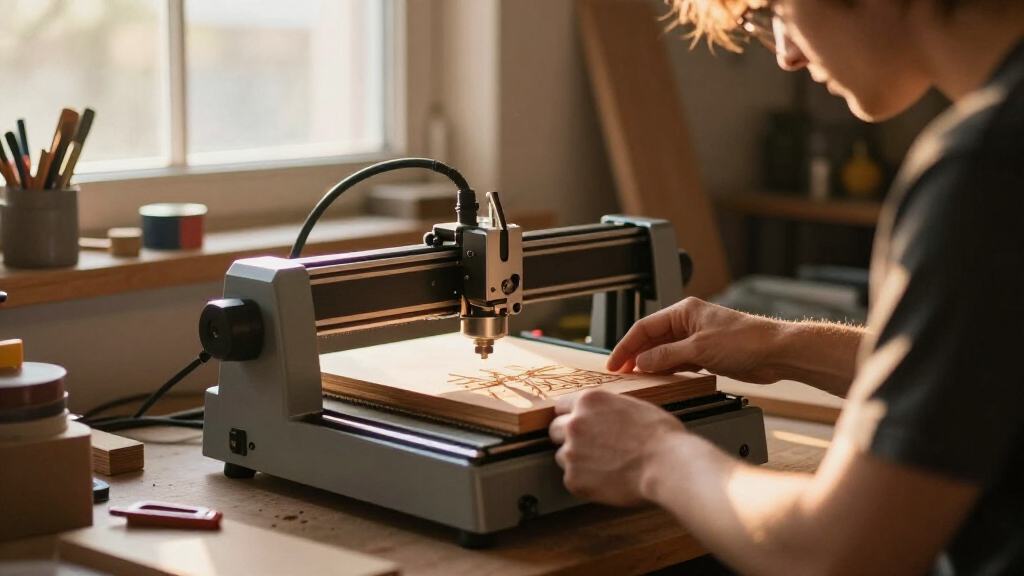
How We Picked
Each laser engraver machine was evaluated based on performance (laser wattage, precision, speed), usability (ease of setup, software, user interface), build quality (durability, safety features), maintenance requirements, and overall value. We prioritized devices that balance power and safety while remaining accessible for hobbyists and professionals alike. Our rankings reflect a mix of high-performance options and those offering excellent value for specific use cases, helping buyers identify the best fit for their needs.Factors to Consider When Choosing Laser Engraver Machines
Choosing the right laser engraver involves understanding several key factors that impact usability, safety, and project outcomes. Beyond raw power, consider how the machine’s size, safety features, and software compatibility align with your workspace and skill level. It’s also important to think about material compatibility—whether you plan to work with wood, metal, glass, or acrylic—as different lasers are optimized for specific materials. Budget constraints can influence features like engraving speed, resolution, and included accessories. Making an informed choice requires balancing these elements to match your project scope and safety considerations.Laser Power and Material Compatibility
Laser wattage directly affects cutting depth and speed, especially for tougher materials like metal or glass. Higher wattage lasers, such as the ACMER S2, can handle a wider range of materials efficiently but typically come with increased cost and safety requirements. For light engraving on wood or acrylic, lower wattage models like the xTool M2 or LaserPecker LP2 can suffice. Matching your project material to the laser’s power prevents frustration and ensures quality results, but remember that more powerful lasers may require more extensive safety measures and ventilation.
Safety Features and Enclosure
Safety should never be overlooked, especially with powerful lasers. Enclosed designs, like the xTool M2, provide protection from accidental exposure and contain fumes, making them safer for home or small workshop use. Open-frame models may be more versatile but demand strict safety protocols, such as eye protection and proper ventilation. Consider your workspace size and safety comfort level when selecting a machine, as well as features like automatic shutoff, emergency stops, and protective covers that can mitigate risks during operation.
Software Compatibility and Ease of Use
Intuitive software can dramatically reduce the learning curve and enhance your engraving experience. Many models ship with proprietary software, but compatibility with popular programs like LightBurn or LaserGRBL often broadens creative options. Look for machines that offer straightforward setup, clear instructions, and reliable updates. Advanced features such as camera-assisted design and automatic bed leveling can save time and improve precision, especially for complex projects or multi-material work.
Size, Portability, and Workspace Needs
The physical dimensions of your laser engraver influence where and how you can use it. Compact models like the LaserPecker LP2 are perfect for small spaces and portability, ideal for crafting on the go. Larger machines, such as the Longer Ray5, provide bigger work areas for larger projects but require dedicated space and stable mounting. Consider your typical project size and available workspace to choose a machine that fits comfortably without sacrificing necessary features or accessibility.
Budget and Long-Term Value
While budget models can be tempting, they may lack durability, power, or safety features needed for serious work. Investing in a slightly higher-priced machine often translates to better build quality, faster operation, and more consistent results. Think about your projected usage—if you plan to do frequent, detailed work, spending more upfront can save money on upgrades or replacements later. Conversely, occasional hobbyists might prioritize affordability and simplicity over advanced features, accepting some tradeoffs.
Frequently Asked Questions
Can I engrave metal with a laser engraver?
Engraving on metal is possible with high-wattage fiber or CO2 lasers designed for metals, but most diode and lower wattage models are limited to softer materials like wood, acrylic, or leather. If metal engraving is a priority, choose a machine explicitly rated for it, and be prepared for potential additional safety measures and higher costs. For most hobbyists, working on coated or anodized metals with a diode laser can produce satisfactory results, but uncoated metals require more specialized equipment.
What safety equipment do I need for using a laser engraver?
Safety gear includes laser safety glasses rated for your machine’s wavelength, proper ventilation, and sometimes fume extraction systems, especially when engraving plastics or materials that emit fumes. Enclosed machines reduce the risk of accidental exposure, but always follow manufacturer instructions and wear protective eyewear. Adequate ventilation is essential to prevent inhalation of fumes, which can be hazardous over time. Investing in safety equipment helps prevent accidents and ensures a safer working environment.
How difficult is it to learn to use a laser engraver?
Most modern laser engravers come with user-friendly interfaces and software designed for beginners, making initial setup and operation straightforward. However, mastering detailed engraving, managing safety, and troubleshooting technical issues can take time and practice. Online tutorials, community forums, and manufacturer resources can accelerate learning. If you’re new to laser engraving, choosing a model with robust support and easy-to-understand controls can make your experience more enjoyable and less frustrating.
Is a more powerful laser always better?
Not necessarily. A higher wattage laser can cut and engrave faster and handle tougher materials, but it also comes with increased safety considerations, higher cost, and more complex maintenance. For hobbyists or light projects, a lower wattage laser like 5W or 10W may be sufficient and more manageable. Consider your typical project requirements and workspace safety before opting for the most powerful option, as over-specifying can lead to unnecessary expense and complexity.
What is the typical lifespan of a laser engraver?
The lifespan depends on the laser type, usage frequency, and maintenance. Diode lasers, common in many desktop models, usually last between 10,000 and 20,000 hours of operation if properly maintained. Fiber lasers tend to last longer but are more expensive. Regular cleaning, avoiding overheating, and following manufacturer maintenance recommendations can extend your machine’s lifespan. Investing in quality components and proper safety protocols also helps maintain consistent performance over years.
Conclusion
For casual hobbyists or those just starting out, models like the LaserPecker LP2 or xTool M2 offer simplicity and portability. Small business owners needing larger work areas and higher power should consider the ATOMSTACK A20 PRO V2 or Longer Ray5. Professionals requiring the highest precision and material versatility might lean toward the ACMER S2 or Creality Falcon. Budget-conscious buyers should focus on models that balance features and affordability, while safety-focused users will prioritize enclosed designs. Ultimately, your choice depends on your project scope, workspace, safety concerns, and budget constraints.
Halloween Picks
halloween
As an affiliate, we earn on qualifying purchases.