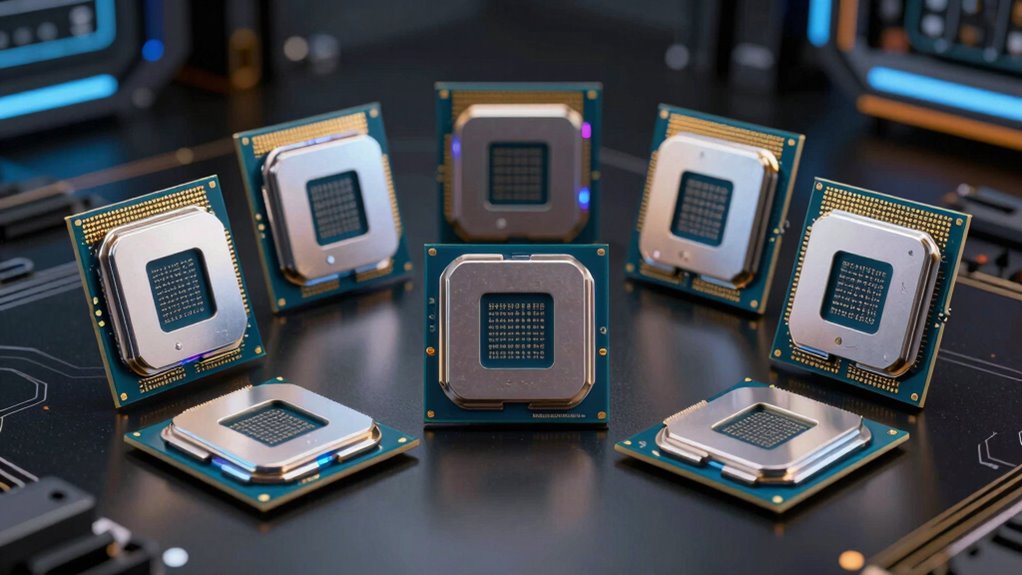
For a high-end CPU for VR, I would start with the Ryzen 7 9800X3D for a current AM5 build, the Ryzen 9 9950X3D if VR is one part of a demanding creation workstation, or the STORMCRAFT Falcon with Ryzen 7 7800X3D if I want a complete desktop rather than a parts list. These picks differ in what the buyer actually gets: the standalone CPUs need a compatible motherboard, cooler, memory, and graphics card, while the Falcon systems bundle those pieces with an RTX 5070 or RX 9070 XT.

Get tech for your team delivered free — and shop member deals
- Fast, free delivery on millions of items
- Access to Prime Big Deal Days deals on October 6–7
- Prime Video, Amazon Music and more included
For VR, the CPU helps keep game simulation and frame delivery responsive, but the graphics card and headset resolution often set the larger performance limit. I rank these options by how well their processor, platform, and overall package suit high-end VR—not by core count alone. The main tradeoffs are newer AM5 performance versus older AM4 reuse, CPU-only flexibility versus a ready-to-run tower, and graphics-card choice when buying a complete system.
Key Takeaways
- Best current CPU-only pick: The Ryzen 7 9800X3D combines Zen 5, 3D V-Cache, and AM5 support, but you must supply a cooler and the rest of the PC.
- Best complete RTX desktop: The STORMCRAFT Falcon with Ryzen 7 7800X3D pairs 32GB DDR5 with an RTX 5070 12GB and includes a 360mm liquid cooler.
- Best for mixed VR and creation: The Ryzen 9 9950X3D offers 16 cores and a high boost specification, though the supplied listing has an unusual one-thread specification that buyers should verify.
- Best complete Radeon desktop: The Falcon with RX 9070 XT has 16GB of graphics memory, but its product description contains conflicting graphics claims that deserve clarification.
- Best AM4 upgrade: The Ryzen 7 5800X3D may suit an existing compatible DDR4 system; it is a less compelling choice for a new high-end VR build because it uses the older AM4 platform.
| AMD Ryzen 7 9800X3D 8-Core, 16-Thread Desktop Processor |  | Best CPU-only pick for a new high-end VR build | Architecture: Zen 5 | Cores / threads: 8 / 16 | Maximum boost: Up to 5.2GHz | VIEW ON AMAZON | See Our Full Breakdown |
| STORMCRAFT Falcon Gaming Desktop with GeForce RTX 5070 and AMD Ryzen 7 7800X3D |  | Best complete RTX desktop for VR | Processor: AMD Ryzen 7 7800X3D | Graphics: NVIDIA GeForce RTX 5070, 12GB | Memory: 32GB DDR5-6000 | VIEW ON AMAZON | See Our Full Breakdown |
| AMD Ryzen 9 9950X3D 16-Core Desktop Processor |  | Best premium choice for VR plus demanding creation work | Architecture: Zen 5 | Cores: 16 | Threads: Listed as 1; verify before buying | VIEW ON AMAZON | See Our Full Breakdown |
| STORMCRAFT Falcon Gaming PC with Ryzen 7 7800X3D and Radeon RX 9070 XT |  | Best complete Radeon desktop, pending GPU detail confirmation | Processor: AMD Ryzen 7 7800X3D, 8 cores / 16 threads | Graphics: Radeon RX 9070 XT, 16GB stated; verify listing | Memory: 32GB DDR5-6000 RGB | VIEW ON AMAZON | See Our Full Breakdown |
| AMD Ryzen 7 5800X3D 8-Core, 16-Thread Desktop Processor |  | Best AM4 upgrade for an existing DDR4 gaming PC | Cores / threads: 8 / 16 | Maximum boost: Up to 4.5GHz | L3 cache: 96MB | VIEW ON AMAZON | See Our Full Breakdown |
| high end cpu for vr | Maximum boost | Socket | Power specification |
|---|---|---|---|
| AMD Ryzen 7 9800X3D 8-Core | Up to 5.2GHz | AM5 | 140W |
| STORMCRAFT Falcon Gaming Deskt | — | — | — |
| AMD Ryzen 9 9950X3D 16-Core De | Up to 5.7GHz | AM5 | 170W |
| STORMCRAFT Falcon Gaming PC wi | — | — | — |
| AMD Ryzen 7 5800X3D 8-Core | Up to 4.5GHz | AM4 | 105W |
More Details on Our Top Picks
AMD Ryzen 7 9800X3D 8-Core, 16-Thread Desktop Processor
The Ryzen 7 9800X3D is my first choice for someone assembling a new high-end VR PC around a gaming-focused processor. Its Zen 5 design, 96MB of L3 cache, and boost specification of up to 5.2GHz make it a more current starting point than the AM4 Ryzen 7 5800X3D. Both use 3D V-Cache and have eight cores and 16 threads, but the 9800X3D places the build on Socket AM5, giving it a newer platform foundation.
Unlike either STORMCRAFT desktop, this is only the processor. I would still need an AM5 motherboard, DDR5 memory, a dedicated graphics card, storage, power supply, case, and a cooler. That is a meaningful cost in time and component selection, but it also lets me choose the GPU to match my headset and target settings instead of accepting a bundled configuration. The listed 140-watt specification makes cooler selection worth planning rather than treating as an afterthought.
Compared with the 9950X3D, the 9800X3D is the more focused gaming choice in this lineup; the 9950X3D’s extra cores make more sense when work such as rendering or content production shares the PC. I would skip this chip if I need a ready-to-play desktop or want to reuse an AM4 board. No cooler is included, so the finished build depends on choosing compatible supporting parts.
Pros:- Zen 5 architecture with 3D V-Cache
- Eight cores and 16 threads
- AM5 socket supports a current DDR5-based build
- Up to 5.2GHz boost specification
Cons:- Cooler is not included
- Requires a separate AM5 motherboard, memory, GPU, and other PC components
Best for: A builder who wants a current AM5 gaming-focused CPU for a high-end VR system and plans to choose a separate graphics card.
Not ideal for: Anyone seeking a complete VR-ready tower, or an AM4 owner who wants to keep an existing motherboard and DDR4 memory.
- Architecture:Zen 5
- Cores / threads:8 / 16
- Maximum boost:Up to 5.2GHz
- L3 cache:96MB
- Socket:AM5
- Power specification:140W
- Cooler included:No
Our verdict“I would choose the Ryzen 7 9800X3D for a new gaming-led VR build when I want a current platform and am prepared to assemble the rest of the system.”
STORMCRAFT Falcon Gaming Desktop with GeForce RTX 5070 and AMD Ryzen 7 7800X3D
This STORMCRAFT Falcon is my best complete-system pick because it pairs the Ryzen 7 7800X3D with a clearly identified GeForce RTX 5070 12GB. For a buyer who wants to connect a headset without first sourcing a GPU, motherboard, cooler, and case, that matters more than a processor-only specification sheet. The included 32GB of DDR5-6000 memory, 1TB NVMe SSD, and 360mm liquid cooler also make the listed configuration feel like a ready-made gaming foundation.
Compared with the standalone 9800X3D, the Falcon gives up the newer Zen 5 processor generation but supplies the rest of the PC, including graphics. That makes the comparison less about which CPU is newer and more about whether I value convenience or component control. The RTX 5070 is the key VR-specific inclusion; the supplied details do not establish headset frame rates, so I would match expectations to the particular headset and games rather than assume every title will run at maximum settings.
The 850W Gold power supply, Wi-Fi 6E, Bluetooth 5.3, USB-C, and included keyboard and mouse reduce setup decisions. The tradeoff is that I cannot choose each internal part, and the description does not identify every motherboard or cooling detail beyond the B850 chipset and 360mm AIO. Its stated warranty separates labor, parts, and shipping coverage, so I would read those terms before buying. Choose this over the Radeon Falcon if the named RTX graphics configuration is the priority; choose a CPU-only option if you already own most of a PC.
Pros:- Ryzen 7 7800X3D paired with GeForce RTX 5070 12GB
- 32GB DDR5-6000 memory and 1TB NVMe storage
- 360mm liquid cooler and 850W 80 Plus Gold power supply
- Wi-Fi 6E, Bluetooth 5.3, USB-C, and peripherals included
Cons:- Uses the older Ryzen 7 7800X3D rather than the newer 9800X3D
- Less freedom to select individual internal components
- Supplied details do not specify VR performance by headset or game
Best for: A VR buyer who wants a complete Windows desktop with a named RTX GPU, 32GB of memory, and cooling already included.
Not ideal for: A component-level builder who wants to choose every part, or someone who already has a suitable graphics card and platform.
- Processor:AMD Ryzen 7 7800X3D
- Graphics:NVIDIA GeForce RTX 5070, 12GB
- Memory:32GB DDR5-6000
- Storage:1TB NVMe SSD
- Cooling:360mm all-in-one liquid cooler
- Power supply:850W 80 Plus Gold
- Connectivity:Wi-Fi 6E, Bluetooth 5.3, USB-C
- Operating system:Windows 11 Home
Our verdict“I would pick this Falcon when I want an assembled VR-capable desktop with a clearly stated RTX 5070 rather than the flexibility of a parts build.”
AMD Ryzen 9 9950X3D 16-Core Desktop Processor
The Ryzen 9 9950X3D is the premium multitasking option here: its supplied specification lists 16 cores, a boost up to 5.7GHz, Zen 5, and second-generation 3D V-Cache. That makes it a stronger fit for a PC expected to handle VR gaming alongside demanding creation workloads than the eight-core 9800X3D. If I spend much of my time rendering, editing, compiling, or running other heavily threaded tasks, the extra cores have a clearer purpose than they do for VR gaming alone.
For a system devoted mostly to VR, I would not automatically place it ahead of the 9800X3D. Both are AM5 processors with cache aimed at gaming, and the 9950X3D’s broader core count does not by itself guarantee a better headset experience. It also carries a listed 170W power specification, so the cooling and motherboard plan should suit a higher-demand desktop processor. As with the other standalone chips, the graphics card remains a separate and important choice.
There is a notable listing issue: the supplied specifications say 16 cores but only one thread. That conflicts with the processor’s stated 16-core identity and should be confirmed with the seller or manufacturer before purchase. I would favor this over the 9800X3D only when mixed workloads justify the premium-tier positioning and the specification discrepancy is resolved. If the goal is simply a complete VR system, the STORMCRAFT RTX Falcon is the more straightforward package.
Pros:- 16-core Zen 5 processor for mixed workloads
- Second-generation AMD 3D V-Cache
- Boost specification up to 5.7GHz
- AM5 platform
Cons:- Listed thread count of one conflicts with its 16-core description
- Cooler, motherboard, memory, and graphics card are not included
- 170W power specification calls for a suitable cooling plan
Best for: A power user who combines high-end VR gaming with demanding multicore creation or productivity work on one AM5 desktop.
Not ideal for: A VR-only buyer who does not need extra cores, or anyone unwilling to confirm the inconsistent listed thread count.
- Architecture:Zen 5
- Cores:16
- Threads:Listed as 1; verify before buying
- Maximum boost:Up to 5.7GHz
- Cache:144MB listed
- Socket:AM5
- Power specification:170W
Our verdict“I would choose the 9950X3D for VR plus substantial multicore work, but only after verifying the supplied thread-count discrepancy.”
STORMCRAFT Falcon Gaming PC with Ryzen 7 7800X3D and Radeon RX 9070 XT
This Falcon’s central appeal is the stated combination of a Ryzen 7 7800X3D and Radeon RX 9070 XT with 16GB. It also lists 32GB DDR5-6000, a 1TB NVMe drive, a 360mm AIO, an 850W power supply, and Windows 11 Home. Compared with the RTX 5070 Falcon, it offers a different graphics-card configuration and more stated GPU memory, so it may suit a buyer who prefers the Radeon route and wants the whole tower assembled.
The important qualification is the product description: it reportedly makes inconsistent graphics claims, referring to both Radeon RX and RTX features. I would not treat the GPU identity as settled from the title alone. Before choosing this over the RTX Falcon, I would ask the seller to confirm the exact graphics card and verify the outputs and included configuration. That uncertainty is especially relevant for VR, where a buyer should know exactly which GPU will drive the headset.
Its processor is the same 7800X3D as the RTX Falcon, not the newer 9800X3D. That means the decision between the two desktops rests mainly on graphics configuration, confirmation of the listing, and personal preference—not on a CPU advantage. The tempered-glass RGB case, Wi-Fi 6E, Bluetooth 5.2, USB-C, and included keyboard and mouse help make it a complete package. The stated parts warranty is one year, with three years of labor, so I would compare those terms carefully with the RTX model’s coverage.
Pros:- Ryzen 7 7800X3D and stated Radeon RX 9070 XT 16GB
- 32GB DDR5-6000 memory and 1TB NVMe storage
- 360mm AIO cooling and 850W power supply
- Wi-Fi 6E, USB-C, keyboard, and mouse included
Cons:- Description contains conflicting Radeon and RTX graphics claims
- One-year parts warranty is shorter than the listed labor coverage
- Uses the 7800X3D rather than the newer 9800X3D
Best for: A buyer seeking a complete desktop with a stated RX 9070 XT and 16GB of graphics memory, provided the seller confirms the exact GPU.
Not ideal for: Anyone who needs unambiguous graphics specifications before ordering or prefers a listing with a clearly named RTX configuration.
- Processor:AMD Ryzen 7 7800X3D, 8 cores / 16 threads
- Graphics:Radeon RX 9070 XT, 16GB stated; verify listing
- Memory:32GB DDR5-6000 RGB
- Storage:1TB NVMe SSD
- Cooling:360mm AIO water cooling
- Power supply:850W
- Connectivity:Wi-Fi 6E, Bluetooth 5.2, USB-C
- Warranty:1-year parts, 3-year labor, 1-year shipping
Our verdict“I would consider this Radeon Falcon only after confirming the GPU in writing; without that check, the RTX 5070 Falcon is the clearer complete-system choice.”
AMD Ryzen 7 5800X3D 8-Core, 16-Thread Desktop Processor
The Ryzen 7 5800X3D has a narrower role than the newer processors: it makes the most sense as an upgrade for a compatible AM4 desktop that already has DDR4 memory. Its eight cores, 16 threads, and 96MB of L3 cache keep it relevant for a gaming-focused system, and reusing a suitable X570 or B550 motherboard can avoid rebuilding around AM5. For an owner of that platform, this can be a more practical path than buying the 9800X3D and replacing board and memory.
For a new high-end VR system, I rank it below the 9800X3D. The 5800X3D is based on the older AM4 platform, supports DDR4-3200, and lists a maximum boost of 4.5GHz; the 9800X3D moves to Zen 5 and AM5. The two STORMCRAFT desktops also remove much of the assembly burden by including graphics, memory, and storage, whereas this processor is only one component. Its best argument is platform reuse, not being the newest choice.
A cooler is not included, and the supplied information recommends a high-performance cooler. I would check motherboard support and BIOS compatibility before ordering, and I would not assume any AM4 board will accept it without an update. The listing specifies PCIe 4.0 support on X570 and B550 boards. Choose this when preserving a suitable DDR4 system is the point; skip it when starting fresh or looking for a complete VR-ready PC.
Pros:- Eight cores and 16 threads
- 96MB of L3 cache with AMD 3D V-Cache
- Can fit a compatible AM4 and DDR4 upgrade plan
- PCIe 4.0 support specified for X570 and B550 motherboards
Cons:- Older AM4 platform and DDR4-3200 memory support
- Cooler is not included
- Motherboard compatibility and BIOS support need checking
Best for: An AM4 desktop owner with a compatible X570 or B550 motherboard and DDR4 memory who wants a gaming-focused processor upgrade.
Not ideal for: A new-build shopper seeking a current platform, a bundled graphics card, or an included cooler.
- Cores / threads:8 / 16
- Maximum boost:Up to 4.5GHz
- L3 cache:96MB
- Socket:AM4
- Memory support:DDR4-3200
- PCIe support:PCIe 4.0 on X570 and B550 motherboards
- Power specification:105W
- Cooler included:No
Our verdict“I would choose the 5800X3D only to extend a suitable AM4 system; for a new high-end VR build, I would move to the 9800X3D or compare the complete desktops.”
How We Picked
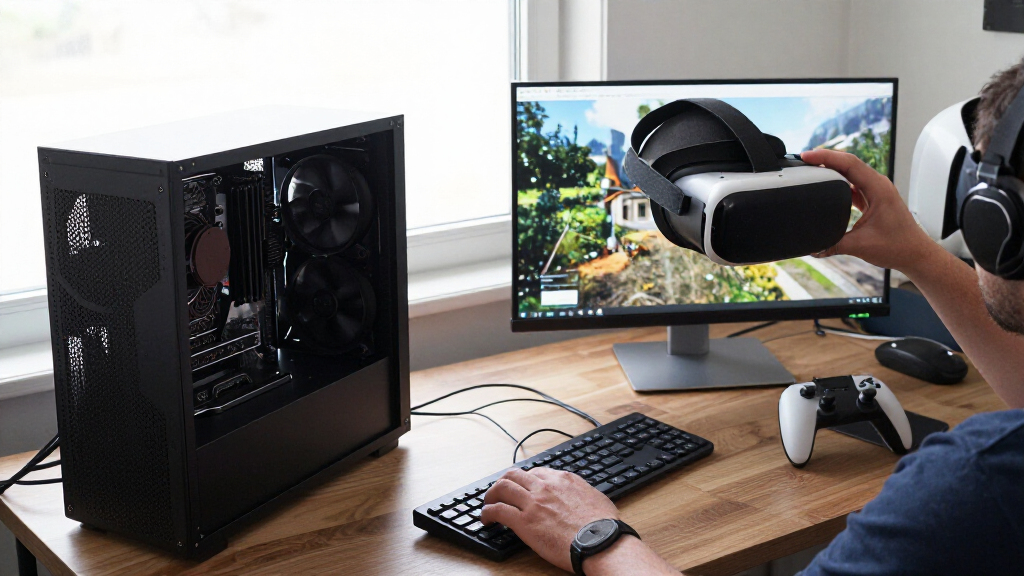
I ranked these five options around the demands of high-end PC VR: steady CPU-side game work, a suitable graphics pairing, and the practicality of building or buying the whole system. VR performance is not determined by the processor in isolation. A CPU can help prevent the game from holding back frame delivery, but headset resolution, refresh target, graphics settings, and the specific VR title all affect the final experience. That is why I distinguish standalone processors from desktops that already include a GPU.
For processor-only choices, I compared generation, cache, core and thread information as supplied, socket, memory platform, and cooling requirements. The 9800X3D ranks ahead of the 5800X3D for a new build because it uses Zen 5 and AM5; the older chip remains relevant chiefly for buyers preserving an AM4 setup. The 9950X3D earns a separate role for buyers combining VR with heavily threaded work, rather than taking the top gaming-only spot simply because it has more cores.
For complete desktops, I weighed the processor alongside the listed graphics card, memory, storage, cooling, connectivity, and support terms. The RTX 5070 Falcon is the clearer all-around package based on the supplied listing. The RX 9070 XT Falcon has an attractive stated GPU configuration, yet the description’s conflicting Radeon and RTX wording makes verification part of the buying decision. I do not infer headset-specific frame rates or claim personal testing; I use only the product details supplied here and call out where they leave open questions.
| high end cpu for vr | Maximum boost | Socket |
|---|---|---|
| AMD Ryzen 7 9800X3D 8-Core | Up to 5.2GHz | AM5 |
| STORMCRAFT Falcon Gaming Deskt | — | — |
| AMD Ryzen 9 9950X3D 16-Core De | Up to 5.7GHz | AM5 |
| STORMCRAFT Falcon Gaming PC wi | — | — |
| AMD Ryzen 7 5800X3D 8-Core | Up to 4.5GHz | AM4 |
Factors to Consider When Choosing High End Cpu For Vr
I would choose a high-end VR CPU by first deciding whether I am buying a processor or a whole computer. From there, I would match the platform and graphics card to my headset and workload.Start with the whole VR system, not the CPU name
A powerful processor cannot compensate for a graphics card that struggles with a headset’s resolution or a game’s visual demands. I would treat CPU choice as one part of a balanced build: the CPU handles game logic and other system work, while the GPU renders the headset’s images. The bundled RTX 5070 Falcon and stated RX 9070 XT Falcon make more sense for someone who wants an assembled PC. The standalone 9800X3D and 9950X3D leave the graphics decision—and the rest of the build—to me.
Before buying, I would check the headset connection requirements, the games I plan to play, and the refresh and resolution targets. The supplied product information does not give reliable frame-rate comparisons for specific headsets, so I would avoid treating a CPU label as a guarantee of a particular VR experience.
Choose AM5 for a new build; keep AM4 when reuse matters
The 9800X3D and 9950X3D use AM5, while the 5800X3D uses AM4 and DDR4 memory. For a new system, I would usually lean toward AM5 because it is the current platform among these options and pairs with the newer processor generations. The older chip becomes more appealing when I already own a compatible B550 or X570 board and DDR4 memory, since a CPU upgrade can preserve more of my existing PC.
Do not assume socket names alone settle compatibility. I would confirm the motherboard model, BIOS support, memory requirements, and cooler clearance before ordering. A CPU-only purchase can trigger several companion upgrades, while a desktop bundle shifts those component choices to the system builder.
Match cores to the work you actually do
For a gaming-led VR PC, the eight-core 9800X3D is my focused standalone option. The 16-core 9950X3D is more persuasive when I also run demanding creative or productivity software that can use extra cores. More cores are not an automatic substitute for a suitable GPU, and I would not pay for workstation capacity that my workload will leave idle.
The 9950X3D listing has a thread-count inconsistency, stating 16 cores but one thread. I would ask the seller or manufacturer to confirm the correct specification before purchase. That check matters more than relying on a model name alone when the listing itself conflicts with the stated configuration.
Plan cooling and the rest of the parts
Neither standalone processor in this group includes a cooler, and the 5800X3D description specifically recommends a high-performance option. I would budget space, cooling, and power around the full system rather than selecting a CPU in isolation. The two Falcon desktops list 360mm liquid cooling, memory, storage, and power supplies, which cuts down on separate compatibility decisions, though it also limits how much I control the parts.
For a custom build, I would check the motherboard’s support list, case dimensions, cooler fit, power supply capacity, and GPU length. For a prebuilt, I would ask for exact component models where the listing is vague. This is especially relevant to the Radeon Falcon because its description has conflicting graphics-card claims.
Read listing and warranty details closely
CPU specifications and bundled-desktop descriptions do not always answer every practical question. I would confirm the exact graphics card in the RX 9070 XT Falcon listing and verify the 9950X3D thread count before committing. I would also compare warranty coverage by component: the RTX Falcon lists separate labor, parts, and shipping periods, while the Radeon Falcon lists one year of parts coverage and three years of labor.
For VR, I would check available video outputs and headset connectivity as well as Wi-Fi and USB options. The Falcons list DisplayPort and HDMI, but buyers should confirm whether the actual headset connection is supported and whether any adapters are needed. A clear component list and support path can matter as much as a small difference between CPU specifications.
Frequently Asked Questions
Which option is my best fit for a new high-end VR build?
I would choose the Ryzen 7 9800X3D if I am building from parts and want a current AM5 gaming-focused processor. I would choose the STORMCRAFT RTX 5070 Falcon instead if I want a complete desktop with a named graphics card, memory, storage, and cooling already included. The better fit depends on whether component control or setup convenience matters more to me.
Is a faster CPU more important than the graphics card for VR?
Not by itself. A CPU can help keep game and system work moving, but the GPU has to render the images sent to the headset, and headset resolution, refresh target, and game settings affect the load. I would balance processor and graphics card rather than choose a CPU solely by its core count or boost figure. The supplied listings do not provide headset-specific performance results.
Should I choose the Ryzen 7 9800X3D or Ryzen 9 9950X3D?
For a PC mainly used for VR gaming, I would start with the 9800X3D as the more focused eight-core option. The 9950X3D is more suitable when I also expect substantial multicore creation or productivity work. I would confirm the 9950X3D listing’s unusual one-thread specification before purchase, and remember that both chips need separate cooling and graphics components.
Can the Ryzen 7 5800X3D work for a new VR PC?
It can be part of a VR system, but I would mainly recommend it as an upgrade for a compatible AM4 build with DDR4 memory. It uses an older platform than the AM5 processors here, and a cooler is not included. For a new high-end system, I would compare the 9800X3D or a complete Falcon desktop before committing to an AM4 build.
What should I verify before buying one of the STORMCRAFT Falcons?
I would confirm the exact GPU model, motherboard and component details, headset connections, and warranty terms. The RTX Falcon identifies a GeForce RTX 5070 12GB, while the RX Falcon description reportedly mixes Radeon and RTX claims, so I would get its graphics configuration confirmed. I would also check the warranty’s parts, labor, and shipping coverage rather than reading the term as one uniform period.
Conclusion
For a new custom VR build, I would choose the Ryzen 7 9800X3D when I want a current gaming-led AM5 base and am ready to select the GPU and cooler myself. For a complete desktop with a clearly named graphics card, the STORMCRAFT RTX 5070 Falcon is the simpler route, with memory, storage, cooling, and accessories already listed. If VR shares the PC with demanding creation work, I would look at the Ryzen 9 9950X3D after confirming its conflicting thread specification.
I would choose the Radeon Falcon only after the seller confirms its exact GPU, since the product description is inconsistent. I would reserve the Ryzen 7 5800X3D for an existing compatible AM4 system where reusing DDR4 and the motherboard is the priority. Those distinctions make the choice clearer: build flexibility, turnkey convenience, mixed-workload capacity, graphics preference, or platform reuse.
Fall Picks
fall essentials
As an affiliate, we earn on qualifying purchases.