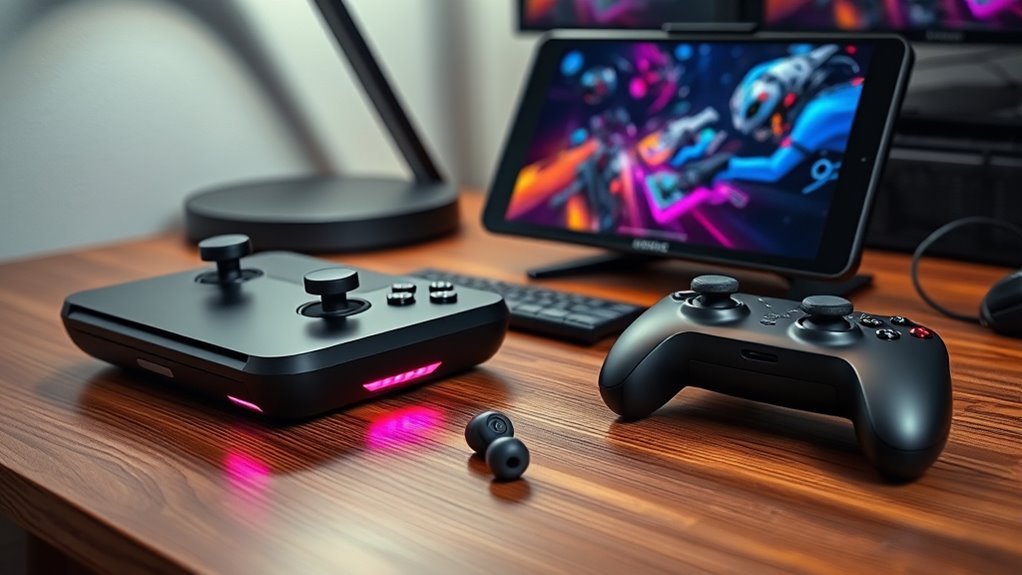

The right handheld gaming PC accessory depends on what your setup lacks: easier text entry, a larger-screen connection, or safer ways to carry gear. I’d start with the Razer Handheld Dock Chroma if you want to connect a handheld to a display while charging, choose the DeckTop Keyboard and Bluetooth Trackpad for typing and pointer control, or pick the PowerA Sling Bag to protect and organize a portable setup. Their tradeoffs are just as distinct: dock compatibility and HDMI limits, a keyboard that needs screw-based setup and has unspecified battery life, and a sling whose dimensions aren’t provided.

Get business pricing on tech for your team
- Business-only prices and quantity discounts
- Tax-exempt purchasing
- Multiple users, one account, clear invoices
I rank these by how directly each accessory solves a common handheld PC need, how much useful functionality it adds, and the clarity of its compatibility and practical limits. They serve different moments—at a desk, during setup and navigation, or on the move—so the best choice comes down to how you use your device.
Key Takeaways
- The Razer dock is the only pick here with HDMI, Ethernet, USB-A ports, and up to 100W power delivery for a more connected play space.
- The DeckTop combines a Bluetooth keyboard and built-in trackpad, making it the most targeted choice for text entry and pointer navigation.
- The PowerA sling focuses on carrying: four compartments, adjustable inserts, padding, and a cable pass-through support an organized handheld kit.
- The DeckTop description does not state battery life, while the PowerA listing does not provide specific dimensions; check whether those details matter to your setup.
- Choose by routine: desk and display connections favor the Razer, handheld input favors DeckTop, and travel storage favors PowerA.
| Razer Handheld Dock Chroma |  | Best Overall for Desk Setups | Ports: 6 total: 1 HDMI 2.0, 3 USB-A, 1 Ethernet, 1 USB-C | Power delivery: 100W | Material: Aluminum | VIEW ON AMAZON | See Our Full Breakdown |
| DeckTop Keyboard and Bluetooth Trackpad for Steam Deck and Compatible Gaming Handhelds |  | Best for Typing and Navigation | Connectivity: Bluetooth | Input features: Keyboard and built-in trackpad | Lighting: Customizable RGB backlighting | VIEW ON AMAZON | See Our Full Breakdown |
| PowerA Sling Bag for PC Handheld Gaming |  | Best for Carrying a Handheld Kit | Compatibility: Steam Deck OLED, ASUS ROG Ally X, Legion Go, MSI Claw | Compartments: 4 | Protection: Padded, soft-lined interior | VIEW ON AMAZON | See Our Full Breakdown |
| handheld gaming pc accessorie | Lighting | Compatible devices | Warranty |
|---|---|---|---|
| Razer Handheld Dock Chroma | Customizable Razer Chroma RGB | Legion Go, Nintendo Switch, ROG Ally, Steam Deck, iPhone 15/16, Samsung Galaxy S24/S25 | 2 years |
| DeckTop Keyboard and Bluetooth | Customizable RGB backlighting | Steam Deck, Steam Deck OLED, ROG Ally, Legion Go | — |
| PowerA Sling Bag for PC Handhe | — | — | 2-year limited warranty |
More Details on Our Top Picks
Razer Handheld Dock Chroma
The Razer Handheld Dock Chroma is my most versatile pick because it changes how a handheld connects to a play space. HDMI 2.0 supports an external display, while 100W power delivery, Ethernet, and three USB-A ports make room for charging, wired networking, and peripherals. Compared with DeckTop, it expands the whole setup instead of improving typing and cursor control; compared with the PowerA sling, it serves a stationary desk or monitor session rather than travel.
The adjustable hinge gives the handheld a place to sit, and the aluminum chassis is a more substantial desk accessory than a basic cable adapter. Its six-port layout is useful across several listed devices, including Steam Deck, ROG Ally, and Legion Go. I would still check the connection needs of the specific display and peripherals: HDMI 2.0 can limit resolution or refresh rate against newer standards, and the listed USB-C port is not described as supporting data transfer. At 500 g, this is a dock to pack when its connections matter, not the lightest item in a travel kit.
It earns the top spot because it combines charging, display output, networking, peripheral connections, and a stand in one accessory. Buyers who only need a keyboard or a protective bag will get more focused value from the other picks.
Pros:- Six listed ports include HDMI 2.0, Ethernet, and three USB-A connections.
- Up to 100W power delivery supports charging while playing.
- Adjustable hinge doubles as a display stand.
- Aluminum chassis and compatibility with several handhelds and mobile devices.
Cons:- HDMI 2.0 may limit resolution or refresh rate compared with newer standards.
- The USB-C port is not listed as a data-transfer port.
- Its 500 g weight may be less appealing for a light carry kit.
Best for: Handheld PC owners who want one dock for an external display, charging, Ethernet, and USB-A peripherals.
Not ideal for: Players who need newer display standards, confirmed USB-C data transfer, or a minimal travel accessory.
- Ports:6 total: 1 HDMI 2.0, 3 USB-A, 1 Ethernet, 1 USB-C
- Power delivery:100W
- Material:Aluminum
- Weight:500 g
- Hinge:Adjustable
- Lighting:Customizable Razer Chroma RGB
- Compatible devices:Legion Go, Nintendo Switch, ROG Ally, Steam Deck, iPhone 15/16, Samsung Galaxy S24/S25
- Warranty:2 years
Our verdict“Choose the Razer if your handheld needs a fuller desk setup with display output and charging in one dock.”
DeckTop Keyboard and Bluetooth Trackpad for Steam Deck and Compatible Gaming Handhelds
DeckTop’s keyboard and built-in trackpad target a specific frustration: entering text and moving a pointer on a device designed primarily around game controls. Bluetooth connectivity lets it serve as an input accessory for a Steam Deck, ROG Ally, Legion Go, or compatible case, while its portable design keeps it closer to a handheld add-on than a full desk keyboard. Compared with the Razer dock, DeckTop improves interaction rather than adding display and network connections; unlike the PowerA sling, it is useful while operating the device.
The combined keyboard and trackpad are its strongest distinction. They can make navigation and text entry more direct than relying on on-screen controls, particularly when configuring software or moving through menus. Customizable RGB backlighting adds a visual touch, though it matters less to function than the input combination. Buyers should note that setup involves screws, so it is not simply a matter of pairing a generic Bluetooth keyboard. The description also gives no battery-life figure, which leaves an important part of day-to-day convenience unanswered.
I place it behind the dock because it solves a narrower use case, but it is the clearest pick for anyone whose handheld routinely needs keyboard and pointer input. Skip it if your device stays in gamepad-focused use or you want a dock or carrying solution instead.
Pros:- Keyboard and trackpad combine two useful input tools.
- Bluetooth connectivity supports compatible handheld setups.
- Customizable RGB backlighting.
- Portable design and compatibility with several popular PC handhelds.
Cons:- Setup involves screws.
- Battery life is not specified.
- It does not add display, Ethernet, or storage functions like the other picks.
Best for: Steam Deck, ROG Ally, or Legion Go owners who frequently type, navigate menus, or use pointer-based interfaces.
Not ideal for: Players who rarely leave gamepad controls, want a quick no-screw setup, or need stated battery-life information before choosing.
- Connectivity:Bluetooth
- Input features:Keyboard and built-in trackpad
- Lighting:Customizable RGB backlighting
- Compatible devices:Steam Deck, Steam Deck OLED, ROG Ally, Legion Go
- Build:Lightweight and durable
- Setup:Involves screws
- Battery life:Not specified
Our verdict“Pick DeckTop when text entry and pointer control are the missing pieces in your handheld setup.”
PowerA Sling Bag for PC Handheld Gaming
The PowerA Sling Bag is the only pick focused on protection and transport, so it suits a different need from the Razer dock and DeckTop keyboard. Its four compartments and adjustable inserts help separate a handheld from accessories, while a padded, soft-lined interior is intended to protect devices from scratches. A cable pass-through also supports charging on the go. That makes it the natural option for carrying a complete kit; it won’t add input controls or connect the handheld to a monitor.
Compatibility is listed for Steam Deck OLED, ASUS ROG Ally X, Legion Go, and MSI Claw. The breathable mesh back panel and adjustable strap are aimed at carrying comfort, but the sling format is a personal fit: buyers who prefer a backpack may find this style less suitable. The biggest information gap is the lack of specific dimensions. Adjustable inserts offer flexibility, yet without measurements I can’t confirm how a particular device, case, charger, or accessory combination will fit. The stated two-year limited warranty is a useful ownership detail, but it does not answer the sizing question.
I rank PowerA third because its benefits depend on carrying the device, while the dock and keyboard change how the handheld connects or operates. For regular travel, though, organization and protection may matter more than either of those upgrades. It is the right role for this roundup, provided the sling format suits you and the fit can be confirmed.
Pros:- Four compartments support organized storage.
- Adjustable inserts accommodate listed PC handhelds.
- Padded, soft-lined interior helps protect against scratches.
- Cable pass-through and breathable mesh back panel suit portable use.
Cons:- Sling format may not suit backpack-preferring users.
- Specific bag dimensions are not provided.
- It does not add device connectivity or keyboard input.
Best for: Handheld owners who travel with their device and want padded storage with separate spaces for accessories.
Not ideal for: Buyers who prefer a backpack, need exact dimensions before purchase, or primarily want desk connectivity or added input.
- Compatibility:Steam Deck OLED, ASUS ROG Ally X, Legion Go, MSI Claw
- Compartments:4
- Protection:Padded, soft-lined interior
- Storage fit:Adjustable inserts
- Carry features:Adjustable strap, breathable mesh back panel
- Charging access:Cable pass-through
- Warranty:2-year limited warranty
- Dimensions:Not specified
Our verdict“Choose the PowerA sling if carrying and organizing your handheld safely is the main gap in your setup.”

How We Picked
I compared these three accessories by the job they do for a handheld gaming PC rather than treating them as interchangeable upgrades. My ranking gives priority to practical utility across common setups, then to how clearly the supplied details explain compatibility, connection options, and tradeoffs. That puts the Razer first for the broadest desk setup expansion, DeckTop second for a focused input improvement, and PowerA third as a carrying solution that matters most when the handheld leaves home.
I also weighed the limits stated in the product information. The Razer lists its ports, power delivery, chassis material, and supported devices, though its HDMI 2.0 connection may constrain display options and its USB-C port is not identified as a data port. DeckTop lists its input features and compatible handhelds, but not battery life, and its screw-based setup adds friction. PowerA offers useful storage and protection details, but without dimensions it is harder to judge fit for a particular device or accessory load. I use these limits to guide the recommendations rather than infer performance details that aren’t provided.
| handheld gaming pc accessorie | Lighting | Compatible devices |
|---|---|---|
| Razer Handheld Dock Chroma | Customizable Razer Chroma RGB | Legion Go, Nintendo Switch, ROG Ally, Steam Deck, iPhone 15/16, Samsung Galaxy S24/S25 |
| DeckTop Keyboard and Bluetooth | Customizable RGB backlighting | Steam Deck, Steam Deck OLED, ROG Ally, Legion Go |
| PowerA Sling Bag for PC Handhe | — | — |
Factors to Consider When Choosing Handheld Gaming Pc Accessories
I’d choose a handheld accessory by starting with the moment that causes the most friction: setting up at a desk, entering text, or carrying the device. These three products address separate needs, so deciding what you want to improve will narrow the choice quickly.
Choose the job before the accessory
If you want a monitor connection and several peripherals, the Razer dock is the direct match: it lists HDMI 2.0, Ethernet, USB-A, and 100W power delivery. For typing or pointer navigation, DeckTop combines a keyboard and trackpad. For commuting, storage, and device protection, PowerA provides compartments, adjustable inserts, and a cable pass-through. A bag cannot replace a dock, and a keyboard will not solve a packing problem; judge each by the task you need it to handle.
Check the connections and compatibility
Match the product’s listed compatibility against your exact handheld and any case you plan to use. The Razer dock names Steam Deck, ROG Ally, and Legion Go among its compatible devices, while DeckTop also lists Steam Deck OLED and compatible cases. PowerA names Steam Deck OLED, ROG Ally X, Legion Go, and MSI Claw. For a monitor setup, check whether HDMI 2.0 meets your display’s resolution and refresh needs. Also verify what the dock’s USB-C port can do, since the provided port breakdown does not confirm data transfer.
Account for setup and missing details
Small practical gaps can affect fit and convenience. DeckTop requires screw-based setup and its description does not state battery life. PowerA’s adjustable inserts may help with different devices, but the listing details provided here omit bag dimensions. The Razer describes its ports and power delivery clearly, but its 500 g weight may matter if you plan to pack it often. I’d treat these as questions to resolve against your own routine and equipment before settling on a pick.
Think about where you play most
A fixed desk or TV setup gets the most from a dock, especially if you want a wired network connection and multiple peripherals. A handheld used for software menus, browsing, or frequent text entry can benefit more from DeckTop’s input combination. If your device moves between home, work, and trips, the PowerA sling addresses handling and organization. Some buyers may eventually want more than one of these, but for a first accessory, choose the one that fixes the most frequent inconvenience.
Frequently Asked Questions
Which accessory is best for connecting a handheld gaming PC to a larger display?
The Razer Handheld Dock Chroma is the only option here with HDMI output. It also lists 100W power delivery, Ethernet, and USB-A ports for building out a desk setup. Its HDMI 2.0 standard may limit display options compared with newer connections, so check the resolution and refresh rate your screen requires.
Which pick helps most with typing and pointer control?
DeckTop combines a Bluetooth keyboard with a built-in trackpad, making it the most focused choice for text entry and cursor navigation. The Razer dock provides connection ports but not keyboard input, and the PowerA sling is for carrying and storage. DeckTop’s screw-based setup and unspecified battery life are useful tradeoffs to weigh.
Which accessory is intended for travel?
The PowerA Sling Bag is the travel-focused choice. It has four compartments, adjustable inserts, a padded interior, an adjustable strap, and a cable pass-through. Its sling style may not suit everyone, and the provided product details do not state its dimensions, so confirm fit for your handheld and accessories.
Are these products compatible with every handheld gaming PC?
No universal compatibility is stated across all models. Razer and DeckTop each name a set of supported devices, and PowerA lists Steam Deck OLED, ROG Ally X, Legion Go, and MSI Claw. I’d match the exact model and any case against the product’s compatibility information before choosing, especially when a physical fit or port connection is involved.
Can the Razer dock charge a handheld while it is connected to a display?
The dock is described as offering 100W power delivery and HDMI 2.0, supporting a setup that charges while displaying gameplay on a larger screen. The product details also list USB-C, though they do not identify it as a data-transfer port. Check your handheld’s charging requirements and display needs to confirm the dock suits your particular setup.
Conclusion
For a desk-centered setup, I recommend the Razer Handheld Dock Chroma for its display, charging, Ethernet, and peripheral connections. Choose DeckTop if typing and trackpad navigation are your main frustrations, and pick the PowerA Sling Bag if protection and organized carrying matter most. Each serves a distinct role, so let your regular handheld routine decide which upgrade belongs in your kit.
Halloween Picks

10 ft Halloween Inflatable Archway with Built-in LEDs

Panefright Halloween Window Projector – Scary Projector for Spooky Decor

10.5 ft Lighted Pumpkin and Ghost Halloween Inflatable Archway
As an affiliate, we earn on qualifying purchases.