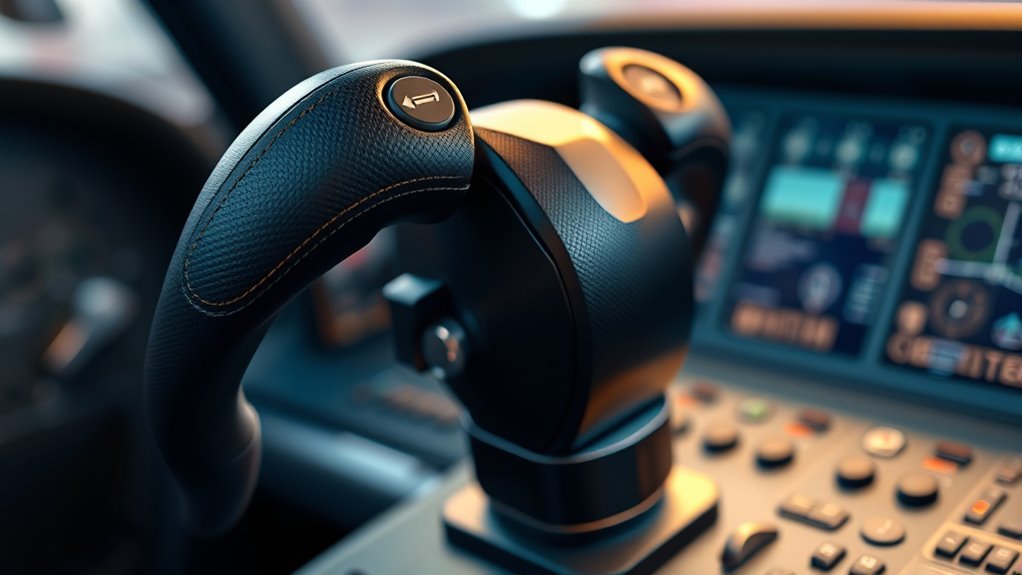

Flight simulator yokes range from simple starter controls to expandable cockpit systems and force feedback hardware. I’d put the Honeycomb Alpha Flight Controls and Bravo Throttle Quadrant Bundle first for PC simmers who want room to build a more complete setup, while the Logitech G Pro Flight Yoke System with Rudder Pedals is a practical all-in-one starting point and the Thrustmaster TCA Yoke Boeing Edition Bundle stands out for Xbox compatibility. The main tradeoffs are platform support, included controls, desk space, and how far you want to expand beyond the yoke. A bundled game or pedals can simplify a first purchase, while specialist hardware may better suit an established cockpit. Read on for how these nine options compare and which one fits your needs.

Get business pricing on tech for your team
- Business-only prices and quantity discounts
- Tax-exempt purchasing
- Multiple users, one account, clear invoices
Key Takeaways
- Honeycomb’s Alpha and Bravo bundle is the most balanced PC cockpit foundation here, pairing a yoke with a separate throttle quadrant for broader control.
- Logitech’s yoke-and-pedals bundle puts the key flight controls together in one purchase, while the standalone Logitech yoke suits buyers who already own compatible pedals.
- Thrustmaster’s Boeing bundles address a different need: Xbox support and Boeing-style controls, with the game-included version appealing to new Microsoft Flight Simulator players.
- MOZA’s AY210 is the specialist choice for buyers seeking force feedback; its focus makes it a less straightforward starter option than the bundled systems.
- Turtle Beach VelocityOne and Honeycomb Alpha LITE offer alternative paths to a simpler setup, so check the exact controls and platform compatibility before choosing either.
| Logitech G Pro Flight Yoke System with Pro Flight Rudder Pedals Bundle |  | Best Complete Starter Bundle | Included items: Pro Flight Yoke System and Pro Flight Rudder Pedals | Yoke controls: POV hat, 14 buttons, and three-position mode switch | Programmable controls: 54+ | VIEW ON AMAZON | See Our Full Breakdown |
| Thrustmaster TCA Yoke Boeing Edition Bundle with Microsoft Flight Simulator 2024 Standard Edition Digital Code – Xbox Series X|S, Windows PC |  | Best Boeing-Inspired Bundle | Bundle contents: Thrustmaster TCA Yoke Boeing Edition and Microsoft Flight Simulator 2024 Standard Edition digital code | Platforms: Xbox Series X|S and Windows PC | Yoke design: Officially licensed Boeing 787-inspired 1:1 ergonomic replica | VIEW ON AMAZON | See Our Full Breakdown |
| Honeycomb Aeronautical PC Flight Simulator Complete Bundle, 3 Items |  | Best for Pedal Precision | Bundle type: PC flight simulator bundle | Included items: 3 items | Construction: Aluminum | VIEW ON AMAZON | See Our Full Breakdown |
| Honeycomb Alpha Flight Controls Yoke and Bravo Throttle Quadrant Bundle |  | Best for a Full Cockpit Layout | Included controls: Alpha Flight Controls yoke and Bravo Throttle Quadrant | Compatible devices: Windows | Connectivity: USB | VIEW ON AMAZON | See Our Full Breakdown |
| Logitech G PRO Flight Yoke System |  | Best Standalone Yoke Pick | Included components: Flight yoke, throttle quadrant, USB cable, PS/2 cable, and 2 desk clamps | Yoke cable length: 5.9 ft / 1.8 m | Throttle quadrant cable length: 4.92 ft / 1.5 m | VIEW ON AMAZON | See Our Full Breakdown |
| Honeycomb Alpha LITE Flight Controls |  | Best for Beginners | Brand: Honeycomb | Model: Alpha LITE | Platform: PC | VIEW ON AMAZON | See Our Full Breakdown |
| Turtle Beach VelocityOne Flight Universal Control System for Xbox and Windows |  | Best All-in-One Setup | Compatibility: Xbox Series X|S, Xbox One, Windows 10 and 11 PCs | Yoke rotation: 180° | Controls: Throttle quadrant, trim wheel, rudder and brake controls | VIEW ON AMAZON | See Our Full Breakdown |
| Thrustmaster TCA Yoke & Quadrant Boeing Edition Flight Pack for Xbox and PC |  | Best for Boeing-Style Control | Compatibility: Xbox, PC | Product type: Flight yoke and throttle quadrant | Inspiration: Boeing 787 | VIEW ON AMAZON | See Our Full Breakdown |
| MOZA AY210 Force Feedback Yoke Base for Flight Simulators, Black |  | Best Premium Force Feedback Base | Color: Black | Servo motors: Dual high-torque | Encoder: 15-bit magnetic | VIEW ON AMAZON | See Our Full Breakdown |
More Details on Our Top Picks
Logitech G Pro Flight Yoke System with Pro Flight Rudder Pedals Bundle
This bundle gives new sim pilots a yoke, throttle controls, and rudder pedals in one setup, so coordinated turns and ground handling are available from the start. The yoke’s 14 buttons, POV hat, and three-position mode switch support up to 54 programmable controls, giving it more room to grow than a bare-bones entry setup. Differential toe brakes add useful control while taxiing, and the adjustable, non-slip foot rests help accommodate different users. Compared with Logitech’s standalone G Pro Flight Yoke System in this lineup, this bundle adds pedals but also takes up more floor space. Its controls are practical for learning and customization, though the build offers less high-end feel than the metal-structured Thrustmaster Boeing Edition. Choose it for a broad, approachable setup; skip it if desk and floor space are tight.
Pros:- Combines a yoke system with self-centering rudder pedals
- POV hat, 14 buttons, and mode switch support up to 54 programmable controls
- Differential toe brakes provide separate braking input
- Adjustable, non-slip foot rests accommodate different users
Cons:- Yoke and pedals require substantial desk and floor space
- Build feel is more entry-level than the metal-structured Thrustmaster Boeing Edition
Best for: New or intermediate PC sim pilots who want a coordinated yoke-and-pedal setup with programmable controls.
Not ideal for: Pilots with limited desk or floor space, or those seeking the more premium mechanical feel of a metal-structured yoke.
- Included items:Pro Flight Yoke System and Pro Flight Rudder Pedals
- Yoke controls:POV hat, 14 buttons, and three-position mode switch
- Programmable controls:54+
- Pedal action:Self-centering with differential toe brakes
- Foot rests:Adjustable and non-slip
- Bundle format:Yoke system and rudder pedals
Our verdict“Choose this bundle if you want yoke, throttle, and rudder controls together for learning and flexible assignments.”
Thrustmaster TCA Yoke Boeing Edition Bundle with Microsoft Flight Simulator 2024 Standard Edition Digital Code – Xbox Series X|S, Windows PC
The 1:1 Boeing 787-inspired yoke makes this bundle a distinctive choice for pilots who want an aircraft-specific layout alongside Microsoft Flight Simulator 2024. Its PENDUL_R mechanism, adjustable springs, and 8.3-inch travel give the control movement a different character from Logitech’s compact, general-purpose G Pro yokes. A metal internal structure adds a sturdy foundation, while the included simulator code supplies a wide selection of aircraft and handcrafted airports for exploring different flying styles. The tradeoff is that the package centers on a Boeing-style yoke, so it may be less appealing to buyers who want one neutral control for varied aircraft. The game arrives as a digital code, and the Standard Edition does not include premium content. Pick it for Boeing-inspired handling and a bundled sim; compare the Honeycomb Alpha and Bravo bundle if you want broader cockpit controls.
Pros:- Officially licensed Boeing 787-inspired 1:1 ergonomic design
- Pendular mechanism with adjustable spring resistance and 8.3-inch travel
- Metal internal structure
- Includes Microsoft Flight Simulator 2024 Standard Edition digital code
Cons:- Boeing-focused shape may be less suited to pilots seeking a neutral control layout
- Simulator is a digital code and the Standard Edition excludes premium content
- Game access is tied to the stated playable date
Best for: Boeing fans on Xbox Series X|S or Windows PC who want a yoke and a new simulator together.
Not ideal for: Pilots who prefer a general-purpose yoke, need a physical game copy, or want premium simulator content included.
- Bundle contents:Thrustmaster TCA Yoke Boeing Edition and Microsoft Flight Simulator 2024 Standard Edition digital code
- Platforms:Xbox Series X|S and Windows PC
- Yoke design:Officially licensed Boeing 787-inspired 1:1 ergonomic replica
- Mechanism:PENDUL_R pendular mechanism with suspended adjustable springs
- Yoke travel:8.3 in / 21 cm
- Internal structure:100% metal
- Included aircraft:Over 65
- Included airports:Over 150 handcrafted airports
Our verdict“Choose this bundle for Boeing-inspired yoke movement plus a broad simulator starting point on Xbox or PC.”
Honeycomb Aeronautical PC Flight Simulator Complete Bundle, 3 Items
This three-item PC bundle earns a distinct place for its aluminum Charlie Rudder Pedals, which use a belt drive and magnetic Hall Effect sensors to translate foot movement into control input. Fully adjustable pedals, high-friction strips, and deployable carpet spikes help keep the hardware planted as you adjust the fit. That focus makes the set a better match for buyers prioritizing rudder feel and stability than the Logitech bundle, which specifies self-centering pedals and differential toe brakes. The listing’s detail is concentrated on the pedals, however, so buyers should confirm which yoke or other controls are included before treating it as a complete cockpit. PC and Mac compatibility, plus support for several named flight simulators, suit desktop setups; Xbox use requires a separate Honeycomb Xbox Hub. This is the pedal-led pick for a modular PC rig, not the clearest choice for an all-in-one yoke package.
Pros:- Aluminum pedal construction
- Belt drive and magnetic Hall Effect sensors
- Fully adjustable pedals with high-friction strips and deployable carpet spikes
- Compatible with PC, Mac, and listed major flight simulation software
Cons:- Xbox Series X|S use requires a separate Honeycomb Xbox Hub
- Product details focus mainly on the pedals and do not clearly specify all three included items
- Compatibility information names specific flight simulation platforms
Best for: PC or Mac sim pilots building a modular cockpit who prioritize adjustable, stable rudder pedals.
Not ideal for: Xbox-first buyers without a Honeycomb Xbox Hub, or shoppers who need clearly specified yoke and throttle contents.
- Bundle type:PC flight simulator bundle
- Included items:3 items
- Construction:Aluminum
- Drive system:Belt drive
- Sensors:Magnetic Hall Effect
- Adjustability:Fully adjustable pedals
- Anti-slip features:High-friction surface strips and deployable carpet spikes
- Compatible systems:PC, Mac, and Alpha Flight Controls XPC; Xbox Series X|S requires Honeycomb Xbox Hub
- Compatible software:Microsoft Flight Simulator, X-Plane 12, and Prepar3D
Our verdict“Choose this bundle if pedal precision and adjustability matter most in a PC or Mac flight sim setup.”
Honeycomb Alpha Flight Controls Yoke and Bravo Throttle Quadrant Bundle
Honeycomb pairs its Alpha yoke and switch panel with a Bravo quadrant that can be configured for single-engine through four-engine aircraft. The quadrant’s autopilot, trim wheel, flap and gear levers make it a more cockpit-oriented package than Logitech’s G Pro yoke bundle, which emphasizes programmable buttons and rudder pedals. LED gear indicators and a programmable annunciator panel help put common flight-management inputs within reach. That breadth comes with a substantial footprint: the listed dimensions are 23.8 by 17.8 by 19 inches, and the bundle weighs 12.13 kg. It is also a yoke-and-throttle-focused setup rather than a package with rudder pedals. Buyers building a detailed Windows desk cockpit may value the extra controls; those seeking a smaller or pedal-inclusive bundle should compare the Logitech option.
Pros:- Combines Alpha yoke and switch panel with Bravo throttle quadrant
- Supports configurations for single-engine through four-engine aircraft
- Includes autopilot, trim wheel, flap and gear levers
- LED landing gear indicators and programmable annunciator switches
Cons:- Large listed dimensions and 12.13 kg weight demand substantial desk space
- Rudder pedals are not listed among the included controls
Best for: Windows sim pilots who want a broad yoke-and-throttle cockpit layout for several aircraft types.
Not ideal for: Pilots with limited desk space or buyers who want rudder pedals included in the same bundle.
- Included controls:Alpha Flight Controls yoke and Bravo Throttle Quadrant
- Compatible devices:Windows
- Connectivity:USB
- Weight:12.13 kg
- Dimensions:23.8 x 17.8 x 19 inches
- Commercial levers:6, with flaps and thrust reversers
- General aviation levers:6, with TOGA button
- Annunciator and warning lights:7 programmable switches and 14 warning lights
- Additional controls:Autopilot with backlit buttons, trim wheel, flap lever, and gear lever with LED indicators
Our verdict“Choose this bundle if you want a detailed Windows cockpit with flexible throttle and aircraft controls and have room for it.”
Logitech G PRO Flight Yoke System
For a buyer who wants to start with the core controls, Logitech’s standalone system includes a stainless steel yoke shaft, throttle quadrant, and two desk clamps. The POV hat, 14 buttons, and three-position mode switch provide up to 54 programmable controls, so common cockpit inputs can be assigned without stepping up to Honeycomb’s larger Alpha and Bravo arrangement. Compared with the Logitech yoke-and-pedals bundle, this version uses less floor space because rudder pedals are not included, though they may be added separately. It is a Windows-focused choice with support for several simulator titles through optional software; setup therefore depends on installing compatible software. The included quadrant is useful for throttle input, but buyers seeking rudder control or a more specialized Boeing feel should look to the pedal bundle or Thrustmaster option.
Pros:- Stainless steel yoke shaft designed for smooth, accurate control
- POV hat, 14 buttons, and mode switch provide at least 54 programmable controls
- Includes throttle quadrant and two desk clamps
- Supports several listed Windows flight simulator titles with compatible software
Cons:- Optional software download is required for listed simulator support
- Rudder pedals are not included
- Compatibility is focused on Windows and depends on compatible software
Best for: Windows PC pilots who want a clamped yoke and throttle quadrant first, with room to add pedals later.
Not ideal for: Console players or buyers who want rudder pedals included and a setup that needs no optional software.
- Included components:Flight yoke, throttle quadrant, USB cable, PS/2 cable, and 2 desk clamps
- Yoke cable length:5.9 ft / 1.8 m
- Throttle quadrant cable length:4.92 ft / 1.5 m
- Controls:POV hat, 14 buttons, and three-position mode switch
- Programmable controls:At least 54
- Operating systems:Windows 11, 10, 8.1, and 7
- Compatible simulators:Microsoft Flight Simulator, FSX, X-Plane 10, and Prepar3D with optional software
Our verdict“Choose this standalone system if you want a desk-clamped yoke and throttle quadrant before adding pedals.”
Honeycomb Alpha LITE Flight Controls
The Honeycomb Alpha LITE keeps the yoke experience focused: its 180° rotation and self-centering mechanism give new pilots a direct way to practice pitch and roll without a large control suite to learn. Compared with the Turtle Beach VelocityOne Flight Universal Control System, it has fewer integrated controls and no throttle quadrant, trim wheel, or rudder functions; that simpler layout may suit buyers who want to start with the yoke and add peripherals later. Its programmable buttons and switches cover common simulator commands, while the PC-only focus and Microsoft Flight Simulator compatibility narrow its use. More experienced sim pilots may outgrow the limited controls, but beginners get a clear, manageable starting point.
Pros:- 180° rotation with self-centering for familiar pitch and roll control
- Minimal dead zone supports precise input
- Programmable buttons and switches handle essential simulator commands
- Compatible with Microsoft Flight Simulator 2020 and 2024 on PC
Cons:- Simplified controls offer less flexibility for advanced aircraft workflows
- Designed for PC use rather than a broad range of platforms
Best for: New PC flight sim pilots who want a straightforward yoke for Microsoft Flight Simulator 2020 or 2024 and plan to build their setup gradually
Not ideal for: Xbox players or experienced pilots seeking integrated throttle, trim, and rudder controls
- Brand:Honeycomb
- Model:Alpha LITE
- Platform:PC
- Compatible software:Microsoft Flight Simulator 2020 and 2024
- Yoke rotation:180°
- Control mechanism:Self-centering with minimal dead zone
- Left controls:POV switch, 2-way rocker switch, 2 programmable buttons
- Right controls:2-way rocker switch, 2 programmable buttons
Our verdict“Choose the Alpha LITE for a focused first yoke on a Microsoft Flight Simulator PC setup; skip it if you want a complete control system.”
Turtle Beach VelocityOne Flight Universal Control System for Xbox and Windows
The Turtle Beach VelocityOne Flight makes the strongest case for buyers who want to assemble fewer separate controls: the yoke comes with a modular throttle quadrant, trim wheel, and rudder and brake controls. That gives it broader out-of-the-box coverage than the beginner-focused Honeycomb Alpha LITE, and its Xbox and Windows support makes it a more flexible choice across platforms. The color flight management display and indicator panel also put extra information near the controls. Its 180° yoke rotation matches the range on the Alpha LITE, so the distinction is less about yoke travel than about the surrounding control suite. Buyers who prefer a Boeing-style layout may favor the Thrustmaster TCA pack, while this system prioritizes an integrated, adaptable cockpit.
Pros:- Combines yoke, modular throttle quadrant, trim wheel, rudder, and brake controls
- Supports Xbox Series X|S, Xbox One, and Windows 10 and 11 PCs
- Full-color flight management display and PC indicator panel
- Customizable throttle lever handles and buttons
Cons:- Its extensive controls may take more setup and learning than a basic yoke
- The 180° yoke range is shared by simpler options such as the Honeycomb Alpha LITE
Best for: Xbox or Windows sim pilots who want yoke, throttle, trim, rudder, and brake controls in one compatible system
Not ideal for: PC beginners seeking a minimal yoke, or pilots committed to a Boeing-specific control layout
- Compatibility:Xbox Series X|S, Xbox One, Windows 10 and 11 PCs
- Yoke rotation:180°
- Controls:Throttle quadrant, trim wheel, rudder and brake controls
- Analog axes:12
- Switches:Two POV switches and two 4-way HAT switches
- Display:Full-color flight management display
- Mounting:Secure clamping system
Our verdict“Pick the VelocityOne for an Xbox or Windows cockpit with many controls already integrated, especially if flexibility matters more than a Boeing-specific layout.”
Thrustmaster TCA Yoke & Quadrant Boeing Edition Flight Pack for Xbox and PC
The Thrustmaster TCA Yoke & Quadrant Boeing Edition is the lineup’s clearest fit for pilots who want their controls modeled on a specific airliner. Its 1:1 Boeing 787-inspired yoke, pendular movement, and adjustable spring tension offer a different feel from the more general-purpose Turtle Beach VelocityOne, which pairs its yoke with a broad set of integrated controls. The metal internal structure and 35 action buttons give this pack room for more involved aircraft workflows, while dedicated autopilot controls cover altitude, airspeed, and heading. That extra specificity brings complexity: casual flyers may not need the Boeing-style layout, and rudder pedals are sold separately. For a broader introductory setup, the Honeycomb Alpha LITE is simpler; this pack suits buyers who value the themed mechanics and controls.
Pros:- 1:1 Boeing 787-inspired yoke and throttle quadrant
- Pendular movement and adjustable spring tension
- Metal internal structure
- 35 action buttons, two additional axes, and dedicated autopilot controls
Cons:- Rudder pedals are sold separately
- Boeing-focused controls may be a poor fit for pilots seeking a general-purpose layout
- The extensive controls can be more involved than a beginner needs
Best for: Xbox or PC pilots who mainly fly Boeing-style aircraft and want a yoke and throttle quadrant with dedicated autopilot controls
Not ideal for: Casual pilots who want a simple starter yoke or buyers who need rudder pedals included
- Compatibility:Xbox, PC
- Product type:Flight yoke and throttle quadrant
- Inspiration:Boeing 787
- Scale:1:1 replica
- Movement mechanism:PENDUL_R pendular mechanism
- Yoke range:8.3 inches / 21 cm
- Spring tension:Adjustable
- Action buttons:35
- Rudder pedal compatibility:Thrustmaster TFRP/TPR rudder pedals, sold separately
Our verdict“Choose this pack for a Boeing-inspired Xbox or PC setup with dedicated autopilot controls; look elsewhere if you want included pedals or a simpler yoke.”
MOZA AY210 Force Feedback Yoke Base for Flight Simulators, Black
The MOZA AY210 targets sim pilots who want the yoke itself to push back with configurable force, rather than relying on the fixed centering feel of the Honeycomb Alpha LITE. Its dual servo motors, 9 Nm torque, and 210 N push force give the base a more specialized, force-focused role, while 150 mm of travel allows longer control movement. The aluminum body, quick-release system, and 13 mappable switches add sturdy construction and direct input options. This hardware has a notable catch: it is a base only, so buyers may need to source a compatible yoke handle separately. Compared with the ready-to-use Turtle Beach VelocityOne, setup demands more investment in compatible hardware and a capable PC; its force-feedback focus makes most sense for a dedicated simulator rig.
Pros:- Dual high-torque servo motors provide configurable force feedback
- 150 mm travel, 9 Nm torque, and 210 N push force
- Aircraft-grade aluminum body with quick-release system
- 13 mappable switches
Cons:- Base only; a yoke handle may need to be purchased separately
- High-end force-feedback hardware may require a powerful PC setup
- Less ready to use as a complete system than the Turtle Beach VelocityOne
Best for: Dedicated PC flight sim builders seeking configurable force feedback and willing to assemble a compatible yoke setup
Not ideal for: Beginners, console pilots, or buyers who expect a complete yoke-and-throttle system in the box
- Color:Black
- Servo motors:Dual high-torque
- Encoder:15-bit magnetic
- Processor:280 MHz
- Body material:Aircraft-grade aluminum
- Mappable switches:13
- Travel distance:150 mm
- Torque and push force:9 Nm torque; 210 N push force
- Quick-release system:Yes
Our verdict“Choose the AY210 if force feedback is central to your dedicated PC rig and you are prepared to supply the rest of the yoke setup.”

How We Picked
I compared these flight simulator yokes by how well each serves a distinct buying need: a first setup, a fuller PC cockpit, Xbox play, a lower-complexity control option, or a specialist force feedback build. I weighed the controls included, platform fit, potential to add hardware, and the practical demands of desk space and setup. Bundle contents matter because pedals, throttle controls, or a game code can change what a buyer still needs to purchase separately.
The ranking favors options that make their intended use clear and provide a useful balance of capability and setup demands. That puts the Honeycomb Alpha and Bravo bundle ahead as a PC foundation, while Logitech’s bundled system earns a strong place for buyers who want yoke and rudder controls together. The Thrustmaster Xbox bundles rank highly for console compatibility, and the MOZA AY210 serves a narrower premium interest in force feedback. Individual fit still depends on the buyer’s platform and preferred aircraft style, so I call out those tradeoffs throughout.
Factors to Consider When Choosing Flight Simulator Yokes
Before choosing a yoke, I’d settle the questions that determine whether the hardware will fit your setup at all. These broader checks can help avoid buying a capable device that lacks the controls, connections, or room your sim routine requires.
Match the yoke to your platform and simulator
Start with the system you actually plan to fly on, since PC and Xbox support are not interchangeable across this lineup. Check the manufacturer’s compatibility details for both your console or computer and the simulator version you intend to use. A bundle’s included game code may be limited to a specific platform or edition, so read the listing closely before treating it as added value. On PC, also check how the device connects and whether your preferred simulator recognizes its controls. Buyers who switch between platforms should confirm that the same hardware works on each one. A platform mismatch can matter more than extra buttons or a premium feel.
Count the controls you will still need
A yoke handles pitch and roll, but a convincing flight setup often needs throttle and rudder input as well. Make a list of the controls included in the exact bundle, then note what you already own and what you may add later. Rudder pedals can change taxiing and coordinated turns, while a throttle quadrant gives more direct engine control than keyboard shortcuts. Bundles can simplify compatibility and mounting, but they may duplicate hardware already on your desk. Buying a yoke alone can be sensible if you have a compatible throttle and pedals. Compare the complete control path rather than focusing on the yoke by itself.
Plan for desk space and mounting
Yokes and throttle quadrants occupy more usable desk area than a compact joystick, and pedals need floor space where your feet can reach them comfortably. Measure the desk edge, available depth, and any nearby monitor stands before choosing a multi-piece bundle. Check how the controls attach and whether your desk thickness and shape suit the mounting method. A large setup may feel cumbersome if you need to clear the desk for work after every flight. Buyers with a permanent sim station can give more weight to expandability. For a shared desk, simpler placement and storage may be more valuable than adding another control unit.
Choose realism features that suit your flying
More realistic hardware is useful when it supports the aircraft and sim activities you actually enjoy. A Boeing-inspired control layout may appeal to airline-focused flying, while a force feedback yoke offers a different kind of physical feedback for buyers building a specialized setup. Those features can add complexity and expense without improving every session. Consider whether you mainly fly airliners, general aviation, or a mix, then compare the controls and software support with those habits. Also check whether your simulator and aircraft add-ons can use the hardware features you care about. Buy for your flying style, not a spec you may rarely use.
Decide how much room to leave for upgrades
A first yoke can become the center of a larger cockpit, so think about expandability before committing. Some buyers will be satisfied with an integrated control system, while others may want separate throttle, pedals, panels, or specialized feedback later. Check whether the device can coexist with the add-ons you have in mind and whether your simulator can assign the extra inputs. A complete bundle can reduce setup work today, but a modular approach may better suit gradual upgrades. Avoid assuming that products from the same brand will automatically work together in every configuration. Sketch the setup you want a year from now and compare that with the device’s connection and mounting needs.
Weigh bundle convenience against unused extras
Bundles can save setup decisions by combining controls or software, yet an included extra only helps if you need it. Check whether you already own a game license, pedals, or a throttle before choosing a package built around those items. A digital code can also have platform and redemption conditions, so verify those before purchase. A more complete package may be the cleaner choice for a new simmer who wants fewer separate compatibility checks. Experienced users may get a better-fitting setup from a focused control and add only the pieces they lack. Compare the components and practical fit, not the bundle label alone.
Frequently Asked Questions
Should I buy a yoke bundle or add pedals and throttle controls later?
I’d choose a bundle when it includes controls you know you need and you want a simpler first setup. Separate purchases make more sense if you already own compatible pedals or prefer to select a throttle around your aircraft and desk layout. Check whether the yoke provides enough inputs for your current simulator assignments. Also confirm each component works with your platform, especially if you plan to fly on Xbox. The right choice depends on the controls you still need, not the number of items in the box.
Can I use these flight simulator yokes on Xbox and PC?
Compatibility varies by model, so I would verify the exact platform support before choosing. The Thrustmaster Boeing options and Turtle Beach VelocityOne are the lineup’s console-oriented alternatives, while Honeycomb’s bundles and Logitech’s systems are aimed at PC use. Product names can cover different packages, so confirm support for the specific version you plan to buy. A game code in a bundle also may apply to only one platform or edition. If you switch between Xbox and PC, prioritize explicit support for both rather than assuming a USB connection is enough.
Do I need rudder pedals if my yoke already controls the aircraft?
A yoke usually manages pitch and roll, while rudder input controls yaw and helps with ground steering and coordinated turns. You can begin without pedals if your sim offers another way to assign rudder, but that may feel less natural for some aircraft and maneuvers. A bundle with pedals reduces the need to find and configure a separate device. Before adding pedals, check floor space and whether your seating position lets you use them comfortably. Buyers focused on casual flying may have different priorities from those seeking fuller control input.
Is a force feedback yoke a good first purchase?
Force feedback is best treated as a specialist feature rather than a requirement for learning to fly in a simulator. The MOZA AY210 is the option in this group aimed at buyers who specifically want that kind of physical response. A first-time buyer may get more practical benefit from a system that includes basic flight controls and clearly fits their platform. Before choosing force feedback, check support in your simulator and aircraft software, plus the rest of the hardware needed for your setup. It makes the most sense when the feature is a key reason you are upgrading.
Will a full yoke and throttle setup fit on a normal desk?
It can, but available depth and desk-edge mounting matter as much as the footprint of the controls. Measure the space for the yoke and quadrant, then check that your monitor, keyboard, and other work items still fit. Add room for any cables and consider whether the hardware can stay mounted between sessions. Pedals need a clear patch of floor and a comfortable seated reach. If you share the desk or need to put the setup away, favor a configuration you can remove and store without disrupting other tasks.
Conclusion
For most PC simmers building a cockpit, I’d start with the Honeycomb Alpha and Bravo bundle as the best overall choice, thanks to its yoke-and-quadrant pairing. The Logitech yoke with rudder pedals is my best value-style pick for a buyer who wants core controls together, while the standalone Logitech system suits someone who already has pedals. New simmers who want a more complete first setup can favor the Logitech bundle; Xbox buyers should look to the Thrustmaster Boeing bundle or Turtle Beach system after checking platform details. For a premium specialist setup centered on physical feedback, the MOZA AY210 is the focused choice. Match the recommendation to your platform, available space, and the controls you still need.
Halloween Picks
halloween
As an affiliate, we earn on qualifying purchases.