Choosing a CPU for VR means looking beyond core counts: the processor must keep frame delivery steady, but the graphics card, headset resolution, and the games you play also shape the result. I rank the STORMCRAFT Falcon with Ryzen 7 7800X3D and RTX 5070 as the strongest balanced pick here, while the Valkyrie with Ryzen 7 9800X3D and RTX 5070 Ti is the premium choice for buyers who want a newer processor and stronger listed graphics. For an existing compatible build, the Intel Core i9-12900KF offers a component-only route with broad multitasking capability.

Get business pricing on tech for your team
- Business-only prices and quantity discounts
- Tax-exempt purchasing
- Multiple users, one account, clear invoices
The main tradeoff is that three entries are complete gaming PCs, not CPUs sold alone, while the two Intel options are processor upgrades that require a compatible motherboard and separate graphics card. I also weigh listing clarity: one Falcon description has conflicting graphics claims, so I favor the better-specified RTX 5070 system when recommending a ready-to-use VR tower. These picks suit different budgets and starting points; the right one depends on whether you need a whole PC or only a processor.
Key Takeaways
- Best balanced ready-to-use VR tower: The STORMCRAFT Falcon with Ryzen 7 7800X3D and RTX 5070 pairs an eight-core gaming-focused CPU with 32GB DDR5 and clearly specified NVIDIA graphics.
- Best premium system: The Valkyrie combines a Ryzen 7 9800X3D and RTX 5070 Ti, but its listing gives conflicting cooling descriptions that buyers should clarify.
- Best component-only multitasking option: The Intel Core i9-12900KF has 16 hybrid cores and 24 threads, though it needs an LGA 1700 board and discrete graphics.
- Best older-system upgrade: The Core i7-7700 may suit an existing LGA 1151 build, but its four cores and older platform make it a limited foundation for demanding modern VR.
- Check the complete VR system: A capable CPU cannot compensate for an unsuitable graphics card, insufficient headset support, or a poor fit with your motherboard and power supply.
| STORMCRAFT Falcon Gaming Desktop with RTX 5070 and Ryzen 7 7800X3D |  | Best Overall VR Gaming PC | Processor: AMD Ryzen 7 7800X3D | Graphics: NVIDIA GeForce RTX 5070, 12GB | Memory: 32GB DDR5-6000 RGB | VIEW ON AMAZON | See Our Full Breakdown |
| STORMCRAFT Valkyrie Gaming PC with Ryzen 7 9800X3D, RTX 5070 Ti, 32GB DDR5 RAM, and 1TB SSD |  | Best Premium VR System | Processor: AMD Ryzen 7 9800X3D, 8 cores, up to 5.2 GHz | Graphics: NVIDIA GeForce RTX 5070 Ti | Memory: 32GB DDR5-6000 RGB, expandable to 256GB | VIEW ON AMAZON | See Our Full Breakdown |
| STORMCRAFT Falcon AI Gaming PC with Ryzen 7 7800X3D and Radeon RX 9070 XT |  | Best for Buyers Wanting a Powerful AMD-Based Bundle | Processor: AMD Ryzen 7 7800X3D, 8 cores, up to 5.0 GHz | Graphics: Listed as Radeon RX 9070 XT, 16GB; description also makes RTX claims | Memory: 32GB DDR5-6000 | VIEW ON AMAZON | See Our Full Breakdown |
| Intel Core i9-12900KF 16-Core Unlocked Desktop Processor |  | Best Component-Only Intel Upgrade | Processor: Intel Core i9-12900KF | Core configuration: 16 cores: 8 performance and 8 efficiency | Threads: 24 | VIEW ON AMAZON | See Our Full Breakdown |
| Intel Core i7-7700 7th Generation Desktop Processor |  | Best for Keeping an Older LGA 1151 PC Running | Processor: Intel Core i7-7700, 7th Generation | Cores and threads: 4 cores, 8 threads | Base frequency: 3.6 GHz | VIEW ON AMAZON | See Our Full Breakdown |
| cpu for vr | Processor | Graphics | Memory | Storage |
|---|---|---|---|---|
| STORMCRAFT Falcon Gaming Deskt | AMD Ryzen 7 7800X3D | NVIDIA GeForce RTX 5070, 12GB | 32GB DDR5-6000 RGB | 1TB NVMe SSD |
| STORMCRAFT Valkyrie Gaming PC | AMD Ryzen 7 9800X3D, 8 cores, up to 5.2 GHz | NVIDIA GeForce RTX 5070 Ti | 32GB DDR5-6000 RGB, expandable to 256GB | 1TB NVMe SSD |
| STORMCRAFT Falcon AI Gaming PC | AMD Ryzen 7 7800X3D, 8 cores, up to 5.0 GHz | Listed as Radeon RX 9070 XT, 16GB; description also makes RTX claims | 32GB DDR5-6000 | 1TB NVMe SSD |
| Intel Core i9-12900KF 16-Core | Intel Core i9-12900KF | Discrete graphics card required | — | — |
| Intel Core i7-7700 7th Generat | Intel Core i7-7700, 7th Generation | — | — | — |
More Details on Our Top Picks
STORMCRAFT Falcon Gaming Desktop with RTX 5070 and Ryzen 7 7800X3D
I put this Falcon first because its central parts make a coherent VR gaming system: the Ryzen 7 7800X3D is an eight-core processor, and the listing pairs it with a specifically named GeForce RTX 5070 12GB. That clarity matters when choosing a complete VR tower, since the GPU often carries much of the rendering load. Compared with the Falcon AI, this model avoids the latter’s conflicting Radeon and RTX claims, giving me more confidence in what hardware the listing describes.
The rest of the configuration supports that role: 32GB DDR5-6000, a 1TB NVMe drive, an 850W 80 Plus Gold supply, and 360mm liquid cooling. Wi-Fi 6E, Bluetooth 5.3, and USB-C add convenient connections, while the included keyboard and mouse help a buyer get started. These features do not prove how a particular headset or game will perform, but they make the machine a more rounded starting point than buying a CPU alone.
There are still reasons not to choose it automatically. It is a complete tower, so an owner with a suitable PC may be better served by upgrading only the component that is holding their build back. Its case dimensions and cooling setup also need room and maintenance planning, and the listing does not establish headset-specific compatibility or measured VR performance. Against the premium Valkyrie, the Falcon has an older listed X3D processor and RTX 5070 rather than RTX 5070 Ti; I would choose the Valkyrie if its higher-tier graphics are worth the extra commitment and its cooling details check out.
Pros:- Pairs Ryzen 7 7800X3D with a clearly specified GeForce RTX 5070 12GB.
- 32GB DDR5-6000 memory supports gaming alongside background applications.
- Includes a 1TB NVMe SSD, 850W Gold-rated power supply, and 360mm liquid cooler.
- Wi-Fi 6E, Bluetooth 5.3, USB-C, and keyboard and mouse are included.
Cons:- A complete desktop is unnecessary for buyers who already have a suitable tower and graphics card.
- No headset-specific compatibility or measured VR performance is supplied.
- The liquid cooler and large tower require suitable space and a willingness to maintain a more involved system.
Best for: VR buyers who want a complete desktop with a clearly listed RTX 5070, an eight-core Ryzen 7 7800X3D, and 32GB of DDR5 memory.
Not ideal for: Existing desktop owners who only need a CPU upgrade, or buyers who require published headset-specific compatibility and performance figures before purchase.
- Processor:AMD Ryzen 7 7800X3D
- Graphics:NVIDIA GeForce RTX 5070, 12GB
- Memory:32GB DDR5-6000 RGB
- Storage:1TB NVMe SSD
- Motherboard:AMD B850 chipset
- Cooling:360mm all-in-one liquid cooler
- Power supply:850W, 80 Plus Gold
- Connectivity:Wi-Fi 6E, Bluetooth 5.3, USB-C
Our verdict“I recommend this as the most balanced ready-to-use VR option in the group because its CPU and RTX 5070 are clearly identified.”
STORMCRAFT Valkyrie Gaming PC with Ryzen 7 9800X3D, RTX 5070 Ti, 32GB DDR5 RAM, and 1TB SSD
The Valkyrie is the pick for buyers who want the strongest listed combination in this lineup: Ryzen 7 9800X3D with an RTX 5070 Ti. Compared with the Falcon’s Ryzen 7 7800X3D and RTX 5070, it steps up both the processor generation and graphics tier. That makes it the premium whole-system choice for demanding VR games or a user who also wants headroom for other gaming and creative work. The listing still does not provide benchmark results, so I would not translate the component names into guaranteed headset frame rates.
The supporting parts are generous on paper: 32GB DDR5-6000, a 1TB NVMe SSD, an 850W fully modular Gold-rated supply, and a B850 AM5 motherboard. Memory is listed as expandable to 256GB, and the case provides USB-C, Wi-Fi 6, Bluetooth, HDMI, and DisplayPort. Those are useful system details, but the graphics outputs alone do not confirm that a particular VR headset will work without checking its connection and software requirements.
My main hesitation is listing consistency: the description names a 360mm ARGB liquid cooler, but also refers to air cooling. I would ask the seller to confirm the actual cooling arrangement before buying, especially in a powerful enclosed tower. The Valkyrie also costs more in system complexity and capability than many buyers need; compared with the standard Falcon, it makes the most sense when a premium GPU matters more than keeping the build simple. The action figure shown in the case is not included.
Pros:- Ryzen 7 9800X3D and RTX 5070 Ti are the highest-tier CPU and graphics pairing listed here.
- 32GB DDR5-6000 memory and 1TB NVMe storage provide a capable starting configuration.
- 850W modular Gold-rated power supply and B850 AM5 motherboard are specified.
- Includes USB-C, Wi-Fi 6, Bluetooth, HDMI, and DisplayPort.
Cons:- The listing conflicts on whether the cooling is liquid or air, so the exact configuration needs confirmation.
- A complete premium desktop is excessive for buyers seeking only a processor upgrade.
- The included display-case action figure is not part of the system.
Best for: Buyers seeking a premium complete VR gaming desktop with the newest listed Ryzen X3D processor and RTX 5070 Ti graphics.
Not ideal for: Buyers who want a component-only CPU, need a compact system, or prefer a listing with unambiguous cooling specifications.
- Processor:AMD Ryzen 7 9800X3D, 8 cores, up to 5.2 GHz
- Graphics:NVIDIA GeForce RTX 5070 Ti
- Memory:32GB DDR5-6000 RGB, expandable to 256GB
- Storage:1TB NVMe SSD
- Motherboard:B850, Socket AM5
- Power supply:850W 80 Plus Gold, ATX 3.0, fully modular
- Cooling:Listing describes a 360mm ARGB liquid cooler and also mentions air cooling
- Warranty:3-year labor, 2-year parts, lifetime technical support
Our verdict“I would choose the Valkyrie over the standard Falcon for the stronger listed GPU and newer X3D CPU, after confirming its cooling configuration.”
STORMCRAFT Falcon AI Gaming PC with Ryzen 7 7800X3D and Radeon RX 9070 XT
This Falcon AI has appealing parts for a VR-ready desktop on paper: a Ryzen 7 7800X3D, 32GB DDR5-6000, and a stated Radeon RX 9070 XT with 16GB. Its processor matches the standard Falcon, while its graphics are described as an AMD card with more listed memory than the RTX 5070 system. For someone comparing complete PCs, that gives this model a different angle: it favors a substantial AMD graphics configuration rather than the standard Falcon’s named NVIDIA GPU.
The system also lists a 1TB NVMe SSD, 850W supply, 360mm liquid cooler, Windows 11 Home, Wi-Fi 6E, Bluetooth 5.2, USB-C, and included keyboard and mouse. The processor and memory make it more suitable as an all-around gaming desktop than either standalone Intel chip in this roundup, since those processors do not include a complete VR graphics system. Yet a buyer should evaluate the exact headset and software support, rather than assume any graphics brand guarantees the same experience across every VR title.
The key drawback is inconsistent graphics information: the description identifies Radeon hardware but also makes RTX-related claims. That uncertainty matters more than it would for a minor accessory because the graphics card is central to VR rendering. The listing also gives an implausible 45-inch display-size detail for a desktop tower, which further calls for verification. Compared with the clearly specified RTX 5070 Falcon, I would only choose this model after the seller confirms the exact installed GPU and other conflicting details.
Pros:- Lists an eight-core Ryzen 7 7800X3D and 16GB Radeon RX 9070 XT.
- 32GB DDR5-6000 and a 1TB NVMe SSD are included.
- Includes a 360mm liquid cooler, 850W power supply, Wi-Fi 6E, and USB-C.
- Keyboard and mouse are supplied with the Windows 11 Home system.
Cons:- The listing makes conflicting Radeon and RTX graphics claims; confirm the installed GPU.
- The stated 45-inch display-size detail appears inconsistent with a desktop tower.
- The listing does not provide headset-specific compatibility or VR performance data.
Best for: Buyers interested in a complete AMD-based gaming PC who can verify the exact graphics card and configuration before ordering.
Not ideal for: Buyers who need unambiguous GPU details, want a component-only processor, or do not want to confirm listing inconsistencies.
- Processor:AMD Ryzen 7 7800X3D, 8 cores, up to 5.0 GHz
- Graphics:Listed as Radeon RX 9070 XT, 16GB; description also makes RTX claims
- Memory:32GB DDR5-6000
- Storage:1TB NVMe SSD
- Cooling:360mm liquid cooler
- Power supply:850W
- Connectivity:USB-C, Wi-Fi 6E, Bluetooth 5.2
- Warranty:1-year parts, 3-year labor, 1-year shipping; lifetime technical support
Our verdict“I would shortlist this AMD-based bundle only after the seller resolves the GPU and display-size inconsistencies.”
Intel Core i9-12900KF 16-Core Unlocked Desktop Processor
The Core i9-12900KF is the most versatile standalone processor here for buyers who already own a compatible Intel system or are planning a new LGA 1700 build. Its 16-core hybrid design combines eight performance cores and eight efficiency cores, with 24 threads and boost speeds up to 5.2GHz. Compared with the four-core i7-7700, it offers a much larger pool of parallel processing resources for gaming alongside streaming, recording, or other background tasks.
It is an unlocked chip, and the listing specifies support for Intel 600- and 700-series chipset motherboards. That gives builders a clear platform family to check, but motherboard compatibility can depend on the exact board and BIOS, so I would verify the manufacturer’s CPU support list. For a VR computer, this processor still needs a discrete graphics card: the “KF” model has no integrated graphics. That separates it from a full gaming desktop such as the Falcon, where CPU, GPU, memory, and storage arrive together.
The tradeoff is that this purchase solves only the CPU part of the build. Buyers need to account for a suitable graphics card, LGA 1700 motherboard, cooling, memory, and power supply, and the chip’s listed 125W power rating is not the whole story of system cooling under load. Compared with the 7800X3D desktops, the i9 offers a component-focused route and broad thread capacity, but it does not give a ready-made VR setup or the same gaming-specific configuration in one purchase. Choose it when a compatible Intel platform and upgrade flexibility matter more than buying a complete tower.
Pros:- Sixteen hybrid cores and 24 threads suit gaming with streaming and other workloads.
- Boost speeds reach up to 5.2GHz, and the chip is unlocked for tuning.
- Supports Intel 600- and 700-series chipset motherboards with the LGA 1700 socket.
- A component-only option for builders selecting their own graphics card and other parts.
Cons:- Requires a discrete graphics card and has no integrated graphics.
- Only works with an LGA 1700 motherboard, not the i7-7700’s LGA 1151 platform.
- A VR system still requires the buyer to select and assemble the rest of the computer.
Best for: Builders with an LGA 1700 motherboard, or buyers assembling an Intel PC who need a discrete-GPU processor with strong multitasking capacity.
Not ideal for: People seeking a complete VR desktop, an integrated graphics fallback, or a drop-in upgrade for an LGA 1151 system.
- Processor:Intel Core i9-12900KF
- Core configuration:16 cores: 8 performance and 8 efficiency
- Threads:24
- Maximum speed:Up to 5.2 GHz
- Socket:LGA 1700
- Chipset compatibility:Intel 600- and 700-series chipsets
- Cache:30MB L3; 20MB secondary
- Graphics:Discrete graphics card required
Our verdict“I recommend the i9-12900KF for a compatible Intel build that needs a flexible processor, not as a standalone VR solution.”
Intel Core i7-7700 7th Generation Desktop Processor
The i7-7700 has a narrow but useful role in this roundup: it may be relevant to someone maintaining an existing LGA 1151 system who needs a compatible processor rather than a whole new computer. Its four cores and eight threads run at a 3.6GHz base frequency with turbo up to 4.2GHz. Integrated Intel HD Graphics 630 is also listed, unlike the i9-12900KF, though integrated graphics are not a substitute for checking a VR headset’s graphics requirements.
For a modern VR build, its age and four-core design are major constraints. Compared with either Ryzen 7 7800X3D desktop, it has fewer cores and arrives without the dedicated graphics card, DDR5 memory, storage, and other parts needed in a complete gaming tower. Its 65W rating may suit a modest older PC, but a low power rating does not turn it into a high-performance VR processor. I see it as a possible maintenance or budget upgrade for a compatible machine, not the right centerpiece for a new headset-focused PC.
Compatibility is the deciding factor. The LGA 1151 socket limits this chip to compatible older boards, and buyers should check the motherboard’s supported CPU list and BIOS version before replacing a processor. Someone building from scratch should compare the whole platform cost with a current desktop instead of investing in a dated socket. I would choose this only when keeping an existing system operating is more important than the performance and upgrade path offered by the newer options.
Pros:- May suit an existing compatible LGA 1151 motherboard without changing the whole system.
- Four cores and eight threads support basic multitasking on an older desktop.
- Turbo frequency reaches up to 4.2GHz.
- Includes Intel HD Graphics 630 for basic display output where supported.
Cons:- Four cores make it a limited choice for a new, demanding VR gaming build.
- LGA 1151 compatibility restricts its use to suitable older motherboards.
- Integrated graphics do not replace the dedicated graphics hardware many VR systems require.
Best for: Owners of a compatible LGA 1151 desktop seeking a processor replacement for modest gaming or general PC use.
Not ideal for: New VR PC builders, demanding VR gamers, or anyone expecting integrated graphics to replace a dedicated VR-capable GPU.
- Processor:Intel Core i7-7700, 7th Generation
- Cores and threads:4 cores, 8 threads
- Base frequency:3.6 GHz
- Maximum turbo:4.2 GHz
- Cache:8MB
- Socket:LGA 1151
- Integrated graphics:Intel HD Graphics 630
- Wattage:65W
Our verdict“I would consider the i7-7700 only as a compatible older-PC replacement, not as my recommendation for a new VR build.”
How We Picked
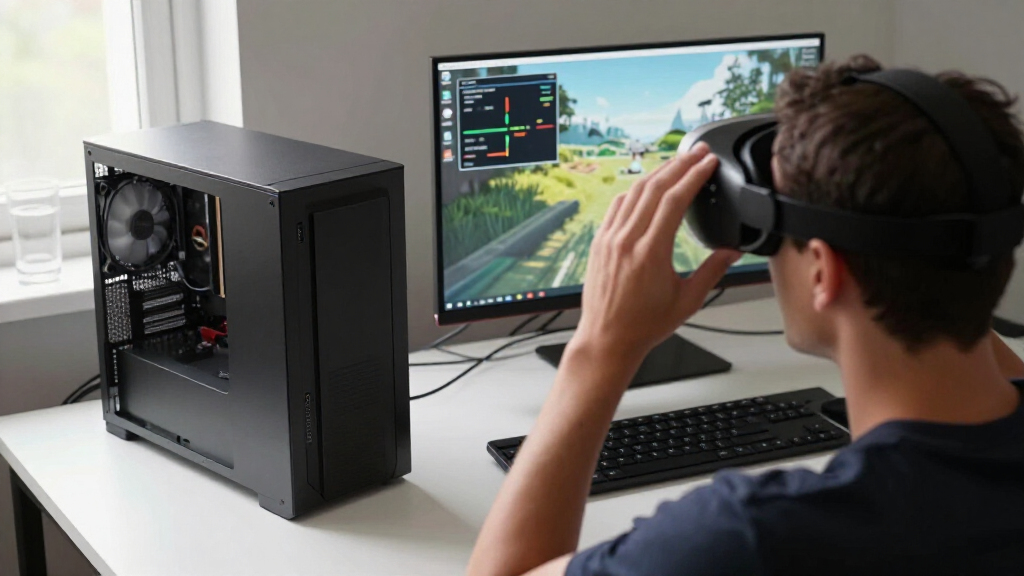
I ranked these options by how well they help a buyer build or acquire a VR-capable system, not by processor specifications alone. VR places pressure on both CPU and GPU: the processor handles game logic and frame submission, while the graphics card renders the headset’s images. A strong CPU can help keep performance consistent, yet the GPU may still set the ceiling in visually demanding titles. That is why I treat the three complete desktops as system-level recommendations and the two standalone Intel chips as upgrade parts.
For the PCs, I looked at processor generation and core design alongside graphics hardware, memory, storage, cooling, power supply, and the detail provided in each listing. The 7800X3D systems offer a clear gaming-oriented eight-core platform; the 9800X3D Valkyrie sits higher because it pairs a newer listed processor with an RTX 5070 Ti. The Falcon AI includes a potent-sounding combination, but its description makes inconsistent graphics claims, so that uncertainty lowers its position. For standalone CPUs, I considered compatibility and whether their age and feature set make sense for a VR build today. I do not treat a CPU or a desktop label as a guarantee of headset compatibility or a particular frame rate.
My order reflects distinct buyer needs: dependable whole-system balance first, premium graphics and CPU second, then a less certain full-PC listing, followed by a modern Intel component option and an older-platform upgrade. The order is not a claim that a standalone CPU is weaker in every game than a complete computer; they are different kinds of purchases. Before choosing, match the product to your existing motherboard, GPU, headset, and intended games, and verify any listing details that affect the build.
| cpu for vr | Processor | Graphics |
|---|---|---|
| STORMCRAFT Falcon Gaming Deskt | AMD Ryzen 7 7800X3D | NVIDIA GeForce RTX 5070, 12GB |
| STORMCRAFT Valkyrie Gaming PC | AMD Ryzen 7 9800X3D, 8 cores, up to 5.2 GHz | NVIDIA GeForce RTX 5070 Ti |
| STORMCRAFT Falcon AI Gaming PC | AMD Ryzen 7 7800X3D, 8 cores, up to 5.0 GHz | Listed as Radeon RX 9070 XT, 16GB; description also makes RTX claims |
| Intel Core i9-12900KF 16-Core | Intel Core i9-12900KF | Discrete graphics card required |
| Intel Core i7-7700 7th Generat | Intel Core i7-7700, 7th Generation | — |
Factors to Consider When Choosing Cpu For Vr
I separate VR CPU decisions into two questions: is the processor suitable for the kind of game and headset use you have in mind, and are the rest of the PC parts balanced with it? These five listings include complete desktops and standalone processors, so compare like with like before choosing.Start with the whole VR system
A processor handles game simulation, input, and work that feeds frames to the graphics card. The GPU renders the headset’s images and often has a large influence on visual quality and frame delivery. This is why a strong CPU by itself does not make a complete VR computer. The i9-12900KF and i7-7700 are processor purchases only; both need a suitable graphics card and supporting parts, with the i9 specifically requiring discrete graphics. The Falcon and Valkyrie are complete towers, but headset and software requirements still need checking.
I would first check the headset maker’s PC requirements and the games you plan to play. Look at the graphics card, available display connections, USB needs, operating system support, and any required software. A named GPU is useful information, but it is not proof of compatibility with every headset or title.
Match CPU choice to your current motherboard
Socket compatibility determines whether a processor can fit your system, but it is not the only check. The Core i7-7700 uses LGA 1151, while the Core i9-12900KF uses LGA 1700 and supports Intel 600- and 700-series chipsets. They are not interchangeable. Check the exact motherboard model, processor support list, and BIOS requirements before buying a CPU upgrade.
The complete Ryzen desktops come with their own AMD platform and supporting parts, which avoids a separate motherboard match for the buyer. That convenience is part of their appeal, but it also means you are replacing or buying a whole computer rather than making a targeted processor change. If you already have a functional gaming PC, compare a component upgrade against the cost and effort of replacing the tower.
Do not judge VR readiness by core count alone
Core count and clock speed describe only part of a processor. Games differ in how much work they send to the CPU, and background tasks such as streaming or recording can add demand. The 16-core, 24-thread i9-12900KF makes sense for a builder who wants strong multitasking capacity; the 7800X3D and 9800X3D systems are gaming-oriented complete configurations. Those distinctions are more useful than assuming that the largest core number always wins in VR.
For a ready-to-use setup, also check memory capacity, storage, cooling, and power supply. Each of the complete PCs lists 32GB of DDR5 and a 1TB NVMe SSD. Those details support a usable gaming system, but they cannot replace an adequate GPU or guarantee a particular frame rate. Treat advertised component specifications as a starting point, not a performance promise.
Verify unclear listings before choosing a prebuilt
Listing accuracy is part of the purchase decision, especially when a disputed detail affects core performance. The Falcon AI page describes a Radeon RX 9070 XT but also mentions RTX hardware, and it contains a questionable display-size claim. The Valkyrie listing describes both liquid and air cooling. I would ask the seller to confirm the exact installed parts and cooling configuration in writing before selecting either system.
The standard Falcon’s listing gives a more direct RTX 5070 specification, so it ranks ahead as my dependable system recommendation. The premium Valkyrie has the stronger listed CPU and GPU combination, but its cooling discrepancy should be settled. For any tower, check case dimensions, warranty terms, included accessories, and whether the ports match your room and headset setup.
Choose the purchase type that fits your starting point
If you are assembling a PC or replacing one component, a standalone CPU can be the right route, but count the cost and compatibility of the remaining parts as part of the decision. The i9-12900KF is aimed at an LGA 1700 build with a discrete graphics card; the i7-7700 is primarily an older-system maintenance option. If you want a complete VR-focused tower, compare the three STORMCRAFT desktops on GPU clarity, CPU tier, and listing confidence.
My practical order is the RTX 5070 Falcon for balanced specifications, the Valkyrie for buyers who want its higher listed hardware and can verify the cooling, and the Falcon AI only after its GPU description is resolved. That ranking is about purchase confidence and system fit, not a guarantee that one model will outperform another in every VR game.
Frequently Asked Questions
Does a powerful CPU alone make a PC ready for VR?
No. A VR computer also needs a compatible graphics card, suitable ports and connectivity, enough memory, and support for the headset and software you use. The i9-12900KF requires a discrete graphics card, while the i7-7700’s integrated graphics should not be treated as a substitute for a dedicated VR GPU. Check the headset maker’s system requirements before choosing any processor or desktop.
Which product is my best choice if I want a complete VR PC?
I would start with the STORMCRAFT Falcon with Ryzen 7 7800X3D and RTX 5070 because its processor and graphics card are clearly identified, and it includes 32GB DDR5 and a 1TB NVMe drive. The Valkyrie lists a higher-tier CPU and GPU, but its cooling description conflicts, so I would confirm the exact setup before choosing it. The Falcon AI also needs seller clarification about its graphics card.
Can I replace my i7-7700 with the i9-12900KF?
No, not as a direct drop-in replacement: the i7-7700 uses an LGA 1151 socket, while the i9-12900KF uses LGA 1700. The i9 also requires a compatible Intel 600- or 700-series chipset motherboard and a discrete graphics card. Check the motherboard maker’s CPU support information before buying any processor upgrade.
Should I choose the Ryzen 7 9800X3D Valkyrie over the 7800X3D Falcon?
Choose the Valkyrie if you want its newer listed Ryzen processor and RTX 5070 Ti, and the seller confirms its actual cooling configuration. The Falcon is a more straightforward recommendation because its RTX 5070 and 7800X3D are clearly specified. I would not treat the Valkyrie’s higher-tier listed parts as a guarantee of a particular VR frame rate; game, headset, and system setup all matter.
What should I verify before ordering a prebuilt VR desktop?
Confirm the exact graphics card, processor, memory, storage, power supply, cooling configuration, motherboard, warranty, and included accessories. Then compare the PC’s ports and graphics hardware with your headset and check case dimensions for your available space. For the Falcon AI, ask the seller to resolve the Radeon-versus-RTX claim; for the Valkyrie, confirm whether the system uses the described liquid cooler or air cooling.
Conclusion
For a buyer who wants a balanced complete VR desktop, I recommend the STORMCRAFT Falcon with Ryzen 7 7800X3D and RTX 5070 because its core system parts are plainly identified. If you want the premium listed configuration, choose the Valkyrie only after confirming its conflicting cooling details. The Falcon AI may suit someone specifically seeking its stated AMD graphics combination, but I would wait for seller confirmation of the GPU and other inconsistent listing information.
For a component-only Intel build, the Core i9-12900KF is the more capable multitasking choice, provided you have or plan to buy an LGA 1700 motherboard and discrete graphics. The Core i7-7700 is best reserved for owners maintaining a compatible older LGA 1151 computer. I would not select it as the foundation for a new demanding VR PC. Match the choice to your motherboard, graphics card, headset, and games rather than buying on CPU specifications alone.
Fall Picks
fall essentials
As an affiliate, we earn on qualifying purchases.