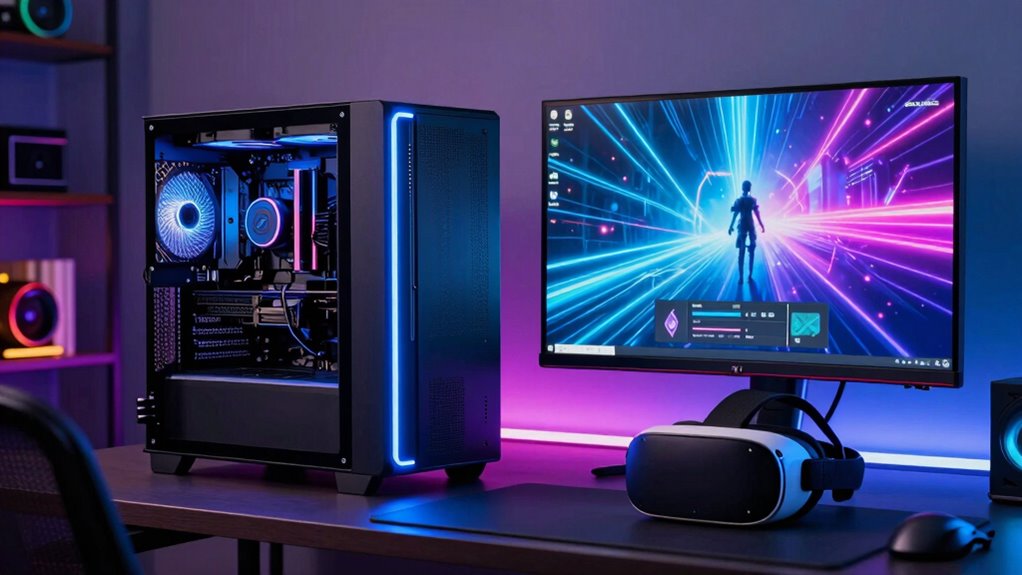

Choosing the right CPU for VR streaming can significantly impact your experience, balancing performance and cost. The Intel Core Ultra 7 Processor 270K Plus stands out for its impressive core count and high clock speeds, making it ideal for demanding VR sessions. Meanwhile, the AMD Ryzen 9 5900XT offers a strong multi-threaded performance at a more accessible price. The main tradeoffs in this category revolve around balancing raw power with budget constraints, as more capable CPUs tend to come with higher costs and power requirements. Continue reading to see how these options compare and which one fits your setup best.

Get business pricing on tech for your team
- Business-only prices and quantity discounts
- Tax-exempt purchasing
- Multiple users, one account, clear invoices
Key Takeaways
- High core count and multi-threading are vital for smooth VR streaming, especially when multitasking or recording.
- Price varies significantly; premium options like the Intel Core i9-14900K offer top performance but at a higher cost.
- Efficiency and power consumption are factors that affect long-term upgrade costs and thermal management.
- Some CPUs, such as AMD Ryzen 7 7800X3D, excel in gaming performance but may be less optimized for streaming workloads.
- Choosing a CPU with good overclocking potential can provide additional performance headroom for intensive VR sessions.
| AMD Ryzen 5 9600X 6-Core, 12-Thread Unlocked Desktop Processor |  | Best Value for VR Streaming on a Budget | Cores: 6 | Threads: 12 | Max Boost Clock: 5.4 GHz | VIEW ON AMAZON | See Our Full Breakdown |
| Intel Core Ultra 7 Processor 270K Plus, 24 Cores (8 P-cores + 16 E-cores), up to 5.5 GHz |  | Best for Enthusiasts Needing Raw Power | Cores: 24 (8 P-cores + 16 E-cores) | Max Turbo Frequency: 5.5 GHz | Memory Support: DDR5 up to 7200 MT/s | VIEW ON AMAZON | See Our Full Breakdown |
| AMD Ryzen 9 5900XT 16-Core, 32-Thread Unlocked Desktop Processor |  | Best for Heavy Multitasking and Content Creation | Cores: 16 | Threads: 32 | Max Boost Clock: 4.8 GHz | VIEW ON AMAZON | See Our Full Breakdown |
| Intel Core i9-14900K Desktop Processor |  | Best High-End Powerhouse for VR Streaming | Cores: 24 (8 P-cores + 16 E-cores) | Threads: 32 | Max Clock Speed: 6.0 GHz | VIEW ON AMAZON | See Our Full Breakdown |
| AMD Ryzen 7 7800X3D 8-Core, 16-Thread Desktop Processor |  | Best for Efficient High-Performance Multitasking | Processor Cores: 8 | Threads: 16 | Base Clock: 4.2 GHz | VIEW ON AMAZON | See Our Full Breakdown |
| AMD Ryzen 9 9950X 16-Core, 32-Thread Unlocked Desktop Processor |  | Best Overall for High-Performance VR Streaming | Cores: 16 | Threads: 32 | Max Boost Clock: 5.7 GHz | VIEW ON AMAZON | See Our Full Breakdown |
| AMD Ryzen 7 9800X3D 8-Core, 16-Thread Desktop Processor |  | Best for Gaming-Focused VR Streaming | Cores: 8 | Threads: 16 | Cache: 96 MB L3 | VIEW ON AMAZON | See Our Full Breakdown |
| AMD Ryzen 5 7600X 6-Core, 12-Thread Unlocked Desktop Processor |  | Best for Mid-Range VR Streamers and High Efficiency | Cores: 6 | Threads: 12 | Clock Speed: up to 5.3 GHz | VIEW ON AMAZON | See Our Full Breakdown |
| Intel Core Ultra 9 Processor 285K, 24 Cores (8 P-cores + 16 E-cores), Up to 5.7 GHz |  | Best for Heavy Multitasking and Professional VR Streaming | Cores: 24 (8 P-cores + 16 E-cores) | Threads: 24 | Max Turbo Frequency: up to 5.7 GHz | VIEW ON AMAZON | See Our Full Breakdown |
| Intel Core i7-14700KF 14th Gen Gaming Desktop Processor |  | Best for Gaming and Versatile VR Streaming | Cores: 20 | Threads: 28 | Max Turbo Frequency: up to 5.6 GHz | VIEW ON AMAZON | See Our Full Breakdown |
| cpu for vr streaming | Cores | Threads | Socket | Memory Support |
|---|---|---|---|---|
| AMD Ryzen 5 9600X 6-Core | 6 | 12 | AM5 | DDR5-5600 |
| Intel Core Ultra 7 Processor 2 | 24 (8 P-cores + 16 E-cores) | — | LGA1851 | DDR5 up to 7200 MT/s |
| AMD Ryzen 9 5900XT 16-Core | 16 | 32 | AM4 | DDR4-3200 |
| Intel Core i9-14900K Desktop P | 24 (8 P-cores + 16 E-cores) | 32 | 600-series / 700-series | — |
| AMD Ryzen 7 7800X3D 8-Core | — | 16 | — | — |
| AMD Ryzen 9 9950X 16-Core | 16 | 32 | AM5 | DDR5-5600 |
| AMD Ryzen 7 9800X3D 8-Core | 8 | 16 | AM5 | — |
| AMD Ryzen 5 7600X 6-Core | 6 | 12 | AM5 | — |
| Intel Core Ultra 9 Processor 2 | 24 (8 P-cores + 16 E-cores) | 24 | — | — |
| Intel Core i7-14700KF 14th Gen | 20 | 28 | — | DDR4 and DDR5 |
More Details on Our Top Picks
AMD Ryzen 5 9600X 6-Core, 12-Thread Unlocked Desktop Processor
The AMD Ryzen 5 9600X stands out for its solid balance of performance and affordability, making it a strong choice for VR streaming setups that don’t require the highest core counts. Compared with the Intel Core i9-14900K, it offers fewer cores but consumes less power and costs significantly less, which can be advantageous for users with tighter budgets. Its support for DDR5-5600 and PCIe 5.0 ensures some future-proofing, yet it lacks an included cooler, adding to overall cost. This processor is ideal for streamers who prioritize smooth VR performance without the expense of top-tier CPUs, though it may struggle with very demanding multitasking or simultaneous heavy workloads.
Pros:- Supports DDR5-5600 memory and PCIe 5.0 for future-proofing
- Unlocked for overclocking potential
- Delivers high gaming performance with over 100 FPS in many titles
Cons:- Cooler not included, adding extra cost
- Requires compatible motherboard with Socket AM5
Best for: Budget-conscious VR streamers who want reliable performance without overspending
Not ideal for: High-end content creators or streamers running multiple intensive applications simultaneously
- Cores:6
- Threads:12
- Max Boost Clock:5.4 GHz
- Memory Support:DDR5-5600
- Socket:AM5
- Overclocking:Unlocked
Our verdict“This CPU is well-suited for budget-aware users focusing on VR streaming with moderate multitasking needs.”
Intel Core Ultra 7 Processor 270K Plus, 24 Cores (8 P-cores + 16 E-cores), up to 5.5 GHz
The Intel Core Ultra 7 270K Plus offers a staggering 24 cores, blending performance and efficiency cores, making it ideal for demanding VR streaming combined with multitasking. Unlike the AMD Ryzen 9 5900XT, which has fewer cores but supports PCIe 4.0, this processor includes PCIe 5.0 support and higher core counts, providing a clear advantage for future-proofing and heavy workloads. Its high power consumption—up to 250W—reflects its performance focus, but this also means needing a robust cooling solution and compatible motherboard. This CPU is best suited for users who want maximum streaming performance and are prepared for higher costs and power requirements.
Pros:- High core count with a mix of performance and efficiency cores
- Supports DDR5 up to 7200 MT/s and PCIe 5.0
- Unlocked for overclocking, ideal for enthusiasts
Cons:- High power consumption and heat output
- Requires a high-end compatible motherboard
- Higher purchase cost
Best for: Power users and streamers running multiple demanding applications simultaneously
Not ideal for: Casual streamers or those with limited space for high-capacity cooling solutions
- Cores:24 (8 P-cores + 16 E-cores)
- Max Turbo Frequency:5.5 GHz
- Memory Support:DDR5 up to 7200 MT/s
- Socket:LGA1851
- Power:125W base, 250W max turbo
Our verdict“This CPU is best for users demanding top-tier performance and who can accommodate its power and cooling needs.”
AMD Ryzen 9 5900XT 16-Core, 32-Thread Unlocked Desktop Processor
The AMD Ryzen 9 5900XT excels with 16 cores and 32 threads, making it a prime option for VR streaming combined with multitasking or content creation. While it has a lower maximum boost clock of 4.8 GHz compared to the Intel Core i9-14900K, it still delivers robust performance for demanding workloads. Its support for PCIe 4.0 and DDR4-3200 keeps it compatible with a wide range of existing systems, but it lags behind newer CPUs in raw speed and future-proofing capabilities. Cooler not included, so additional investment is necessary. This CPU is ideal for streamers who want a high core count at a more affordable price point, but it may fall short for those seeking the latest technology features.
Pros:- High core and thread count for multitasking
- Supports PCIe 4.0 for fast data transfer
- Unlocked for overclocking
Cons:- Cooler not included
- Limited to DDR4-3200 memory
- Lower maximum boost clock compared to newer CPUs
Best for: Content creators and streamers needing high core/thread counts without top-tier price
Not ideal for: Users seeking the latest PCIe 5.0 support or higher clock speeds
- Cores:16
- Threads:32
- Max Boost Clock:4.8 GHz
- Cache:72 MB
- Memory Support:DDR4-3200
- Socket:AM4
Our verdict“This CPU provides excellent multi-threaded performance for VR streaming at a reasonable price, but may need upgrades for future-proofing.”
Intel Core i9-14900K Desktop Processor
The Intel Core i9-14900K offers unmatched performance with 24 cores and a high boost clock of 6.0 GHz, making it an excellent choice for the most demanding VR streaming setups. Its support for DDR4 and DDR5, along with integrated Intel UHD Graphics 770, provides flexibility for different build preferences. Compared to the AMD Ryzen 7 7800X3D, this CPU’s higher core count and clock speed make it more suitable for simultaneous heavy workloads, but its higher power consumption and need for a compatible, often expensive motherboard, can be drawbacks. This pick makes the most sense for enthusiasts who want the absolute top performance and are willing to invest in a premium system.
Pros:- Highest core and thread count among the lineup
- Maximum clock speed up to 6.0 GHz
- Supports both DDR4 and DDR5 memory platforms
- Includes integrated graphics for versatile use
Cons:- Requires a high-end motherboard with BIOS update
- High power consumption and heat output
- Premium price point
Best for: Enthusiasts and power users running multi-application VR streams and demanding workloads
Not ideal for: Casual streamers or those with limited budgets or space for high-end cooling
- Cores:24 (8 P-cores + 16 E-cores)
- Threads:32
- Max Clock Speed:6.0 GHz
- Integrated Graphics:UHD Graphics 770
- Supported Memory:DDR4 and DDR5
- Socket:600-series / 700-series
Our verdict“This CPU is the best choice for users demanding top-tier performance and who can support its power and cooling requirements.”
AMD Ryzen 7 7800X3D 8-Core, 16-Thread Desktop Processor
The AMD Ryzen 7 7800X3D combines 8 cores and 16 threads with advanced 5nm technology, making it a compelling choice for VR streaming that balances speed and efficiency. Its base clock of 4.2 GHz and large cache—especially with 96 MB L3—translate into fast processing and responsiveness. Compared to the Ryzen 9 5900XT, it offers slightly fewer cores but benefits from a more modern, energy-efficient process. Its integrated Radeon graphics enhance visual output without the need for a discrete GPU, streamlining builds. However, details about cooling requirements are limited, and high temperatures could be a concern. This processor is well-suited for users seeking high performance with lower power consumption and integrated graphics.
Pros:- Built on 5nm process technology for efficiency
- Fast 4.2 GHz base clock with large cache
- Integrated Radeon graphics for visuals
- Suitable for multitasking and demanding applications
Cons:- Limited details on cooling requirements
- Potential high power at maximum temperature
- Less core count than some competitors
Best for: Streamers and multitaskers wanting efficient yet powerful processing in a compact build
Not ideal for: Users requiring the highest core count or maximum clock speeds for multi-application workflows
- Processor Cores:8
- Threads:16
- Base Clock:4.2 GHz
- Graphics Frequency:2200 MHz
- Cache:8 MB L2, 96 MB L3
- Process Technology:5 nm
Our verdict“This CPU provides a balanced mix of speed, efficiency, and integrated graphics for streamlined VR streaming setups.”
AMD Ryzen 9 9950X 16-Core, 32-Thread Unlocked Desktop Processor
This processor stands out for its combination of high core count, fast clock speeds, and support for the latest technologies like DDR5 and PCIe 5.0, making it ideal for demanding VR streaming setups. Compared to the AMD Ryzen 7 9800X3D, it offers more cores and threads, which significantly enhances multitasking and streaming quality. The main tradeoff is its higher power consumption and the need for a robust cooling solution, as it doesn’t include a cooler. It requires a compatible AM5 motherboard, adding to the overall cost.
This makes the Ryzen 9 9950X a top choice for creators and gamers pushing the limits of VR streaming performance.
Pros:- High core and thread count for multitasking and demanding workloads
- Supports DDR5-5600 memory and PCIe 5.0 for future upgrades
- Unlocked for overclocking to maximize performance
Cons:- Requires an additional investment in a cooling solution
- High power consumption and potential heat output
Best for: Power users who want the best multitasking and future-proofing for VR streaming and content creation
Not ideal for: Casual streamers or gamers who don’t want to invest in high-end hardware or handle complex cooling setups
- Cores:16
- Threads:32
- Max Boost Clock:5.7 GHz
- Cache:80 MB
- Memory Support:DDR5-5600
- Socket:AM5
- Supports PCIe:5.0 on select motherboards
- Cooler Included:No
Our verdict“This CPU is best suited for serious streamers and creators who need maximum processing power and are prepared for the associated costs and setup complexity.”
AMD Ryzen 7 9800X3D 8-Core, 16-Thread Desktop Processor
The Ryzen 7 9800X3D excels in gaming and VR streaming thanks to its large 96MB L3 cache and high clock speeds up to 5.2GHz. Compared to the Ryzen 9 9950X, it offers fewer cores but specializes in delivering exceptional gaming performance and thermal efficiency, which can translate into smoother VR experiences. However, it’s limited by its socket compatibility—requiring a specific AM5 motherboard—and does not include a cooler, which could add to the build cost. Its focus on gaming makes it less ideal for heavy multitasking or content creation beyond gaming and streaming.
This CPU makes the most sense for gamers who prioritize VR streaming quality over raw multitasking power.
Pros:- Exceptional gaming and VR performance with high clock speeds
- Large 96MB L3 cache improves responsiveness in gaming scenarios
- Efficient thermal design for consistent high performance
Cons:- Limited to specific motherboards (AM5 socket)
- No included cooler, adding to overall setup cost
Best for: Gamers and streamers who want excellent VR performance without the need for extreme multitasking capabilities
Not ideal for: Content creators or streamers requiring heavy multitasking or editing workloads, as it has fewer cores than higher-end options
- Cores:8
- Threads:16
- Cache:96 MB L3
- Base Clock:up to 5.2 GHz
- Socket:AM5
- Supports PCIe:Not specified
Our verdict“This CPU is ideal for gamers looking to maximize VR streaming quality without overinvesting in multi-core performance.”
AMD Ryzen 5 7600X 6-Core, 12-Thread Unlocked Desktop Processor
The Ryzen 5 7600X offers a compelling balance of speed and efficiency, with a 5.3 GHz boost clock and built on 5 nm technology. Compared with the higher-core Ryzen 9 9950X, it provides less multitasking headroom but excels in single-threaded performance, making it suitable for lighter VR streaming setups or those with limited budgets. Its integrated Radeon Graphics support basic gaming and VR output, reducing the need for a discrete GPU in some cases. The main tradeoff is that it requires a compatible AM5 motherboard and no included cooling system, which could add to costs.
This CPU makes the most sense for users who want reliable VR streaming performance without the complexity or expense of high-core-count models.
Pros:- High boost clock for quick processing in gaming and VR
- Built on 5 nm technology for efficiency and cooling
- Integrated Radeon Graphics for decent visual output
Cons:- Requires a compatible AM5 motherboard
- No cooling included, adding extra cost
Best for: Enthusiasts seeking a cost-effective yet capable processor for VR streaming and gaming
Not ideal for: Heavy multitaskers or streamers running complex editing tasks simultaneously, due to its lower core count
- Cores:6
- Threads:12
- Clock Speed:up to 5.3 GHz
- Process Technology:5 nm
- Socket:AM5
- Graphics:AMD Radeon Graphics
Our verdict“This CPU is perfect for users who prioritize speed and efficiency in a VR streaming setup at a more accessible price point.”
Intel Core Ultra 9 Processor 285K, 24 Cores (8 P-cores + 16 E-cores), Up to 5.7 GHz
The Intel Core Ultra 9 285K offers a formidable 24 cores and 24 threads, making it a powerhouse for demanding VR streaming and multitasking. Compared with the AMD Ryzen 9 9950X, it provides more cores and threads, which can translate into superior handling of simultaneous streaming, encoding, and gaming tasks. Its support for PCIe 5.0 and 4.0 ensures fast data transfer, but it demands a high-performance cooling solution as no thermal solution is included. The high power draw and overkill nature make it less suitable for casual or budget-conscious setups.
This processor is best suited for professionals and enthusiasts who need maximum multitasking capability and are willing to manage its higher power and cooling requirements.
Pros:- Exceptional core and thread count for multitasking
- Supports PCIe 5.0 and 4.0 for fast data throughput
- Unlocked for overclocking and high flexibility
Cons:- No included thermal solution, requiring additional cooling investments
- High power consumption and heat output
Best for: Advanced streamers and content creators with demanding multitasking needs and robust cooling solutions
Not ideal for: Casual streamers or those with limited budgets, as the CPU’s high cost and cooling needs may outweigh benefits
- Cores:24 (8 P-cores + 16 E-cores)
- Threads:24
- Max Turbo Frequency:up to 5.7 GHz
- Cache:40 MB
- Compatibility:Intel 800 series chipset
- Graphics:Integrated Intel Graphics
Our verdict“This CPU is ideal for high-end professional VR streaming setups that demand maximum processing capability and are prepared for complex cooling solutions.”
Intel Core i7-14700KF 14th Gen Gaming Desktop Processor
The Intel Core i7-14700KF combines 20 cores and 28 threads, offering excellent performance for gaming and VR streaming alike. Compared to the AMD Ryzen 5 7600X, it provides higher core and thread counts, making it better suited for multitasking and demanding applications. Its support for both DDR4 and DDR5 memory offers flexibility, while its unlocked status allows for overclocking. However, it requires a discrete GPU for gaming, and some motherboards may need BIOS updates for full compatibility, adding a layer of complexity. Its high turbo frequency ensures smooth streaming and gameplay even during intensive tasks.
This CPU is best for gamers who want a strong all-around performer capable of VR streaming without entering the high-cost territory of flagship models.
Pros:- High core and thread count for multitasking and gaming
- Supports both DDR4 and DDR5 platforms for flexibility
- Unlocked for overclocking to boost performance
Cons:- Requires a discrete graphics card for gaming
- Potential BIOS updates needed for some motherboards
Best for: Gaming enthusiasts who want a flexible, powerful CPU for VR streaming and gaming on a budget
Not ideal for: Heavy multitaskers or content creators doing complex editing, as it has fewer cores than high-end workstation CPUs
- Cores:20
- Threads:28
- Max Turbo Frequency:up to 5.6 GHz
- Socket Compatibility:LGA 1700
- Memory Support:DDR4 and DDR5
Our verdict“This CPU offers a balanced mix of gaming and multitasking power, making it well-suited for versatile VR streaming setups.”

How We Picked
In selecting these CPUs, I prioritized performance benchmarks relevant to VR streaming, focusing on multi-core and single-core capabilities that influence real-time encoding and game rendering. Usability factors like compatibility with popular VR streaming software and motherboard support were also considered. Power efficiency and thermals played a role, as VR streaming setups often run for extended periods. Cost and value were balanced against raw performance, ensuring options suit a range of budgets. The ranking reflects a combination of these factors, emphasizing overall performance and future-proofing for VR streaming needs.| cpu for vr streaming | Memory Support |
|---|---|
| AMD Ryzen 5 9600X 6-Core | DDR5-5600 |
| Intel Core Ultra 7 Processor 2 | DDR5 up to 7200 MT/s |
| AMD Ryzen 9 5900XT 16-Core | DDR4-3200 |
| Intel Core i9-14900K Desktop P | — |
| AMD Ryzen 7 7800X3D 8-Core | — |
| AMD Ryzen 9 9950X 16-Core | DDR5-5600 |
| AMD Ryzen 7 9800X3D 8-Core | — |
| AMD Ryzen 5 7600X 6-Core | — |
| Intel Core Ultra 9 Processor 2 | — |
| Intel Core i7-14700KF 14th Gen | DDR4 and DDR5 |
Factors to Consider When Choosing Cpu For Vr Streaming
When selecting a CPU for VR streaming, several factors can influence your experience. Understanding these will help you avoid common pitfalls and make a choice that balances performance, budget, and future needs. VR streaming demands both strong single-core performance for latency-sensitive tasks and multi-core power for multitasking and recording. Compatibility with your existing hardware and software ecosystem is also essential, as is considering power consumption and thermal management for long streaming sessions. Let’s explore the key factors to keep in mind before making your decision.Performance and Core Count
VR streaming relies heavily on both single-core speed and multi-core processing. A CPU with high clock speeds ensures low latency and smooth gameplay, while multiple cores help handle encoding, background processes, and multitasking without stuttering. For most streamers, a balanced approach with at least 6 cores and high clock speeds provides a reliable experience. Skipping on either aspect can lead to dropped frames or increased latency, affecting immersion and quality.
Compatibility and Platform Support
Not all CPUs work with every motherboard or streaming setup. Ensuring your chosen processor is compatible with your existing hardware (motherboard, RAM, cooling system) avoids costly upgrades later. Additionally, check if the CPU supports features like PCIe 4.0 or 5.0, which can improve data transfer speeds essential for high-quality VR streaming. Compatibility with your preferred streaming software and hardware peripherals is equally important to prevent bottlenecks.
Power Consumption and Cooling
VR streaming can run for hours, so efficient power use and effective cooling matter. Higher-end CPUs tend to draw more power and generate more heat, requiring better cooling solutions. Overheating can throttle performance, leading to frame drops and latency spikes. Investing in a quality cooling system ensures stable operation and prolongs hardware lifespan, especially if you plan to overclock your CPU.
Price and Future-Proofing
While premium CPUs offer excellent performance, they also come with higher costs. Consider your current and future needs—if you plan to upgrade your VR setup or add more demanding applications, investing in a more powerful CPU now can save money long-term. Conversely, if your budget is tight, mid-range options can still deliver solid performance for casual streaming. Avoid overspending on features you don’t need, but don’t skimp on core performance if you aim for a high-quality VR experience.
Overclocking and Upgradeability
Overclocking can squeeze extra performance out of your CPU, which is beneficial for VR streaming where every millisecond counts. However, it requires a compatible motherboard and adequate cooling. Additionally, choosing a CPU with an unlocked multiplier offers more flexibility for future upgrades. This can extend the lifespan of your build and adapt to evolving VR and streaming demands.
Frequently Asked Questions
Is a higher core count always better for VR streaming?
Not necessarily. While more cores can help with multitasking and encoding, VR streaming primarily benefits from high single-core performance to reduce latency. A balanced CPU with at least 6 cores and high clock speeds typically provides the best experience. Overloading on cores without sufficient single-core speed may not improve streaming quality and can increase power consumption and cost.
Should I prioritize gaming performance or streaming capabilities in my CPU?
Both aspects matter, but for VR streaming, the focus shifts toward the CPU’s ability to handle encoding, background processes, and low latency. Many high-performance CPUs excel in both areas, but if your primary goal is streaming with minimal lag, prioritize models with higher core counts and faster clock speeds. Gaming performance can still be good, but it shouldn’t come at the expense of streaming stability.
How much should I spend on a CPU for VR streaming?
Prices for CPUs suitable for VR streaming range widely. You can find solid mid-range options in the $300-$400 range that handle most workloads well. Premium models above $500 offer better future-proofing and overclocking headroom, but they might be overkill for casual streamers. Consider your current setup and future needs before investing heavily in top-tier hardware.
Does overclocking significantly improve VR streaming performance?
Overclocking can boost performance, reducing latency and improving encoding speeds, which benefits VR streaming. However, it also increases heat output and power consumption, requiring better cooling solutions. If done correctly, it provides extra headroom, but it’s not essential for a good experience. For most users, a high-quality, unlocked CPU out-of-the-box is sufficient.
Is integrated graphics important for a CPU used in VR streaming?
For VR streaming, integrated graphics are less critical if you already have a dedicated GPU. The focus should be on the CPU’s processing power for encoding and latency. However, having integrated graphics can serve as a backup or for troubleshooting issues. In most cases, a powerful dedicated GPU combined with a strong CPU offers the best VR experience.
Conclusion
For most users seeking a reliable, high-performance VR streaming setup, the Intel Core Ultra 7 Processor 270K Plus stands out as the best overall choice thanks to its high core count and speed. If you’re on a budget but still want solid performance, the AMD Ryzen 5 9600X offers excellent value. For those who want the best possible experience and future-proofing, the Intel Core i9-14900K is ideal, though at a premium cost. Beginners or casual streamers should consider mid-range options that balance power and price, while advanced users aiming for overclocking and maximum performance might lean toward high-end CPUs like the Ryzen 9 9950X or i9-14900K. Carefully match your choice to your streaming needs and hardware ecosystem to ensure smooth VR sessions.
As an affiliate, we earn on qualifying purchases.Halloween Picks
halloween