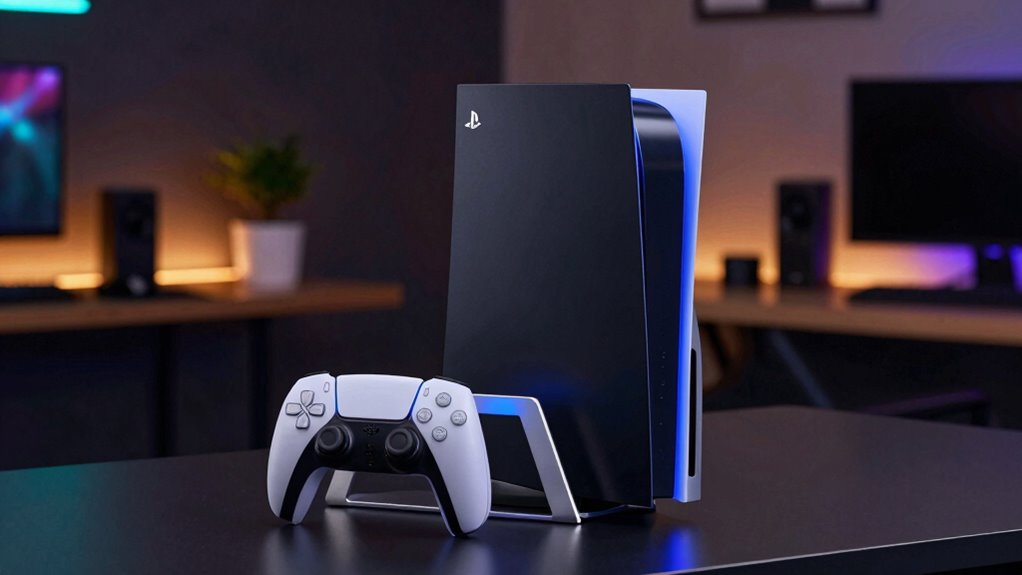
If you’re looking for cooling stands for PS5, you’re likely aiming to prevent overheating during extended gaming sessions. The best options combine effective cooling with convenient charging and organization features. The PS5/PS5 Slim/PS5 Pro Stand and Cooling Station with Dual Controller Charging stands out as the overall top pick thanks to its balanced performance and affordability. Other notable choices include models with RGB lighting or adjustable fans for gamers who want customization. However, many options trade off between cooling power, noise levels, and price. Keep reading for a detailed breakdown that helps you find the perfect fit for your setup.

Get business pricing on tech for your team
- Business-only prices and quantity discounts
- Tax-exempt purchasing
- Multiple users, one account, clear invoices
Key Takeaways
- Most top-rated cooling stands include dual controller charging, combining cooling with gaming convenience.
- RGB lighting and aesthetic features are common but often come at a higher price without significantly improving cooling performance.
- Fan speed adjustability varies; models with 3-level or auto-turbofan settings offer more control over noise and cooling efficiency.
- Build quality and ease of assembly can differ greatly, affecting long-term durability and user experience.
- Price range is broad, but investing in a model with reliable cooling and charging features generally offers better value.
| PS5/PS5 Slim/PS5 Pro Stand and Cooling Station with Dual Controller Charging for PlayStation 5 |  | Best Overall for All-in-One Functionality | Compatibility: PS5, PS5 Slim, PS5 Pro | Cooling Fan Speeds: Low, Mid, High | USB Hubs: 3 | VIEW ON AMAZON | See Our Full Breakdown |
| Rysker PS5/Slim/Pro Stand with Cooling Station and Fast Charger |  | Best for Secure Fit and Fast Charging | Compatibility: PS5, Slim, Pro | Fan Speeds: 3 adjustable levels | Controller Compatibility: Original PS5 and PS5 Edge controllers | VIEW ON AMAZON | See Our Full Breakdown |
| PS5 Slim/Pro Stand and Cooling Station with LED Controller Charging Station for PlayStation 5 Console |  | Best for Multi-Functionality with LED Indicators | Compatibility: PS5, PS5 Slim, PS5 Pro | Cooling Fan Speed: 3 levels (3100-3500 RPM) | Controller Charging Time: 2.5 hours | VIEW ON AMAZON | See Our Full Breakdown |
| Cooling Station with Controller Charger for PS5/Slim/Pro, Dual Controller Charging & 3-Level Cooling Fan |  | Best for Universal Compatibility and RGB Flair | Compatibility: All PS5 models | Cooling Fan: 3 adjustable levels, RGB lighting with 9 modes | Controller Charging: Charges 2 controllers in 2-2.5 hours | VIEW ON AMAZON | See Our Full Breakdown |
| PS5 Pro/Slim Stand and Cooling Station with Controller Charging and Accessories |  | Best for Extensive Storage and Versatile Cooling | Cooling Fan Levels: 3 (Strong, Medium, Normal) | Fan Size: 2.36 inches | Charging Time: 3 hours for 2 controllers | VIEW ON AMAZON | See Our Full Breakdown |
| HECLYNS PS5 Cooling Stand for PS5/Slim/Pro with Dual Charger and RGB Lighting |  | Best Overall Multi-Function Cooling Stand | Controller Charging: Fully charges two DualSense controllers in 3 hours | Fan Speeds: 3 adjustable levels | RGB Lighting: 4 light modes with 8 colors | VIEW ON AMAZON | See Our Full Breakdown |
| PS5 Cooling Station Stand RGB with Dual Controller Charging Station for PlayStation 5 Console |  | Best for Compatibility and Organized Setup | Compatibility: All PS5 console versions | Cooling Fan: Turbo fan with 3 speeds | Controller Charging: Dual controllers, <3 hours charge | VIEW ON AMAZON | See Our Full Breakdown |
| Fenolical PS5/PS5 Slim/Pro Stand with Adjustable Cooling Fan, Dual Controller Charging, RGB Lighting |  | Best for Customization and Touch Controls | Compatibility: PS5, PS5 Slim, PS5 Pro | Cooling Fan Levels: 3 | RGB Lighting Modes: 9 | VIEW ON AMAZON | See Our Full Breakdown |
| LIFUFUTEE PS5 Stand with Cooling Station and Controller Charger |  | Best for Safety and Versatile Charging | Cooling Fan Size: 2.36 inches | Fan Speed: 3-speed adjustable | Charging Time: 3 hours | VIEW ON AMAZON | See Our Full Breakdown |
| Cooling Stand with Dual Fans for PS5 Slim & PS5 Pro, RGB Light |  | Best for Dual-Fan Cooling and App-Controlled RGB | Dual Fans: Yes | RGB Backlit: Yes, 7 colors with effects | Voice Reactive Lighting: Yes | VIEW ON AMAZON | See Our Full Breakdown |
| Tokluck PS5/Slim/Pro Cooling Station with Auto Turbofan & 3-Level Speed, Controller Charger, RGB Lighting |  | Best Overall for Feature-Rich Setup | Compatibility: All PS5 Console Digital & Disc, PS4 controllers | Fan Speed Modes: Manual, Automatic (High, Medium, Low) | Charging Time: 2.5 hours for controllers | VIEW ON AMAZON | See Our Full Breakdown |
| Cooling Station for PS5 Slim/Pro with Dual Controller Charger, 16 Game Slots, RGB Lighting, Cooler Fan, USB Ports, Headset & Remote Holder |  | Best for Organization and Multi-Functionality | Compatibility: PS5, PS5 Slim, PS5 Pro | Cooling Range: 5-12°C | Fan Speed: High, Medium, Low | VIEW ON AMAZON | See Our Full Breakdown |
| PS5/Slim/Pro Cooling Station with Controller Charging Station for Playstation 5 Console |  | Best for Effective Cooling and Charging | Cooling Fan Speeds: High, Mid, Low | Charging Time: 3 hours | USB Ports: 3 | VIEW ON AMAZON | See Our Full Breakdown |
| PS5/Slim/Pro Stand with Cooling & Charging Station, RGB Lights, Adjustable Fan, Controller Charger for PlayStation 4 |  | Best for Multi-Functionality and Aesthetics | Compatibility: PS5, PS5 Slim, PS5 Pro | Cooling System: High-efficiency fans | Charging Ports: USB | VIEW ON AMAZON | See Our Full Breakdown |
| PS5 Horizontal Stand with Cooling Fan & Dual Controller Charger for All PS5 Models |  | Best for Simplicity and Compatibility | Cooling Fan Speed: Three adjustable speeds | Charging: Dual controllers | Installation: Tool-free, easy setup | VIEW ON AMAZON | See Our Full Breakdown |
| cooling stands for ps5 | Compatibility | USB Ports |
|---|---|---|
| PS5/PS5 Slim/PS5 Pro Stand and | PS5, PS5 Slim, PS5 Pro | — |
| Rysker PS5/Slim/Pro Stand with | PS5, Slim, Pro | 3 |
| PS5 Slim/Pro Stand and Cooling | PS5, PS5 Slim, PS5 Pro | 3 |
| Cooling Station with Controlle | All PS5 models | — |
| PS5 Pro/Slim Stand and Cooling | — | — |
| HECLYNS PS5 Cooling Stand for | PS5, PS5 Slim, PS5 Pro | 2 USB A ports and 1 USB C port |
| PS5 Cooling Station Stand RGB | All PS5 console versions | 3 USB hubs |
| Fenolical PS5/PS5 Slim/Pro Sta | PS5, PS5 Slim, PS5 Pro | 3 USB |
| LIFUFUTEE PS5 Stand with Cooli | — | — |
| Cooling Stand with Dual Fans f | PS5 Slim & Pro | — |
| Tokluck PS5/Slim/Pro Cooling S | All PS5 Console Digital & Disc, PS4 controllers | 3 |
| Cooling Station for PS5 Slim/P | PS5, PS5 Slim, PS5 Pro | 3 USB + 1 Type-C |
| PS5/Slim/Pro Cooling Station w | PS5 Standard, Slim, Digital & Disc | 3 |
| PS5/Slim/Pro Stand with Coolin | PS5, PS5 Slim, PS5 Pro | — |
| PS5 Horizontal Stand with Cool | All PS5 models | — |
More Details on Our Top Picks
PS5/PS5 Slim/PS5 Pro Stand and Cooling Station with Dual Controller Charging for PlayStation 5
This versatile stand stands out for combining cooling, charging, and organization in a single device, making it ideal for gamers who want a streamlined setup. Compared with the Cooling Station with Controller Charger, this model offers adjustable fan speeds with a more compact vertical design, but it requires an external power source and doesn’t include the console or controllers. Its dual wireless charging pads with overcharge protection add convenience, especially for those who prefer a clutter-free space. However, it doesn’t support third-party controllers and is limited to specific PS5 models, which could be a drawback for owners of other accessories or older setups.
Pros:- Provides cooling, charging, and organization in one device
- Adjustable fan speeds for optimal cooling
- Dual wireless chargers with overcharge protection
Cons:- Does not include PS5 console, controllers, or headset
- Requires an external power source
Best for: Gamers seeking an all-in-one stand that manages cooling, charging, and storage without extra devices.
Not ideal for: Players who prefer standalone cooling fans or already own a separate charging dock for controllers.
- Compatibility:PS5, PS5 Slim, PS5 Pro
- Cooling Fan Speeds:Low, Mid, High
- USB Hubs:3
- Wireless Charging:Dual controllers
- Charging Time:Full charge in 3 hours
- Overcharge Protection:Yes
Our verdict“This pick makes the most sense for users who want a compact, multi-functional stand that simplifies their gaming setup.”
Rysker PS5/Slim/Pro Stand with Cooling Station and Fast Charger
This stand excels in providing a secure fit with safety screws and a fast charger, making it ideal for users who prioritize console safety and quick turnaround. Unlike the PS5 Slim/Pro Stand and Cooling Station with LED Controller, this model offers a faster controller charge time and multiple USB ports for accessories, but it’s not compatible with third-party controllers. Its adjustable fan speeds help manage heat levels effectively, though it relies on an external USB power source. The inclusion of safety screws adds peace of mind for those concerned about stability during intense gaming sessions.
Pros:- Adjustable fan speeds for customizable cooling
- Fast charging with overcharge protection
- Secure fit with safety screws
Cons:- Not compatible with third-party controllers
- Requires external USB power source
Best for: Owners of original PS5 and PS5 Edge controllers who want a secure, fast-charging stand with reliable cooling.
Not ideal for: Gamers using third-party controllers or seeking a stand with built-in storage for games and accessories.
- Compatibility:PS5, Slim, Pro
- Fan Speeds:3 adjustable levels
- Controller Compatibility:Original PS5 and PS5 Edge controllers
- Charging Feature:Fast charging with overcharge protection
- USB Ports:3
- Additional Features:Media remote slot, safety screws
Our verdict“Ideal for users prioritizing fast, safe charging and a secure console fit without extra storage features.”
PS5 Slim/Pro Stand and Cooling Station with LED Controller Charging Station for PlayStation 5 Console
This stand combines cooling, charging, and storage with visual LED indicators, making it perfect for gamers who enjoy a visually engaging setup. Compared with the Cooling Station with Controller Charger, it offers adjustable fan speeds (3 levels) and includes LED indicators that show charging status, but it may be bulky for small setups. The built-in storage for 14 discs and multiple USB ports enhance organization, though the controller charging is limited to 2.5 hours. Its protection features safeguard against overheat and overvoltage, adding reliability for longer gaming sessions.
Pros:- Combines cooling, charging, and storage
- Adjustable fan speeds with LED indicators
- Includes 14 disc storage slots
Cons:- May be bulky for small spaces
- Charging controllers above 70% is restricted
Best for: Gamers seeking a feature-rich stand with visual cues and integrated storage for discs and accessories.
Not ideal for: Players with limited space or those who prefer minimalist setups without extra bulk or lighting features.
- Compatibility:PS5, PS5 Slim, PS5 Pro
- Cooling Fan Speed:3 levels (3100-3500 RPM)
- Controller Charging Time:2.5 hours
- USB Ports:3
- Game Storage:14 discs
- Protection Features:Overcharge, overheat, overvoltage, short-circuit
Our verdict“Perfect for users who want a multifunctional, visually informative stand that keeps their setup organized.”
Cooling Station with Controller Charger for PS5/Slim/Pro, Dual Controller Charging & 3-Level Cooling Fan
This model stands out for its universal compatibility across all PS5 models and its eye-catching RGB lighting with 9 modes, appealing to gamers who want both performance and style. Unlike the PS5/PS5 Slim/Pro Stand and Cooling Station with LED, it offers a 3-level turbo fan that’s effective at heat dissipation and charges two controllers simultaneously within 2-2.5 hours. Its RGB lighting may not appeal to all, but it adds a vibrant aesthetic. The device relies on the PS5 USB port for power, which could limit placement options or require the console to be powered on for operation.
Pros:- Universal compatibility with all PS5 models
- Effective 3-level turbo cooling with RGB lighting
- Charges two controllers simultaneously
Cons:- Requires PS5 for power (no standalone power supply)
- RGB lighting may be unnecessary for some users
Best for: Players wanting a versatile, stylish cooling stand that works with all PS5 models and features customizable lighting.
Not ideal for: Minimalist enthusiasts or those who prefer standalone fans without RGB effects or external power dependency.
- Compatibility:All PS5 models
- Cooling Fan:3 adjustable levels, RGB lighting with 9 modes
- Controller Charging:Charges 2 controllers in 2-2.5 hours
- Power Source:Powered via PS5 USB port
- Additional Storage:Phone holder, headphone hook, 2 USB ports
Our verdict“Ideal for gamers who value style, multi-device charging, and effective cooling across all PS5 variants.”
PS5 Pro/Slim Stand and Cooling Station with Controller Charging and Accessories
This stand offers strong cooling with a 3-level adjustable turbo fan, alongside a dual controller charger, USB hubs, and organized storage for games and accessories. Compared with the Rysker PS5 Stand, it provides more USB hubs and dedicated storage for games, making it suitable for gamers with extensive accessory needs. Its 2.36-inch fan size and 3-hour charging time balance effective heat dissipation with reasonable charging speed, but it depends on an external power source and doesn’t specify noise levels, which could matter during long gaming sessions. Its broad compatibility with PS5 Pro, Slim, and Digital models makes it a flexible choice.
Pros:- Effective cooling with 3-level adjustable turbo fan
- Charges 2 controllers simultaneously in 3 hours
- Multiple USB hubs and organized storage for games and accessories
Cons:- Requires connection to power source for charging
- No detailed noise level information
Best for: Enthusiasts with multiple accessories and games who want a comprehensive stand with effective cooling and organization.
Not ideal for: Casual players with limited accessories or those seeking a minimalist stand with only basic features.
- Cooling Fan Levels:3 (Strong, Medium, Normal)
- Fan Size:2.36 inches
- Charging Time:3 hours for 2 controllers
- USB Hubs:3
- Game Slots:13
- Cable Length:53 cm
Our verdict“Great for users who need a feature-packed stand capable of managing heat, charging, and extensive storage simultaneously.”
HECLYNS PS5 Cooling Stand for PS5/Slim/Pro with Dual Charger and RGB Lighting
This stand stands out for combining effective cooling, dual controller charging, and vibrant RGB lighting in one package. Its adjustable silent fans allow customization of airflow, making it a versatile choice for gamers who want both performance and style. Compared with the PS5 Cooling Station Stand RGB, this option offers more USB ports and safety features, though it requires connection to a power source and can produce fan noise at higher speeds. Its multi-USB ports and fast charging make it ideal for players with multiple accessories, but the noise level at max fan speed could be disruptive. Best for gamers seeking a comprehensive, all-in-one cooling and charging station who don’t mind a slightly louder fan operation.
Pros:- Fast dual controller charging with safety features
- Customizable silent fan speeds for cooling
- Vibrant RGB lighting enhances gaming setup
- Multiple USB ports for accessories
Cons:- Requires connection to a power source
- Potential noise from fans at higher speeds
Best for: Gamers who want a feature-rich stand with fast controller charging and customizable lighting
Not ideal for: Players with small gaming setups or noise-sensitive environments, as fans can be loud at higher speeds
- Controller Charging:Fully charges two DualSense controllers in 3 hours
- Fan Speeds:3 adjustable levels
- RGB Lighting:4 light modes with 8 colors
- USB Ports:2 USB A ports and 1 USB C port
- Compatibility:PS5, PS5 Slim, PS5 Pro
Our verdict“This stand is best suited for gamers who prioritize all-in-one functionality and vibrant aesthetics over noise levels.”
PS5 Cooling Station Stand RGB with Dual Controller Charging Station for PlayStation 5 Console
This stand excels in compatibility, supporting all versions of the PS5, including the Slim and Digital editions. Its turbo fan with 3 speeds effectively manages heat, and dual controller charging with overcharge protection adds convenience. Unlike the HECLYNS stand, it offers more organized storage options for accessories and a sleek RGB strip with multiple effects. However, it relies on an external power source, and the absence of included controllers or headphones means additional purchases are necessary. Ideal for players who want a tidy, compatible, and cooling-enhanced setup but don’t need built-in lighting effects or advanced customization.
Pros:- Universal compatibility with all PS5 versions
- Effective cooling with adjustable fan speeds
- Dual controller charging with overcharge protection
- Organized storage for accessories
Cons:- Controller, headset, and remote not included
- Requires external power source for charging
Best for: Players looking for a versatile, compatible stand that keeps their setup organized and cool
Not ideal for: Casual gamers who prefer a plug-and-play solution without additional accessories or customization
- Compatibility:All PS5 console versions
- Cooling Fan:Turbo fan with 3 speeds
- Controller Charging:Dual controllers, <3 hours charge
- USB Ports:3 USB hubs
- Lighting:RGB strip lights with 9 colors and 3 effects
- Power Source:Powered by PS5 or ≥5V/2A adapters
Our verdict“This stand is perfect for users seeking broad compatibility and a tidy gaming environment with effective cooling.”
Fenolical PS5/PS5 Slim/Pro Stand with Adjustable Cooling Fan, Dual Controller Charging, RGB Lighting
This stand brings a high level of control with touch-operated adjustable fan speeds and customizable RGB lighting, making it attractive for gamers who value personalization. Its three USB ports support multiple devices, and the dual controller charging is efficient. Compared to the LIFUFUTEE stand, it offers more intuitive touch controls and a higher number of RGB modes, but it can be somewhat bulky and noisy at max fan speed. It’s a good choice for players who want a sleek, customizable setup but may be less suitable for those with limited space or noise restrictions. Best for gamers who prioritize aesthetic customization and easy operation who don’t mind a slightly larger device.
Pros:- Adjustable cooling fan with 3 levels
- Touch controls for easy operation
- Multiple RGB lighting modes for personalization
- Charges two controllers simultaneously
Cons:- May be bulky for small spaces
- Fan noise at maximum speed could be noticeable
Best for: Players seeking personalized RGB lighting and touch-based fan control for their PS5 setup
Not ideal for: Minimalist users or those with small gaming areas, as it might be bulky and noisy
- Compatibility:PS5, PS5 Slim, PS5 Pro
- Cooling Fan Levels:3
- RGB Lighting Modes:9
- Controller Charging:2 controllers
- USB Ports:3 USB
Our verdict“This stand suits gamers who want a highly customizable and easy-to-use cooling and charging station with aesthetic flair.”
LIFUFUTEE PS5 Stand with Cooling Station and Controller Charger
This stand emphasizes safety and efficiency, with a robust 2.36-inch turbo fan and multiple protections against over-current, overcharging, and short circuits. Its fast 3-hour controller charging is comparable to the other options, but it also offers a range of lighting modes, including solid colors and breathing effects, for ambiance. Compared to the Fenolical stand, it provides more comprehensive protections, but it may be slightly less customizable in lighting effects. It’s ideal for players who prioritize safety and versatility but might find the lighting options less extensive than other models. Best for safety-conscious gamers who want reliable cooling and charging without sacrificing aesthetic features.
Pros:- Effective cooling with a 2.36-inch turbo fan
- Fast charging in 3 hours
- Multiple lighting modes for ambiance
- Strong safety protections against over-current and short circuits
Cons:- Requires connection to a power source
- Limited lighting customization compared to RGB-specific models
Best for: Players who value safety features and fast charging for their controllers and prefer a versatile, protected setup
Not ideal for: Gamers seeking the most extensive RGB customization or minimalistic design, as it may seem more utilitarian
- Cooling Fan Size:2.36 inches
- Fan Speed:3-speed adjustable
- Charging Time:3 hours
- Lighting Modes:6 modes including solid and breathing
- Protection Features:Over-current, overcharging, short circuit
Our verdict“This stand is best suited for safety-conscious gamers who want reliable cooling and fast controller charging with some lighting options.”
Cooling Stand with Dual Fans for PS5 Slim & PS5 Pro, RGB Light
This stand’s dual fans provide strong airflow, making it especially effective during extended gaming sessions on the PS5 Slim and Pro. Its RGB lighting, controlled via an app with customizable colors and effects, offers a modern touch that appeals to tech-savvy users. The easy installation and stable silicone pads make it convenient, but its reliance on a USB A to USB A cable for power could be less flexible for some setups. Compared with the HECLYNS stand, it emphasizes cooling power and app-based lighting control over multi-USB ports or additional features. It’s best for players who want a straightforward, dual-fan cooling solution with intelligent lighting, but may be less suitable for those who prefer wired controls or more USB ports. Ideal for gamers who prioritize cooling efficiency and customizable lighting through an app with simple installation.
Pros:- Effective dual-fan cooling system
- Customizable RGB lighting with app control
- Easy to install with minimal tools
- Stable support with silicone pads
Cons:- Requires USB A to USB A cable for power
- Limited to PS5 consoles only
Best for: Tech-savvy gamers who want a powerful cooling stand with app-controlled RGB lighting
Not ideal for: Casual players or those with limited space, since the stand might be bulky and relies on external app control
- Dual Fans:Yes
- RGB Backlit:Yes, 7 colors with effects
- Voice Reactive Lighting:Yes
- Compatibility:PS5 Slim & Pro
- Installation:Simple, with screws and spacers
Our verdict“This stand is best for users who want powerful dual-fan cooling combined with customizable, app-controlled RGB lighting.”
Tokluck PS5/Slim/Pro Cooling Station with Auto Turbofan & 3-Level Speed, Controller Charger, RGB Lighting
This model stands out for its comprehensive approach, combining automatic fan speed adjustment with customizable RGB lighting, making it ideal for gamers who want both performance and aesthetic flair. Compared with the PS5/Slim/Pro Cooling Station with Controller Charging (Product 12), it offers more fan speed modes and lighting options, but its complex feature set might overwhelm users seeking simplicity. The dual controller charging and multiple USB ports add convenience, though the lack of detailed build info could concern buyers prioritizing durability. The automatic fan adjustment ensures optimal cooling without manual tweaks, a step up from models with fixed speeds. However, the abundance of features may complicate setup for some.
Pros:- Automatically adjusts fan speed based on console temperature for optimal cooling
- Includes dual controller charging with quick 2.5-hour charge time
- Features customizable RGB lighting effects to enhance gaming atmosphere
- Multiple USB ports for convenient accessory charging
Cons:- Complex setup with many features may be overwhelming for some users
- Lack of detailed dimensions and material information
Best for: Gamers who want a feature-packed cooling station with customizable lighting and multiple accessory ports.
Not ideal for: Casual players seeking a straightforward stand without extra lighting or numerous features.
- Compatibility:All PS5 Console Digital & Disc, PS4 controllers
- Fan Speed Modes:Manual, Automatic (High, Medium, Low)
- Charging Time:2.5 hours for controllers
- Lighting Effects:9 RGB modes with adjustable brightness
- USB Ports:3
- Lighting Memory:Yes
Our verdict“This pick suits gamers who prioritize a versatile, feature-rich cooling station and don’t mind a more involved setup process.”
Cooling Station for PS5 Slim/Pro with Dual Controller Charger, 16 Game Slots, RGB Lighting, Cooler Fan, USB Ports, Headset & Remote Holder
This all-in-one station excels at integrating cooling, charging, and storage, making it perfect for players who want a tidy gaming area. Compared to the PS5/Slim/Pro Cooling Station with Controller Charging (Product 13), it offers more storage slots—16 game slots—and a broader set of organizational features, but it lacks detailed info on materials and noise levels. Its adjustable noise settings and RGB modes add customization, yet it doesn’t include the console itself, which may be a drawback for some. The compact design helps save space, but the short power cord could limit placement options. This makes it a solid choice for gamers seeking an all-in-one organizational hub.
Pros:- Combines cooling, charging, and organization in one device
- Supports simultaneous charging of two controllers
- Adjustable noise levels and RGB lighting for customization
- Supports multiple storage slots for games and accessories
Cons:- Package does not include PS5 console or controllers
- Cooling effect is auxiliary, not a replacement for the console’s fan
- Short power cord may limit placement options
Best for: Players who value storage and organization alongside cooling and charging capabilities.
Not ideal for: Minimalists or those with limited space who only need basic cooling or charging functions.
- Compatibility:PS5, PS5 Slim, PS5 Pro
- Cooling Range:5-12°C
- Fan Speed:High, Medium, Low
- Controller Charging:2 controllers
- USB Ports:3 USB + 1 Type-C
- Lighting:7 modes
Our verdict“Ideal for gamers who want a multifunctional stand that organizes and cools while supporting multiple accessories.”
PS5/Slim/Pro Cooling Station with Controller Charging Station for Playstation 5 Console
This stand emphasizes cooling performance with its turbo fan and offers reliable controller charging, making it suitable for extended gaming sessions. Compared with the PS5/Slim/Pro Stand with Cooling & Charging (Product 15), it provides more adjustable fan speeds and includes USB hubs for connecting accessories, but it doesn’t support PS5 Edge controllers, which could be limiting. The 3-hour charging time is reasonable, yet some users might find the setup slightly complex due to additional accessories. The effective turbo fan helps prevent overheating during intense play, but it’s not a replacement for the built-in console fan. This is best suited for players who prioritize cooling and charging efficiency during long gaming marathons.
Pros:- Effective turbo cooling fan with adjustable speeds
- Charges two controllers simultaneously in just 3 hours
- Includes three USB hubs for accessories
- Organizes controllers, headsets, and media remote
Cons:- Not compatible with PS5 Edge controllers
- Requires external power source for full functionality
- Setup can be somewhat complex
Best for: Gamers who need a reliable cooling solution with quick controller charging and accessory connectivity.
Not ideal for: Owners of PS5 Edge controllers or those seeking a simple, plug-and-play stand.
- Cooling Fan Speeds:High, Mid, Low
- Charging Time:3 hours
- USB Ports:3
- Compatibility:PS5 Standard, Slim, Digital & Disc
- Overcharge Protection:Yes
- Included Accessories:Headset holder, media remote slot
Our verdict“This product is well-suited for players who want strong cooling and quick controller charges without fussing over extra features.”
PS5/Slim/Pro Stand with Cooling & Charging Station, RGB Lights, Adjustable Fan, Controller Charger for PlayStation 4
This stand offers a versatile combination of cooling, charging, and aesthetic enhancement through RGB lighting, making it ideal for gamers who want a comprehensive accessory. Compared with the PS5 Horizontal Stand with Cooling Fan & Dual Controller Charger (Product 15), it includes RGB lights and a media remote slot, but its bulkier design might not suit limited spaces. The adjustable fans and multiple USB hubs support long gaming sessions, though setup complexity and size could be drawbacks for those with smaller desks. It provides a full suite of features but at the expense of a larger footprint. This is a good fit for gamers seeking a stylish, all-in-one stand with multiple functions.
Pros:- Provides effective cooling with adjustable fans
- Charges multiple controllers and devices simultaneously
- Includes RGB lighting for aesthetic appeal
- Features a remote slot for convenience
Cons:- Bulky design might take up significant space
- Setup may be confusing due to multiple components
- No specific price info available
Best for: Players who want a multifunctional stand with visual appeal and extensive accessory support.
Not ideal for: Players with limited space or those preferring minimal setups without extra lighting or organization features.
- Compatibility:PS5, PS5 Slim, PS5 Pro
- Cooling System:High-efficiency fans
- Charging Ports:USB
- USB Hubs:3
- Lighting:RGB
- Media Remote Slot:Yes
Our verdict“This stand suits gamers who value a combination of cooling, charging, and aesthetic upgrades in a single, multifunctional device.”
PS5 Horizontal Stand with Cooling Fan & Dual Controller Charger for All PS5 Models
This stand offers straightforward functionality with adjustable cooling fans and dual controller charging, making it suitable for users who want reliable performance without extra bells and whistles. Compared to the other options, it’s limited to horizontal placement and lacks RGB lighting or extensive storage, but its simple setup and compatibility across all PS5 models make it appealing for those who prioritize ease of use. The three adjustable fan speeds help prevent overheating during long gaming sessions, while the dual charging dock keeps controllers ready. The requirement for external power and its fixed orientation might limit flexibility. Ideal for users seeking a no-fuss, universal stand that just works.
Pros:- Compatible with all PS5 console models
- Built-in cooling fans with adjustable speeds
- Dual controller charging with LED indicators
- Easy to install and organize gaming space
Cons:- Limited to horizontal placement only
- Requires connection to PS5 for power
- May not fit larger or custom consoles
Best for: Gamers who prefer a basic, reliable cooling and charging solution compatible with all PS5 models.
Not ideal for: Players seeking advanced organization, lighting, or multi-functionality beyond cooling and charging.
- Cooling Fan Speed:Three adjustable speeds
- Charging:Dual controllers
- Installation:Tool-free, easy setup
- Material:EVA foam for Digital Edition
- Compatibility:All PS5 models
Our verdict“This stand is ideal for users who want a simple, dependable cooling and charging solution that fits all PS5 versions without extra features.”

How We Picked
These products were evaluated primarily on cooling effectiveness, charging capabilities, build quality, and ease of use. We considered user reviews and technical features to identify stands that reliably prevent overheating during intense gaming. Value was also a key factor, balancing features against price. The ranking reflects a combination of cooling power, versatility, and overall user convenience, ensuring each pick serves a specific need—whether budget-friendly or premium. We prioritized models with consistent performance, thoughtful design, and positive feedback from users.
Factors to Consider When Choosing Cooling Stands For Ps5
Choosing the right cooling stand for your PS5 involves more than just cooling power; consider factors that impact overall usability, compatibility, and value. The right stand can extend your console’s lifespan and enhance your gaming experience. Here are key aspects to keep in mind:Cooling Performance and Fan Control
Effective cooling depends on fan size, speed, and airflow design. Look for stands with adjustable fan speeds or multiple settings to customize cooling based on your gaming load. Some models feature auto-turbofan technology that adapts to temperature, offering quieter operation when less cooling is needed. Remember, higher fan speeds can generate more noise, so consider your tolerance for sound and whether you prefer a quieter setup or maximum cooling.
Charging Capabilities and USB Ports
Most stands now include dual controller charging docks, which are highly convenient for keeping controllers powered. Check the number and placement of USB ports, especially if you plan to connect accessories like headsets or external drives. A stand combining charging with effective cooling can reduce clutter, but be cautious about models that compromise on either feature or require frequent maintenance for charging docks.
Build Quality and Compatibility
Durability matters, especially if you move your stand frequently. Look for sturdy materials and easy assembly. Compatibility with all PS5 models—standard, Slim, and Pro—is essential if you own multiple consoles or plan to upgrade. Some stands are designed specifically for horizontal or vertical placement, so choose one that fits your setup preferences to maximize space and stability.
Aesthetics and Lighting
RGB lighting and sleek designs are common, adding a visual flair to your gaming setup. While mainly aesthetic, lighting features can enhance ambiance and personalization. However, they often increase cost and might add noise or heat if not well-designed. Decide whether visual appeal or performance is your priority, especially if your setup already has vibrant lighting elements.
Price and Value
Cooling stands span a wide price range, from budget-friendly options to premium models with advanced features. Cheaper stands may lack durability or effective cooling, leading to potential overheating issues. Investing in a higher-quality stand generally results in better cooling, longer lifespan, and additional features like charging docks and aesthetic lighting. Balance your budget with your needs to find the best value for your gaming setup.
Frequently Asked Questions
Will a cooling stand significantly improve my PS5’s temperature?
Yes, a good cooling stand can help lower your PS5’s operating temperature by improving airflow and heat dissipation. While the internal cooling system of the console is built-in, external stands with fans can prevent overheating during extended gaming sessions or when the device is placed in enclosed spaces. Keep in mind, the effectiveness varies based on fan quality and placement, so choosing a stand with proven cooling performance makes a noticeable difference.
Can I use a cooling stand with my PS5 Digital Edition and Disc Edition?
Most cooling stands are compatible with both PS5 models, as they are designed to fit the console’s dimensions and ports. Be sure to check the product specifications for compatibility. Some stands are adjustable or designed specifically for the digital or disc version, especially if they include features like disc slot access or specific cooling vents. Confirming compatibility ensures you get a stand that fits securely and functions as intended.
Do cooling stands make noise, and how loud are they?
Fan noise varies among models, with some producing minimal sound and others being noticeably louder, especially at higher speeds. Many newer stands feature noise-reduction designs or adjustable fan speeds to balance cooling and quiet operation. If noise is a concern, look for stands with low decibel ratings or those with multiple fan speed settings so you can customize based on your environment and preferences.
Are RGB lighting features worth paying extra for?
RGB lighting primarily adds visual appeal and personalization to your gaming setup. If aesthetics are important to you, investing in a stand with RGB lighting can enhance your overall gaming space. However, it usually comes at a higher price and doesn’t improve cooling performance. Consider whether the visual enhancement justifies the cost within your budget, especially if practical cooling is your main priority.
How important is build quality when choosing a cooling stand?
Build quality directly impacts the stand’s durability, stability, and long-term performance. A well-constructed stand made of sturdy materials resists wear and tear, especially if you frequently move or adjust it. Poorly made stands may wobble, break, or fail to support the console properly, which could lead to damage or overheating. Investing in a durable, high-quality stand ensures reliable cooling and a safer setup over time.
Conclusion
For most users seeking a balanced mix of cooling, charging, and value, the PS5/PS5 Slim/PS5 Pro Stand and Cooling Station with Dual Controller Charging remains the best overall choice. Those with a tighter budget should consider options with effective cooling but fewer extras for better value. Gamers wanting premium features like customizable RGB lighting and ultra-quiet operation might prefer higher-end models like the Fenolical RGB Cooling Stand. Beginners or casual players should prioritize simple, reliable stands, while power users focused on maximum cooling and organization should look for models with adjustable fans and multiple ports. By matching your specific needs to these options, you can optimize your PS5 setup for both performance and aesthetics.
Halloween Picks
halloween
As an affiliate, we earn on qualifying purchases.