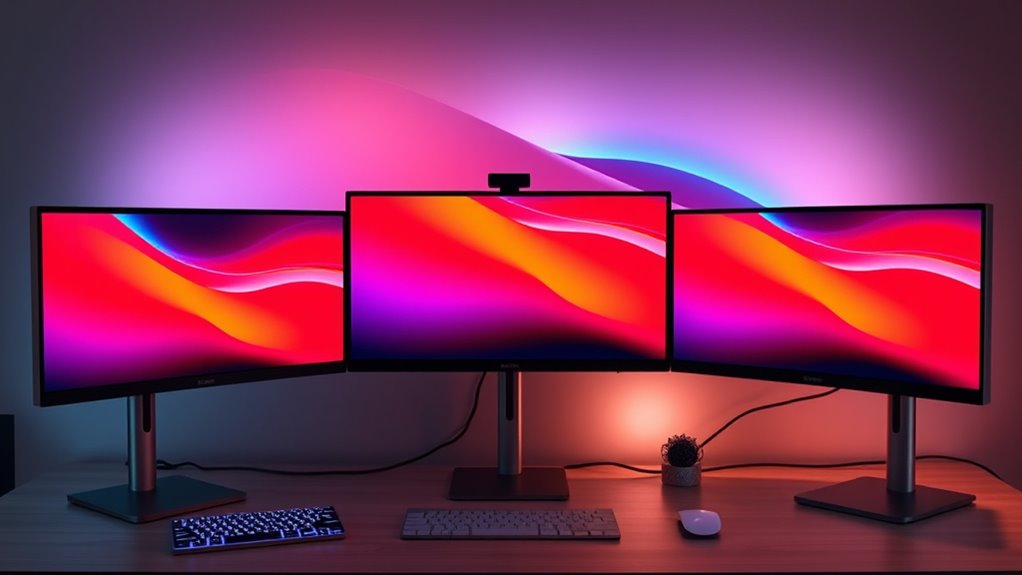

When searching for 5K monitors for MacBook Pro, the focus is on high-resolution displays that match Apple’s Retina quality, ensuring sharp visuals and accurate colors. The ASUS ProArt PA27JCV stands out as the best overall pick thanks to its color accuracy and USB-C connectivity, perfect for creative professionals. The BenQ MA270S offers a compelling balance of features with dual Thunderbolt 4 ports for seamless Mac integration, making it ideal for creators. However, buyers face tradeoffs around price, connectivity options, and size, especially when balancing pixel density against workspace needs. Continue reading for detailed insights to help you choose the right monitor for your MacBook Pro.

Get business pricing on tech for your team
- Business-only prices and quantity discounts
- Tax-exempt purchasing
- Multiple users, one account, clear invoices
Key Takeaways
- High pixel density and color accuracy are top priorities for MacBook Pro users focused on creative work.
- Connectivity options like Thunderbolt 3/4 and USB-C significantly influence ease of use and compatibility.
- Size varies from compact 27-inch models to expansive ultrawide screens, impacting desk space and multitasking.
- Price correlates closely with features such as color calibration, refresh rate, and build quality—more expensive models often deliver professional-grade displays.
- Not all 5K monitors are equal in ergonomics; adjustable stands and comfort features can improve daily usability.
| ASUS ProArt PA27JCV 27 Inch 5K USB-C Professional Monitor for Mac |  | Best Overall for Professional Creatives | Display Size: 27 inches | Resolution: 5120 x 2880 (5K) | Panel Type: IPS | VIEW ON AMAZON | See Our Full Breakdown |
| KTC 27 Inch 5K2K Dual Mode Monitor with 65W Type-C Port |  | Best Value for Versatile Creative and Gaming Use | Display Size: 27 inches | Resolution: 5120×2880 (5K), 2560×1440 (2K) | Refresh Rate: 60Hz (5K), 120Hz (2K) | VIEW ON AMAZON | See Our Full Breakdown |
| INNOCN 34-Inch 5K Ultrawide Monitor with 120Hz Refresh Rate |  | Best for Multitasking and Creative Professionals | Size: 34 inches | Resolution: 5120 x 2160p | Refresh Rate: 120Hz | VIEW ON AMAZON | See Our Full Breakdown |
| BenQ MA270S 27” 5K Nano Gloss Monitor for Mac Creators with Dual Thunderbolt 4, KVM, and Adjustable Stand |  | Best for Mac Creators with Seamless Connectivity | Display Size: 27 inches | Resolution: 5120 x 2880 (5K) | Color Gamut: P3 | VIEW ON AMAZON | See Our Full Breakdown |
| INNOCN 27-Inch 4K USB-C Monitor for Laptop MacBook/Mac mini – IPS HDR400 |  | Best Budget 4K for Mac Users | Display Size: 27 inches | Resolution: 3840 x 2160 (4K UHD) | Panel Type: IPS | VIEW ON AMAZON | See Our Full Breakdown |
| LG 27US500-W Ultrafine 27-Inch 4K UHD HDR10 IPS Monitor |  | Best for Vivid Visuals and Creative Flexibility | Display Size: 27 inches | Resolution: 3840×2160 (4K UHD) | Contrast Ratio: 1000:1 | VIEW ON AMAZON | See Our Full Breakdown |
| 5k monitors for macbook pro | Resolution | Connectivity | Display Size | Color Gamut |
|---|---|---|---|---|
| ASUS ProArt PA27JCV 27 Inch 5K | 5120 x 2880 (5K) | USB-C with DisplayPort, data transfer, 96W power | 27 inches | 99% DCI-P3, 100% sRGB |
| KTC 27 Inch 5K2K Dual Mode Mon | 5120×2880 (5K), 2560×1440 (2K) | USB-C PD65W, DisplayPort 1.4, HDMI 2.0, USB A 3.0 | 27 inches | — |
| INNOCN 34-Inch 5K Ultrawide Mo | 5120 x 2160p | HDMI 2.1 x2, DisplayPort 1.4, USB-C 65W | — | 135% sRGB, 106% DCI-P3 |
| BenQ MA270S 27” 5K Nano Gloss | 5120 x 2880 (5K) | Dual Thunderbolt 4, HDMI, USB-C | 27 inches | P3 |
| INNOCN 27-Inch 4K USB-C Monito | 3840 x 2160 (4K UHD) | USB-C, HDMI, DisplayPort | 27 inches | 1.07 billion colors |
| LG 27US500-W Ultrafine 27-Inch | 3840×2160 (4K UHD) | HDMI, DisplayPort | 27 inches | 90% DCI-P3 |
More Details on Our Top Picks
ASUS ProArt PA27JCV 27 Inch 5K USB-C Professional Monitor for Mac
The ASUS ProArt PA27JCV stands out for its factory-calibrated 5K IPS display that guarantees accurate color reproduction, making it ideal for professional editors and designers. It offers versatile USB-C connectivity with 96W power delivery, streamlining a MacBook Pro workflow. Compared to the BenQ MA270S, this model emphasizes color precision over Mac-specific features, but at a higher price point. Its built-in auto KVM switch enhances multi-device productivity, although this premium cost might be a barrier for casual users. This monitor prioritizes color accuracy and professional features, making it well-suited for those who need pixel-perfect visuals. However, casual users or gamers seeking higher refresh rates or more entertainment-focused features should consider other options.
Pros:- High-resolution 5K display with excellent color accuracy
- Factory pre-calibrated with Delta E<2
- Versatile USB-C with 96W power delivery
- Built-in auto KVM switch for multi-device management
Cons:- Premium price may be prohibitive for some buyers
- Designed primarily for professional use, not casual or gaming
Best for: Creative professionals needing top-tier color accuracy and reliable performance for editing photos and videos
Not ideal for: Casual users or gamers who prioritize gaming features or lower price points
- Display Size:27 inches
- Resolution:5120 x 2880 (5K)
- Panel Type:IPS
- Color Gamut:99% DCI-P3, 100% sRGB
- Color Accuracy:Delta E<2
- Connectivity:USB-C with DisplayPort, data transfer, 96W power
Our verdict“This monitor makes the most sense for professionals who need precise color and reliable multi-device connectivity on a MacBook Pro.”
KTC 27 Inch 5K2K Dual Mode Monitor with 65W Type-C Port
The KTC 27-inch 5K2K offers a flexible dual-mode setup, switching between 5K@60Hz for professional tasks and 2K@120Hz for gaming, making it a versatile choice for users who want both. Its 99% DCI-P3 and HDR400 support deliver vibrant, accurate visuals comparable to the ASUS ProArt but with a lower price point. Unlike the INNOCN 34-inch ultrawide, it sacrifices size for a more compact desk footprint, though it still provides a broad color spectrum. The extensive connectivity, including USB-C PD65W and multiple video inputs, caters well to MacBook Pro users needing fast charging and multiple device connections. However, it doesn’t include ergonomic adjustments or detailed stand features, which might be a drawback for long hours of use.
Pros:- Dual-mode display with 5K and 2K options
- Good color coverage with 99% DCI-P3
- HDR400 support for vibrant visuals
- Extensive connectivity including USB-C PD65W
Cons:- Limited stand adjustability
- Requires compatible hardware for optimal 5K performance
Best for: Creative professionals needing a cost-effective, dual-purpose monitor for work and entertainment
Not ideal for: High-end gamers or users requiring advanced ergonomic features and stand adjustability
- Display Size:27 inches
- Resolution:5120×2880 (5K), 2560×1440 (2K)
- Refresh Rate:60Hz (5K), 120Hz (2K)
- Color Coverage:99% DCI-P3
- Brightness:500 cd/m²
- Connectivity:USB-C PD65W, DisplayPort 1.4, HDMI 2.0, USB A 3.0
Our verdict“This monitor offers a flexible, budget-conscious solution for creative work and gaming, with some compromises on ergonomic features.”
INNOCN 34-Inch 5K Ultrawide Monitor with 120Hz Refresh Rate
The INNOCN 34-inch ultrawide stands out for its expansive 5K resolution and 120Hz refresh rate, delivering high-quality visuals with a wide color gamut of 135% sRGB and 106% DCI-P3. Its ergonomic stand with height, swivel, and tilt adjustments appeals to users who spend long hours at their desks. Compared with smaller monitors like the BenQ MA270S, this model offers a broader workspace, ideal for multitasking and creative workflows. Its VA panel provides high contrast, though it may not have the same color accuracy as the ASUS ProArt. Its weight and size require a sturdy setup, and its higher price reflects the premium features. It caters well to professionals who need both productivity and entertainment on a single display.
Pros:- Expansive ultrawide 5K resolution with vibrant colors
- 120Hz refresh rate for smooth visuals
- Ergonomic stand with multiple adjustments
- Vibrant color coverage with HDR400 support
Cons:- Heavy and large, requiring a sturdy desk setup
- Premium price may be a barrier for some
Best for: Creative professionals and multitaskers seeking an ultrawide display with high refresh rates
Not ideal for: Casual users or gamers prioritizing higher refresh rates over color accuracy
- Size:34 inches
- Resolution:5120 x 2160p
- Refresh Rate:120Hz
- Color Gamut:135% sRGB, 106% DCI-P3
- Brightness:350 nits
- Connectivity:HDMI 2.1 x2, DisplayPort 1.4, USB-C 65W
Our verdict“This ultrawide monitor offers a compelling blend of large workspace and high refresh rate, perfect for multitasking professionals and creatives.”
BenQ MA270S 27” 5K Nano Gloss Monitor for Mac Creators with Dual Thunderbolt 4, KVM, and Adjustable Stand
The BenQ MA270S is tailored for Mac users, offering a 5K Nano Gloss panel calibrated for Mac color standards and a wide P3 color gamut. Its dual Thunderbolt 4 ports facilitate seamless daisy chaining and KVM switching, streamlining a Mac-centric workflow. Compared with the ASUS ProArt, this monitor emphasizes connectivity and ergonomic versatility, though the Nano Gloss finish’s reflective surface may be a concern in bright environments. Its adjustable stand ensures comfort during long editing sessions, but the higher price might deter casual users. This pick makes the most sense for Apple-centric professionals needing a reliable, color-accurate workspace extension with flexible connectivity.
Pros:- High-resolution 5K display with Mac color calibration
- Dual Thunderbolt 4 for daisy chaining and KVM
- Adjustable stand for ergonomic comfort
- Wide P3 color gamut for accurate visuals
Cons:- Premium price may be high for some buyers
- Reflective Nano Gloss panel can cause glare
- Less compatible with Windows or non-Mac workflows
Best for: Mac creators who need seamless Thunderbolt connectivity and ergonomic flexibility
Not ideal for: Windows users or those seeking non-Mac-specific features or matte screens
- Display Size:27 inches
- Resolution:5120 x 2880 (5K)
- Color Gamut:P3
- Connectivity:Dual Thunderbolt 4, HDMI, USB-C
- Power Delivery:96W/15W
- Panel Type:Nano Gloss
Our verdict“This monitor offers a seamless, color-accurate Mac workspace extension with excellent connectivity, best suited for Apple-focused professionals.”
INNOCN 27-Inch 4K USB-C Monitor for Laptop MacBook/Mac mini – IPS HDR400
The INNOCN 27-inch 4K USB-C provides a sharp IPS display with vibrant colors and HDR400 support, making it a practical choice for those who want a capable 4K monitor without the higher price of 5K options. While it doesn’t match the pixel density of the 5K monitors, its 3840 x 2160 resolution still delivers crisp visuals suitable for daily work and entertainment. Compared to the INNOCN ultrawide, it’s more compact and affordable but offers fewer productivity benefits. Its adjustable stand and VESA compatibility add ergonomic flexibility, but the 60Hz refresh rate limits its appeal for fast-paced gaming or high-end video editing. This monitor is a smart pick for budget-conscious Mac users who value good image quality for everyday tasks.
Pros:- Vivid 4K IPS display with accurate colors
- Multiple connectivity options including USB-C
- Ergonomic stand with tilt, height, and pivot adjustments
- VESA mount compatibility
Cons:- Limited to 60Hz refresh rate, not suitable for fast gaming
- HDR performance can vary depending on content
- No high-quality built-in speakers
Best for: Budget-conscious MacBook or Mac mini users needing a reliable 4K display for work and entertainment
Not ideal for: Gamers or creative professionals requiring high refresh rates or 5K resolution
- Display Size:27 inches
- Resolution:3840 x 2160 (4K UHD)
- Panel Type:IPS
- Brightness:400 nits
- Color Gamut:1.07 billion colors
- Connectivity:USB-C, HDMI, DisplayPort
Our verdict“This monitor offers good value for Mac users needing a crisp 4K display for everyday use at an accessible price point.”
LG 27US500-W Ultrafine 27-Inch 4K UHD HDR10 IPS Monitor
The LG 27US500-W stands out for its vibrant 4K UHD display, making it an excellent choice for users who prioritize detailed visuals and accurate color reproduction. Compared with the BenQ MA270S, which also offers 5K resolution and Thunderbolt 4, this monitor’s strength lies in its HDR10 support and wider color gamut, delivering richer images for creative professionals. However, it lacks built-in speakers and has limited connectivity options, which might be a drawback for those needing an all-in-one workspace. The ergonomic stand adds flexibility for multiple viewing angles, but the absence of advanced ports means additional adapters could be necessary. This monitor is best suited for artists, designers, or video editors who need true-to-life visuals and a comfortable viewing setup.
Pros:- High-resolution 4K UHD display with sharp detail
- Supports HDR10 for enhanced dynamic range
- Ergonomic tilt adjustment for comfortable viewing
- Wide viewing angles suitable for collaborative work
Cons:- No built-in speakers, requiring external audio solutions
- Limited connectivity options may require adapters
Best for: Creative professionals who need vibrant colors and HDR support for visual accuracy.
Not ideal for: Users seeking an all-in-one monitor with extensive connectivity or integrated speakers.
- Display Size:27 inches
- Resolution:3840×2160 (4K UHD)
- Contrast Ratio:1000:1
- HDR:HDR10
- Color Gamut:90% DCI-P3
- Connectivity:HDMI, DisplayPort
- Stand:Ergonomic tilt adjustment
Our verdict“This monitor is ideal for creative users who prioritize vivid, accurate visuals above all else.”

How We Picked
These monitors were selected based on their resolution, color accuracy, connectivity, build quality, and user reviews specific to MacBook Pro compatibility. Priority was given to models that offer native 5K resolution or close (like 5K2K ultrawides), with a focus on displays that support Thunderbolt 3/4 and USB-C. We also considered value, ease of use, and whether they cater to creative professionals or general users. The ranking reflects a balance of performance, features, and price, with the top picks excelling across multiple criteria relevant for MacBook Pro owners seeking high-resolution displays.| 5k monitors for macbook pro | Panel Type | Connectivity |
|---|---|---|
| ASUS ProArt PA27JCV 27 Inch 5K | IPS | USB-C with DisplayPort, data transfer, 96W power |
| KTC 27 Inch 5K2K Dual Mode Mon | — | USB-C PD65W, DisplayPort 1.4, HDMI 2.0, USB A 3.0 |
| INNOCN 34-Inch 5K Ultrawide Mo | — | HDMI 2.1 x2, DisplayPort 1.4, USB-C 65W |
| BenQ MA270S 27” 5K Nano Gloss | Nano Gloss | Dual Thunderbolt 4, HDMI, USB-C |
| INNOCN 27-Inch 4K USB-C Monito | IPS | USB-C, HDMI, DisplayPort |
| LG 27US500-W Ultrafine 27-Inch | — | HDMI, DisplayPort |
Factors to Consider When Choosing 5k Monitors For Macbook Pro
Choosing the right 5K monitor for your MacBook Pro involves several key considerations. Beyond resolution, you’ll want to evaluate connectivity options to ensure seamless compatibility, especially with Thunderbolt and USB-C ports. Ergonomics and size matter for comfort and workspace efficiency, particularly if you’ll be working long hours or need multiple windows open. Color accuracy and refresh rate are critical for creative tasks like photo editing or video production. Understanding these factors helps avoid common pitfalls, like buying a monitor that doesn’t support your MacBook’s ports or one that’s too small for your workflow.Connectivity and Compatibility
For MacBook Pro users, seamless connectivity is essential. Many high-resolution monitors now rely on Thunderbolt 3/4 or USB-C, which provide power, data, and video over a single cable. Choosing a monitor with these options reduces clutter and ensures reliable performance. Be cautious of models that require adapters or dongles, as they can introduce lag or connection issues. Always verify that the monitor supports your MacBook’s ports natively, especially if you plan to run demanding professional applications.Display Size and Ergonomics
Size impacts both workspace comfort and multitasking capacity. While 27-inch displays are common and manageable, ultrawide options like 34 inches can significantly expand your working area. Ergonomic features such as height adjustment, tilt, and swivel improve daily comfort, especially for long sessions. Avoid monitors with fixed stands or poor adjustability, which can cause strain over time. Consider your desk space and workflow needs when selecting size and ergonomic features.Color Accuracy and Professional Features
For creative professionals, color calibration and coverage are non-negotiable. Look for monitors with factory calibration, wide color gamuts (like DCI-P3 or Adobe RGB), and HDR support if relevant. These features ensure your visuals remain consistent across devices and during editing. Cheaper models often compromise on color fidelity, which can lead to frustrating revisions. Balance your budget against the need for precision, especially if accurate color reproduction is a priority.Price and Value Considerations
Higher price tags typically reflect advanced features like professional-grade color accuracy, higher refresh rates, and premium build quality. However, not every professional needs top-tier specs—some users benefit from a more affordable, well-built display that still delivers excellent resolution. Avoid overspending on features you won’t use, but also be wary of very cheap options that cut corners on critical specs. Finding the right value depends on your specific needs and budget.Refresh Rate and Response Time
For most MacBook Pro users focused on productivity or creative work, standard refresh rates of 60Hz are sufficient. However, if you plan to use the monitor for video editing or light gaming, higher refresh rates (e.g., 120Hz) can provide smoother motion. Response time is less critical for typical workflows but still worth noting if you work with fast-paced visual content. Ensure the monitor’s specs align with your primary use cases to avoid unnecessary compromises.Frequently Asked Questions
Will a 5K monitor work seamlessly with my MacBook Pro?
Most modern MacBook Pros with Thunderbolt 3, 4, or USB-C ports support 5K resolution natively through compatible monitors. To ensure seamless operation, verify that the monitor explicitly supports Mac compatibility and features like Retina scaling. Using the correct cables and adapters, if needed, can prevent issues with resolution or stability. Manufacturers often specify macOS support, so checking these details helps avoid setup frustrations.Is a 5K monitor worth it for everyday productivity tasks?
For general use like browsing, email, and document editing, a 5K monitor can add clarity and workspace, but the benefits may be less noticeable compared to 4K displays. The main advantage is sharper text and more detailed visuals, which can reduce eye strain over long periods. However, if budget is a concern, a high-quality 4K monitor often provides nearly similar usability at a lower cost, leaving 5K as a premium feature mainly for those who prioritize pixel-perfect clarity.Do I need a special graphics card to run a 5K monitor with my MacBook Pro?
Most recent MacBook Pros come equipped with integrated graphics capable of supporting 5K displays, especially models with Apple Silicon or dedicated GPUs. When choosing a monitor, check its system requirements to confirm compatibility. For older MacBooks or non-Apple systems, a powerful graphics card may be necessary, but this is rarely an issue with recent MacBook Pro models. Ensuring your device supports the monitor’s resolution prevents performance bottlenecks.How important is color calibration for a 5K monitor?
Color calibration is vital if you work in photography, video production, or any field requiring precise color representation. Factory calibration ensures the display shows accurate colors out of the box, but some professionals prefer to calibrate manually for exact standards. Skipping calibration can lead to discrepancies between your monitor and other devices or print outputs. Investing in a calibrated monitor or calibration tools can be worthwhile for demanding creative workflows.Are ultrawide 5K monitors better than standard 27-inch models for MacBook Pro?
Ultrawide 5K monitors provide a broader workspace, ideal for multitasking and complex workflows, making them appealing for creative and professional use. However, they often come at a higher price and may require more desk space. If your work benefits from extra horizontal real estate, an ultrawide can boost productivity. Conversely, for those with limited space or seeking a more traditional setup, a standard 27-inch monitor might be more practical and cost-effective.Conclusion
For MacBook Pro users prioritizing ultimate resolution and color accuracy, the ASUS ProArt PA27JCV offers a superb balance of features and performance, making it the best overall choice. Those seeking a strong mix of professional features at a more accessible price should consider the BenQ MA270S, especially for creative workflows. Beginners or casual users might find the LG 27US500-W a reliable entry point, while ultrawide enthusiasts will appreciate the INNOCN 34-Inch 5K Ultrawide for expansive multitasking. Ultimately, your decision hinges on your specific needs—whether professional, budget-conscious, or space-optimized—and this guide helps clarify which monitor aligns best with your workflow.Fall Picks
fall essentials
As an affiliate, we earn on qualifying purchases.