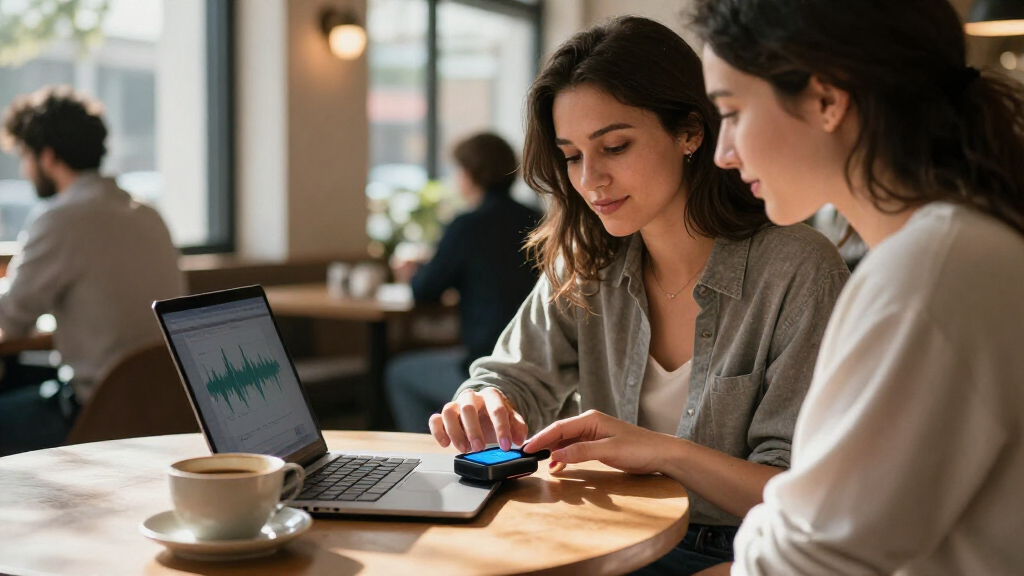
AI meeting transcription devices capture spoken conversations and use AI tools to turn them into transcripts, summaries, or notes. My best overall pick is the Plaud Note AI Voice Recorder, which offers a focused recorder-and-transcription workflow; the HiDock H1E stands out for desk-based meetings, while the Comulytic Note Pro is another dedicated recorder to compare. The main tradeoffs are wearable convenience versus deliberate recording, and simple capture versus more involved AI workflows. I also compare pen-style, watch-linked, pocket, and desktop options so you can match the device to where your conversations happen. Read on for the full breakdown and the buying factors that matter beyond the feature list.

Get business pricing on tech for your team
- Business-only prices and quantity discounts
- Tax-exempt purchasing
- Multiple users, one account, clear invoices
Key Takeaways
- The strongest picks solve different recording problems: Plaud Note is the clear dedicated-recorder candidate, while HiDock H1E targets people who take calls and meetings at a desk.
- Wearables trade recording visibility for convenience: Gem and Fieldy 3 suit buyers who want capture close at hand, but discreet placement can make consent and microphone positioning harder.
- Pen-shaped devices prioritize familiar form over meeting-room coverage: the AI Voice Recorder Pen and Flowtica are more compelling for quick personal notes than for capturing a group around a table.
- Transcription claims need careful comparison: products advertising unlimited transcription or broad language support still require buyers to check plan terms, supported languages, and export options.
- Storage capacity alone does not determine usefulness: 64GB and 16GB models can hold recordings, but workflow details such as transcription access, search, and file retrieval have a larger effect on daily use.
| AI Voice Recorder Pen with Transcription, Summaries, and Translation |  | Best for Handwritten Note-Takers | Model: sp-01 | Storage: 32 GB | Hardware interface: USB 3.0 Type-C | VIEW LATEST PRICE | See Our Full Breakdown |
| Gem AI Voice Recorder for Apple Watch Bands |  | Best Wearable for Multilingual Meetings | Compatible Apple Watch models: Series 1–11, SE, and Ultra | Compatible watch sizes: 38–49 mm | Wrist fit: 5.5–8.7 in (140–220 mm) | VIEW LATEST PRICE | See Our Full Breakdown |
| Comulytic Note Pro AI Voice Recorder |  | Best for Long Recording Sessions | Model: LA558 | Storage: 16 GB | Recording time: Up to 45 hours | VIEW LATEST PRICE | See Our Full Breakdown |
| HiDock H1E AI Meeting Note-Taker and 8-in-1 Docking Station |  | Best Desk-Based Meeting Hub | Transcription languages: 75 | Docking ports: 4K@60Hz HDMI, DC-In, 1Gbps Ethernet, 3 USB-C 3.2, and 2 USB-A 3.2 | Display support: One 4K@60Hz HDMI display | VIEW LATEST PRICE | See Our Full Breakdown |
| Plaud Note AI Voice Recorder with Transcription and Summaries, Black |  | Best for Phone Calls and In-Person Meetings | Storage: 64 GB | Dimensions: 0.12 × 2.13 × 3.43 inches | Weight: 30 g (1.06 oz) | VIEW LATEST PRICE | See Our Full Breakdown |
| AI Voice Recorder with 16GB Storage, Dual Microphones, and 118+ Language Transcription |  | Best for Simple Multilingual Recording | Storage: 16 GB built-in | Transcription languages: 118+ | Microphones: Dual built-in stereo microphones | VIEW LATEST PRICE | See Our Full Breakdown |
| HIUTY AI Voice Recorder with Transcription and Summaries, 64GB |  | Best for High-Capacity App-Based Notes | Storage capacity: 64 GB | Connectivity: Bluetooth 5 | Microphone: Built-in | VIEW LATEST PRICE | See Our Full Breakdown |
| Gem Wearable AI Voice Recorder with Transcription and Apple Watch Co-Wear Strap |  | Best Apple Watch Wearable | Compatible Apple Watch models: Series 1–11, SE, and Ultra | Compatible watch sizes: 38–49 mm | Recording time: Up to 20 hours | VIEW LATEST PRICE | See Our Full Breakdown |
| Fieldy 3 Wearable AI Note-Taking Device, Black |  | Best for Privacy-Conscious Text Notes | Weight: 8 g | Microphone: Built-in, mono | Battery life: 168 hours | VIEW LATEST PRICE | See Our Full Breakdown |
| Vobot AI Voice Recorder with Smart Transcription and Summaries |  | Best for Phone Calls and Longer Sessions | Recording modes: Face-to-face conversations and phone calls | Transcription languages: 145 | Microphones: HD dual microphones with noise reduction | VIEW LATEST PRICE | See Our Full Breakdown |
| AI Voice Recorder with Unlimited Transcription and AI Note Taking |  | Best for Multilingual, High-Capacity Recording | Storage: 64 GB | Battery life: Up to 30 hours | Weight: 27.22 g (1.02 oz) | VIEW LATEST PRICE | See Our Full Breakdown |
| Plaud Note Pro AI Voice Recorder, Silver |  | Best for Conference-Room Pickup | Microphones: 4 built-in microphones | Microphone range: Up to 5 m (16.4 ft) | Storage: 64 GB | VIEW LATEST PRICE | See Our Full Breakdown |
| EurekaMind AI Voice Recorder and Meeting Note Taker |  | Best for Unlimited Starter-Plan Notes | Model: Eureka 1.0 Standard | Battery life: 30 hours | Weight: 29 g (1.02 oz) | VIEW LATEST PRICE | See Our Full Breakdown |
| Flowtica AI Voice Recorder Pen with Unlimited Transcription |  | Best for Pen-Style Meeting Capture | Microphone: Built-in stereo MEMS microphones | Storage: 32 GB | Digital recording time: Up to 100 hours | VIEW LATEST PRICE | See Our Full Breakdown |
| Pocket AI Voice Recorder with Automatic Transcription, Baby Pink |  | Best for MagSafe Phone-Mounted Capture | Storage: 64 GB | Battery life: Up to 4 days | Compatible devices: Smartphones; iOS and Android | VIEW LATEST PRICE | See Our Full Breakdown |
More Details on Our Top Picks
AI Voice Recorder Pen with Transcription, Summaries, and Translation
The AI Voice Recorder Pen suits people who want recorded discussion and handwritten notes in one item, rather than a separate recorder and pen. Its companion app adds transcription, summaries, and translation, while 32 GB of storage and noise reduction support meeting and classroom use. Compared with the Comulytic Note Pro, this pick is easier to use while actively writing, but its supplied details do not list a microphone array or a recording-time figure. The tradeoff is that its AI tools depend on the app, so it is less self-contained than a dedicated recorder with on-device controls. It also uses a nonstandard battery, which may complicate replacement. I’d choose it for note-taking sessions where a pen is useful as much as the transcript.
Pros:- Combines audio recording and a functional ink pen in one compact device.
- Companion app offers transcription, summaries, translation, and note management.
- 32 GB of storage provides room for saved recordings.
- Noise reduction is included for recording in everyday meeting settings.
Cons:- Transcription and other AI features require the companion app.
- Uses a nonstandard battery.
- No recording-time figure or microphone pickup range is provided in the product details.
Best for: Students, interviewers, and meeting attendees who regularly take handwritten notes and want app-based transcripts alongside them.
Not ideal for: Buyers who want a standalone recorder with clearly specified long battery life or who prefer not to rely on a companion app.
- Model:sp-01
- Storage:32 GB
- Hardware interface:USB 3.0 Type-C
- Headphone jack:2.5 mm
- AI features:Transcription, summaries, translation, and note management through companion app
- Battery:One included nonstandard battery
- Included items:Instruction manual, 10 pen refills, product, and card needle
- Warranty:1 year
Our verdict“Choose this pen if you want to write notes by hand while capturing audio, but pick a dedicated recorder such as the Comulytic Note Pro if battery and microphone specifications matter more.”
Gem AI Voice Recorder for Apple Watch Bands
The Gem AI Voice Recorder is the wearable pick for people who want to record without setting a device on the table. It fits into its included co-wear strap alongside a compatible Apple Watch and sends recordings to an iOS or Android app for transcription in 153 languages and regional variants. The app can also produce summaries, decisions, and action items, while the recording indicator gives a visible and tactile cue that capture is active. Compared with the HiDock H1E, Gem is far easier to wear away from a desk, but it lacks the HiDock’s docking ports and desk-based setup. It can record up to 20 hours and store up to 300 hours of audio; however, transcription requires transferring recordings to a phone, and the free plan allows 300 transcription minutes per month. A compatible Apple Watch is required and is not included.
Pros:- Supports transcription in 153 languages and regional variants.
- Creates AI summaries, decisions, and action items in the app.
- Records up to 20 hours per charge and stores up to 300 hours of audio.
- Red LED and tactile feedback indicate when recording is active.
Cons:- Requires a compatible Apple Watch, which is not included.
- Recordings must be transferred to a phone for transcription and AI summaries.
- IPX5 resistance covers sweat and rain, not swimming or showers.
Best for: Apple Watch owners who attend multilingual meetings, move between rooms, and want a recorder worn on the wrist.
Not ideal for: People without a compatible Apple Watch, anyone needing waterproof gear for swimming or showers, or users who want transcripts generated directly on the recorder.
- Compatible Apple Watch models:Series 1–11, SE, and Ultra
- Compatible watch sizes:38–49 mm
- Wrist fit:5.5–8.7 in (140–220 mm)
- Recording time:Up to 20 hours
- On-device audio storage:Up to 300 hours; 4 GB memory
- Transcription languages:153 languages and regional variants
- Microphone pickup range:Up to 16.4 ft (5 m)
- Water resistance:IPX5; sweat and rain resistant, not for swimming or showers
- Free transcription plan:300 minutes per month
Our verdict“Pick Gem if you already own a compatible Apple Watch and want wearable, multilingual recording; skip it if you need a self-contained recorder or are unwilling to transfer audio to a phone.”
Comulytic Note Pro AI Voice Recorder
The Comulytic Note Pro is a strong fit for people who record extended meetings or conferences and want a dedicated device rather than a wearable or pen. Its three-microphone array, stereo recording, and AI noise reduction are designed to capture voices from up to 5 meters away, while the stated 45-hour recording time reduces the need to recharge between sessions. The app transcribes and summarizes in 113 languages, and Wi-Fi syncing plus cloud backup make moving recordings less dependent on a cable. Compared with the Plaud Note, Comulytic offers a longer stated recording time, while Plaud has more local storage at 64 GB versus 16 GB. The compromises are the smaller storage capacity, no headphone jack, and advanced summary and assistant features that require an upgraded plan.
Pros:- Three-microphone stereo array with AI noise reduction and a stated pickup distance of up to 5 meters.
- Up to 45 hours of recording per charge.
- Transcription and summaries support 113 languages.
- Wi-Fi syncing, cloud backup, and AES encryption are listed.
Cons:- 16 GB of storage is less than the 64 GB offered by the Plaud Note.
- No headphone jack.
- Advanced summary and assistant features require an upgraded plan.
Best for: Researchers, conference attendees, and professionals who need long recording sessions, multi-microphone capture, and app-based transcripts.
Not ideal for: Buyers who need large local storage, wired headphone monitoring, or full access to advanced AI features without an upgraded plan.
- Model:LA558
- Storage:16 GB
- Recording time:Up to 45 hours
- Standby time:Up to 107 days
- Microphones:Three-microphone array; stereo mode
- Supported languages:113
- Recording formats:MP3 and WAV
- Connectivity:Wi-Fi and Bluetooth
- Charging time:About 90 minutes
Our verdict“Choose the Note Pro for long sessions and its three-microphone setup, but favor the Plaud Note if greater local storage is your priority.”
HiDock H1E AI Meeting Note-Taker and 8-in-1 Docking Station
The HiDock H1E stands apart because it combines meeting capture with an 8-in-1 desk dock. It can transcribe in 75 languages and generate summaries through HiNotes, while VoiceMarks give users a way to flag important moments for later review. Its HDMI, Ethernet, USB-C, and USB-A connections make it more useful at a workstation than portable recorders such as the Plaud Note or the wearable Gem. That desk-first design is also the main tradeoff: the listed battery life is four hours, and automatic recording and transcription must be activated in the app. The built-in microphone is mono, and advanced features such as speaker identification and cross-platform note management require a Pro membership. I’d shortlist it when a dock and meeting recorder need to share the same desk space.
Pros:- Combines AI meeting notes with HDMI, Ethernet, USB-C, and USB-A docking connections.
- HiNotes supports transcription in 75 languages and AI summaries.
- VoiceMarks help users flag important moments during recording.
- Includes an open-ear earphone for voice calls while keeping awareness of surroundings.
Cons:- Automatic recording and transcription must be activated in the HiNotes app.
- Listed battery life is four hours, limiting extended use away from a desk.
- Speaker identification and cross-platform note management require a Pro membership.
Best for: Hybrid-office workers who want meeting transcription and a multiport workstation dock in one desk-based setup.
Not ideal for: People who need a highly portable recorder, longer battery operation away from a desk, or advanced speaker identification without a Pro membership.
- Transcription languages:75
- Docking ports:4K@60Hz HDMI, DC-In, 1Gbps Ethernet, 3 USB-C 3.2, and 2 USB-A 3.2
- Display support:One 4K@60Hz HDMI display
- Power delivery:83W
- Storage:32 GB
- Battery life:4 hours
- Digital recording time:1000 hours
- Microphone:Built-in mono microphone with noise cancellation
- Audio format:MP3
Our verdict“Choose the HiDock H1E if you want a meeting recorder integrated into a connected workstation, not if portability or app-independent capture comes first.”
Plaud Note AI Voice Recorder with Transcription and Summaries, Black
The Plaud Note is the most flexible choice here for someone who switches between recording calls and capturing in-person discussion. Its dedicated modes, slim 30 g body, and 64 GB of local storage make it easier to carry and hold a large audio archive than the 16 GB Comulytic Note Pro. The companion app and web tools can transcribe in 112 languages, produce structured notes and summaries, and sync content across devices. That breadth comes with a plan limit: the included Starter Plan provides 300 transcription minutes per month after activation, so frequent transcribers may need to account for the cap. It also has no headphone jack. Compared with the HiDock H1E, Plaud is far better suited to mobile recording, but it does not double as a desk dock.
Pros:- Supports both phone-call and in-person meeting recording modes.
- 64 GB of local storage in a slim, lightweight device.
- App and web tools offer transcription, summaries, structured notes, and cross-device syncing.
- Supports transcription in 112 languages.
Cons:- Included Starter Plan is limited to 300 transcription minutes per month after activation.
- No headphone jack.
- Uses a nonstandard battery.
Best for: Consultants, journalists, and mobile professionals who record both phone calls and in-person meetings and want a large local audio library.
Not ideal for: People who need unlimited included transcription, wired headphone monitoring, or a combined recorder and workstation dock.
- Storage:64 GB
- Dimensions:0.12 × 2.13 × 3.43 inches
- Weight:30 g (1.06 oz)
- Continuous recording time:Up to 30 hours
- Standby time:Up to 60 days
- Transcription languages:112
- Recording modes:Phone calls and in-person meetings
- Recording format:WAV
- Included transcription plan:Starter Plan with 300 minutes per month after activation
Our verdict“Choose the Plaud Note if you need a portable recorder for calls and in-person meetings with generous local storage, but check whether its monthly transcription allowance fits your workload.”
AI Voice Recorder with 16GB Storage, Dual Microphones, and 118+ Language Transcription
For buyers who want a straightforward handheld recorder rather than a wearable, this model pairs one-touch recording with transcription across 118+ languages and AI summaries. Its dual microphones have a stated pickup range of up to five meters, making it more suited to small meetings than a recorder intended only for close-range voice notes. Compared with the Vobot AI Voice Recorder, it offers twice the built-in storage, but Vobot adds phone-call recording, a longer stated recording time, and more included AI minutes. The color screen and Bluetooth connection make basic control and phone pairing accessible, while the main limit is the transcription allowance: 360 minutes over 12 months. I’d choose it for occasional multilingual meetings, not frequent transcription workloads.
Pros:- Transcription supports more than 118 languages and includes smart summaries.
- Dual microphones offer a stated pickup range of up to five meters.
- 16 GB of built-in storage and both Opus and WAV recording formats.
- Lightweight body, color screen, one-touch controls, and Bluetooth 5.3.
Cons:- Included transcription is limited to 360 minutes over 12 months.
- Storage cannot be expanded with a memory card.
- The stated 20-hour recording time is shorter than Vobot’s approximately 30 hours.
Best for: People who record occasional in-person meetings in multiple languages and want a small device with simple physical controls.
Not ideal for: Anyone who regularly transcribes long meetings or phone calls; the included service is limited to 360 minutes over 12 months, and phone-call recording is not specified.
- Storage:16 GB built-in
- Transcription languages:118+
- Microphones:Dual built-in stereo microphones
- Pickup range:Up to 5 meters
- Recording time:Up to 20 hours
- Recording formats:Opus, WAV
- Connectivity:Bluetooth 5.3
- Included transcription:360 minutes over 12 months
Our verdict“Choose this recorder for occasional multilingual in-person meetings when simple controls matter more than a large transcription allowance.”
HIUTY AI Voice Recorder with Transcription and Summaries, 64GB
The HIUTY is a practical pick for people who want to keep many recordings on a compact device and let a phone app turn them into organized notes. Its 64 GB storage is substantially larger than the 8 GB offered by the Vobot AI Voice Recorder, which can suit users who record often before sorting or deleting files. The app adds transcripts, summaries, speaker labels, templates, and translation, giving it a broader organization workflow than a basic recorder. That app dependence is also the main tradeoff: the AI features require a compatible smartphone, and membership access is included only for the first year. Unlike Fieldy 3, which stores text rather than audio, HIUTY is a better fit for buyers who want substantial recording capacity, but its supplied details do not specify battery life, microphone range, or recording duration.
Pros:- 64 GB of storage for keeping a large collection of recordings.
- App can organize audio into transcripts, summaries, speaker labels, and notes.
- Multiple-language transcription and translation support.
- Compact form and Bluetooth 5 connectivity for smartphone use.
Cons:- AI features depend on the compatible smartphone app.
- Continued membership-feature access requires a paid subscription after the first year.
- Product data does not state recording time, battery life, or microphone pickup range.
Best for: Students, interviewers, and meeting-heavy professionals who want substantial device storage and are comfortable managing recordings through a smartphone app.
Not ideal for: People seeking a recorder with a clearly stated long recording runtime, standalone AI access, or ongoing included transcription; membership features require a paid subscription after year one.
- Storage capacity:64 GB
- Connectivity:Bluetooth 5
- Microphone:Built-in
- App features:Transcription, summaries, speaker labels, templates, and translation
- Compatible devices:Smartphone
- Membership access:Features included for the first year; paid subscription required afterward
- Warranty:1 year
- Model number:FW922HT
Our verdict“Pick HIUTY if storage capacity and app-organized meeting notes matter more to you than a documented recording runtime or long-term included AI access.”
Gem Wearable AI Voice Recorder with Transcription and Apple Watch Co-Wear Strap
This Gem recorder is aimed at people who want meeting capture on their wrist rather than in a pocket or on a table. The co-wear strap attaches the device to compatible Apple Watch bands, and its app turns recordings into transcripts, summaries, decisions, and action items. Compared with the Fieldy 3, Gem offers much more stated audio storage and a higher monthly free transcription allowance, while Fieldy is lighter and stores text instead of audio. Gem’s 300 free transcription minutes per month may work well for regular but not constant meeting use; buyers should also note that audio must be transferred to a phone before transcription and summaries are available. The watch is not included, so this is a more specialized choice than a standalone recorder. Its wrist fit and compatibility range make it useful only if the Apple Watch setup suits your routine.
Pros:- App creates transcripts, summaries, decisions, and action items.
- Stores up to 300 hours of audio and records for up to 20 hours.
- Transcription supports 153 languages and regional variants.
- Red LED and tactile feedback indicate active recording.
Cons:- Compatible Apple Watch is required for the co-wear setup and is not included.
- Recordings must transfer to a phone before AI processing.
- IPX5 protection is not suitable for swimming or showers.
Best for: Apple Watch owners who want a wearable recorder for in-person conversations and value action items alongside transcripts.
Not ideal for: People without a compatible Apple Watch, anyone who needs transcription directly on the device, or users who record more than 300 minutes each month without a paid plan.
- Compatible Apple Watch models:Series 1–11, SE, and Ultra
- Compatible watch sizes:38–49 mm
- Recording time:Up to 20 hours
- On-device audio storage:Up to 300 hours
- Transcription languages:153 languages and regional variants
- Free transcription plan:300 minutes per month
- Microphone range:Up to 16.4 ft (5 m)
- Water resistance:IPX5; suitable for sweat and rain, not swimming or showers
Our verdict“Choose Gem if you already wear a compatible Apple Watch and want a wrist-mounted recorder with a generous monthly free transcription allowance.”
Fieldy 3 Wearable AI Note-Taking Device, Black
Fieldy 3 takes a different approach from recorders built around keeping audio files: it stores text rather than audio, with searchable, speaker-labeled notes and AI summaries. That can appeal to professionals who want meeting records without retaining the original sound, and the product data also lists encrypted storage and deletion controls. Compared with the Gem Wearable AI Voice Recorder, Fieldy is much lighter at 8 g and connects meeting notes with calendar events and task apps, but Gem offers far more audio storage and twice the free monthly transcription minutes. Fieldy’s 150-minute monthly plan and six-hour recording limit make it better suited to shorter, selective capture than a day of back-to-back meetings. Haptic alerts and a noise-filtering microphone support discreet use, though its mono microphone and brief recording capacity are tradeoffs.
Pros:- Produces searchable notes with speaker labels and AI summaries.
- Stores text rather than audio and supports deleting individual conversations or the account.
- Integrates with Google Calendar, Outlook, Google Tasks, and Apple Reminders.
- Weighs 8 g and includes silent haptic alerts.
Cons:- Recording time is limited to six hours.
- Free transcription is limited to 150 minutes per month.
- Does not retain audio files for later playback.
Best for: Professionals who want searchable, speaker-labeled meeting notes, calendar-linked organization, and text storage instead of saved audio.
Not ideal for: People who need original audio archives, lengthy continuous recording, or more than 150 free transcription minutes per month.
- Weight:8 g
- Microphone:Built-in, mono
- Battery life:168 hours
- Digital recording time:6 hours at 16 kHz
- Free plan:150 transcription minutes per month
- Storage:1 GB
- Integrations:Google Calendar, Microsoft Outlook, Google Tasks, Apple Reminders
- Dimensions:0.45 × 1.35 × 1.7 in
Our verdict“Fieldy 3 suits privacy-minded users who prioritize searchable text and task-linked notes over long audio recordings.”
Vobot AI Voice Recorder with Smart Transcription and Summaries
Vobot earns this spot for buyers who need one recorder for both face-to-face conversations and phone calls. Its slim magnetic design, offline storage, and stated 30-hour recording time make it more versatile for long sessions than the 20-hour models from Gem and the 16 GB multilingual recorder. The app supports live transcription in 145 languages, searchable and editable notes, speaker labeling, and exports to TXT, DOCX, and PDF. Privacy-minded buyers may also value the stated on-device encryption and policy that recordings are not used to train AI models. The tradeoff is reliance on the companion app for syncing and note management, plus an AI allowance of 600 minutes per month during the first year. Its 8 GB storage is also less than HIUTY’s 64 GB, so it favors a broad recording workflow over maximum local capacity.
Pros:- Supports face-to-face and phone-call recording.
- Approximately 30 hours of stated recording time with offline storage.
- App supports 145 languages, searchable notes, summaries, speaker labels, and common document exports.
- On-device encryption; recordings are not used to train AI models.
Cons:- AI processing is limited to 600 minutes per month during the first year.
- Companion app is required to sync and manage recordings.
- 8 GB storage is substantially less than HIUTY’s 64 GB.
Best for: People who need to capture both phone calls and in-person meetings, with long recording sessions and flexible document exports.
Not ideal for: Users who need large onboard storage or expect included AI transcription beyond the first-year allowance without subscription limits.
- Recording modes:Face-to-face conversations and phone calls
- Transcription languages:145
- Microphones:HD dual microphones with noise reduction
- Microphone pickup range:Up to 16 ft
- Storage capacity:8 GB
- Recording time:Approximately 30 hours
- AI minutes:600 per month for the first year
- Export formats:TXT, DOCX, PDF; audio sharing as MP3
Our verdict“Choose Vobot if phone-call capture and long recording sessions matter more than maximum storage or a larger ongoing AI allowance.”
AI Voice Recorder with Unlimited Transcription and AI Note Taking
This compact recorder pairs 64 GB of storage with up to 30 hours of battery life, making it a practical choice for people who record throughout a workweek and want transcripts, summaries, speaker identification, and action items in one workflow. Its support for 145 languages gives it an advantage over the EurekaMind recorder’s 138-language support, while Word, PDF, and MP3 exports make notes easier to share outside the companion app. Magnetic mounting accessories also help keep the thin device close at hand.
The main catch is that advanced transcription and AI analysis require a Pro Plan, despite the unlimited standard transcription offer. Cloud-based features also depend on the Recolx app. Choose this over the Plaud Note Pro if broad language coverage and export flexibility matter more than its longer Endurance-mode recording claim.
Pros:- 64 GB of built-in storage and up to 30 hours of battery life.
- Supports transcription in 145 languages.
- Generates transcripts, summaries, speaker labels, and action items.
- Exports recordings and notes in Word, PDF, and MP3 formats.
Cons:- Advanced transcription and AI analysis require a Pro Plan.
- Cloud storage and some features depend on the Recolx app.
Best for: Multilingual teams and frequent interviewers who want generous local storage, broad language support, and shareable exports.
Not ideal for: Buyers who want advanced AI features without a paid upgrade or prefer a recorder that works without its companion app.
- Storage:64 GB
- Battery life:Up to 30 hours
- Weight:27.22 g (1.02 oz)
- Thickness:3 mm
- Microphone:Built-in stereo
- Recording modes:Ambient recording and call recording
- Connectivity:Bluetooth, USB Type-C, and Wi-Fi app sync
- Transcription:Unlimited standard transcription; supports 145 languages
- Security:AES-256 encryption; designed to support GDPR and CCPA requirements
Our verdict“Choose this recorder if language coverage and flexible exports matter more than avoiding a paid upgrade for advanced AI.”
Plaud Note Pro AI Voice Recorder, Silver
The Plaud Note Pro is the strongest fit here for people who need to capture voices across a meeting table. Its four microphones are rated for pickup from as far as 5 meters, giving it a clearer stated range than the compact EurekaMind recorder, whose listing describes a built-in microphone without a distance figure. A small display shows recording status and battery level, so a quick glance can confirm the device is running. Its 64 GB capacity and up to 50 hours in Endurance mode also suit long stretches between charging.
That endurance figure depends on recording mode: Enhance mode is listed at up to 30 hours. The included Starter Plan provides only 300 transcription minutes per month, and online meeting recording requires Plaud Desktop. Compared with the first AI Voice Recorder in this group, the Plaud adds a defined far-field microphone range but gives less transcription allowance up front.
Pros:- Four microphones with a stated pickup range of up to 5 meters.
- 64 GB storage and up to 50 hours of recording in Endurance mode.
- Display shows recording status and battery level.
- AI transcription and summaries can connect with Google Calendar, Slack, and Notion.
Cons:- Starter Plan includes 300 transcription minutes per month, not unlimited use.
- Online meeting recording requires Plaud Desktop.
- No headphone jack.
Best for: People who record in-person meetings around conference tables and want visible recording status plus productivity-tool integrations.
Not ideal for: Users who need unlimited included transcription or want to record online meetings directly from the device without desktop software.
- Microphones:4 built-in microphones
- Microphone range:Up to 5 m (16.4 ft)
- Storage:64 GB
- Battery life:Up to 30 hours in Enhance mode; up to 50 hours in Endurance mode
- Weight:30 g (1.06 oz)
- Display:0.95 inches
- Recording format:WAV
- Starter Plan:300 transcription minutes per month
- Included accessories:Magnetic case, magnetic ring, and charging cable
Our verdict“Pick the Plaud Note Pro for far-field in-person recording, provided its monthly transcription allowance and desktop requirement fit your workflow.”
EurekaMind AI Voice Recorder and Meeting Note Taker
EurekaMind stands out for buyers who want to make transcripts and summaries without starting with a monthly minute allowance: its Starter Plan includes unlimited transcription and AI summaries. One-tap ambient and call recording cover both room conversations and phone discussions, while speaker labels and action items turn recordings into more usable follow-ups. The credit-card-sized body can attach magnetically to a phone or slip into a card holder, much like the other pocket recorders in this lineup.
Compared with the Plaud Note Pro, EurekaMind offers a more generous stated transcription plan but does not list a microphone range or a display for checking status. Its 138 supported languages are also fewer than the 145 listed for the AI Voice Recorder with Unlimited Transcription. Calendar sync, reminders, and Ask Agent sit behind premium options, so the included plan is best viewed as a strong starting point rather than full access to every feature.
Pros:- Starter Plan includes unlimited transcription and AI summaries.
- One-tap ambient and call recording.
- Creates speaker labels and action items alongside transcripts and summaries.
- Compact 29 g body can attach magnetically to a phone.
Cons:- Advanced features such as reminders, calendar sync, and Ask Agent require an upgrade.
- No headphone jack.
- The listing does not specify microphone range.
Best for: Students, interviewers, and professionals who record often and want unlimited starter-plan transcription and summaries.
Not ideal for: Buyers who need a specified far-field microphone range, a headphone jack, or calendar and assistant tools without an upgrade.
- Model:Eureka 1.0 Standard
- Battery life:30 hours
- Weight:29 g (1.02 oz)
- Dimensions:3.39 x 2.13 x 0.12 in
- Recording modes:Ambient recording and call recording
- Languages:138
- Compatible devices:Smartphone
- Security certifications:ISO 27001, ISO 27701, ISO 20000, and ISO 9001
Our verdict“Choose EurekaMind if unlimited starter-plan notes matter more than specified microphone range or included access to advanced tools.”
Flowtica AI Voice Recorder Pen with Unlimited Transcription
Unlike the card-shaped recorders in this roundup, Flowtica puts meeting capture in a pen form factor and connects audio with photos and highlighted moments. That makes it a distinct option for people who want a written or visual cue tied to a discussion, rather than just a separate audio file and transcript. Its stereo MEMS microphones are listed with a 16-foot range, and the app can identify up to 15 voices, giving it a useful role in group sessions. The 32 GB storage is rated for up to 100 hours of digital recording.
There are meaningful limits: each session can run for only five hours, and AI features require a subscription after the included three-month premium credit. The stated 400 g weight is also far heavier than the roughly 27–30 g recorders here, so this is less of a pocketable alternative to the Plaud Note Pro or EurekaMind. It suits a desk or bag better than a shirt pocket.
Pros:- Pen form factor captures audio, photos, and highlighted moments in a connected record.
- Identifies up to 15 voices with a stated microphone range of up to 16 feet.
- 32 GB storage supports up to 100 hours of digital recording.
- Red recording indicator supports visible, transparent use.
Cons:- Maximum session length is five hours.
- AI features require a subscription after the included three-month premium credit.
- Listed weight of 400 g is substantially heavier than the compact recorders in this roundup.
Best for: Meeting participants who prefer a pen-shaped recorder and want audio linked with photos and highlighted moments.
Not ideal for: People seeking a lightweight pocket recorder, sessions longer than five hours, or ongoing AI features without a subscription.
- Microphone:Built-in stereo MEMS microphones
- Storage:32 GB
- Digital recording time:Up to 100 hours
- Maximum session length:5 hours
- Voice identification:Up to 15 voices
- Microphone range:Up to 16 feet
- Standby time:Up to 233 days
- Body material:Aluminum
- Included premium credit:3 months
Our verdict“Choose Flowtica if a pen-style device and linked visual notes matter more than pocket-friendly weight or long uninterrupted sessions.”
Pocket AI Voice Recorder with Automatic Transcription, Baby Pink
Pocket is built around a hands-free phone setup: it attaches to MagSafe-compatible phones and starts recording with one tap. That makes it a better fit for someone who wants the recorder mounted on a phone during a conversation than the Plaud Note Pro, which includes a magnetic case and ring but is presented as a separate slim recorder. Pocket’s app goes beyond transcripts and summaries with action items, conversation maps, and questions about recordings, helping users retrieve details without replaying an entire discussion.
The stated up to four days of battery life is unusually long among the compact options listed here, and 64 GB provides room for stored recordings. The tradeoff is that some premium tools require a subscription, and the MagSafe mounting benefit is specific to compatible phones. Buyers should also check the app-based workflow suits their device and habits; this is not the most universal standalone-style choice in the group.
Pros:- One-tap recording for meetings, calls, and conversations.
- Generates transcripts, summaries, action items, and conversation maps.
- Can answer questions about recorded conversations.
- 64 GB storage and up to four days of battery life.
Cons:- MagSafe attachment is intended for compatible devices.
- Additional premium features require an optional subscription.
- The listed RealAudio format may be less familiar than common export formats such as MP3 or WAV.
Best for: iPhone users with MagSafe-compatible phones who want a phone-mounted recorder and searchable AI notes.
Not ideal for: People without MagSafe-compatible devices or buyers who want every premium AI feature included without a subscription.
- Storage:64 GB
- Battery life:Up to 4 days
- Compatible devices:Smartphones; iOS and Android
- MagSafe compatibility:Yes
- Connectivity:Bluetooth
- Microphone:Built-in
- Microphone operation mode:Speech recognition
- Audio format:RealAudio
- Color:Baby Pink
Our verdict“Pick Pocket if you have a MagSafe-compatible phone and value mounted recording plus question-based retrieval over broad device compatibility.”
How We Picked
I ranked these AI meeting transcription devices by how well their form and stated workflow fit real meeting capture: recording access, microphone setup, transcription and summary features, portability, and the effort required to retrieve useful notes. I also weighed practical ownership details such as storage, device compatibility, language support claims, and whether a product appears aimed at a clear use case or bundles several unrelated functions.
The order favors products with a distinct, understandable role over devices whose titles make broad claims without clarifying the workflow. A desktop dock ranks for fixed workspaces, wearable models for hands-free access, and pens or pocket recorders for portable capture. Since the provided product information does not establish independent accuracy tests or full subscription terms, I do not treat transcription quality, unlimited access, or language counts as verified performance; buyers should check those details before choosing.
Factors to Consider When Choosing AI Meeting Transcription Devices
Choosing among these devices starts with the way your meetings happen, not the longest feature list. I would decide where the recorder will sit, what happens to the audio afterward, and what recording policies apply before comparing storage or AI labels.
Match the device shape to the meeting
A device that stays within reach is more useful than one with impressive features that gets left behind. Desk-based workers may prefer a dock-style unit because it can live beside their computer, while people moving between rooms may find a pocket recorder easier to carry. Wearable and watch-linked options reduce the friction of starting a recording, but placement can affect how clearly they capture other speakers. A pen may feel natural for personal notes, yet it is not automatically the best microphone for a group discussion. Before buying, think through where the device will sit during your most common meeting, not just how it looks in a product photo.
Separate recording from transcription access
A recorder can capture audio even when its transcription service has limits, separate requirements, or an ongoing account dependency. Check whether transcripts are created on the device, in a companion app, or through a cloud service, and find out what happens when a plan changes. Claims such as unlimited transcription deserve a closer look at fair-use rules, supported features, and whether summaries or translation have separate limits. If you need dependable records, confirm that original audio remains available alongside generated notes. This distinction can matter more over time than the advertised storage capacity.
Check language needs beyond the headline number
A broad language count does not tell you whether a device handles your meeting’s actual vocabulary, accents, or mixed-language speech well. Look for confirmation that the languages you need are supported for transcription, summaries, and translation separately; those functions may not share the same coverage. If meetings include technical terms or several speakers, plan to review the transcript rather than treating AI output as a final record. A short trial recording in your real environment can reveal more than a generic specification. Buyers who only need one language may get more value from a clear export and editing workflow than from a large language list.
Treat microphone placement as part of accuracy
Transcription depends on the audio that reaches the microphone, so room noise, distance, and speaker direction all matter. A recorder placed near one person may capture that voice clearly while missing colleagues across a table. Wearable devices can be convenient but may sit farther from the conversation than expected, and a dock is most useful when calls happen in a controlled desk setup. Check whether the product supports external microphones or offers guidance for placing it in a room. When several people speak at once, no AI label can fully repair unclear or overlapping audio.
Review privacy, consent, and data handling
Meeting recordings can contain personal, business, or confidential information, so recording permissions deserve attention before device selection. Check how recording is signaled, who can access audio and transcripts, and whether files are stored locally or sent to an online service. A discreet wearable may make quick capture easy, but it can also make consent less obvious to other participants. Workplace rules and local recording laws vary, so buyers should follow the requirements that apply to their meetings. If cloud processing is not acceptable, confirm the device’s storage and transcription workflow rather than assuming that a physical recorder keeps everything offline.
Prioritize the notes workflow over extra features
The most useful output is the one you can find and act on after the meeting. Before choosing, check how transcripts are searched, edited, exported, and shared with the tools you already use. Summaries can save review time, but they may omit decisions or misattribute a comment, so retain access to the source recording when accuracy matters. A device with fewer functions can be the better fit if it makes capture and retrieval straightforward. Pay more only when a premium workflow, compatible desk setup, or specific wearable format solves a recurring problem.
Frequently Asked Questions
Can I use an AI meeting recorder for calls on my computer?
Some devices are designed for desk-based calls, while a standalone recorder may capture sound through its microphones rather than directly from your computer. Check whether the product connects to your computer or relies on room audio, and confirm compatibility with your calling setup. If you take calls through a headset, a nearby recorder may not capture both sides clearly. A dock-style option such as the HiDock H1E is aimed at desk workflows, but buyers should verify the specific connection and software requirements before purchase. Test the capture method with a short call before relying on it for important notes.
Does a device advertised with unlimited transcription mean I can use every AI feature without limits?
Not necessarily. Transcription, summaries, translation, storage, and export access can have different terms, even when a product title uses the word “unlimited.” Check the current plan details, whether an account or subscription is required, and what happens to existing transcripts if access changes. Also confirm that your needed languages and features are included in the claimed allowance. I would treat the claim as a prompt to inspect the terms, not as proof that every part of the workflow is unrestricted.
Should I choose a wearable recorder or a pocket recorder for meetings?
Choose a wearable when quick access and hands-free carry matter more than placing the microphone deliberately. A pocket recorder is easier to position on a table and may be simpler to use for planned conversations, though it still needs a clear path to the speakers. Wearables can be less obvious to meeting participants, so consent and workplace rules need special attention. For group meetings, microphone distance and room acoustics may matter more than convenience. Think about whether your meetings are spontaneous one-to-one conversations or scheduled discussions with several people.
Are AI-generated meeting summaries reliable enough to replace my notes?
AI summaries are best treated as a time-saving draft, not the sole record of a consequential meeting. They can miss decisions, misunderstand names or technical terms, and flatten disagreement into a simple statement. Keep the source recording and transcript available when you need to verify an action item or quote. For routine conversations, a summary may be enough after a quick review; for legal, medical, or high-stakes business discussions, follow your organization’s recordkeeping rules. The ability to edit and export notes matters as much as the summary feature itself.
What should I check before buying a recorder for multilingual meetings?
Confirm support for the exact languages you use and check whether that support applies to transcription, translation, and summaries alike. Ask how the device handles language changes during a conversation, accents, and specialist vocabulary. A headline language count does not establish accuracy for your speakers or setting. If possible, test a short recording with representative voices and review both the transcript and the translated output. Also check whether you can correct errors and export the final version in a format your team can use.
Conclusion
For most buyers seeking a dedicated recorder-and-notes workflow, I would start with the Plaud Note as my best overall pick, then compare the HiDock H1E if meetings mainly happen at a desk. The Comulytic Note Pro is a sensible alternative for buyers focused on a dedicated recorder rather than a dock or wearable format. For best value, compare the simpler 16GB recorder and HIUTY 64GB model against their transcription terms before deciding; the product names alone do not establish total ownership cost. Beginners should favor a straightforward capture-and-review workflow over a long list of AI claims. Choose Gem or Fieldy 3 for wearable access, and a pen-style model for personal portable notes—but verify audio placement, privacy expectations, and service limits before relying on any device for important meetings.