📊 Full opportunity report: Liquid vs Air Cooling for 24/7 Inference Rigs on ThorstenMeyerAI.com — validation score, market gap, and execution plan.

Get tech for your team delivered free — and shop member deals
- Fast, free delivery on millions of items
- Access to Prime Big Deal Days deals on October 6–7
- Prime Video, Amazon Music and more included
TL;DR
For 24/7 AI inference rigs, air cooling is generally more reliable, cost-effective, and quieter over the long term. Liquid cooling offers higher thermal headroom but introduces potential failure points. The choice depends on workload and case constraints.
For continuous AI inference systems running 24/7, air cooling is generally the preferred choice due to its superior reliability, lower cost, and quieter operation, according to industry experts and recent testing.
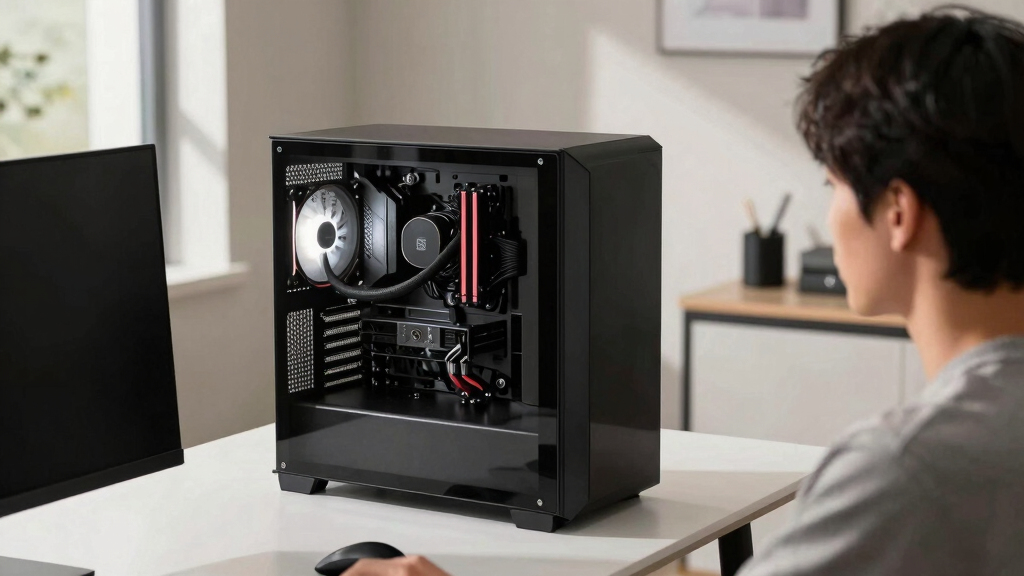
Most high-performance, always-on AI inference rigs opt for air cooling because it has fewer failure points and lower maintenance requirements. A top dual-tower air cooler can handle the thermal load of many CPU models under sustained load, rivaling mid-size liquid coolers in performance. Its simplicity means it is less likely to fail over years of operation, with the fan being the only moving part that can be replaced quickly and cheaply.
Liquid cooling, specifically all-in-one (AIO) units, can provide higher thermal headroom, especially for CPUs that run very hot under full load. A 360mm AIO can dissipate around 360W, making it suitable for overclocked or high-TDP processors. However, AIOs have components like pumps and sealed loops that are subject to wear and potential leaks, which could cause failure over time. Manufacturers typically warranty them for 5–6 years, but the pump’s lifespan is a concern for long-term, unattended operation.
Cost-wise, air coolers are more economical both upfront and over the system’s lifespan. They require minimal maintenance—mainly dust removal and occasional thermal paste reapplication—while AIOs demand more attention and eventual replacement of the pump or entire unit. Noise levels also favor air cooling, which generally runs quieter under sustained load due to the absence of pump hum.
Liquid vs air
for a 24/7 inference rig.
For an always-on machine the question isn’t “which cools better” — it’s which one still works in three years without you thinking about it. That reframing makes air the default for most rigs. Answer three questions in Part 2 to find yours.
- Nothing to fail — fan swaps in minutes
- Lasts a decade+; lower total cost
- Quieter floor — no pump hum (~40–45 dBA)
- Trivial maintenance — wipe & repaste
- Tall — can block RAM, dumps heat in case
- Best headroom — ~360W TDP sustained
- Compact block — fits tight cases, clears RAM
- Exports heat out the radiator & room
- Pump fails at 5–7 yrs; replace whole unit
- Costs 2–3× more over its life; pump hum
- You run it 24/7 and want set-and-forget.
- Your CPU is mainstream-to-high-end (or power-capped).
- A big tower fits your case.
- You value lower cost and a quieter floor.
- Your CPU is too hot for air under sustained all-core load.
- A big tower won’t fit (compact / multi-GPU case).
- You need to export heat out of a warm room.
- RAM clearance is tight.
Why Reliability and Cost Are Critical for Continuous AI Operations
Choosing the right cooling solution impacts the long-term stability, operational costs, and maintenance needs of AI inference rigs. In environments where systems run unattended for years, the risk of failure from liquid cooling components can lead to costly downtime or damage. Air cooling’s simplicity and durability make it the safer choice for most applications, especially where reliability outweighs maximum thermal headroom.
As an affiliate, we earn on qualifying purchases.
Cooling Choices in the Evolution of AI Workstations
Historically, liquid cooling has been favored for overclocked gaming PCs and high-performance workstations due to its superior thermal capacity. However, for AI inference systems designed to run continuously without interruption, the emphasis shifts from peak performance to long-term reliability. Industry testing shows that high-quality air coolers can handle sustained loads effectively, while AIOs are more susceptible to wear and leaks over time. The debate is ongoing, with recent product improvements making liquid cooling more reliable but not eliminating the inherent risks associated with sealed-loop systems.
"For a set-and-forget, 24/7 inference rig, reliability and simplicity are paramount. Air cooling offers a proven, low-maintenance solution that can last years without intervention."
— Thorsten Meyer, AI hardware expert
360mm all-in-one liquid CPU cooler
As an affiliate, we earn on qualifying purchases.
As an affiliate, we earn on qualifying purchases.
Long-Term Reliability of AIO Pumps and Seals
While modern AIOs are generally reliable, their sealed loops and pumps are subject to wear over years of continuous operation. The actual lifespan of these components in a 24/7 environment remains uncertain, with some experts citing potential for leaks or pump failure after 5–7 years. Data on long-term performance in real-world AI systems is limited, and manufacturers’ warranties may not fully cover failures beyond initial years.
quiet 24/7 AI inference cooling solution
As an affiliate, we earn on qualifying purchases.
As an affiliate, we earn on qualifying purchases.
Monitoring and Future Developments in Cooling Technologies
Future research will likely focus on enhancing the durability of liquid cooling components and developing more fail-safe designs suitable for unattended operation. System administrators should monitor their cooling solutions regularly, especially if using AIOs, to prevent unexpected failures. As new cooling technologies emerge, the balance between thermal performance, reliability, and maintenance costs will continue to shape best practices for AI inference rigs.
long-lasting air cooling system for servers
As an affiliate, we earn on qualifying purchases.
As an affiliate, we earn on qualifying purchases.
Key Questions
Is liquid cooling worth it for a 24/7 AI inference system?
Generally, no. Unless your CPU runs extremely hot and cannot be cooled adequately by air, the added complexity and potential failure points of liquid cooling make it less suitable for unattended, long-term operation.
How often does an AIO need maintenance or replacement?
While modern AIOs can last 5–6 years under normal use, their pumps and seals may degrade over time, especially in continuous operation. Regular monitoring and eventual replacement are recommended for long-term reliability.
Can a high-end air cooler handle overclocked CPUs in a 24/7 setup?
Yes, many high-quality air coolers are capable of managing overclocked CPUs under sustained load, provided the case has adequate airflow and the cooler is properly installed.
What are the main risks of using liquid cooling in an AI rig?
The primary risks include pump failure, leaks, and seal degradation, which can cause hardware damage or system downtime. These issues are less common with air cooling.
What should I consider when choosing a cooling solution for my AI workstation?
Focus on reliability, maintenance requirements, noise levels, case compatibility, and thermal headroom needed for your workload. For most unattended, long-term systems, air cooling offers the best balance.
Source: ThorstenMeyerAI.com
Halloween Picks
halloween
As an affiliate, we earn on qualifying purchases.