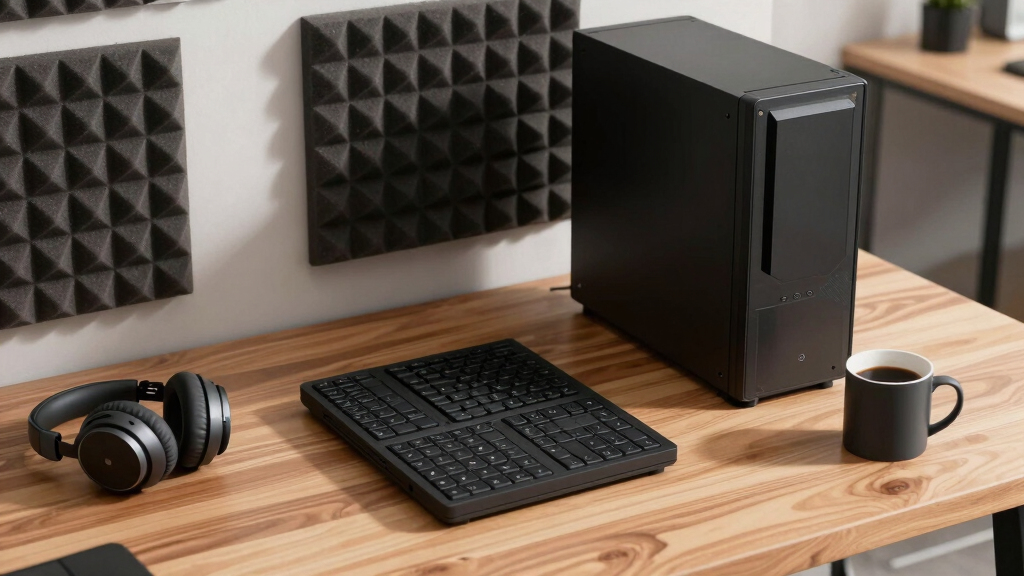

📊 Full opportunity report: How to Reduce Heat and Noise in a High-Power AI Workstation on ThorstenMeyerAI.com — validation score, market gap, and execution plan.

Get business pricing on tech for your team
- Business-only prices and quantity discounts
- Tax-exempt purchasing
- Multiple users, one account, clear invoices
TL;DR
High-power AI workstations generate significant heat and noise due to sustained GPU loads. Key solutions include undervolting GPUs, optimizing airflow, and managing power draw. These measures improve performance and reduce operational noise.
High-power AI workstations often run hotter and louder than expected due to sustained GPU loads, with fans and cooling systems working continuously to dissipate heat. This impacts workspace comfort and operational efficiency, making effective cooling strategies essential for AI practitioners and system builders.
Unlike gaming PCs, AI workstations operate under near-constant full load, especially during long inference tasks, which prevents cooling systems from catching up with heat buildup. The primary heat source is the GPU, which can account for over 70% of total thermal output, with fans running at high speeds to manage temperature. CPU, power supply, VRMs, and case airflow also contribute significantly to overall heat and noise levels.
One of the most effective and cost-free measures is undervolting the GPU and capping its power limit, which can substantially reduce heat and noise without impacting performance for inference workloads. Proper case ventilation, high-quality fans, and managing component placement further improve thermal performance and reduce fan noise. Other tactics include upgrading cooling solutions, optimizing power supply efficiency, and reducing vibration sources.
System builders and AI practitioners should prioritize these strategies based on their specific needs, whether aiming for a quieter environment or maximum inference throughput. The approach involves a tiered plan from simple adjustments like undervolting to more complex cooling upgrades.
An AI workstation isn’t a gaming PC —
and that’s why it runs hot.
Local inference is a sustained load: the GPU sits near full power for hours with no loading screens, so the heat never dissipates and the fans never get a break. Here’s where the heat comes from — and the five levers that reduce it.
Why Managing Heat and Noise Matters for AI Workstations
Reducing heat and noise in high-power AI workstations enhances workspace comfort, prolongs hardware lifespan, and maintains system stability. Effective thermal management allows for sustained high performance without thermal throttling or excessive fan noise, which is critical in professional AI development and deployment environments.
Implementing these strategies can also lower energy consumption and operational costs, making high-power AI workloads more efficient and environmentally friendly. For organizations and individual users, these improvements translate into a more productive and less disruptive working environment.
As an affiliate, we earn on qualifying purchases.
Understanding the Unique Thermal Challenges of AI Workstations
Unlike gaming PCs, AI workstations run continuous, high-load workloads that generate sustained heat, especially from GPUs. This constant load prevents cooling systems from cooling down, leading to higher fan speeds and increased noise. Historically, cooling solutions optimized for gaming do not suffice for AI workloads, which require continuous thermal management. Recent advances in undervolting, power capping, and airflow optimization have become essential tools for managing these challenges.
Recent discussions among system builders and AI researchers emphasize the importance of targeted cooling strategies, including component placement and custom airflow designs, to prevent throttling and noise issues. As AI hardware continues to evolve with higher power demands, understanding these principles is increasingly critical for effective system design.
“The key to quieter, cooler AI workstations is understanding that these systems operate under constant load, which demands tailored cooling strategies beyond gaming PC solutions.”
— Thorsten Meyer, AI hardware expert
As an affiliate, we earn on qualifying purchases.
What Aspects of Thermal Management Are Still Being Researched
While undervolting and airflow improvements are proven effective, the optimal configurations vary across hardware models and workloads. The long-term effects of aggressive undervolting on hardware longevity, and the best cooling solutions for future high-power GPUs, remain under active investigation. Additionally, the impact of emerging cooling technologies like liquid cooling in AI workstations is still being evaluated.
As an affiliate, we earn on qualifying purchases.
Next Steps for Improving AI Workstation Cooling and Noise Reduction
Future developments will include more sophisticated power management tools, improved airflow designs, and integrated cooling solutions tailored specifically for AI workloads. Hardware manufacturers are expected to release more energy-efficient GPUs with better thermal profiles. Users should monitor updates from hardware vendors and software tools for undervolting and power capping to optimize their setups further.
Practitioners are encouraged to experiment with undervolting and airflow adjustments while staying informed about new cooling technologies and hardware releases to maintain optimal performance and noise levels.
As an affiliate, we earn on qualifying purchases.
Key Questions
Can undervolting GPUs impact AI inference performance?
For most inference workloads, undervolting and power capping do not significantly reduce performance, as these tasks are often memory-bound. However, testing specific configurations is recommended to ensure performance remains acceptable.
What cooling solutions are recommended for high-power AI workstations?
High-quality air coolers, custom liquid cooling loops, and well-designed case airflow setups are effective. The choice depends on budget, space, and noise preferences.
How much can I expect to reduce noise by undervolting?
Undervolting can lower fan speeds and reduce noise by 20-50%, depending on the hardware and workload. It also decreases heat output, further reducing cooling demands.
Are there risks associated with undervolting or modifying cooling systems?
Improper undervolting can lead to system instability or hardware errors. It is important to follow manufacturer guidelines and test configurations carefully. Upgrading cooling systems should be done with compatible, quality components.
Source: ThorstenMeyerAI.com
Halloween Picks
halloween
As an affiliate, we earn on qualifying purchases.