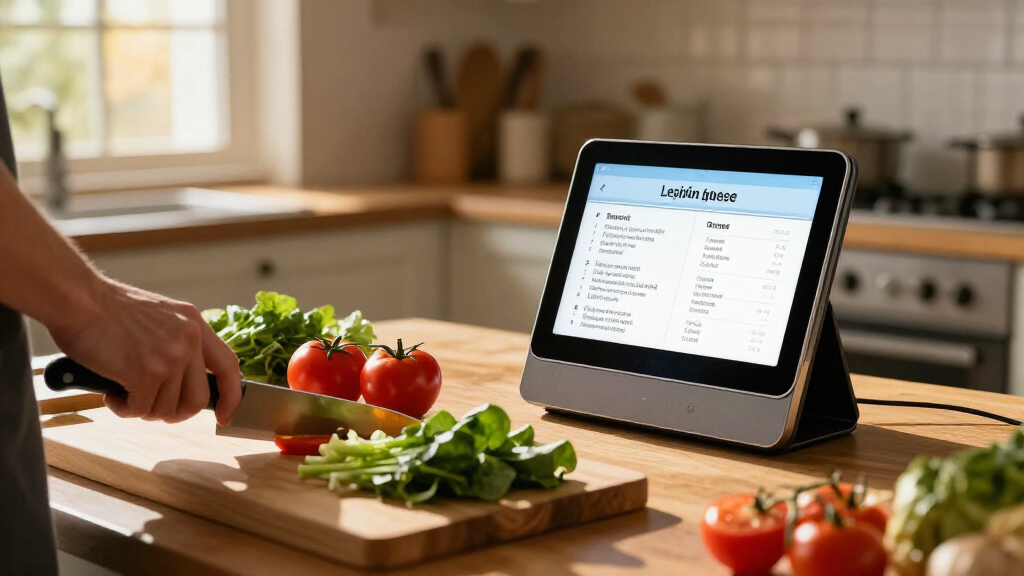
TL;DR
AI-powered kitchen assistants use apps, voice services, and connected appliances to help you plan meals, follow recipes, manage timers, and sometimes control compatible devices. Their features vary, and their suggestions can be wrong, so verify allergy information, cooking guidance, appliance compatibility, and privacy settings before relying on them.
Your hands are coated in flour, the onions are starting to brown, and the recipe is buried under a phone notification. A kitchen assistant that reads the next step aloud or sets a timer can make that moment easier. But a polished voice and a smart label do not tell you whether its recipe is accurate or its devices will work together.

Get business pricing on tech for your team
- Business-only prices and quantity discounts
- Tax-exempt purchasing
- Multiple users, one account, clear invoices
AI-powered kitchen assistants use software and connected devices to help people plan meals, prepare food, and manage kitchen routines. They range from recipe apps and voice assistants to camera-equipped appliances. This guide explains what those tools can do, where they can stumble, and what to check before you trust one with dinner.
You will also see why a simple timer may be more useful than a flashy feature, how to treat suggestions safely, and which privacy and compatibility details deserve a glance before you buy.
Treat “AI kitchen assistant” as an umbrella term; check whether a product is an app, voice service, appliance feature, or combination.
Use meal and recipe suggestions to get started, then confirm ingredients, equipment, and timing yourself.
Verify allergy labels and food-safety guidance independently; personalization does not guarantee a safe recipe.
Check exact appliance compatibility, internet needs, and account requirements before buying connected devices.
Review microphone, camera, data, and software-support settings, and choose features that solve a regular kitchen task.
What an AI Kitchen Assistant Can Actually Do
An AI kitchen assistant is software, a connected device, or both that helps with food planning and cooking tasks. It may suggest recipes, read instructions aloud, scale servings, build a shopping list, set timers, or control certain compatible appliances. The term covers a wide range of products, so the name alone does not tell you what a particular one can do.
Think of it like a kitchen helper with several possible tools: a recipe app acts like a notebook, a voice service like a cook reading directions, and a connected oven like a timer you can check from another room. Some products combine these roles; others do only one. If your phone app can suggest dinner but cannot talk to your oven, those are separate capabilities.
For example, you might enter “chickpeas, spinach, and rice” and get a curry suggestion, then ask a voice assistant to set a 12-minute timer. A supported oven might also let you check its cycle remotely. These features depend on the product, account, internet access, and compatible equipment.
That distinction matters when you shop. A voice assistant can be useful without a smart appliance, while appliance control generally requires a model and service that support each other. Before you expect one device to run the whole kitchen, check which tasks it actually handles.
Products Worth Considering

Sony WH-1000XM6 Wireless Noise-Canceling Headphones, Black

DJI Osmo 360 Motorcycle Handlebar POV Combo

Samsung 32-Inch Odyssey G5 QHD Gaming Monitor (G50F)
As an affiliate, we earn on qualifying purchases.
How It Can Make Weeknight Meal Planning Easier
AI-powered kitchen assistants can make meal planning easier by turning your preferences, available ingredients, and time limit into recipe ideas or shopping lists. Their best role is to reduce the blank-page problem: you still decide whether a suggestion suits your household, but you get a place to start. This can be especially useful on busy evenings, when choosing what to cook is often a bigger hurdle than following the recipe.
Imagine getting home at 6 p.m. with eggs, a bag of spinach, and half a loaf of bread. A recipe tool could suggest a frittata and help you scale it for two people. If it can use your saved preferences, it might avoid foods you have marked as dislikes and organize missing items into a list. The convenience depends on how much useful information you have already entered, so the initial setup can feel like extra work before it saves any.
Good input shapes the result. If you forget to mention that you have no oven, a baked recipe is a poor fit; if your pantry list is out of date, the shopping list may tell you to buy something already in the cupboard. Personalization can help, but only when the details you provide are accurate and kept current. There is a tradeoff: sharing more preferences may make suggestions more relevant, while maintaining those details takes time and may involve storing personal information in an account.
Use the suggestions as a planning aid, not a promise that you will save money, eat better, or waste less. Those outcomes depend on what you buy and cook. A realistic first test is modest: ask for three dinners under 30 minutes, then check whether the recipes match your equipment and schedule. If the recommendations repeatedly miss your needs, the time spent correcting them may outweigh the convenience.
Which Features Help Most While You Cook
The most useful cooking features handle small, repeated chores: reading a step aloud, setting timers, answering basic questions, and checking a compatible appliance. They give you fewer reasons to touch a flour-dusted screen or walk across the kitchen. Their value comes from fitting naturally into a task, not from sounding futuristic. A feature used several times a week may save more effort than an impressive one that only works for a narrow recipe.
Say you are kneading dough and need to know when it has rested for 20 minutes. A spoken timer is easy to start, and an assistant can read the next instruction while your hands stay busy. Some recipe-to-appliance workflows can also send settings to supported ovens, though the available controls differ by device and service. That can reduce manual steps, but it also means you need to understand what the oven will do before starting it remotely.
Here is a useful way to compare common features before you rely on them:
| Feature | What it can help with | What to check |
|---|---|---|
| Voice guidance | Timers and hands-free recipe steps | Whether it understands you over a fan or noisy pan |
| Recipe planning | Meal ideas and shopping lists | Whether servings, ingredients, and preferences match |
| Appliance connection | Checking or setting supported devices | Exact model, service, and internet requirements |
| Ingredient recognition | Starting recipe ideas from a photo | Whether the image is clear and the result is correct |
Voice recognition can stumble when a vent hood roars, and a photo tool may confuse similar foods or miss a package label. That matters because a mistake can be easy to overlook when you assume the assistant has understood correctly. If it mishears “stop” while a timer is running, use the display or device controls to confirm what happened. Features that affect heat or other appliance settings deserve a direct check before you walk away.
How to Check Suggestions Before You Cook
Check an AI recipe before you cook by reviewing its ingredients, equipment, timing, and safety instructions. A generated suggestion can save you a search, but it may contain a poor substitution or leave out a needed detail. The few seconds you spend scanning the recipe can prevent a wasted pan of food.
- Read the ingredient list. Confirm quantities, freshness, and any ingredient you do not recognize.
- Match the method to your kitchen. Check whether the recipe needs an oven, blender, or pan you have.
- Review timing and doneness. Treat time estimates as a guide, and use trusted food-safety guidance when temperature matters.
- Check substitutions carefully. A swap can change texture, cooking time, or suitability for someone at the table.
- Confirm restrictions yourself. Read labels and verify allergy details rather than relying on a saved profile.
For instance, a tool might suggest replacing dairy milk with a plant-based drink in a custard. That change can affect how the mixture sets, even if the assistant presents it as a simple one-for-one swap. You can use the idea, but look for a recipe tested with that ingredient.
Allergy handling needs extra care. A saved preference can filter suggestions, yet it cannot reliably inspect every label or account for cross-contamination. If someone has an allergy, check packaged ingredients and preparation surfaces yourself.
A recipe suggestion is a starting point, not a safety check. Verify temperatures, storage advice, and allergy information with trusted guidance.
What to Check Before You Connect Kitchen Devices
Connected kitchen devices work together only when their models, services, and accounts support the same functions. A smart speaker, recipe app, and oven may each have useful features while remaining unable to share a recipe or cooking setting. Check the specific connection before you build a routine around it. Otherwise, you may pay for several devices and still need to repeat the same instructions by hand.
Suppose you want to preheat the oven from your phone while you chop vegetables. The oven may support remote checks but not remote starting, or the feature may require a particular app and account. Product pages can use broad terms such as “smart control,” so look for the exact functions and supported models in the manufacturer’s details. Remote control also changes how you manage the appliance: make sure you can tell whether it is on and what setting it is using before relying on an alert or app display.
Internet access can matter too. Many conversational features and recipe suggestions depend on a cloud service, while a basic appliance control or local timer may keep working offline. The split varies, so check what happens if your Wi-Fi drops before you count on a feature during dinner. A service that requires an account or subscription can also change over time, so consider whether the appliance remains useful for ordinary cooking if those connected features become unavailable.
Think of the setup like matching plugs and sockets: the pieces need to fit physically and digitally. Before buying, write down the task you want—such as getting an oven alert—and confirm the appliance, app, and account support it. That small check can spare you an expensive device that does not fit your kitchen, and it keeps the buying decision focused on a real routine rather than a broad promise of connectivity.
How to Protect Privacy and Keep the Assistant Useful
Protect your privacy by checking what a kitchen assistant records, where it stores data, and how you can control its microphone or camera. A device that accepts voice commands may process audio, and an ingredient-recognition feature may use images from a camera or phone upload. The details vary by product and settings. Understanding them matters because convenience often depends on sharing some information, and you should be able to decide whether the feature is worth that exchange.
A household might use a speaker for timers but prefer not to keep voice history. Check whether the service offers controls for recordings, photo access, and saved preferences, then turn off features you do not need. If the camera is built into an appliance, learn how its indicator and privacy settings work before placing it in a busy kitchen. Consider who else uses the room and whether the device makes its recording state clear, since a setting that works for one person may surprise another household member.
Longevity matters as well. An appliance can last longer than the cloud service or app that adds its “smart” features. Look for software support details, account requirements, subscription costs, and the basic functions that remain if the service changes or ends. If a feature depends on a company maintaining servers, the appliance’s useful life may be tied to a service you do not control.
The most sensible purchase is often the one that solves a repeated annoyance. If you mainly need hands-free timers, a basic voice assistant or standalone timer may do the job. If you cook from recipes every night, spoken steps and a reliable shopping list may be worth more than camera recognition. Try the routine first, then pay for connected features only when they clearly help. This keeps the decision grounded in everyday value: the time and friction a feature removes should justify its cost, setup, and data requirements.
Frequently Asked Questions
Can an AI kitchen assistant make a meal from the ingredients I have?
Some tools suggest dishes from a typed list or photo, but they can miss ingredients or misidentify foods. Treat the recipe as an idea, then confirm quantities, freshness, and any safety details yourself.
Can I use one without a smart oven?
Yes. A phone app or voice assistant can offer recipes, shopping lists, spoken steps, and timers without a connected oven. Appliance control needs compatible equipment and services.
Can I rely on it for allergies?
No assistant can replace your own label checks. Saved allergy details may filter suggestions, but they may not catch hidden ingredients, cross-contamination, or changes to a packaged product.
Will it work if my internet goes down?
That depends on the product. Cloud-based recipe suggestions and conversational features may stop, while local timers or some appliance controls may continue. Check the maker’s offline details for the features you plan to use.
Do kitchen assistants listen to or watch me?
Some products use microphones, cameras, or uploaded photos. Check the product’s privacy settings and documentation to learn what it records, stores, or shares, and disable access you do not need.
Conclusion
Choose an assistant for a specific job you repeat: planning dinners, reading recipe steps, or setting timers with messy hands. Then check its limits, its connections, and its privacy controls before you depend on it.
Let the software handle the beeps and lists; keep your judgment at the stove. A good kitchen helper should make dinner feel calmer, like clearing a patch of counter before the next pan lands.