If you’re chasing a stable overclock, the cooler is what decides how far your silicon can actually go, and my top pick here is the CORSAIR iCUE Link Titan 360 RX RGB, a 360mm AIO that delivers the thermal headroom serious multi-core overclocking demands. Close behind are the Noctua NH-D15 G2, which proves a dual-tower air cooler can trade blows with liquid cooling while costing less over time, and the be quiet! Dark Rock Pro 6, the strongest pick if low noise under sustained load matters as much as raw performance. The core tradeoff in this category is straightforward: AIOs offer maximum heat dissipation for heavily overclocked chips but add pumps, tubing, and eventual maintenance, while premium air coolers offer reliability and near-silent operation at the cost of some peak headroom and case clearance. RAM and motherboard compatibility are the other silent dealbreakers. Read on for the full breakdown of all 15 coolers and which one fits your build and budget.

Get tech for your team delivered free — and shop member deals
- Fast, free delivery on millions of items
- Access to Prime Big Deal Days deals on October 6–7
- Prime Video, Amazon Music and more included
Key Takeaways
- 360mm AIOs like the Titan 360 RX and Noctua NL-LC1-36 only pull ahead of premium air cooling when you’re pushing heavy all-core overclocks on high-end CPUs — for moderate tuning, the NH-D15 G2 and Dark Rock Pro 6 keep pace at lower cost and risk.
- The Noctua lineup dominates the air side, but the differences matter: the G2 outperforms the standard NH-D15, while the NH-D15S and its chromax variant trade a little performance for RAM and PCIe clearance.
- A digital temperature display, like the one on the Ocypus Iota L36, is genuinely useful for overclockers who want real-time feedback without alt-tabbing to monitoring software — a differentiator nobody else in this lineup offers.
- The Thermalright Peerless Assassin 120 SE is the value outlier: it undercuts the premium air coolers in price while beating several of them in raw performance, making the ‘premium’ premium harder to justify for mid-range builds.
- Low-profile and compact options (NH-L9x65, NH-U12A) made this list for small-form-factor overclocking, but they carry hard thermal ceilings — expecting NH-D15-class results from them is the most common mistake in this category.
| CORSAIR iCUE Link Titan 360 RX RGB Liquid CPU Cooler, 360mm AIO, Black |  | Best Overall for Overclocking | Radiator size: 360mm | Fans: 3 × RX120 RGB | Maximum fan speed: 2,100 RPM | VIEW ON AMAZON | See Our Full Breakdown |
| Thermalright Peerless Assassin 120 SE Dual-Tower CPU Cooler |  | Best Value Air-Cooling Pick | Cooling method: Air | Dimensions: 125 × 135 × 155 mm | Heat pipes: 6 × 6mm, AGHP | VIEW ON AMAZON | See Our Full Breakdown |
| Noctua NH-D15 G2 chromax.Black Quiet High-Performance CPU Cooler | 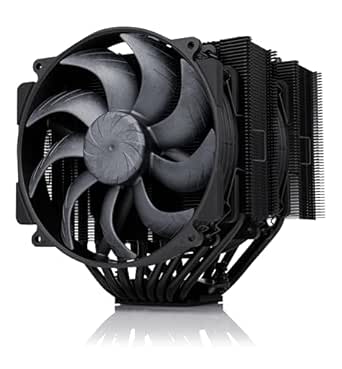 | Best Premium Air Cooler | Cooling method: Air | Heatpipes: 8 | Fans: 2 × 140mm NF-A14x25r G2 | VIEW ON AMAZON | See Our Full Breakdown |
| Noctua NH-D15 chromax.Black Dual-Tower CPU Cooler |  | Best Proven-Design Air Alternative | Cooling method: Air | Fan configuration: 2 × 140mm NF-A15 PWM | Heatpipes: 6 | VIEW ON AMAZON | See Our Full Breakdown |
| Noctua NL-LC1-36 360mm AIO CPU Cooler |  | Best Quiet 360mm AIO | Cooler type: All-in-one liquid CPU cooler | Radiator size: 360mm | Fans: 3 × Noctua NF-A12x25 G2 PWM 120mm | VIEW ON AMAZON | See Our Full Breakdown |
| Noctua NH-D15 Quiet High-Performance Dual Tower CPU Cooler |  | Best Air-Cooling Benchmark | Cooler Type: Dual-tower air cooler | Heatpipes: 6 | Fans: 2x NF-A15 140mm PWM | VIEW ON AMAZON | See Our Full Breakdown |
| Noctua NH-D15S Quiet Dual-Tower CPU Cooler |  | Best for RAM Compatibility | Design: Dual tower, asymmetric single-fan layout | Heatpipes: 6 | Fan: NF-A15 140mm PWM | VIEW ON AMAZON | See Our Full Breakdown |
| Ocypus Iota L36 BK 360mm AIO Liquid CPU Cooler with Digital Temperature Display |  | Best AIO for Overclock Monitoring | Radiator: 360mm aluminum | Fans: 3 × 120mm, 500–2000 RPM | Max Noise: ≤29 dB(A) | VIEW ON AMAZON | See Our Full Breakdown |
| be quiet! Dark Rock Pro 6 Air CPU Cooler, 7 Heatpipes, 2 PWM Fans, 300W TDP |  | Best High-TDP Air Cooling | Heatpipes: 7 copper | Fans: 135mm + 120mm Silent Wings PWM, fluid-dynamic bearings | Mode Switch: Active (max cooling) / semi-passive | VIEW ON AMAZON | See Our Full Breakdown |
| Noctua NH-D15 G2 Quiet High-Performance Dual Tower CPU Cooler | 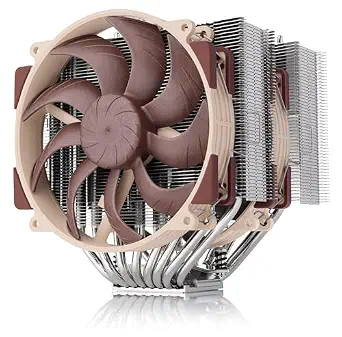 | Best Overall Premium Air Cooler | Heatpipes: 8 | Fans: 2x NF-A14x25r G2 140mm PWM | RAM Clearance: 59mm single fan / 32mm dual fan | VIEW ON AMAZON | See Our Full Breakdown |
| Noctua NH-L9x65 chromax.black Low-Profile CPU Cooler |  | Best for Compact Builds | Height: 65 mm | Footprint: 95 × 95 mm | Fan: NF-A9x14 slim 92 mm PWM | VIEW ON AMAZON | See Our Full Breakdown |
| Noctua NH-U12A chromax.Black Quiet CPU Cooler |  | Best Balanced Tower for Overclocking | Height: 158 mm | Fan size: 120 mm | Fans: 2 × NF-A12x25 PWM with Low-Noise Adaptors | VIEW ON AMAZON | See Our Full Breakdown |
| Noctua NH-D15S chromax.Black Quiet High-Performance CPU Cooler |  | Best for RAM and PCIe Clearance | Design: Asymmetrical single-fan dual-tower | Height: 160 mm | RAM clearance: 65 mm | VIEW ON AMAZON | See Our Full Breakdown |
| KINGCOOL CRYO Titan 120 ARGB Dual-Tower CPU Air Cooler, Black |  | Best Feature-Rich Alternative | Maximum TDP: 260 W | Heat pipes: 6 copper | Fans: 2 × 120 mm PWM ARGB, hydraulic bearing | VIEW ON AMAZON | See Our Full Breakdown |
| CORSAIR Nautilus 360 RS ARGB Liquid CPU Cooler, 360mm, White |  | Best for 360 mm Liquid Cooling Builds | Cooler type: All-in-one liquid CPU cooler | Radiator size: 360 mm | Fans included: 3 × RS120 ARGB | VIEW ON AMAZON | See Our Full Breakdown |
| premium cpu coolers for overclocking | Fans |
|---|---|
| CORSAIR iCUE Link Titan 360 RX | 3 × RX120 RGB |
| Thermalright Peerless Assassin | 2 × 120mm PWM |
| Noctua NH-D15 G2 chromax.Black | 2 × 140mm NF-A14x25r G2 |
| Noctua NH-D15 chromax.Black Du | — |
| Noctua NL-LC1-36 360mm AIO CPU | 3 × Noctua NF-A12x25 G2 PWM 120mm |
| Noctua NH-D15 Quiet High-Perfo | 2x NF-A15 140mm PWM |
| Noctua NH-D15S Quiet Dual-Towe | — |
| Ocypus Iota L36 BK 360mm AIO L | 3 × 120mm, 500–2000 RPM |
| be quiet! Dark Rock Pro 6 Air | 135mm + 120mm Silent Wings PWM, fluid-dynamic bearings |
| Noctua NH-D15 G2 Quiet High-Pe | 2x NF-A14x25r G2 140mm PWM |
| Noctua NH-L9x65 chromax.black | — |
| Noctua NH-U12A chromax.Black Q | 2 × NF-A12x25 PWM with Low-Noise Adaptors |
| Noctua NH-D15S chromax.Black Q | — |
| KINGCOOL CRYO Titan 120 ARGB D | 2 × 120 mm PWM ARGB, hydraulic bearing |
| CORSAIR Nautilus 360 RS ARGB L | — |
More Details on Our Top Picks
CORSAIR iCUE Link Titan 360 RX RGB Liquid CPU Cooler, 360mm AIO, Black
The Titan 360 RX RGB is my pick for builders who want a large liquid-cooling setup with a cleaner wiring path. Its 360mm radiator and three 2,100 RPM fans give it the hardware profile for moving heat from an overclocked CPU, while Zero RPM mode can quiet the fans when temperatures allow. Compared with the air-cooled Noctua NH-D15 G2 chromax.Black, this AIO shifts the heat exchanger to the case radiator mount, which can suit a build with limited space around the CPU socket. The tradeoff is ecosystem dependence: the included iCUE LINK System Hub simplifies connections, but adds another system to accommodate and manage through iCUE software. I’d choose it for a compatible, airflow-conscious build; buyers who want simple air cooling should look at the Peerless Assassin 120 SE instead.
Pros:- 360mm radiator paired with three RX120 RGB fans
- FlowDrive three-phase pump and precision-engineered cold plate
- Zero RPM mode and PWM control up to 2,100 RPM
- Included iCUE LINK System Hub reduces cable clutter
Cons:- Depends on the iCUE LINK hub and ecosystem
- iCUE software may feel resource-heavy
- Requires room for a 360mm radiator
Best for: Overclocking-focused builders with a case that supports a 360mm radiator who want RGB, PWM fan control, and fewer cooler cables.
Not ideal for: Builders avoiding proprietary hubs or software, or using cases without room for a 360mm radiator.
- Radiator size:360mm
- Fans:3 × RX120 RGB
- Maximum fan speed:2,100 RPM
- Pump:FlowDrive Cooling Engine, three-phase motor
- Bearings:Magnetic Dome
- Socket compatibility:Intel LGA 1851/1700; AMD AM5/AM4
- Included:iCUE LINK System Hub
Our verdict“Choose the Titan 360 RX RGB for a radiator-ready overclocking build that benefits from liquid cooling and streamlined cabling.”
Thermalright Peerless Assassin 120 SE Dual-Tower CPU Cooler
The Peerless Assassin 120 SE makes the case for spending less complexity on cooling: its dual towers, six 6mm heat pipes, and two PWM fans offer a substantial air-cooling layout without a pump or radiator. Against the liquid-cooled CORSAIR iCUE Link Titan 360 RX RGB, it gives up radiator-based heat handling and the Titan’s hub-driven cable management, but keeps the build on a conventional 4-pin fan connection. Its listed noise ceiling of 25.6 dB(A) and 66.17 CFM airflow make it a practical candidate for a performance-focused system, though those figures alone do not guarantee a particular overclocking result. The 155mm height is less imposing than the 168mm Noctua NH-D15 G2, yet case and memory clearance still need checking. I’d favor it when air cooling and straightforward connections matter more than liquid cooling headroom or premium extras.
Pros:- Dual-tower heatsink with six 6mm AGHP heat pipes
- Two included 120mm PWM fans
- Listed noise level of ≤25.6 dB(A)
- Supports AMD AM4/AM5 and several Intel socket families
Cons:- 155mm height and broad dual-tower footprint can constrain fit
- AMD installation uses the motherboard’s original backplate
Best for: Budget-conscious overclockers who want a dual-tower air cooler, standard PWM connections, and broad AM4/AM5 and Intel support.
Not ideal for: Builders with short cases, tight motherboard clearance, or a preference for radiator-based cooling.
- Cooling method:Air
- Dimensions:125 × 135 × 155 mm
- Heat pipes:6 × 6mm, AGHP
- Fans:2 × 120mm PWM
- Fan speed:1,550 RPM ±10%
- Airflow:66.17 CFM
- Noise level:≤25.6 dB(A)
- Compatible sockets:Intel LGA 115x, 1200, 1700, 17XX; AMD AM4, AM5
Our verdict“Pick the Peerless Assassin 120 SE for capable, conventional air cooling when you want to avoid the Titan 360’s radiator and hub ecosystem.”
Noctua NH-D15 G2 chromax.Black Quiet High-Performance CPU Cooler
The NH-D15 G2 chromax.Black is the premium air-cooling choice for an overclocker who wants a substantial heatsink and quiet operation without adding a pump or radiator. Its eight heatpipes and two 140mm NF-A14x25r G2 fans set it apart from the six-heatpipe NH-D15 chromax.Black, while the included low-noise adaptors let builders favor acoustics over maximum fan speed. Compared with the CORSAIR Titan 360 RX RGB, it avoids liquid plumbing and a system hub, but its 168mm height and RAM clearance make case planning more demanding. With both fans installed, memory clearance is listed at 32mm; single-fan mode raises that to 59mm, at the cost of changing the fan arrangement. I’d choose this model for a quiet, premium air build, while radiator-ready cases and buyers prioritizing liquid cooling should consider the Titan.
Pros:- Eight heatpipes and expanded dual-tower heatsink
- Two 140mm NF-A14x25r G2 PWM fans
- Includes NT-H2 paste, low-noise adaptors, and mounting hardware
- Supports current AMD AM5 and Intel LGA1851 platforms
Cons:- 168mm height rules out some cases
- Only 32mm RAM clearance with both fans installed
- Air cooling lacks the radiator placement option of the Titan 360
Best for: Enthusiast overclockers seeking premium, quiet air cooling and willing to check case height and memory clearance.
Not ideal for: Compact-case builders or anyone whose tall memory modules need more than 32mm clearance with both fans installed.
- Cooling method:Air
- Heatpipes:8
- Fans:2 × 140mm NF-A14x25r G2
- Maximum rotational speed:1,500 RPM
- Noise level:24.8 dB
- Height:168mm
- RAM clearance:59mm in single-fan mode; 32mm with both fans
- Compatibility:AMD AM5/AM4; Intel LGA1851, LGA1700, LGA1200, LGA115x
- Included accessories:NT-H2 thermal paste, low-noise adaptors, SecuFirm2+ mounting system, NM-SD1 screwdriver
Our verdict“Choose the NH-D15 G2 chromax.Black for quiet, high-end air cooling if your case and memory can accommodate its size.”
Noctua NH-D15 chromax.Black Dual-Tower CPU Cooler
The NH-D15 chromax.Black suits overclockers who want a large dual-tower air cooler with a restrained all-black finish and useful mounting accessories. Its two 140mm NF-A15 PWM fans and six heatpipes provide a serious air-cooling configuration, while low-noise adapters allow a quieter fan setup. Compared with the newer NH-D15 G2 chromax.Black, this model has two fewer heatpipes and a lower listed airflow capacity, so the G2 is the stronger choice when the additional cooling hardware is the priority. It remains a more direct alternative to the Peerless Assassin 120 SE for builders weighing dual-tower air designs, with a six-year warranty and broad current socket support among its practical advantages. The main compromise is its 168mm height: it needs a roomy case, and it offers no radiator-placement flexibility like the CORSAIR Titan 360.
Pros:- Dual 140mm PWM fans with low-noise adapters included
- Copper base and heatpipes with aluminum fins
- Supports Intel LGA1851 and AMD AM5
- Six-year manufacturer warranty
Cons:- 168mm height limits case compatibility
- Six heatpipes and lower listed airflow capacity than the NH-D15 G2
Best for: Overclockers who want a large, quiet all-black air cooler with included mounting hardware and a six-year warranty.
Not ideal for: Small-case builders or buyers seeking the newer NH-D15 G2’s eight-heatpipe design or a liquid cooler’s radiator placement.
- Cooling method:Air
- Fan configuration:2 × 140mm NF-A15 PWM
- Heatpipes:6
- Maximum rotational speed:1,500 RPM
- Noise level:24.6 dB
- Airflow capacity:140.2 m³/h
- Compatible sockets:Intel LGA1851, LGA1700, LGA1200, LGA115x; AMD AM5, AM4
- Warranty:6 years
Our verdict“Choose the NH-D15 chromax.Black for a roomy build that favors quiet, premium air cooling and a long warranty over the G2’s added hardware.”
Noctua NL-LC1-36 360mm AIO CPU Cooler
The Noctua NL-LC1-36 brings Noctua’s fan focus to a 360mm liquid-cooling layout, pairing an Asetek Emma V2 platform with three NF-A12x25 G2 PWM fans. For an overclocker choosing between air and liquid, the radiator can move heat away from the socket area, unlike the large Noctua NH-D15 G2 chromax.Black, whose 168mm tower and RAM clearance can dictate the build layout. The included SecuFirm2 hardware offers offset mounting options for AM5 and LGA1851, aimed at positioning the cooler over the CPU hotspot. Its tradeoffs are fit and platform scope: a 360mm radiator needs dedicated case space, and listed compatibility is limited to AM5 and LGA1851. The optional auxiliary fan also costs extra. I’d shortlist it for a current-platform system built around quiet-focused fans and radiator cooling.
Pros:- 360mm radiator paired with three NF-A12x25 G2 PWM fans
- Asetek Emma V2 cooling platform
- Offset mounting options for AM5 and LGA1851
- Includes NT-H2 paste and an AM5 paste guard
Cons:- Requires case space for a 360mm radiator
- Compatibility is limited to AMD AM5 and Intel LGA1851
- Optional auxiliary cooling fan is sold separately
Best for: AM5 or LGA1851 overclockers with 360mm radiator support who want Noctua PWM fans and offset mounting options.
Not ideal for: Owners of older CPU sockets, compact cases, or builders who want an auxiliary fan included.
- Cooler type:All-in-one liquid CPU cooler
- Radiator size:360mm
- Fans:3 × Noctua NF-A12x25 G2 PWM 120mm
- Cooling platform:Asetek Emma V2
- Compatible sockets:AMD AM5; Intel LGA1851
- Included accessories:NT-H2 thermal paste, AM5 thermal paste guard
- Mounting hardware:SecuFirm2 with offset options
Our verdict“Choose the NL-LC1-36 for a current AM5 or LGA1851 overclocking build that has radiator space and favors Noctua fans.”
Noctua NH-D15 Quiet High-Performance Dual Tower CPU Cooler
The NH-D15 remains the yardstick every other premium air cooler gets measured against, and it earns that status with two NF-A15 140mm fans and six heatpipes that handle serious overclocks without the noise penalty a pump adds. Compared with the Ocypus Iota L36, you give up raw peak thermal headroom but gain long-term reliability — no pump to fail and a 6-year warranty backing that up. The included Low-Noise Adaptors let you trade a few degrees for near-silence, which matters for builders who want an overclocked system that disappears into the background.
The tradeoffs are physical. This is a massive cooler, and tall RAM modules may force you to raise the front fan, slightly eroding performance. It also costs more than strong challengers like the Thermalright Peerless Assassin 120 SE, which gets you most of the way there for far less money.
Pros:- Class-leading dual-fan cooling that sustains aggressive overclocks
- Ultra-quiet PWM fans plus Low-Noise Adaptors for flexible noise tuning
- Broad socket support from LGA115x through LGA1851 and AM4/AM5
- 6-year warranty and included NT-H1 paste
Cons:- Very large footprint can block RAM slots or fail to fit narrower cases
- Premium price with cheaper rivals closing the performance gap
Best for: Overclockers who want flagship air cooling with zero pump-maintenance risk and a 6-year warranty
Not ideal for: Compact or mid-tower builders with tall RGB RAM — the dual towers and 140mm fans create clearance headaches
- Cooler Type:Dual-tower air cooler
- Heatpipes:6
- Fans:2x NF-A15 140mm PWM
- Noise Reduction:Low-Noise Adaptors included
- Mounting System:SecuFirm2
- Socket Compatibility:Intel LGA1851/1700/1200/115x; AMD AM5/AM4
- Warranty:6 years
Our verdict“If you want the safest, most proven air cooler for sustained overclocking and can spare the space, this is still the default answer.”
Noctua NH-D15S Quiet Dual-Tower CPU Cooler
The NH-D15S exists specifically to solve the original NH-D15‘s biggest annoyance: its asymmetric, offset design shifts the towers away from the RAM slots and PCIe area, so tall memory kits and a populated first GPU slot stop being a negotiation. Ships with a single center-mounted fan, which means you sacrifice a little peak cooling — relevant if you’re pushing a heavily overclocked 16-core chip — but there’s a second fan mount if you want to close the gap with the standard D15 later.
Against the Dark Rock Pro 6, the D15S trades some raw thermal capacity for Noctua’s fuss-free SecuFirm2 mounting and the same 6-year coverage. Where the Dark Rock demands careful handling, this option prioritizes install-and-forget simplicity.
Pros:- Asymmetric layout clears tall RAM and the top PCIe slot
- Dual-tower fin stack with six heatpipes keeps single-fan efficiency high
- PWM fan with low-noise adapter for quiet tuning
- Same 6-year warranty and included mounting hardware as the flagship
Cons:- Single fan means measurably lower peak cooling than the NH-D15
- Still a very tall cooler requiring case clearance checks
Best for: Overclockers with tall RAM or ITX-adjacent layouts who still want dual-tower air performance
Not ideal for: Maximum-headroom overclockers chasing every last degree — the single-fan layout trails the dual-fan NH-D15 out of the box
- Design:Dual tower, asymmetric single-fan layout
- Heatpipes:6
- Fan:NF-A15 140mm PWM
- Included Accessories:Low-noise adapter, NT-H1 thermal paste, SecuFirm2 mounting
- Intel Sockets:LGA1851, LGA1700, LGA1200, LGA115x
- AMD Sockets:AM5, AM4
- Warranty:6 years
Our verdict“The smart pick when the standard NH-D15’s bulk collides with your RAM or GPU but you refuse to drop to a lesser cooler.”
Ocypus Iota L36 BK 360mm AIO Liquid CPU Cooler with Digital Temperature Display
When an overclocked chip is riding the edge of stability, real-time temperature visibility is genuinely useful, and the Iota L36‘s pump-mounted digital display showing CPU or GPU temps in Celsius or Fahrenheit gives you that at a glance instead of alt-tabbing to monitoring software. With three 120mm FDB fans pushing up to 77 CFM and 4.65 mmH₂O of static pressure through a 360mm radiator, this model makes sense for heavy multi-core overclocks where air coolers like the NH-D15 G2 start hitting their thermal ceiling.
Reality check on the tradeoffs: a 360mm radiator demands a case that genuinely supports front or top mounting, not one where it barely squeezes in with kinked airflow. The 3-year warranty is half of Noctua’s coverage, and the display caps at 199°F — a hard ceiling that renders it useless on chips that briefly spike past that under extreme loads.
Pros:- Real-time CPU or GPU temperature readout directly on the pump head
- 360mm radiator with three FDB-bearing fans for high overclock headroom
- Strong static pressure (4.65 mmH₂O) for dense radiator fins
- Covers all current mainstream Intel and AMD sockets
Cons:- Requires full 360mm radiator mounting space
- Temperature display hard-capped at 199°F
- 3-year warranty trails the 6-year coverage of premium air rivals
Best for: Overclockers running hot multi-core CPUs who want live temp readouts and ARGB flair alongside serious liquid cooling
Not ideal for: Mid-tower builders without confirmed 360mm radiator clearance, or anyone wanting long-term warranty peace of mind
- Radiator:360mm aluminum
- Fans:3 × 120mm, 500–2000 RPM
- Max Noise:≤29 dB(A)
- Max Airflow:77 CFM
- Max Static Pressure:4.65 mmH₂O
- Display:CPU/GPU temperature, °C or °F (up to 199°F)
- Lighting:ARGB
- Socket Compatibility:Intel LGA115x/1200/1700/1851; AMD AM4/AM5
- Warranty:3 years
Our verdict“A capable 360mm AIO for builders who want cooling muscle and on-block telemetry, provided the case and warranty terms fit your expectations.”
be quiet! Dark Rock Pro 6 Air CPU Cooler, 7 Heatpipes, 2 PWM Fans, 300W TDP
A 300W TDP rating puts the Dark Rock Pro 6 in rare air-cooling territory — this is a cooler built for heavily overclocked flagship chips that would normally force you into an AIO like the Ocypus Iota L36. Seven copper heatpipes and a dual-fan Silent Wings setup (135mm plus 120mm) do the heavy lifting, while the semi-passive mode stops the fans entirely below 40% PWM, so an idling system is literally silent. That’s a flexibility neither stock configurations nor liquid loops match.
The catches deserve attention. The bundled liquid metal thermal grease delivers superior heat transfer but demands careful, precise application — a real risk if you’ve never worked with it, though standard paste is also included. And like the NH-D15 family, this tower is enormous, so RAM and case clearance need verifying before you commit.
Pros:- 300W TDP capacity rivals 360mm AIOs without pump risk
- Semi-passive mode stops fans fully for zero-noise low-load operation
- Fluid-dynamic bearing Silent Wings fans stay quiet under load
- Pre-installed mounting bridge and rail-mounted front fan simplify setup
Cons:- Liquid metal thermal paste requires careful, cautious application
- Huge footprint risks RAM and case clearance conflicts
Best for: Overclockers pushing 250W+ CPUs who refuse to move to liquid cooling and want near-silent idle behavior
Not ideal for: First-time builders — liquid metal application and sheer physical bulk make installation unforgiving
- Heatpipes:7 copper
- Fans:135mm + 120mm Silent Wings PWM, fluid-dynamic bearings
- Mode Switch:Active (max cooling) / semi-passive
- Semi-Passive Mode:Full fan stop below 40% PWM
- Thermal Compound:Liquid metal grease plus standard paste included
- Fan Motor:6-pole
Our verdict“The strongest pure-air argument for extreme overclocking on modern hot chips — if you’re confident handling liquid metal and have the space.”
Noctua NH-D15 G2 Quiet High-Performance Dual Tower CPU Cooler
The NH-D15 G2 is what happens when Noctua redesigns its legend rather than just reissuing it: 8 heatpipes, 20% more fin surface area, and next-gen NF-A14x25r G2 fans push it clearly past the original NH-D15 at lower noise — exactly the margin that matters when your overclock lives or dies by a few degrees. The offset mounting design keeps the towers clear of the top PCIe x16 slot on most AM5 and LGA1851 boards, addressing a genuine pain point the D15S only partially solved.
But be honest with yourself about the fine print: RAM clearance drops to 32mm with both fans installed, which rules out most tall heatspreader kits unless you drop to a single fan — ironically regressing below the standard D15 in that scenario. The G2 also carries a flagship price, and the Torx-based SecuFirm2+ kit, while excellent, expects you to follow instructions rather than wing it.
Pros:- 8 heatpipes and 20% more surface area outperform the original NH-D15 at lower noise
- Offset design protects top PCIe x16 slot clearance on modern boards
- Bundled NT-H2 paste, Torx screwdriver, and Low-Noise Adaptors add real value
- Full socket coverage including AM5 and LGA1851
Cons:- Dual-fan RAM clearance limited to 32mm
- Flagship pricing far above strong mid-range rivals
- Massive dimensions demand case clearance verification
Best for: Enthusiasts wanting the absolute best quiet air cooling for AM5 or LGA1851 overclocking builds
Not ideal for: Builders with tall RGB RAM who want dual-fan operation — the 32mm clearance forces awkward compromises
- Heatpipes:8
- Fans:2x NF-A14x25r G2 140mm PWM
- RAM Clearance:59mm single fan / 32mm dual fan
- Sockets:AMD AM5/AM4; Intel LGA1851/1700/1200/115x
- Mounting:SecuFirm2+ (Torx-based)
- Included Accessories:NT-H2 paste, Low-Noise Adaptors, NM-SD1 screwdriver, NM-ISW1 washers
Our verdict“If money is secondary and quiet, top-tier air cooling for a modern platform is the goal, this is the best cooler on this list.”
Noctua NH-L9x65 chromax.black Low-Profile CPU Cooler
Its 65 mm height gives this cooler a place in HTPC and small-form-factor builds where tower coolers such as the Noctua NH-U12A chromax.Black are too tall. The 95 × 95 mm footprint also helps keep RAM and PCIe areas clear, making it easier to plan a tight build. A PWM fan can adjust to CPU load, while the included Low-Noise Adaptor gives builders another way to manage fan noise. That compactness sets a firm limit: its cooling is intended for low to moderate heat output, so it is a poor match for sustained overclocking on a hot processor. I’d choose it when case clearance is the main constraint and a modest thermal target is realistic; for higher heat loads, a larger cooler such as the NH-U12A is the better fit.
Pros:- 65 mm height fits cases that cannot accommodate standard towers
- 95 × 95 mm footprint helps preserve RAM and PCIe clearance
- PWM fan and included Low-Noise Adaptor support adjustable noise levels
- NT-H1 thermal paste and SecuFirm2 mounting hardware are included
Cons:- Limited cooling headroom for high-heat CPUs and sustained overclocking
- Slim 92 mm fan and compact heatsink offer less thermal capacity than the NH-U12A
Best for: Small-form-factor and HTPC builders using a low to moderately heat-producing CPU who need a cooler under 65 mm tall.
Not ideal for: Overclockers running a high-heat CPU under sustained load, since this low-profile cooler is designed for low to moderate heat output.
- Height:65 mm
- Footprint:95 × 95 mm
- Fan:NF-A9x14 slim 92 mm PWM
- Included accessories:Low-Noise Adaptor, NT-H1 thermal paste, SecuFirm2 mounting system
- Intel sockets:LGA1851, LGA1700, LGA1200, LGA115x
- AMD sockets:AM5, AM4
- Recommended CPU heat output:Low to moderate
Our verdict“Choose this for a space-constrained build with modest CPU heat; pick a larger tower for serious overclocking.”
Noctua NH-U12A chromax.Black Quiet CPU Cooler
The NH-U12A chromax.Black is the balanced tower choice here: its dual 120 mm fans and heatsink aim for strong cooling without the footprint of a dual-tower cooler. Against the single-fan Noctua NH-D15S chromax.Black, it uses a second fan to move air through the fin stack, while its 120 mm format can be easier to accommodate than a larger 140 mm tower. That makes it a sensible match for builders seeking thermal headroom for overclocking without committing to a 360 mm radiator. Its tradeoffs are practical: the 158 mm height still rules out some compact cases, and the two fans add components and potential noise compared with a simpler setup. I’d shortlist it for a performance-focused build after checking case clearance.
Pros:- Dual NF-A12x25 fans support strong airflow through the heatsink
- 120 mm tower format is more compact than larger dual-tower designs
- Designed to avoid overhanging RAM or blocking PCIe slots
- Includes NT-H1 paste and a six-year manufacturer warranty
Cons:- 158 mm height exceeds the clearance of some compact cases
- Two fans add moving parts and may be less appealing to buyers seeking a simpler cooler
Best for: Overclockers with a mid-tower or larger case who want a high-performance air cooler while keeping RAM and PCIe areas accessible.
Not ideal for: Small-case builders with limited CPU-cooler height, or buyers who want liquid cooling and a 360 mm radiator.
- Height:158 mm
- Fan size:120 mm
- Fans:2 × NF-A12x25 PWM with Low-Noise Adaptors
- Intel sockets:LGA1851, LGA1700, LGA1200, LGA115x
- AMD sockets:AM5, AM4
- Thermal paste:NT-H1 included
- Warranty:6 years
Our verdict“Pick the NH-U12A for strong air cooling in a compatible case when you want more fan capacity than the single-fan NH-D15S.”
Noctua NH-D15S chromax.Black Quiet High-Performance CPU Cooler
The asymmetrical dual-tower layout gives the NH-D15S a useful angle for overclocking builds that need substantial air cooling while preserving access around the socket. Its 65 mm RAM clearance and offset design help it fit more freely than many broad tower coolers, including the Noctua NH-D15 chromax.Black in builds where component clearance is a concern. It relies on one NF-A15 fan, which keeps the setup simpler but gives it a different airflow arrangement from the dual-fan NH-U12A chromax.Black. That single-fan design is also the main tradeoff for buyers seeking maximum airflow. At 160 mm tall, it still needs a case with enough cooler clearance, so I’d check both case height and motherboard layout before choosing it.
Pros:- Dual-tower heatsink is designed for high cooling performance
- Asymmetrical layout supports clearance around the PCIe slot on most ATX and Micro-ATX boards
- 65 mm RAM clearance accommodates many memory modules
- Includes NT-H1 paste, mounting hardware, and a six-year warranty
Cons:- 160 mm height may exceed some cases’ CPU-cooler clearance
- Ships with one fan, unlike the dual-fan NH-U12A
Best for: Air-cooling enthusiasts who want a large heatsink for a high-heat CPU and need generous RAM clearance or less interference near the PCIe slot.
Not ideal for: Builders with short cases or overclockers who specifically want a dual-fan cooler out of the box.
- Design:Asymmetrical single-fan dual-tower
- Height:160 mm
- RAM clearance:65 mm
- Fan:NF-A15 140 mm PWM
- Included accessories:Low-Noise Adaptor, NT-H1 thermal paste, SecuFirm2 mounting system
- Compatible sockets:Intel LGA1851, LGA1700, LGA1200, LGA115x; AMD AM5, AM4
- Warranty:6 years
Our verdict“Choose the NH-D15S when you want a large air cooler with socket-area clearance and can fit its 160 mm height.”
KINGCOOL CRYO Titan 120 ARGB Dual-Tower CPU Air Cooler, Black
The CRYO Titan 120 pairs six copper heat pipes with two 120 mm ARGB fans, giving overclockers a dual-tower air-cooling option with lighting built in. Its stated 260 W TDP capacity and broad Intel and AMD socket support make it a more performance-oriented choice than the compact NH-L9x65. Compared with Noctua’s NH-D15S chromax.Black, the KINGCOOL adds a second fan and ARGB, while the NH-D15S provides a defined 65 mm RAM-clearance figure and a six-year warranty in its product data. The listed 32 dB(A) noise level and 1800 RPM maximum fan speed help set expectations, but do not remove the need to check fit. At 155 mm tall and 137 mm wide, this dual-tower cooler may crowd memory or exceed case clearance.
Pros:- Six copper heat pipes and dual fin arrays target demanding CPU heat loads
- Two 120 mm PWM ARGB fans are included
- Supports AMD AM5 and AM4 plus several Intel socket generations
- Fully painted fin stack is specified as protection against oxidation
Cons:- Large dual-tower dimensions require careful case and motherboard clearance checks
- Product data warns that DRAM clearance may be limited
- No warranty duration is provided in the supplied product details
Best for: Builders seeking a dual-tower air cooler with ARGB and a stated 260 W TDP capacity for a compatible high-heat system.
Not ideal for: Compact-case owners or builders with tall memory who cannot verify clearance around a 127 × 137 × 155 mm cooler.
- Maximum TDP:260 W
- Heat pipes:6 copper
- Fans:2 × 120 mm PWM ARGB, hydraulic bearing
- Maximum fan speed:1800 RPM
- Airflow:57.72 CFM
- Noise level:32 dB(A)
- Dimensions:127 × 137 × 155 mm
- Socket compatibility:AMD AM5, AM4; Intel LGA1851, LGA1700, LGA1200, LGA115X
Our verdict“Consider the CRYO Titan if you want dual-tower cooling and ARGB in one air cooler and have room to verify its fit.”
CORSAIR Nautilus 360 RS ARGB Liquid CPU Cooler, 360mm, White
A 360 mm radiator and three RS120 ARGB fans make the Nautilus a fit for builders who have dedicated radiator space and want liquid cooling for an overclocked CPU. Its daisy-chain connections can reduce the number of separate fan cables to manage, while pre-applied thermal paste simplifies installation. Compared with the air-cooled NH-D15S, it shifts the cooling hardware from a tall socket-mounted tower to a radiator that must be mounted elsewhere in the case. That can suit a build designed around liquid cooling, but it demands a 360 mm mounting location and a compatible board header for ARGB control. The supplied details list LGA1851, LGA1700, AM5, and AM4 support, so I’d check socket support and radiator fit before selecting it.
Pros:- 360 mm radiator with three included RS120 ARGB fans
- Pump noise is specified at 20 dBA
- Daisy-chain connections simplify fan wiring
- Pre-applied thermal paste reduces installation steps
Cons:- Requires a case with a compatible 360 mm radiator mounting location
- ARGB control requires a compatible motherboard
- Adds a pump and radiator installation requirements compared with the NH-D15S air cooler
Best for: Overclockers building in a case with a 360 mm radiator mount who want an AIO with three ARGB fans and simpler fan wiring.
Not ideal for: Compact-case builders without 360 mm radiator space, or users who want to avoid pump-based liquid cooling and ARGB header requirements.
- Cooler type:All-in-one liquid CPU cooler
- Radiator size:360 mm
- Fans included:3 × RS120 ARGB
- Pump noise:20 dBA
- Connections:Daisy-chain; 4-pin PWM and +5V ARGB headers
- Intel compatibility:LGA1851, LGA1700
- AMD compatibility:AM5, AM4
- Color:White
Our verdict“Choose the Nautilus 360 RS if your case supports its radiator and you prefer an AIO layout for an overclocked system.”

How We Picked
I ranked these coolers through the lens that matters for overclocking: thermal headroom first, measured by how much sustained heat each cooler can dissipate before fans ramp and clocks drop. That meant prioritizing 360mm AIOs and large dual-tower air coolers for the top spots, then judging everything else on noise under load, build quality, and long-term reliability. A cooler that keeps a chip 3–4°C cooler at the same noise level earns a higher rank than one that’s quieter but thermally limited.
Beyond raw cooling, I weighed compatibility and practicality: RAM clearance, socket support, case clearance requirements, warranty length, and whether an AIO’s pump and tubing introduce failure points a dual-tower air cooler simply doesn’t have. Value played a role too — a cooler needs to justify its price against the competition, which is why the Thermalright Peerless Assassin ranks as high as it does and why some premium Noctua variants are positioned for specific situations rather than general recommendation. The result is a lineup where every pick has a defined buyer, not a participation trophy.
Factors to Consider When Choosing Premium Cpu Coolers For Overclocking
Before you pick a cooler from the list above, it helps to understand the forces that actually limit an overclock. Most buyers overspend on the cooler itself and underspend on the things that make it work well — case airflow, fan curves, and mounting pressure. These are the factors that separate a great overclocking result from a disappointing one.Air vs. Liquid: The Real Decision
The air-versus-AIO debate gets framed as performance versus price, but the honest split is peak headroom versus long-term reliability. A 360mm AIO has more radiator surface area and can absorb thermal spikes better, which helps on heavily overclocked 12+ core chips running all-core loads. But pumps fail, coolant slowly permeates through tubing over five to seven years, and an AIO failure can take a component with it. A premium dual-tower air cooler like the NH-D15 G2 has exactly one moving part per fan and can run for a decade. My rule of thumb: if you’re chasing maximum clocks on a flagship CPU for benchmarking or sustained rendering, go liquid; if you want a set-and-forget daily overclock, air cooling is the smarter buy.
Cooling Capacity and TDP Ratings
Manufacturers quote TDP numbers that look reassuring, but TDP ratings are a starting point, not a promise. A cooler rated for 250W will hold that at ear-splitting fan speeds you’ll never want to live with. What actually matters for overclocking is thermal resistance — how many degrees above ambient the cooler runs at a given wattage. Look for independent testing at specific heat loads rather than headline numbers. As a practical floor, a modern overclocked flagship CPU pulling 250W+ realistically needs a 360mm AIO or a top-tier dual-tower; a 120mm or 240mm solution will throttle. Undershooting cooling capacity is the single most common and most expensive mistake in this category.
Clearance: The Dealbreaker Nobody Checks First
Every large cooler on this list has a clearance story, and it’s where builds go wrong. Dual-tower air coolers can block the first RAM slot or overhang the top PCIe slot, and tall RGB RAM with heatspreaders is a frequent casualty. Check three measurements before buying: cooler height against your case’s CPU cooler clearance (most mid-towers cap out around 165–170mm), RAM height against the front fan position, and, for AIOs, radiator thickness plus fans against your case’s radiator mounting depth. The asymmetrical designs like the NH-D15S exist specifically to solve this problem, which is why they earn a place despite slightly lower performance than their full-size siblings.
Noise Character, Not Just Noise Levels
dBA specifications hide as much as they reveal. Two coolers can both claim 28 dBA at load while sounding completely different — fan blade design and pump whine determine the character of the noise, and pump whine is something only AIO owners complain about. Some pumps produce a faint periodic humming or gurgling that’s more annoying than a steady fan hum, and it doesn’t show up in any spec sheet. Air coolers with large low-RPM fans tend to produce a broadband whoosh that fades into the background, while small high-RPM fans produce a sharper, more noticeable pitch. If you work or game in a quiet room, read user feedback specifically about pump noise before committing to liquid.
Platform Longevity and Mounting Quality
An overclocking cooler lives through multiple CPU upgrades, so mounting hardware quality and socket support lifespan matter more than they first appear. Noctua’s reputation here is earned: the company has historically shipped free mounting kits for new sockets, meaning a cooler bought years ago still works on current motherboards. Check whether a manufacturer has a track record of supporting new sockets or abandons old hardware. Also look at the backplate and mounting pressure mechanism — a sturdy backplate with even pressure distribution improves thermal transfer by several degrees, and tool-free fan mounting makes future maintenance far less painful. This is where the premium brands genuinely justify their premium.
When Paying More Actually Helps
The price-to-performance curve in CPU cooling is brutally steep at the top. The gap between a mid-range cooler and a premium one is measurable; the gap between premium and ultra-premium is often two or three degrees for a large jump in price. Paying more makes sense in three situations: you’re running a flagship CPU at its thermal limits, you need features like a digital display or ecosystem integration (iCUE Link, for example, simplifies cabling in complex builds), or you value the near-silent operation that only the best-engineered fans deliver. For everyone else — mid-range CPUs with moderate overclocks — the value picks in this roundup will hit within a couple of degrees of the flagship options, and that money is better spent on faster memory or a better case.
Frequently Asked Questions
Is a 360mm AIO actually better than a premium air cooler for overclocking?
It depends on your CPU and what kind of overclock you’re running. On heavily loaded flagship chips pulling 250W or more, a 360mm AIO like the Titan 360 RX holds lower temperatures and gives you more voltage headroom before thermal throttling. On mid-range CPUs or lighter overclocks, the difference shrinks to a few degrees, and a top-tier air cooler like the NH-D15 G2 or Dark Rock Pro 6 matches or beats cheaper 240mm AIOs entirely. The tradeoff is reliability: an AIO has a pump and finite coolant lifespan, while an air cooler is nearly failure-proof. If you’re benchmarking or running sustained all-core workloads, liquid wins; for a daily overclock you never want to think about, air is the safer bet.
Which Noctua cooler in this lineup should I actually buy?
The lineup looks confusing, but the logic is simple. The NH-D15 G2 is the performance flagship — buy it if you want maximum air-cooling headroom and don’t mind the size. The standard NH-D15 and its chromax variant sit just behind it at a lower price, making them the value sweet spot. The NH-D15S versions are offset designs meant for builds where RAM clearance or PCIe clearance is tight — accept slightly lower performance in exchange for compatibility. The NH-U12A is the compact mid-size option, and the NH-L9x65 is strictly for low-profile small-form-factor builds with modest thermal budgets. Match the model to your case and CPU, not to the biggest name.
Do I need a cooler with a digital temperature display?
Nobody needs one, but overclockers get real utility from it. A display like the one on the Ocypus Iota L36 shows coolant or CPU temperature at a glance during stress testing, which means catching thermal spikes without running monitoring software on a second screen. It’s most useful during the tuning process itself, when you’re iterating on voltages and fan curves and want immediate feedback. Once your overclock is stable and dialled in, the display becomes mostly decorative. Treat it as a convenience feature that tips a decision between two otherwise similar AIOs, not as a reason to choose an unproven brand over an established one.
Will a premium cooler let me overclock further, or is it just for lower temperatures?
Both, but with a ceiling you should understand. Modern CPUs hit their maximum stable clocks based on voltage, silicon quality, and power delivery — the cooler determines how long you can sustain those clocks before heat forces them down. A better cooler can genuinely add 100–200MHz of sustained all-core performance on a thermally limited chip by letting you run more voltage safely. But if your CPU’s limiter is current or its own silicon lottery, no cooler in the world changes that. Be honest about what’s holding your chip back before spending heavily; a mid-range cooler on a good silicon sample beats a flagship cooler on a bad one.
How much should I spend on a cooler for overclocking?
Match the spend to your CPU class, because overspending on cooling a mid-range chip wastes money. For a flagship CPU under heavy overclocks, a premium 360mm AIO or top-tier air cooler is justified — that’s the Titan 360 RX, NL-LC1-36, NH-D15 G2, and Dark Rock Pro 6 territory. For a mid-range CPU with a moderate overclock, the Thermalright Peerless Assassin 120 SE gets you within a few degrees of coolers costing twice as much, which is why it’s the value standout of this comparison. The one place I’d never cut corners is with high-TDP chips and cheap single-tower coolers — that combination guarantees throttling. A reasonable rule: budget roughly 10–15% of your CPU’s cost for cooling if you plan to overclock.
Conclusion
After comparing all 15, the decision comes down to your CPU and your tolerance for maintenance. Best overall goes to the CORSAIR iCUE Link Titan 360 RX RGB — it combines top-tier 360mm thermal capacity with a clean ecosystem that simplifies complex builds, making it the safest flagship pick for serious overclocking. Best premium is the Noctua NH-D15 G2, which matches liquid-class performance with zero pumps to fail and a warranty-backed reputation that outlives most builds. Best value belongs squarely to the Thermalright Peerless Assassin 120 SE, which embarrasses coolers costing far more and is all the cooler most mid-range overclockers need.
For beginners, the Noctua NH-D15S is my recommendation — its offset design avoids the RAM and clearance headaches that frustrate first-time builders, and Noctua’s mounting system is the most forgiving in the industry. For specific needs: the be quiet! Dark Rock Pro 6 for silence-focused builds, the NH-L9x65 for low-profile SFF systems, the Ocypus Iota L36 for tuners who want live temperature readouts, and the white CORSAIR Nautilus 360 RS for aesthetic-driven builds that still want real liquid-cooling headroom. Whatever you choose, size it honestly against your CPU’s heat output — that single decision matters more than any brand name on the box.
Fall Picks
fall essentials
As an affiliate, we earn on qualifying purchases.