🔍 Read the full analysis: Can One Graphics Card Serve Gaming And Work? 10 Options For 2027 on ThorstenMeyerAI.com

Get business pricing on tech for your team
- Business-only prices and quantity discounts
- Tax-exempt purchasing
- Multiple users, one account, clear invoices
TL;DR
A buyer’s guide from ThorstenMeyerAI.com compares 10 graphics cards across gaming, creative workloads and basic display use. It favors newer RTX 50-series and RX 9000-series models for current features, while describing older, low-cost cards as limited choices rather than modern gaming GPUs.
ThorstenMeyerAI.com has published a buyer’s guide to graphics cards comparing 10 graphics cards for gaming, creative work and display duties, with the ASUS ROG Astral GeForce RTX 5080 named its top overall pick. The guide says the right choice depends on workload, budget, power and case fit; its recommendations are editorial judgments, not independently verified performance results.
The guide’s premium category centers on the ASUS ROG Astral RTX 5080, which it praises for cooling and overclocking headroom, and the PNY RTX 5080, also described as a large triple-fan design. It presents the ASUS Dual RTX 5060 Ti and the broader RTX 5060 Ti series as mid-range options, highlighting a 16GB version for users seeking more memory capacity. The source does not provide benchmark tables, prices or test conditions to independently compare these claims.
For higher-mid-range competition, the guide includes the AMD RX 9070 XT, which it says may suit rasterization-heavy gaming, and an RX 9070 model cited in its discussion of 16GB cards. It also lists the RTX 3060 as a still-capable older option, while warning that it lacks hardware for newer upscaling features described in the article. Exact partner models and specifications are not supplied for every entry.
The remaining choices serve narrower needs: the VisionTek RX 580 is highlighted for multiple mini-DisplayPort outputs, while the RX 550 and GT 730 are framed as basic display cards, not suitable modern gaming choices. That makes the list less a ranking of interchangeable products than a comparison of different budgets, generations and uses. The source’s selection method emphasizes architecture, memory bandwidth, cooling, connectivity and form factor.
The 10 picks
- 1
 ASUS ROG Astral GeForce RTX 5080 OC Edition 16GB GDDR7 Graphics CardView on Amazon →
- 2
 PNY NVIDIA GeForce RTX 5080 OC Triple-Fan Graphics CardView on Amazon →
- 3
 ASUS Prime Radeon RX 9070 XT 16GB GDDR6 OC Edition Gaming Graphics CardView on Amazon →
- 4
 ASUS Prime Radeon RX 9070 EVO 16GB GDDR6 OC Gaming Graphics CardView on Amazon →
- 5
 ASUS Dual GeForce RTX 5060 Ti 16GB GDDR7 White OC Edition Graphics CardView on Amazon →
- 6
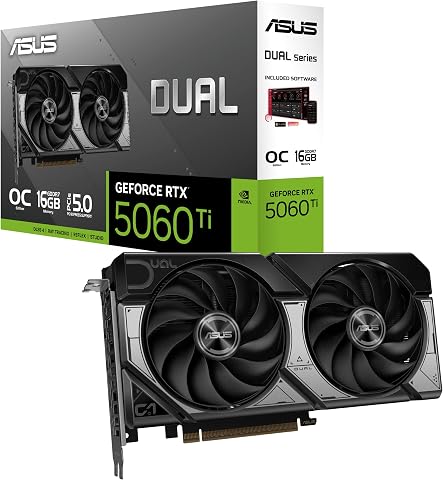 ASUS Dual GeForce RTX 5060 Ti 16GB GDDR7 OC Edition Gaming Graphics CardView on Amazon →
- 7
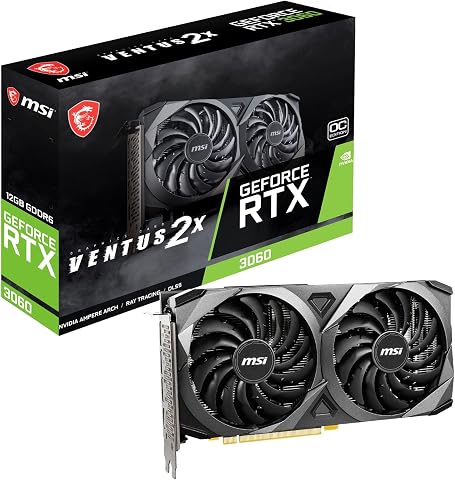 MSI GeForce RTX 3060 Ventus 2X 12G OC V1 Graphics CardView on Amazon →
- 8
 VisionTek AMD Radeon RX 580 8GB Graphics Card with 6 Mini DisplayPort OutputsView on Amazon →
- 9
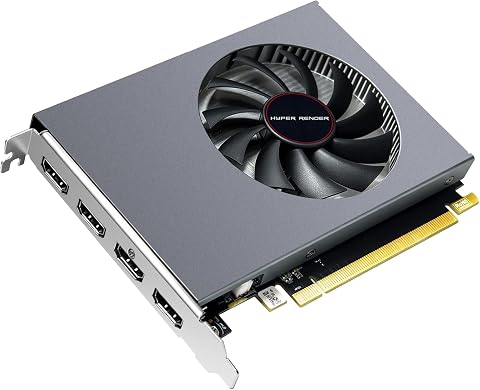 RX 550 4GB GDDR5 Graphics Card 4 HDMI GPU Tarjeta Gráfica 4 Port Video cardView on Amazon →
- 10
 Vandossy GeForce GT 730 4GB GDDR5 Graphics Card with 4 HDMI PortsView on Amazon →
One GPU, Different Workloads
A single graphics card can handle games and work applications, but “work” covers very different demands: video editing and 3D rendering may benefit from GPU compute and vendor-specific software support, while a multi-monitor office setup may need little graphics performance. The guide points readers toward CUDA and NVENC support for some creative workflows and says application compatibility should be checked before purchase.
Its practical message is that a card’s price and gaming speed are not the only considerations. VRAM, power supply capacity, physical clearance and software support can determine whether an upgrade works well in a particular system. A low-cost older GPU may still meet a display need, but the source does not support treating it as a substitute for a current gaming card.
Products Worth Considering

LG UltraGear 32-inch 4K UHD OLED Gaming Monitor, 165Hz

Sonos One Two-Room Smart Speaker Set with Alexa, Black

Samsung Galaxy Tab A11+ 11-Inch Tablet, 6GB RAM, 128GB Storage, Expandable Storage, Gray
As an affiliate, we earn on qualifying purchases.
How the Guide Ranks Its Picks
The source says it assessed cards by architecture generation, memory bandwidth and thermal efficiency, with additional attention to build, connectivity and size. It favors newer RTX 50-series and RX 9000-series products for recent features such as ray tracing and AI-assisted upscaling. These are the guide’s selection criteria, not a published independent lab test.
It also argues that 16GB of VRAM is useful for demanding high-resolution games and creative tasks, while noting that memory needs depend on resolution, settings and application. Its power advice calls for checking the specific card maker’s requirements; the article mentions 750W or 850W supplies for some high-end configurations but does not establish those figures for every model.
“The ASUS ROG Astral GeForce RTX 5080 stands out as the best overall pick.”
— ThorstenMeyerAI.com buyer’s guide
Performance Claims Need Testing
The supplied guide does not include prices, benchmark results, test systems, frame rates or application measurements. It also does not specify exact versions for every card in the 10-option list, and its claims about cooling, longevity and workload performance cannot be checked from the material provided. Availability and specifications may vary by manufacturer and model.
The article’s statements about driver support and feature limits for older GPUs are broad. Buyers should verify current driver status, compatibility with their games and professional software, and the precise power and case requirements for the specific card they are considering. The source does not establish that any one model is best for every gaming-and-work setup.
Check Fit Before Buying
The next step for readers is to match a candidate card to their actual applications, monitor resolution and budget, then confirm the exact model’s dimensions, power connectors, recommended PSU and driver support. Creative users should check GPU acceleration support in the software they rely on; gamers should compare current reviews using comparable settings and test systems.
Because the guide supplies no pricing or measured performance, its recommendations should be treated as a shortlist rather than a final purchasing verdict. Updated prices, independent benchmarks and product availability would be needed to determine which option offers the best value in 2027.
Key Questions
Can one graphics card handle gaming and creative work?
Yes, depending on the games, applications and performance expectations. Check whether your creative software supports the card’s vendor-specific features and whether its VRAM and compute performance meet your workload.
Which card does the guide recommend overall?
ThorstenMeyerAI.com names the ASUS ROG Astral GeForce RTX 5080 as its best overall pick, citing cooling and overclocking headroom. The supplied source provides no benchmarks to independently confirm that ranking.
Are the RX 550 and GT 730 suitable for modern gaming?
The guide characterizes both as cards for display output and light tasks, not modern gaming. Their suitability depends on the specific games and expectations, but the source does not present testing for them.
Is 16GB of VRAM required?
No universal requirement is established by the source. It presents 16GB as useful for demanding high-resolution gaming, but actual needs vary with resolution, game settings and creative applications.
What should I check before upgrading?
Confirm the card’s case clearance, power supply capacity and connectors, along with driver and application compatibility. Also compare independent, current benchmarks for the tasks you plan to run.
Source: ThorstenMeyerAI.com