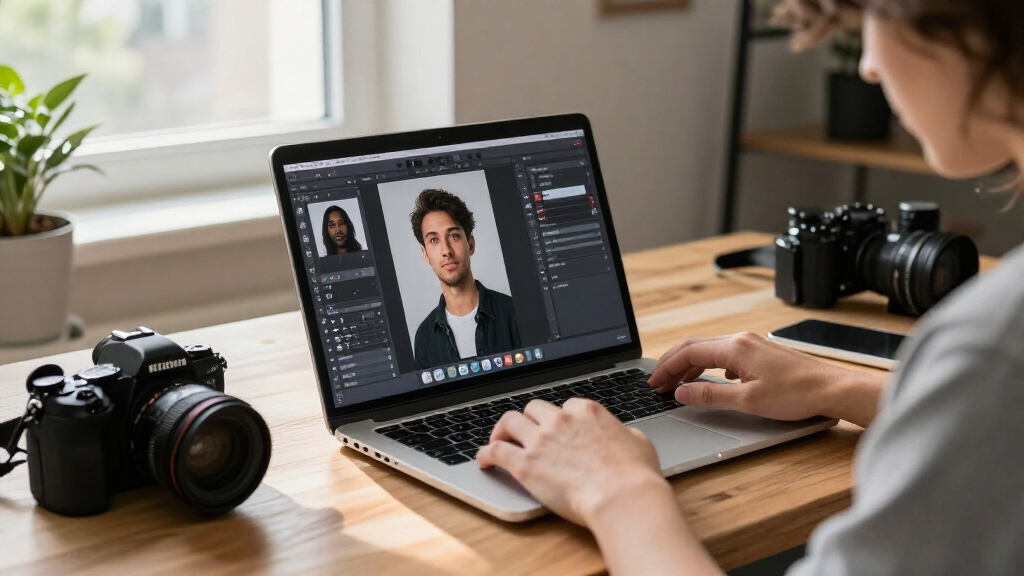

Adobe Photoshop is my best overall pick for AI photo editing software because it pairs AI-assisted image changes with a deep set of editing and design tools. Adobe Lightroom is a standout for organizing and adjusting photo collections, while CyberLink PhotoDirector offers a more guided, effects-focused alternative for Windows users. The main tradeoffs are creative control versus ease of use, subscription access versus fixed-term licenses, and photo-only tools versus bundled video software. Read on for the full breakdown of all 15 options and how I’d match them to different editing needs.

Get business pricing on tech for your team
- Business-only prices and quantity discounts
- Tax-exempt purchasing
- Multiple users, one account, clear invoices
Key Takeaways
- Photoshop and Lightroom serve different workflows: Photoshop suits detailed edits and graphic design, while Lightroom is better aligned with managing and adjusting large photo collections.
- PhotoDirector is the clearest Windows-focused alternative: its guided editing approach makes it a better fit for users who want effects and assisted edits without starting in a broad design workspace.
- Luminar’s two listings differ by license setup: the lifetime-license option and the two-seat Mac-and-Windows option may suit different ownership and device needs, so check the included terms before choosing.
- Elements bundles add video editing, but not everyone needs it: the Photoshop Elements and Premiere Elements editions make more sense for buyers who want photo and video tools together.
- Several products have near-duplicate listings: PhotoPad and PhotoDirector appear in multiple versions, so buyers should compare edition, platform, license duration, and included applications rather than choosing by name alone.
| Adobe Photoshop Elements & Premiere Elements 2027 Student & Teacher Edition, 3-Year License |  | Best for Guided Photo-and-Video Projects | License term: 3 years | Edition: Student & Teacher | Platforms: PC and Mac | VIEW LATEST PRICE | See Our Full Breakdown |
| Skylum Luminar AI Photo Editing Software – Lifetime License |  | Best for AI-Assisted Creative Edits | License: Lifetime access | Platforms: Windows, macOS, iOS, Android, and web | Supported formats: RAW, JPEG, and PNG | VIEW LATEST PRICE | See Our Full Breakdown |
| Photo Editing Software for Windows 10 and 11 |  | Best for Basic Windows Photo Tasks | Compatibility: Windows 10 and 11 (64-bit) | Listed features: More than 200 | Photo tools: Resize, crop, rotate, straighten, enhance, and organize | VIEW LATEST PRICE | See Our Full Breakdown |
| Adobe Lightroom 1TB Photo Editing Subscription, 12 Months, PC/Mac |  | Best for Cross-Device AI Photo Workflows | Subscription term: 12 months | Cloud storage: 1TB | Generative AI credits: 250 monthly | VIEW LATEST PRICE | See Our Full Breakdown |
| PhotoPad Photo Editing Software |  | Best for Straightforward Manual Touch-Ups | Product type: Photo editing software | Format: Download | Editing tools: Crop, rotate, resize, and flip | VIEW LATEST PRICE | See Our Full Breakdown |
| Adobe Photoshop Elements & Premiere Elements 2027, 3-Year License (PC/Mac Online Code) |  | Best Photo-and-Video Bundle | License term: 3 years | Platform: Windows PC and Mac | Activation: Online activation required | VIEW LATEST PRICE | See Our Full Breakdown |
| CyberLink PhotoDirector 2026 Photo Editor for Windows |  | Best for Layer-Based AI Retouching on Windows | Software: Photo editor | Version: 2026 | Operating system: Windows 11 | VIEW LATEST PRICE | See Our Full Breakdown |
| Adobe Photoshop Elements 2027 Photo Editing Software, 3-Year License, PC/Mac Online Code |  | Best for Guided AI Editing | License term: 3 years | Compatibility: Windows 11 or macOS | Windows processor: 64-bit Intel 9th Generation or newer, or AMD equivalent; AVX2 and SSE4.2 support required | VIEW LATEST PRICE | See Our Full Breakdown |
| Adobe Lightroom 1TB, 24-Month Subscription for PC and Mac |  | Best for Synced Photo Libraries | Subscription term: 24 months | Cloud storage: 1TB | Compatibility: PC and Mac | VIEW LATEST PRICE | See Our Full Breakdown |
| PhotoPad Photo Editing and Image Editor for PC |  | Best for Straightforward Everyday Edits | Platform: PC download | Operating system: Windows (all) | Supported image formats: JPG, PNG, GIF, and more | VIEW LATEST PRICE | See Our Full Breakdown |
| CyberLink PowerDirector 2026 and PhotoDirector 2026 Editing Software for Windows |  | Best for Photo-and-Video Workflows | Included software: CyberLink PowerDirector 2026 and PhotoDirector 2026 | License: Lifetime license; one-time purchase | Operating system: Windows 10/11 (64-bit) | VIEW LATEST PRICE | See Our Full Breakdown |
| Adobe Photoshop Photo Editing and Graphic Design Software, 1-Year Subscription, PC/Mac Online Code |  | Best for Advanced AI Compositing | Subscription: 1 year | Activation: Online code; internet connection and Adobe account required | Supported operating systems: Windows 10 or 11; macOS 14 Sonoma, 15 Sequoia, or 26 Tahoe | VIEW LATEST PRICE | See Our Full Breakdown |
| Skylum LuminarAI Photo Editing Software for Mac and Windows, 2 Seats |  | Best for Guided Portrait and Sky Enhancements | Platform: Mac and Windows | License seats: 2 | Minimum operating system: Windows 10 or Mac OS X | VIEW LATEST PRICE | See Our Full Breakdown |
| CyberLink PhotoDirector 2026 Photo Editing Software for Windows |  | Best for Batch AI Retouching | Platform: Windows | Edition: 2026 | Format: Box with download code | VIEW LATEST PRICE | See Our Full Breakdown |
| CyberLink PhotoDirector 2027 Ultra Photo Editing Software for Windows |  | Best for Subscription-Free AI Creation | Platform: Windows | Purchase type: One-time purchase | Cloud storage: 25 GB for 1 year | VIEW LATEST PRICE | See Our Full Breakdown |
More Details on Our Top Picks
Adobe Photoshop Elements & Premiere Elements 2027 Student & Teacher Edition, 3-Year License
Quick, Guided, and Advanced modes let this bundle serve both learners and experienced editors, while its AI-assisted photo tools handle edits alongside video work. That makes it a broader creative package than Skylum Luminar AI, which focuses on photo editing rather than the combined photo-and-video workflow. I’d choose this edition for someone who wants instructions for common edits but also room to make collages, animations, and other projects. The tradeoff is that its student-and-teacher eligibility must be verified, and online activation is required. Its system requirements are also specific: older computers, Windows on ARM devices, and Intel-based Macs aren’t supported. The three-year license is a defined term, not an ongoing subscription, but buyers should check their operating system and hardware before choosing it.
Pros:- Quick, Guided, and Advanced modes accommodate different skill levels
- AI-assisted tools cover both photo and video editing
- Supports collages, stop-motion animations, and 360° or VR video editing
- Can share projects to services including Vimeo and YouTube
Cons:- Requires student or teacher eligibility verification and online activation
- Requires recent operating systems and processors, with Windows on ARM and Intel-based Macs unsupported
- Recommended memory rises to 32 GB or more for 4K work
Best for: Eligible students and teachers who want guided photo editing plus video tools for class projects, social content, or family media.
Not ideal for: People without student or teacher eligibility, or owners of Windows on ARM and Intel-based Mac computers.
- License term:3 years
- Edition:Student & Teacher
- Platforms:PC and Mac
- Operating systems:Windows 11 version 24H2 or later; macOS 15.5 or later or macOS 26.5 or later
- Processor:64-bit; Windows Intel 9th Generation or newer or AMD equivalent; Mac Apple silicon M1 or newer
- Memory:8 GB minimum; 16 GB recommended for HD; 32 GB or more recommended for 4K
- Storage:14.7 GB for Windows; 12 GB for macOS
- Display:1440 × 900 minimum; 1920 × 1080 or higher recommended
- Activation:Internet required for activation and downloading online content
Our verdict“Choose this bundle if you qualify for the education edition and want guided AI photo editing alongside capable video-project tools.”
Skylum Luminar AI Photo Editing Software – Lifetime License
Sky replacement, object removal, and portrait retouching give Luminar AI a clear role: it suits photographers who want AI to speed up distinctive image edits rather than manage an entire photo library. It can run on its own or plug into Adobe Lightroom and Photoshop, so it can complement Lightroom’s cross-device organization instead of replacing it. RAW support also makes it more suitable for camera-file editing than the more general-purpose PhotoPad Photo Editing Software, whose supplied details emphasize manual adjustments and collages. The stated lifetime license is appealing to buyers who prefer not to commit to a recurring term. The tradeoff is uncertainty: platform availability is listed broadly, but the available information doesn’t specify which features work on mobile or web, or how those versions compare with desktop.
Pros:- AI-assisted tools include sky replacement, object removal, relighting, and portrait retouching
- Works as a standalone app or as a Lightroom and Photoshop plugin
- Supports RAW, JPEG, and PNG images
- Lifetime access is listed rather than a time-limited subscription
Cons:- Feature availability across the listed mobile and web platforms is not specified
- The product details do not clarify platform-specific requirements or differences
- Does not list cloud syncing or photo-library organization features like Adobe Lightroom
Best for: Photographers who want AI-assisted sky, portrait, lighting, and object edits in a standalone editor or as an addition to Lightroom or Photoshop.
Not ideal for: Buyers who need clearly documented mobile and web features, or a single tool with specified cross-device syncing and organization.
- License:Lifetime access
- Platforms:Windows, macOS, iOS, Android, and web
- Supported formats:RAW, JPEG, and PNG
- Integrations:Adobe Lightroom and Adobe Photoshop
- AI and editing tools:Auto enhancements, portrait retouching, sky replacement, object removal, relighting, background editing, and color grading
- App use:Standalone editor or plugin
Our verdict“Pick Luminar AI if targeted AI-driven image transformations matter more to you than clearly defined cross-device workflows.”
Photo Editing Software for Windows 10 and 11
Everyday editing and organizing are the focus here: the listed tools cover resizing, cropping, straightening, enhancement, slideshows, and collages. Unlike Adobe Lightroom 1TB Photo Editing Subscription, the product information doesn’t describe AI-powered edits, cloud syncing, or mobile access, so I wouldn’t choose it for an AI-first workflow. Its appeal is a familiar set of practical tasks, plus the ability to burn images to CD, DVD, or Blu-ray—an unusual extra for buyers who still use disc-based sharing or archiving. The stated feature count is broad, but the details don’t identify particular AI capabilities, so buyers seeking automated retouching or generative tools should look elsewhere. It’s also limited to 64-bit Windows 10 and 11, unlike cross-platform options such as Lightroom.
Pros:- Includes more than 200 listed photo features
- Covers resizing, cropping, rotation, straightening, enhancement, and organization
- Creates slideshows and collages
- Supports burning photos to CD, DVD, or Blu-ray
Cons:- Compatible only with 64-bit Windows 10 and 11
- The supplied product details do not specify AI editing tools
- Does not list cloud syncing or mobile and web editing
Best for: Windows 10 or 11 users who want basic photo adjustments, organization, slideshows, collages, and disc-burning tools in one program.
Not ideal for: Photographers seeking specified AI editing, cloud-based syncing, mobile access, or macOS compatibility.
- Compatibility:Windows 10 and 11 (64-bit)
- Listed features:More than 200
- Photo tools:Resize, crop, rotate, straighten, enhance, and organize
- Project tools:Create slideshows and collages
- Disc support:Burn photos to CD, DVD, or Blu-ray
- Included:Product key card with download link and license key
Our verdict“Choose this for a Windows-only set of everyday photo tools, not for an AI-centered or multi-device editing workflow.”
Adobe Lightroom 1TB Photo Editing Subscription, 12 Months, PC/Mac
Lightroom’s combination of AI-assisted editing and photo syncing makes this the most clearly defined choice here for people who work across devices. The 1TB of cloud storage connects desktop, mobile, and web workflows, while Lightroom Classic adds a more detailed desktop option for organizing and editing. Compared with Skylum Luminar AI, which emphasizes individual effects such as sky replacement and portrait retouching, Lightroom pairs editing with a broader syncing workflow. Generative Remove and Lens Blur add useful AI capabilities, though generative tools draw from a 250-credit monthly allowance. This is also a subscription rather than the listed lifetime license for Luminar AI, and it auto-renews. I’d favor Lightroom for an active photo library that travels between devices, but not for buyers who want to avoid recurring terms or credit limits.
Pros:- Syncs photos across desktop, mobile, and web
- Includes 1TB of cloud storage
- Offers AI-assisted features including Generative Remove and Lens Blur
- Includes Lightroom and Lightroom Classic
Cons:- The 12-month subscription auto-renews
- Generative AI features use a monthly credit allowance
- Requires a subscription rather than offering the listed lifetime access of Luminar AI
Best for: Photographers who edit and organize images on PC, Mac, mobile, and web and want cloud syncing with both Lightroom and Lightroom Classic.
Not ideal for: Buyers who prefer lifetime access, don’t need cloud storage, or want unrestricted use of generative AI features.
- Subscription term:12 months
- Cloud storage:1TB
- Generative AI credits:250 monthly
- Platforms:PC, Mac, mobile, and web
- Included apps:Lightroom and Lightroom Classic
- Delivery:Digital download
- Renewal:Auto-renewal
Our verdict“Choose Lightroom if syncing and organizing a photo library across devices is as important as AI-assisted edits.”
PhotoPad Photo Editing Software
Practical adjustments and touch-ups define PhotoPad’s place in this lineup. Its listed tools cover cropping, resizing, color and lighting adjustments, red-eye and blemish removal, and noise reduction, with curves and levels for more controlled edits. That makes it a better fit for hands-on corrections than Skylum Luminar AI, whose standout tools automate effects such as sky replacement and relighting. PhotoPad can also combine images into collages and panoramas, offering useful project options without making AI the focus. The tradeoff is clear: the supplied product details don’t identify AI features, supported operating systems, or a license term. Buyers specifically searching for AI-driven edits or confirmed platform compatibility should compare it with Lightroom or check the product’s full specifications before purchasing.
Pros:- Includes crop, rotate, resize, and flip tools
- Supports red-eye and blemish removal and noise reduction
- Offers detailed image controls including curves and levels
- Creates collages and panoramas from multiple images
Cons:- The supplied product details do not specify AI editing tools
- Supported operating systems are not listed in the supplied specifications
- License term and cloud or cross-device features are not specified
Best for: People who want a downloadable editor for manual photo corrections, detailed color adjustments, collages, and panoramas.
Not ideal for: AI-focused editors or buyers who need confirmed operating-system compatibility and cross-device workflows before selecting software.
- Product type:Photo editing software
- Format:Download
- Editing tools:Crop, rotate, resize, and flip
- Retouching:Red-eye and blemish removal; noise reduction
- Image adjustments:Color, brightness, contrast, curves, and levels
- Creative projects:Collages and panoramas from multiple images
Our verdict“Pick PhotoPad for hands-on touch-ups and image projects, but look elsewhere if AI automation is your main requirement.”
Adobe Photoshop Elements & Premiere Elements 2027, 3-Year License (PC/Mac Online Code)
Photoshop Elements and Premiere Elements make the most sense for buyers who want photo editing alongside video tools, rather than a photo-only workflow. On the photo side, AI features can remove distractions, replace backgrounds, and sharpen details; Quick, Guided, and Advanced modes let beginners start with prompts and move toward more control. Automatic tagging and face recognition also help sort a mixed media library. Compared with Photoshop Elements 2027, this bundle adds video editing and clip reframing, but it needs more storage and a higher minimum display resolution. The three-year license has a defined term, and activation and online content require internet access. It also excludes Windows on ARM and Intel-based Macs, so check your computer’s processor before choosing it.
Pros:- Combines AI-assisted photo editing with video editing tools
- Quick, Guided, and Advanced modes support different skill levels
- Automatic tagging and face recognition help organize media
- AI tools can remove distractions, replace backgrounds, sharpen details, and reframe clips
Cons:- Requires 14.7 GB of Windows storage or 12 GB on macOS, plus at least 8 GB of RAM
- Internet is required for activation and online content downloads
- Does not support Windows on ARM or Intel-based Macs
Best for: Home creators who want approachable AI photo editing, basic video editing, and automatic organization in one Windows or Apple silicon Mac bundle.
Not ideal for: Photo-only editors, users of Windows on ARM or Intel-based Macs, and anyone with limited storage or no reliable internet for activation and online content.
- License term:3 years
- Platform:Windows PC and Mac
- Activation:Online activation required
- Minimum RAM:8 GB
- Windows storage:14.7 GB available space
- macOS storage:12 GB available space
- Minimum display resolution:1440 × 900
- Processor requirements:Windows: Intel Core 9th Generation or newer, or AMD equivalent; Mac: Apple silicon M1 or newer
Our verdict“Choose this bundle if you want guided AI photo edits and companion video tools, but pick Photoshop Elements alone if video editing is unnecessary.”
CyberLink PhotoDirector 2026 Photo Editor for Windows
PhotoDirector 2026 pairs generative AI features with layers, color controls, and retouching, making it a stronger fit for hands-on edits than a guided-first tool. Object and wire removal can clean up busy scenes, while denoising, deblurring, and face and body retouching target common image fixes. Compared with Adobe Photoshop Elements 2027, PhotoDirector highlights layer editing and creative effects, while Elements offers Quick, Guided, and Advanced modes plus automatic photo organization. That makes PhotoDirector more appealing to Windows users who want to shape edits themselves, but less suited to beginners seeking step-by-step guidance or cross-platform flexibility. Its stated operating system is Windows 11; the product details do not specify a Mac version or broader system requirements, so compatibility needs checking before purchase.
Pros:- AI-assisted object and wire removal can clean up distracting scene elements
- Combines enhancement, denoising, deblurring, and portrait retouching
- Layer editing gives more control over creative adjustments
- Includes creative effects alongside core photo editing tools
Cons:- Requires Windows 11, with no Mac compatibility listed
- Product details do not specify minimum hardware or storage requirements
- Lacks the stated guided editing modes and automatic organization features of Photoshop Elements
Best for: Windows 11 photographers who want AI object cleanup and retouching alongside layer-based editing and creative effects.
Not ideal for: Mac users, people on older Windows versions, or beginners who want guided lessons and built-in media organization.
- Software:Photo editor
- Version:2026
- Operating system:Windows 11
- AI and editing features:Generative AI tools, layer editing, photo retouching, creative effects, object removal, wire removal, and image enhancement
Our verdict“Pick PhotoDirector if you use Windows 11 and want AI cleanup with layer control, rather than Elements’ guided workflow and organization tools.”
Adobe Photoshop Elements 2027 Photo Editing Software, 3-Year License, PC/Mac Online Code
Photoshop Elements 2027 stands out for bringing AI-assisted fixes into a workflow that can serve both first-time editors and users who want more manual control. Quick, Guided, and Advanced modes let buyers choose between simple adjustments, step-by-step edits, and a fuller editing workspace. Its tools cover distraction removal, image restoration, detail enhancement, background replacement, and creative projects; automatic tagging helps keep a photo library in order. Compared with the Photoshop Elements & Premiere Elements bundle, this version focuses on photos and calls for less listed storage, making it the more direct choice when video editing is not needed. The tradeoff is a three-year license rather than an indefinite term, plus internet requirements for activation and online features. It does not support Windows on ARM or Intel Macs.
Pros:- Quick, Guided, and Advanced modes accommodate different editing experience levels
- AI-assisted tools cover distraction removal, restoration, enhancement, and background replacement
- Automatic photo tagging helps organize an image library
- Templates, effects, and collages support creative projects beyond basic correction
Cons:- License lasts three years rather than indefinitely
- Internet is needed for activation and downloading features and online content
- Does not support Windows on ARM or Intel-based Macs
Best for: New and casual photo editors who want guided AI-assisted repairs, creative templates, and organization tools on a compatible PC or Apple silicon Mac.
Not ideal for: Video creators who want editing tools in the same package, buyers seeking a perpetual license, or users with Windows on ARM or Intel Macs.
- License term:3 years
- Compatibility:Windows 11 or macOS
- Windows processor:64-bit Intel 9th Generation or newer, or AMD equivalent; AVX2 and SSE4.2 support required
- macOS processor:Apple silicon M1 or newer
- Memory:8 GB required; 16 GB recommended
- Storage:Windows: 9.6 GB available space; macOS: 7.2 GB available space
- Display resolution:1280 × 800 required; 1920 × 1080 or higher recommended
- Internet:Required for activation and downloading features and online content
Our verdict“Choose Photoshop Elements if guided AI photo edits matter more than bundled video tools or a license without a fixed term.”
Adobe Lightroom 1TB, 24-Month Subscription for PC and Mac
Adobe Lightroom is the lineup’s strongest fit for photographers who edit across devices and want their library to travel with them. Desktop, mobile, and web access, automatic syncing, and 1TB of cloud storage make it easier to continue edits away from a main computer. AI tools include object removal, portrait blur, editing suggestions, and generative upscaling, while Lightroom Classic adds detailed editing and organization options for desktop-focused work. Compared with Photoshop Elements 2027, Lightroom puts more emphasis on a connected library and cross-device workflow; Elements instead offers Guided modes, templates, and collages. The tradeoffs are a 24-month subscription and a monthly cap of 250 generative AI credits, so frequent use of those tools may be constrained.
Pros:- Syncs photo edits and library across desktop, mobile, and web
- Includes 1TB of cloud storage
- AI features include object removal, portrait blur, and generative upscaling
- Lightroom Classic provides detailed desktop editing and photo organization tools
Cons:- Subscription is limited to 24 months
- Generative AI use is capped at 250 credits per month
- Cloud-centered syncing may be less suitable for buyers who prefer a strictly local library
Best for: Photographers who edit on desktop and mobile, want a synced cloud library, and can work within a 250-credit monthly generative AI allowance.
Not ideal for: Buyers who want a fixed-term license without a subscription structure, mostly offline editing, or unlimited monthly generative AI use.
- Subscription term:24 months
- Cloud storage:1TB
- Compatibility:PC and Mac
- Platforms:Desktop, mobile, and web
- Generative AI credits:250 per month
- Delivery format:Digital download
Our verdict“Choose Lightroom if you need a synced photo library across devices; choose Photoshop Elements for guided projects and a less cloud-centered workflow.”
PhotoPad Photo Editing and Image Editor for PC
PhotoPad is the practical pick here for routine image adjustments rather than an AI-first editing workflow. It covers cropping, resizing, rotation, color and exposure changes, touch-ups, filters, text, frames, collages, and panoramas, with support for common formats including JPG, PNG, and GIF. That breadth suits buyers who mainly need to tidy images or assemble simple projects. Compared with CyberLink PhotoDirector 2026, PhotoPad’s listed strengths are conventional editing and creative utilities, not generative AI, object removal, or layer editing. It also trails Photoshop Elements 2027 for guided AI repairs and automatic organization. The product information lists a Windows PC download and does not establish Mac support, so it is a limited fit for cross-platform households.
Pros:- Covers common edits such as crop, resize, rotate, exposure, and color adjustment
- Includes touch-up tools, filters, text, and frames
- Can create collages and panoramas
- Supports JPG, PNG, GIF, and other image formats
Cons:- Product information lists Windows only, with no Mac support specified
- No AI editing features are listed, unlike PhotoDirector and Photoshop Elements
- Does not list layer editing or guided editing modes
Best for: Windows users who need common image corrections, touch-ups, filters, and simple collages without relying on AI editing features.
Not ideal for: Photographers seeking generative AI tools, guided restoration, advanced layer workflows, or a confirmed Mac version.
- Platform:PC download
- Operating system:Windows (all)
- Supported image formats:JPG, PNG, GIF, and more
- Editing features:Crop, resize, flip, rotate, color adjustment, exposure, contrast, touch-up tools, filters, text, frames, collages, and panoramas
Our verdict“Choose PhotoPad for everyday Windows image fixes and simple creative projects, but look to PhotoDirector or Photoshop Elements for AI-assisted editing.”
CyberLink PowerDirector 2026 and PhotoDirector 2026 Editing Software for Windows
This bundle suits Windows creators who want AI photo editing alongside video tools without buying separate editing packages. PhotoDirector handles image enhancement, object removal, and batch edits; PowerDirector adds video editing plus screen and webcam recording. Compared with the standalone CyberLink PhotoDirector 2026, the bundle makes more sense for mixed-media work, but adds little value if you only edit still photos. Both licenses are lifetime licenses, so there is no recurring software subscription, though that does not cover every AI feature: generative tools require separately purchased credits. Delivery is a printed download code rather than a disc, and the software is limited to 64-bit Windows 10 or 11. That makes this a practical two-app package, not a flexible choice for Mac users or buyers seeking credit-free generative editing.
Pros:- Combines PhotoDirector photo editing with PowerDirector video editing
- Lifetime licenses avoid recurring software subscription fees
- Includes AI-assisted enhancement, masking, and object removal
- Supports batch photo editing and screen and webcam recording
Cons:- Generative AI features require separately purchased credits
- Requires 64-bit Windows 10 or 11
- Supplied as a download code with no physical disc
Best for: Windows creators who regularly edit photos and videos and want both applications under lifetime licenses
Not ideal for: Mac users, photo-only editors who do not need video tools, and buyers who want generative AI use included without separate credits
- Included software:CyberLink PowerDirector 2026 and PhotoDirector 2026
- License:Lifetime license; one-time purchase
- Operating system:Windows 10/11 (64-bit)
- Delivery:Printed download code; no physical disc
- Generative AI tools:Require separately purchased AI credits
- Photo editing:AI object masking and removal, image enhancement, and batch editing
- Additional tools:Video editing, screen recording, and webcam recording
Our verdict“Choose this bundle if you edit both photos and videos on Windows; for still-image work alone, the standalone CyberLink PhotoDirector 2026 is the more focused fit.”
Adobe Photoshop Photo Editing and Graphic Design Software, 1-Year Subscription, PC/Mac Online Code
Photoshop is the strongest fit here for editors who need fine-grained control over images, not just one-click improvements. Layers, masks, retouching, and color adjustments let users combine photos or make targeted corrections, while AI features can generate, expand, or remove image content. Compared with Skylum LuminarAI, Photoshop offers a broader design and compositing toolkit, but asks more of the user: its depth brings a steeper learning curve than LuminarAI’s template-led approach. It also differs from the CyberLink PhotoDirector options by combining photo editing with graphic design workflows and supported desktop, mobile, and web experiences. The tradeoff is a one-year subscription that requires online activation and an Adobe account. Hardware needs are also more demanding than a lightweight, simple-editing tool, and some AI features are only available where supported.
Pros:- Layers, masks, color adjustments, and retouching support detailed edits
- AI tools can generate, expand, or remove image content
- Supports photo editing and graphic design projects
- Works across supported desktop, mobile, and web experiences
Cons:- Access is tied to a one-year subscription and subscription validation
- Requires online activation and an Adobe account
- Some AI features are only available where supported
Best for: Photographers, designers, and image makers who need layer-based compositing, detailed retouching, and AI-assisted content changes
Not ideal for: Casual editors seeking a simple, subscription-free workflow or buyers who prefer a dedicated photo enhancer with less complexity
- Subscription:1 year
- Activation:Online code; internet connection and Adobe account required
- Supported operating systems:Windows 10 or 11; macOS 14 Sonoma, 15 Sequoia, or 26 Tahoe
- Processor:Compatible 64-bit multicore Intel, AMD, Windows ARM, or Apple silicon
- Memory:8 GB RAM minimum; 16 GB or more recommended
- Storage:10 GB available space
- Minimum display resolution:1280 x 800
- Graphics:DirectX 12-compatible GPU on Windows or Metal-compatible GPU on Mac; at least 1.5 GB GPU memory
Our verdict“Pick Photoshop for intricate edits and compositing with AI assistance, but choose LuminarAI or PhotoDirector if you want a more guided photo-first workflow.”
Skylum LuminarAI Photo Editing Software for Mac and Windows, 2 Seats
LuminarAI puts AI-assisted photo enhancement ahead of manual compositing. Its tools detect skies, faces, skin, bodies, and atmosphere, while templates help users apply a consistent style without building a complicated adjustment workflow. That makes it a more approachable photo-first option than Adobe Photoshop, whose layers and design tools offer greater control but can take more learning. Compared with CyberLink PhotoDirector 2026, LuminarAI’s listed strengths center on detection and templates rather than batch editing and a broader set of object-removal tools. The interface is described as simple, and two seats provide access for two users or installations. However, the provided specifications list a 10 GB memory requirement and give an unclear storage requirement, so buyers should verify that their computers meet the software’s needs before choosing it.
Pros:- AI tools target skies, faces, skin, bodies, and atmosphere
- Templates help create consistent photo styles
- Simple interface favors guided editing over complex manual workflows
- Supports Mac and Windows and includes two seats
Cons:- Lists a 10 GB memory requirement
- Storage requirement is unclear in the supplied specifications
- Its listed toolset is less focused on batch editing than CyberLink PhotoDirector 2026
Best for: Portrait and landscape photographers who want guided AI adjustments and repeatable looks on Mac or Windows
Not ideal for: Editors who need batch-processing tools, precise layer-based compositing, or clearly stated storage requirements before purchase
- Platform:Mac and Windows
- License seats:2
- Minimum operating system:Windows 10 or Mac OS X
- Processor:64-bit
- Memory:10 GB
- Storage:Mac OS 10.13 available space; exact requirement not specified
- AI tools:Tools for skies, faces, skin, bodies, and atmosphere
- Style tools:Templates for creating consistent photo styles
Our verdict“Choose LuminarAI for guided portrait and sky enhancements across Mac or Windows, but look to Photoshop for detailed compositing or PhotoDirector for batch-focused work.”
CyberLink PhotoDirector 2026 Photo Editing Software for Windows
PhotoDirector 2026 is the focused Windows choice for photographers who need AI cleanup across a set of images, rather than a separate video editor. Its tools cover object and wire removal, image and color enhancement, face and body retouching, and background removal or replacement. Batch editing can apply retouching, resizing, and enhancement across photo sets, a practical advantage over Skylum LuminarAI, whose listed appeal is more about detected elements and style templates. Photoshop offers more extensive design and compositing tools, but PhotoDirector’s feature set is aimed squarely at correcting and finishing photos. The main catch is that generative AI requires separate credits, so the listed AI toolkit does not mean every generative task is included. It is also Windows-only, and the box supplies a download code instead of a disc.
Pros:- Combines object and wire removal with image and color enhancement
- Supports batch retouching, resizing, and enhancement
- Can remove and replace photo backgrounds
- Includes face and body retouching tools
Cons:- Generative AI features require separately purchased credits
- Available for Windows only
- Box contains a download code rather than a physical disc
Best for: Windows photographers who need to retouch, resize, enhance, or remove distractions across multiple images
Not ideal for: Mac users, buyers seeking a cross-platform editor, or users who expect generative AI credits to be included
- Platform:Windows
- Edition:2026
- Format:Box with download code
- AI tools:Object removal, image enhancement, wire removal, face and body retouching, background removal, color enhancement, and generative AI
- Batch editing:Retouch, resize, and enhance photo sets
- Generative AI access:AI credits sold separately
Our verdict“Pick PhotoDirector 2026 for Windows batch retouching and practical AI cleanup, but choose Photoshop for broader design work or LuminarAI for Mac support.”
CyberLink PhotoDirector 2027 Ultra Photo Editing Software for Windows
PhotoDirector 2027 Ultra combines everyday photo correction with a broader set of AI creation tools, including Text to Image, Image to Video, AI Try-On, Face Swap, and AI Background Replacement. Its one-time purchase and included 300 AI credits for the first year give buyers a defined starting allowance for generative features, unlike PhotoDirector 2026, where generative AI requires separately purchased credits. The 2027 edition also includes layers, batch editing, portrait retouching, and creative output tools, so it can handle more than quick AI effects. Compared with Photoshop, it is a Windows-only option with a more specific bundled credit and cloud-storage offer rather than a cross-platform subscription workflow. Additional AI use may cost extra, and the 25 GB of cloud storage lasts one year, even though the software purchase itself is subscription-free.
Pros:- One-time purchase with no software subscription required
- Includes 300 AI credits for the first year
- Offers AI creation and editing tools including Text to Image and AI Background Replacement
- Includes layers, batch editing, portrait retouching, and 25 GB of cloud storage for one year
Cons:- Additional generative AI use may cost extra
- The included 25 GB cloud storage lasts only one year
- Available for Windows only
Best for: Windows users who want a one-time-purchase photo editor with a first-year AI credit allowance and image-creation tools
Not ideal for: Mac users, people who need ongoing cloud storage included, or frequent generative AI users who do not want possible extra credit costs
- Platform:Windows
- Purchase type:One-time purchase
- Cloud storage:25 GB for 1 year
- Included AI credits:300 for the first year
- Editing features:Photo adjustment, layers, batch editing, portrait retouching, slideshows, animated GIFs, and print tools
- AI features:Text to Image, Image to Video, AI Try-On, AI Replace, Face Swap, and AI Background Replacement
- Additional AI use:Additional AI credits may cost extra
Our verdict“Choose PhotoDirector 2027 Ultra if you want subscription-free Windows editing with an initial AI credit allowance, but check the limits if you expect heavy ongoing generative use.”

How We Picked
I ranked these products by how well their AI-assisted features fit real photo workflows, then weighed ease of use, editing flexibility, platform support, and the amount of control available after an automated edit. A useful AI editor should help with tasks such as adjustments, effects, or image changes without making it hard to refine the result. I also considered whether each option focuses on photography or bundles extra tools that may add value for some buyers but clutter the workflow for others.
The order reflects those differences rather than treating every listing as a separate feature set. Adobe Photoshop leads for its broad creative scope, while Lightroom earns a distinct place for photo-library workflows. PhotoDirector and Luminar offer more focused alternatives, and the Elements, PhotoPad, and bundled listings are best matched to particular skill levels, operating systems, or license preferences. Where product names repeat, I’d verify the edition and license details before buying.
Factors to Consider When Choosing AI Photo Editing Software
Before choosing AI photo editing software, I’d match the tool to the work that happens before and after the AI feature. The best fit depends on how many images you handle, how much manual control you want, and whether you need a one-time license, a subscription, or tools for more than one device.
Choose a workflow before choosing an AI feature
Start by asking whether you mainly edit single images or process a collection. A library-centered workflow benefits from tools for sorting, organizing, and applying consistent adjustments across many photos; a design-centered workflow needs detailed control over layers, selections, and compositing. AI tools can save time, but they do not replace the workflow around them. A common mistake is to choose software for one eye-catching effect and then discover that everyday tasks take too many steps. Write down the three edits you make most often and prioritize software that supports those tasks clearly.
Check how much control remains after an AI edit
Automated edits can speed up selection, retouching, or creative changes, but the result still needs to fit the original image. Look for a workflow that lets you adjust the strength of an effect or refine the result rather than forcing a single preset outcome. This matters most for portraits, product images, and photos that need a consistent style across a set. Beginners may prefer guided tools that reduce the number of decisions, while experienced editors may want finer controls and editable layers. Do not assume that a larger list of AI features means better results for your particular subject.
Match the license to how long and where you edit
These listings include subscriptions, fixed-term licenses, lifetime-license wording, and multi-seat options, so the license can matter as much as the editor. Check the exact duration, number of devices or seats, supported operating systems, and whether access depends on an ongoing plan. A subscription may suit someone who wants access for a defined period or already works in that ecosystem, while a non-subscription license may appeal to buyers who prefer a different ownership model. Avoid comparing two listings by product name alone: similarly named editions can have different terms. Confirm the seller’s current activation and renewal details before purchasing.
Decide whether bundled video and design tools earn their place
Some packages combine photo editing with video editing or graphic-design capabilities. That can be a practical fit if you regularly create both still images and videos, since one purchase may cover more of your workflow. If you only edit photos, extra applications can add complexity without improving your results. Bundles may also differ from photo-only editions in interface, installation, and the tools included. List the tasks you will actually use, then compare the bundle with a focused editor rather than treating more software as automatic value.
Plan for file storage and image volume
Editing a few images now and then is different from managing years of high-resolution files. Think about where originals, edited versions, and backups will live, and whether your workflow needs cloud storage or local folders. Large libraries can make organization and consistent adjustments more important than a single AI effect. Buyers sometimes focus on storage included with a plan without checking how it fits their existing backup habits or file sizes. If you create many versions of each image, leave room for those files and make sure you have a reliable backup routine.
Match the interface to your skill level and patience
A capable editor is not the right choice if its interface slows down every routine task. Guided software can help a new editor build confidence, while a broad creative workspace gives experienced users more room to shape a result. Consider whether you want tutorials and step-by-step tools or prefer direct access to manual controls. A common buying error is choosing an advanced product for flexibility before learning whether you enjoy editing enough to use it. If possible, review the current interface and system requirements before committing to a license.
Frequently Asked Questions
Should I choose Photoshop or Lightroom for AI photo editing?
I’d choose Lightroom when the main job is organizing and adjusting a growing photo library, especially if you want a consistent process across many images. Photoshop is a better fit when you need detailed changes to individual images or want to combine photo editing with graphic design. Their AI-assisted features are only part of the decision: the surrounding workflow shapes how useful each tool feels day to day. If you regularly move from collection-wide adjustments to detailed image work, check how each product fits with the rest of your software setup. Choose based on your most frequent task, not on which name sounds more advanced.
Is a lifetime license always a better choice than a subscription?
No; the better license depends on how you work and what access the listing actually provides. A lifetime-license listing may appeal if you prefer not to maintain a subscription, but it may not include the same update or service terms as a subscription. A subscription can suit buyers who want access for a set period or use related services in an ongoing workflow. Compare the duration, renewal terms, supported devices, and included features before deciding. Verify those details for the exact edition, since similarly named listings can differ.
What should I check when two listings have almost the same product name?
Compare the full edition name, included applications, operating systems, license duration, and number of seats. In this roundup, PhotoPad and PhotoDirector each appear in more than one listing, while Adobe and Luminar also have editions with different bundles or license arrangements. Those differences can affect whether the software works on your computer or covers the tasks you need. Check whether a listing is photo-only or includes video software, and confirm whether it is a code, subscription, or other license type. Do not assume that a newer year in the title automatically means the edition has the features you want.
Do I need a photo-and-video bundle if my main goal is editing pictures?
Usually not, unless you also plan to edit video or want the extra applications for a specific project. The Elements bundle and the PowerDirector-and-PhotoDirector package are more relevant to buyers who work across both media types. A bundle can bring related tools together, but it can also add software you never open and make the choice less straightforward. If your needs are limited to still images, compare photo-focused options first. Choose the bundle when its added tools solve a real part of your workflow, not simply because it contains more applications.
Which type of AI photo editor makes the most sense for a beginner?
A beginner will usually benefit most from clear guided tools, a manageable interface, and the ability to refine an automated result without learning a complex workflow all at once. PhotoDirector and PhotoPad are worth comparing for users who want a more approachable starting point, while Photoshop offers broader room to grow but may ask more of a new editor. Consider what you want to learn: basic corrections, creative effects, or detailed compositing. Try to match the software to that goal rather than selecting the product with the longest feature list. Also check platform and license details so the chosen edition fits your computer and intended use.
Conclusion
For the broadest mix of AI-assisted photo work and creative control, I’d start with Adobe Photoshop as the best overall. Adobe Lightroom is my pick for buyers whose priority is managing and adjusting photo collections, while PhotoDirector is a strong fit for Windows users who want a more guided editing experience. For a beginner, I’d compare PhotoDirector or PhotoPad before committing to Photoshop’s broader workspace. Choose Photoshop Elements and Premiere Elements if you specifically want photo and video tools together, and look at Luminar if its license and platform options match your setup. The best choice comes down to your regular editing tasks, preferred level of control, and license needs—not simply the number of AI features listed.