AI transcription software can turn speech into text, but these seven picks serve different workflows rather than offering interchangeable tools. I rank Express Scribe Professional with the Infinity foot pedal first for hands-on transcription, where playback controls and a pedal can make reviewing recordings easier. NeoSapien Neo 1 stands out for wearable note capture, while AI VoiceWriter is aimed at people who want to dictate text directly into a computer. The main tradeoff is between tools for processing existing audio and devices or software designed to capture speech as it happens. Read on for the full breakdown, including what each option does best and where its limits matter.

Get business pricing on tech for your team
- Business-only prices and quantity discounts
- Tax-exempt purchasing
- Multiple users, one account, clear invoices
Key Takeaways
- Express Scribe Professional with the Infinity pedal ranks first because it pairs transcription-focused playback controls with a physical pedal, a more direct fit for people who regularly review recorded audio.
- Several Express Scribe entries are variations on one workflow, not separate AI transcription platforms; compare included hardware, platform compatibility, and delivery format before choosing among them.
- NeoSapien Neo 1 and YUEHISY Voice Hub focus on capturing speech, so they suit different needs from desktop software built around typing while audio plays.
- AI VoiceWriter is a dictation-oriented pick, making it a better match for composing text by voice than for managing a backlog of interviews or recordings.
- The roundup’s biggest dividing line is workflow: decide whether you need to transcribe existing files, capture conversations, translate spoken content, or dictate your own writing before comparing features.
| Express Scribe Professional Transcription Software with Infinity IN-USB-3 USB Foot Pedal |  | Best Complete Transcription Kit | Brand: VEC | Model number: FPAEBUNDLE | Included items: Infinity IN-USB-3 USB transcription foot pedal; Express Scribe Professional user license | VIEW LATEST PRICE | See Our Full Breakdown |
| Express Scribe Pro Transcription Software for PC and Mac |  | Best for Flexible File Handling | Compatibility: PC and Mac | Playback: Variable speed with constant pitch; audio and video | Controls: Keyboard hotkeys and professional USB foot pedals | VIEW LATEST PRICE | See Our Full Breakdown |
| Express Scribe Transcription Software with Foot Pedal Support [Download] | ” image=”https://m.media-amazon.com/images/I/71RYZh3mCPL._AC_SX342_SY445_QL70_ML2_.png” link=”0″] | Best Download-Only Option | Playback: Variable speed with constant pitch | Media support: Audio and video | File format support: Most formats, including encrypted dictation files | VIEW LATEST PRICE | See Our Full Breakdown |
| NeoSapien Neo 1 Wearable AI Note-Taking Device |  | Best Wearable AI Transcription | Dimensions: 45 × 22 × 8 mm | Item weight: 1.76 ounces | Battery life: Up to 2 days per charge | VIEW LATEST PRICE | See Our Full Breakdown |
| YUEHISY AI Voice Hub with Transcription and Translation |  | Best for a Plug-and-Play Desk Setup | Brand: YUEHISY | Hardware interface: USB 2.0 | USB ports: 3 | VIEW LATEST PRICE | See Our Full Breakdown |
| Express Scribe Transcription Software (Download) – Compatible with Foot Pedals |  | Best for Hands-Free File Transcription | Playback speed control: Variable speed with constant pitch | Supported media: Audio and video, including encrypted dictation files | Foot pedal compatibility: Professional USB foot pedals | VIEW LATEST PRICE | See Our Full Breakdown |
| AI VoiceWriter Smart Dictation & Writing Assistant for Windows & Mac |  | Best for Multilingual Voice Dictation | Brand: PenPower | Model number: 4710837754330 | Hardware interface: USB | VIEW LATEST PRICE | See Our Full Breakdown |
More Details on Our Top Picks
Express Scribe Professional Transcription Software with Infinity IN-USB-3 USB Foot Pedal
This bundle is the most ready-to-work choice here for transcribing recorded audio: it pairs Express Scribe Professional with a dedicated Infinity IN-USB-3 foot pedal, so you can control playback without taking your hands off the keyboard. Variable-speed playback, multi-channel control, video playback, and file management give it a fuller transcription workflow than the standalone Express Scribe downloads, which require a separately sourced compatible pedal for the same hands-free setup. It also avoids a recurring software subscription. The tradeoff is that this is playback software, not an automatic AI transcription service; it helps you work through recordings rather than generating transcripts for you. You’ll also need a computer, and the product information lists conflicting weight measurements, so I wouldn’t rely on that detail when planning a workspace.
Pros:- Includes both Express Scribe Professional and an Infinity USB foot pedal.
- Pedal controls playback while leaving hands free for typing.
- Variable-speed playback, multi-channel control, video playback, and file management support a detailed workflow.
- No recurring software subscription is required.
Cons:- Does not automatically convert speech to text; transcription remains a manual task.
- Requires a computer to use.
- Product information gives conflicting weight measurements.
Best for: Transcriptionists who work at a computer with recorded audio and want software and a compatible foot pedal in one package.
Not ideal for: People who need automatic speech-to-text, mobile transcription, or a setup that works without a computer.
- Brand:VEC
- Model number:FPAEBUNDLE
- Included items:Infinity IN-USB-3 USB transcription foot pedal; Express Scribe Professional user license
- Compatible device:Personal computer
- Hardware interface:USB 3.0
- Supported audio formats:MP3, WAV, WMA
- Pedal weight:2.3 lbs
- Warranty:1 year
Our verdict“Choose this bundle if you want a computer-based manual transcription setup with foot-pedal control included.”
Express Scribe Pro Transcription Software for PC and Mac
I’d choose this Express Scribe edition when recordings arrive from several places, since it can load files from FTP, email, or a local network as well as from the computer. Its variable-speed playback keeps pitch constant, making it easier to slow difficult speech without making voices sound unnaturally low. Compared with the Express Scribe Professional bundle with Infinity pedal, this option offers broader detail on file intake but doesn’t include a pedal; hands-free control depends on a separately acquired compatible model. It works with audio and video, including encrypted dictation files, on PC and Mac. Like the other Express Scribe options in this roundup, it is a playback aid rather than AI that produces a transcript for you, so it suits people willing to type while listening.
Pros:- Loads files from FTP, email, or a local computer network.
- Variable-speed playback maintains constant pitch.
- Plays audio and video and supports encrypted dictation files.
- Keyboard hotkeys and compatible USB foot pedals provide playback control options.
Cons:- Does not generate transcripts automatically.
- A compatible professional USB foot pedal may need to be obtained separately for hands-free control.
Best for: PC or Mac transcriptionists who receive dictation through email, FTP, or a local network and want flexible playback controls.
Not ideal for: Buyers seeking automatic AI-generated transcripts or a complete kit with a foot pedal included.
- Compatibility:PC and Mac
- Playback:Variable speed with constant pitch; audio and video
- Controls:Keyboard hotkeys and professional USB foot pedals
- File formats:Most formats, including encrypted dictation files
- File loading:FTP, email, or local computer network
- Automatic transcription:Not specified; described as playback software for transcription
Our verdict“Pick this version if flexible file intake matters more than having a foot pedal bundled with the software.”
Express Scribe Transcription Software with Foot Pedal Support [Download]
” image=”https://m.media-amazon.com/images/I/71RYZh3mCPL._AC_SX342_SY445_QL70_ML2_.png” link=”0″]Best Download-Only Option
View Latest PriceThis download suits buyers who already have a compatible pedal or prefer keyboard controls and want to add a playback tool without buying a bundled hardware kit. Variable-speed playback with constant pitch helps you follow fast or unclear recordings while keeping voices natural, and the software also handles video and many audio formats, including encrypted dictation files. Unlike the Express Scribe Professional kit, it does not include the Infinity pedal; its advantage is a digital-only format rather than a ready-made hardware-and-software package. Hotkeys let you control playback while typing, but pedal compatibility is limited to supported professional USB models. I’d also note that the listing doesn’t name specific supported file formats, so buyers with an unusual recording workflow may prefer the format details provided for the kit.
Pros:- Digital download avoids the need for a bundled hardware kit.
- Variable-speed playback maintains constant pitch.
- Supports audio and video playback, including encrypted dictation files.
- Can be controlled with hotkeys or compatible USB foot pedals.
Cons:- Does not automatically transcribe recordings.
- Foot-pedal support is limited to supported professional USB models.
- The product data does not list specific supported file formats.
Best for: Transcriptionists who want a downloadable playback tool and already own a supported USB foot pedal or plan to use hotkeys.
Not ideal for: People who need AI-generated transcripts, a foot pedal included, or confirmed support for a particular audio format.
- Playback:Variable speed with constant pitch
- Media support:Audio and video
- File format support:Most formats, including encrypted dictation files
- Playback controls:Compatible USB foot pedals and hotkeys
- Download:Digital download
- Foot pedal included:Not listed as included
Our verdict“Choose this download if you want Express Scribe playback controls and already have compatible hardware or plan to use hotkeys.”
NeoSapien Neo 1 Wearable AI Note-Taking Device
Unlike the Express Scribe products, which help you manually transcribe recordings, the Neo 1 captures conversations and creates searchable transcripts through its companion app. It goes beyond transcription with summaries, decisions, tasks, and reminders, making it a stronger fit for someone who wants meeting notes turned into follow-up actions. Support for more than 140 languages and a battery life of up to two days add flexibility for regular use. Its pendant form is more portable than a computer-and-pedal setup, but it depends on an iPhone or Android phone and an internet connection to process conversations. Audio is deleted after transcription, with encrypted data described in the product information; buyers should still check whether its app-based processing fits their privacy needs.
Pros:- Creates searchable transcripts, summaries, decisions, tasks, and reminders.
- Supports more than 140 languages.
- Core features do not require a recurring membership.
- Product information describes audio deletion after transcription and encrypted data.
Cons:- Requires a compatible phone and an internet connection to process conversations.
- Wearable capture may not suit people who prefer to record files through a computer workflow.
Best for: People who attend frequent meetings or conversations and want searchable transcripts plus automatically organized summaries and follow-up tasks.
Not ideal for: Users who need offline processing, computer-based manual playback controls, or transcription without a wearable recording device.
- Dimensions:45 × 22 × 8 mm
- Item weight:1.76 ounces
- Battery life:Up to 2 days per charge
- Microphone range:Up to 2 meters
- Supported languages:140+
- Connectivity:Bluetooth
- Compatibility:iPhone and Android
- Model number:MAI-NEO1
- Subscription:No recurring membership required
Our verdict“Choose the Neo 1 if you want wearable conversation capture that turns speech into transcripts and organized meeting notes.”
YUEHISY AI Voice Hub with Transcription and Translation
The YUEHISY AI Voice Hub takes a different route from the NeoSapien Neo 1: it is a USB-connected hub advertised for real-time voice-to-text and translation, rather than a wearable recorder that builds meeting notes. Its three USB ports add practical connectivity alongside voice features, and the plug-and-play design is listed for Windows, macOS, Android, and Chrome OS devices. That could suit someone who wants transcription and translation tools at a desk or with a compatible tablet. The limitation is how little the product data says about transcription performance: it gives no supported language list or accuracy information. Integration with ChatGPT and DeepSeek is also described, but the specific workflow isn’t detailed. Compared with Express Scribe, this aims at automated speech conversion, but provides fewer confirmed details about formats and controls.
Pros:- Advertises real-time voice-to-text transcription and multilingual translation.
- Provides three USB ports in addition to its voice features.
- Plug-and-play operation is described as requiring no drivers.
- Listed compatibility spans PCs, Chromebooks, tablets, and several operating systems.
Cons:- The product information does not specify supported languages or transcription accuracy.
- The described ChatGPT and DeepSeek integrations lack detailed workflow information.
- Warranty coverage is listed as 90 days.
Best for: People seeking a USB-connected voice-to-text and translation device with extra ports for a compatible computer, Chromebook, or tablet.
Not ideal for: Buyers who need documented language coverage, transcription accuracy details, or a clearly specified workflow for processing recordings.
- Brand:YUEHISY
- Hardware interface:USB 2.0
- USB ports:3
- Compatible devices:PCs, Chromebooks, tablets, gaming consoles
- Operating systems:Android, Chrome OS, Windows, macOS
- Connectivity:Plug and play; no drivers required
- Color:Silver
- Warranty:90 days
Our verdict“Consider this hub if plug-and-play voice features and extra USB ports matter, but skip it if you need clearly documented language and accuracy support.”
Express Scribe Transcription Software (Download) – Compatible with Foot Pedals
I’d choose Express Scribe when the job is transcribing existing recordings, not capturing live speech. Its variable-speed playback with constant pitch lets typists slow difficult passages without making voices sound distorted, while support for video and encrypted dictation files suits a wider range of professional workflows than a basic voice-typing tool. With compatible USB foot pedals and hotkeys, playback controls can stay close at hand while the transcript is entered in a word processor. Compared with AI VoiceWriter, this is built around careful playback and manual transcription rather than AI-assisted dictation and editing. That distinction is also its main limitation: it has no built-in recording or AI transcription, and full hands-free control requires a separate pedal. I’d skip it if automatic speech-to-text is the priority.
Pros:- Variable-speed playback maintains constant pitch for clearer listening at slower speeds.
- Supports audio, video, and encrypted dictation formats.
- Compatible USB foot pedals allow hands-free playback control.
- Hotkeys support use alongside word processors such as Microsoft Word.
Cons:- A professional USB foot pedal is separate and required for full hands-free control.
- Does not record audio; it plays back existing files.
- Does not provide AI speech-to-text transcription.
Best for: Transcriptionists who work from existing audio or video files and want pedal-controlled playback alongside a word processor.
Not ideal for: People seeking automatic AI-generated transcripts, live recording, or a complete setup without separately acquiring a compatible USB foot pedal.
- Playback speed control:Variable speed with constant pitch
- Supported media:Audio and video, including encrypted dictation files
- Foot pedal compatibility:Professional USB foot pedals
- Hotkey support:Yes; supports use with other software
- Platform:Downloadable software
- Recording:Playback of existing files; no built-in recording
Our verdict“Choose Express Scribe for hands-free control of existing recordings, but pick AI VoiceWriter if you want voice dictation and AI editing instead.”
AI VoiceWriter Smart Dictation & Writing Assistant for Windows & Mac
AI VoiceWriter is the better fit for people who want to dictate directly into desktop apps and refine text with AI, rather than transcribe a recording line by line. It uses a smartphone microphone for voice input, supports dictation in 33 languages, and adds proofreading, rephrasing, and formatting tools. That makes it more oriented toward drafting and editing than Express Scribe, which focuses on controlled playback of existing files. VoiceWriter also works across desktop applications such as Word and Teams, so dictated text can fit into an existing workflow. The tradeoff is reliance on a mobile device as the microphone, plus limited digital recording time of less than an hour. Its AI features cover fewer languages than dictation, so multilingual users should check that their editing language is supported.
Pros:- Supports dictation in 33 languages.
- AI tools provide proofreading, rephrasing, and formatting.
- Uses a smartphone microphone for voice input and works across desktop applications.
- One-time purchase includes lifetime software updates.
Cons:- Requires a mobile device as the primary microphone.
- Digital recording time is limited to less than one hour.
- AI features support fewer languages than dictation.
Best for: Windows and Mac users who draft in multiple languages, dictate into desktop apps, and want AI help polishing text.
Not ideal for: Transcriptionists processing long existing recordings, buyers without a compatible smartphone, or users who need AI editing in all 33 dictation languages.
- Brand:PenPower
- Model number:4710837754330
- Hardware interface:USB
- Compatible devices:Laptop and desktop
- Operating system requirements:Windows 10+, macOS 13+, iOS 15+, Android 9.0+
- Supported languages:33 for dictation; AI features in Chinese, English, Japanese, Korean, French, German, Spanish, Italian, and Swedish
- Item weight:75 g
- Memory storage capacity:4 GB
- Warranty:1 year
Our verdict“Choose AI VoiceWriter for multilingual desktop dictation and AI-assisted editing, not for transcribing lengthy recordings like those handled with Express Scribe.”
How We Picked
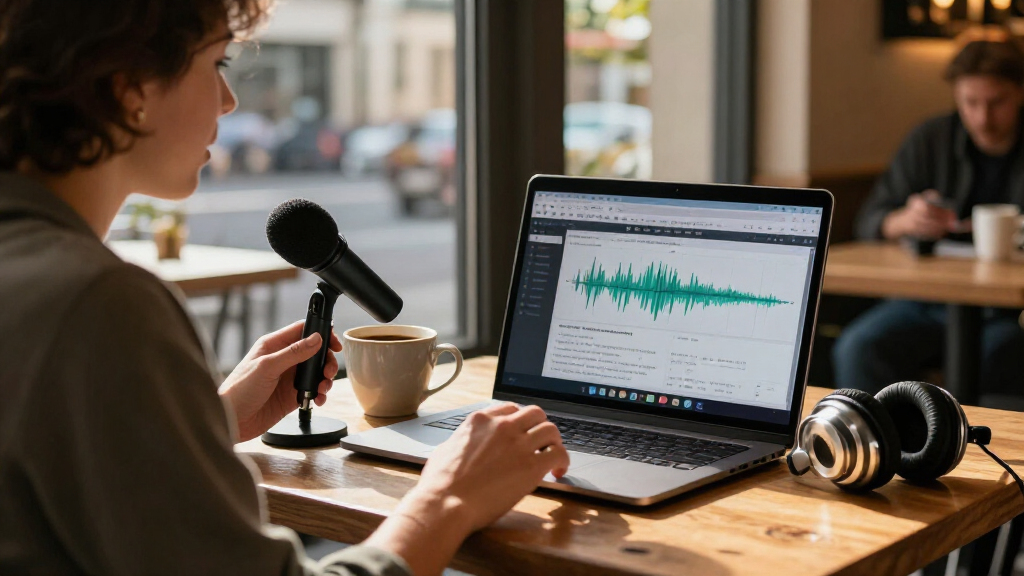
I ranked these products by how clearly they address a specific transcription task: processing recorded audio, controlling playback while typing, capturing spoken notes, translating speech, or dictating text. I also weighed practical fit, including the role of included hardware, compatibility details stated in each product name, and how much setup or manual control the workflow implies. Products with a clear match for recurring transcription work rank ahead of options whose strengths are tied to a narrower capture or dictation use.
The lineup includes multiple Express Scribe listings, so I treated them as distinct purchase configurations rather than assuming they are different transcription engines. The Professional bundle with the Infinity pedal ranks first for its combined software-and-control setup; the other Express Scribe options follow based on their stated platform, pedal support, and download configuration. Wearable and voice-hub devices fill different use cases, while VoiceWriter is placed for direct dictation. Product names alone do not establish language coverage, transcription accuracy, privacy practices, or subscription terms, so buyers should verify those details with the seller before committing.
Factors to Consider When Choosing AI Transcription Software
Before choosing a tool, identify where the audio comes from and what you need to do with the resulting text. A transcriber, a meeting-note device, and a dictation assistant may all involve speech-to-text, yet each can solve a different problem. These distinctions help prevent paying for a capture method you will not use or choosing a workflow that leaves too much manual work.
Start With Existing Audio or Live Capture
First decide whether your source is a saved recording or speech you want to capture as it happens. Software designed around playback can fit interviews, lectures, and recorded dictation, while wearable devices and voice hubs center on recording conversations or spoken notes. A common mistake is assuming that a device that records speech will handle an existing folder of audio files just as well. Check supported file types, transfer steps, and whether the product turns speech into editable text or mainly stores recordings. If both workflows matter, map how files move between capture, transcription, correction, and export before choosing.
Separate Transcription From Dictation
Transcription usually means converting a recording into text for later review; dictation means speaking words directly into a writing app. Those tasks call for different controls, even when both use speech recognition. For long-form writing, check whether dictation works in the applications you use and how corrections are handled. For interviews or other recordings, look for useful playback control and a practical way to compare the transcript with the source audio. Choosing a dictation tool for recorded interviews—or a playback tool for hands-free writing—can add friction instead of removing it.
Treat Accuracy as a Workflow, Not a Promise
No feature label can guarantee accurate transcripts across accents, background noise, specialist vocabulary, or overlapping speakers. Think about how costly an error would be and how much time you can spend correcting names, figures, and technical terms. For sensitive or publishable material, plan to check the transcript against the recording rather than relying on automated output alone. Ask whether the product supports speaker labeling, timestamps, dictionaries, or editing tools if those are part of your process, and verify that they are available in the version you intend to buy. A fast draft that needs careful editing may still be useful, but it is not the same as a finished transcript.
Check Hardware and Compatibility Before Buying
Bundled hardware can change the value of a transcription setup, but only if it fits your desk and routine. A foot pedal may help you control playback without moving your hands from the keyboard; it adds little if you mostly dictate or capture quick notes. Confirm operating-system support, connection type, and whether the pedal is included or merely supported. Listings with similar software names can differ in bundle contents and delivery format, so compare the exact configuration rather than relying on the shared brand name. Also check whether your computer can install the software and whether your recording equipment can supply audio in a supported format.
Check Language, Privacy, and Export Needs
Translation, transcription, and note capture are not the same capability, so confirm the languages and direction of use you actually need. A product title mentioning translation does not tell you which languages are supported or whether translation happens on the device or through an online service. If recordings contain confidential work, review where audio and transcripts are processed, stored, and deleted before uploading anything. Then check how you can retrieve the results: editable text, common document formats, or a usable export may matter more than a polished interface. These checks are especially useful when comparing standalone capture devices with desktop software.
Compare Total Workflow Cost, Not Just the Listing
Compare what you receive and what you may need later, including software access, accessories, connectivity, and any ongoing service requirements disclosed by the seller. A bundle can reduce setup work if its included pedal suits your workflow, while a download-only option may make more sense if you already own compatible controls. Do not assume similarly named versions share the same features, support period, or upgrade path. Consider the time required to move recordings, correct text, and export files as part of the real cost. Paying more makes sense when a specific feature removes repeated work; it does not make sense when the extra capability sits unused.
Frequently Asked Questions
Which option should I choose if I already have recorded interviews to transcribe?
Start with the Express Scribe listings, since their stated focus is transcription software and pedal support rather than wearable capture or direct dictation. The Professional bundle with the Infinity pedal is the clearest fit if you want a physical playback control included. If you already have a compatible pedal or prefer a download-only setup, compare the other Express Scribe configurations and confirm their platform support. Before purchase, verify that your recording format works and that the version provides the editing and export features your process requires.
Is a wearable note-taking device a substitute for desktop transcription software?
Not automatically: a wearable device is centered on capturing speech, while desktop transcription software is typically more suited to working through audio with a computer. A device such as NeoSapien Neo 1 may suit people who want to record spoken notes away from their desk, but that does not by itself confirm how it handles long existing recordings or detailed transcript correction. Check how recordings reach your computer, what transcript formats are available, and whether you can edit or export the text. If most of your work begins with saved files, a playback-centered workflow may be a closer match.
Should I choose a foot-pedal bundle or a software-only download?
Choose the bundle when you expect to control playback repeatedly while typing and do not already own compatible hardware. A pedal can keep playback controls within easy reach, which may help during long transcription sessions, but it adds another device to set up and store. A download-only option is more sensible if you already have a supported pedal, use keyboard controls, or are still checking whether this workflow suits you. Compare the exact bundle contents and compatibility details; similar product names do not guarantee identical configurations.
Can AI VoiceWriter replace software for transcribing interviews?
It is presented as a smart dictation and writing assistant, so its clearest use is speaking text into a computer rather than transcribing a collection of existing recordings. Interview transcription often calls for playback controls, repeated listening, and a way to edit against the source audio. Before treating VoiceWriter as a substitute, confirm whether it accepts saved audio files and supports the review process you need. If your goal is to compose documents by voice, its dictation focus may be more relevant than a transcription-first tool.
What should I verify before relying on translation or transcription for confidential audio?
Confirm the supported languages, how audio is processed, where recordings and transcripts are stored, and what deletion controls are available. These details cannot be inferred from a product title or a claim of AI transcription or translation. For confidential material, check whether processing requires an online connection and review the seller’s privacy terms before recording or uploading. Also plan to review translated or transcribed text for names, technical terms, and meaning before sharing it. If the vendor does not clearly answer your data-handling questions, choose a workflow that meets your organization’s rules.
Conclusion
Best overall: I recommend Express Scribe Professional with the Infinity pedal for people who regularly work through recorded audio and want software plus a dedicated playback control. Best value: the download-only Express Scribe option is the sensible starting point for buyers who already have compatible hardware or do not need a bundled pedal; check the exact included features first. Best premium-style setup: the NeoSapien Neo 1 is the more specialized choice for wearable speech capture, while YUEHISY Voice Hub is worth investigating if translation is part of your needs. Best for beginners: AI VoiceWriter is a straightforward category fit for someone whose main goal is dictating their own writing, not managing interview files. For hands-on transcription, compare the Express Scribe versions by platform and pedal configuration; for portable capture, look at NeoSapien; and for a particular language or privacy requirement, confirm support directly before buying.
Halloween Picks
halloween
As an affiliate, we earn on qualifying purchases.