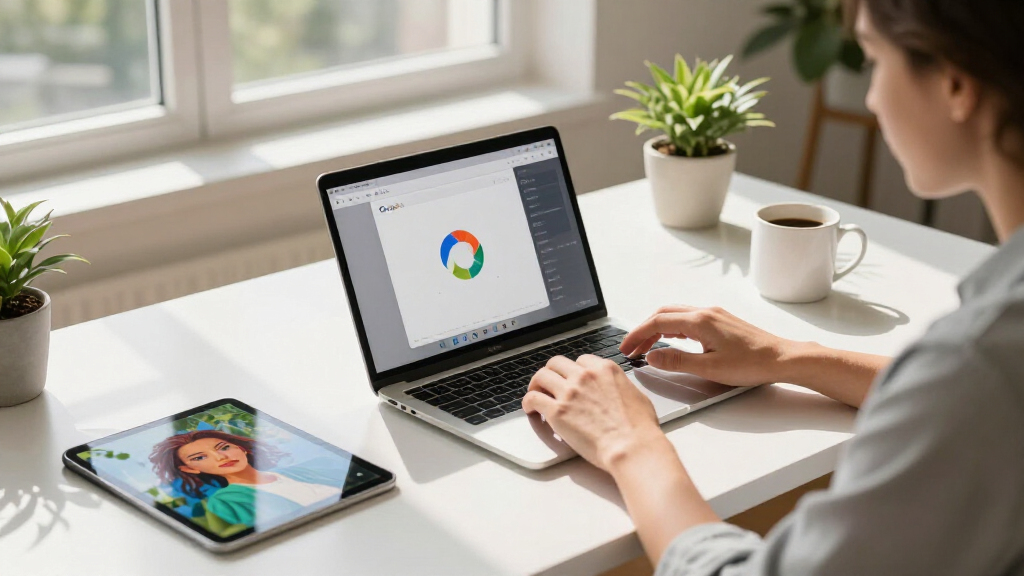
🔍 Read the full analysis: Enhance Your Google Workspace Experience With AI-Driven Image Tools In Google Pics on ThorstenMeyerAI.com
TL;DR
Google has launched Google Pics, an AI-powered image creation and editing tool built on its Nano Banana model, integrated into Google Workspace apps. The rollout is ongoing for Pro and Ultra subscribers, with Drive integration to follow. This move embeds advanced image editing directly into productivity tools, streamlining content creation.
Google has begun deploying Google Pics, an AI-driven image creation and editing tool built on its Nano Banana model, to Google Workspace users, initially available to Pro and Ultra subscribers. The tool leverages advanced AI capabilities, similar to those discussed in the original analysis. The tool is integrated directly into Docs and Slides, with Drive support expected in the coming weeks, enabling users to generate and modify images without switching applications.
The rollout, which started on September 1, 2026, makes Pics accessible through the standalone site pics.new. Google describes Pics as capable of tasks such as poster design, social media content creation, and digital illustration editing, emphasizing its ease of use and precise control. For more on AI-powered image tools, see this detailed overview. Key features include object segmentation, allowing users to isolate and transform specific elements within an image, and in-image text editing and translation, which enable modifications without altering the overall design.
Google highlights that Pics supports multiple image generations from a single prompt, giving users a variety of options to choose from. Collaboration features are also integrated, allowing teams to share and jointly edit images directly within Workspace apps. The company notes that billions of images are interacted with monthly across Workspace products, which motivated embedding the tool directly where users work.
While Docs and Slides already support Pics, Drive integration is still in development, expected to arrive in the next few weeks. The rollout is limited initially to paid AI subscribers and Workspace business customers, positioning Pics as a premium feature aimed at professional and enterprise users rather than casual consumers. Learn more about AI image creation tools in this comprehensive guide.
Impact on Workflow and Business Productivity
The integration of AI image editing directly into Google Workspace tools reduces the need to switch between separate image editors, streamlining content creation workflows for businesses and individual users. For example, editing a chart label in Slides or generating visual options within Docs can now be done without leaving the platform, potentially shortening content production cycles.
This development also signals Google’s strategy to differentiate its subscription tiers, with Pics initially exclusive to paid AI and enterprise plans, making advanced image editing a key value proposition for Google AI Pro and Ultra. The emphasis on professional features like in-image text translation and collaborative editing indicates a focus on marketing teams, localized campaigns, and shared creative projects, rather than casual use.
By embedding these capabilities within familiar productivity apps, Google aims to compete with standalone AI image tools from other providers, leveraging its existing Workspace user base as a distribution channel.
As an affiliate, we earn on qualifying purchases.
Background on Google’s AI Image Capabilities
Google has previously offered its Nano Banana model for AI image generation and editing through separate surfaces, but Pics represents its first dedicated Workspace-branded product built on this technology. The move aligns with a broader industry trend of integrating generative AI tools into productivity suites to improve workflow efficiency.
The rollout follows Google’s announcement that billions of images are interacted with monthly across Workspace, emphasizing the company’s focus on embedding AI tools where users already work. This approach aims to enhance user experience by providing seamless access to AI-powered image editing within familiar environments, rather than creating entirely new workflows.
Industry competitors like Microsoft and Adobe have also integrated generative AI features into their productivity and creative tools, making Google’s move part of a wider shift toward AI-enhanced digital workspaces.
“Pics gives you the control you need to create whatever you’re imagining, whether you’re designing a poster, producing social media posts, or editing digital illustrations.”
— Google AI team
digital illustration tools for professionals
As an affiliate, we earn on qualifying purchases.
As an affiliate, we earn on qualifying purchases.
Unanswered Questions About Rollout and Capabilities
Google has not specified the exact timeline for full Drive integration, nor clarified which Workspace tiers will be eligible beyond ‘most’ business customers. Details about potential usage limits, pricing beyond current subscriptions, and whether a free tier will be introduced remain undisclosed.
Claims regarding feature performance, such as object segmentation and in-image text editing, are based on vendor statements and have not yet been independently verified. Additionally, content provenance and copyright safeguards have not been addressed in the announcement, leaving questions about content security and compliance.
It is also unclear whether the full feature set available in Docs and Slides will be matched in Drive, or if certain functionalities will be limited to specific platforms.
photo editing tablet for designers
As an affiliate, we earn on qualifying purchases.
As an affiliate, we earn on qualifying purchases.
Upcoming Milestones and User Access Expansion
The next major step is the rollout of Drive integration, expected within the next few weeks, which will complete the initial set of Workspace touchpoints for Pics. As the feature becomes available to more users, third-party reviews and independent testing will clarify the actual performance and limitations of the tool.
Google has not announced additional app integrations or specific feature updates beyond Drive support. Users should monitor official channels for updates on subscription limits, tier eligibility, and content safeguards. Further details on potential free access or tier-based usage caps are anticipated in the coming weeks.
Continued feedback from early adopters and enterprise clients will likely influence future enhancements and policy clarifications regarding content security and intellectual property protections.
As an affiliate, we earn on qualifying purchases.
Key Questions
Is Google Pics available for all Workspace users now?
Google Pics is currently rolling out to Pro and Ultra subscribers and most Workspace business customers, with Drive integration coming in the next few weeks. Full availability across all tiers has not been specified.
What features does Google Pics support?
Key features include object segmentation, in-image text editing and translation, multiple image generations from a prompt, and collaborative editing. Drive support is expected to expand these capabilities.
Are there any usage limits or costs associated with Pics?
Google has not detailed specific usage limits or pricing beyond existing subscription tiers. It is unclear if a free tier will be offered or if usage caps will apply for different plans.
How does Pics handle content security and copyright issues?
The announcement did not address content provenance labeling, copyright safeguards, or content moderation policies, leaving these questions open for future clarification.
Will all features be available in Drive as in Docs and Slides?
It is not yet confirmed whether Drive will support the full feature set of Pics or if some functionalities will be limited until further updates.
Primary source: Google AI · via ThorstenMeyerAI.com